





Verdict
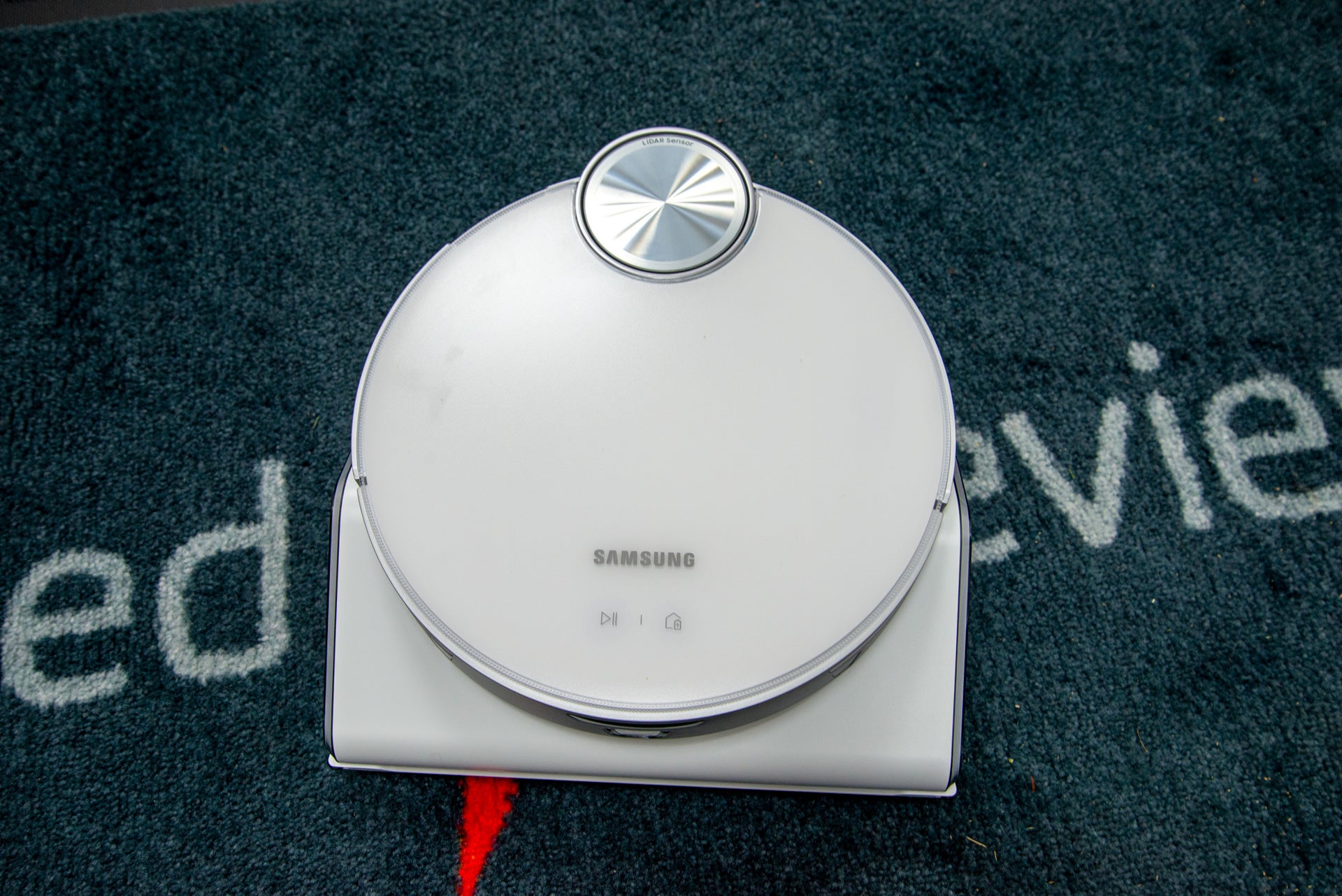
A super-power robot vacuum cleaner with excellent navigation and automatic object detection and avoidance, the Samsung JetBot AI+ makes light work of any spill. In my tests, I found it able to clean as well as a regular vacuum cleaner on all surfaces. Excellent filtration and automatic emptying confirm this as one of the best robots available, but it is expensive, particularly for a model that can’t mop.
Pros
- Excellent cleaning power
- Great app
- Powerful navigation
Cons
- Expensive for a non-mopping cleaner
-
TypeThis is a self-emptying, vacuum only robot cleaner. -
ControlWorks with SmartThings, Amazon Alexa and Google Home.
Introduction
Looking back through the Trusted Reviews archives, it’s been almost six years since we last reviewed a Samsung robot vacuum cleaner, the Powerbot VR9300.
Since then, a lot has changed, and the competition has come from all over. Fortunately, the latest model, the Samsung JetBot AI+ has the power to fight back.
Exceptional suction and cleaning power, combined with excellent navigation, self-emptying and object detection and avoidance, make this one of the best vacuum-only robots that I’ve tested. It is very expensive, though, particularly for a model that doesn’t have a mopping option.
Design and features
- Extra filtration
- Smart object avoidance
- Self-emptying
In a world where almost every robot vacuum cleaner looks the same, it’s nice to see the Samsung JetBot AI+ do something different, with chunkier wheels that make short work of climbing obstacles.
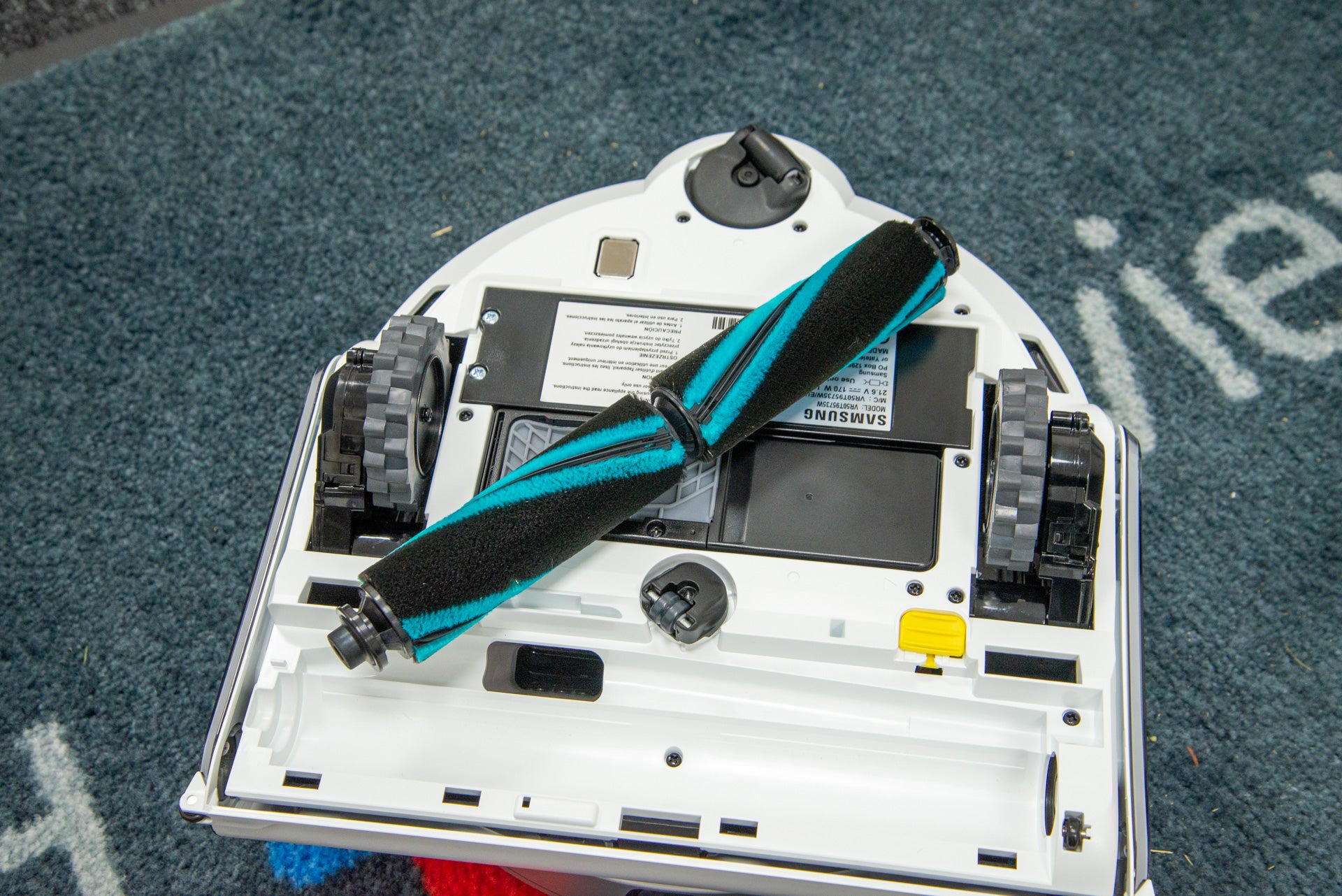
Flip it over, and there are differences underneath, too. Rather than a central brush bar, the robot has dual rollers, and there’s no need for a side sweeper brush on this model. This is the first robot vacuum cleaner to ditch the side brush since the Dyson 360 Heurist.
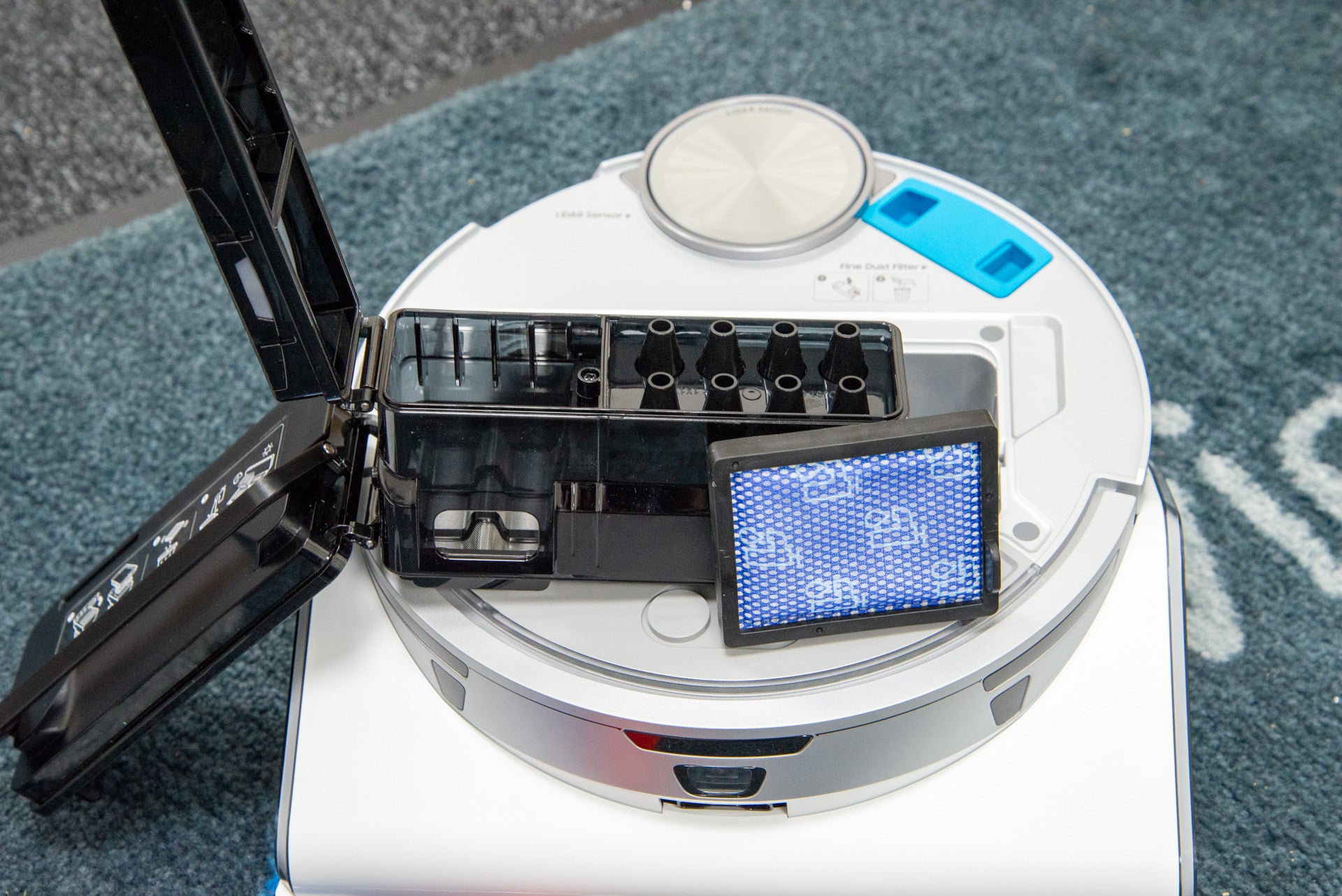
Vacuuming is as much about keeping dust trapped inside as it is about picking it up in the first place. To that end, the Samsung JetBot AI+ has the most advanced filtration system I’ve seen on a robot vacuum cleaner.
With HEPA filtration, this robot is designed to lock dirt in. There are multiple filters, too. Inside the bin, there’s a standard washable filter.
At the front of the robot is the fine dust filter, which locks in smaller dirt particles. This is easy to remove for cleaning.
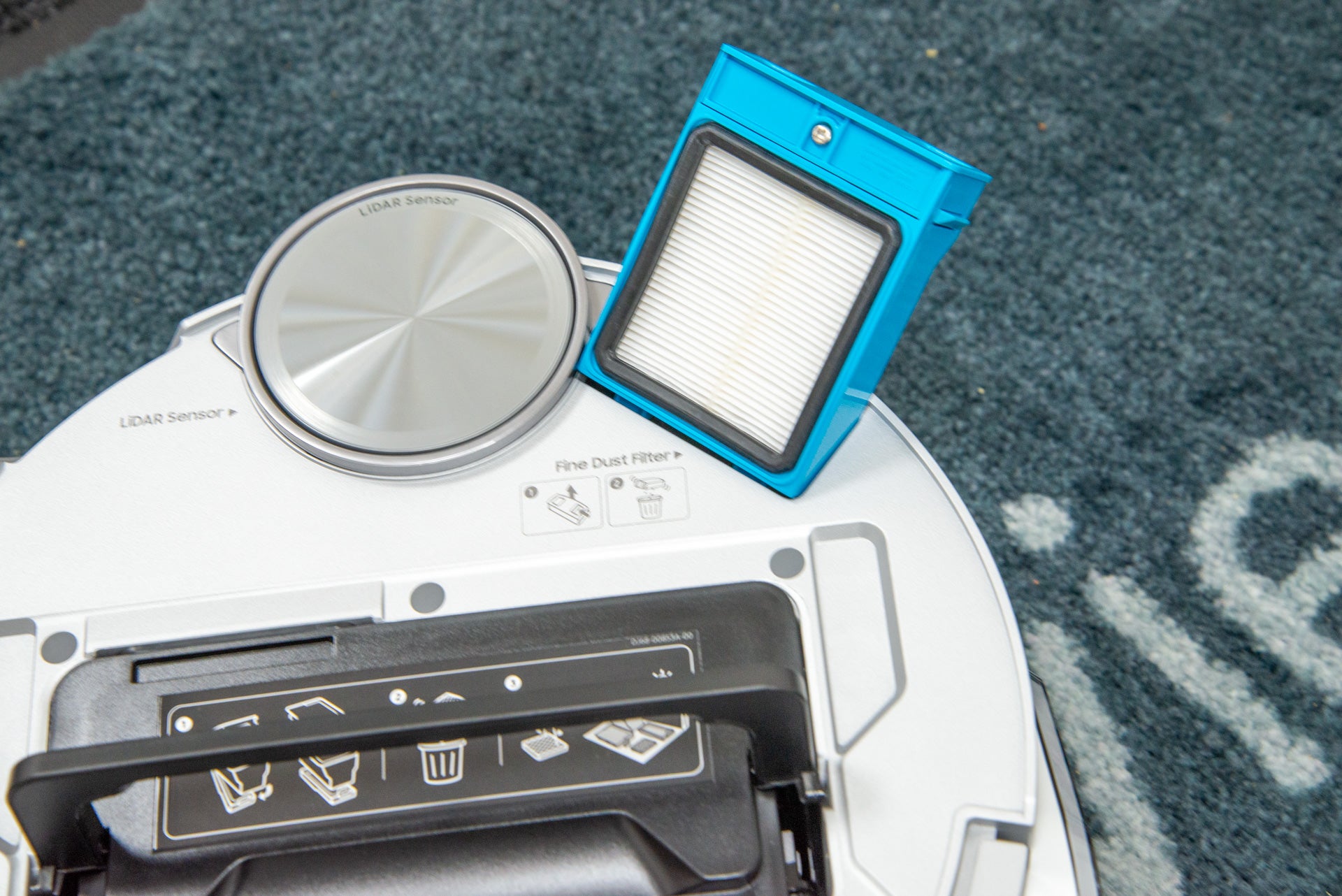
There’s a 0.2-litre bin inside, which sounds a little on the small size, but don’t worry. This model ships with a self-emptying dock, so the bin is emptied into a disposable bag automatically when the internal bin is full.
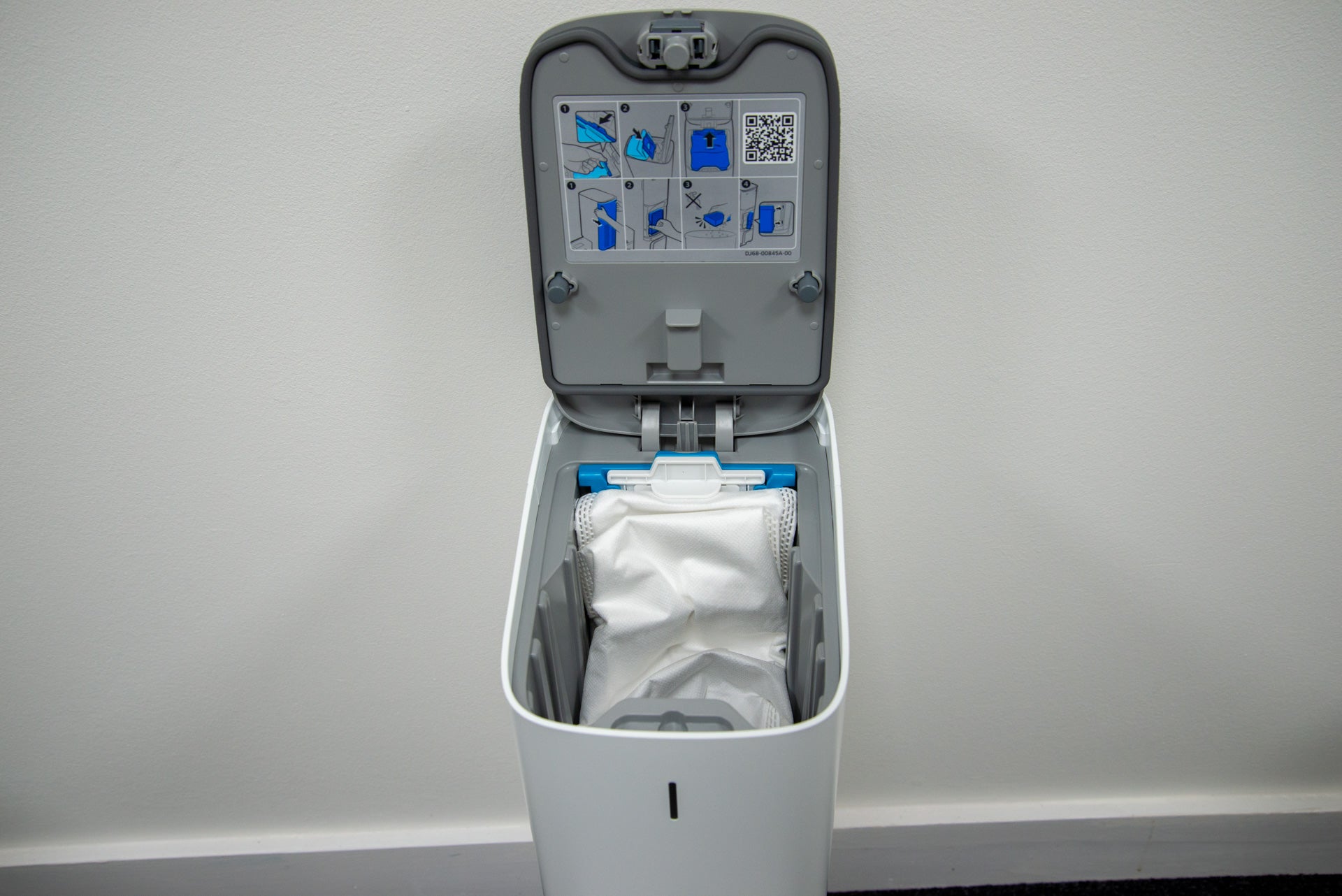
Replacement bags cost around £19 for five, and each one will last between one and three months, depending on how often you run the vacuum cleaner and how dirty your house is. Competitors have similarly priced bags.
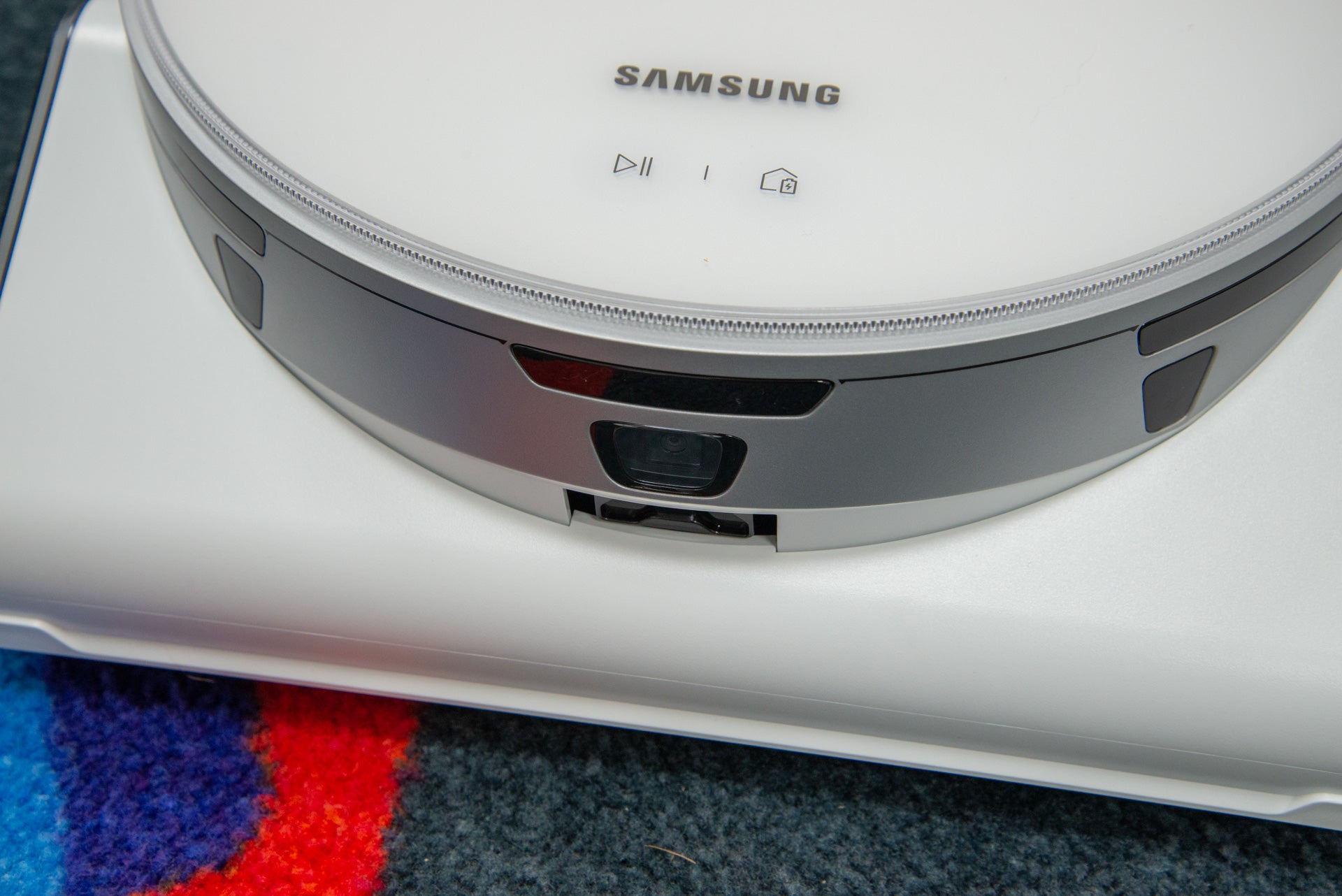
LiDAR is used for mapping and navigation, plus this robot has a camera at the front that it uses for smart object recognition and avoidance.
As this is a Samsung product, it should come as no surprise that it’s controlled through SmartThings. Once added to the app, the first option is to either perform a mapping run, or to skip this and generate a map as the robot cleans.
I think that the former option is the best. It’s worth cleaning up before the robot goes off, making sure that the Samsung JetBot AI+ has full access to every room and area.
Once done, the map can be split into rooms, so you can pick which area you want to clean. Maps are fully customisable, too. As well as traditional no-go zones, the app lets me add furniture to the room manually (it also detects furniture automatically).
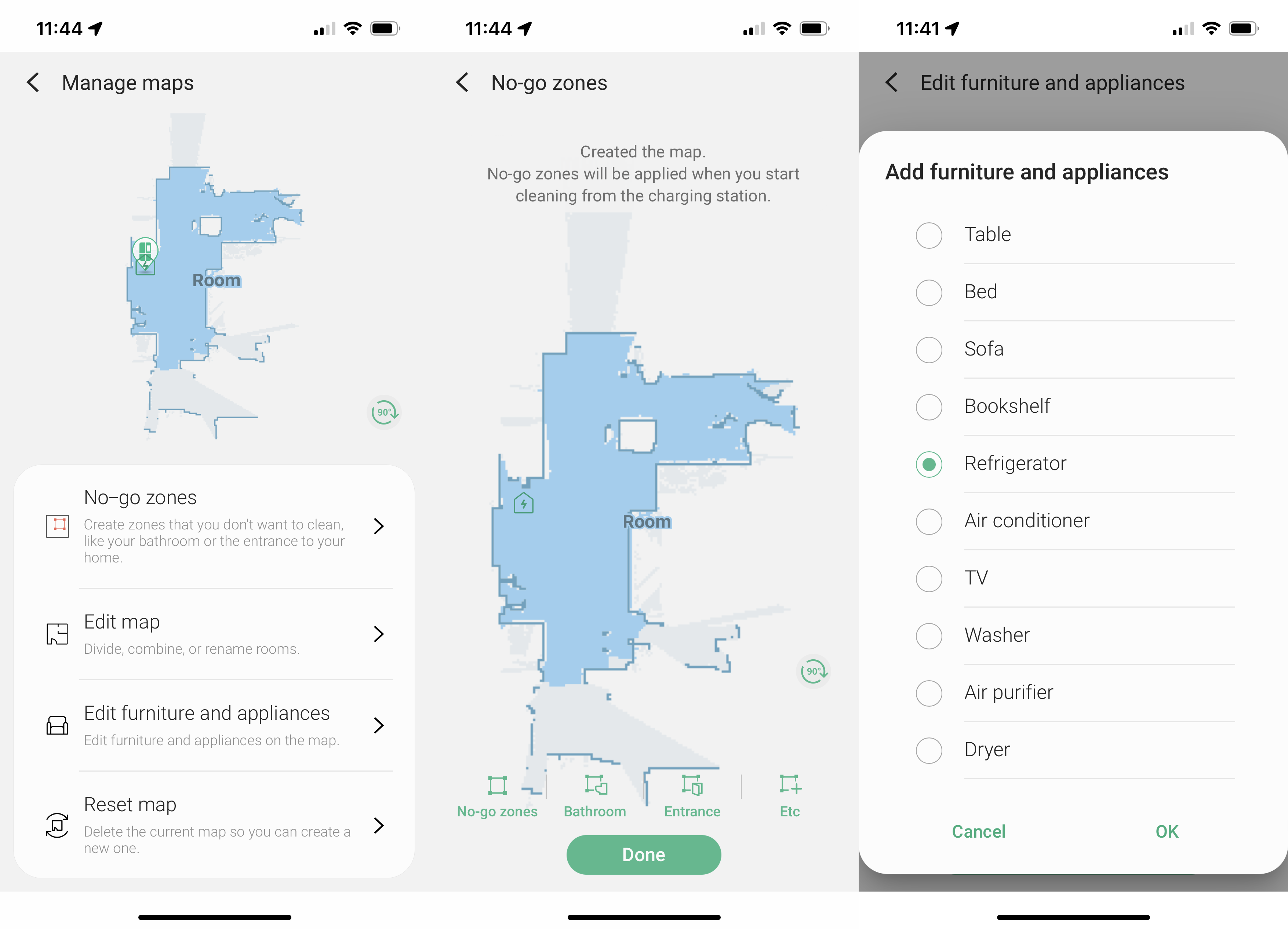
The Roborock S7 MaxV has similar features, although its furniture feature involves trying to place more detailed furniture models, resizing them to match the real-world version. With the Samsung JetBot AI+, I just had to drop an icon where the furniture is.
Adding furniture is useful, as the Samsung JetBot AI+ can be instructed to clean around one object. I find that handy after eating, as the JetBot can be sent to clean around the dining table, for a quick cleanup. Or, I could just draw a box on the map and get the robot to tackle that area – handy for localised spills.
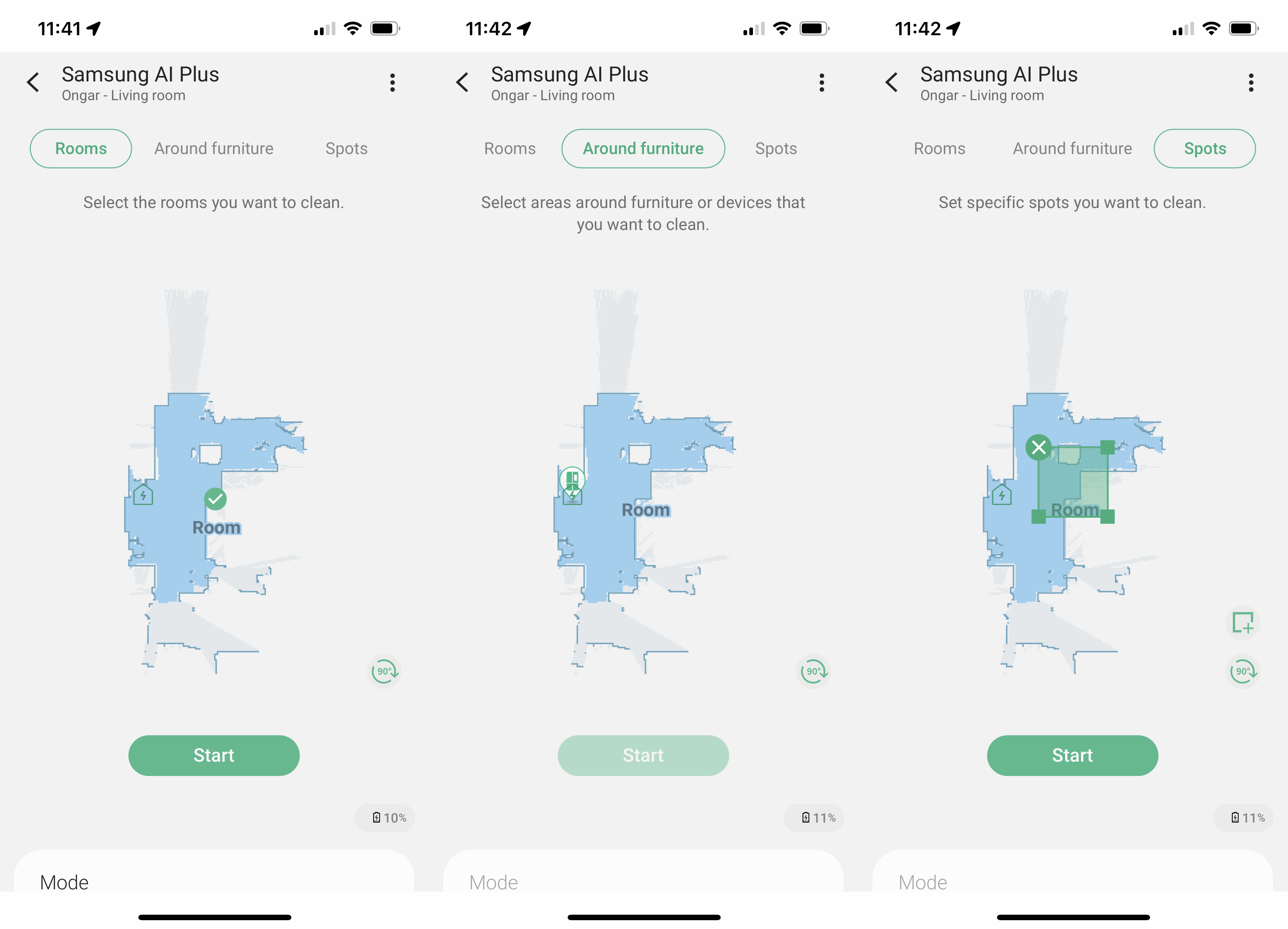
There are several cleaning modes to choose from. The default has the robot clean the area first, before moving to hug walls, but there are options to clean edges first, or to clean faster in a zig-zag pattern. I found the first option the best.
Next, there’s a choice of suction power. I found that Smart was the best choice: here, the Samsung JetBot AI+ uses normal suction power but increases power when it detects carpet or large spills.
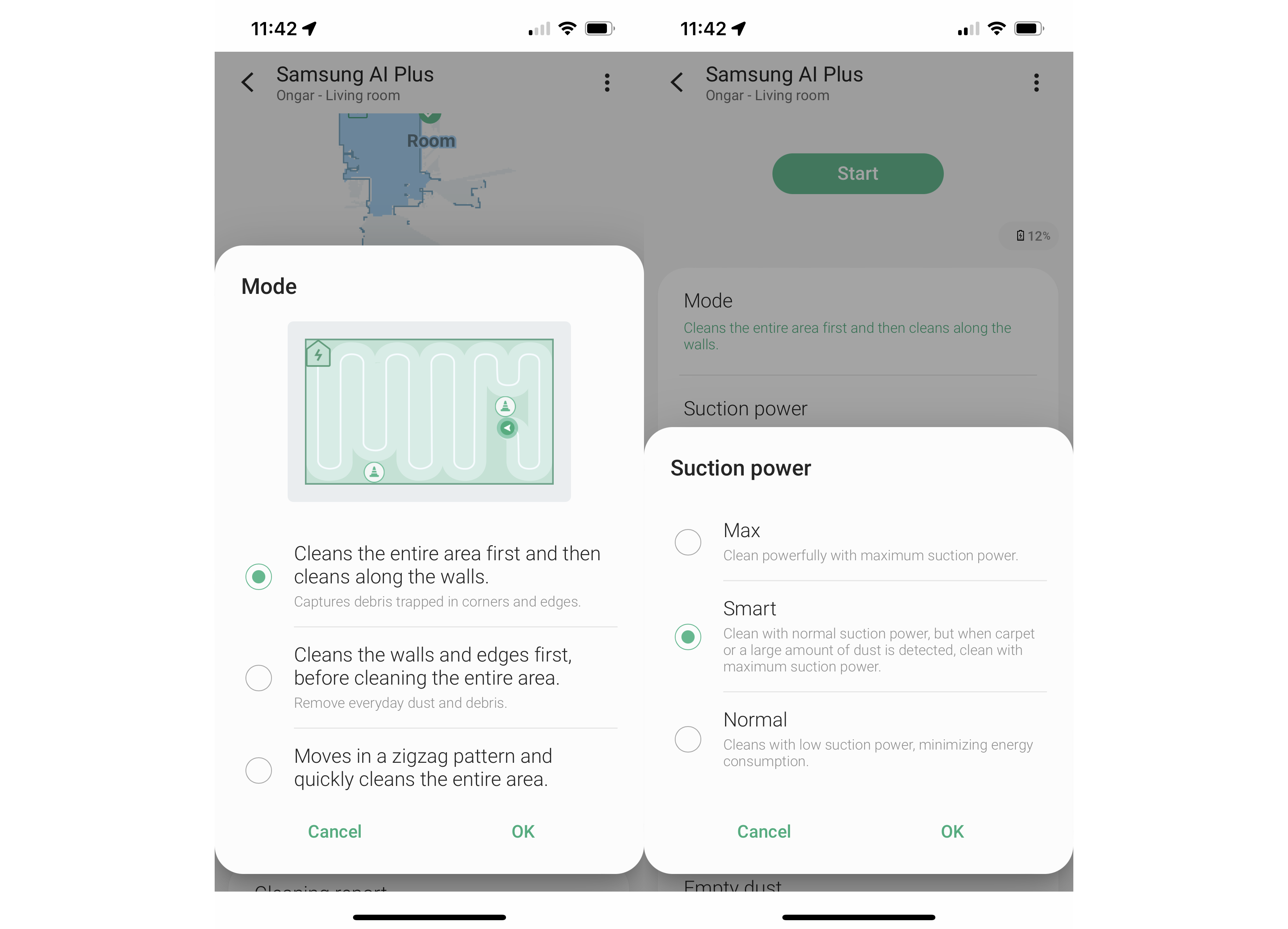
I found that the default option had the robot set to keep cleaning until it ran out of battery; this is useful for very dirty rooms, but for a regular clean, I turned this off so that the Samsung JetBot AI+ would return to its dock when the map had been covered.
While the camera on the front is primarily for obstacle avoidance, it can also be used for monitoring your home, either manually driving the robot where you want it to go, or getting to run a patrol, warning you when it picks up motion. The camera is quite low down, so there’s not much of a view, but it can be handy to see what’s going on in a house.
I used a similar feature on the Ecovacs Deebot Omni X1 to see why my alarm had gone off while I was away: it turned out the door sensor for my alarm had dropped onto the floor.
Amazon Alexa and Google Assistant control are available via the SmartThings app, although there are only on and off commands, with the former starting a clean and the latter returning the vacuum to its dock.
Performance
- Excellent cleaning on all surfaces
- Easily avoids problem areas
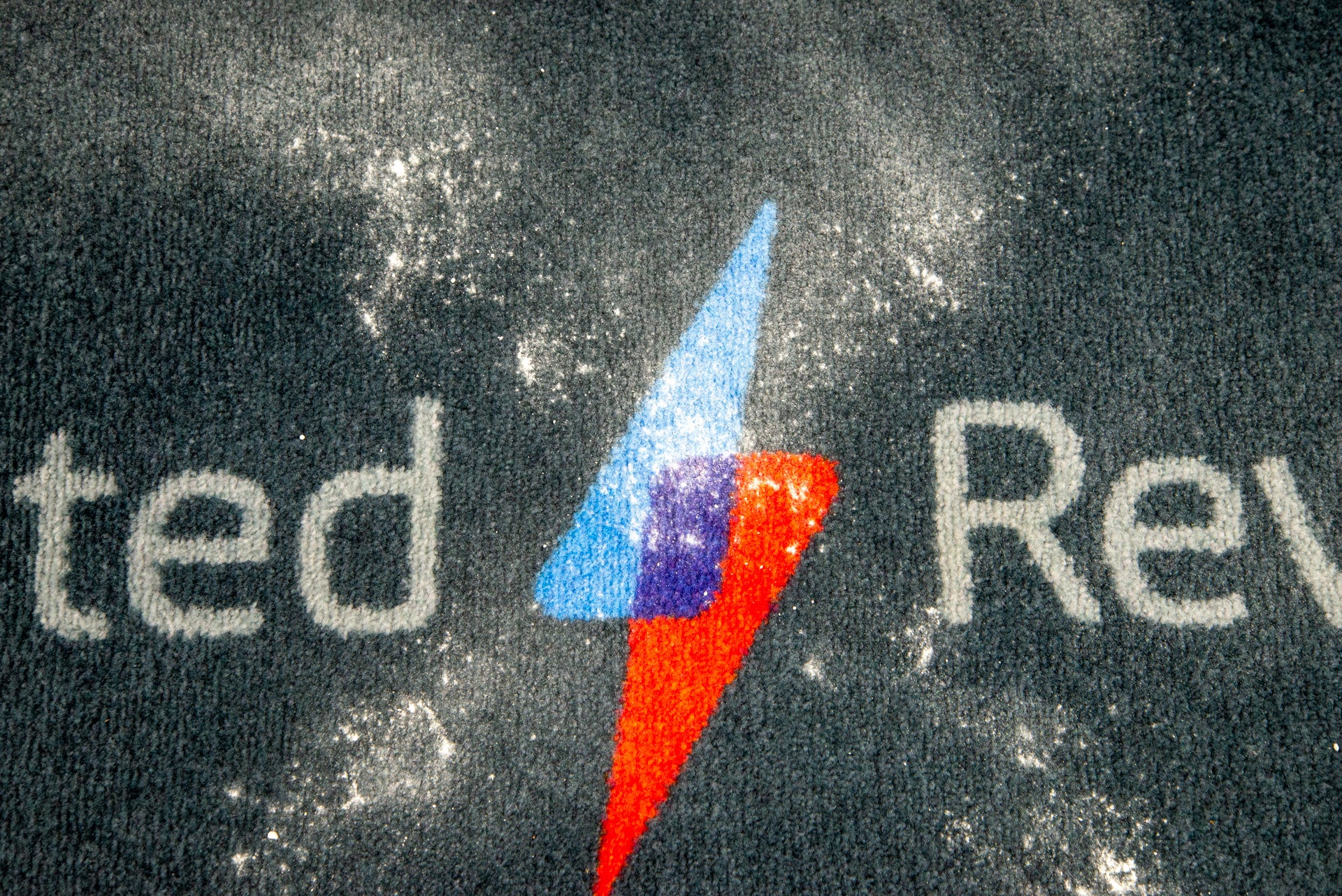
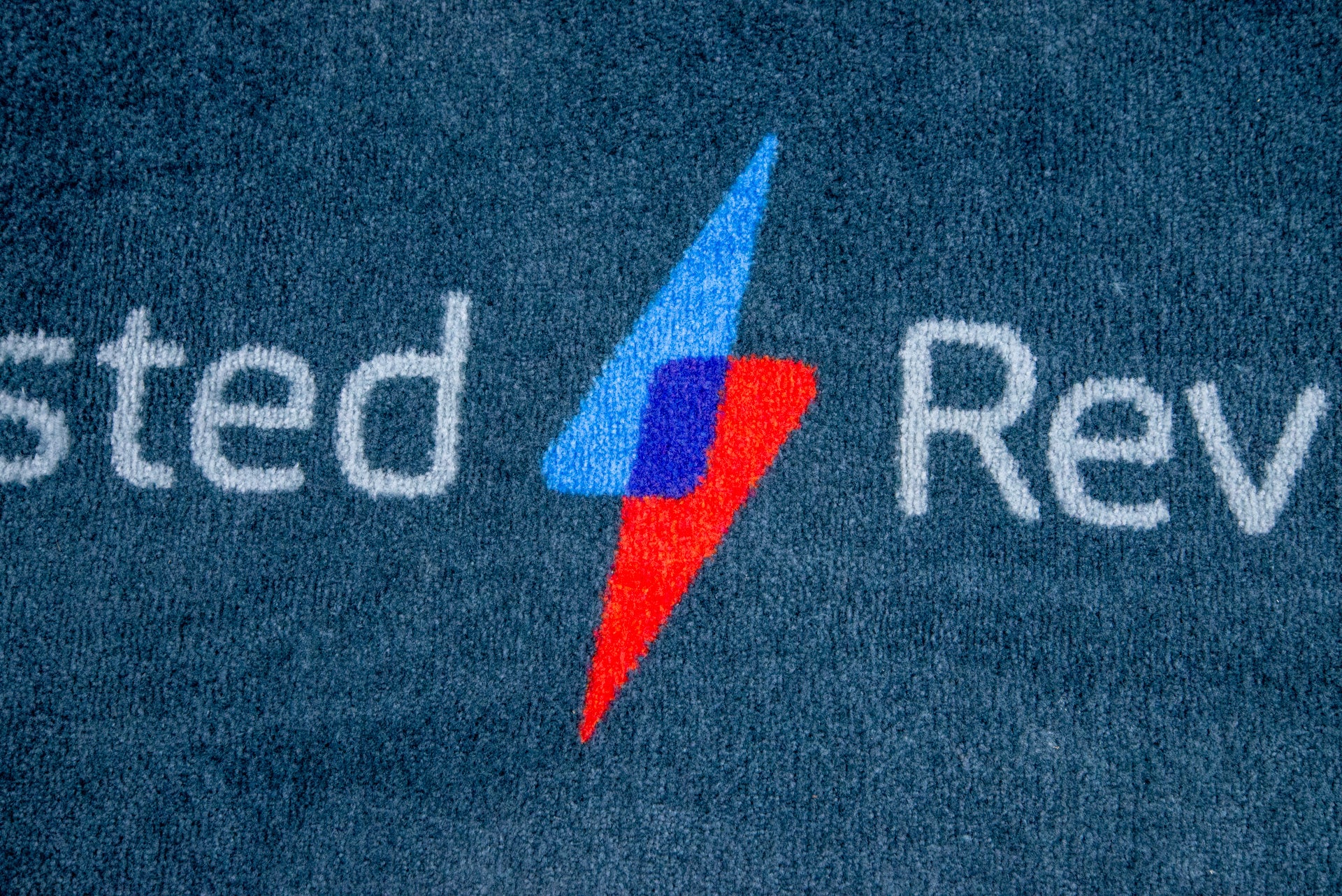
I put the Samsung JetBot AI+ through my normal tests to see how well it could clean. I started by sprinkling a teaspoon of flour onto my test carpet and then set the Samsung JetBot AI+ off to clean.
It made short work of the mess on the carpet, picking up every trace of dirt. This is the best result I’ve seen from a robot vacuum cleaner.
Moving to the hard floor, the result was the same, with the Samsung JetBot AI+ picking up every bit of mess in the middle of the floor.
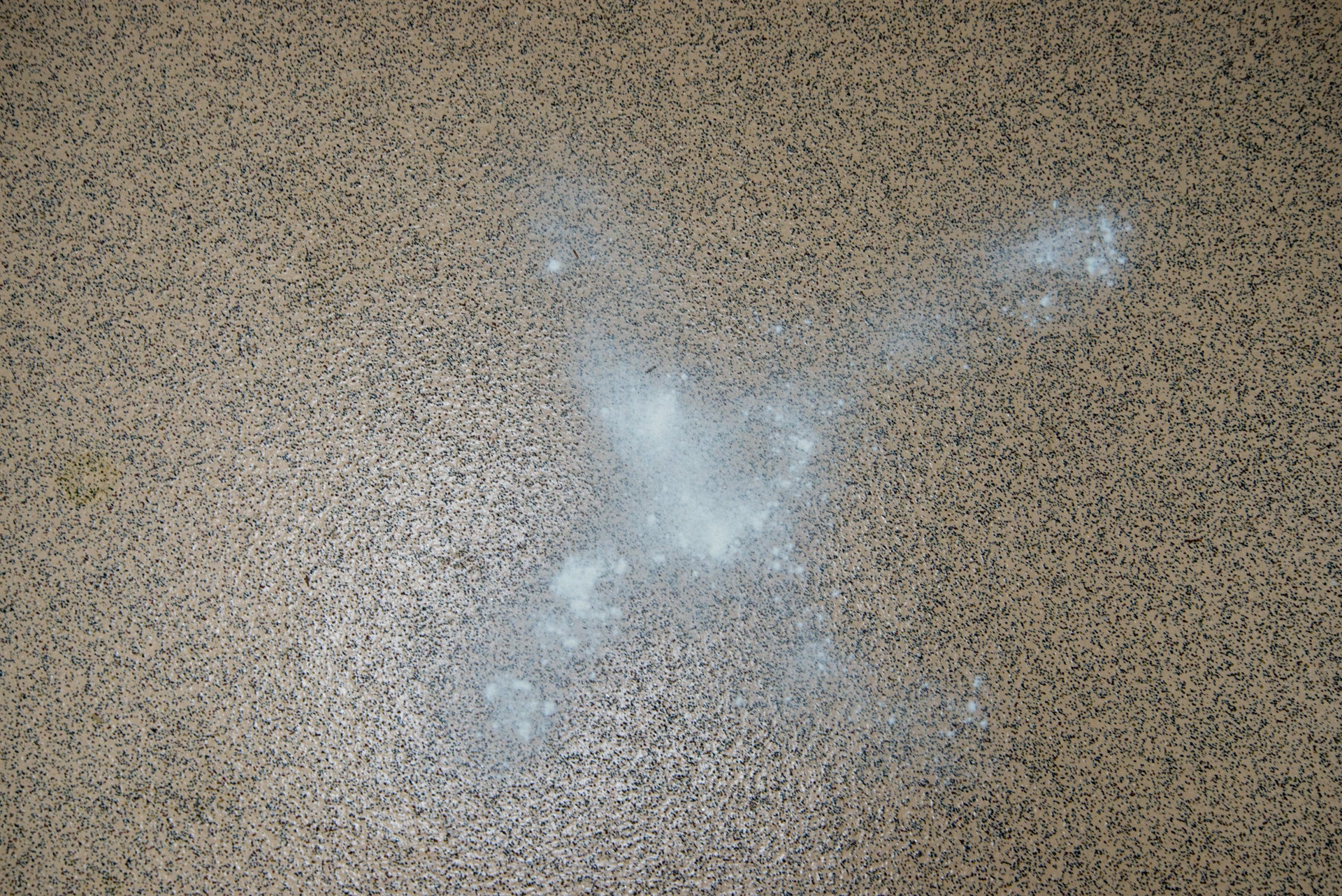
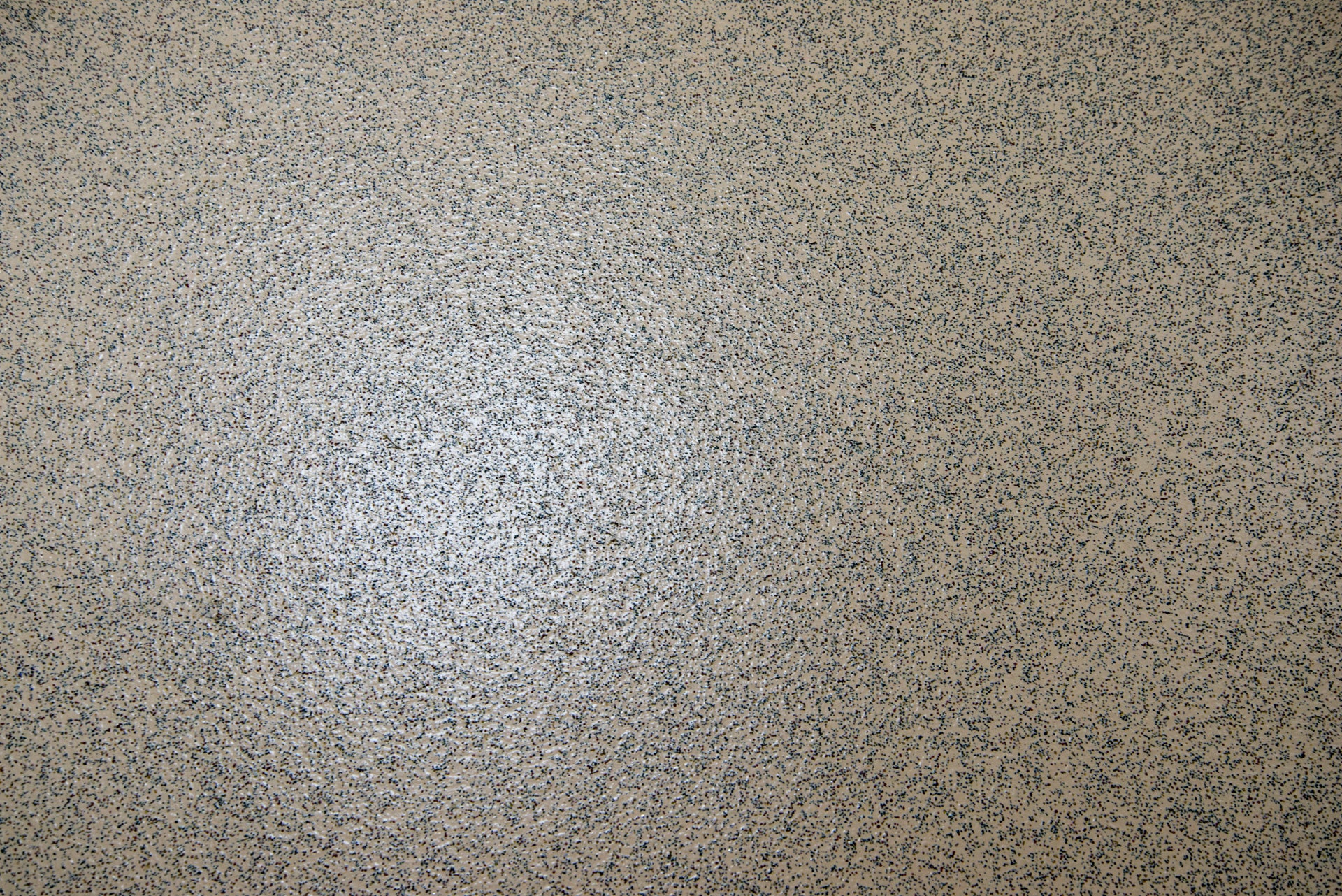
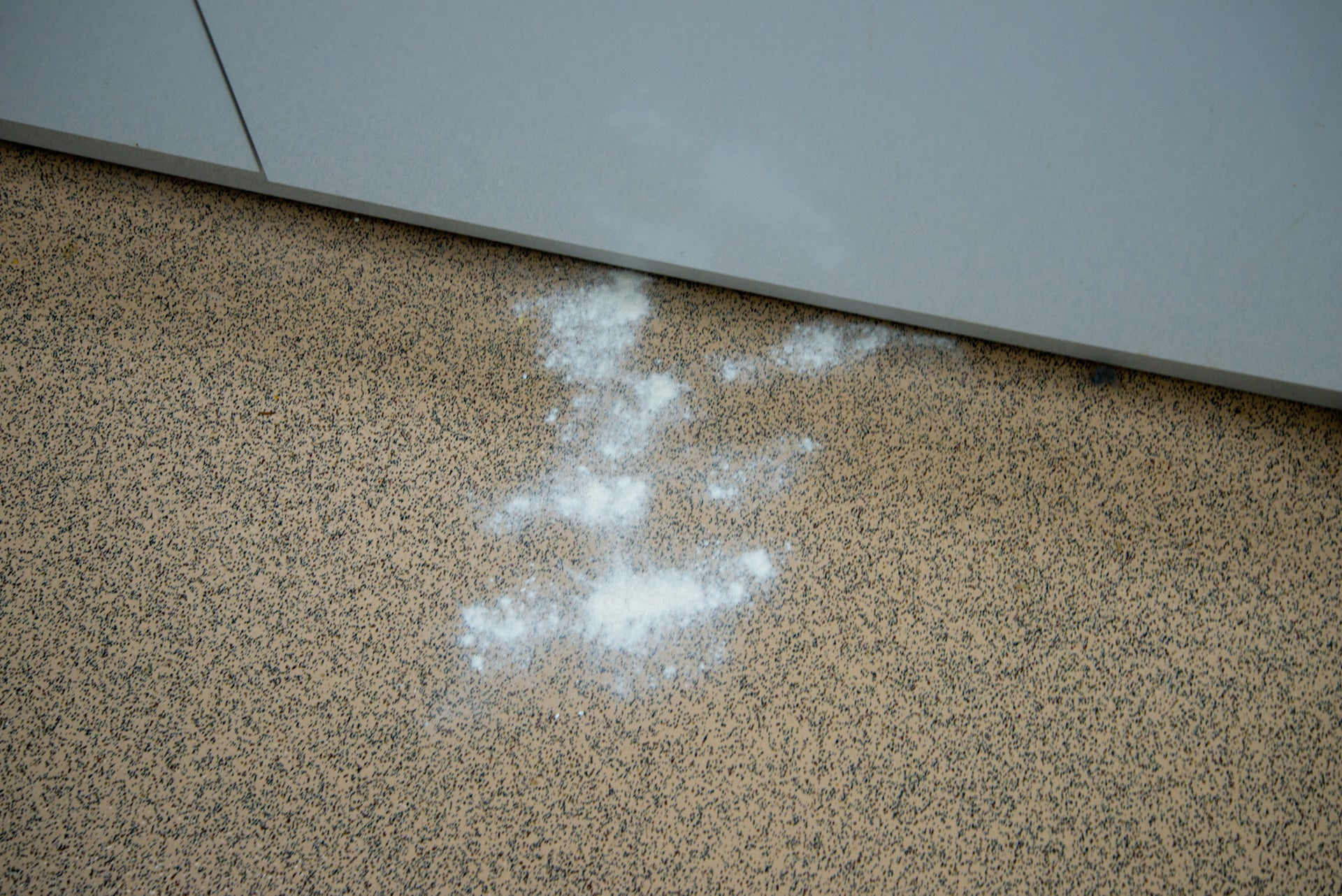
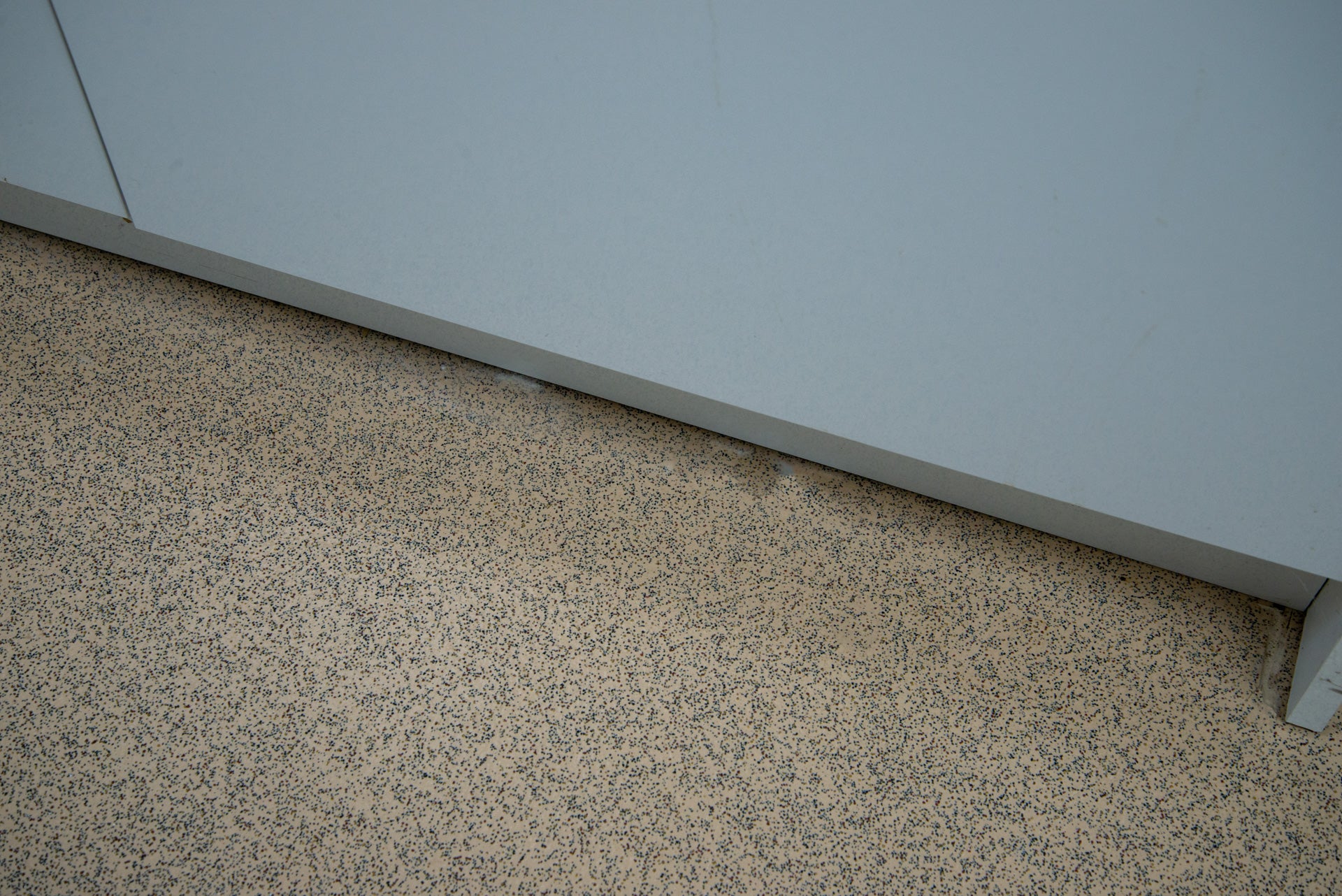
Edge cleaning is a tougher test, but the Samsung JetBot AI+ was impressive. Using suction power alone, and clever navigation to run down my kitchen’s plinth, the robot managed to remove virtually all mess.
That’s impressive. A lot of robot vacuum cleaners struggle here, and their side brushes will often pull out some dust, but leave a smear of dust behind.
Navigation on the Samsung JetBot AI+ is impressive. I littered my test room with objects: shoes, cables and even fake pet mess. The Samsung JetBot AI+ navigated around them, never getting clogged or disturbing objects.
I did have to set up a no-go zone by the front door to the test lab, as this has a curved step down to the bottom of the door, which causes problems for all robot vacuum cleaners. With this zone in place, the Samsung JetBot AI+ never got stuck again.
I measured the vacuum cleaner at 62.1dB, similar to much of the competition: loud enough to hear, but not so loud as to be overly distracting.
Battery life is rated at 60 minutes, but it’s cleaning performance that counts. I found that on a full charge, there was more than enough power to tackle my downstairs, with enough juice left to tackle spot cleaning. As with most other robot vacuum cleaners, we’re now at the point where there’s enough battery power for the Samsung JetBot AI+ to be ready to tackle a job at any point.
Latest deals
Should you buy it?
If you want excellent cleaning performance and brilliant navigation, this is the robot vacuum cleaner for you.
If you want a robot vacuum cleaner that can also mop, then you’ll need to look for an alternative option.
Final Thoughts
It’s an expensive bit of kit, with the iRobot j7+ offering similar obstacle avoidance and dust emptying for less. However, in terms of pure cleaning, the Samsung JetBot AI+ is far better. In fact, it cleans about as well as a manual vacuum cleaner. Excellent filtration, brilliant navigation and a powerful app all combine to make this one of the best robot vacuum cleaners available. If you’d rather have something that can mop, too, then check out my guide to the best robot vacuum cleaners.
How we test
Unlike other sites, we test every robot vacuum cleaner we review thoroughly over an extended period of time. We use industry standard tests to compare features properly. We’ll always tell you what we find. We never, ever, accept money to review a product.
Find out more about how we test in our ethics policy.
Used as our main robot vacuum cleaner for the review period
We test for at least a week
Tested with real-world dirt in real-world situations for fair comparisons with other vacuum cleaners
FAQs
No, this robot vacuum cleaner is a suction-only device.
It can be used to live-stream what’s going on in your home, plus it’s used for object detection and avoidance, letting the robot move around pet mess, shoes, cables and the like.
Sustainability
TrustedReviews holds the fact that global warming is not a myth as a core value and will continuously endeavour to help protect our planet from harm in its business practices.
As part of this mission, whenever we review a product, we send the company a series of questions to help us gauge and make transparent the impact the device has on the environment.
We currently haven’t received answers to the questions on this product, but we will update this page the moment we do. You can see a detailed breakdown of the questions we ask and why in our sustainability info page.

Verdict
A super-power robot vacuum cleaner with excellent navigation and automatic object detection and avoidance, the Samsung JetBot AI+ makes light work of any spill. In my tests, I found it able to clean as well as a regular vacuum cleaner on all surfaces. Excellent filtration and automatic emptying confirm this as one of the best robots available, but it is expensive, particularly for a model that can’t mop.
Pros
- Excellent cleaning power
- Great app
- Powerful navigation
Cons
- Expensive for a non-mopping cleaner
-
TypeThis is a self-emptying, vacuum only robot cleaner. -
ControlWorks with SmartThings, Amazon Alexa and Google Home.
Introduction
Looking back through the Trusted Reviews archives, it’s been almost six years since we last reviewed a Samsung robot vacuum cleaner, the Powerbot VR9300.
Since then, a lot has changed, and the competition has come from all over. Fortunately, the latest model, the Samsung JetBot AI+ has the power to fight back.
Exceptional suction and cleaning power, combined with excellent navigation, self-emptying and object detection and avoidance, make this one of the best vacuum-only robots that I’ve tested. It is very expensive, though, particularly for a model that doesn’t have a mopping option.
Design and features
- Extra filtration
- Smart object avoidance
- Self-emptying
In a world where almost every robot vacuum cleaner looks the same, it’s nice to see the Samsung JetBot AI+ do something different, with chunkier wheels that make short work of climbing obstacles.
Flip it over, and there are differences underneath, too. Rather than a central brush bar, the robot has dual rollers, and there’s no need for a side sweeper brush on this model. This is the first robot vacuum cleaner to ditch the side brush since the Dyson 360 Heurist.
Vacuuming is as much about keeping dust trapped inside as it is about picking it up in the first place. To that end, the Samsung JetBot AI+ has the most advanced filtration system I’ve seen on a robot vacuum cleaner.
With HEPA filtration, this robot is designed to lock dirt in. There are multiple filters, too. Inside the bin, there’s a standard washable filter.
At the front of the robot is the fine dust filter, which locks in smaller dirt particles. This is easy to remove for cleaning.
There’s a 0.2-litre bin inside, which sounds a little on the small size, but don’t worry. This model ships with a self-emptying dock, so the bin is emptied into a disposable bag automatically when the internal bin is full.
Replacement bags cost around £19 for five, and each one will last between one and three months, depending on how often you run the vacuum cleaner and how dirty your house is. Competitors have similarly priced bags.
LiDAR is used for mapping and navigation, plus this robot has a camera at the front that it uses for smart object recognition and avoidance.
As this is a Samsung product, it should come as no surprise that it’s controlled through SmartThings. Once added to the app, the first option is to either perform a mapping run, or to skip this and generate a map as the robot cleans.
I think that the former option is the best. It’s worth cleaning up before the robot goes off, making sure that the Samsung JetBot AI+ has full access to every room and area.
Once done, the map can be split into rooms, so you can pick which area you want to clean. Maps are fully customisable, too. As well as traditional no-go zones, the app lets me add furniture to the room manually (it also detects furniture automatically).
The Roborock S7 MaxV has similar features, although its furniture feature involves trying to place more detailed furniture models, resizing them to match the real-world version. With the Samsung JetBot AI+, I just had to drop an icon where the furniture is.
Adding furniture is useful, as the Samsung JetBot AI+ can be instructed to clean around one object. I find that handy after eating, as the JetBot can be sent to clean around the dining table, for a quick cleanup. Or, I could just draw a box on the map and get the robot to tackle that area – handy for localised spills.
There are several cleaning modes to choose from. The default has the robot clean the area first, before moving to hug walls, but there are options to clean edges first, or to clean faster in a zig-zag pattern. I found the first option the best.
Next, there’s a choice of suction power. I found that Smart was the best choice: here, the Samsung JetBot AI+ uses normal suction power but increases power when it detects carpet or large spills.
I found that the default option had the robot set to keep cleaning until it ran out of battery; this is useful for very dirty rooms, but for a regular clean, I turned this off so that the Samsung JetBot AI+ would return to its dock when the map had been covered.
While the camera on the front is primarily for obstacle avoidance, it can also be used for monitoring your home, either manually driving the robot where you want it to go, or getting to run a patrol, warning you when it picks up motion. The camera is quite low down, so there’s not much of a view, but it can be handy to see what’s going on in a house.
I used a similar feature on the Ecovacs Deebot Omni X1 to see why my alarm had gone off while I was away: it turned out the door sensor for my alarm had dropped onto the floor.
Amazon Alexa and Google Assistant control are available via the SmartThings app, although there are only on and off commands, with the former starting a clean and the latter returning the vacuum to its dock.
Performance
- Excellent cleaning on all surfaces
- Easily avoids problem areas
I put the Samsung JetBot AI+ through my normal tests to see how well it could clean. I started by sprinkling a teaspoon of flour onto my test carpet and then set the Samsung JetBot AI+ off to clean.
It made short work of the mess on the carpet, picking up every trace of dirt. This is the best result I’ve seen from a robot vacuum cleaner.
Moving to the hard floor, the result was the same, with the Samsung JetBot AI+ picking up every bit of mess in the middle of the floor.
Edge cleaning is a tougher test, but the Samsung JetBot AI+ was impressive. Using suction power alone, and clever navigation to run down my kitchen’s plinth, the robot managed to remove virtually all mess.
That’s impressive. A lot of robot vacuum cleaners struggle here, and their side brushes will often pull out some dust, but leave a smear of dust behind.
Navigation on the Samsung JetBot AI+ is impressive. I littered my test room with objects: shoes, cables and even fake pet mess. The Samsung JetBot AI+ navigated around them, never getting clogged or disturbing objects.
I did have to set up a no-go zone by the front door to the test lab, as this has a curved step down to the bottom of the door, which causes problems for all robot vacuum cleaners. With this zone in place, the Samsung JetBot AI+ never got stuck again.
I measured the vacuum cleaner at 62.1dB, similar to much of the competition: loud enough to hear, but not so loud as to be overly distracting.
Battery life is rated at 60 minutes, but it’s cleaning performance that counts. I found that on a full charge, there was more than enough power to tackle my downstairs, with enough juice left to tackle spot cleaning. As with most other robot vacuum cleaners, we’re now at the point where there’s enough battery power for the Samsung JetBot AI+ to be ready to tackle a job at any point.
Latest deals
Should you buy it?
If you want excellent cleaning performance and brilliant navigation, this is the robot vacuum cleaner for you.
If you want a robot vacuum cleaner that can also mop, then you’ll need to look for an alternative option.
Final Thoughts
It’s an expensive bit of kit, with the iRobot j7+ offering similar obstacle avoidance and dust emptying for less. However, in terms of pure cleaning, the Samsung JetBot AI+ is far better. In fact, it cleans about as well as a manual vacuum cleaner. Excellent filtration, brilliant navigation and a powerful app all combine to make this one of the best robot vacuum cleaners available. If you’d rather have something that can mop, too, then check out my guide to the best robot vacuum cleaners.
How we test
Unlike other sites, we test every robot vacuum cleaner we review thoroughly over an extended period of time. We use industry standard tests to compare features properly. We’ll always tell you what we find. We never, ever, accept money to review a product.
Find out more about how we test in our ethics policy.
Used as our main robot vacuum cleaner for the review period
We test for at least a week
Tested with real-world dirt in real-world situations for fair comparisons with other vacuum cleaners
FAQs
No, this robot vacuum cleaner is a suction-only device.
It can be used to live-stream what’s going on in your home, plus it’s used for object detection and avoidance, letting the robot move around pet mess, shoes, cables and the like.
Sustainability
TrustedReviews holds the fact that global warming is not a myth as a core value and will continuously endeavour to help protect our planet from harm in its business practices.
As part of this mission, whenever we review a product, we send the company a series of questions to help us gauge and make transparent the impact the device has on the environment.
We currently haven’t received answers to the questions on this product, but we will update this page the moment we do. You can see a detailed breakdown of the questions we ask and why in our sustainability info page.



