





Verdict
If you’re after a cheap, do-anything inkjet for your home, Canon’s PIXMA TS5350i is a great choice. Despite its modest price tag, it’s loaded with useful features, and is a strong performer, turning out decent quality results in a reasonable timeframe. It’s a shame that its ink cartridges are so expensive though, but the subscription service eases this blow.
Pros
- Good specification at this price
- Strong plain paper print quality
- Fairly good photos
Cons
- Expensive ink unless you sign up to a subscription
- Not an especially fast printer
Availability
- UKRRP: £49.99
- USAunavailable
- EuropeRRP: €100
- Canadaunavailable
- Australiaunavailable
-
A three-in-one wireless MFPThe TS5350i can print, scan and copy, but it can’t send or receive faxes -
Supports an ink subscriptionCanon’s ink subscriptions could help you lower the cost of printing
Introduction
Canon’s PIXMA TS5350i is a new version of the venerable TS5350, which has been discontinued. Like other PIXMAs badged with an “i”, it gains support for Canon’s new-ish PIXMA Print Plans, a subscription ink service to rival HP Instant Ink and Epson’s ReadyPrint.
For the money, it’s an impressive looking device, offering flexible paper handling and Wi-Fi support – which could make it the perfect home multifunction peripheral (MFP). Let’s get into the review of this budget photo printer pick.
Design and features
- Strong value proposition
- Useful paper-handling features
- Expensive ink, unless you subscribe.
One of the most notable features of the Canon PIXMA TS5350i is its price. While the TS5350 it replaces sold at a mid-range £70 or thereabouts, you can pick up the newer version for £50. That’s not much, but it buys you a multifunction that can print, scan or copy, and connect to your home wireless network.
At this price, MFPs tend to be basic, but the TS5350i has a small control panel with a screen and two paper inputs. That’s a bonus in a home MFP, where you might store a supply of plain paper in the enclosed 100-sheet cassette, and keep the 100-sheet rear tray available for when you want to print photos on coated media. It’s also unusual to see automatic duplex (double-sided) printing on an MFP at this price. It’s a great way to save paper, and it can make multi-page documents look much more professional.
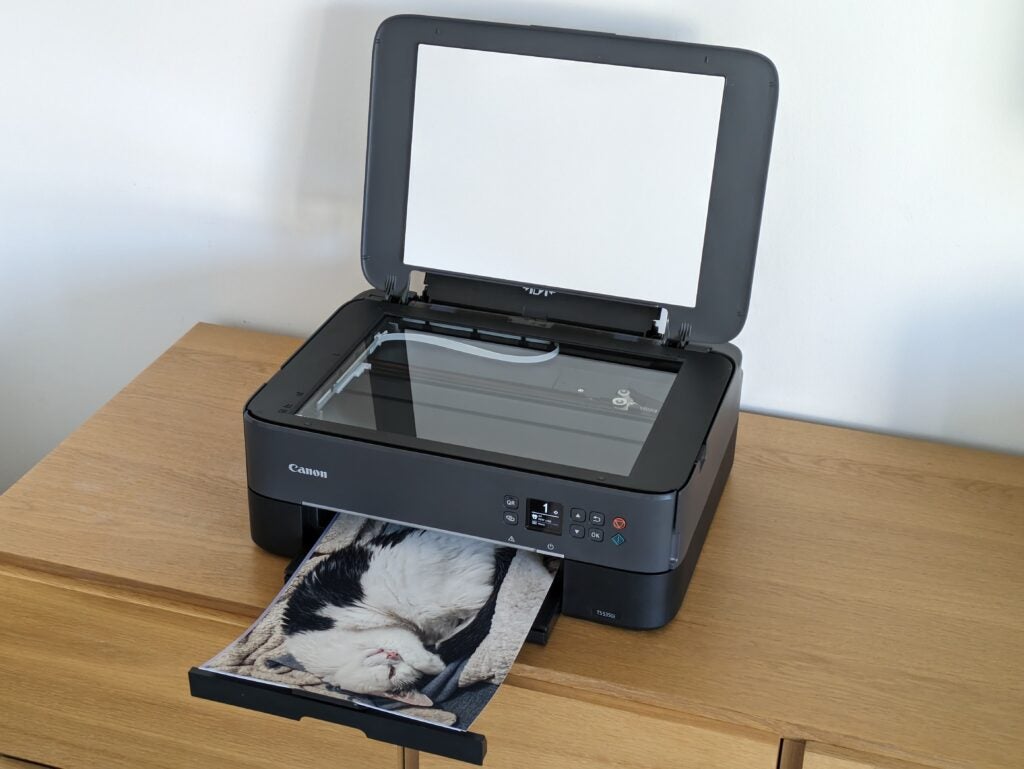
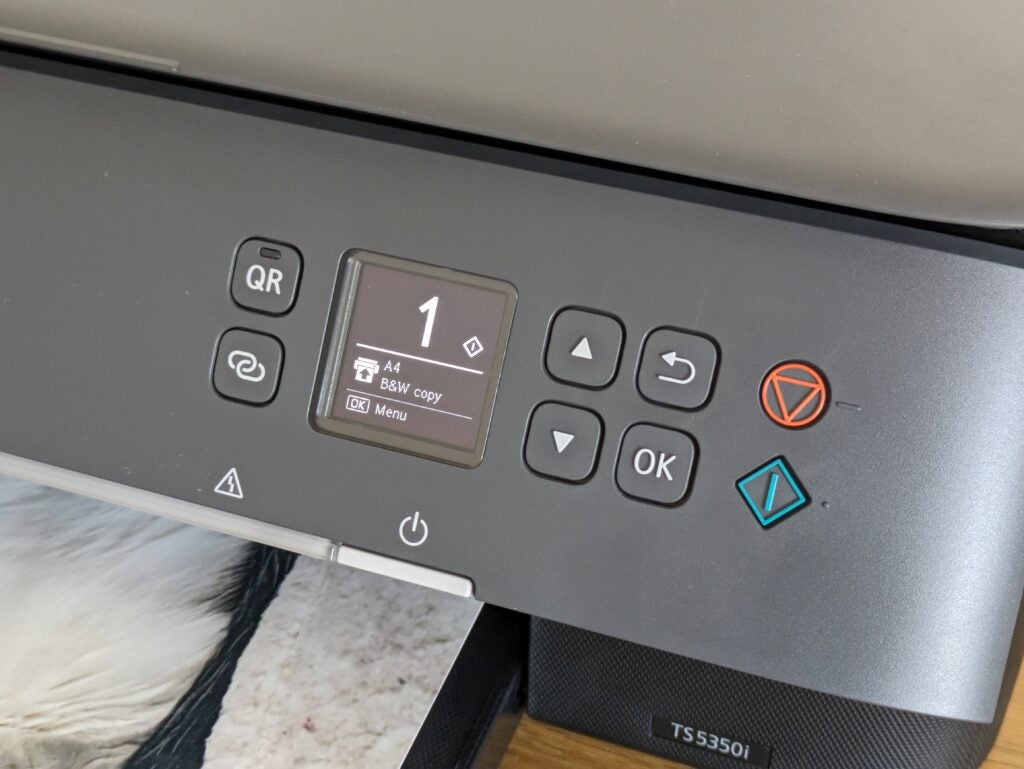
The TS5350i is about as stylish as printers get. It’s very black, and quite fuss-free. Its tiltable front panel is broken up only by a group of buttons gathered around a slightly retro-looking mono display. It looks great, although in practice it’s not as easy to navigate as previous PIXMAs that have featured more graphical colour screens. Just above the paper output tray, there’s a large white light bar, which illuminates and pulses to show the printer’s status. It’s not really necessary, but it adds a bit of flair.
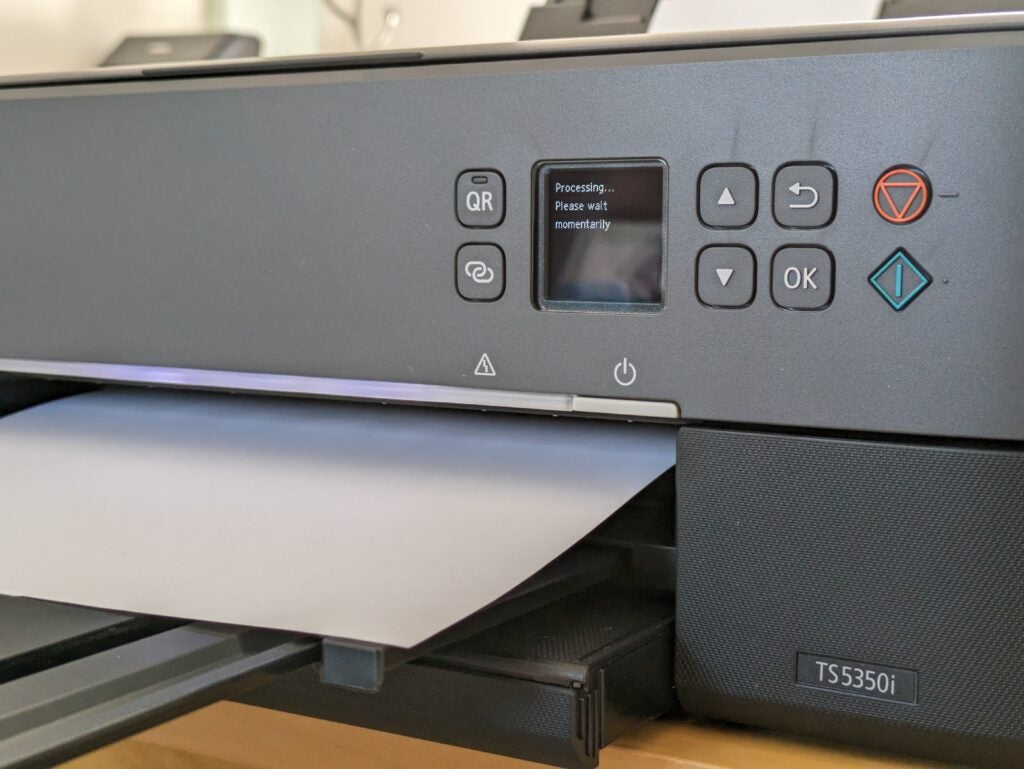
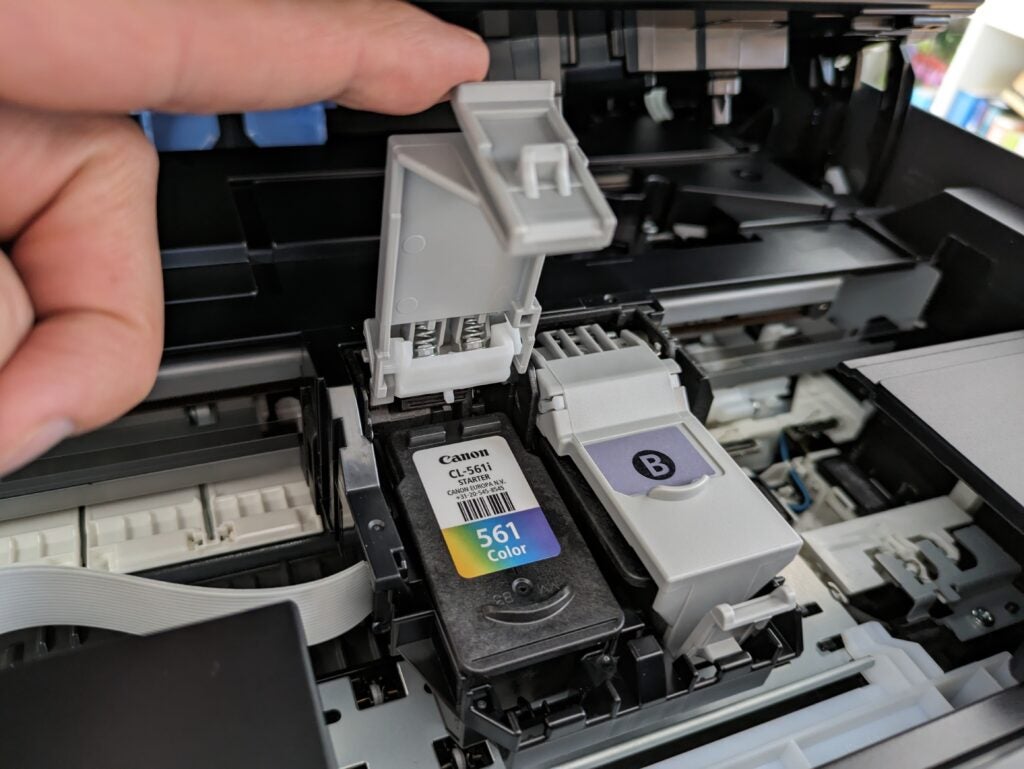
Canon seems to have moved away from earlier PIXMA designs that used five or six colours, and separate cartridges for each. The TS5350i comes with one black cartridge, and a tricolour one containing cyan, magenta and yellow. It’s a simplified approach where you’ve only got two consumables to worry about, but it does carry a risk that you’ll need a new tricolour cartridge when the first of the three inks runs out.
It’s here that we need to talk about this printer’s running costs. You can buy replacement cartridges in two sizes, with the ‘XL’ sizes lasting for 400 black and 300 colour pages. While that might sound a fair number, factor in their price and you’ll be paying a whopping 13p per page of text and colour graphics. Ordinarily, I’d be saying that was much too high.
The TS5350i gets a lifeline, though, because of Canon’s PIXMA Print Plan. Like the HP and Epson alternatives, this connects your printer to its manufacturer, letting it order more supplies once it starts running out of ink. You pay a monthly fee that includes a set number of pages, and any remaining ones can be carried over to the following month.
The heftiest of these plans offers 200 pages for £9 a month, which is just 4.5p per page. Even the cheapest, 30-page plan works out at 8.3p. These are competitive costs, but it’s worth pointing out that they’re the best case assuming you use all your monthly pages. They also apply whatever you print: you’ll be quids in if you often print graphics and photos (which use lots of ink), but if you only ever print black text, it might be slightly cheaper to stick with buying your own cartridges.
Print speed and quality
- Reasonable speed, but slow-ish colour prints
- Strong print, scan and copy quality
- Some grain in photos
It’s easy to click on the the Canon PIXMA TS5350i printer’s cartridges, install the PC drivers (or get the app on your phone), and start sending it print jobs. I hit it with our usual tests, which combine plain paper text and graphics, with a selection of photos on coated paper. We time from the moment we click Print, to the point where the finished job arrives in the printer’s out tray. This means our tests include the time it takes a PC to create and transfer the job, which is more realistic than manufacturers’ speed figures, but it can make short jobs appear quite slow.
That was certainly the case here, with the PIXMA TS5350i only reaching 2.9 pages per minute (ppm) over our five-page text test. It was quicker on longer jobs, reaching 5ppm on our 20-page test, and even a heady 11.2 ppm when printing 25 copies of a single page of text. That’s not too bad overall, but this printer’s colour speed was a bit more disappointing. It managed only 1.9 ppm on our standard five-page test, rising to 5.9 ppm over 20 pages. Our more taxing, graphics-heavy test slowed it to 2.5 ppm.
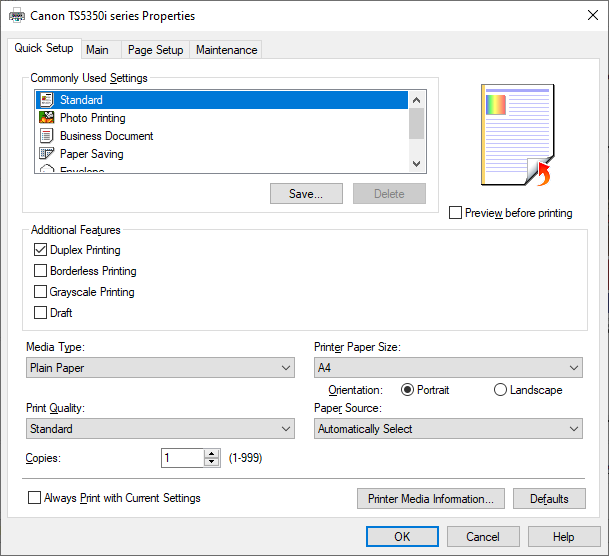
I can’t complain about this MFP’s scanner, which completed a preview image in 10 seconds, and could scan an A4 sheet of paper at a low-ish 150 dots per inch (dpi) resolution in 15 seconds. It captured a 10x15cm (6×4”) photo at 600 dpi in 32 seconds, which is respectable, if not exactly speedy. The printer and scanner combined to deliver a mono photocopy in 17 seconds, with colour copies sauntering along in 30 seconds.
The TS5350i isn’t the fastest MFP, then, but it’s generally worth waiting for its results. Black text was particularly strong and sharp – you really wouldn’t know at a glance that it wasn’t from a laser printer. On plain paper, colour graphics were also punchy and crisp, although I could make out bands in some large areas of background fill. Photocopies were nicely exposed, with little loss of definition in the darker shades, and fairly accurate colour reproduction.
Canon doesn’t market the TS5350i as a photo printer, but most PIXMA devices do have a photo and creative bias. It’s no surprise, then, that this MFP can turn out very creditable photos when you need them. It seemed to particularly excel at reproducing skin tones, preserving loads of detail in group shots and close-up portraits. Blue skies, sunsets and landscapes were generally convincing, too, although there was some loss of detail in very dark shades.
I was a little less impressed with black and white prints, where this loss of detail was quite pronounced. With no dedicated grey inks, they weren’t completely neutral, displaying a slight green tint on Canon’s own paper. If you’ve got sharp eyes, you might also spot some graining – a common inkjet bugbear – in mid-light tones, but in most cases it was subtle.
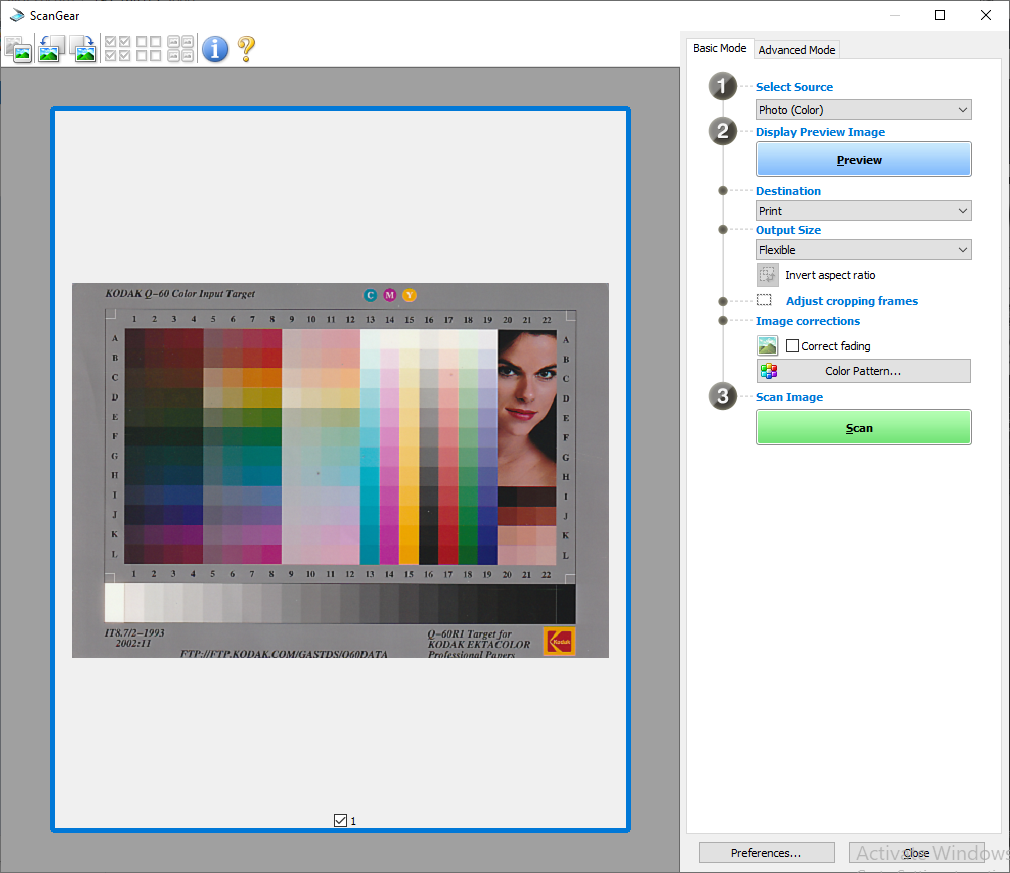
This MFP has a strong scanner. While it didn’t produce the sharpest images I’ve seen, its exposure was perfect across a range of office documents, photos and test patterns. It’s more than up to the job of digitising school homework or treasured photo prints, although with no automatic document feeder, it’s not ideal if you’re planning to archive a whole stack of correspondence.
Latest deals
Should you buy it?
Well-rounded and ideal for ink subscription fans
If you can live with an ink subscription, this stylish inkjet is a lot of MFP for the money.
Avoid if ink subscriptions aren’t your thing
If you don’t want to pay monthly, or you want the best photos, you’ll need to pay more
Final Thoughts
The Canon PIXMA TS5350i may be a cheap MFP, but it offers a surprising amount for the money. Its paper handling features are excellent, and it manages strong prints, scans and copies – even if it’s not always in a hurry to deliver them. Without a PIXMA Print Plan it’s just too expensive to run, but if you like the sound of paying monthly and you can find a subscription that fits, it could be a cheap printer to buy and own – even if you plan to print a lot of photos.
If this cheap hardware offering and expensive ink combo doesn’t feel right for you, it’s worth delving into our best printer and best photo printer guides.
How we test
Every printer we review goes through a series of uniform checks designed to gauge key things including print quality, speed and cost.
We’ll also compare the features with other printers at the same price point to see if you’re getting good value for your money.
Measured the time it takes to print with various paper
Compared print quality with other printers
Tested printing with monochrome and coloured ink
FAQs
Canon PIXMA TS5350 and TS5350i are identical printers but the latter offers support for the company’s Print Plans.
PIXMA MG was the previous iteration of Canon’s inkjet printer range. PIXMA TS is the successor and current range of inkjet printers by Canon.
PIXMA is Canon’s range of inkjet printers for home and small business use.
Trusted Reviews test data

Verdict
If you’re after a cheap, do-anything inkjet for your home, Canon’s PIXMA TS5350i is a great choice. Despite its modest price tag, it’s loaded with useful features, and is a strong performer, turning out decent quality results in a reasonable timeframe. It’s a shame that its ink cartridges are so expensive though, but the subscription service eases this blow.
Pros
- Good specification at this price
- Strong plain paper print quality
- Fairly good photos
Cons
- Expensive ink unless you sign up to a subscription
- Not an especially fast printer
Availability
- UKRRP: £49.99
- USAunavailable
- EuropeRRP: €100
- Canadaunavailable
- Australiaunavailable
-
A three-in-one wireless MFPThe TS5350i can print, scan and copy, but it can’t send or receive faxes -
Supports an ink subscriptionCanon’s ink subscriptions could help you lower the cost of printing
Introduction
Canon’s PIXMA TS5350i is a new version of the venerable TS5350, which has been discontinued. Like other PIXMAs badged with an “i”, it gains support for Canon’s new-ish PIXMA Print Plans, a subscription ink service to rival HP Instant Ink and Epson’s ReadyPrint.
For the money, it’s an impressive looking device, offering flexible paper handling and Wi-Fi support – which could make it the perfect home multifunction peripheral (MFP). Let’s get into the review of this budget photo printer pick.
Design and features
- Strong value proposition
- Useful paper-handling features
- Expensive ink, unless you subscribe.
One of the most notable features of the Canon PIXMA TS5350i is its price. While the TS5350 it replaces sold at a mid-range £70 or thereabouts, you can pick up the newer version for £50. That’s not much, but it buys you a multifunction that can print, scan or copy, and connect to your home wireless network.
At this price, MFPs tend to be basic, but the TS5350i has a small control panel with a screen and two paper inputs. That’s a bonus in a home MFP, where you might store a supply of plain paper in the enclosed 100-sheet cassette, and keep the 100-sheet rear tray available for when you want to print photos on coated media. It’s also unusual to see automatic duplex (double-sided) printing on an MFP at this price. It’s a great way to save paper, and it can make multi-page documents look much more professional.
The TS5350i is about as stylish as printers get. It’s very black, and quite fuss-free. Its tiltable front panel is broken up only by a group of buttons gathered around a slightly retro-looking mono display. It looks great, although in practice it’s not as easy to navigate as previous PIXMAs that have featured more graphical colour screens. Just above the paper output tray, there’s a large white light bar, which illuminates and pulses to show the printer’s status. It’s not really necessary, but it adds a bit of flair.
Canon seems to have moved away from earlier PIXMA designs that used five or six colours, and separate cartridges for each. The TS5350i comes with one black cartridge, and a tricolour one containing cyan, magenta and yellow. It’s a simplified approach where you’ve only got two consumables to worry about, but it does carry a risk that you’ll need a new tricolour cartridge when the first of the three inks runs out.
It’s here that we need to talk about this printer’s running costs. You can buy replacement cartridges in two sizes, with the ‘XL’ sizes lasting for 400 black and 300 colour pages. While that might sound a fair number, factor in their price and you’ll be paying a whopping 13p per page of text and colour graphics. Ordinarily, I’d be saying that was much too high.
The TS5350i gets a lifeline, though, because of Canon’s PIXMA Print Plan. Like the HP and Epson alternatives, this connects your printer to its manufacturer, letting it order more supplies once it starts running out of ink. You pay a monthly fee that includes a set number of pages, and any remaining ones can be carried over to the following month.
The heftiest of these plans offers 200 pages for £9 a month, which is just 4.5p per page. Even the cheapest, 30-page plan works out at 8.3p. These are competitive costs, but it’s worth pointing out that they’re the best case assuming you use all your monthly pages. They also apply whatever you print: you’ll be quids in if you often print graphics and photos (which use lots of ink), but if you only ever print black text, it might be slightly cheaper to stick with buying your own cartridges.
Print speed and quality
- Reasonable speed, but slow-ish colour prints
- Strong print, scan and copy quality
- Some grain in photos
It’s easy to click on the the Canon PIXMA TS5350i printer’s cartridges, install the PC drivers (or get the app on your phone), and start sending it print jobs. I hit it with our usual tests, which combine plain paper text and graphics, with a selection of photos on coated paper. We time from the moment we click Print, to the point where the finished job arrives in the printer’s out tray. This means our tests include the time it takes a PC to create and transfer the job, which is more realistic than manufacturers’ speed figures, but it can make short jobs appear quite slow.
That was certainly the case here, with the PIXMA TS5350i only reaching 2.9 pages per minute (ppm) over our five-page text test. It was quicker on longer jobs, reaching 5ppm on our 20-page test, and even a heady 11.2 ppm when printing 25 copies of a single page of text. That’s not too bad overall, but this printer’s colour speed was a bit more disappointing. It managed only 1.9 ppm on our standard five-page test, rising to 5.9 ppm over 20 pages. Our more taxing, graphics-heavy test slowed it to 2.5 ppm.
I can’t complain about this MFP’s scanner, which completed a preview image in 10 seconds, and could scan an A4 sheet of paper at a low-ish 150 dots per inch (dpi) resolution in 15 seconds. It captured a 10x15cm (6×4”) photo at 600 dpi in 32 seconds, which is respectable, if not exactly speedy. The printer and scanner combined to deliver a mono photocopy in 17 seconds, with colour copies sauntering along in 30 seconds.
The TS5350i isn’t the fastest MFP, then, but it’s generally worth waiting for its results. Black text was particularly strong and sharp – you really wouldn’t know at a glance that it wasn’t from a laser printer. On plain paper, colour graphics were also punchy and crisp, although I could make out bands in some large areas of background fill. Photocopies were nicely exposed, with little loss of definition in the darker shades, and fairly accurate colour reproduction.
Canon doesn’t market the TS5350i as a photo printer, but most PIXMA devices do have a photo and creative bias. It’s no surprise, then, that this MFP can turn out very creditable photos when you need them. It seemed to particularly excel at reproducing skin tones, preserving loads of detail in group shots and close-up portraits. Blue skies, sunsets and landscapes were generally convincing, too, although there was some loss of detail in very dark shades.
I was a little less impressed with black and white prints, where this loss of detail was quite pronounced. With no dedicated grey inks, they weren’t completely neutral, displaying a slight green tint on Canon’s own paper. If you’ve got sharp eyes, you might also spot some graining – a common inkjet bugbear – in mid-light tones, but in most cases it was subtle.
This MFP has a strong scanner. While it didn’t produce the sharpest images I’ve seen, its exposure was perfect across a range of office documents, photos and test patterns. It’s more than up to the job of digitising school homework or treasured photo prints, although with no automatic document feeder, it’s not ideal if you’re planning to archive a whole stack of correspondence.
Latest deals
Should you buy it?
Well-rounded and ideal for ink subscription fans
If you can live with an ink subscription, this stylish inkjet is a lot of MFP for the money.
Avoid if ink subscriptions aren’t your thing
If you don’t want to pay monthly, or you want the best photos, you’ll need to pay more
Final Thoughts
The Canon PIXMA TS5350i may be a cheap MFP, but it offers a surprising amount for the money. Its paper handling features are excellent, and it manages strong prints, scans and copies – even if it’s not always in a hurry to deliver them. Without a PIXMA Print Plan it’s just too expensive to run, but if you like the sound of paying monthly and you can find a subscription that fits, it could be a cheap printer to buy and own – even if you plan to print a lot of photos.
If this cheap hardware offering and expensive ink combo doesn’t feel right for you, it’s worth delving into our best printer and best photo printer guides.
How we test
Every printer we review goes through a series of uniform checks designed to gauge key things including print quality, speed and cost.
We’ll also compare the features with other printers at the same price point to see if you’re getting good value for your money.
Measured the time it takes to print with various paper
Compared print quality with other printers
Tested printing with monochrome and coloured ink
FAQs
Canon PIXMA TS5350 and TS5350i are identical printers but the latter offers support for the company’s Print Plans.
PIXMA MG was the previous iteration of Canon’s inkjet printer range. PIXMA TS is the successor and current range of inkjet printers by Canon.
PIXMA is Canon’s range of inkjet printers for home and small business use.



