





Verdict
The TP-Link Tapo H100 Smart Hub with Chime is cheap, compact and easy to set up. While most bulbs and smart plugs in the Tapo ecosystem don’t need a hub, this optional one lets you add low-power Internet of Things (IoT) products including smart light switches, doorbells, and door and motion sensors. More than that, it increases the scope for automation in your Tapo system, for example by using switches and sensors to trigger other actions. It’s a great product, but if you’re planning a particular scenario, check you can’t save more money by buying the H100 or the similar H200 hub in a bundle.
Pros
- Adds lots of functionality to the Tapo ecosystem
- Compact and low power
- Inexpensive
Cons
- Chime sound is a bit quiet
-
Low power wireless hubThe H100 adds support for low-power Tapo devices, such as door and motion sensors, which can be used to trigger other Tapo equipment such as smart bulbs.
Introduction
One of the things I’ve always liked about TP-Link’s Tapo and Kasa smart ecosystems is that neither needed a hub, reducing their hassle and initial outlay. However, without one, Tapo couldn’t support low-power wireless devices, limiting the range of sensors and other equipment TP-Link could offer.
Now the company has launched two smart hubs. The Tapo H100 Smart Hub with chime (reviewed here) acts as a bridge between low-power Tapo devices and other items in the range.
The H200 Smart Hub with chime is a little bigger, and adds a wired Ethernet connection and MicroSD card slot that can provide storage for selected Tapo security cameras.
Design and features
- Plug-sized device
- Simple to set up
- Adds low-power Tapo device support
The H100 is only the size of a small power adaptor, and it plugs straight into a mains socket. Give it a moment to start up, then you can use the ‘Add’ button in the Tapo app to discover and add it – you’ll be prompted to apply any available firmware updates, too.
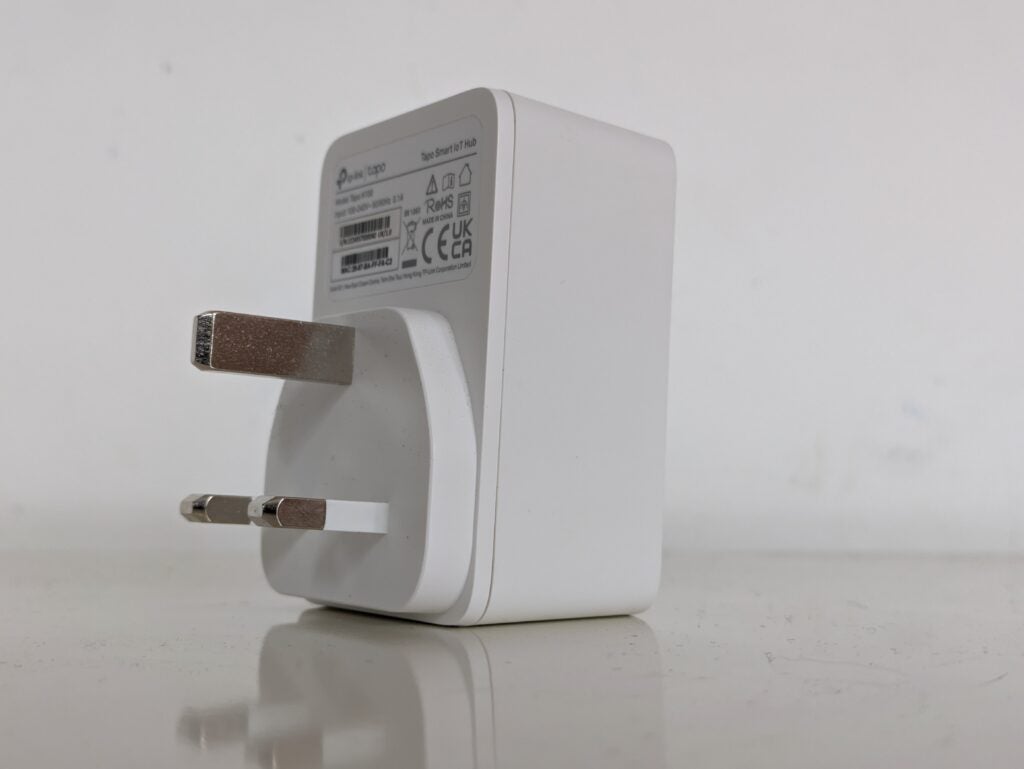
On its own the H100 is fairly useless, other than adding a speaker that can be triggered by other Tapo devices. The hub’s main purpose, however, is to link battery-powered Tapo equipment to your wireless network, and therefore the wider Tapo ecosystem. TP-Link is releasing more low power IoT devices, but at the time of writing the list included the S200B button, S200D dimmer switch, S210 and S220 light switches, T310 and T315 humidity sensors, T110 door sensor and T100 motion sensor. Here I’m reviewing the H100 with the T100 motion sensor – I’ve reviewed the S220 light switch separately.
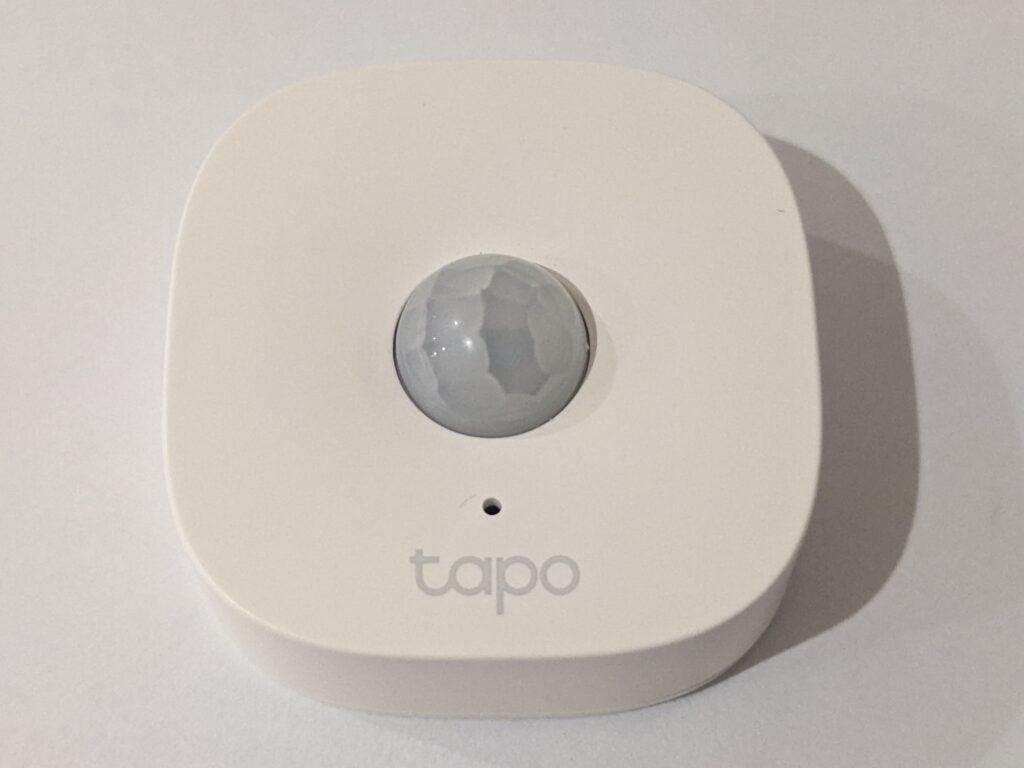
Once the H100 is configured, it’s simple to add any other devices that require it. To add the TP-Link Tapo T100 Smart Motion Sensor, for example, you remove its battery insulating tab, then just add from the app like you would any other Tapo product. TP-Link says the T100 is sensitive across a 120° angle at up to seven metres. It’s mounted via a ball-joint that lets you fine-tune the direction it’s pointing in.
Depending on the devices you’re using with it, the H100 makes a range of scenarios possible. For example, you can use the S200B Smart Button to turn on a light, or use the T110 Smart Contact (door) sensor to trigger the hub to play an alarm or doorbell sound. One problem with the latter scenario is that the speaker isn’t especially loud – it’s unlikely to scare off any burglars, and you might not even hear it if it’s tucked away.
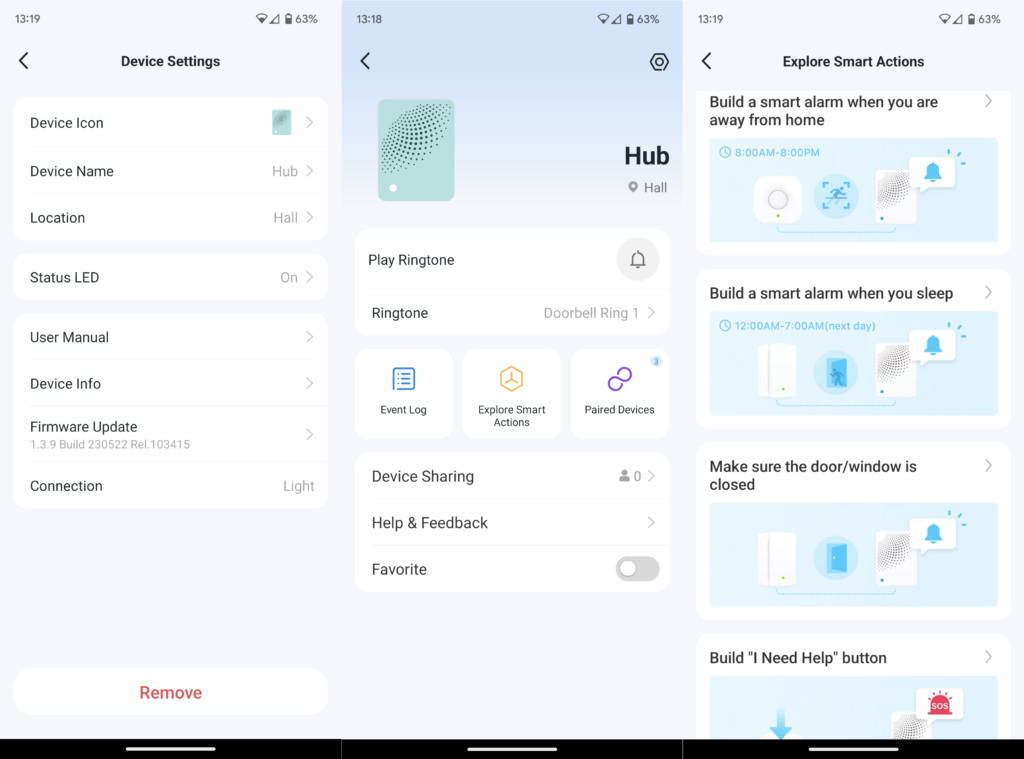
I installed the T100 motion sensor in the ceiling corner of our downstairs hallway, with the idea that I’d use the sensor and hub to turn three Tapo smart bulbs on when movement was detected. Depending on the time of day I wanted different behaviour: lights on brightly and immediately during bedtime hours, and a more relaxed and warm light in the evenings and mornings.
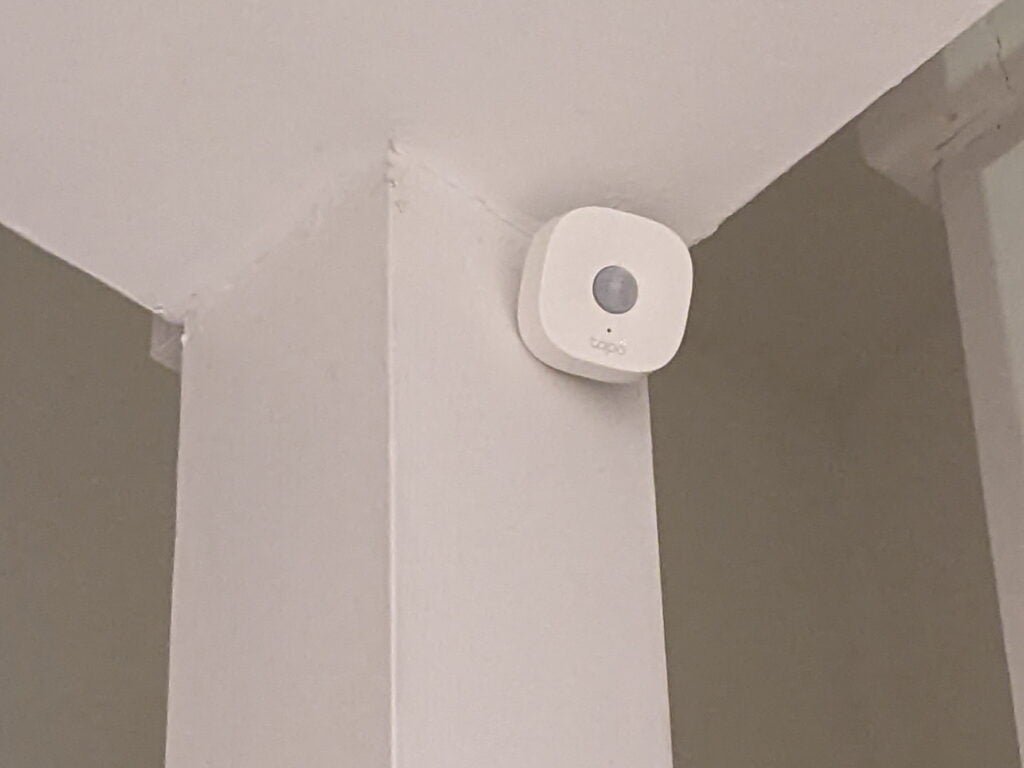
I used the Smart page in the Tapo app to configure multiple automation scenes, each of which is switched on and off depending on the time of day. In retrospect, I overcomplicated things, but the essential behaviours I wanted worked perfectly. The sensor has three sensitivity levels – on the default, middle one it reliably detected human movement without being triggered by my cat.
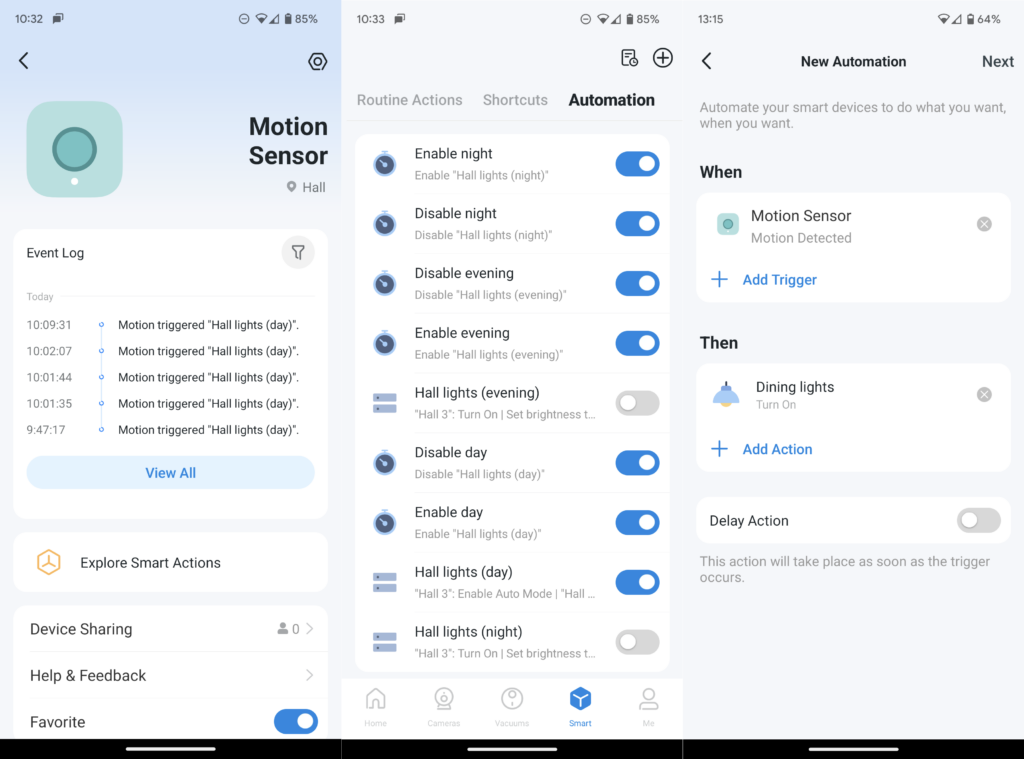
Initially, the Tapo app warned me that the T100 sensor was being activated multiple times a day, and that this might lead to a shorter battery life. But despite being in one of the busiest parts of our house, it was still working nine months after I first installed it. The sensor gets its power from a hefty, replaceable CR2450 lithium cell that TP-Link says will last for two years – it’s a shame there’s no rechargeable battery, though.
Performance
- Low power use
- Good wireless range
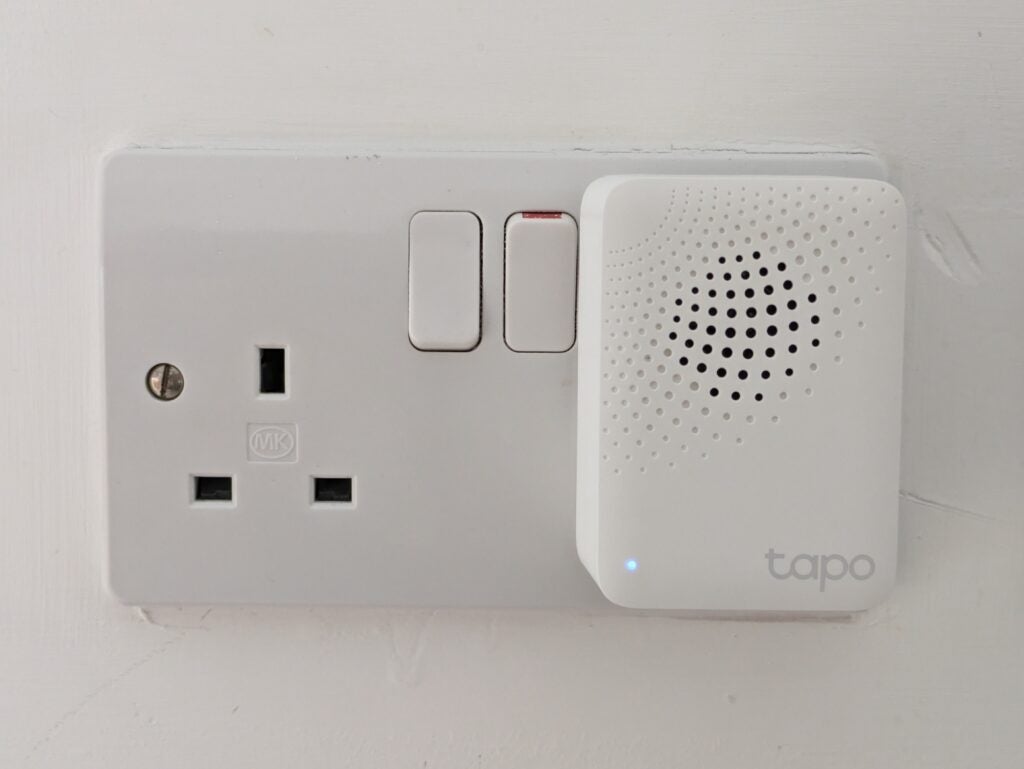
The TP-Link Tapo H100 Smart Hub with chime ties up a single power socket, but it’s compact enough that it won’t get in the way of neighbouring ones. It barely uses any power, falling below the minimum one Watt that my mains meter can detect.
Although the H100 and T100 use low-power wireless communications, their range appears to be at least as good as you’d expect from a standard 2.4GHz Wi-Fi connection. That’s largely because they only need a low bandwidth, and because they use lower frequency radio in the 868/922 MHz range, which is less affected by obstructions. I tried moving the hub and sensor to the two extremes of my house, with the signal impeded by a concrete floor. They still communicated without any problems.
Latest deals
Should you buy it?
You want flexibility: The TP-Link Tapo Smart Hub with chime is an inexpensive and reliable way to add low power device support to the Tapo ecosystem
You don’t have many Tapo devices: You’ll only need it if you want to use certain Tapo sensors or switches
Final Thoughts
You don’t need the H100 hub to use Tapo smart bulbs or smart plugs. But it’s a must if you want to use the expanding range of low-power light switches and sensors. If you are planning to automate things, though, it’s important to check the full Tapo range – TP-Link sells several sensor and hub bundles, which cost less than buying their contents separately.
It’s also worth pointing out that the new Tapo D230S1 Smart Battery Video Doorbell comes with the H200 hub, in which case you wouldn’t also need the H100. If you don’t have any Tapo devices already, you may be better off running automation with Amazon Alexa, or using a rival system that supports a wider range of devices, such as Samsung SmartThings.
How we test
Unlike other sites, we test every smart home product we review thoroughly over an extended period of time. We use industry standard tests to compare features properly. We’ll always tell you what we find. We never, ever, accept money to review a product.
Find out more about how we test in our ethics policy.
We test how each product integrates with other smart home systems including Amazon Alexa, Google Assistant, Apple HomeKit, IFTTT and Samsung SmartThings
We use each smart home product in a real world setting, integrating it into our home.
FAQs
They both let you add low-power Tapo internet of things devices to your home. The H200 supports Tapo security cameras, and comes with a MicroSD card slot and a wired Ethernet port, but the H100 does not.
Strictly speaking you don’t – much of the Tapo range works without it. However, if you want to use the Tapo range of IoT switches and sensors, you’ll need the H100 or H200 hub.

Verdict
The TP-Link Tapo H100 Smart Hub with Chime is cheap, compact and easy to set up. While most bulbs and smart plugs in the Tapo ecosystem don’t need a hub, this optional one lets you add low-power Internet of Things (IoT) products including smart light switches, doorbells, and door and motion sensors. More than that, it increases the scope for automation in your Tapo system, for example by using switches and sensors to trigger other actions. It’s a great product, but if you’re planning a particular scenario, check you can’t save more money by buying the H100 or the similar H200 hub in a bundle.
Pros
- Adds lots of functionality to the Tapo ecosystem
- Compact and low power
- Inexpensive
Cons
- Chime sound is a bit quiet
-
Low power wireless hubThe H100 adds support for low-power Tapo devices, such as door and motion sensors, which can be used to trigger other Tapo equipment such as smart bulbs.
Introduction
One of the things I’ve always liked about TP-Link’s Tapo and Kasa smart ecosystems is that neither needed a hub, reducing their hassle and initial outlay. However, without one, Tapo couldn’t support low-power wireless devices, limiting the range of sensors and other equipment TP-Link could offer.
Now the company has launched two smart hubs. The Tapo H100 Smart Hub with chime (reviewed here) acts as a bridge between low-power Tapo devices and other items in the range.
The H200 Smart Hub with chime is a little bigger, and adds a wired Ethernet connection and MicroSD card slot that can provide storage for selected Tapo security cameras.
Design and features
- Plug-sized device
- Simple to set up
- Adds low-power Tapo device support
The H100 is only the size of a small power adaptor, and it plugs straight into a mains socket. Give it a moment to start up, then you can use the ‘Add’ button in the Tapo app to discover and add it – you’ll be prompted to apply any available firmware updates, too.
On its own the H100 is fairly useless, other than adding a speaker that can be triggered by other Tapo devices. The hub’s main purpose, however, is to link battery-powered Tapo equipment to your wireless network, and therefore the wider Tapo ecosystem. TP-Link is releasing more low power IoT devices, but at the time of writing the list included the S200B button, S200D dimmer switch, S210 and S220 light switches, T310 and T315 humidity sensors, T110 door sensor and T100 motion sensor. Here I’m reviewing the H100 with the T100 motion sensor – I’ve reviewed the S220 light switch separately.
Once the H100 is configured, it’s simple to add any other devices that require it. To add the TP-Link Tapo T100 Smart Motion Sensor, for example, you remove its battery insulating tab, then just add from the app like you would any other Tapo product. TP-Link says the T100 is sensitive across a 120° angle at up to seven metres. It’s mounted via a ball-joint that lets you fine-tune the direction it’s pointing in.
Depending on the devices you’re using with it, the H100 makes a range of scenarios possible. For example, you can use the S200B Smart Button to turn on a light, or use the T110 Smart Contact (door) sensor to trigger the hub to play an alarm or doorbell sound. One problem with the latter scenario is that the speaker isn’t especially loud – it’s unlikely to scare off any burglars, and you might not even hear it if it’s tucked away.
I installed the T100 motion sensor in the ceiling corner of our downstairs hallway, with the idea that I’d use the sensor and hub to turn three Tapo smart bulbs on when movement was detected. Depending on the time of day I wanted different behaviour: lights on brightly and immediately during bedtime hours, and a more relaxed and warm light in the evenings and mornings.
I used the Smart page in the Tapo app to configure multiple automation scenes, each of which is switched on and off depending on the time of day. In retrospect, I overcomplicated things, but the essential behaviours I wanted worked perfectly. The sensor has three sensitivity levels – on the default, middle one it reliably detected human movement without being triggered by my cat.
Initially, the Tapo app warned me that the T100 sensor was being activated multiple times a day, and that this might lead to a shorter battery life. But despite being in one of the busiest parts of our house, it was still working nine months after I first installed it. The sensor gets its power from a hefty, replaceable CR2450 lithium cell that TP-Link says will last for two years – it’s a shame there’s no rechargeable battery, though.
Performance
- Low power use
- Good wireless range
The TP-Link Tapo H100 Smart Hub with chime ties up a single power socket, but it’s compact enough that it won’t get in the way of neighbouring ones. It barely uses any power, falling below the minimum one Watt that my mains meter can detect.
Although the H100 and T100 use low-power wireless communications, their range appears to be at least as good as you’d expect from a standard 2.4GHz Wi-Fi connection. That’s largely because they only need a low bandwidth, and because they use lower frequency radio in the 868/922 MHz range, which is less affected by obstructions. I tried moving the hub and sensor to the two extremes of my house, with the signal impeded by a concrete floor. They still communicated without any problems.
Latest deals
Should you buy it?
You want flexibility: The TP-Link Tapo Smart Hub with chime is an inexpensive and reliable way to add low power device support to the Tapo ecosystem
You don’t have many Tapo devices: You’ll only need it if you want to use certain Tapo sensors or switches
Final Thoughts
You don’t need the H100 hub to use Tapo smart bulbs or smart plugs. But it’s a must if you want to use the expanding range of low-power light switches and sensors. If you are planning to automate things, though, it’s important to check the full Tapo range – TP-Link sells several sensor and hub bundles, which cost less than buying their contents separately.
It’s also worth pointing out that the new Tapo D230S1 Smart Battery Video Doorbell comes with the H200 hub, in which case you wouldn’t also need the H100. If you don’t have any Tapo devices already, you may be better off running automation with Amazon Alexa, or using a rival system that supports a wider range of devices, such as Samsung SmartThings.
How we test
Unlike other sites, we test every smart home product we review thoroughly over an extended period of time. We use industry standard tests to compare features properly. We’ll always tell you what we find. We never, ever, accept money to review a product.
Find out more about how we test in our ethics policy.
We test how each product integrates with other smart home systems including Amazon Alexa, Google Assistant, Apple HomeKit, IFTTT and Samsung SmartThings
We use each smart home product in a real world setting, integrating it into our home.
FAQs
They both let you add low-power Tapo internet of things devices to your home. The H200 supports Tapo security cameras, and comes with a MicroSD card slot and a wired Ethernet port, but the H100 does not.
Strictly speaking you don’t – much of the Tapo range works without it. However, if you want to use the Tapo range of IoT switches and sensors, you’ll need the H100 or H200 hub.



