





Verdict
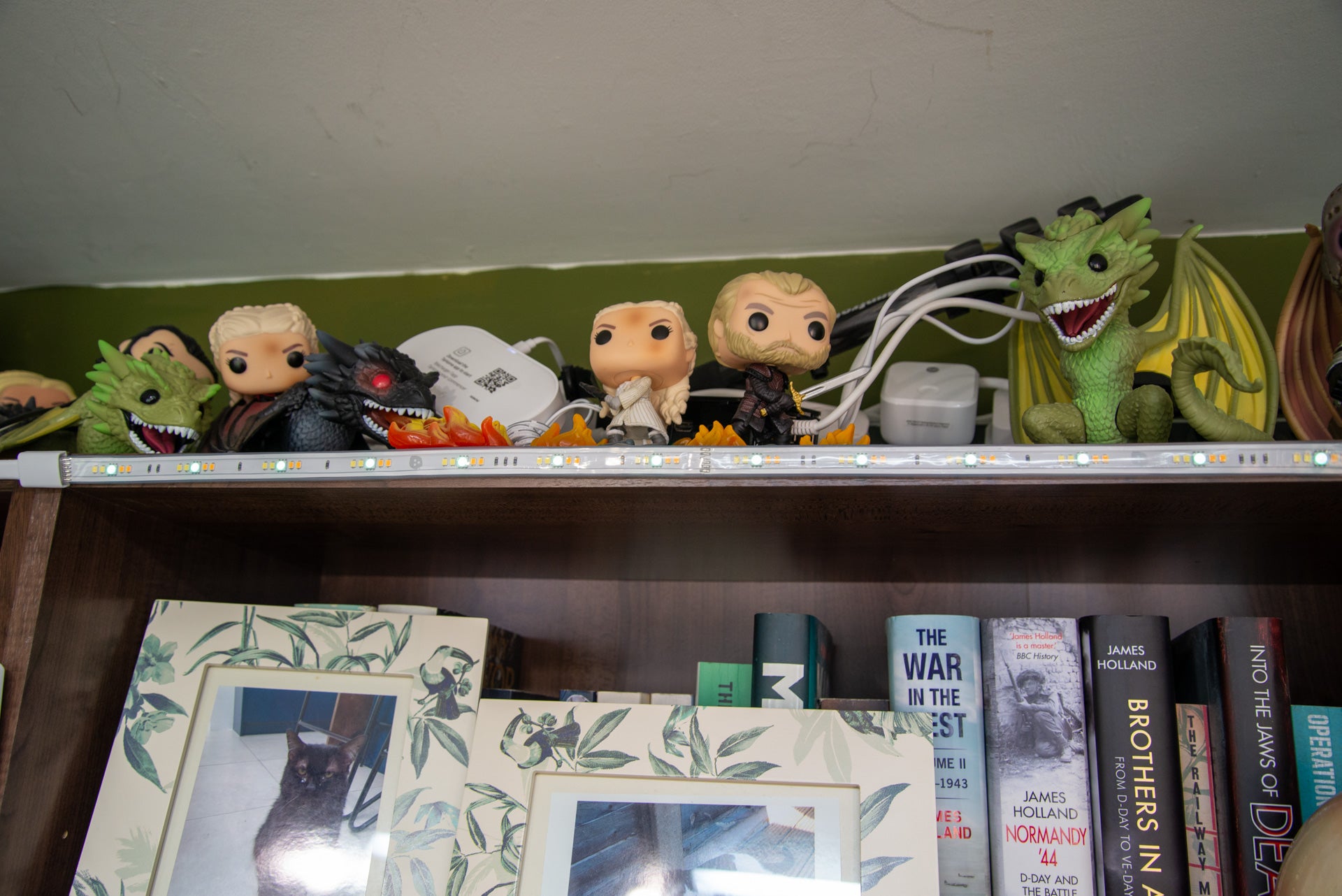
At its best, the Nanoleaf Matter Essentials Smart Lightstrip provides fast control using the Thread protocol on a variety of platforms. Yet, as good as this sounds, the hardware and software requirements are quite limited, so check compatibility with your hardware, software and phone version before you buy. For those that can use this light strip, it’s good value, has excellent colour reproduction and benefits from in-line controls.
Pros
- Brings Matter to Nanoleaf line-up
- Good value
- Bright with excellent colours
Cons
- Requires specific hardware and software
Availability
- UKRRP: £44.99
- USARRP: $44.99
-
ConnectionUses Bluetooth and Thread over Matter. -
Smart app compatibilityWorks with all Matter controls, provided there’s a Thread border router available.
Introduction
Launching with Thread support, the Nanoleaf Essentials line-up seemed to be in prime position for an update to Matter, making it compatible with a wider range of smart systems. Sadly, the update never came and those that want Matter support need to buy the new range of products, including the Nanoleaf Matter Essentials Smart Lightstrip that I have on review here.
Largely, the change doesn’t make much difference day-to-day, but Matter support does mean that the product will work with a wider range of smart systems directly, giving faster response times than when using a cloud connection.
Design and features
- Looks and feels like the old product
- Matter code on the back can’t be scanned by Apple Home
- Compatible with other Thread Matter systems
Externally, the 2m Nanoleaf Matter Essentials Smart Lightstrip looks just like the original. It comes with a sticky back, so it can be stuck to furniture, and it can be cut at the marked points every 13-inches to reduce the size. Of course, once it has been cut, the strip can’t be lengthened again.
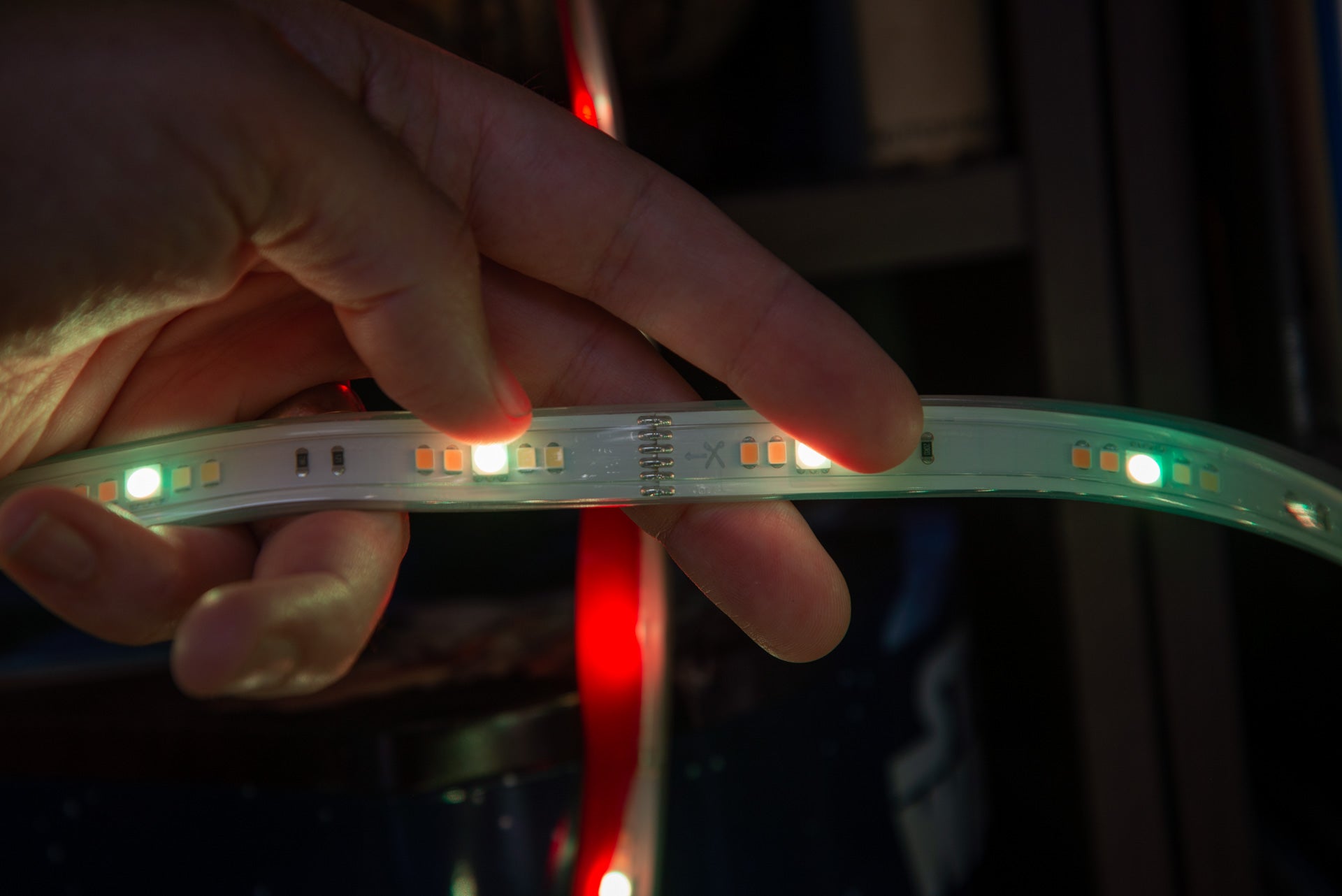
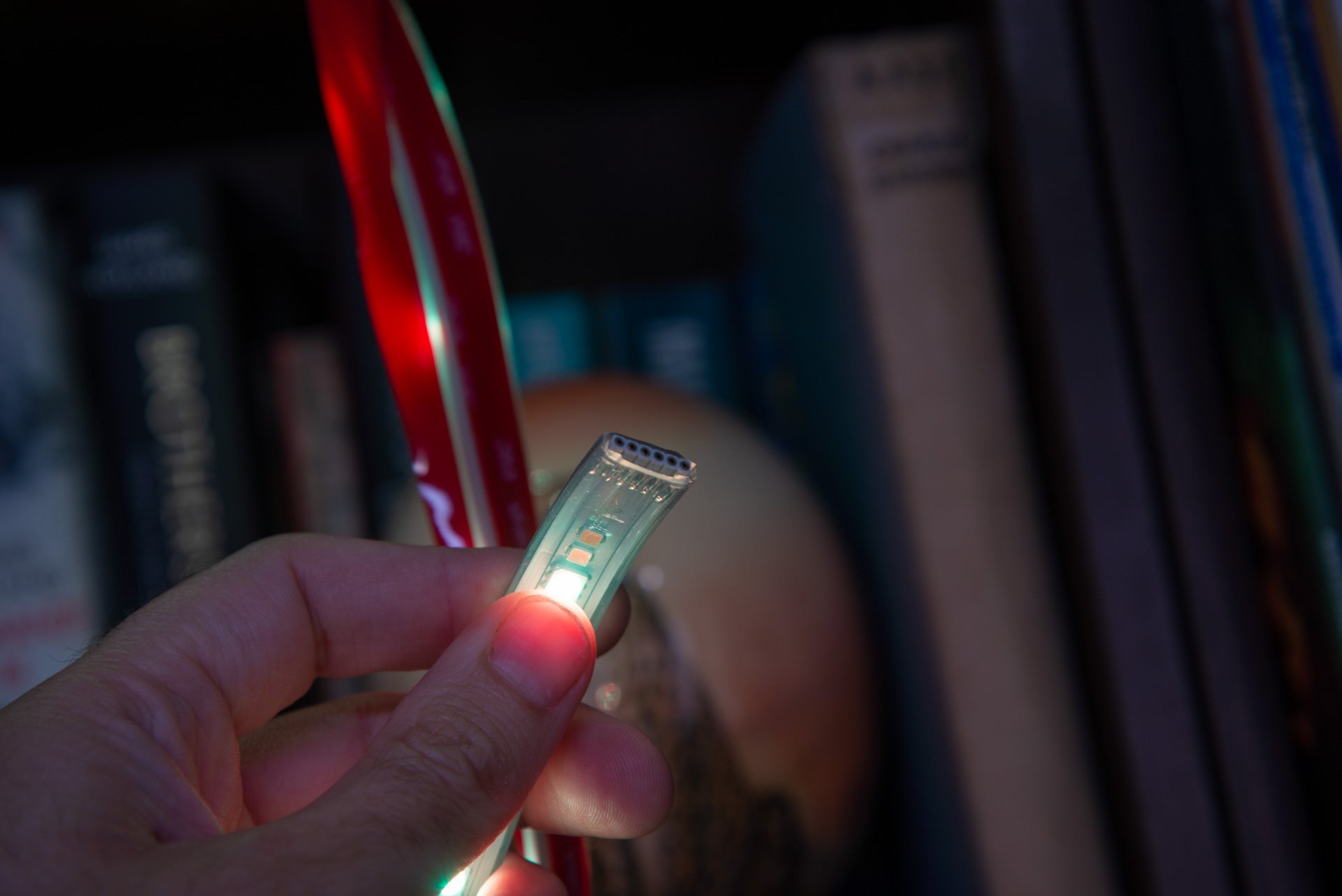
As with the Philips Hue lightstrip, the Nanoleaf strip can be extended up to 10m long, adding additional 2m expansions. Each expansion light strip is the same as the original, although they don’t ship with a power supply or in-line control.
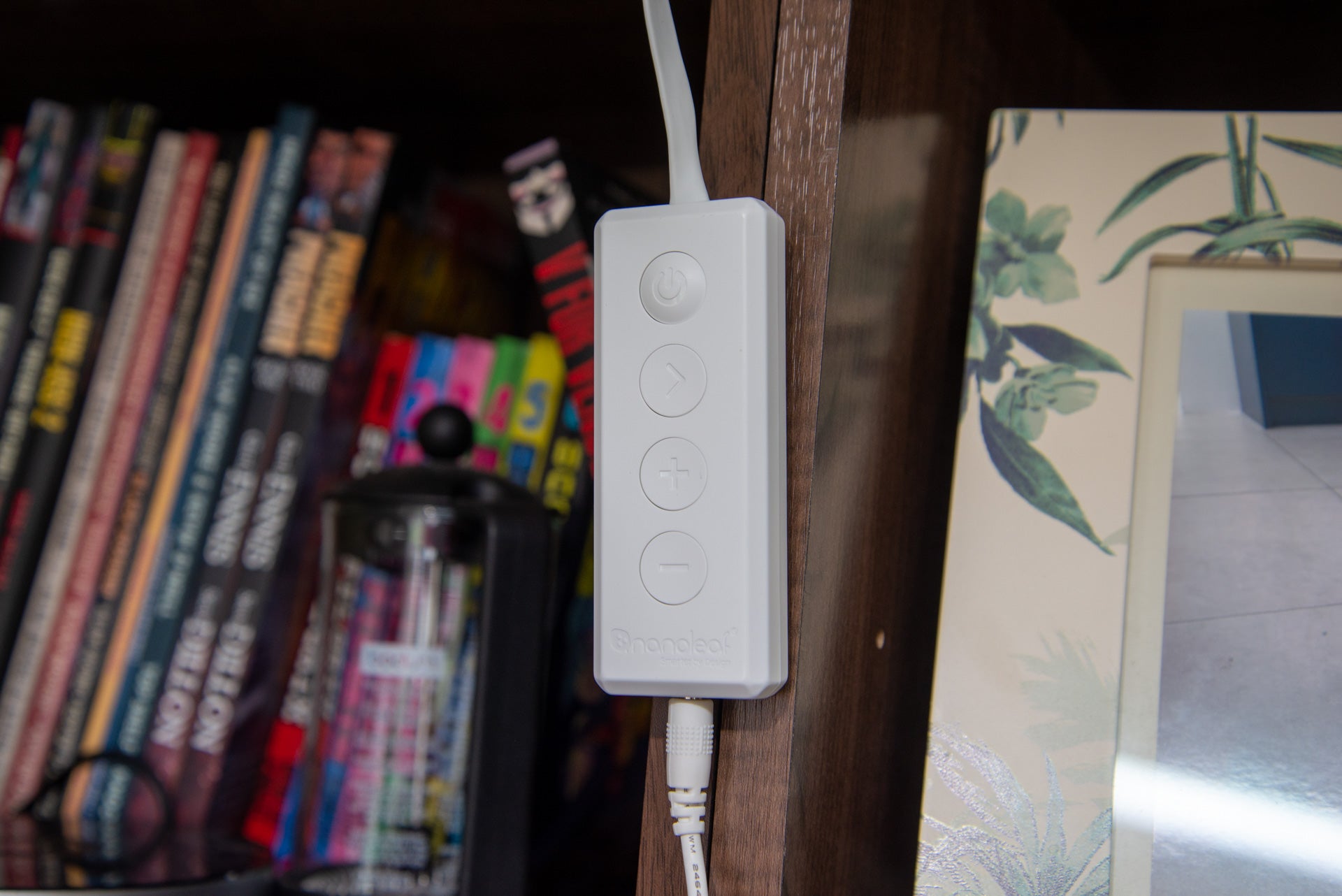
This in-line control has on/off, brightness and scene toggle controls. That makes it a useful tool, as the lightstrip can be used as a traditional lamp without having to reach for the app or use voice control to control it.
At its most basic, the light can be controlled via the Nanoleaf app using Bluetooth, but means no remote control and you have to be within range to control it. Matter over Thread makes more sense.
Setting the Nanoleaf Matter Essentials Smart Lightstrip should be straightforward using Matter, although there are some requirements. For full control, it needs to be connected to a Thread network using Matter.
The system is compatible with SmartThings (provided you have the V3 or Aeotec hubs), Amazon Alexa (via the Echo 4th Gen), Google Home (Nest Wifi Pro, Nest Hub 2nd gen and Nest Hub Max) and Apple (HomePod Mini, HomePod 2 or Apple TV 4K 2nd Gen required).
That’s not quite the full story. If you have an iOS device, the Google Home app doesn’t give you the Matter option, as this hasn’t been released yet. If you have an Amazon Alexa system, Thread support should be provided by an Eero system, such as the Eero Pro 6E; however, in the UK the system signs in via the US website, so this doesn’t work.
For compatible systems, it should be as easy as scanning the Matter code. I tried to get started with Apple Home, but the code printed on the back of the Nanoleaf Matter Essentials Smart Lightstrip’s remote didn’t work, as it doesn’t have a QR code on it. I could have entered the code manually, but I scanned the code on the front of the instruction guide instead. This added the light strip to my Apple Home.
I then tried to connect the light to SmartThings, after turning on Pairing mode in the Apple Home app. Only, this came up with an error. I reset the light, added it to SmartThings first, turned on pairing mode from there and then added the light back to Apple Home.
Firing up the Nanoleaf app, I was given the option to finish setting up the light, connecting it to a local Thread Border Router on my network.
As I was connected via Thread and Matter, the lightstrip can’t be connected through the Nanoleaf Skill for either Google Home or Amazon Alexa. It’s all a little bit frustrating.
Of course, via both systems the Nanoleaf Matter Essentials Smart Lightstrip can be integrated into routines.
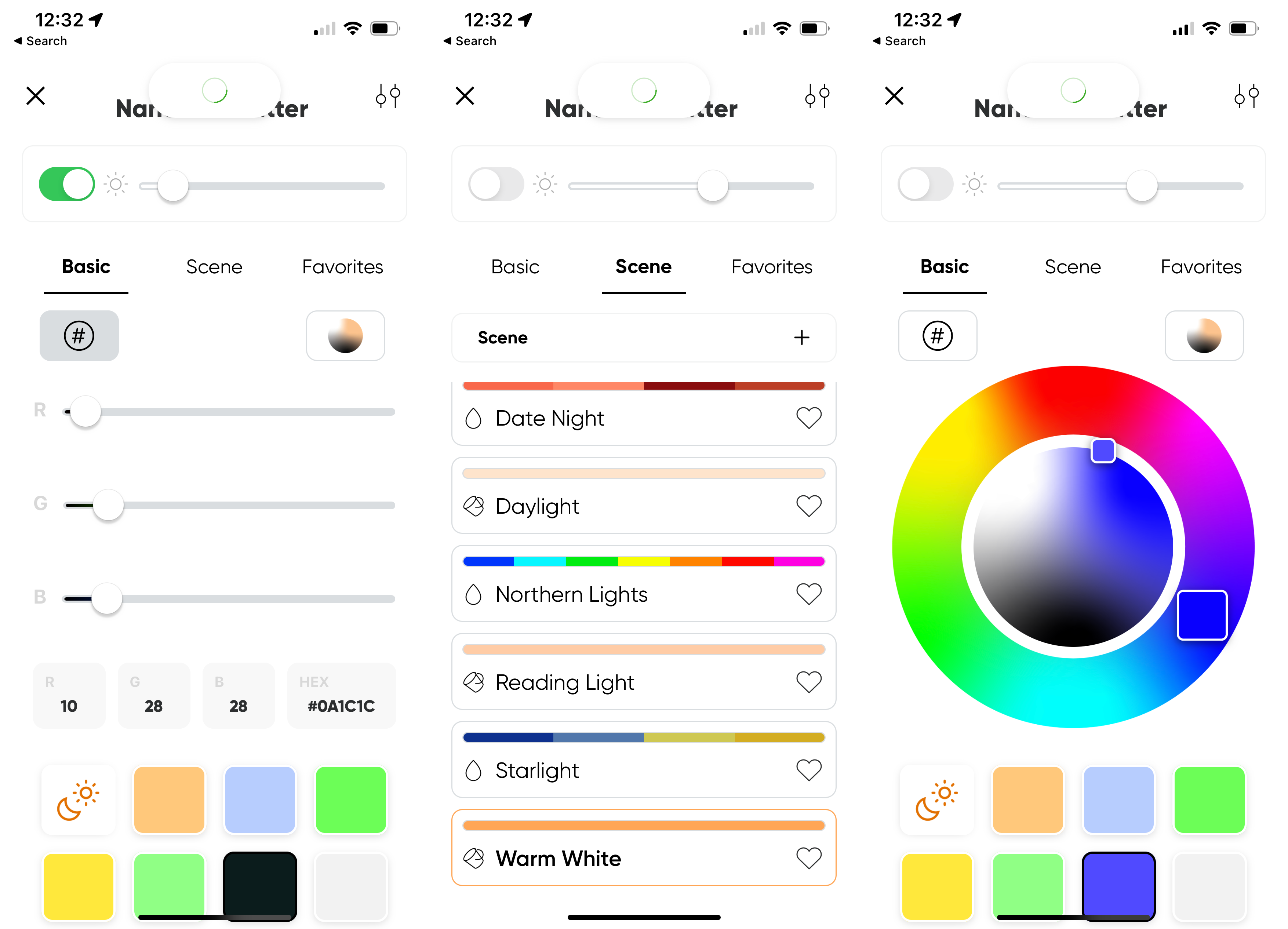
More control is available via the Nanoleaf app. As well as giving the same solid colour and brightness controls of other systems, the Nanoleaf app also gives motion scenes, too, changing colours automatically. For a bit of ambient light and adding interest to a room, motion scenes are nice to have.
Performance
- High brightness
- Good colour controls
Where Matter and Thread work, the Nanoleaf Matter Essentials Smart Lightstrip is quick to respond. Via Apple Home, I could quickly adjust brightness or pick the colour I wanted.
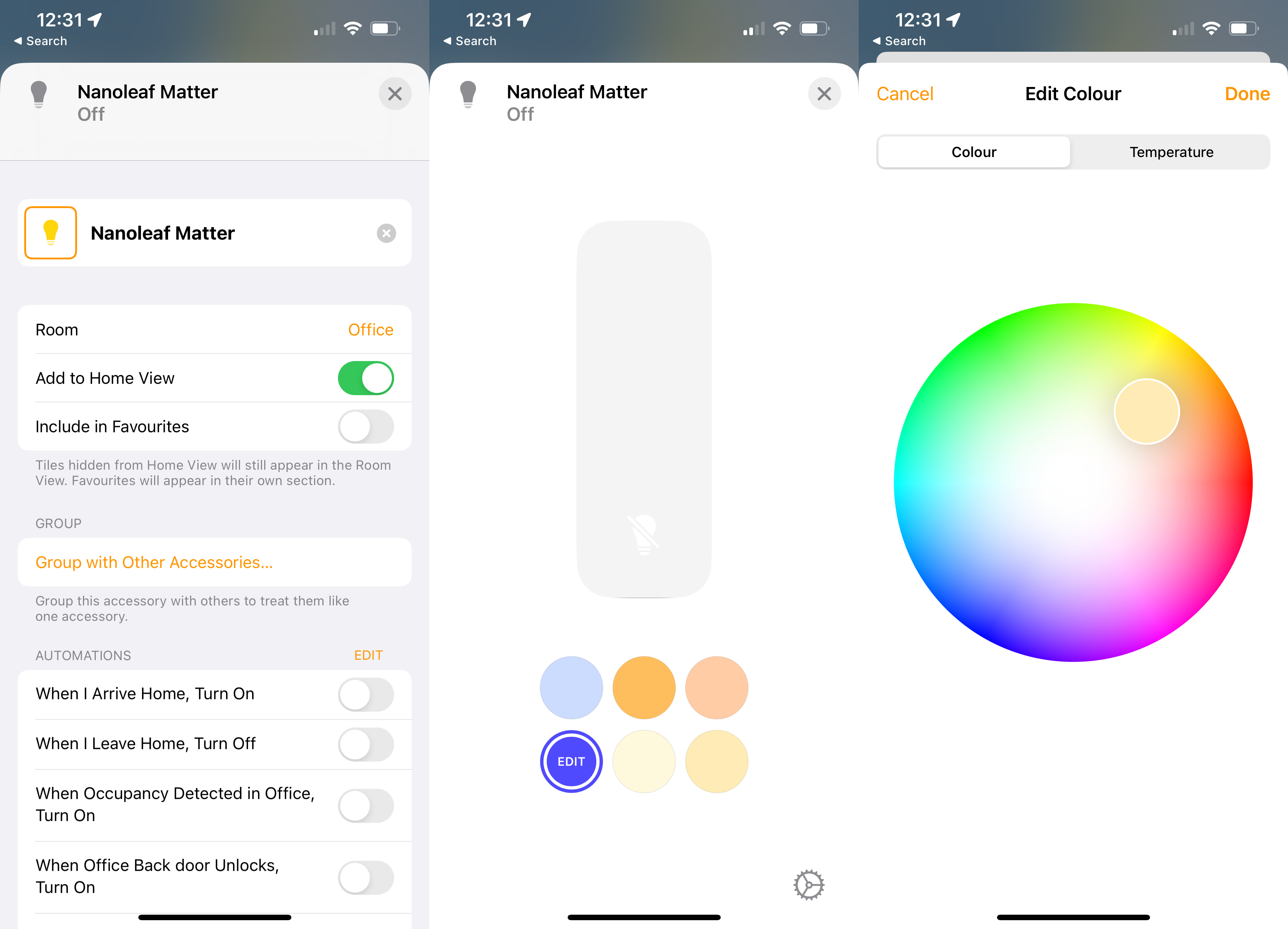
It’s a similar story with SmartThings, and I found the lights more responsive than when connecting via the Nanoleaf cloud connection. That’s certainly a benefit, particularly if you want to use physical controls, such as the Flic 2 Hub buttons, which are compatible with HomeKit and SmartThings, to turn the lightstrip or off.
Peaking at a maximum of 2200 lumens, with an average brightness of 2000 lumens, the Nanoleaf Matter Essentials Smart Lightstrip is bright enough to be used as a utility light, whether that’s running under a kitchen cupboard to help see what you’re preparing or running behind a bed as a reading light.
Colour temperatures vary between 2700K (warm yellow) and 6500K (cold blue), so the lightstrip can give a cosy effect or be bright and intense for concentration.
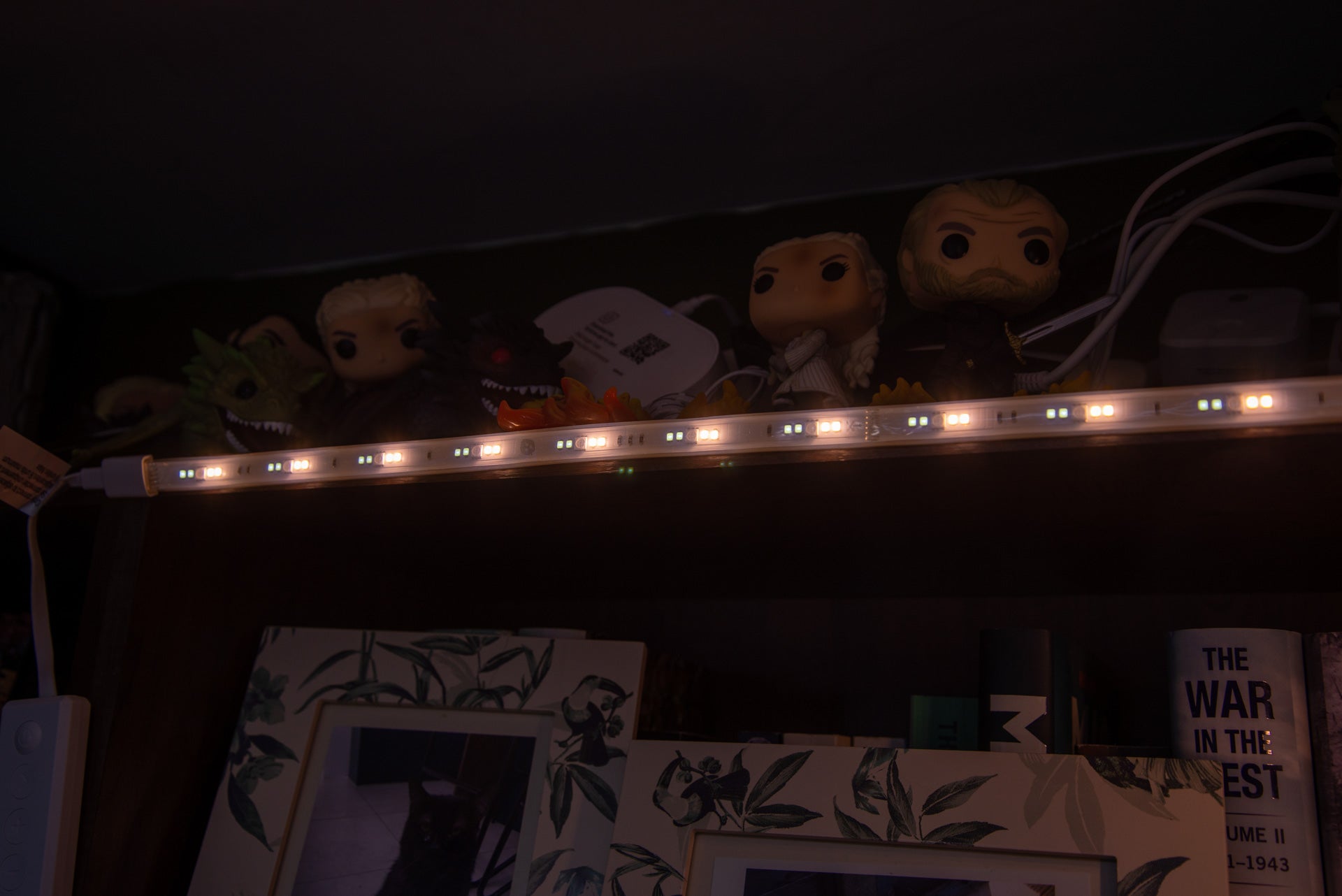
Colour reproduction is excellent, too. Cheaper lights will struggle with one type of colour, but across the entire range, the Nanoleaf Matter Essentials Smart Lightstrip produced strong, bright light.
Latest deals
Should you buy it?
You want a good value light strip and are Matter ready: If you meet the hardware and software requirements and want a good value light strip, this is a brilliant choice.
You are not Matter ready: If you don’t meet the strict requirements, you’ll have Bluetooth control only, which means this is one to avoid.
Final Thoughts
The only difference between this model and the previous one is the Matter support. It’s not Nanoleaf’s fault, but currently Matter isn’t all that it promised to be, and the hardware you have will determine if the light works for you. If you don’t have the right Thread hardware and software support, then this system isn’t worth buying.
If you do have Matter support then I would buy this version over the old one, particularly as support for other systems will get better over the coming months. Matter does mean that connecting the strip to different systems doesn’t degrade performance, as when using a cloud connection, such as for the Amazon Alexa Skill.
Compared to the Hue equivalent, the Nanoleaf Matter Essentials Smart Lightstrip is better valued, and it has controls built-in. For just one or two strips, it’s a good buy, but if you want a full ecosystem of bulbs and light strips controllable with wireless remotes, I recommend spending more on the Hue system instead.
How we test
Unlike other sites, we test every smart light we review thoroughly over an extended period of time. We use industry standard tests to compare features properly. We’ll always tell you what we find. We never, ever, accept money to review a product.
Find out more about how we test in our ethics policy.
Used as our main smart light for the review period
Tested for at least a week
We measure the light output from bulbs at different colour temperatures and colours so we can compare light output
We test compatibility with the main smart systems (HomeKit, Alexa, Google Assistant, SmartThings, IFTTT and more) to see how easy each light is to automate
FAQs
It needs a compatible Thread border router and Matter controller.
Sustainability
TrustedReviews holds the fact that global warming is not a myth as a core value and will continuously endeavour to help protect our planet from harm in its business practice
As part of this mission, whenever we review a product, we send the company a series of questions to help us gauge and make transparent the impact the device has on the environment
We currently haven’t received answers to the questions on this product, but we will update this page the moment we do. You can see a detailed breakdown of the questions we ask and why in our sustainability info page.

Verdict
At its best, the Nanoleaf Matter Essentials Smart Lightstrip provides fast control using the Thread protocol on a variety of platforms. Yet, as good as this sounds, the hardware and software requirements are quite limited, so check compatibility with your hardware, software and phone version before you buy. For those that can use this light strip, it’s good value, has excellent colour reproduction and benefits from in-line controls.
Pros
- Brings Matter to Nanoleaf line-up
- Good value
- Bright with excellent colours
Cons
- Requires specific hardware and software
Availability
- UKRRP: £44.99
- USARRP: $44.99
-
ConnectionUses Bluetooth and Thread over Matter. -
Smart app compatibilityWorks with all Matter controls, provided there’s a Thread border router available.
Introduction
Launching with Thread support, the Nanoleaf Essentials line-up seemed to be in prime position for an update to Matter, making it compatible with a wider range of smart systems. Sadly, the update never came and those that want Matter support need to buy the new range of products, including the Nanoleaf Matter Essentials Smart Lightstrip that I have on review here.
Largely, the change doesn’t make much difference day-to-day, but Matter support does mean that the product will work with a wider range of smart systems directly, giving faster response times than when using a cloud connection.
Design and features
- Looks and feels like the old product
- Matter code on the back can’t be scanned by Apple Home
- Compatible with other Thread Matter systems
Externally, the 2m Nanoleaf Matter Essentials Smart Lightstrip looks just like the original. It comes with a sticky back, so it can be stuck to furniture, and it can be cut at the marked points every 13-inches to reduce the size. Of course, once it has been cut, the strip can’t be lengthened again.
As with the Philips Hue lightstrip, the Nanoleaf strip can be extended up to 10m long, adding additional 2m expansions. Each expansion light strip is the same as the original, although they don’t ship with a power supply or in-line control.
This in-line control has on/off, brightness and scene toggle controls. That makes it a useful tool, as the lightstrip can be used as a traditional lamp without having to reach for the app or use voice control to control it.
At its most basic, the light can be controlled via the Nanoleaf app using Bluetooth, but means no remote control and you have to be within range to control it. Matter over Thread makes more sense.
Setting the Nanoleaf Matter Essentials Smart Lightstrip should be straightforward using Matter, although there are some requirements. For full control, it needs to be connected to a Thread network using Matter.
The system is compatible with SmartThings (provided you have the V3 or Aeotec hubs), Amazon Alexa (via the Echo 4th Gen), Google Home (Nest Wifi Pro, Nest Hub 2nd gen and Nest Hub Max) and Apple (HomePod Mini, HomePod 2 or Apple TV 4K 2nd Gen required).
That’s not quite the full story. If you have an iOS device, the Google Home app doesn’t give you the Matter option, as this hasn’t been released yet. If you have an Amazon Alexa system, Thread support should be provided by an Eero system, such as the Eero Pro 6E; however, in the UK the system signs in via the US website, so this doesn’t work.
For compatible systems, it should be as easy as scanning the Matter code. I tried to get started with Apple Home, but the code printed on the back of the Nanoleaf Matter Essentials Smart Lightstrip’s remote didn’t work, as it doesn’t have a QR code on it. I could have entered the code manually, but I scanned the code on the front of the instruction guide instead. This added the light strip to my Apple Home.
I then tried to connect the light to SmartThings, after turning on Pairing mode in the Apple Home app. Only, this came up with an error. I reset the light, added it to SmartThings first, turned on pairing mode from there and then added the light back to Apple Home.
Firing up the Nanoleaf app, I was given the option to finish setting up the light, connecting it to a local Thread Border Router on my network.
As I was connected via Thread and Matter, the lightstrip can’t be connected through the Nanoleaf Skill for either Google Home or Amazon Alexa. It’s all a little bit frustrating.
Of course, via both systems the Nanoleaf Matter Essentials Smart Lightstrip can be integrated into routines.
More control is available via the Nanoleaf app. As well as giving the same solid colour and brightness controls of other systems, the Nanoleaf app also gives motion scenes, too, changing colours automatically. For a bit of ambient light and adding interest to a room, motion scenes are nice to have.
Performance
- High brightness
- Good colour controls
Where Matter and Thread work, the Nanoleaf Matter Essentials Smart Lightstrip is quick to respond. Via Apple Home, I could quickly adjust brightness or pick the colour I wanted.
It’s a similar story with SmartThings, and I found the lights more responsive than when connecting via the Nanoleaf cloud connection. That’s certainly a benefit, particularly if you want to use physical controls, such as the Flic 2 Hub buttons, which are compatible with HomeKit and SmartThings, to turn the lightstrip or off.
Peaking at a maximum of 2200 lumens, with an average brightness of 2000 lumens, the Nanoleaf Matter Essentials Smart Lightstrip is bright enough to be used as a utility light, whether that’s running under a kitchen cupboard to help see what you’re preparing or running behind a bed as a reading light.
Colour temperatures vary between 2700K (warm yellow) and 6500K (cold blue), so the lightstrip can give a cosy effect or be bright and intense for concentration.
Colour reproduction is excellent, too. Cheaper lights will struggle with one type of colour, but across the entire range, the Nanoleaf Matter Essentials Smart Lightstrip produced strong, bright light.
Latest deals
Should you buy it?
You want a good value light strip and are Matter ready: If you meet the hardware and software requirements and want a good value light strip, this is a brilliant choice.
You are not Matter ready: If you don’t meet the strict requirements, you’ll have Bluetooth control only, which means this is one to avoid.
Final Thoughts
The only difference between this model and the previous one is the Matter support. It’s not Nanoleaf’s fault, but currently Matter isn’t all that it promised to be, and the hardware you have will determine if the light works for you. If you don’t have the right Thread hardware and software support, then this system isn’t worth buying.
If you do have Matter support then I would buy this version over the old one, particularly as support for other systems will get better over the coming months. Matter does mean that connecting the strip to different systems doesn’t degrade performance, as when using a cloud connection, such as for the Amazon Alexa Skill.
Compared to the Hue equivalent, the Nanoleaf Matter Essentials Smart Lightstrip is better valued, and it has controls built-in. For just one or two strips, it’s a good buy, but if you want a full ecosystem of bulbs and light strips controllable with wireless remotes, I recommend spending more on the Hue system instead.
How we test
Unlike other sites, we test every smart light we review thoroughly over an extended period of time. We use industry standard tests to compare features properly. We’ll always tell you what we find. We never, ever, accept money to review a product.
Find out more about how we test in our ethics policy.
Used as our main smart light for the review period
Tested for at least a week
We measure the light output from bulbs at different colour temperatures and colours so we can compare light output
We test compatibility with the main smart systems (HomeKit, Alexa, Google Assistant, SmartThings, IFTTT and more) to see how easy each light is to automate
FAQs
It needs a compatible Thread border router and Matter controller.
Sustainability
TrustedReviews holds the fact that global warming is not a myth as a core value and will continuously endeavour to help protect our planet from harm in its business practice
As part of this mission, whenever we review a product, we send the company a series of questions to help us gauge and make transparent the impact the device has on the environment
We currently haven’t received answers to the questions on this product, but we will update this page the moment we do. You can see a detailed breakdown of the questions we ask and why in our sustainability info page.



