





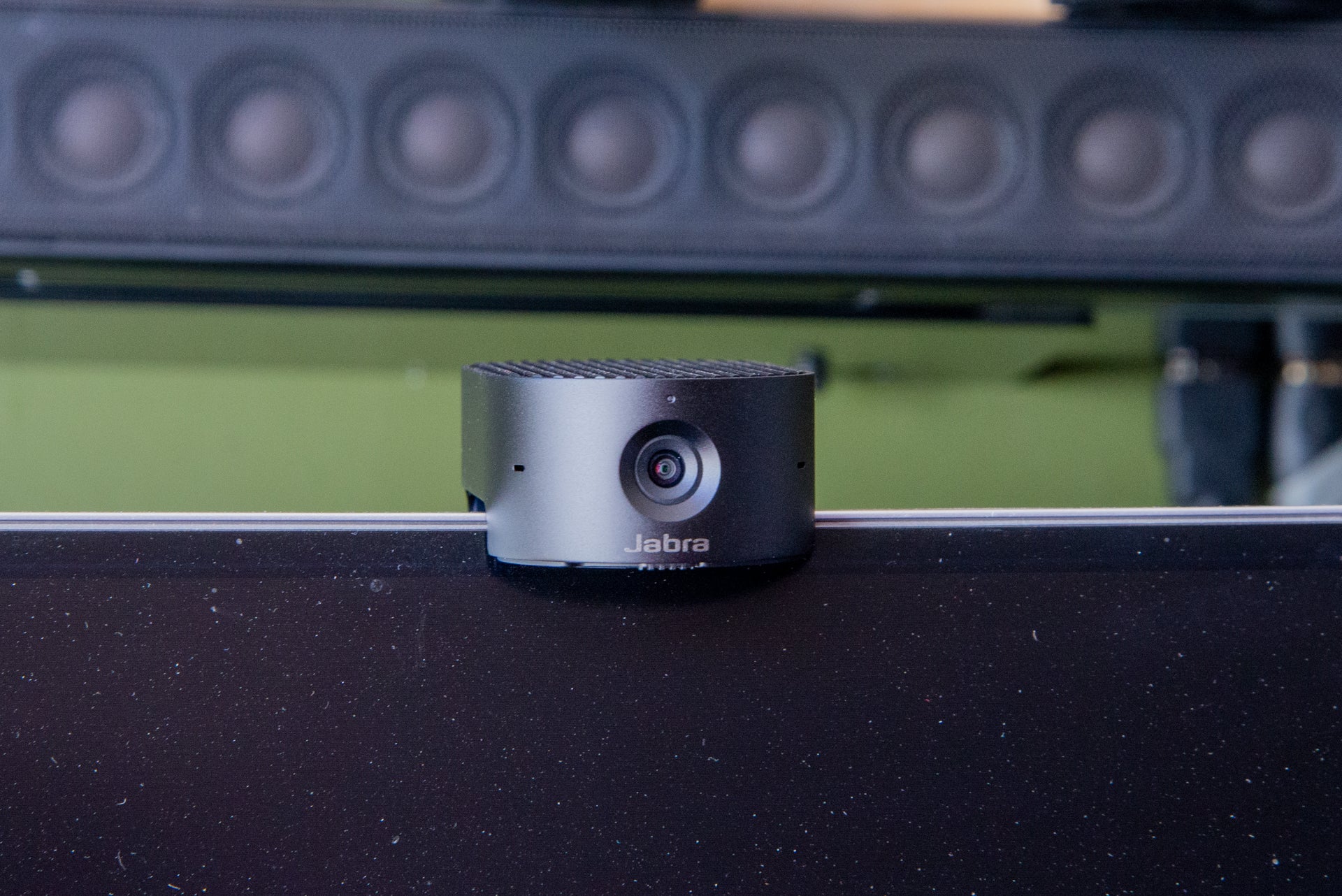
A neat webcam with a 4K sensor, the Jabra Panacast 20 is designed to be small and portable. It has some clever features and great image quality, although I didn’t find its auto tracking to be as smooth as on the the competition. The main issue here is price, and this is one of the most expensive webcams you can buy.
Pros
- 4K image sensor
- Portable
- Integrated privacy sensor
Cons
- Expensive
- Auto-tracking a little jerky
-
TypeThis is a USB-C webcam that requires a USB port capable of delivering 500mA of current. -
ResolutionThis camera has a 4K image sensor, although the broadcast quality will top-out at Full HD. -
TrackingThis camera can automatically zoom and track you.
Introduction
Most high-resolution webcams are quite bulky devices, but the 4K Jabra Panacast 20 is smaller, designed to be portable.
It has smart built-in microphones and decent image quality, but the price is high and the auto zooming isn’t quite as smooth as it is on competitors’ products.
Design and features
- Ships with travel bag
- Can automatically track and zoom
- Integrated microphones
Compatible with Mac and Windows PCs, the Jabra Panacast 20 is designed to be portable. The retail package ships with a case that can hold the camera and its USB-C cable. I had a review sample that shipped in non-standard packaging, so I don’t have photos of that accessory.
What’s particularly noticeable about the Jabra Panacast 20 is how small it is (44 x 25 x 80mm, 136g). It’s one of the smallest webcams that I’ve reviewed.
Connection to a computer is simple by using the USB-C port on the rear. The Jabra Panacast 20 can be connected to USB3 and USB2 ports, provided they deliver at least 500mA of current.
As with most webcams, the Jabra Panacast 20 is designed to sit on top of a monitor, with its fold-out foot holding it in place. If you prefer, the Jabra Panacast 20 can be attached to a tripod, thanks to its standard screw mount underneath.
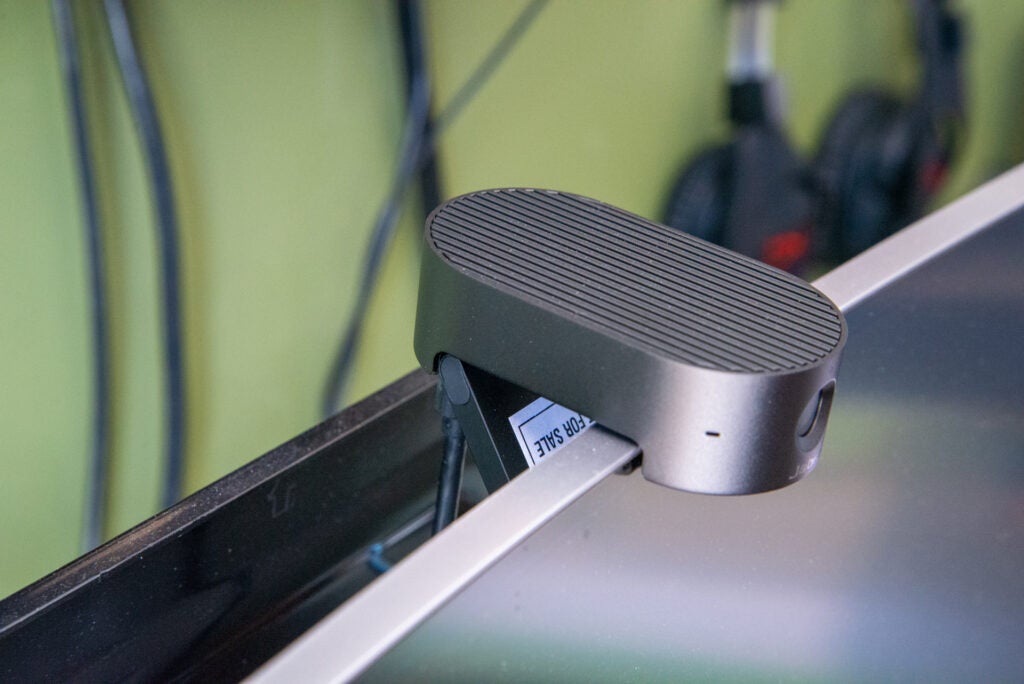
Privacy is always a big concern with webcams, so it’s good to see the integrated shutter on this model, controlled by the slider under the lens. It’s a far more elegant solution than the stick-on cover that the Anker PowerConf C300 ships with.
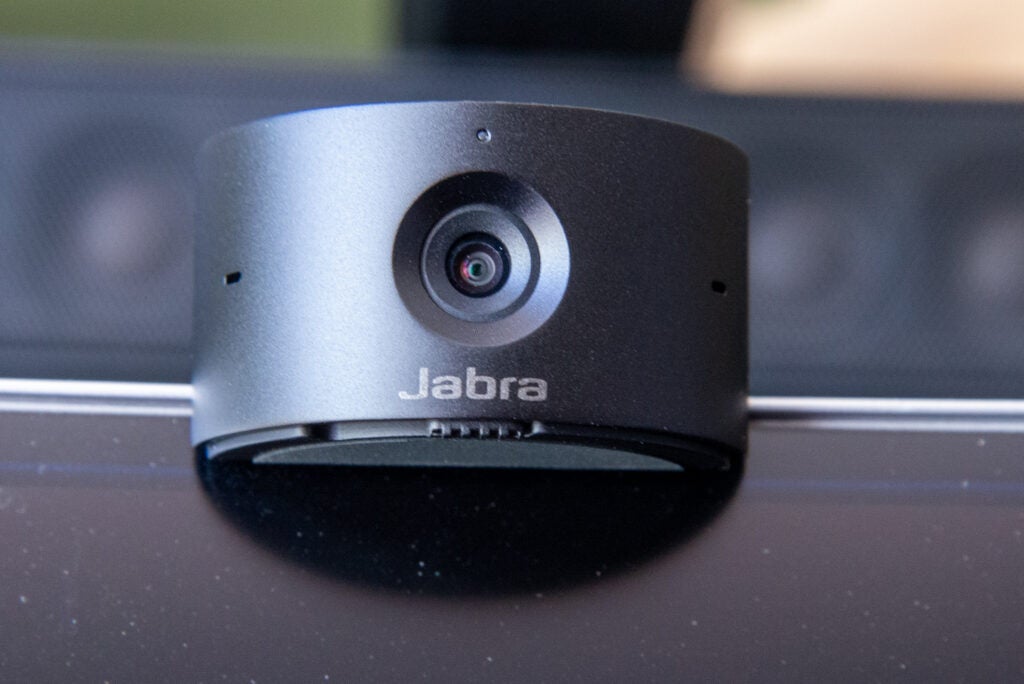
This webcam has three MEMS microphones built-in, designed to limit echoes and eliminate background noise, no matter where you are.
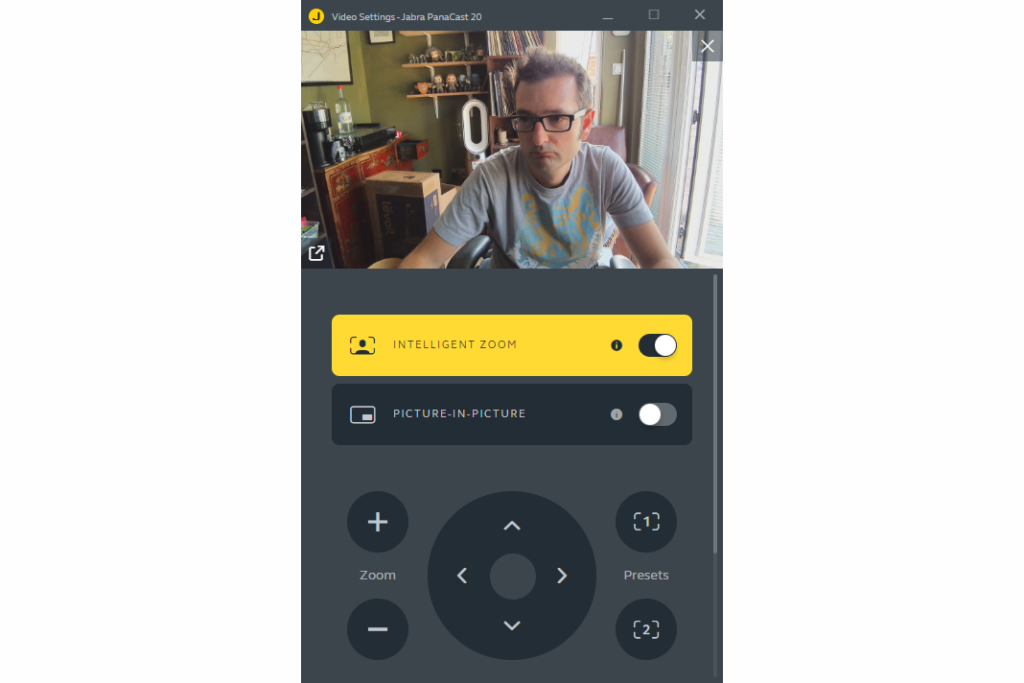
Although the camera is plug-and-play, it works best if you install the Jabra Direct software, which gives you a control panel to configure the camera’s video output. Although the sensor is 4K, you won’t actually get a 4K picture on a video call, as video services top-out at Full HD.
Having more resolution than needed still makes sense. First, 4K video that’s downscaled to Full HD looks better. Second, more video means that the Jabra Panacast 20 can use its extra resolution for digital zoom without losing image quality.
There are two ways to use digital zoom. First, you can manually zoom and pan the video using the on-screen controls. This lets you set the field of view that you want, from zoomed out (default of 90-degree viewing angle) to zoomed in and focussed on you. There are two preset slots that you can save your favourites in, which can be handy if you want to use the Jabra Panacast 20 in a room, say having one preset for a wide shot if there’s a group of people and a second preset to zoom in.
Secondly, you can use the Intelligent Zoom option, where the camera will track and zoom in on you automatically.
That makes the Anker B600 Video Bar’s video feed look less jarring and more natural than the feed from the Panacast 20.
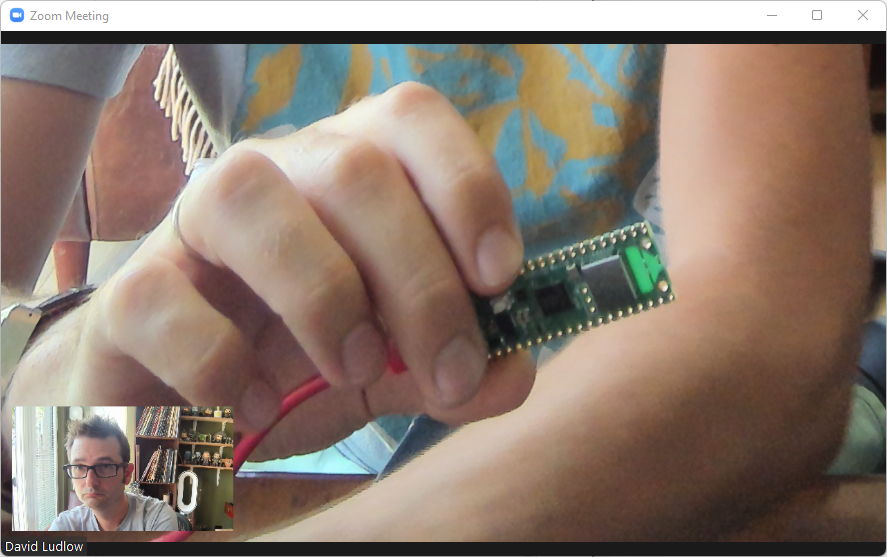
There is one feature that the Jabra Panacast 20 has that rivals don’t: a picture-in-picture video mode. With this, the camera overlays a full view of you over the zoomed-in image. That can be helpful if you’re presenting and want to show a physical object up-close, while still letting everyone on the call see your face. As the picture-in-picture mode is injected into a single video feed, it will work with all video services.
Finally, there are controls over the camera’s feed, so you can adjust how you look, checking the preview window. It’s handy to ensure you look your best before joining a call.
Performance
- Sharp video
- Excellent audio
I found that the auto-tracking worked well in terms of the Jabra Panacast 20 finding me and zooming in, but the action was quite frenetic and jerky. The similar tool on the Anker B600 Video Bar is far smoother and less aggressive.
Image quality is good from the Jabra Panacast 20. Downsampled to Full HD, the image has extra sharpness and clarity over a regular Full HD camera, although the B600 Video Bar was slightly ahead, particularly in exposure thanks to its video light.

In slightly more challenging circumstances with sunlight pouring in from the side, the camera did an excellent job maintaining detail on my face and not letting the image get overblown.

Microphone quality is very good. The three mics work together well to drown out background noise, and I found that the Jabra Panacast 20 picked me up well, regardless of how close or far I was sitting from the camera.
Latest deals
Should you buy it?
If you want the power of 4K, including zooming and tracking, in a portable format, then this is a very good webcam.
This model is expensive compared to the competition, and you can get more features in a bigger package for around the same price.
Final Thoughts
Excellent microphones and high-quality video powered by a 4K sensor, the Jabra Panacast 20 is also easily portable, so you can carry and use it where you want. I found its auto tracking to be a little jerky and distracting, and the price is high: the Anker B600 Video Bar costs a similar amount, but has smoother tracking and a built-in light at the expense of portability. If I wanted a camera that I could carry around, I’d go for the slightly cheaper PowerConf C300 1080p camera.
How we test
Unlike other sites, we test every web cam we review thoroughly over an extended period of time. We use standard tests to compare features properly. We’ll always tell you what we find. We never, ever, accept money to review a product.
Find out more about how we test in our ethics policy.
Used as or main webcam for the duration of the review.
Tested under a variety of lighting conditions to see how well it compares to the competition.
Used with common video conferencing software to test compatibility.
You might like…

FAQs
No, video services top out at Full HD. The extra resolution is useful for delivering better-quality video and the zoom features.
Yes, it works with USB3 and USB2 ports, provided they support a minimum of 500mA current.
Sustainability
TrustedReviews’ holds the fact that global warming is not a myth as a core value and will continuously endeavor to help protect our planet from harm in its business practices.
As part of this mission, whenever we review a product we send the company a series of questions to help us gauge and make transparent the impact the device has on the environment.
We currently haven’t received answers to the questions on this product, but will update this page the moment we do. You can see a detailed breakdown of the questions we ask and why in our sustainability info page.

A neat webcam with a 4K sensor, the Jabra Panacast 20 is designed to be small and portable. It has some clever features and great image quality, although I didn’t find its auto tracking to be as smooth as on the the competition. The main issue here is price, and this is one of the most expensive webcams you can buy.
Pros
- 4K image sensor
- Portable
- Integrated privacy sensor
Cons
- Expensive
- Auto-tracking a little jerky
-
TypeThis is a USB-C webcam that requires a USB port capable of delivering 500mA of current. -
ResolutionThis camera has a 4K image sensor, although the broadcast quality will top-out at Full HD. -
TrackingThis camera can automatically zoom and track you.
Introduction
Most high-resolution webcams are quite bulky devices, but the 4K Jabra Panacast 20 is smaller, designed to be portable.
It has smart built-in microphones and decent image quality, but the price is high and the auto zooming isn’t quite as smooth as it is on competitors’ products.
Design and features
- Ships with travel bag
- Can automatically track and zoom
- Integrated microphones
Compatible with Mac and Windows PCs, the Jabra Panacast 20 is designed to be portable. The retail package ships with a case that can hold the camera and its USB-C cable. I had a review sample that shipped in non-standard packaging, so I don’t have photos of that accessory.
What’s particularly noticeable about the Jabra Panacast 20 is how small it is (44 x 25 x 80mm, 136g). It’s one of the smallest webcams that I’ve reviewed.
Connection to a computer is simple by using the USB-C port on the rear. The Jabra Panacast 20 can be connected to USB3 and USB2 ports, provided they deliver at least 500mA of current.
As with most webcams, the Jabra Panacast 20 is designed to sit on top of a monitor, with its fold-out foot holding it in place. If you prefer, the Jabra Panacast 20 can be attached to a tripod, thanks to its standard screw mount underneath.
Privacy is always a big concern with webcams, so it’s good to see the integrated shutter on this model, controlled by the slider under the lens. It’s a far more elegant solution than the stick-on cover that the Anker PowerConf C300 ships with.
This webcam has three MEMS microphones built-in, designed to limit echoes and eliminate background noise, no matter where you are.
Although the camera is plug-and-play, it works best if you install the Jabra Direct software, which gives you a control panel to configure the camera’s video output. Although the sensor is 4K, you won’t actually get a 4K picture on a video call, as video services top-out at Full HD.
Having more resolution than needed still makes sense. First, 4K video that’s downscaled to Full HD looks better. Second, more video means that the Jabra Panacast 20 can use its extra resolution for digital zoom without losing image quality.
There are two ways to use digital zoom. First, you can manually zoom and pan the video using the on-screen controls. This lets you set the field of view that you want, from zoomed out (default of 90-degree viewing angle) to zoomed in and focussed on you. There are two preset slots that you can save your favourites in, which can be handy if you want to use the Jabra Panacast 20 in a room, say having one preset for a wide shot if there’s a group of people and a second preset to zoom in.
Secondly, you can use the Intelligent Zoom option, where the camera will track and zoom in on you automatically.
That makes the Anker B600 Video Bar’s video feed look less jarring and more natural than the feed from the Panacast 20.
There is one feature that the Jabra Panacast 20 has that rivals don’t: a picture-in-picture video mode. With this, the camera overlays a full view of you over the zoomed-in image. That can be helpful if you’re presenting and want to show a physical object up-close, while still letting everyone on the call see your face. As the picture-in-picture mode is injected into a single video feed, it will work with all video services.
Finally, there are controls over the camera’s feed, so you can adjust how you look, checking the preview window. It’s handy to ensure you look your best before joining a call.
Performance
- Sharp video
- Excellent audio
I found that the auto-tracking worked well in terms of the Jabra Panacast 20 finding me and zooming in, but the action was quite frenetic and jerky. The similar tool on the Anker B600 Video Bar is far smoother and less aggressive.
Image quality is good from the Jabra Panacast 20. Downsampled to Full HD, the image has extra sharpness and clarity over a regular Full HD camera, although the B600 Video Bar was slightly ahead, particularly in exposure thanks to its video light.
In slightly more challenging circumstances with sunlight pouring in from the side, the camera did an excellent job maintaining detail on my face and not letting the image get overblown.
Microphone quality is very good. The three mics work together well to drown out background noise, and I found that the Jabra Panacast 20 picked me up well, regardless of how close or far I was sitting from the camera.
Latest deals
Should you buy it?
If you want the power of 4K, including zooming and tracking, in a portable format, then this is a very good webcam.
This model is expensive compared to the competition, and you can get more features in a bigger package for around the same price.
Final Thoughts
Excellent microphones and high-quality video powered by a 4K sensor, the Jabra Panacast 20 is also easily portable, so you can carry and use it where you want. I found its auto tracking to be a little jerky and distracting, and the price is high: the Anker B600 Video Bar costs a similar amount, but has smoother tracking and a built-in light at the expense of portability. If I wanted a camera that I could carry around, I’d go for the slightly cheaper PowerConf C300 1080p camera.
How we test
Unlike other sites, we test every web cam we review thoroughly over an extended period of time. We use standard tests to compare features properly. We’ll always tell you what we find. We never, ever, accept money to review a product.
Find out more about how we test in our ethics policy.
Used as or main webcam for the duration of the review.
Tested under a variety of lighting conditions to see how well it compares to the competition.
Used with common video conferencing software to test compatibility.
You might like…
FAQs
No, video services top out at Full HD. The extra resolution is useful for delivering better-quality video and the zoom features.
Yes, it works with USB3 and USB2 ports, provided they support a minimum of 500mA current.
Sustainability
TrustedReviews’ holds the fact that global warming is not a myth as a core value and will continuously endeavor to help protect our planet from harm in its business practices.
As part of this mission, whenever we review a product we send the company a series of questions to help us gauge and make transparent the impact the device has on the environment.
We currently haven’t received answers to the questions on this product, but will update this page the moment we do. You can see a detailed breakdown of the questions we ask and why in our sustainability info page.



