





Verdict
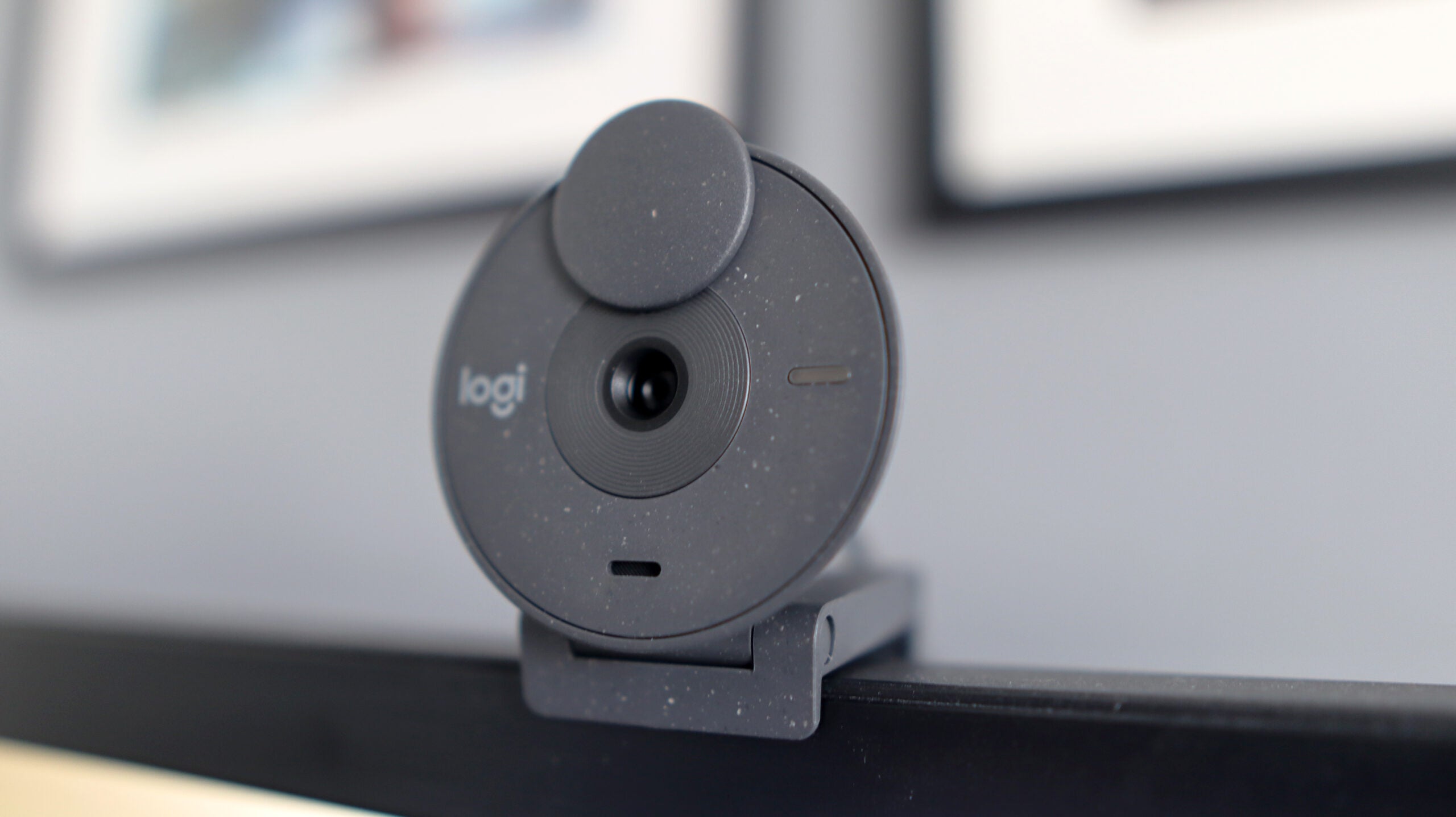
The Logitech Brio 300 is a great webcam for office use. Its cone-shapred chassis chassis that’s also environmentally conscious. The inclusion of Logi Tune is welcome and provides some handy features, if a little sparse. Video output is pretty good too, with the tried-and-tested combo of 1080p/30fps offering solid results for those wanting a good webcam for use in conferencing apps.
Pros
- Cool cone-shaped design
- Mounting system is nice and secure
- Good quality output with solid motion
Cons
- Dated 1080p/30fps combo
- Logi Tune software is light on options
Availability
- UKRRP: £74.99
- USARRP: $69.99
-
1080p/30fps output:The Logitech Brio 300 outputs at a 1080p resolution and 30 frames per second.
-
Logi Tune software:Works with Logi Tune software that enables configuration and customisation. -
Noise-reducing mic:The microphone offers noise reduction capabilities, so only your voice is heard.
Introduction
Traditionally, if you wanted a small webcam designed for office use, you bought one of the many iterations of Logitech’s C920 line. Now, the Logitech Brio 300 is on the scene.
The C920 launched around a decade ago and we’ve seen a lot more manufacturers enter the world of webcams since. As such, Logitech has had to fight back in the space of smaller options designed for office use – enter the Logitech Brio 300.
The Brio 300 is competitively priced, right where the C920 used to be, putting it in good stead on paper. Let’s find out how that translates in practice.
Design and features
- Intriguing cone-shaped design
- Good looks that are also environmentally conscious
- Logi Tune is a little sparse in terms of options
I was immediately impressed by the design of the Brio 300 – it’s a stylish webcam. The cone-shaped chassis is unlike anything I’ve seen before. Much like its bigger brother, the Logitech Brio 500, this webcam has an eye-catching design that brings webcams into the 21st century. Also, like Brio 500, the Logitech Brio 300 is available in the grey colour I’ve got here, as well as in pink and white if you want something especially modern.
Its mounting system is convenient and easy, with one of the best clips I’ve used on a webcam helping to keep it especially secure on my monitor. If you don’t want to use the bundled clip, the Brio 300 also comes with a standard tripod thread, giving you more options for mounting. Its slim profile handily makes this a suitable webcam for laptops and bigger and thicker monitors.
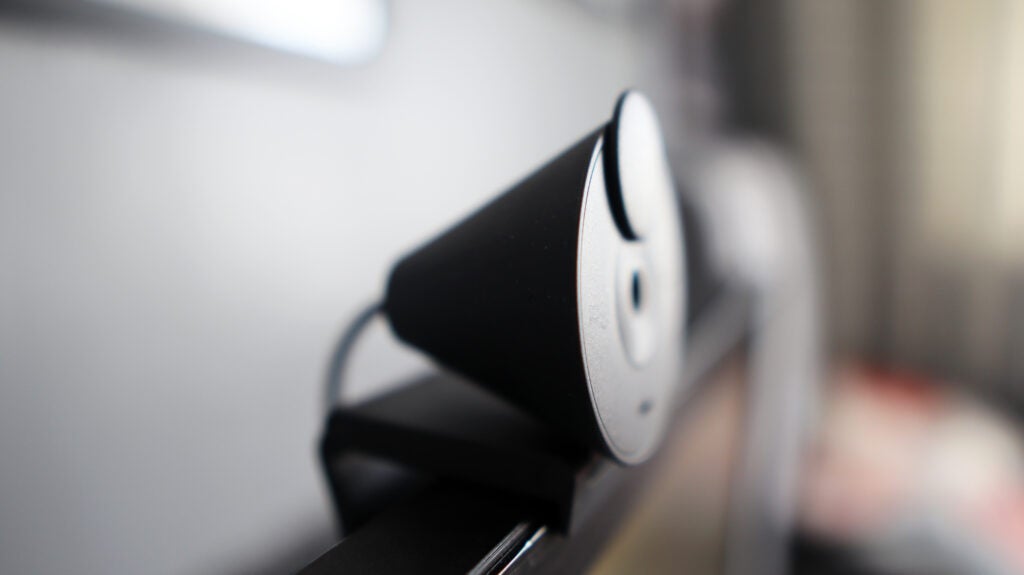
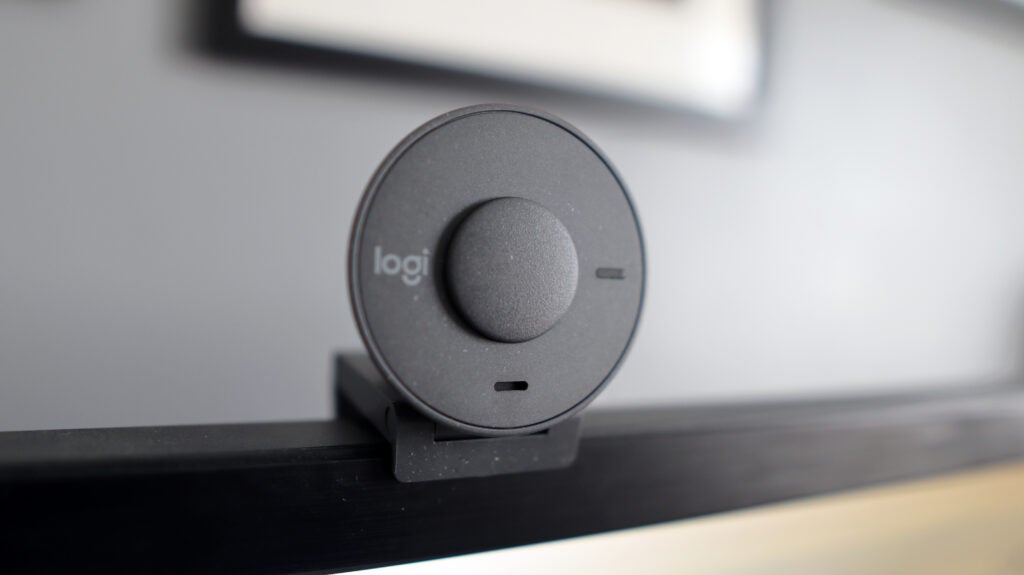
Bundled in with the Brio 300 is an integrated privacy shutter. It can be simply pushed down to cover the camera and it stays in place securely. The USB-C cable comes reinforced, and the 1.5m length gives you more versatility in terms of where to place the Brio 300.
For software, the Brio 300 works with Logi Tune. It’s a basic suite of software compared to Logitech’s other solutions, like Capture and G Hub. And, when paired with this particular webcam, you don’t get the full suite of features either. The biggest loss here is Auto Framing, which means the Brio 300 won’t keep you centred as you move around. Although, a saving grace is the inclusion of Auto Light Enhancement, dodging overexposed images.
Performance and Video Quality
- 1080p/30fps output is decent for most tasks
- 70-degree FOV is ideal for conferencing
- Microphones offer good body and clarity
The Brio 300 provides some solid video performance for the price. Its combo of 1080p/30fps is perfectly adequate for office use, especially given that modern conferencing platforms such as Google Meet don’t support more than this combination.
In real-world testing, the Brio 300 offered decent detail and motion for the price, with video output that offered up balanced light levels. Low light performance was strong too, though the lack of HDR meant that images didn’t pop as much as rival webcams. Overall, things did look flat.

It offers a wide FOV at 70 degrees. This can’t be changed or configured, which is a bit of a pain, but it means that the images presented offer more background, as well as where you’ll be positioned. This is handy if you’re someone who is going to be presenting on camera with real-world tools.
For its microphones, the Brio 300 offers a singular microphone that offers okay pickup with decent clarity and body. This webcam was never going to be as good as a dedicated USB mic, or ones featured on headsets, but for an integrated one in a webcam, it’s pretty good.
Latest deals
Should you buy it?
You want cool looks
The cone-shaped frame of the Brio 300 makes it stand out from the crowd, and if you want a webcam that looks the part, this is a great choice.
You want 60fps output
The Brio 300 is a good option for office use but, content creators who want smoother 60fps output should look elsewhere.
Final Thoughts
Unlike its more costly sibling, the Logitech Brio 300 is a much easier recommendation. It’s two-thirds of the cost of the Brio 500, but offers much the same in the way of its features and looks.
The speckled, cone-shaped chassis looks fantastic and helps the Brio 300 to be especially stylish. What’s more, its 1080p/30fps output, while perhaps feeling a little dated in 2023 for streamers, is still perfectly fine for office use, where this webcam is designed for. For those interested in streaming and that sweet 60fps, look to the Logitech StreamCam.
The accompanying software of the Brio 300, Logi Tune, feels a bit sparse, with no Auto Framing. The singular microphone’s pickup can leave your voice sounding a little thin at times, making the improved mic on the Brio 500 all the more appealing. But, for the money, the Brio 300 is a more than decent choice.
How we test
We use every webcam we test as our main device for video conferencing throughout the review period, while also running its proprietary software through its paces.
We also check device compatibility with more widely available software for professionals and content creators.
Tested over a period of seven days
Checked the capture quality with real-world testing
FAQs
Our testing of the Logitech Brio 300 showed it to be competent across lighting conditions.
Yes, this can be done in Logi Tune, or within apps like Zoom and Microsoft Teams.

Verdict
The Logitech Brio 300 is a great webcam for office use. Its cone-shapred chassis chassis that’s also environmentally conscious. The inclusion of Logi Tune is welcome and provides some handy features, if a little sparse. Video output is pretty good too, with the tried-and-tested combo of 1080p/30fps offering solid results for those wanting a good webcam for use in conferencing apps.
Pros
- Cool cone-shaped design
- Mounting system is nice and secure
- Good quality output with solid motion
Cons
- Dated 1080p/30fps combo
- Logi Tune software is light on options
Availability
- UKRRP: £74.99
- USARRP: $69.99
-
1080p/30fps output:The Logitech Brio 300 outputs at a 1080p resolution and 30 frames per second.
-
Logi Tune software:Works with Logi Tune software that enables configuration and customisation. -
Noise-reducing mic:The microphone offers noise reduction capabilities, so only your voice is heard.
Introduction
Traditionally, if you wanted a small webcam designed for office use, you bought one of the many iterations of Logitech’s C920 line. Now, the Logitech Brio 300 is on the scene.
The C920 launched around a decade ago and we’ve seen a lot more manufacturers enter the world of webcams since. As such, Logitech has had to fight back in the space of smaller options designed for office use – enter the Logitech Brio 300.
The Brio 300 is competitively priced, right where the C920 used to be, putting it in good stead on paper. Let’s find out how that translates in practice.
Design and features
- Intriguing cone-shaped design
- Good looks that are also environmentally conscious
- Logi Tune is a little sparse in terms of options
I was immediately impressed by the design of the Brio 300 – it’s a stylish webcam. The cone-shaped chassis is unlike anything I’ve seen before. Much like its bigger brother, the Logitech Brio 500, this webcam has an eye-catching design that brings webcams into the 21st century. Also, like Brio 500, the Logitech Brio 300 is available in the grey colour I’ve got here, as well as in pink and white if you want something especially modern.
Its mounting system is convenient and easy, with one of the best clips I’ve used on a webcam helping to keep it especially secure on my monitor. If you don’t want to use the bundled clip, the Brio 300 also comes with a standard tripod thread, giving you more options for mounting. Its slim profile handily makes this a suitable webcam for laptops and bigger and thicker monitors.
Bundled in with the Brio 300 is an integrated privacy shutter. It can be simply pushed down to cover the camera and it stays in place securely. The USB-C cable comes reinforced, and the 1.5m length gives you more versatility in terms of where to place the Brio 300.
For software, the Brio 300 works with Logi Tune. It’s a basic suite of software compared to Logitech’s other solutions, like Capture and G Hub. And, when paired with this particular webcam, you don’t get the full suite of features either. The biggest loss here is Auto Framing, which means the Brio 300 won’t keep you centred as you move around. Although, a saving grace is the inclusion of Auto Light Enhancement, dodging overexposed images.
Performance and Video Quality
- 1080p/30fps output is decent for most tasks
- 70-degree FOV is ideal for conferencing
- Microphones offer good body and clarity
The Brio 300 provides some solid video performance for the price. Its combo of 1080p/30fps is perfectly adequate for office use, especially given that modern conferencing platforms such as Google Meet don’t support more than this combination.
In real-world testing, the Brio 300 offered decent detail and motion for the price, with video output that offered up balanced light levels. Low light performance was strong too, though the lack of HDR meant that images didn’t pop as much as rival webcams. Overall, things did look flat.
It offers a wide FOV at 70 degrees. This can’t be changed or configured, which is a bit of a pain, but it means that the images presented offer more background, as well as where you’ll be positioned. This is handy if you’re someone who is going to be presenting on camera with real-world tools.
For its microphones, the Brio 300 offers a singular microphone that offers okay pickup with decent clarity and body. This webcam was never going to be as good as a dedicated USB mic, or ones featured on headsets, but for an integrated one in a webcam, it’s pretty good.
Latest deals
Should you buy it?
You want cool looks
The cone-shaped frame of the Brio 300 makes it stand out from the crowd, and if you want a webcam that looks the part, this is a great choice.
You want 60fps output
The Brio 300 is a good option for office use but, content creators who want smoother 60fps output should look elsewhere.
Final Thoughts
Unlike its more costly sibling, the Logitech Brio 300 is a much easier recommendation. It’s two-thirds of the cost of the Brio 500, but offers much the same in the way of its features and looks.
The speckled, cone-shaped chassis looks fantastic and helps the Brio 300 to be especially stylish. What’s more, its 1080p/30fps output, while perhaps feeling a little dated in 2023 for streamers, is still perfectly fine for office use, where this webcam is designed for. For those interested in streaming and that sweet 60fps, look to the Logitech StreamCam.
The accompanying software of the Brio 300, Logi Tune, feels a bit sparse, with no Auto Framing. The singular microphone’s pickup can leave your voice sounding a little thin at times, making the improved mic on the Brio 500 all the more appealing. But, for the money, the Brio 300 is a more than decent choice.
How we test
We use every webcam we test as our main device for video conferencing throughout the review period, while also running its proprietary software through its paces.
We also check device compatibility with more widely available software for professionals and content creators.
Tested over a period of seven days
Checked the capture quality with real-world testing
FAQs
Our testing of the Logitech Brio 300 showed it to be competent across lighting conditions.
Yes, this can be done in Logi Tune, or within apps like Zoom and Microsoft Teams.



