





Cheaper than the competition and with each panel able to show multiple colours at the same time, the Govee Glide Hexa are a great way to build a wall of light. The range of scenes is excellent and the app’s pretty good, too. Slightly fiddly installation lets the side down a little.
Pros
- Multiple colours on each panel
- Great value
- Bright
Cons
- Basic physical control
- Fiddly to install
-
TypeThese smart lights are formed by joining LED panels together with flexible connectors. -
Smart assistantsBoth Amazon Alexa and Google Assistant are supported. -
ConnectionThese light panels connect via 2.4GHz Wi-Fi.
Introduction
I’ve seen plenty of smart lighting panels that clip together in practically any shape that you want, but most of them can display a single colour per light.
The Govee Glide Hexa is different, as its RGBIC panels can display multiple colours at once, giving smoother transitions than the competition. A slightly fiddly installation does get in the way of the enjoyment a little.
Design and installation
- Connecting cables plug in one way only
- Can loop designs around corners
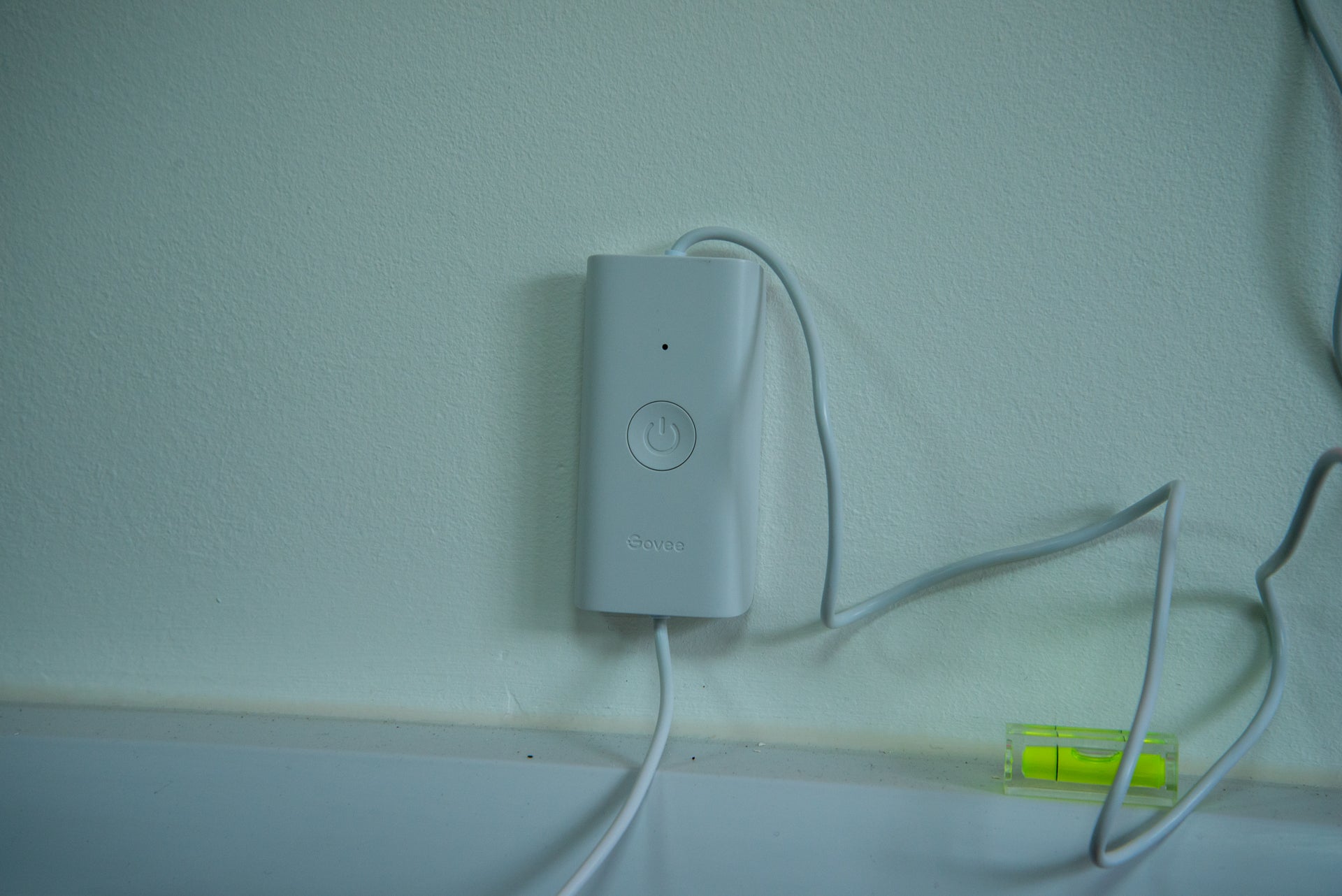
- Control box with on/off switch
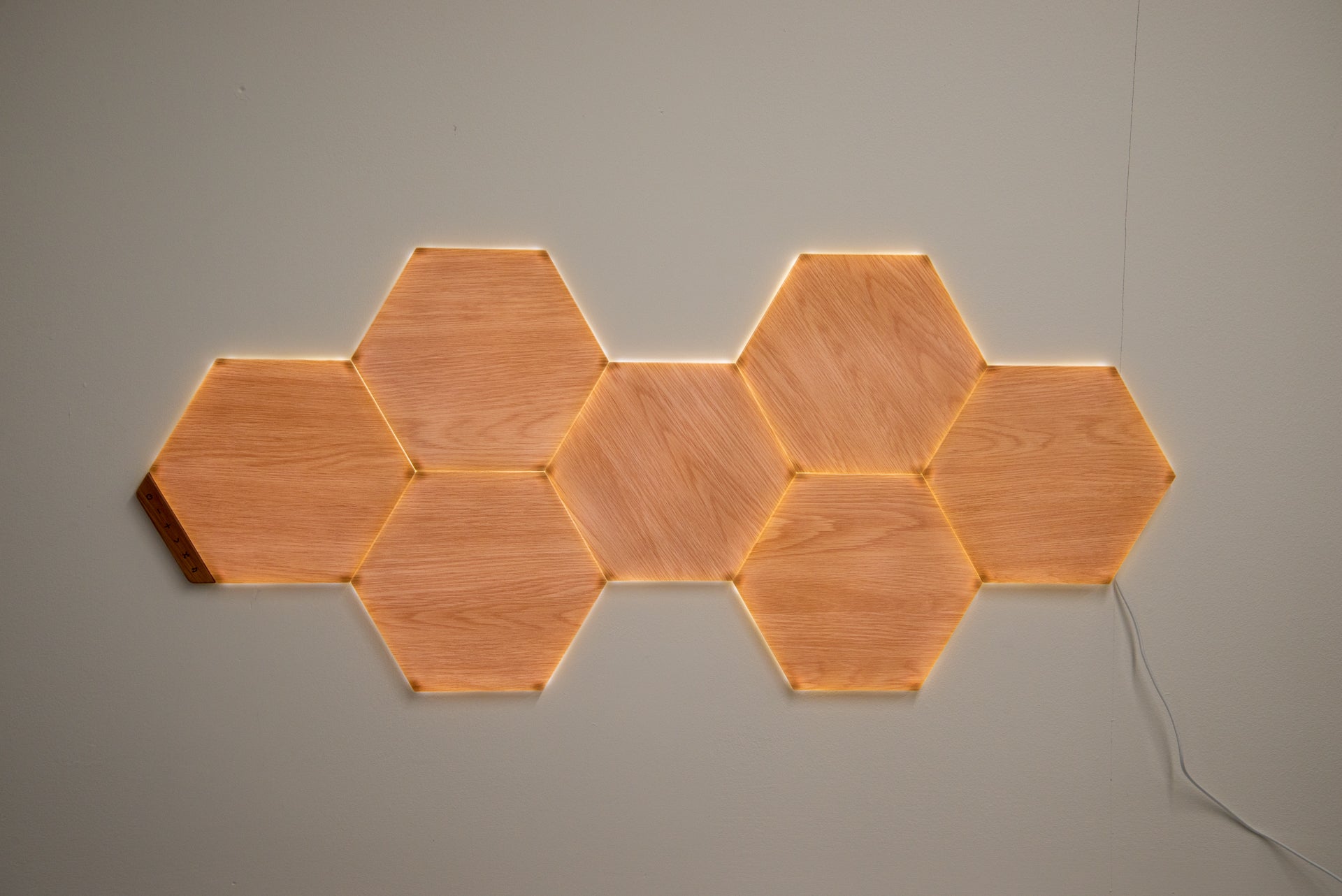
Govee provides 10 hexagon lights in the box, which are a similar size to the Nanoleaf Shapes version. Up to 12 panels can be powered by one power adaptor, but a connection cable is required to add a second power adaptor if you want more.
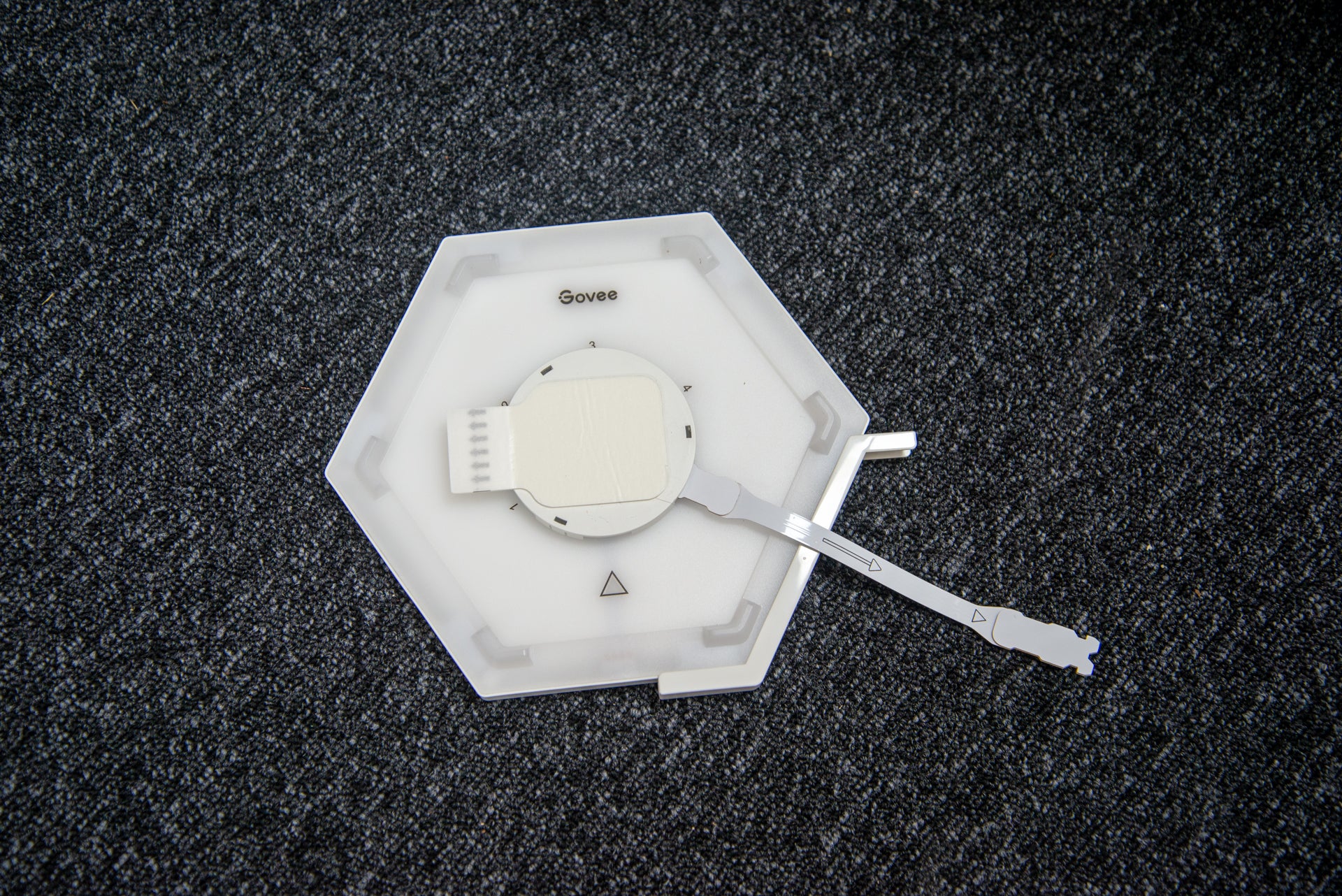
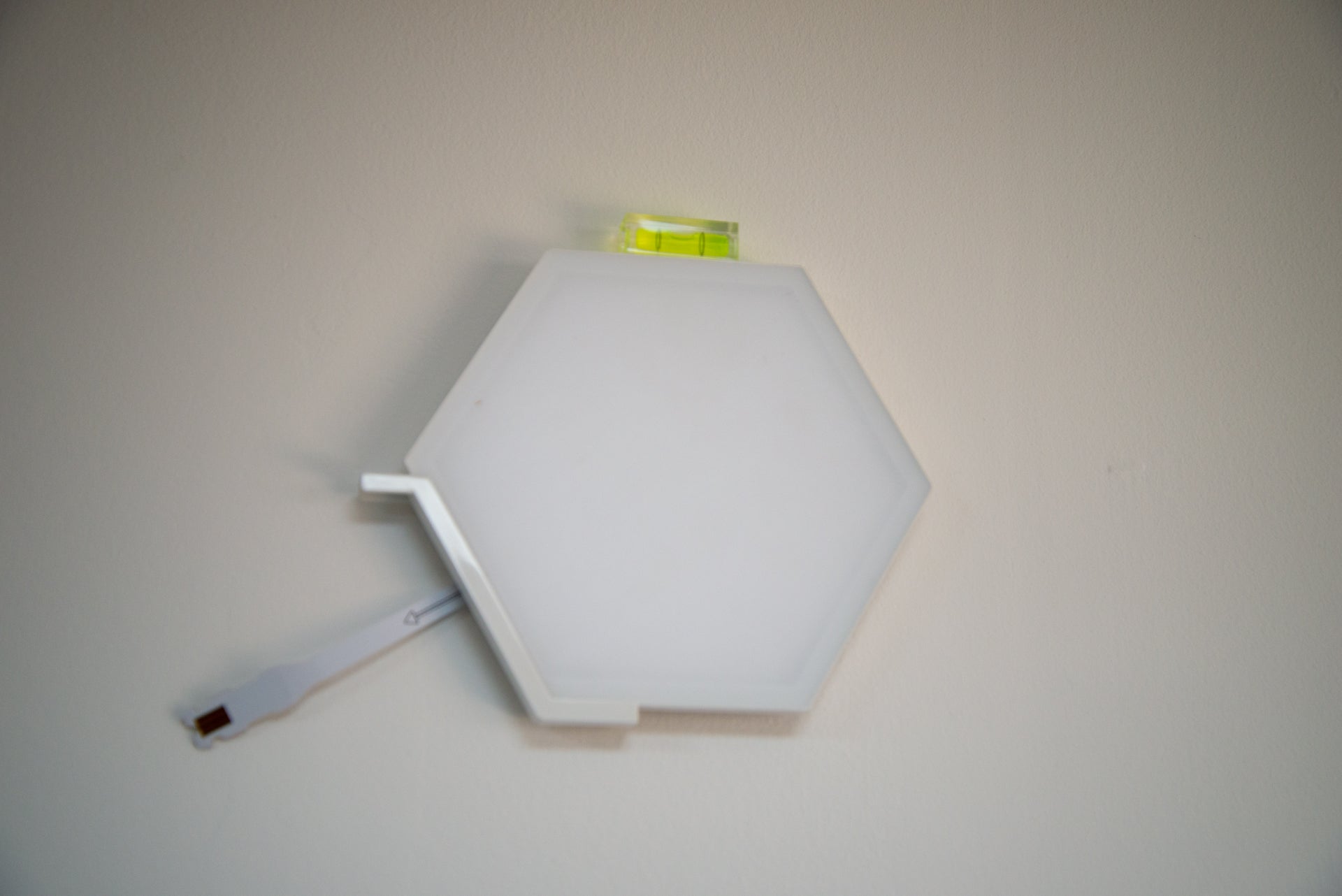
I found it best to lay the panels on the floor to get a rough idea of my desired shape. At this point, I urge a bit of caution and say turn to the app now, as the installation to the wall is a little tricky. Not only do the panels have to be stuck in the right place (there’s a handy spirit level to help you get the lights on straight), but the connection and power cables have to be connected in the correct order.
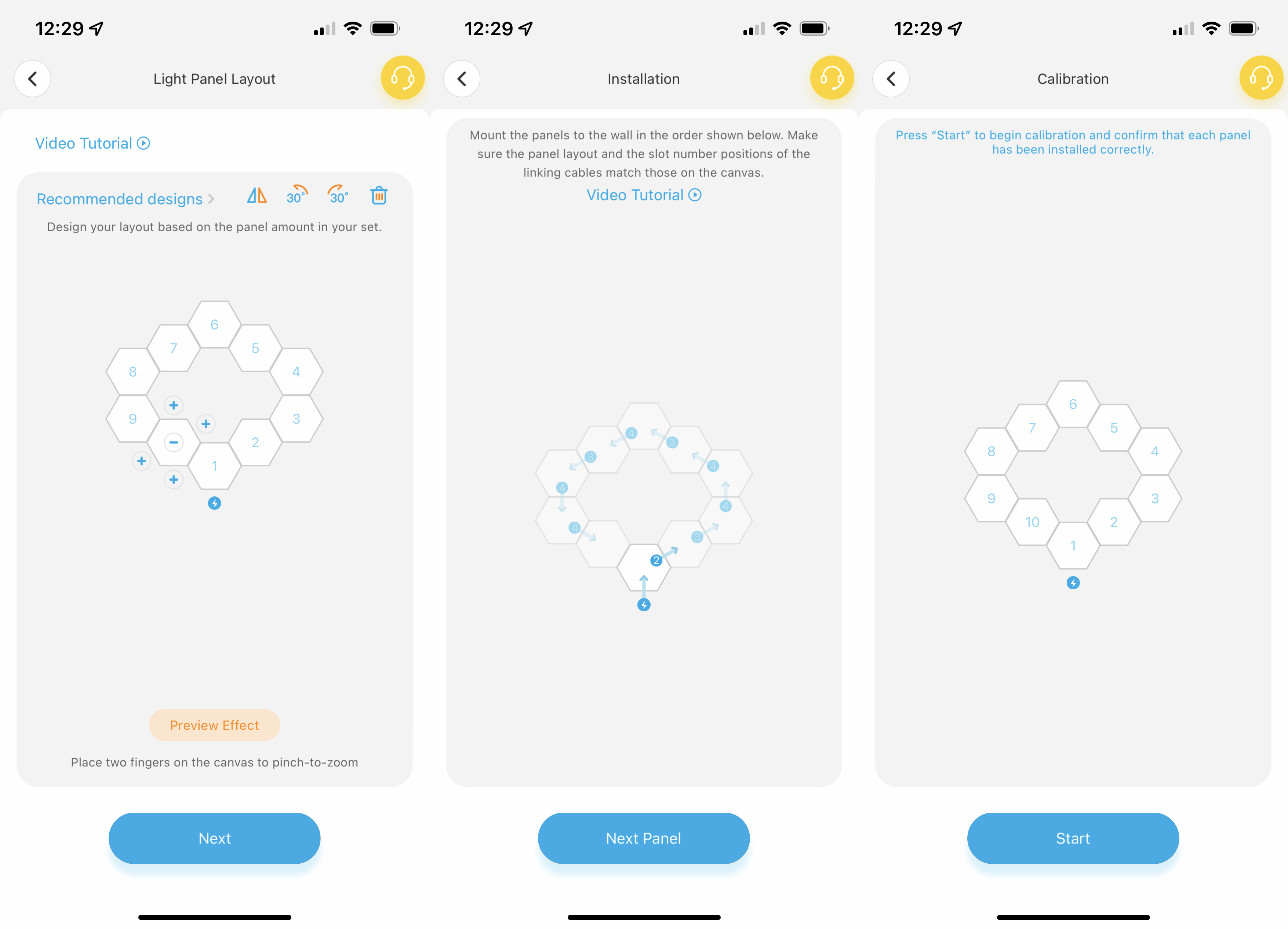
Govee has used connection cables with different connectors at each end, so they’ll only plug into specific sockets on each light. Getting the correct alignment of the lights is key, and the app’s layout planner will help you do that, showing you the correct order to add lights and which connection ports you should use.
I found Nanoleaf’s installation a little easier, plus there’s the option with those lights to screw the mounting brackets to the wall. However, Govee’s flexible connection cables mean that patterns can wrap around corners.
Finally, there’s the power adaptor, which plugs into the first light, and has a single control button that turns the lights on and off. It’s a shame that this control box can’t be used to cycle through scenes or adjust brightness. Nanoleaf provides these options with its control box, plus the panels are touch sensitive and can be used to control scenes or brightness.
Features
- Smart, colour changing patterns
- Can react to music
- Works with Amazon Alexa and Google Assistant
Discoverable via Bluetooth, the Govee Glide Hexa can be added to any 2.4GHz network, which gives remote control, as well as enabling Amazon Alexa and Google Assistant support. Once in the Govee app, the Govee Glide Hexa offers similar controls to the company’s other products, such as the Govee Lyra Floor Lamp.
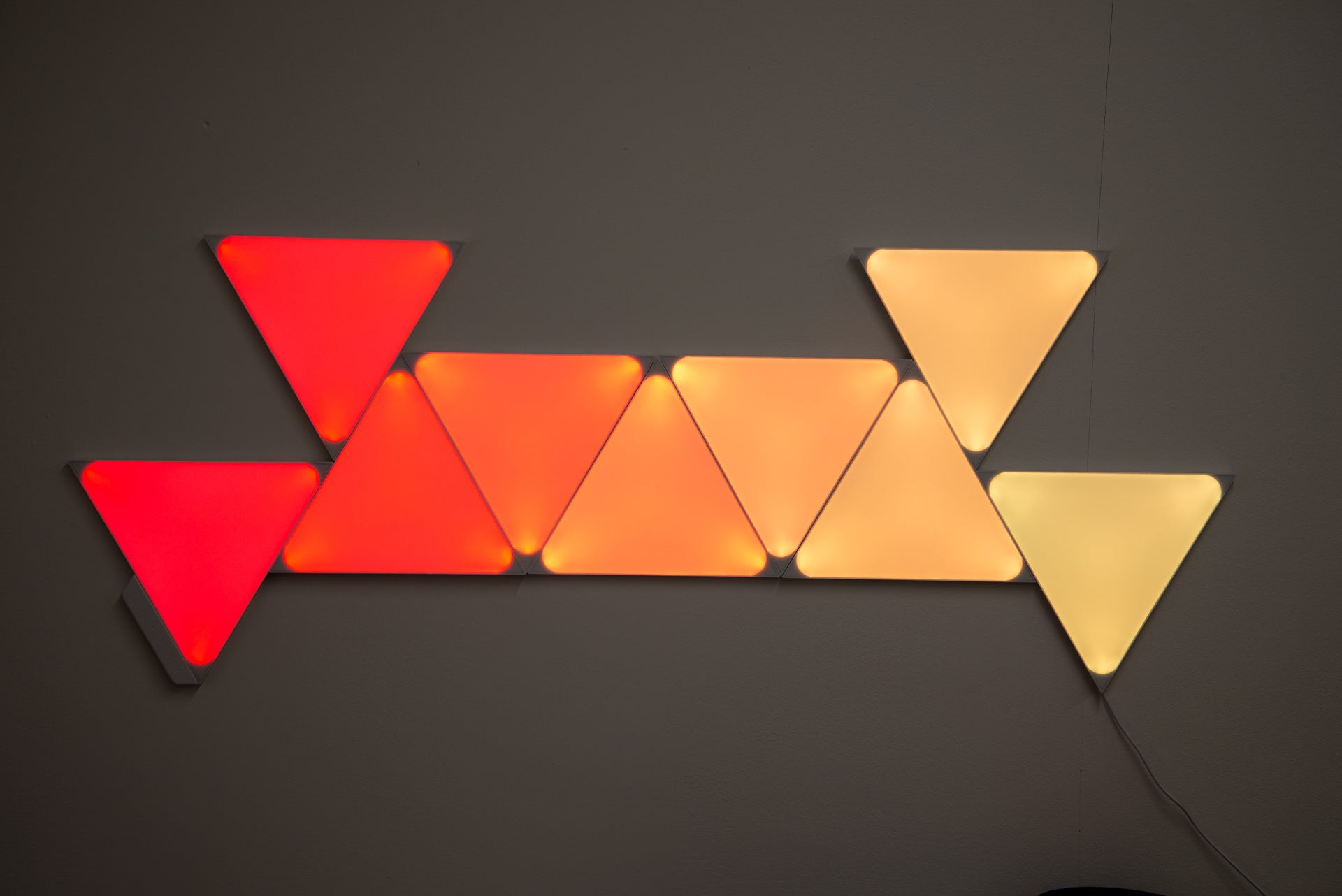
Via the app you can set the lights to turn one colour, or you can use the scenes to select from the choice of dynamic effects, where lights adjust colour. There’s a huge selection of scenes, ranging from a fire effect to a rushing rainbow of colour. Each scene is customisable, and there’s a DIY section where you can add your own designs. In that regard, the Govee Glide Hexa lights are as flexible as the Nanoleaf equivalents.
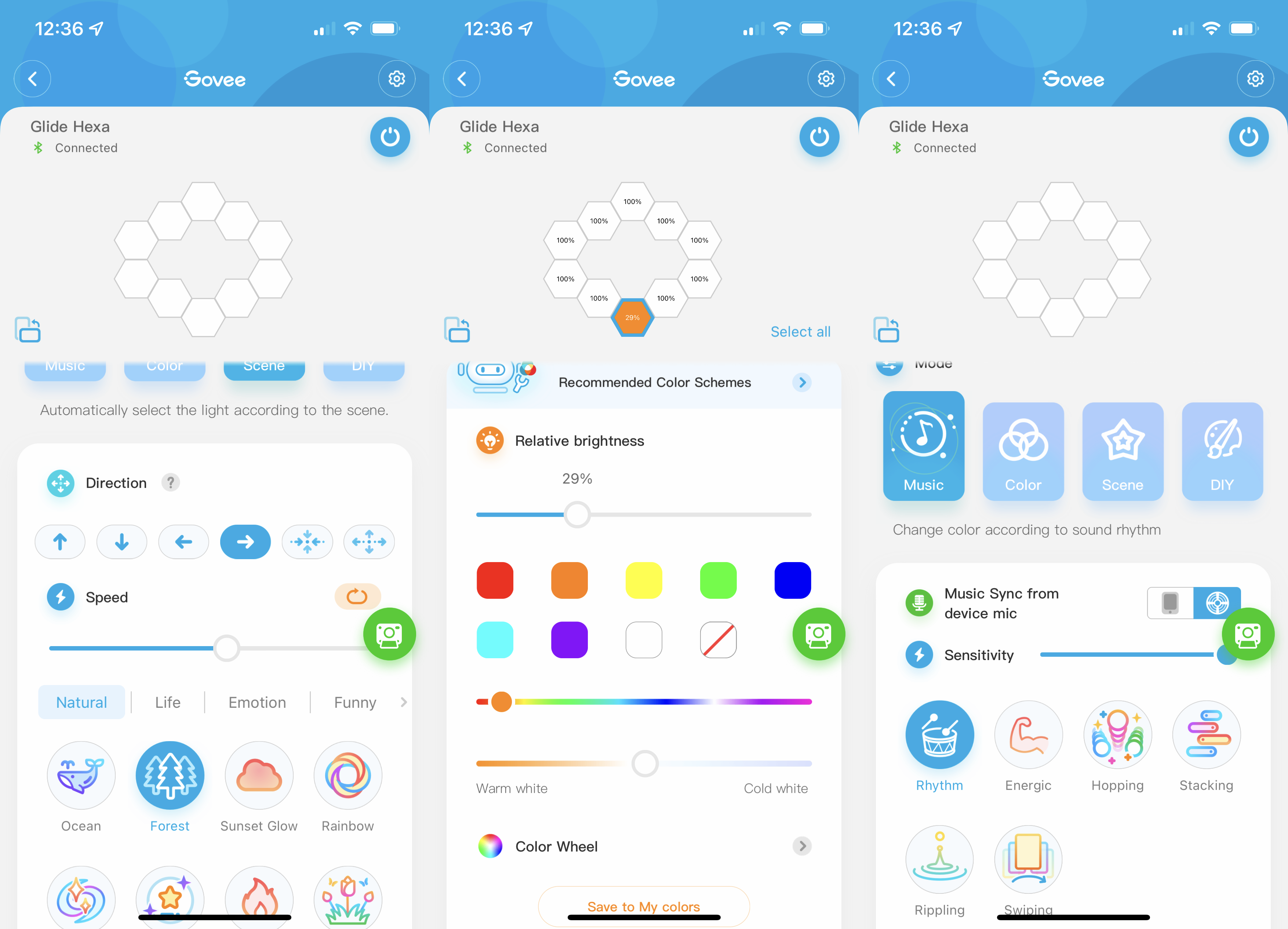
If you want the lights to work in tune to music, there’s a dynamic music mode that uses the control box’s microphone to listen out for music. It’s good fun if you’re having a party.
Govee provides Amazon Alexa and Google Assistant support, with voice control for colour selection, brightness and for picking scenes. Unlike Nanoleaf, there’s no HomeKit support, so if you want lights that you can integrate with your Home Automations, look elsewhere.
Nanoleaf also has a desktop app that can synchronise its lights with a desktop PC, turning the lights into an extension of a game. Govee doesn’t have anything similar unless you link Glide Hexa lights with the Govee DreamView G1 Pro. However, this system is fiddly to install, as it uses a camera to ‘read’ the colours on your monitor, and Nanoleaf’s desktop option is easier to deal with.
Performance
- Very bright
- Can show more than one colour
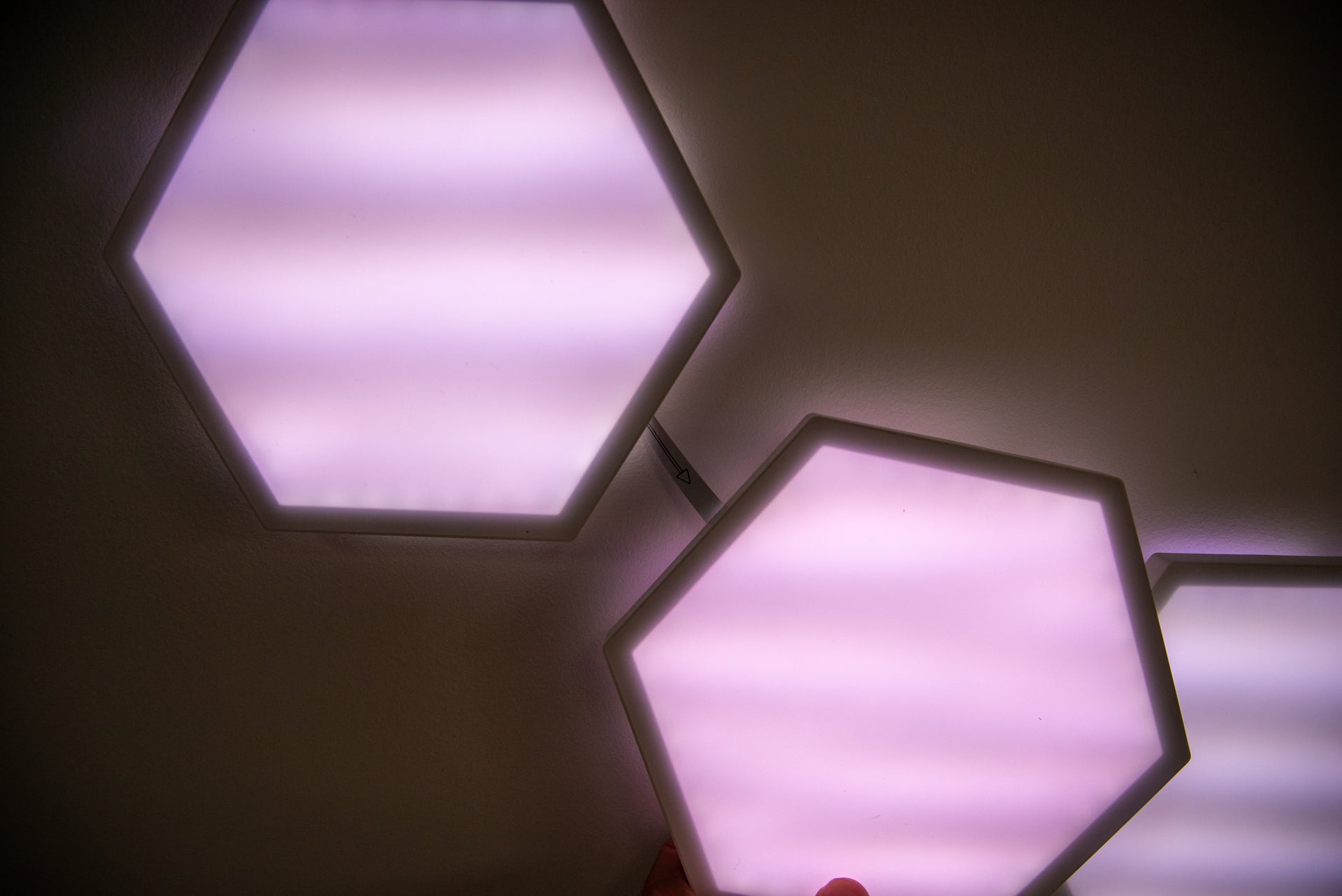
The big difference between the Govee Glide Hexa and its competition is that the light panels are RGBIC, so can show more than one colour at once. This comes to the fore with dynamic effects, as colours gently move through each panel and the entire shape as you have it. It’s a slightly smoother overall effect than on Nanoleaf’s panels, which can only show one colour at a time.
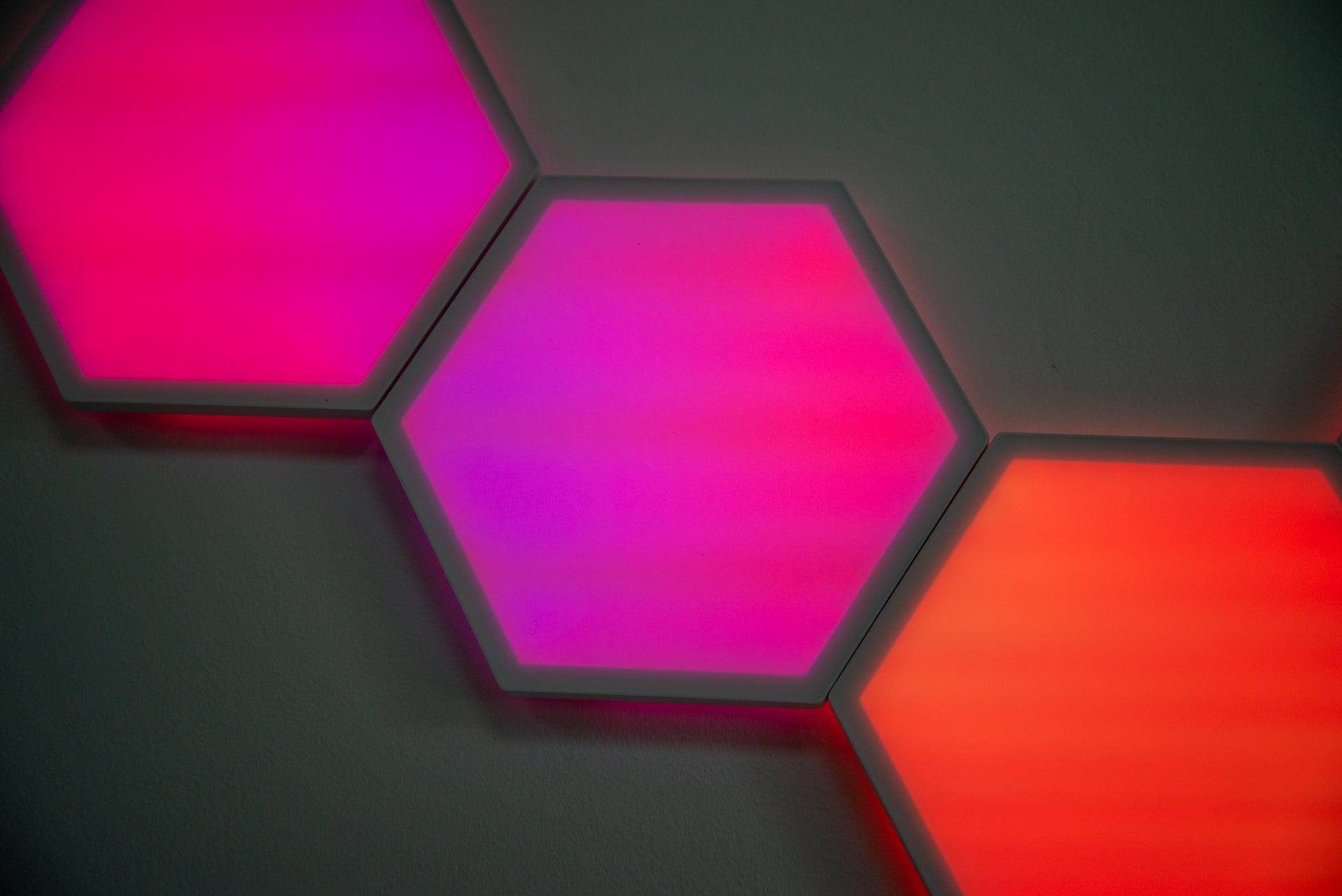
As good as the Govee Glide Hexa panels are, they all have a relatively thick border. Nanoleaf’s most recent lights are edge-to-edge, so the shapes blend better.
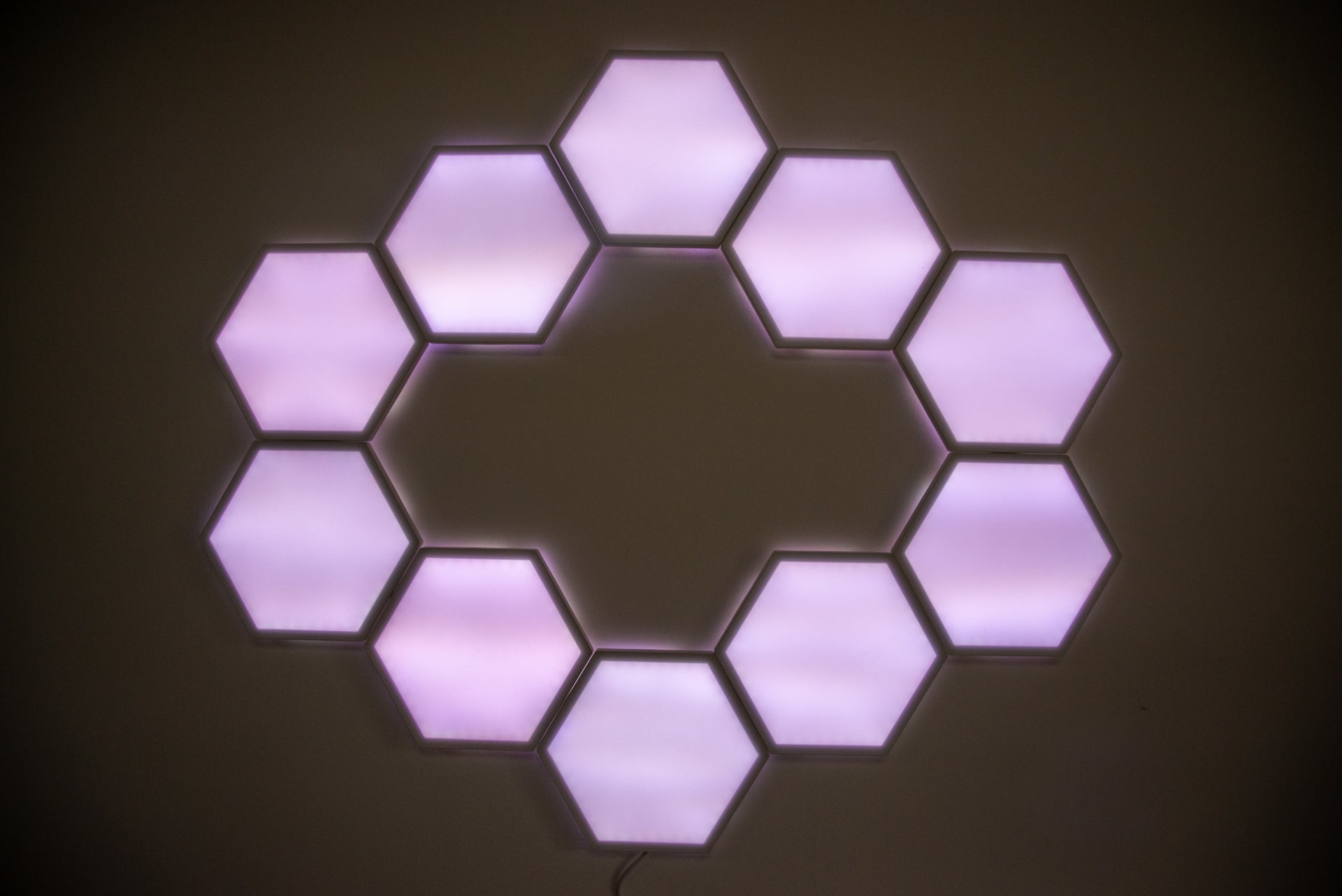
I found Govee’s lights very bright, so I could use them to light up my desk, acting as additional lighting. Colour accuracy was good, too, with no weaker colours in the mix.
Latest deals
Should you buy it?
If you like the idea of panel lights, these ones are powerful and well priced.
The competition is a bit easier to install and supports a wider range of smart home systems.
Final Thoughts
The Govee Glide Hexa are well priced, and slightly cheaper than the Nanoleaf equivalent. I’m a big fan of the RBIC lighting panels, and how multiple colours can be shown simultaneously, making for smoother transitions. The Nanoleaf panels have edge-to-edge lighting and better smart home support, making them a better choice overall, but they are more expensive than Govee’s lights.
How we test
Unlike other sites, we test every smart light we review thoroughly over an extended period of time. We use industry standard tests to compare features properly. We’ll always tell you what we find. We never, ever, accept money to review a product.
Find out more about how we test in our ethics policy.
Used as our main smart light for the review period
Tested for at least a week
We measure the light output from bulbs at different colour temperatures and colours so we can compare light output
We test compatibility with the main smart systems (HomeKit, Alexa, Google Assistant, SmartThings, IFTTT and more) to see how easy each light is to automate
You might like…
FAQs
Govee provides 10 light panels in the kit, but you can expand with more lights: you need one power supply per 12 lights.
It uses a 2.4GHz Wi-Fi connection.
Sustainability
TrustedReviews’ holds the fact that global warming is not a myth as a core value and will continuously endeavor to help protect our planet from harm in its business practices.
As part of this mission, whenever we review a product we send the company a series of questions to help us gauge and make transparent the impact the device has on the environment.
We currently haven’t received answers to the questions on this product, but will update this page the moment we do. You can see a detailed breakdown of the questions we ask and why in our sustainability info page.

Cheaper than the competition and with each panel able to show multiple colours at the same time, the Govee Glide Hexa are a great way to build a wall of light. The range of scenes is excellent and the app’s pretty good, too. Slightly fiddly installation lets the side down a little.
Pros
- Multiple colours on each panel
- Great value
- Bright
Cons
- Basic physical control
- Fiddly to install
-
TypeThese smart lights are formed by joining LED panels together with flexible connectors. -
Smart assistantsBoth Amazon Alexa and Google Assistant are supported. -
ConnectionThese light panels connect via 2.4GHz Wi-Fi.
Introduction
I’ve seen plenty of smart lighting panels that clip together in practically any shape that you want, but most of them can display a single colour per light.
The Govee Glide Hexa is different, as its RGBIC panels can display multiple colours at once, giving smoother transitions than the competition. A slightly fiddly installation does get in the way of the enjoyment a little.
Design and installation
- Connecting cables plug in one way only
- Can loop designs around corners
- Control box with on/off switch
Govee provides 10 hexagon lights in the box, which are a similar size to the Nanoleaf Shapes version. Up to 12 panels can be powered by one power adaptor, but a connection cable is required to add a second power adaptor if you want more.
I found it best to lay the panels on the floor to get a rough idea of my desired shape. At this point, I urge a bit of caution and say turn to the app now, as the installation to the wall is a little tricky. Not only do the panels have to be stuck in the right place (there’s a handy spirit level to help you get the lights on straight), but the connection and power cables have to be connected in the correct order.
Govee has used connection cables with different connectors at each end, so they’ll only plug into specific sockets on each light. Getting the correct alignment of the lights is key, and the app’s layout planner will help you do that, showing you the correct order to add lights and which connection ports you should use.
I found Nanoleaf’s installation a little easier, plus there’s the option with those lights to screw the mounting brackets to the wall. However, Govee’s flexible connection cables mean that patterns can wrap around corners.
Finally, there’s the power adaptor, which plugs into the first light, and has a single control button that turns the lights on and off. It’s a shame that this control box can’t be used to cycle through scenes or adjust brightness. Nanoleaf provides these options with its control box, plus the panels are touch sensitive and can be used to control scenes or brightness.
Features
- Smart, colour changing patterns
- Can react to music
- Works with Amazon Alexa and Google Assistant
Discoverable via Bluetooth, the Govee Glide Hexa can be added to any 2.4GHz network, which gives remote control, as well as enabling Amazon Alexa and Google Assistant support. Once in the Govee app, the Govee Glide Hexa offers similar controls to the company’s other products, such as the Govee Lyra Floor Lamp.
Via the app you can set the lights to turn one colour, or you can use the scenes to select from the choice of dynamic effects, where lights adjust colour. There’s a huge selection of scenes, ranging from a fire effect to a rushing rainbow of colour. Each scene is customisable, and there’s a DIY section where you can add your own designs. In that regard, the Govee Glide Hexa lights are as flexible as the Nanoleaf equivalents.
If you want the lights to work in tune to music, there’s a dynamic music mode that uses the control box’s microphone to listen out for music. It’s good fun if you’re having a party.
Govee provides Amazon Alexa and Google Assistant support, with voice control for colour selection, brightness and for picking scenes. Unlike Nanoleaf, there’s no HomeKit support, so if you want lights that you can integrate with your Home Automations, look elsewhere.
Nanoleaf also has a desktop app that can synchronise its lights with a desktop PC, turning the lights into an extension of a game. Govee doesn’t have anything similar unless you link Glide Hexa lights with the Govee DreamView G1 Pro. However, this system is fiddly to install, as it uses a camera to ‘read’ the colours on your monitor, and Nanoleaf’s desktop option is easier to deal with.
Performance
- Very bright
- Can show more than one colour
The big difference between the Govee Glide Hexa and its competition is that the light panels are RGBIC, so can show more than one colour at once. This comes to the fore with dynamic effects, as colours gently move through each panel and the entire shape as you have it. It’s a slightly smoother overall effect than on Nanoleaf’s panels, which can only show one colour at a time.
As good as the Govee Glide Hexa panels are, they all have a relatively thick border. Nanoleaf’s most recent lights are edge-to-edge, so the shapes blend better.
I found Govee’s lights very bright, so I could use them to light up my desk, acting as additional lighting. Colour accuracy was good, too, with no weaker colours in the mix.
Latest deals
Should you buy it?
If you like the idea of panel lights, these ones are powerful and well priced.
The competition is a bit easier to install and supports a wider range of smart home systems.
Final Thoughts
The Govee Glide Hexa are well priced, and slightly cheaper than the Nanoleaf equivalent. I’m a big fan of the RBIC lighting panels, and how multiple colours can be shown simultaneously, making for smoother transitions. The Nanoleaf panels have edge-to-edge lighting and better smart home support, making them a better choice overall, but they are more expensive than Govee’s lights.
How we test
Unlike other sites, we test every smart light we review thoroughly over an extended period of time. We use industry standard tests to compare features properly. We’ll always tell you what we find. We never, ever, accept money to review a product.
Find out more about how we test in our ethics policy.
Used as our main smart light for the review period
Tested for at least a week
We measure the light output from bulbs at different colour temperatures and colours so we can compare light output
We test compatibility with the main smart systems (HomeKit, Alexa, Google Assistant, SmartThings, IFTTT and more) to see how easy each light is to automate
You might like…
FAQs
Govee provides 10 light panels in the kit, but you can expand with more lights: you need one power supply per 12 lights.
It uses a 2.4GHz Wi-Fi connection.
Sustainability
TrustedReviews’ holds the fact that global warming is not a myth as a core value and will continuously endeavor to help protect our planet from harm in its business practices.
As part of this mission, whenever we review a product we send the company a series of questions to help us gauge and make transparent the impact the device has on the environment.
We currently haven’t received answers to the questions on this product, but will update this page the moment we do. You can see a detailed breakdown of the questions we ask and why in our sustainability info page.



