













Verdict
A smart watering system that works with Apple devices and HomeKit only, Eve Aqua is simple to programme and near-silent in operation. It’s a great tool for saving water and keeping your garden fresh and watered. It’s even possible to halt watering on days it will rain, although the implementation of this feature is a little clunky.
Pros
- Silent operation
- Clever scheduling
- Can halt watering when it rains
Cons
- Apple only
- Slightly clunky weather compensation
Availability
- UKRRP: £129.95
- USARRP: $148.95
-
HomeKit onlyThis smart watering device works with Apple HomeKit and Apple devices only -
ConnectionBluetooth and Thread are both provided -
Weather compensationVia Siri Shortcuts, this smart device can pause the schedule if rain is predicted
Introduction
Sprinklers and irrigation systems are a great way to keep your garden watered. However, without any kind of control, these systems can waste a phenomenal amount of water. The Eve Aqua is here to help.
Providing scheduled and remote control of your outdoor taps, the kit can be used to deliver water to your garden for a limited amount of time on schedule.
It’s an Apple-only product, so Android users are out of luck here; but the hub-free design and near-silent operation make the Eve Aqua better than close rival Hozelock Cloud Controller Kit for functionality.
Design and Features
- Fits standard taps and hoses
- Works with Apple devices only
- Thread enabled
This new version of the Eve Aqua smart water controller replaces the older model, with this version seeing the addition of Thread support. A low-power mesh network designed for smart home devices, Thread looks set to be the future of smart home devices.
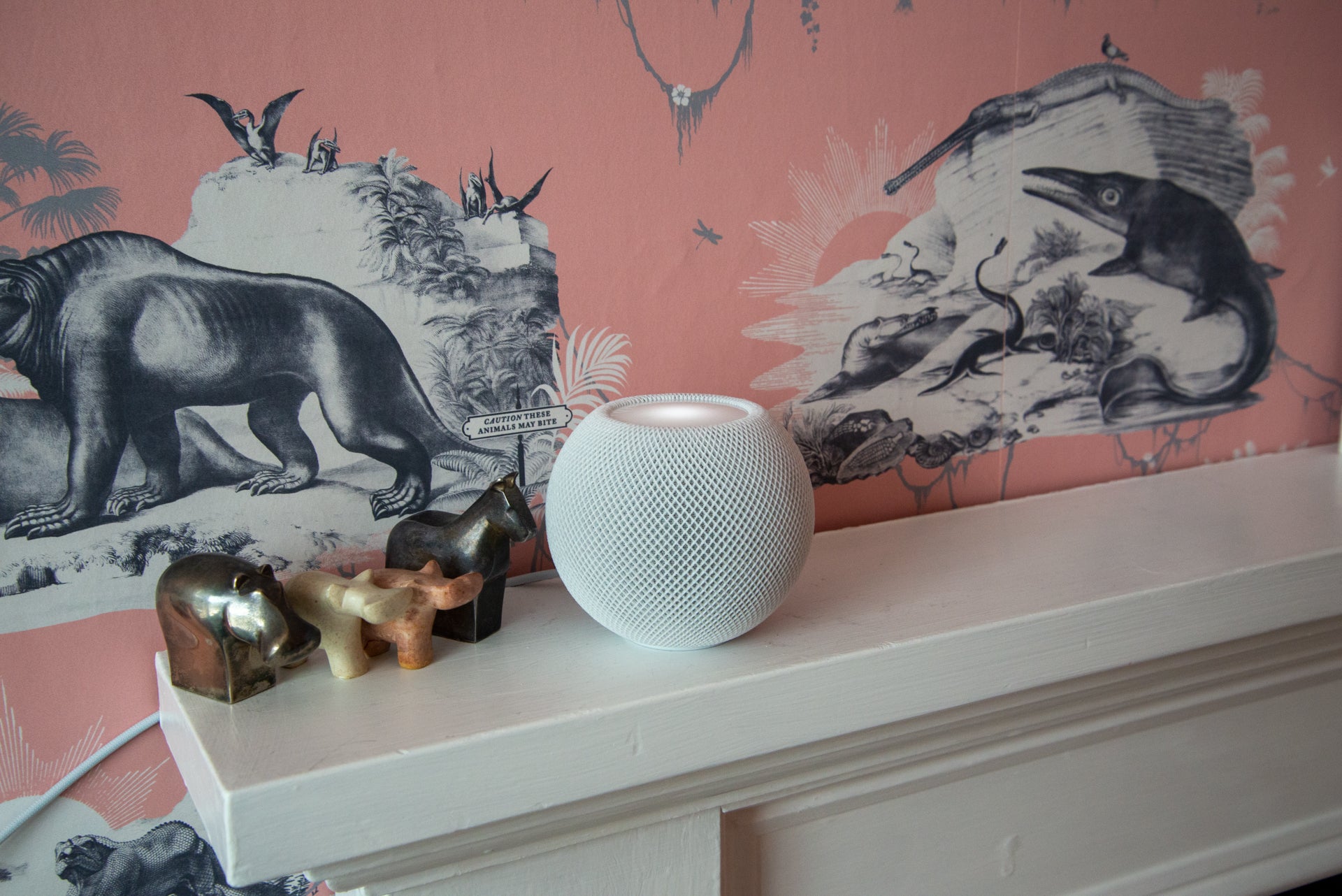
To use Thread, you need to have a compatible Thread Border router. Given that the Eve Aqua works with Apple devices only, this means you’ll need a HomePod Mini or new Apple TV. If either device is present on your network, the Eve Aqua will default to Thread. If these options aren’t available, it will resort to a Bluetooth connection.
Designed to work with any existing hose system, the Eve Aqua will screw onto an outdoor tap or hose distributor. It then has a screw thread at the bottom, which you can use to attach a hosepipe or irrigation system. For the purposes of this review, I’m using a Hozelock drip system, the use of which is allowed even during a hosepipe ban.
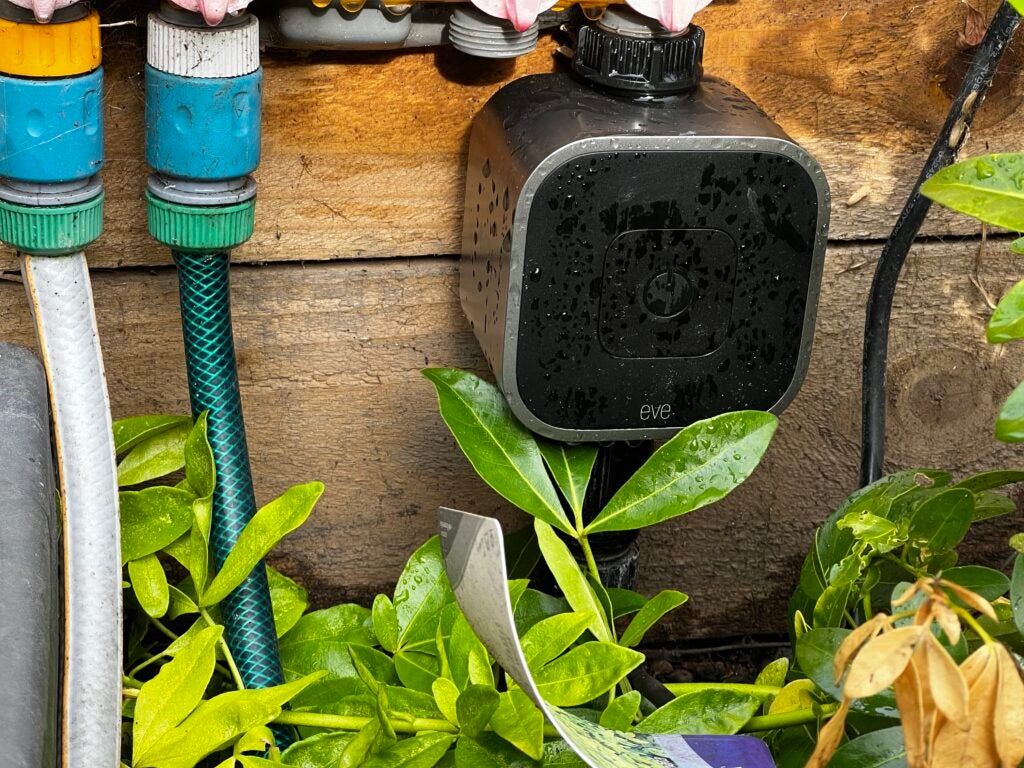
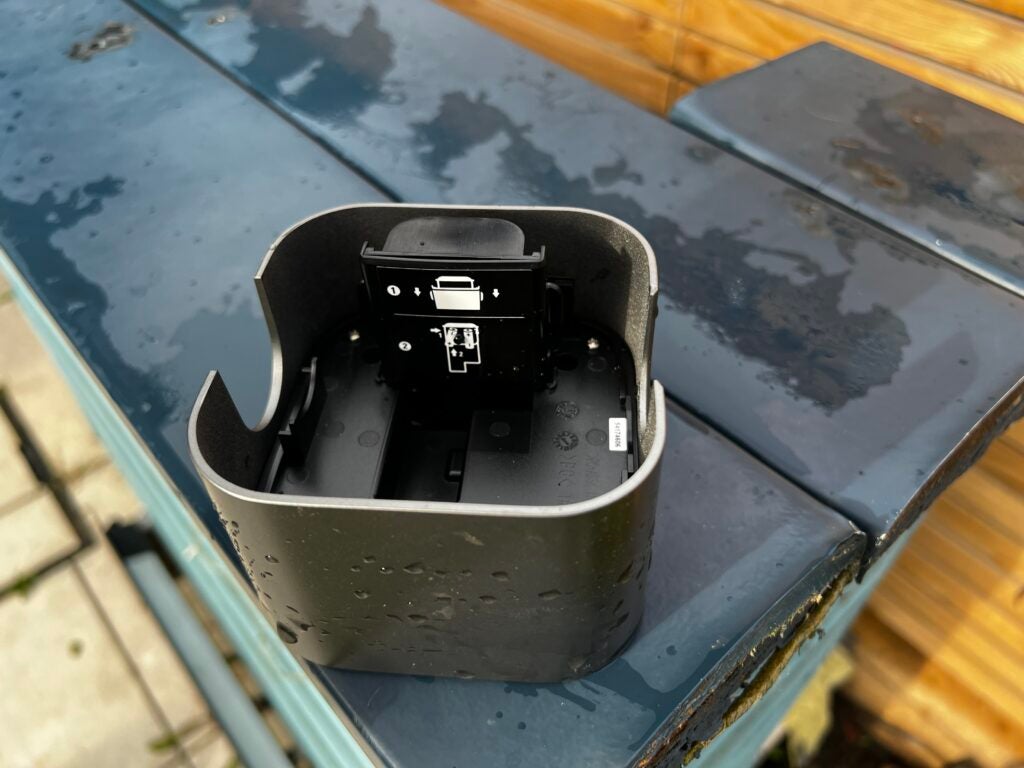
The Eve Aqua runs off two AA batteries that sit in a waterproof compartment inside the unit. Once powered up, the kit can be added to your home using the HomeKit or Eve app. It doesn’t matter which you use, since the two share data. As such, adding it via Eve, for example, will also add the Aqua to your Apple Home.
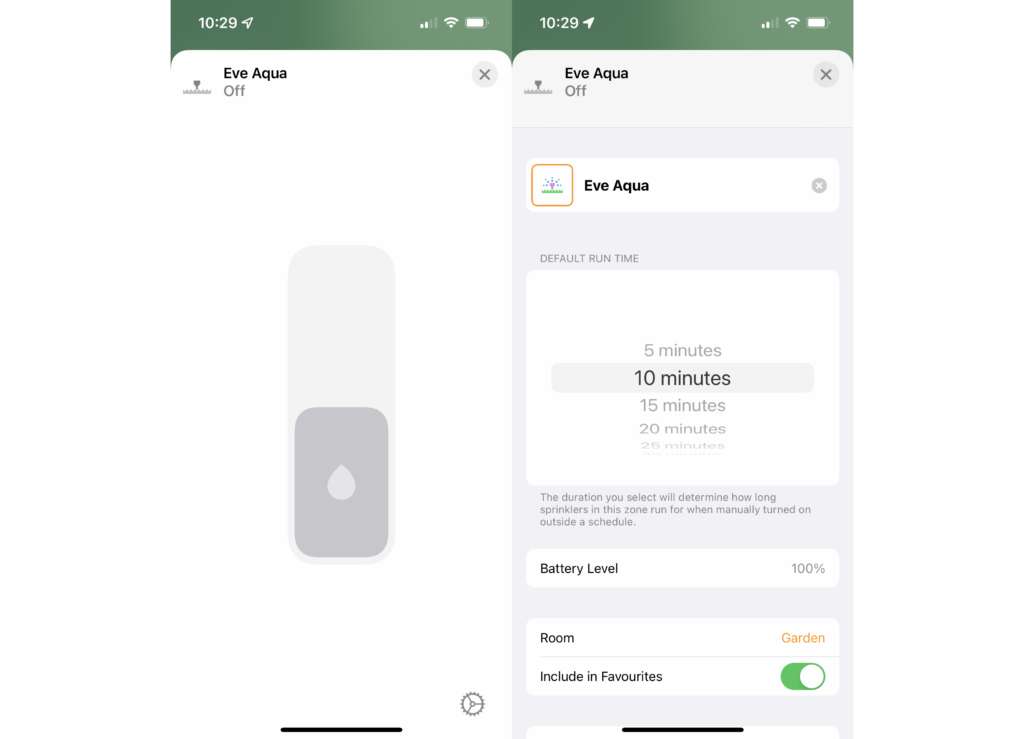
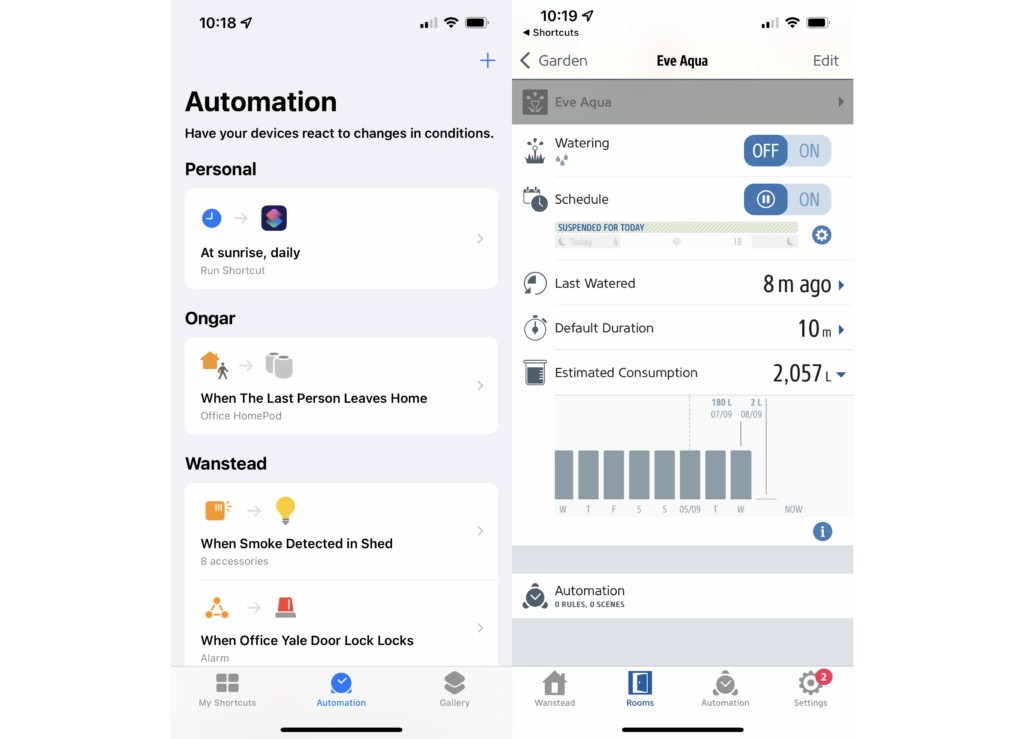
There are some differences between the apps in terms of functionality. In Apple Home, the Eve Aqua can be turned on or off, and you can change its runtime in five-minute increments up to a maximum of four hours. Tapping the Eve Aqua’s icon in the Home app will start a water cycle, with the device shutting down automatically after the pre-set time.
Remote control requires an Apple Home Hub on your home network, which is either a HomePod (Bluetooth only), HomePod Mini (Thread) or Apple TV.
Strangely, the Home app doesn’t give any scheduling or automation options. For these, you have to go into the Eve app instead. Here, you get the same basic level of control on offer through the Home app, but you can also set a watering schedule. Schedules are stored on the Eve Aqua, so will run even if there’s no internet connection. That’s similar to the schedules for the Eve Energy smart plug.
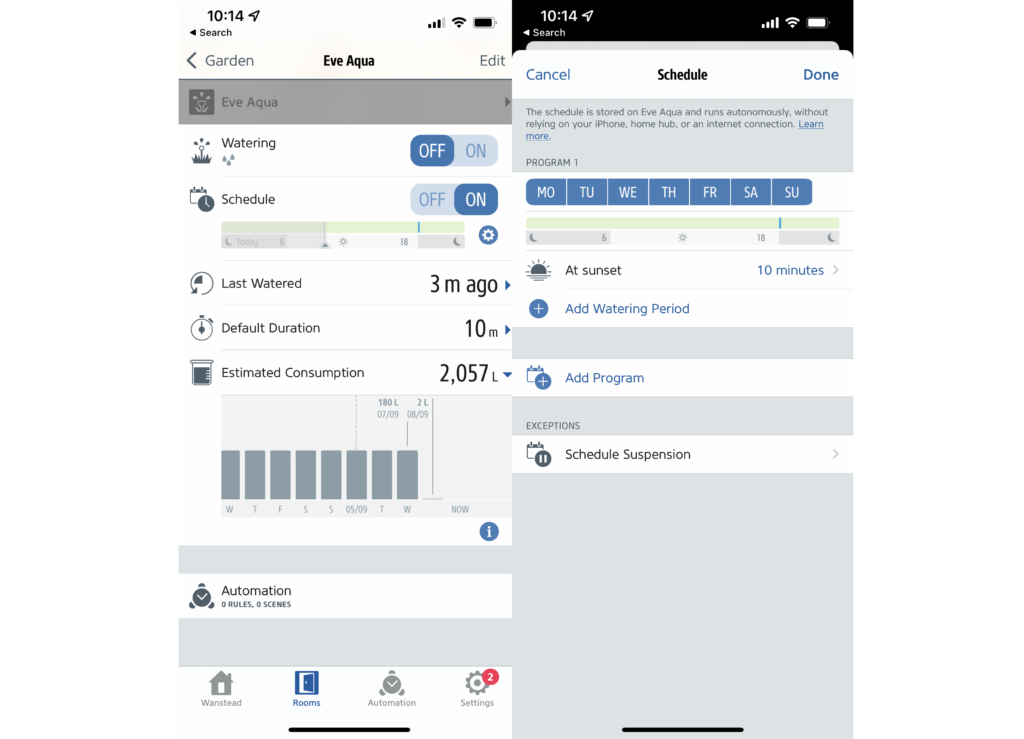
It’s a little convoluted, but the Eve Aqua can also use Siri Shortcuts to pause a schedule if the forecast is for rain. Adding the shortcut through the app is easy, and it can be triggered by saying, “Hey Siri, check watering.” If there’s a high chance of rain that day, the schedule will be postponed. It’s possible to schedule running the shortcut in the Shortcuts app. I have mine set to check every day at sunrise, halting a watering session if it’s going to rain that particular day.
The system is clever and can save water; but it would have been better had this feature been built into the app, rather than implementing it in a roundabout way.
Finally, there’s a physical button on the front of the unit. Tap it and the Eve Aqua will turn on and start watering for the amount of time set in the app.
Performance
- Near-silent operation
- Offers water usage information
Another change with this new Eve Aqua is that it now comes with a magnetic valve that operates in near-silence. It really is super-quiet. Even standing next to the Eve Aqua, I couldn’t hear it turn on. That’s a far cry from the Hozelock Cloud Controller Kit, which emits a loud whirr on turning on and off.
Performance was very good, with the Aqua reliably turning on my water at sunset and sunrise, keeping my plants fresh and watered even through the dry spell we were having at the time.
Latest deals
Should you buy it?
If you want to automate your watering and you’re an Apple household, this is the best and quietest system around.
If you don’t have Apple phones, you’re out of luck and will have to buy an alternative system instead.
Final Thoughts
As an Apple-only product, those with Android devices are immediately out of the picture. If you’re an Apple user, though, the Eve Aqua is a far better product than the Hozelock Cloud Controller Kit. It’s quieter in use, doesn’t require the additional hub, and offers smarter scheduling features, too. If you want to automate plant watering, then this is the kit to buy.
How we test
Unlike other sites, we test every smart home product we review thoroughly over an extended period of time. We use industry standard tests to compare features properly. We’ll always tell you what we find. We never, ever, accept money to review a product.
Find out more about how we test in our ethics policy.
We test how each product integrates with other smart home systems including Amazon Alexa, Google Assistant, Apple HomeKit, IFTTT and Samsung SmartThings
We use each smart home product in a real world setting, integrating it into our home.
You might like…
FAQs
It supports both Bluetooth and Thread.
No, it works with Apple devices only.
Yes, but you have to have a HomeKit Bridge: a HomePod, HomePod Mini or Apple TV.
Sustainability
TrustedReviews’ holds the fact that global warming is not a myth as a core value and will continuously endeavor to help protect our planet from harm in its business practices.
As part of this mission, whenever we review a product we send the company a series of questions to help us gauge and make transparent the impact the device has on the environment.
We currently haven’t received answers to the questions on this product, but will update this page the moment we do. You can see a detailed breakdown of the questions we ask and why in our sustainability info page.
Jargon buster
Bluetooth
Bluetooth – named after 10th-century Danish king Harald Bluetooth who united Denmark’s tribes into a single kingdom – is a method of wireless transmission that allows for the exchange of data between devices over short distances.
Thread
A low-power smart home protocol used to control smart devices. It’s supported by Apple, Amazon, Google and more.

Verdict
A smart watering system that works with Apple devices and HomeKit only, Eve Aqua is simple to programme and near-silent in operation. It’s a great tool for saving water and keeping your garden fresh and watered. It’s even possible to halt watering on days it will rain, although the implementation of this feature is a little clunky.
Pros
- Silent operation
- Clever scheduling
- Can halt watering when it rains
Cons
- Apple only
- Slightly clunky weather compensation
Availability
- UKRRP: £129.95
- USARRP: $148.95
-
HomeKit onlyThis smart watering device works with Apple HomeKit and Apple devices only -
ConnectionBluetooth and Thread are both provided -
Weather compensationVia Siri Shortcuts, this smart device can pause the schedule if rain is predicted
Introduction
Sprinklers and irrigation systems are a great way to keep your garden watered. However, without any kind of control, these systems can waste a phenomenal amount of water. The Eve Aqua is here to help.
Providing scheduled and remote control of your outdoor taps, the kit can be used to deliver water to your garden for a limited amount of time on schedule.
It’s an Apple-only product, so Android users are out of luck here; but the hub-free design and near-silent operation make the Eve Aqua better than close rival Hozelock Cloud Controller Kit for functionality.
Design and Features
- Fits standard taps and hoses
- Works with Apple devices only
- Thread enabled
This new version of the Eve Aqua smart water controller replaces the older model, with this version seeing the addition of Thread support. A low-power mesh network designed for smart home devices, Thread looks set to be the future of smart home devices.
To use Thread, you need to have a compatible Thread Border router. Given that the Eve Aqua works with Apple devices only, this means you’ll need a HomePod Mini or new Apple TV. If either device is present on your network, the Eve Aqua will default to Thread. If these options aren’t available, it will resort to a Bluetooth connection.
Designed to work with any existing hose system, the Eve Aqua will screw onto an outdoor tap or hose distributor. It then has a screw thread at the bottom, which you can use to attach a hosepipe or irrigation system. For the purposes of this review, I’m using a Hozelock drip system, the use of which is allowed even during a hosepipe ban.
The Eve Aqua runs off two AA batteries that sit in a waterproof compartment inside the unit. Once powered up, the kit can be added to your home using the HomeKit or Eve app. It doesn’t matter which you use, since the two share data. As such, adding it via Eve, for example, will also add the Aqua to your Apple Home.
There are some differences between the apps in terms of functionality. In Apple Home, the Eve Aqua can be turned on or off, and you can change its runtime in five-minute increments up to a maximum of four hours. Tapping the Eve Aqua’s icon in the Home app will start a water cycle, with the device shutting down automatically after the pre-set time.
Remote control requires an Apple Home Hub on your home network, which is either a HomePod (Bluetooth only), HomePod Mini (Thread) or Apple TV.
Strangely, the Home app doesn’t give any scheduling or automation options. For these, you have to go into the Eve app instead. Here, you get the same basic level of control on offer through the Home app, but you can also set a watering schedule. Schedules are stored on the Eve Aqua, so will run even if there’s no internet connection. That’s similar to the schedules for the Eve Energy smart plug.
It’s a little convoluted, but the Eve Aqua can also use Siri Shortcuts to pause a schedule if the forecast is for rain. Adding the shortcut through the app is easy, and it can be triggered by saying, “Hey Siri, check watering.” If there’s a high chance of rain that day, the schedule will be postponed. It’s possible to schedule running the shortcut in the Shortcuts app. I have mine set to check every day at sunrise, halting a watering session if it’s going to rain that particular day.
The system is clever and can save water; but it would have been better had this feature been built into the app, rather than implementing it in a roundabout way.
Finally, there’s a physical button on the front of the unit. Tap it and the Eve Aqua will turn on and start watering for the amount of time set in the app.
Performance
- Near-silent operation
- Offers water usage information
Another change with this new Eve Aqua is that it now comes with a magnetic valve that operates in near-silence. It really is super-quiet. Even standing next to the Eve Aqua, I couldn’t hear it turn on. That’s a far cry from the Hozelock Cloud Controller Kit, which emits a loud whirr on turning on and off.
Performance was very good, with the Aqua reliably turning on my water at sunset and sunrise, keeping my plants fresh and watered even through the dry spell we were having at the time.
Latest deals
Should you buy it?
If you want to automate your watering and you’re an Apple household, this is the best and quietest system around.
If you don’t have Apple phones, you’re out of luck and will have to buy an alternative system instead.
Final Thoughts
As an Apple-only product, those with Android devices are immediately out of the picture. If you’re an Apple user, though, the Eve Aqua is a far better product than the Hozelock Cloud Controller Kit. It’s quieter in use, doesn’t require the additional hub, and offers smarter scheduling features, too. If you want to automate plant watering, then this is the kit to buy.
How we test
Unlike other sites, we test every smart home product we review thoroughly over an extended period of time. We use industry standard tests to compare features properly. We’ll always tell you what we find. We never, ever, accept money to review a product.
Find out more about how we test in our ethics policy.
We test how each product integrates with other smart home systems including Amazon Alexa, Google Assistant, Apple HomeKit, IFTTT and Samsung SmartThings
We use each smart home product in a real world setting, integrating it into our home.
You might like…
FAQs
It supports both Bluetooth and Thread.
No, it works with Apple devices only.
Yes, but you have to have a HomeKit Bridge: a HomePod, HomePod Mini or Apple TV.
Sustainability
TrustedReviews’ holds the fact that global warming is not a myth as a core value and will continuously endeavor to help protect our planet from harm in its business practices.
As part of this mission, whenever we review a product we send the company a series of questions to help us gauge and make transparent the impact the device has on the environment.
We currently haven’t received answers to the questions on this product, but will update this page the moment we do. You can see a detailed breakdown of the questions we ask and why in our sustainability info page.
Jargon buster
Bluetooth
Bluetooth – named after 10th-century Danish king Harald Bluetooth who united Denmark’s tribes into a single kingdom – is a method of wireless transmission that allows for the exchange of data between devices over short distances.
Thread
A low-power smart home protocol used to control smart devices. It’s supported by Apple, Amazon, Google and more.



