





Verdict
If you want a tiny, cool way to print photos wherever you go, Canon’s Selphy QX10 is ideal. It’s one of the smallest printers I’ve tested, yet it kicks out full-colour prints in less than 50 seconds, wherever you are – great if you want to preserve memories before they’re even over. It’s not all perfect, though. The QX10 is quite expensive, and its prints are just 68mm square – only really suitable for mementoes. It’s a great device, but with prints costing 72p each, it’s best viewed as a toy for the well-heeled.
Pros
- Cute, small photos with fairly good quality
- Ink and paper bundles last for a specified number of prints
- Smart and incredibly compact
Cons
- Can only print on specialised, square-format paper
- Fearsomely expensive to run
Availability
- UKRRP: £111
- USARRP: $129
- EuropeRRP: €129
- CanadaRRP: CA$169
- AustraliaRRP: AU$169
-
A different way of printingThis printer uses the dye-sublimation technique – it’s quicker and more convenient than ink -
Small, square photos onlyThe Selphy QX10 only prints on Canon’s small, square format paper. Prints are just 68mm square
Introduction
If you want a printer that does a bit of everything, look away now. Canon’s Selphy QX10 is unapologetically focused on printing photos from smartphones – and a very specific type of photo at that. The QX10 turns out small, square snaps on specialised Canon paper. It’s small, smart and highly portable. So is it any good?
This is one of the dinkiest printers I’ve ever reviewed. At 143x102x31mm it’s only a little bigger and thicker than a large smartphone, which is handy as it’s specifically designed to work with them. You can get it in white, pink, black, or the unusual green shade as tested here.
The QX10 has built-in Wi-Fi, but you can’t connect it to a home router. Instead, it creates its own access point, allowing you to connect an iPhone or Android phone and send photos directly to be printed.
Design and Features
- Small, square photo prints only – no plain paper support
- Very small and smart
- Battery built-in
Perhaps confusingly, the Selphy QX10 doesn’t work with Canon’s Print app. You’ll need to download Selphy Photo Layout, which makes it easy enough to find and connect to the Canon Selphy QX10. This printer doesn’t come with a power supply, but any USB Type-A adaptor will do – there’s a suitable lead in the box.
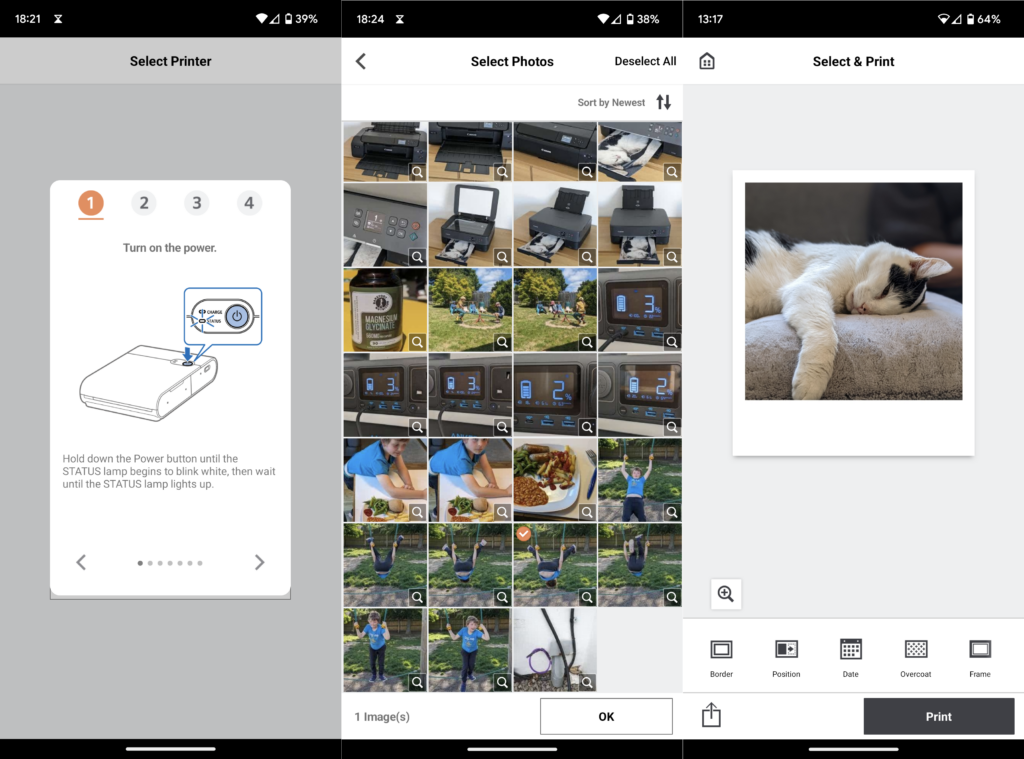
Nobody makes an inkjet printer this small. Instead, the QX10 uses a technique known as dye sublimation, where a solid ink is heated and turned directly into a vapour, which condenses onto the paper to create an image. Dye-sublimation (dye-sub) printers have a lower resolution than inkjets – the QX10 offers only 287 dots per inch – but unlike an inkjet, each dot can be any one of 16 million colours. In theory, that’s plenty to create a detailed, full-colour print.
The QX10 only works with a specialised ink and paper bundle sold by Canon. Each pack contains 20 sheets of 72x85mm paper, together with a ribbon containing all the ink you’ll need to print 20 shots. I’m all for the convenience of buying a known quantity of ink, but each pack costs upwards of £14 – I worked it out at a giddying 72p per print. You can’t buy paper in different sizes, and there are no stickers or magnetic stickers available.
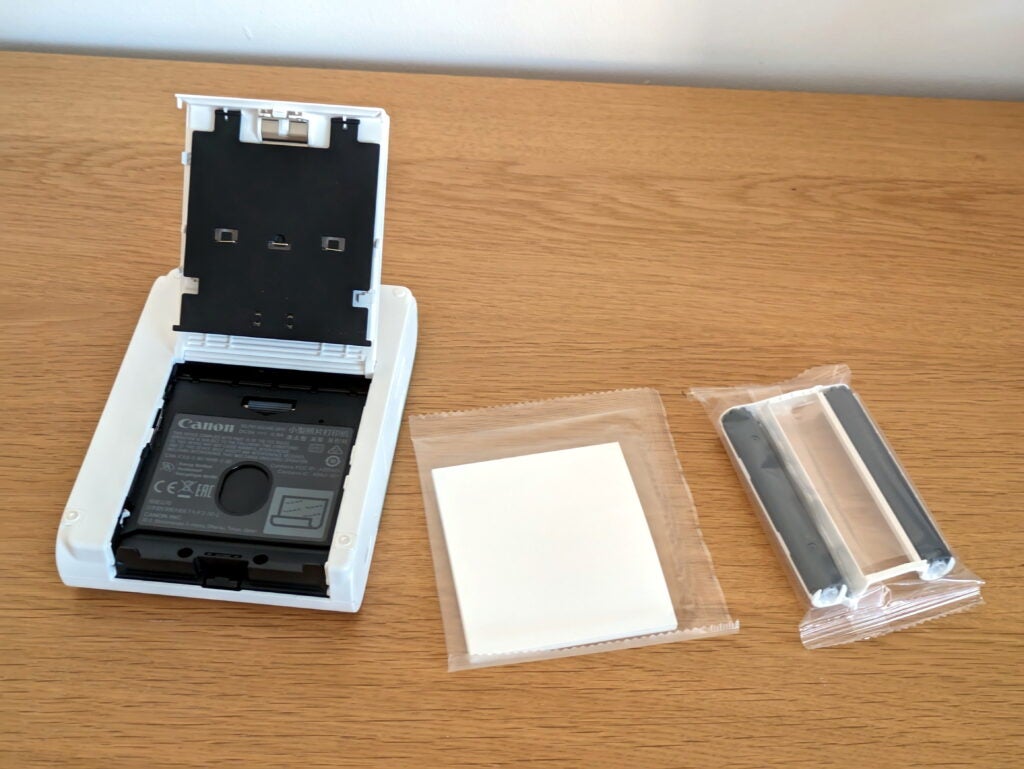
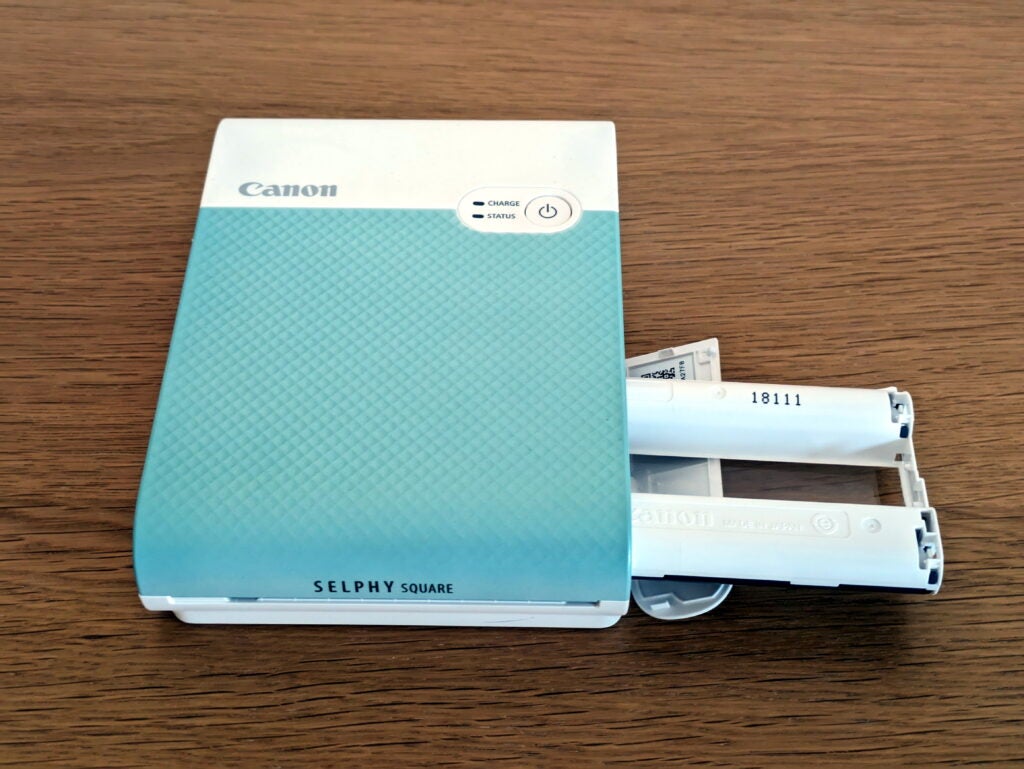
Still, it’s easy to load the ribbon into a side compartment, then flip the printer to insert the paper into a tray underneath. Unlike other Canon Selphy printers, the QX10 is fully self-contained – there’s no external paper tray to clip in, and photos don’t poke out of the back while they’re being printed.
It’s fascinating to watch a dye-sub create a photo. The Canon Selphy QX10 builds each image in four passes. The first lays down yellow ink, followed by a second that deposits magenta. A third colour pass adds cyan, completing the full-colour print, which is protected with the addition of a fourth, clear layer. The shot partially emerges from the front of the printer between each pass, so you get the excitement of it taking shape.
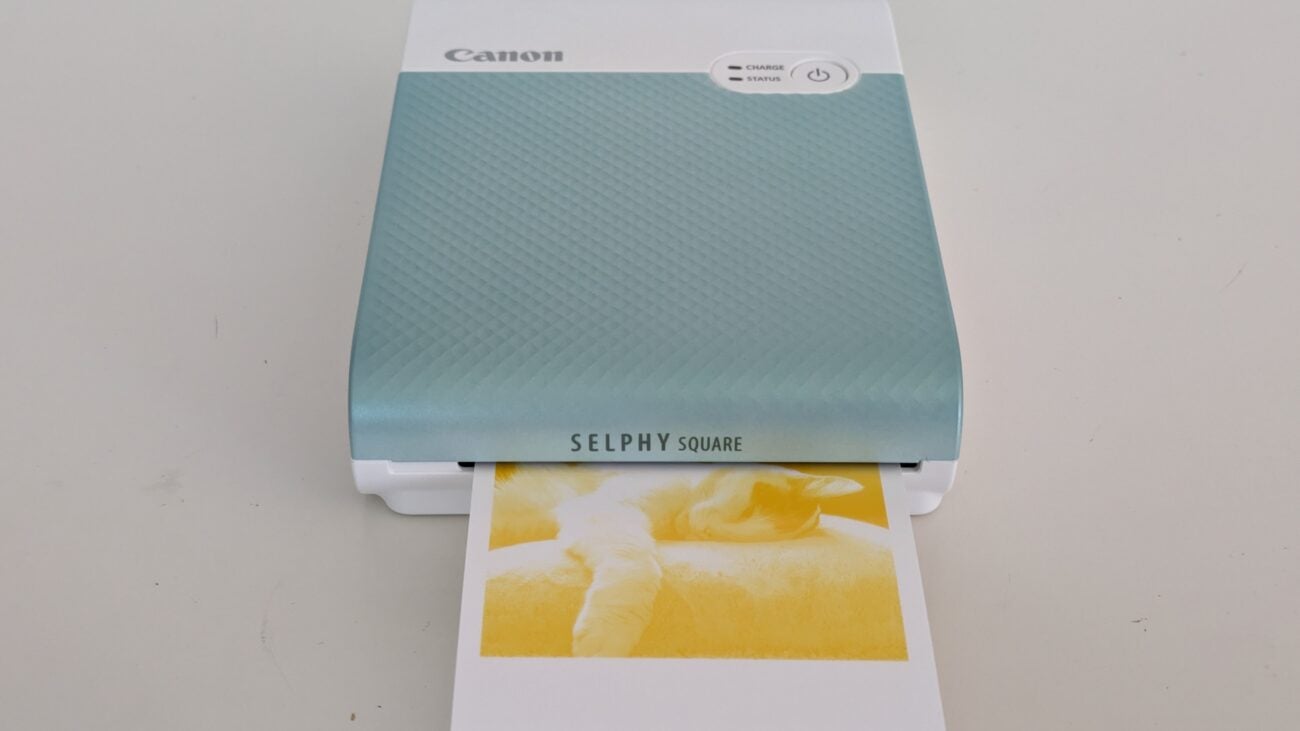
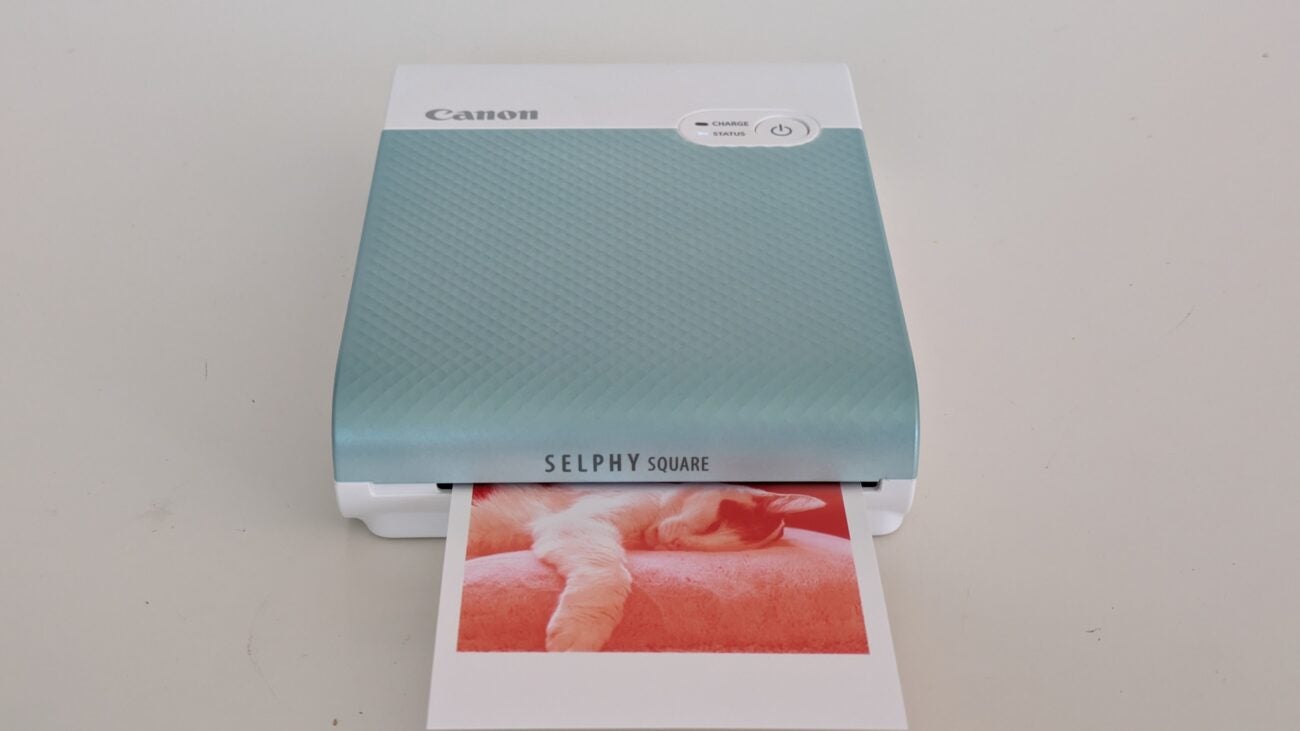
Like all Canon dye-subs, the Selphy QX10 prints yellow first – Image Credit (Trusted Reviews)
Like all Canon dye-subs, the Selphy QX10 prints red second – Image Credit (Trusted Reviews)
This printer doesn’t create borderless photos. Instead, it prints a 68mm square, leaving borders of around 4mm on each side, and a thick, 15mm border below. You can write on this, for example noting down where you were or getting friends to sign their names.
Print Speed and Quality
- Photo prints in less than 50 seconds
- Good, but not brilliant photo quality
- Lacking the sharpness of a good inkjet
Selphy Photo Layout makes it fairly easy to browse your photos and select the ones you want to print. It’s more limited than the main Selphy app when it comes to cloud services – only Instagram and Google Photos are supported – or you can just browse the photos actually stored on your phone. It’s a slight frustration that this printer isn’t picked up by Canon’s Android print service, so you can’t use your preferred app to browse photos, and then send shots directly to the Canon Selphy QX10 from there.
While I’m talking about limitations, Selphy Photo Layout applies a centred square crop to any non-square photo you select for printing. This will look fine with any conventionally composed image, but you can’t move the crop manually. If your subject is off-centre, you might find they’re cut off.
You can, however, choose where the printer puts the thick border if you don’t want it at the bottom. If you want to have fun you can play around with a variety of frames and overlays, although you’ll find more options in a photo editing app like Snapseed.
This is an incredibly quick device, turning out each print in just 49 seconds. At first glance, the results are excellent, with punchy colours and plenty of detail. If you just want them to capture the moment and share it with friends on an evening out, they’re perfect.
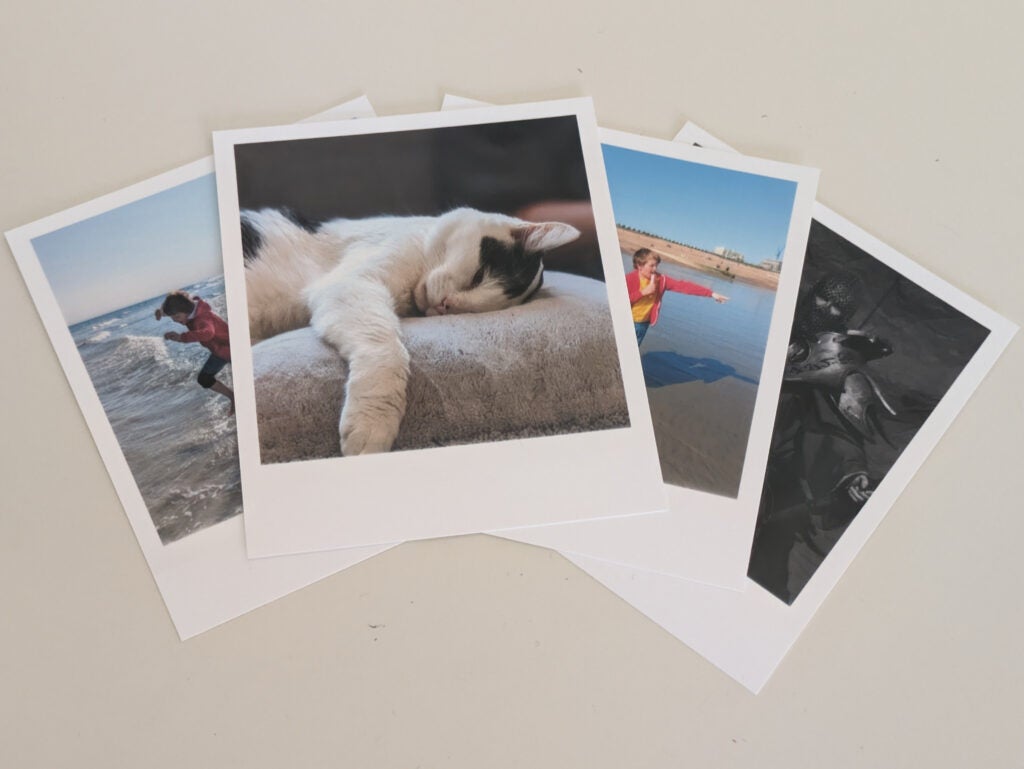
If you’re looking for the ultimate in photo quality, however, you’ll be disappointed. Prints from the Canon Selphy QX10 are fairly well exposed, reproducing subtleties in both light and dark regions, but they don’t reproduce the same fine detailing that you’d get from a good inkjet print. Look closely and you might notice a softness to each image. On one test print, the edges of my son’s bright red cardigan almost blended into the blue of the sea behind him.
To my eye, QX10 prints are better than those from HP Sprocket printers using Zink (zero ink) technology. In particular, they don’t suffer the same warm colour cast. That said, each one is a bit more expensive, and neither technology is up to the standards of a photo inkjet.
Latest deals
Should you buy it?
You want to print charming mementoes on the go
The Canon Selphy QX10 is a printer made for collages or cute pics to carry around in your bag. You’ll get a ton of fun out of this device as well as a great way to keep cherished memories to hand.
Not ideal if you want the best possible photo quality
Photographers, beware. Those serious about photography should consider a fully-fledged photo printer, not the Canon Selphy QX10 mobile solution.
Final Thoughts
It may not be the best photo printer, but the Canon Selphy QX10 is a great little gadget if you want to immortalise friends, remember evenings out, or simply share a bit of fun. Hook it up to your mobile and you can print selfies and group shots just after they’ve happened – perfect for travellers and social butterflies who want to remember names or exchange contacts with fellow party animals.
It’s not cheap, though, and you’ll pay handsomely to keep it in ink and paper. That’s a shame, as it means you’ll need deep pockets to get the most out of it. You’d get more flexibility and pay less to run a standard photo-capable inkjet, such as Canon’s PIXMA TS5350i.
How we test
Every printer we review goes through a series of uniform checks designed to gauge key things including print quality, speed and cost.
We’ll also compare the features with other printers at the same price point to see if you’re getting good value for your money.
Measured the time it takes to print with various paper
Compared print quality with other printers
Tested printing with monochrome and coloured ink
FAQs
Not for everyone. If you want an immediate, fun way to immortalise a holiday, day out or night on the town, it’s perfect – provided you don’t mind a high cost per print. It’s not really suitable for any other purpose.
It prints on paper measuring about 72x85mm, but it only prints an area measuring about 68mm square. Prints have similar proportions to a classic Polaroid print, but they’re a bit smaller.

Verdict
If you want a tiny, cool way to print photos wherever you go, Canon’s Selphy QX10 is ideal. It’s one of the smallest printers I’ve tested, yet it kicks out full-colour prints in less than 50 seconds, wherever you are – great if you want to preserve memories before they’re even over. It’s not all perfect, though. The QX10 is quite expensive, and its prints are just 68mm square – only really suitable for mementoes. It’s a great device, but with prints costing 72p each, it’s best viewed as a toy for the well-heeled.
Pros
- Cute, small photos with fairly good quality
- Ink and paper bundles last for a specified number of prints
- Smart and incredibly compact
Cons
- Can only print on specialised, square-format paper
- Fearsomely expensive to run
Availability
- UKRRP: £111
- USARRP: $129
- EuropeRRP: €129
- CanadaRRP: CA$169
- AustraliaRRP: AU$169
-
A different way of printingThis printer uses the dye-sublimation technique – it’s quicker and more convenient than ink -
Small, square photos onlyThe Selphy QX10 only prints on Canon’s small, square format paper. Prints are just 68mm square
Introduction
If you want a printer that does a bit of everything, look away now. Canon’s Selphy QX10 is unapologetically focused on printing photos from smartphones – and a very specific type of photo at that. The QX10 turns out small, square snaps on specialised Canon paper. It’s small, smart and highly portable. So is it any good?
This is one of the dinkiest printers I’ve ever reviewed. At 143x102x31mm it’s only a little bigger and thicker than a large smartphone, which is handy as it’s specifically designed to work with them. You can get it in white, pink, black, or the unusual green shade as tested here.
The QX10 has built-in Wi-Fi, but you can’t connect it to a home router. Instead, it creates its own access point, allowing you to connect an iPhone or Android phone and send photos directly to be printed.
Design and Features
- Small, square photo prints only – no plain paper support
- Very small and smart
- Battery built-in
Perhaps confusingly, the Selphy QX10 doesn’t work with Canon’s Print app. You’ll need to download Selphy Photo Layout, which makes it easy enough to find and connect to the Canon Selphy QX10. This printer doesn’t come with a power supply, but any USB Type-A adaptor will do – there’s a suitable lead in the box.
Nobody makes an inkjet printer this small. Instead, the QX10 uses a technique known as dye sublimation, where a solid ink is heated and turned directly into a vapour, which condenses onto the paper to create an image. Dye-sublimation (dye-sub) printers have a lower resolution than inkjets – the QX10 offers only 287 dots per inch – but unlike an inkjet, each dot can be any one of 16 million colours. In theory, that’s plenty to create a detailed, full-colour print.
The QX10 only works with a specialised ink and paper bundle sold by Canon. Each pack contains 20 sheets of 72x85mm paper, together with a ribbon containing all the ink you’ll need to print 20 shots. I’m all for the convenience of buying a known quantity of ink, but each pack costs upwards of £14 – I worked it out at a giddying 72p per print. You can’t buy paper in different sizes, and there are no stickers or magnetic stickers available.
Still, it’s easy to load the ribbon into a side compartment, then flip the printer to insert the paper into a tray underneath. Unlike other Canon Selphy printers, the QX10 is fully self-contained – there’s no external paper tray to clip in, and photos don’t poke out of the back while they’re being printed.
It’s fascinating to watch a dye-sub create a photo. The Canon Selphy QX10 builds each image in four passes. The first lays down yellow ink, followed by a second that deposits magenta. A third colour pass adds cyan, completing the full-colour print, which is protected with the addition of a fourth, clear layer. The shot partially emerges from the front of the printer between each pass, so you get the excitement of it taking shape.
Like all Canon dye-subs, the Selphy QX10 prints yellow first – Image Credit (Trusted Reviews)
Like all Canon dye-subs, the Selphy QX10 prints red second – Image Credit (Trusted Reviews)
This printer doesn’t create borderless photos. Instead, it prints a 68mm square, leaving borders of around 4mm on each side, and a thick, 15mm border below. You can write on this, for example noting down where you were or getting friends to sign their names.
Print Speed and Quality
- Photo prints in less than 50 seconds
- Good, but not brilliant photo quality
- Lacking the sharpness of a good inkjet
Selphy Photo Layout makes it fairly easy to browse your photos and select the ones you want to print. It’s more limited than the main Selphy app when it comes to cloud services – only Instagram and Google Photos are supported – or you can just browse the photos actually stored on your phone. It’s a slight frustration that this printer isn’t picked up by Canon’s Android print service, so you can’t use your preferred app to browse photos, and then send shots directly to the Canon Selphy QX10 from there.
While I’m talking about limitations, Selphy Photo Layout applies a centred square crop to any non-square photo you select for printing. This will look fine with any conventionally composed image, but you can’t move the crop manually. If your subject is off-centre, you might find they’re cut off.
You can, however, choose where the printer puts the thick border if you don’t want it at the bottom. If you want to have fun you can play around with a variety of frames and overlays, although you’ll find more options in a photo editing app like Snapseed.
This is an incredibly quick device, turning out each print in just 49 seconds. At first glance, the results are excellent, with punchy colours and plenty of detail. If you just want them to capture the moment and share it with friends on an evening out, they’re perfect.
If you’re looking for the ultimate in photo quality, however, you’ll be disappointed. Prints from the Canon Selphy QX10 are fairly well exposed, reproducing subtleties in both light and dark regions, but they don’t reproduce the same fine detailing that you’d get from a good inkjet print. Look closely and you might notice a softness to each image. On one test print, the edges of my son’s bright red cardigan almost blended into the blue of the sea behind him.
To my eye, QX10 prints are better than those from HP Sprocket printers using Zink (zero ink) technology. In particular, they don’t suffer the same warm colour cast. That said, each one is a bit more expensive, and neither technology is up to the standards of a photo inkjet.
Latest deals
Should you buy it?
You want to print charming mementoes on the go
The Canon Selphy QX10 is a printer made for collages or cute pics to carry around in your bag. You’ll get a ton of fun out of this device as well as a great way to keep cherished memories to hand.
Not ideal if you want the best possible photo quality
Photographers, beware. Those serious about photography should consider a fully-fledged photo printer, not the Canon Selphy QX10 mobile solution.
Final Thoughts
It may not be the best photo printer, but the Canon Selphy QX10 is a great little gadget if you want to immortalise friends, remember evenings out, or simply share a bit of fun. Hook it up to your mobile and you can print selfies and group shots just after they’ve happened – perfect for travellers and social butterflies who want to remember names or exchange contacts with fellow party animals.
It’s not cheap, though, and you’ll pay handsomely to keep it in ink and paper. That’s a shame, as it means you’ll need deep pockets to get the most out of it. You’d get more flexibility and pay less to run a standard photo-capable inkjet, such as Canon’s PIXMA TS5350i.
How we test
Every printer we review goes through a series of uniform checks designed to gauge key things including print quality, speed and cost.
We’ll also compare the features with other printers at the same price point to see if you’re getting good value for your money.
Measured the time it takes to print with various paper
Compared print quality with other printers
Tested printing with monochrome and coloured ink
FAQs
Not for everyone. If you want an immediate, fun way to immortalise a holiday, day out or night on the town, it’s perfect – provided you don’t mind a high cost per print. It’s not really suitable for any other purpose.
It prints on paper measuring about 72x85mm, but it only prints an area measuring about 68mm square. Prints have similar proportions to a classic Polaroid print, but they’re a bit smaller.



