





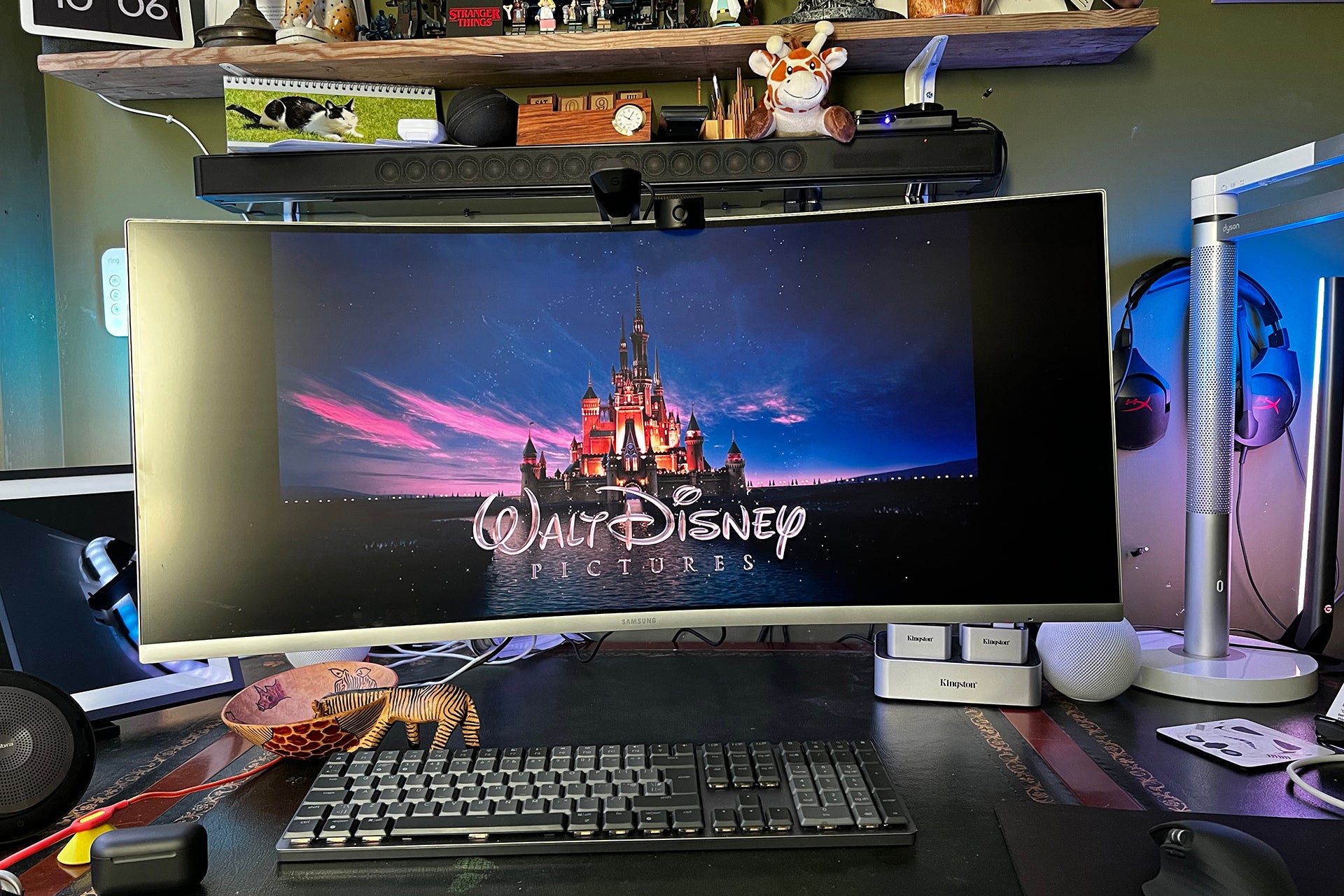
Fun and engaging, the Govee DreamView G1 Pro brings interactive lights to your desktop setup, expanding gaming and films outside of the confines of your monitor. Excellent light synchronisation and smooth transitions make this a winner in the right circumstances, but the fiddly installation and calibration may put some people off.
Pros
- Brings games outside of your monitor
- Excellent colour matching
- Works with all content
Cons
- Expensive
- Fiddly to install
- Camera takes space where a webcam would go
-
LightsThere’s a multi-segment LED strip that goes around four sides of your monitor, and two multi-segment light bars. -
CompatibilityThis works with 24-inch to 29-inch monitors.
Introduction
As Ambilight TVs demonstrated, coloured lights that change to match the on-screen action can make a big difference in how we enjoy films, TV and games.
If you want a similar effect on your gaming PC, the Govee DreamView G1 Pro could be for you. Consisting of a camera, backlight and lightbars, the package gives you everything to boost your gaming experience.
It’s fiddly to install, can take a while to calibrate and is quite expensive, though.
Design and features
- Fiddly to install
- Needs careful calibration
- Supports 24-to-29-inch monitors
This complete kit contains everything you need to get interactive lights matching your on-screen action, with an LED light strip that attaches to the back of your monitor, two light bars that sit on either side of your screen, and a camera that perches in the middle of your monitor to read the colours on your display.
Due to the size of the LED strip, this kit is designed for use with 24-inch to 29-in monitors. If you’ve got a bigger screen than this, you may have problems either fighting the strip or getting the camera to read colours accurately. The kit also won’t fit all curved screens
Installation is a bit of a faff, with the LED strip needing to be stuck to the back of the monitor. Depending on where ports and covers are, you may need to use the alternative lightstrip holders.
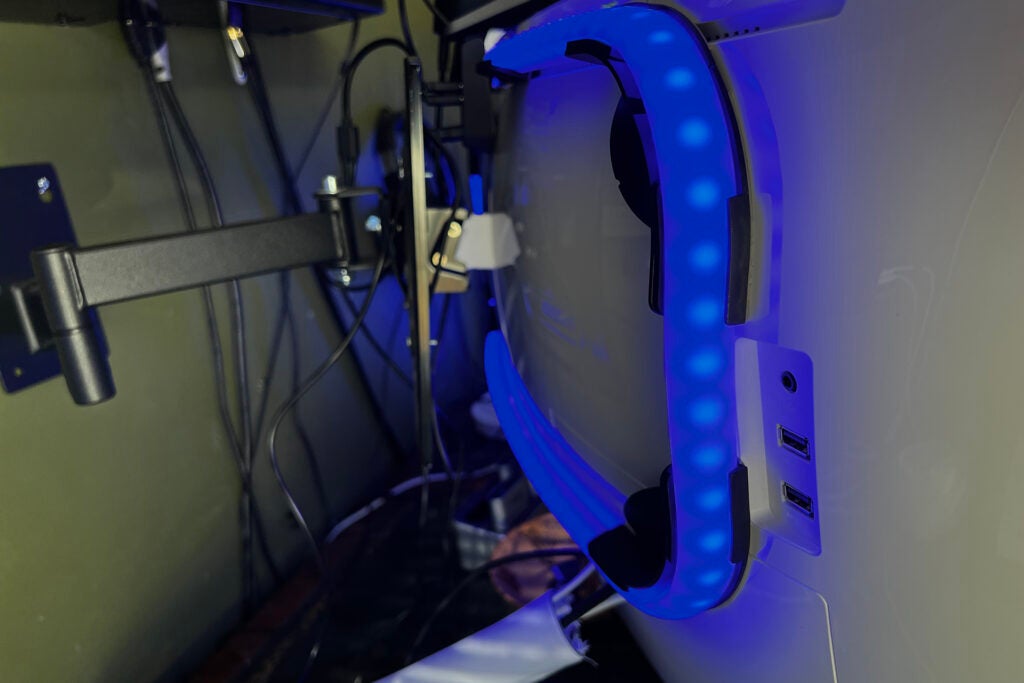
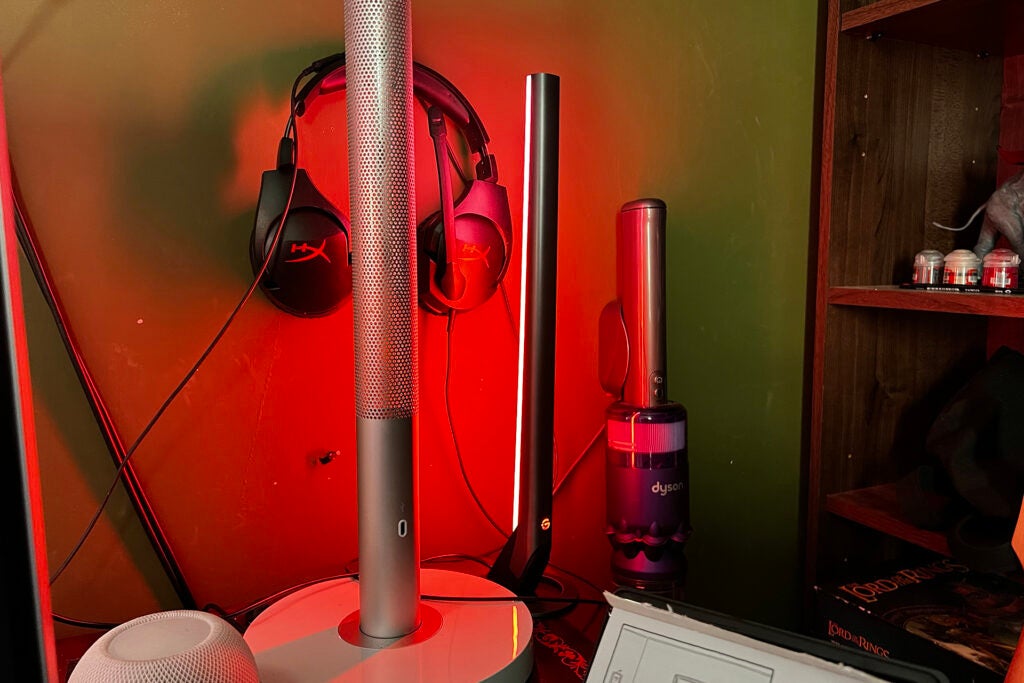
With the LED strip in place, the two light bars are easier to put into position, sat facing up and pointing towards a wall.
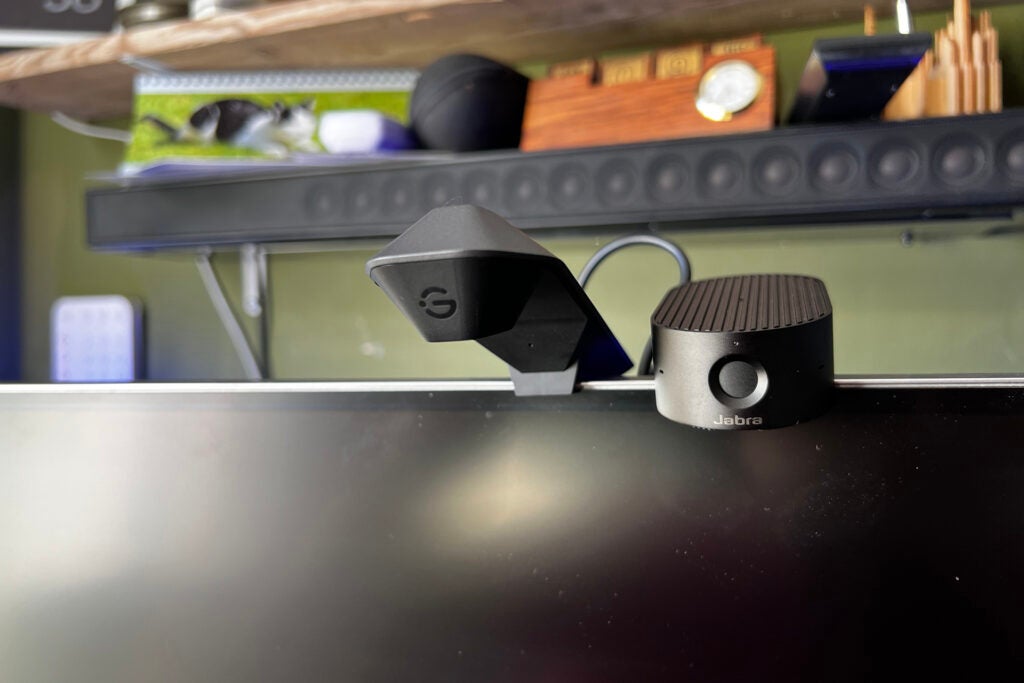
That then leaves the cam, which also doubles up as the power distributor. It has power in and then USB-C power outputs for the light bars and strips. This camera sits in the middle of your monitor, going where you’d normally put a regular webcam. If you video conference a lot, this may not be the right setup for you.
With everything in place, configuration moves to software. As with the Immersion Kit Wi-FI TV Backlight + Light Bars, the camera has to be calibrated. You stick a load of orange foam squares to the screen, and then use the software to line up the edges of the display so that the camera knows where your monitor ends.
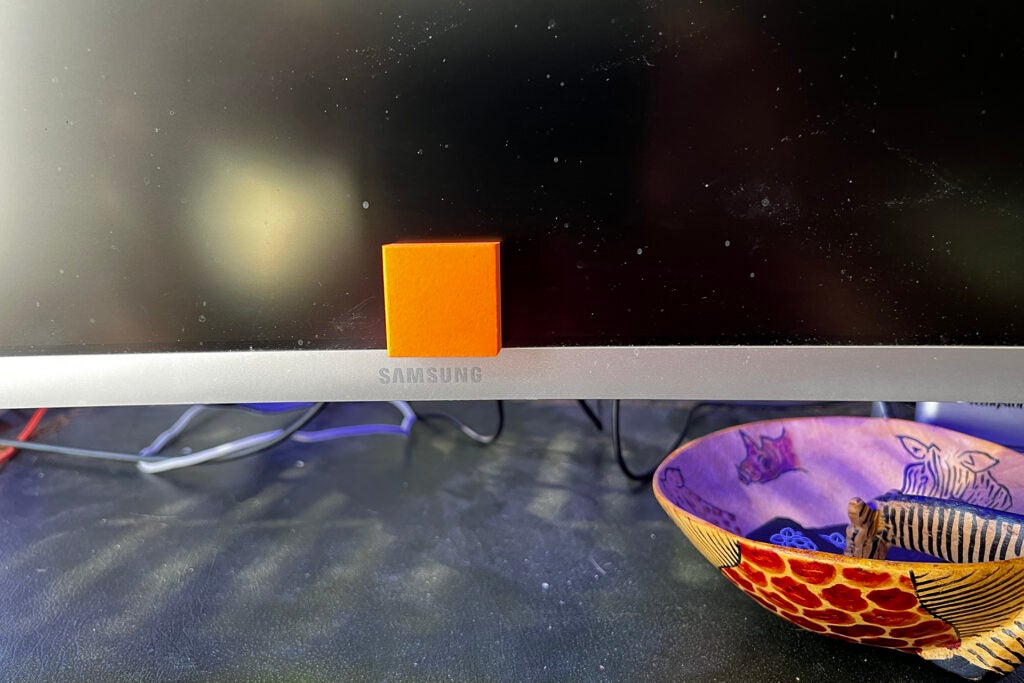
Getting this right is fiddly. I had to run through the process a few times to get it right.
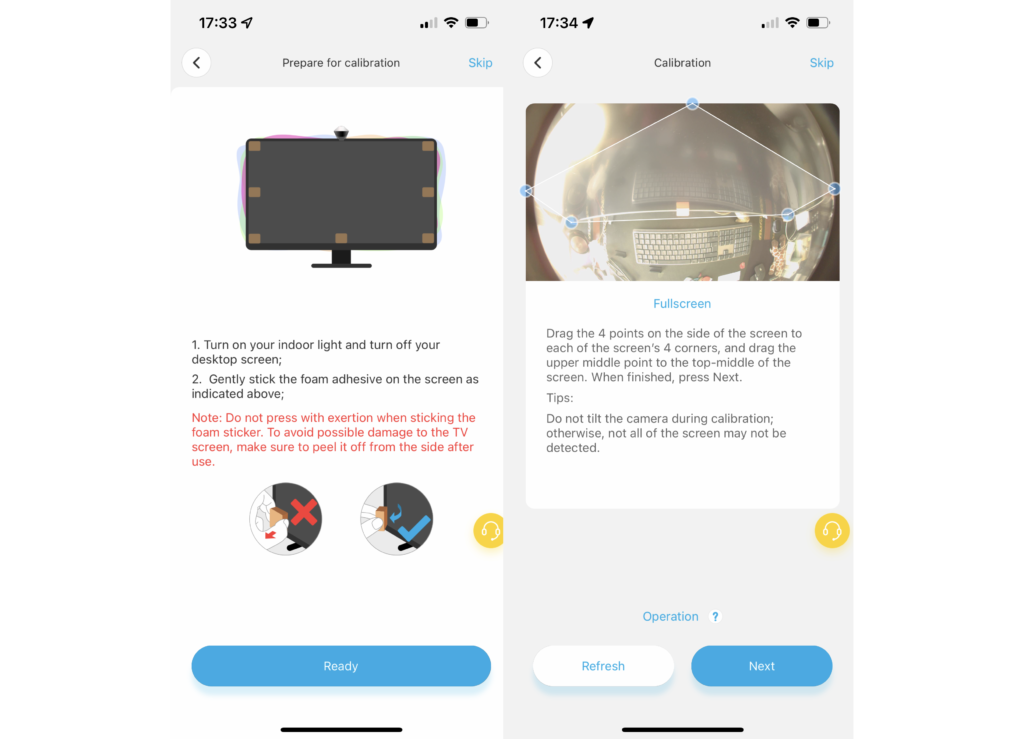
As the kit can be used with different sized monitors, the light strip also has to be calibrated, dragging the colour segments in the app to match the layout on the back of the screen. It’s also worth running through the white balance and saturation controls in the app to get the colours right.
From the app, there’s full control over the lights, including setting static colours and using motion scenes. In that way, the Govee DreamView G1 Pro acts much like any other set of smart lights, such as the Govee Lyra floor lamp.
However, the main use-case for these lights is to match the colours of what’s on screen. For this, there are dedicated gaming and movie modes. I suggest cycling through the modes to find the one that best suits you. Once I’d found my favourite mode, I just stuck with it.
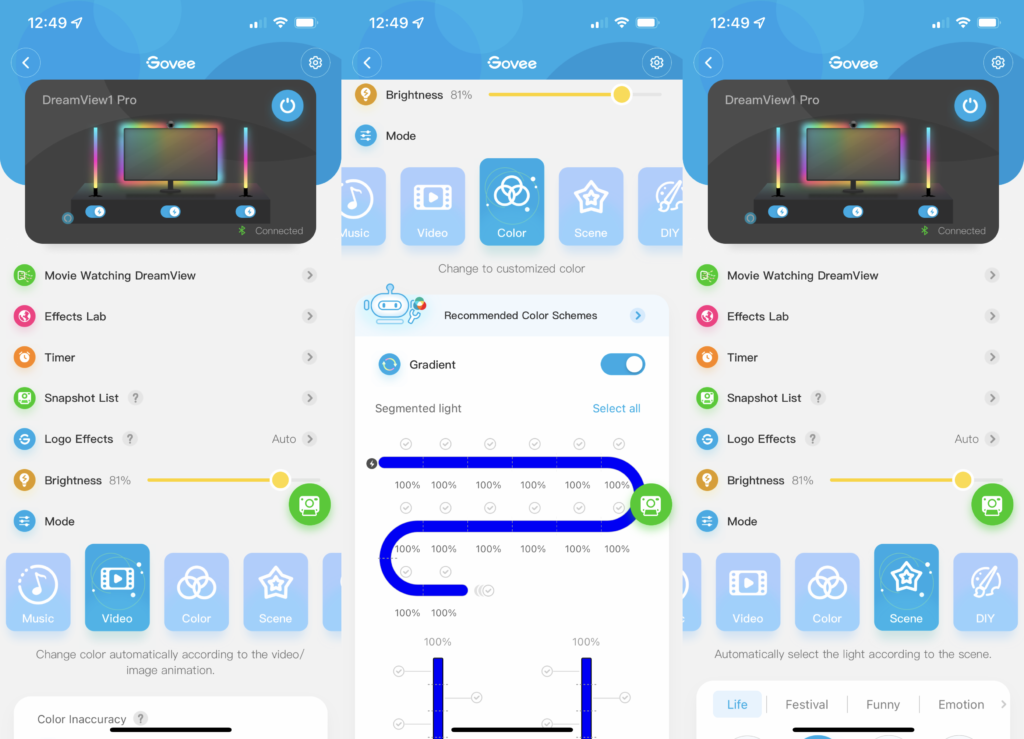
As the kit also has a microphone in it, there’s an option to listen out for sound effects and let the lights react to the rhythm and volume of the soundtrack.
Performance
- Smooth transitions
- Can be thrown off by ambient light
As with other Govee products that I’ve reviewed, the lights in the Govee DreamView G1 Pro are excellent. The multi-zoned strip, in particular, is excellent, with excellent colour matching, once the system is calibrated.
Calibration is key to the process. Once done correctly, I found that the lights around the screen accurately matched what was happening on the monitor. As the light fits around all four sides, it fully matches the top, sides and bottom of the screen.
It’s similar for the light bars, which have five colour segments in them. This lets the top of the bar match what’s happening at the top of your screen, and the bottom of the bar what’s going on at the bottom of your monitor.
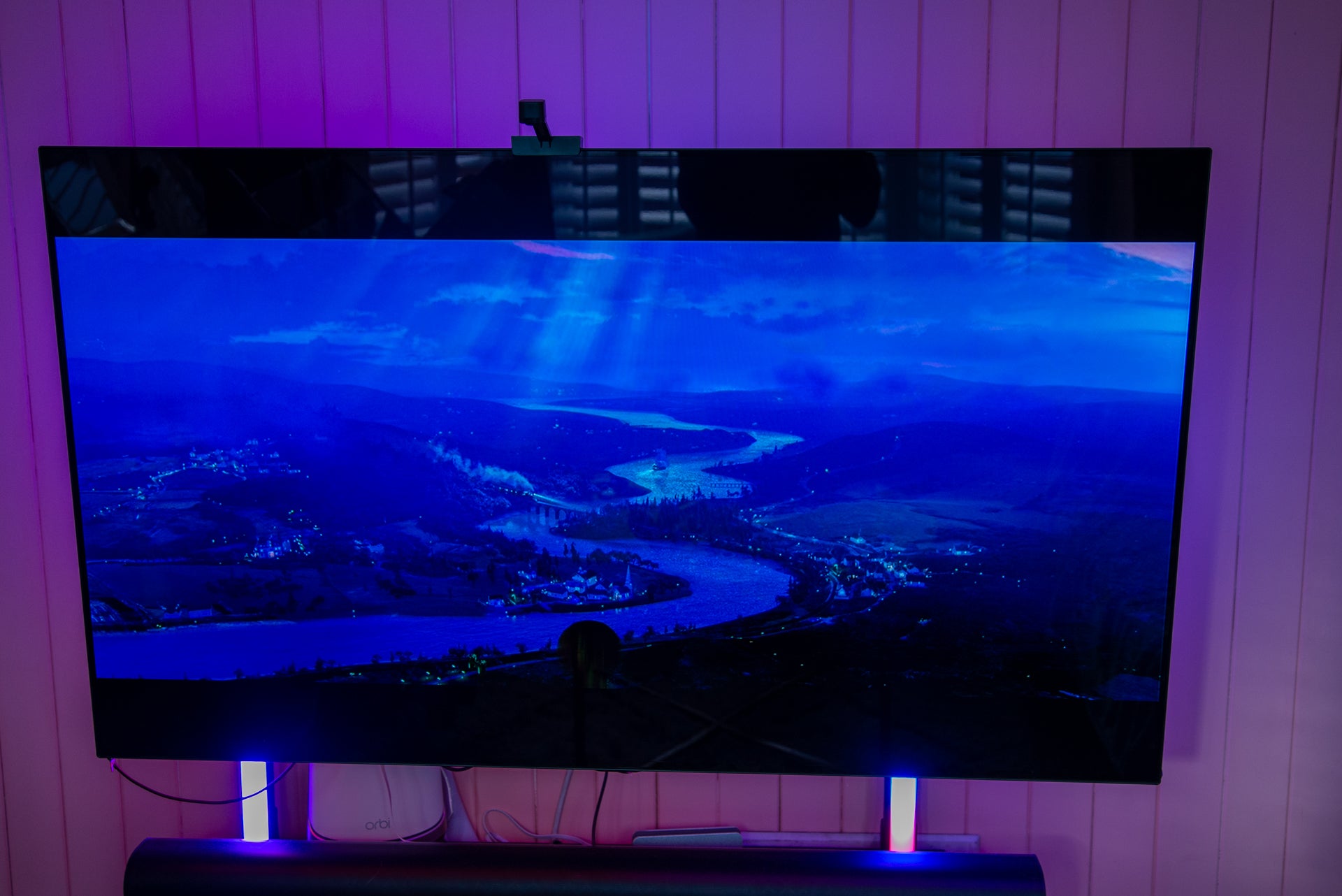
At its best, the lights give a sense of depth and engagement that flows out of your monitor and into the lights. Playing dark and moody games, brings bursts of colour to the action, while the Govee DreamView G1 Pro adds depth when exploring a bright outside world. It’s the same for films, too.
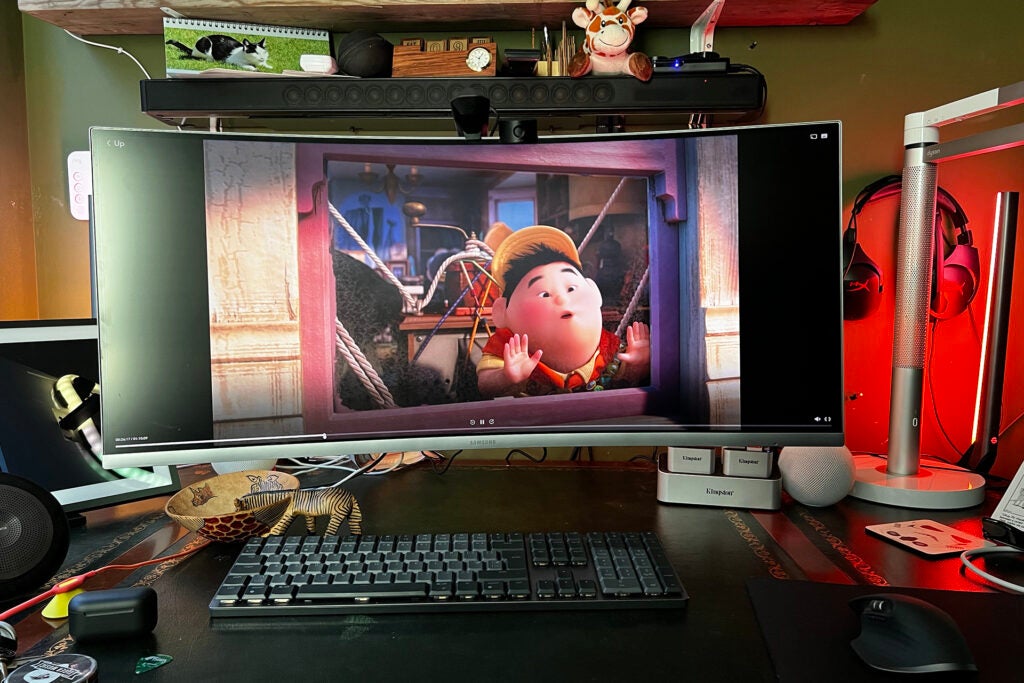
Yet, as good as the lights are, as a camera powers this system, ambient light can affect it. In my office, light streams through the windows to my left and can throw the camera’s accuracy off. I have to shut the blinds to get the best results.
I didn’t find that the sound effects option added much either. This seemed to pulse the lights brighter in sync with the soundtrack, but I just found it distracting and turned it off.
Latest deals
Should you buy it?
If you want to expand your PC gaming, then this set of lights are fun and engaging.
If you don’t want the fiddly install or want to save the top of your monitor for a webcam, this set of lights isn’t ideal.
Final Thoughts
As much fun as the Govee DreamView G1 Pro is, the setup process is long and fiddly, and the camera takes up the central spot of your monitor, right where you’d want to place a webcam. Unlike with the TV options, you can’t stick the camera to the bottom of the screen, so there’s less flexibility. Price is also an issue, with the Govee DreamView G1 Pro costing a lot more than the TV equivalent. If you want a great gaming experience and have the right-sized monitor, the Govee DreamView G1 Pro is an engaging product.
If you’ve got Hue lights or some Nanoleaf lights, such as the Nanoleaf Lines, you could just download the desktop sync software and go with this instead.
How we test
Unlike other sites, we test every smart home product we review thoroughly over an extended period of time. We use industry standard tests to compare features properly. We’ll always tell you what we find. We never, ever, accept money to review a product.
Find out more about how we test in our ethics policy.
We test how each product integrates with other smart home systems including Amazon Alexa, Google Assistant, Apple HomeKit, IFTTT and Samsung SmartThings
We use each smart home product in a real world setting, integrating it into our home.
You might like…
FAQs
It works with 24-inch to 29-inch displays.
It uses a camera to constantly monitor what’s on screen.
Sustainability
TrustedReviews’ holds the fact that global warming is not a myth as a core value and will continuously endeavor to help protect our planet from harm in its business practices.
As part of this mission, whenever we review a product we send the company a series of questions to help us gauge and make transparent the impact the device has on the environment.
We currently haven’t received answers to the questions on this product, but will update this page the moment we do. You can see a detailed breakdown of the questions we ask and why in our sustainability info page.

Fun and engaging, the Govee DreamView G1 Pro brings interactive lights to your desktop setup, expanding gaming and films outside of the confines of your monitor. Excellent light synchronisation and smooth transitions make this a winner in the right circumstances, but the fiddly installation and calibration may put some people off.
Pros
- Brings games outside of your monitor
- Excellent colour matching
- Works with all content
Cons
- Expensive
- Fiddly to install
- Camera takes space where a webcam would go
-
LightsThere’s a multi-segment LED strip that goes around four sides of your monitor, and two multi-segment light bars. -
CompatibilityThis works with 24-inch to 29-inch monitors.
Introduction
As Ambilight TVs demonstrated, coloured lights that change to match the on-screen action can make a big difference in how we enjoy films, TV and games.
If you want a similar effect on your gaming PC, the Govee DreamView G1 Pro could be for you. Consisting of a camera, backlight and lightbars, the package gives you everything to boost your gaming experience.
It’s fiddly to install, can take a while to calibrate and is quite expensive, though.
Design and features
- Fiddly to install
- Needs careful calibration
- Supports 24-to-29-inch monitors
This complete kit contains everything you need to get interactive lights matching your on-screen action, with an LED light strip that attaches to the back of your monitor, two light bars that sit on either side of your screen, and a camera that perches in the middle of your monitor to read the colours on your display.
Due to the size of the LED strip, this kit is designed for use with 24-inch to 29-in monitors. If you’ve got a bigger screen than this, you may have problems either fighting the strip or getting the camera to read colours accurately. The kit also won’t fit all curved screens
Installation is a bit of a faff, with the LED strip needing to be stuck to the back of the monitor. Depending on where ports and covers are, you may need to use the alternative lightstrip holders.
With the LED strip in place, the two light bars are easier to put into position, sat facing up and pointing towards a wall.
That then leaves the cam, which also doubles up as the power distributor. It has power in and then USB-C power outputs for the light bars and strips. This camera sits in the middle of your monitor, going where you’d normally put a regular webcam. If you video conference a lot, this may not be the right setup for you.
With everything in place, configuration moves to software. As with the Immersion Kit Wi-FI TV Backlight + Light Bars, the camera has to be calibrated. You stick a load of orange foam squares to the screen, and then use the software to line up the edges of the display so that the camera knows where your monitor ends.
Getting this right is fiddly. I had to run through the process a few times to get it right.
As the kit can be used with different sized monitors, the light strip also has to be calibrated, dragging the colour segments in the app to match the layout on the back of the screen. It’s also worth running through the white balance and saturation controls in the app to get the colours right.
From the app, there’s full control over the lights, including setting static colours and using motion scenes. In that way, the Govee DreamView G1 Pro acts much like any other set of smart lights, such as the Govee Lyra floor lamp.
However, the main use-case for these lights is to match the colours of what’s on screen. For this, there are dedicated gaming and movie modes. I suggest cycling through the modes to find the one that best suits you. Once I’d found my favourite mode, I just stuck with it.
As the kit also has a microphone in it, there’s an option to listen out for sound effects and let the lights react to the rhythm and volume of the soundtrack.
Performance
- Smooth transitions
- Can be thrown off by ambient light
As with other Govee products that I’ve reviewed, the lights in the Govee DreamView G1 Pro are excellent. The multi-zoned strip, in particular, is excellent, with excellent colour matching, once the system is calibrated.
Calibration is key to the process. Once done correctly, I found that the lights around the screen accurately matched what was happening on the monitor. As the light fits around all four sides, it fully matches the top, sides and bottom of the screen.
It’s similar for the light bars, which have five colour segments in them. This lets the top of the bar match what’s happening at the top of your screen, and the bottom of the bar what’s going on at the bottom of your monitor.
At its best, the lights give a sense of depth and engagement that flows out of your monitor and into the lights. Playing dark and moody games, brings bursts of colour to the action, while the Govee DreamView G1 Pro adds depth when exploring a bright outside world. It’s the same for films, too.
Yet, as good as the lights are, as a camera powers this system, ambient light can affect it. In my office, light streams through the windows to my left and can throw the camera’s accuracy off. I have to shut the blinds to get the best results.
I didn’t find that the sound effects option added much either. This seemed to pulse the lights brighter in sync with the soundtrack, but I just found it distracting and turned it off.
Latest deals
Should you buy it?
If you want to expand your PC gaming, then this set of lights are fun and engaging.
If you don’t want the fiddly install or want to save the top of your monitor for a webcam, this set of lights isn’t ideal.
Final Thoughts
As much fun as the Govee DreamView G1 Pro is, the setup process is long and fiddly, and the camera takes up the central spot of your monitor, right where you’d want to place a webcam. Unlike with the TV options, you can’t stick the camera to the bottom of the screen, so there’s less flexibility. Price is also an issue, with the Govee DreamView G1 Pro costing a lot more than the TV equivalent. If you want a great gaming experience and have the right-sized monitor, the Govee DreamView G1 Pro is an engaging product.
If you’ve got Hue lights or some Nanoleaf lights, such as the Nanoleaf Lines, you could just download the desktop sync software and go with this instead.
How we test
Unlike other sites, we test every smart home product we review thoroughly over an extended period of time. We use industry standard tests to compare features properly. We’ll always tell you what we find. We never, ever, accept money to review a product.
Find out more about how we test in our ethics policy.
We test how each product integrates with other smart home systems including Amazon Alexa, Google Assistant, Apple HomeKit, IFTTT and Samsung SmartThings
We use each smart home product in a real world setting, integrating it into our home.
You might like…
FAQs
It works with 24-inch to 29-inch displays.
It uses a camera to constantly monitor what’s on screen.
Sustainability
TrustedReviews’ holds the fact that global warming is not a myth as a core value and will continuously endeavor to help protect our planet from harm in its business practices.
As part of this mission, whenever we review a product we send the company a series of questions to help us gauge and make transparent the impact the device has on the environment.
We currently haven’t received answers to the questions on this product, but will update this page the moment we do. You can see a detailed breakdown of the questions we ask and why in our sustainability info page.



