





Verdict
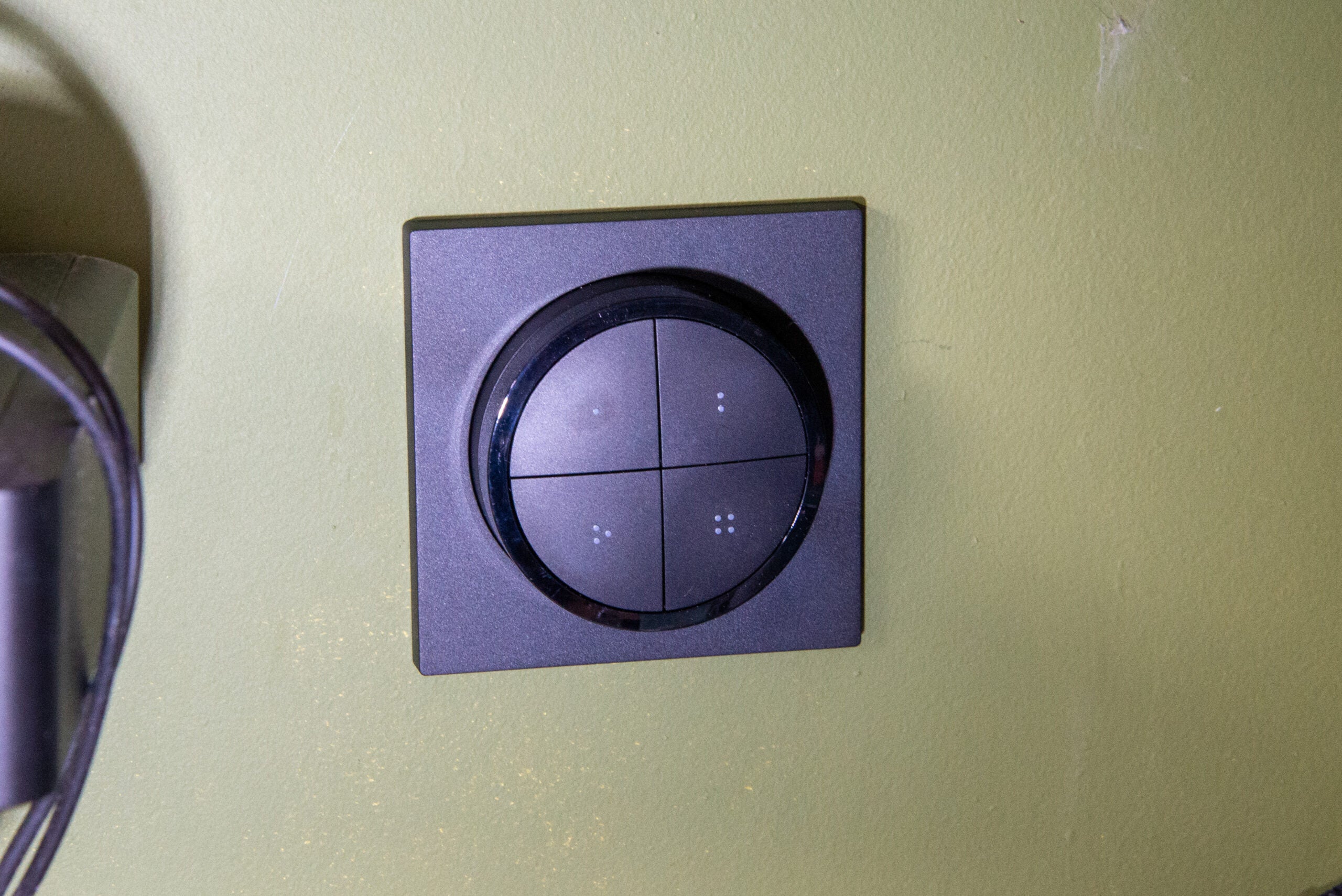
Able to control multiple rooms, the Philips Hue Tap Dial wireless switch is a great remote, particularly for those that have more complicated setups. Smooth and responsive to use, the rotary dimmer control is fantastic, although it could do with a few more configuration options to make it perfect. Still, if you want the highest level of overall control from a wireless switch, this is the one to buy.
Pros
- Smooth and responsive
- Huge level of control
- Supports multiple rooms
Cons
- Dimming options slightly limited
Availability
- UKRRP: £43.99
- USARRP: $44.99
-
CompatibiltyThis switch uses Zigbee and works with Philips Hue systems only. -
Battery lifeThere’s a CR2032 battery inside which should last for two years.
Introduction
Part of the charm of the Philips Hue system and why it’s the best smart lighting platform is the range of physical controls for it.
Most largely replicate traditional dimmers, with a few scene selection options, but the Philips Hue Tap Dial is a new type of switch built for more advanced control, including multi-room or multi-zone control. Sleek and stylish, it’s a neat addition to larger Hue installations.
Design and features
- Useable as a wireless remote
- Control dial and four individual buttons
- Each control can manage up to three rooms or a zone
Don’t get the Philips Hue Tap Dial confused with the older Tap switch; the latter used kinetic energy to harvest power, with a limited set of scene selections. The Hue Tap Dial switch is a battery-powered device that runs on a single CR2052 cell that should last for two years.
Available in black or white, the Tap Dial switch is a more stylish bit of kit than many of the other official Hue switches. I found that this switch blended in better, although for the ultimate style, the Retrotouch Friends of Hue Switch can’t be beaten.
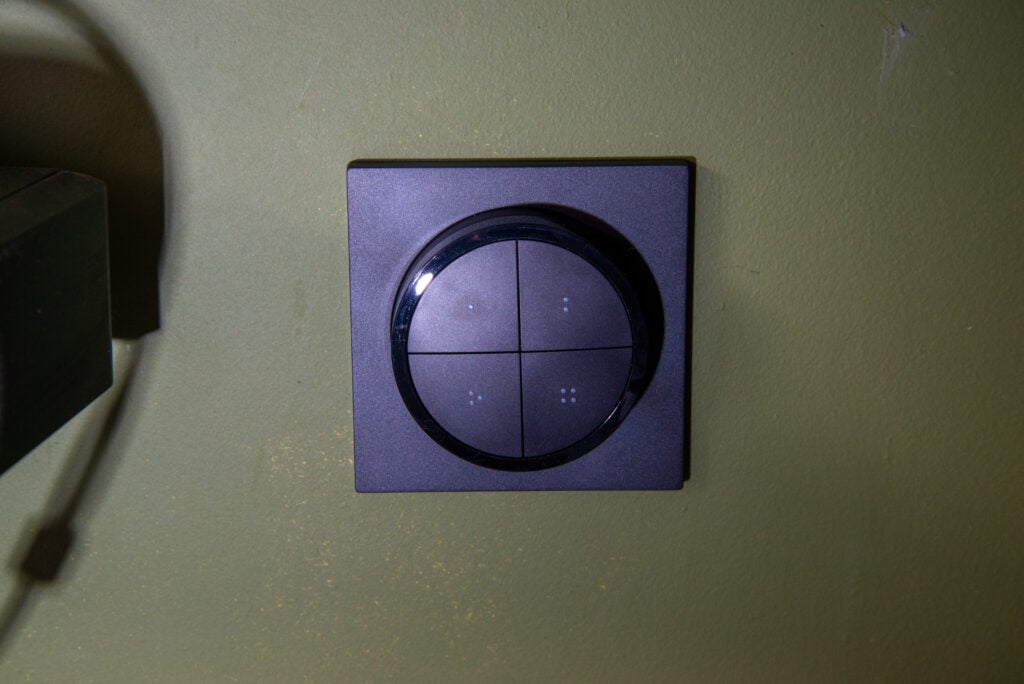
Philips provides a mounting plate with the switch, which can be screwed or stuck in place. The one I have matches the standard UK socket size, but buy in a different country, such as the US, and you’ll get a blanking plate that matches your location.
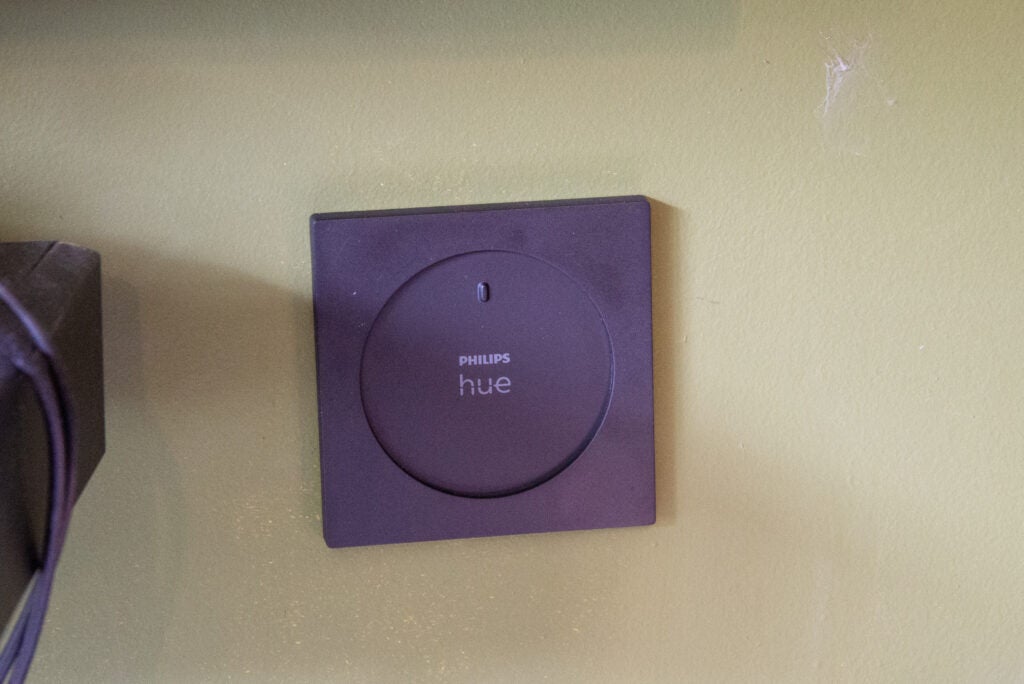
As with the other Hue switches, the Tap Dial can be magnetically removed from its mounting plate and used as a remote control. As the switch is round, there’s a small nodule to get the correct alignment.
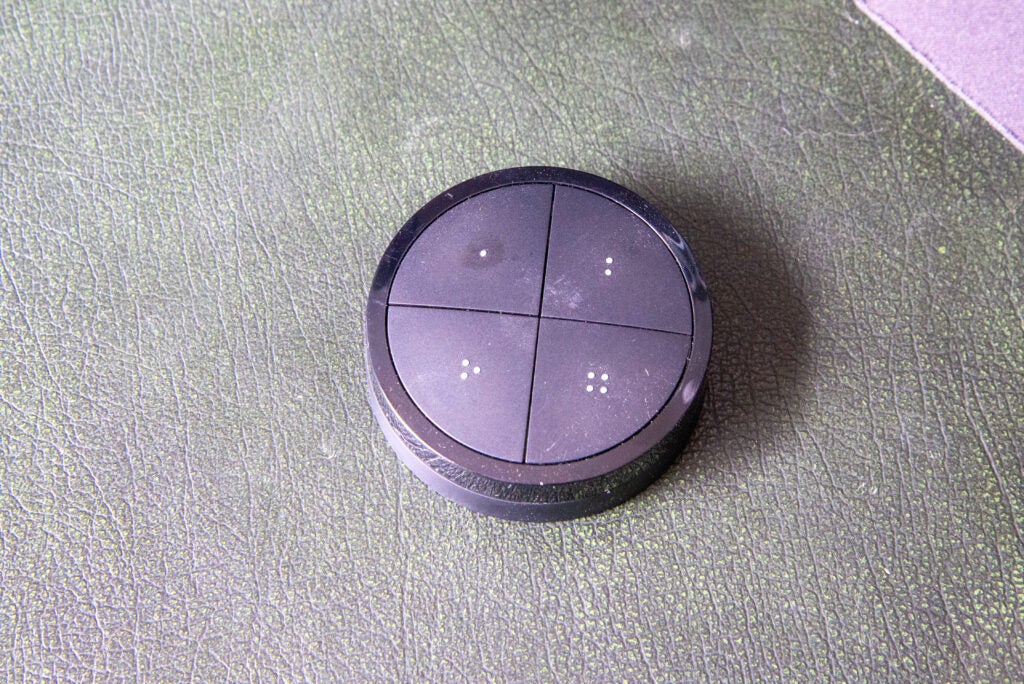
This switch has a rotary dial on the outside, plus four individual buttons, marked with dots. Configuration is through software. Up to three rooms or one zone can be controlled per button.
Each of the four buttons can be configured individually, each providing the same options. A press can either select a single scene, or it can be used to cycle through a selection of five scenes. Pressing and holding a button turns off the connected rooms or zone.
This configuration level gives a huge range of flexibility, particularly with zone control. For example, in my kitchen, I have the spotlights set up as a zone over the hob and preparation area. With the Philips Hue Tap Dial I can set one button to turn these lights to Concentrate, so I can see what I’m doing while cooking without spoiling the ambient mood of the rest of the kitchen.
Of course, such a wide range of controls can make it tricky to remember which button does what, particularly if you’re controlling multiple rooms and zones.
The dial acts as a dimmer: clockwise to make it brighter, anti-clockwise to dim. In the software, I could set the switch to dim to a minimum value or turn off. When the lights are off, I could set a scene when turning the dial, but I could only select from the basic Hue scenes (Bright, Dimmed, Concentrate and so on) rather than my own scenes.
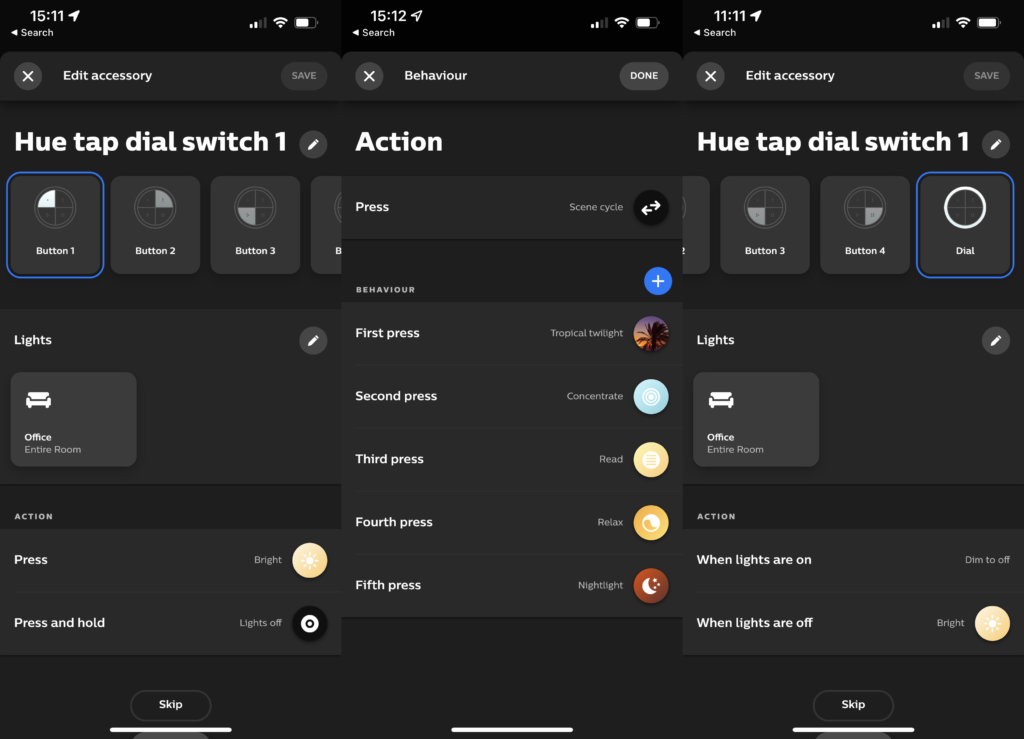
The dimmer is also slightly limited as it can only be set to control one room or zone or all Hue lights. While you can use the buttons to control scenes in different rooms, only being able to adjust the brightness in one is a little limiting.
I think that the ideal workaround would be to let the dimmer control brightness in up to three rooms, as with the buttons, and to have an option that tells the dial to do nothing if the lights are off. That way, if a room was turned off, the dimmer would only adjust the brightness of the lights turned on.
Apple HomeKit support is there, although you can’t configure the rotary dial, only the switches.
Performance
- Speedy performance
- Robust buttons
What’s impressive about the Philips Hue Tap Dial is how well made it is. It’s a solid chunk of engineering. When removed and sat on a desk, I found the dial easy to turn without spinning the entire remote around; the same is true while the switch is inserted into the blanking plate.
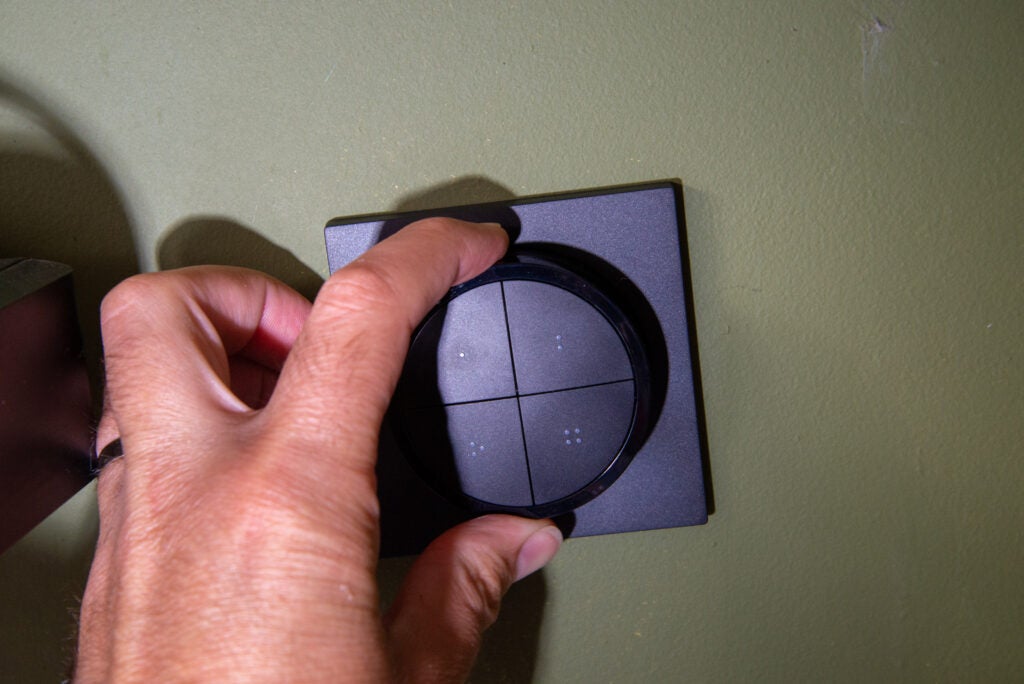
Feedback for the dial is spot on, too: I found that it clicked gently as it was rotated. Using Zigbee, the Philips Hue Tap Dial is fast, too: there’s practically no difference in control speed using this compared to a physical dimmer.
Each button is well designed, too. There’s plenty of feedback to inform you that a button has been pressed.
Latest deals
Should you buy it?
If you want to control multiple rooms and zones from one switch, this is the controller for you.
If you want a direct replacement for an existing light switch or want something simpler, then look at the other control options.
Final Thoughts
For a single room, the standard Hue Wireless Dimmer Switch may be a better choice, or the Retrotouch Friends of Hue if you want to replace an existing light switch. Where you need slightly more complicated controls and want to control multiple rooms, the Philips Hue Tap Dial is a great addition to the family.
How we test
Unlike other sites, we test every smart home product we review thoroughly over an extended period of time. We use industry standard tests to compare features properly. We’ll always tell you what we find. We never, ever, accept money to review a product.
Find out more about how we test in our ethics policy.
We test how each product integrates with other smart home systems including Amazon Alexa, Google Assistant, Apple HomeKit, IFTTT and Samsung SmartThings
We use each smart home product in a real world setting, integrating it into our home.
You might like…
FAQs
It runs off a single CR2032 battery, which should last for up to two years.
Yes, although you can only configure the buttons not the rotary dial.

Verdict
Able to control multiple rooms, the Philips Hue Tap Dial wireless switch is a great remote, particularly for those that have more complicated setups. Smooth and responsive to use, the rotary dimmer control is fantastic, although it could do with a few more configuration options to make it perfect. Still, if you want the highest level of overall control from a wireless switch, this is the one to buy.
Pros
- Smooth and responsive
- Huge level of control
- Supports multiple rooms
Cons
- Dimming options slightly limited
Availability
- UKRRP: £43.99
- USARRP: $44.99
-
CompatibiltyThis switch uses Zigbee and works with Philips Hue systems only. -
Battery lifeThere’s a CR2032 battery inside which should last for two years.
Introduction
Part of the charm of the Philips Hue system and why it’s the best smart lighting platform is the range of physical controls for it.
Most largely replicate traditional dimmers, with a few scene selection options, but the Philips Hue Tap Dial is a new type of switch built for more advanced control, including multi-room or multi-zone control. Sleek and stylish, it’s a neat addition to larger Hue installations.
Design and features
- Useable as a wireless remote
- Control dial and four individual buttons
- Each control can manage up to three rooms or a zone
Don’t get the Philips Hue Tap Dial confused with the older Tap switch; the latter used kinetic energy to harvest power, with a limited set of scene selections. The Hue Tap Dial switch is a battery-powered device that runs on a single CR2052 cell that should last for two years.
Available in black or white, the Tap Dial switch is a more stylish bit of kit than many of the other official Hue switches. I found that this switch blended in better, although for the ultimate style, the Retrotouch Friends of Hue Switch can’t be beaten.
Philips provides a mounting plate with the switch, which can be screwed or stuck in place. The one I have matches the standard UK socket size, but buy in a different country, such as the US, and you’ll get a blanking plate that matches your location.
As with the other Hue switches, the Tap Dial can be magnetically removed from its mounting plate and used as a remote control. As the switch is round, there’s a small nodule to get the correct alignment.
This switch has a rotary dial on the outside, plus four individual buttons, marked with dots. Configuration is through software. Up to three rooms or one zone can be controlled per button.
Each of the four buttons can be configured individually, each providing the same options. A press can either select a single scene, or it can be used to cycle through a selection of five scenes. Pressing and holding a button turns off the connected rooms or zone.
This configuration level gives a huge range of flexibility, particularly with zone control. For example, in my kitchen, I have the spotlights set up as a zone over the hob and preparation area. With the Philips Hue Tap Dial I can set one button to turn these lights to Concentrate, so I can see what I’m doing while cooking without spoiling the ambient mood of the rest of the kitchen.
Of course, such a wide range of controls can make it tricky to remember which button does what, particularly if you’re controlling multiple rooms and zones.
The dial acts as a dimmer: clockwise to make it brighter, anti-clockwise to dim. In the software, I could set the switch to dim to a minimum value or turn off. When the lights are off, I could set a scene when turning the dial, but I could only select from the basic Hue scenes (Bright, Dimmed, Concentrate and so on) rather than my own scenes.
The dimmer is also slightly limited as it can only be set to control one room or zone or all Hue lights. While you can use the buttons to control scenes in different rooms, only being able to adjust the brightness in one is a little limiting.
I think that the ideal workaround would be to let the dimmer control brightness in up to three rooms, as with the buttons, and to have an option that tells the dial to do nothing if the lights are off. That way, if a room was turned off, the dimmer would only adjust the brightness of the lights turned on.
Apple HomeKit support is there, although you can’t configure the rotary dial, only the switches.
Performance
- Speedy performance
- Robust buttons
What’s impressive about the Philips Hue Tap Dial is how well made it is. It’s a solid chunk of engineering. When removed and sat on a desk, I found the dial easy to turn without spinning the entire remote around; the same is true while the switch is inserted into the blanking plate.
Feedback for the dial is spot on, too: I found that it clicked gently as it was rotated. Using Zigbee, the Philips Hue Tap Dial is fast, too: there’s practically no difference in control speed using this compared to a physical dimmer.
Each button is well designed, too. There’s plenty of feedback to inform you that a button has been pressed.
Latest deals
Should you buy it?
If you want to control multiple rooms and zones from one switch, this is the controller for you.
If you want a direct replacement for an existing light switch or want something simpler, then look at the other control options.
Final Thoughts
For a single room, the standard Hue Wireless Dimmer Switch may be a better choice, or the Retrotouch Friends of Hue if you want to replace an existing light switch. Where you need slightly more complicated controls and want to control multiple rooms, the Philips Hue Tap Dial is a great addition to the family.
How we test
Unlike other sites, we test every smart home product we review thoroughly over an extended period of time. We use industry standard tests to compare features properly. We’ll always tell you what we find. We never, ever, accept money to review a product.
Find out more about how we test in our ethics policy.
We test how each product integrates with other smart home systems including Amazon Alexa, Google Assistant, Apple HomeKit, IFTTT and Samsung SmartThings
We use each smart home product in a real world setting, integrating it into our home.
You might like…
FAQs
It runs off a single CR2032 battery, which should last for up to two years.
Yes, although you can only configure the buttons not the rotary dial.



