





Verdict
The Fire TV Cube remains an excellent video streamer with its HDR support, impressive picture and sound performance plus its Alexa integration. For home cinema fans this is the Fire TV model to get.
Pros
- Excellent picture and sound
- Control over a wide range of home cinema devices
- Simple set-up
- Hands-free Alexa
Cons
- HDMI cable not included
- Double the price of the Fire TV Stick 4K
- Focus on Prime Video content
Availability
- UKRRP: £109.99
- USARRP: $109.99
- EuropeRRP: €119.99
- CanadaRRP: CA$149.99
- Australiaunavailable
-
Hexa-core processorStill the most powerful Fire TV streamer -
Multi-HDR supportSupports Dolby Vision and HDR10+
Introduction
The Fire TV Cube is the second gen version of Amazon’s most expensive streaming player, set up as a rival to Apple’s 4K TV box.
It’s arguably still Amazon’s fastest and most powerful Fire TV product yet despite the launch of the Fire TV Stick 4K Max, and it’s been updated to support Amazon’s latest interface.
Nearly three years on from when it first launched, how is the Cube faring, and is it still worth purchasing?
Design
- It looks like a cube!
- Privacy button to mute Alexa
- Alexa voice remote 3rd Gen
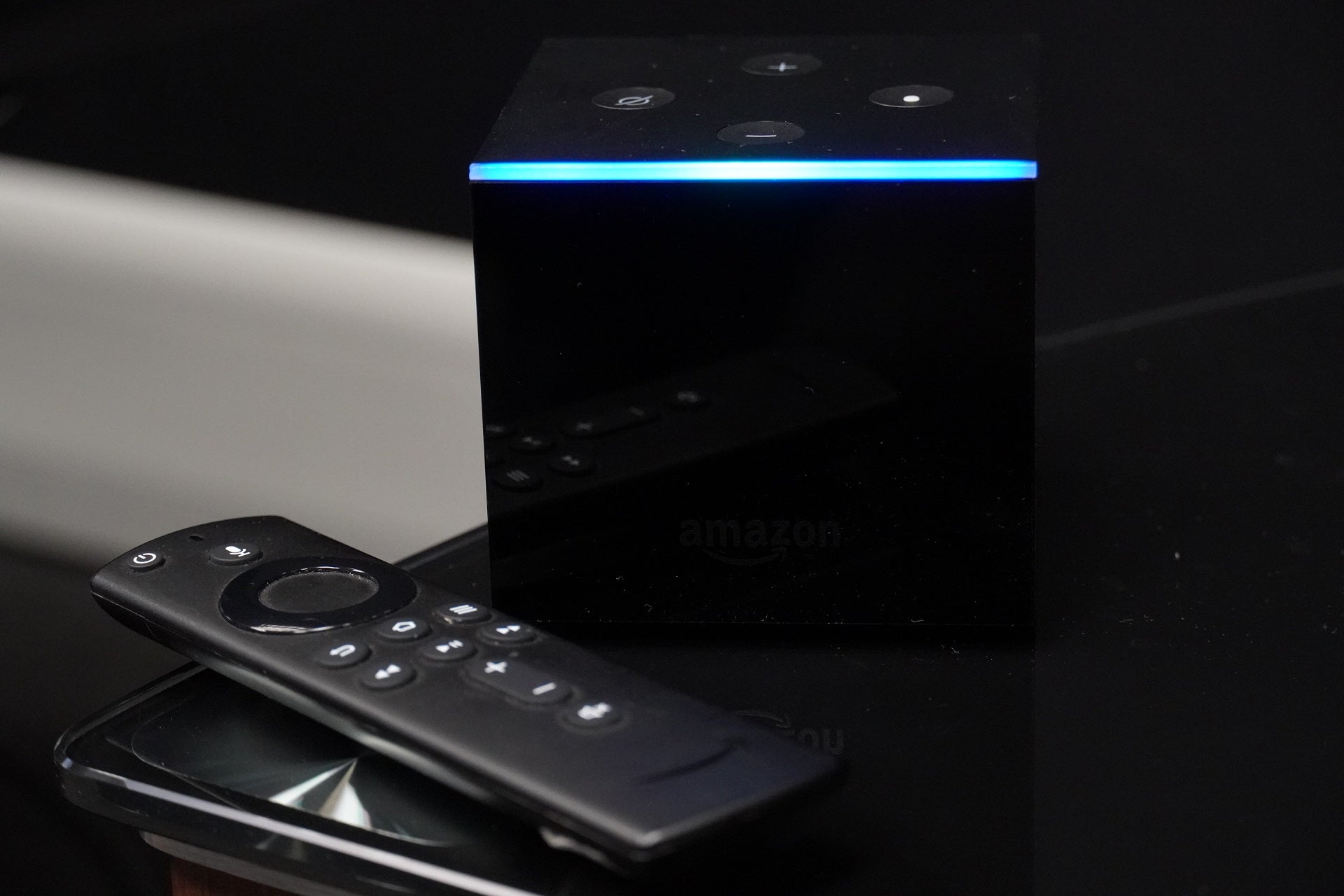
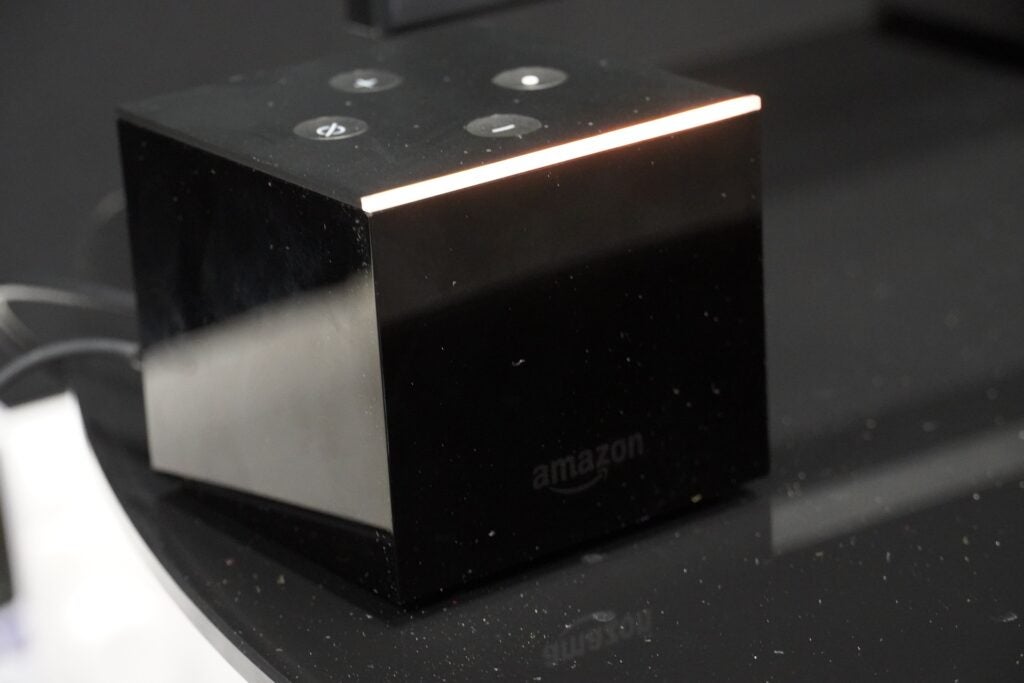
The Fire TV Cube is, like its name implies, cubed in shape. Its appearance is glossy black finish, which is a magnet for dust and smudges if you get up close to the unit. Like all of Amazon’s Fire TV products it’s not meant to draw much attention to itself.
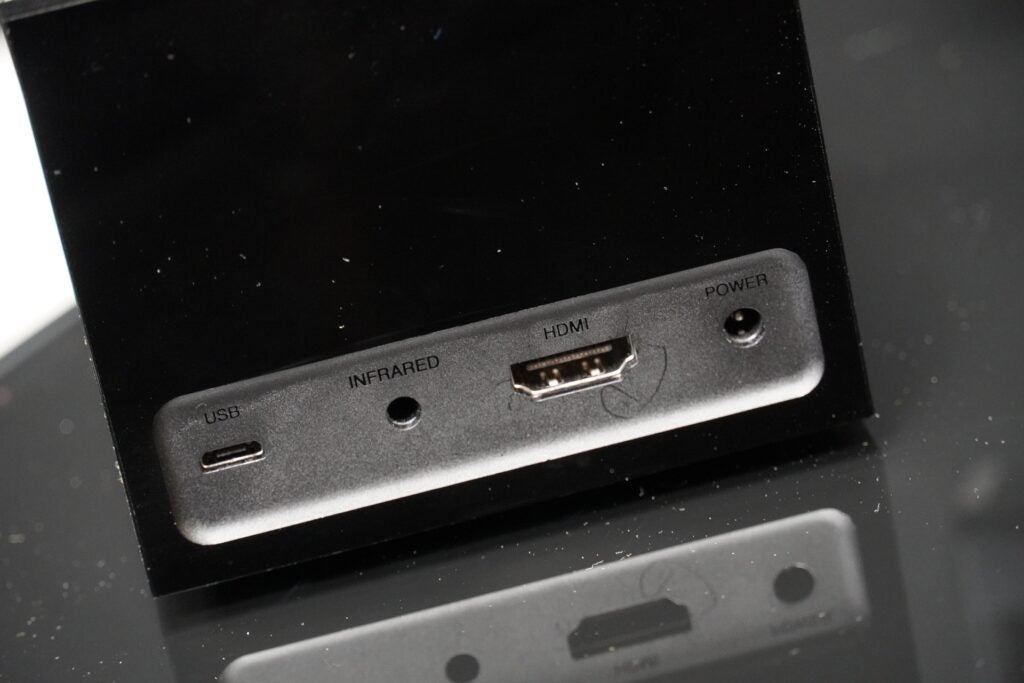
The Cube has a HDMI, a mini-USB and IR extender port on its rear but, annoyingly, no HDMI cable included. What you do get is an IR extender cable – which Amazon has made available separately – and an ethernet adaptor for a hardwired connection. The purpose of the IR extender is to open up the Fire TV’s reach so it can control other devices in tight spaces or ones locked away in an AV rack.
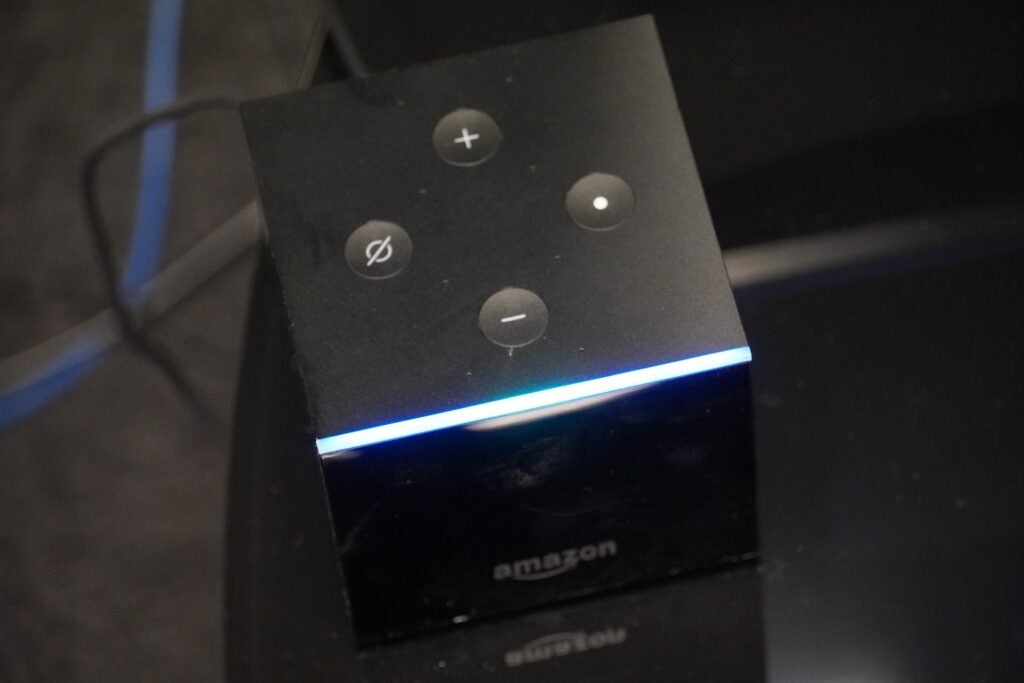
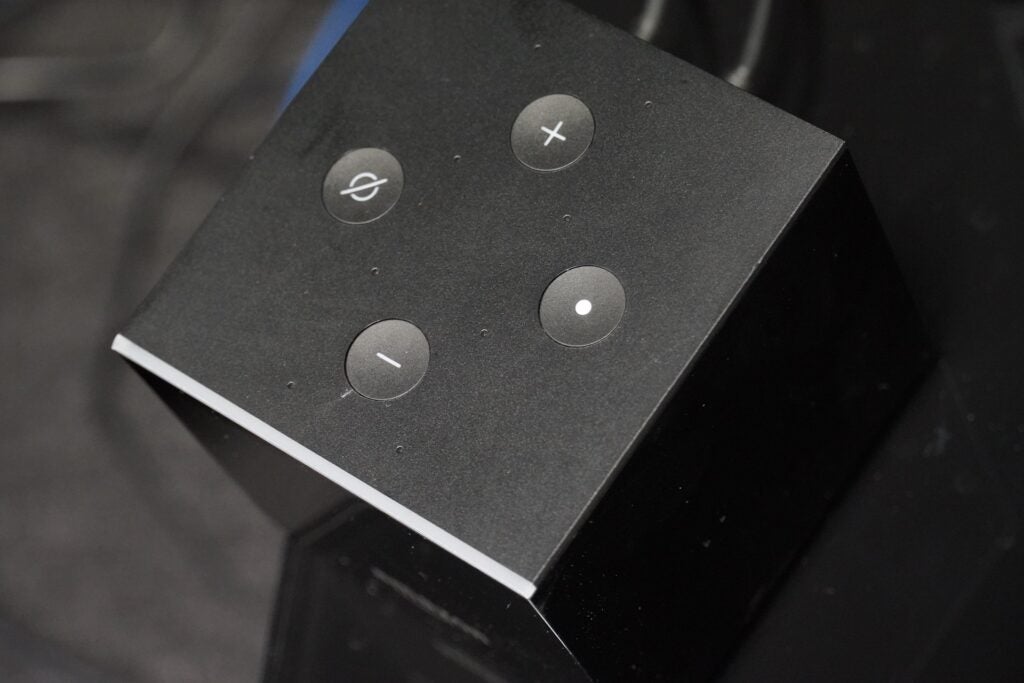
On the top is the ribbon LED strip that signals Alexa’s response. There are four buttons too, volume, an action button for Alexa and a mute button that turns off Alexa’s microphones. You arguably won’t use these controls much, but they’re useful if the included voice remote has gone walkies.
The remote has a mute button for the TV, a microphone button for Alexa, and the layout of D-pad for navigation, playback and volume controls, home button etc. I like the snappy feel of the control, which is much preferable to Roku’s remotes.
Interface
- More organised menu layout
- Focused on Prime Video/FreeVee content
- Alexa for hands-free navigation
The focus with the interface is on Amazon content, which shouldn’t be a surprise to anyone, but for those who want a more platform agnostic approach, there’s always Roku’s streaming sticks.
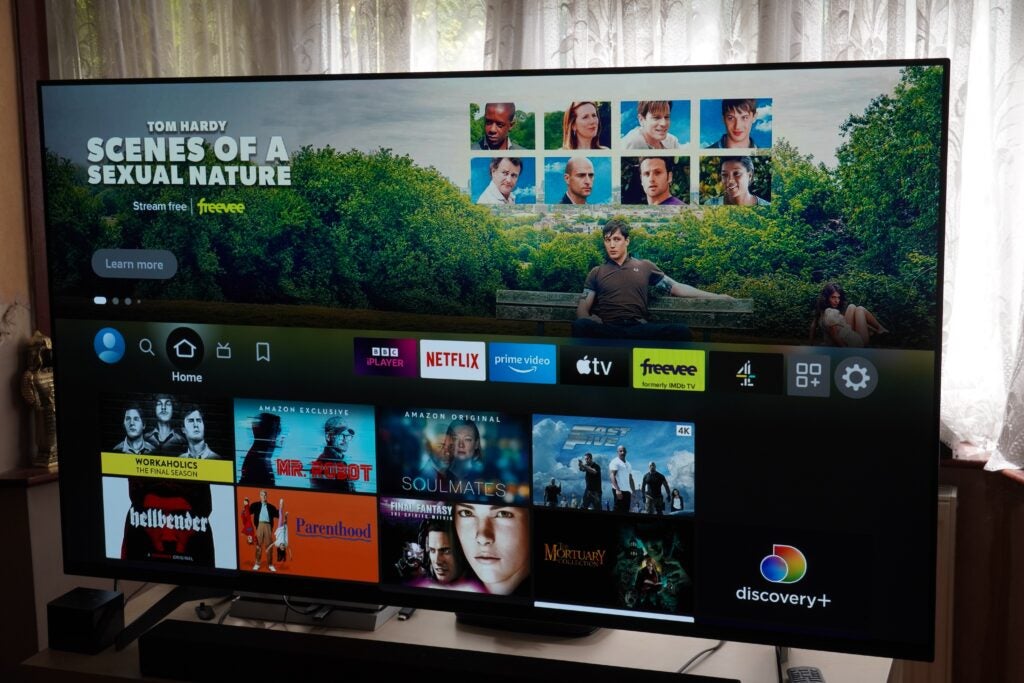
At the top of the UI is a carousel that mostly focuses on Prime Video and Freevee, and below is where you’ll find your main apps (the order and selection of which you can customise), followed by content you’re recently watched so you can jump back in; recently used apps; a section labelled as ‘Next Up For You’ that appears to be a random selection of films and shows.
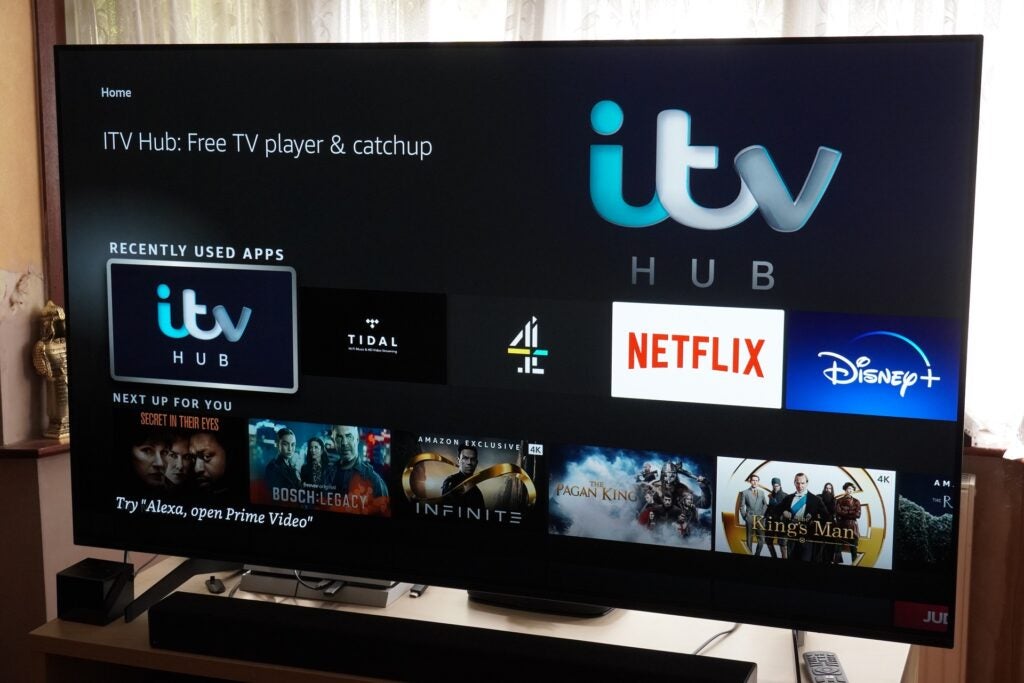
Then it’s Live TV (which hosts a bunch of internet channels like the Red Bull Channel), and curated rows of titles from Netflix, Prime Video and Freevee and other services.
There are plenty of apps to keep anyone occupied and, in my estimation, more than you’ll find on Roku with the likes of Netflix, Disney+, NOW, BT Sport, UFC, NFL, Eurosport, Spotify, Tidal, BBC Sounds, Deezer, ROXi and many, many more.
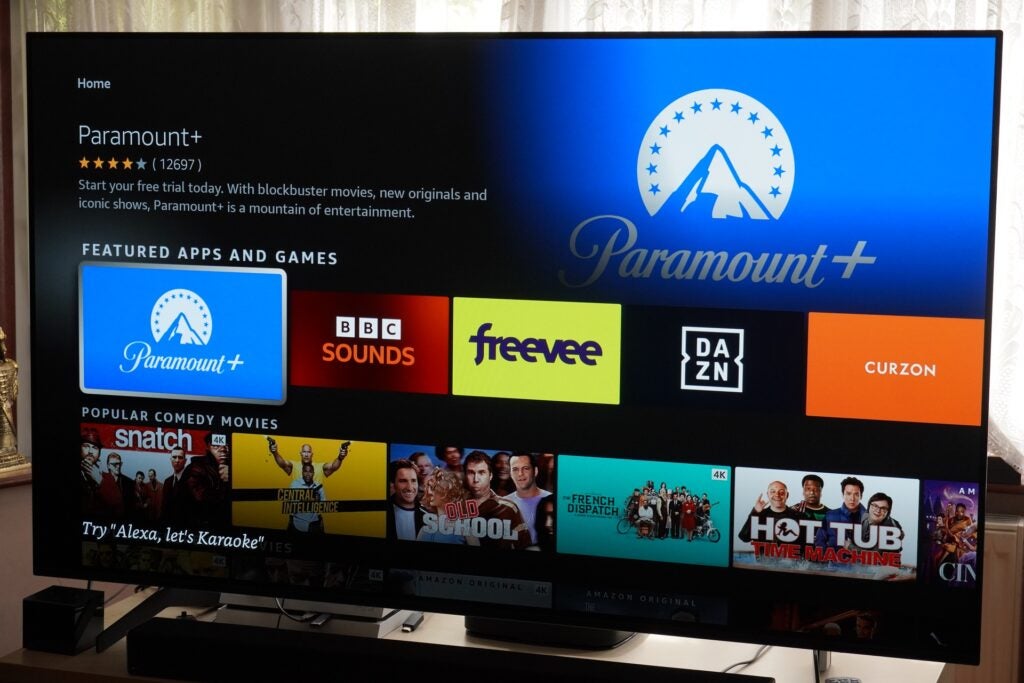
As I’ve mentioned in the Fire TV Stick 4K Max review, some of the tweaks since the all-new interface went live have been a bit puzzling, although one issue that has been fixed was the Library (‘My Stuff’) being buried in the ‘Find’ tab. It’s now back on the Home screen again. Another issue is where some titles, for example Spider-Man: No Way Home, have a 4K tag but clicking through to the title page you’re offered options for renting and buying in HD only.
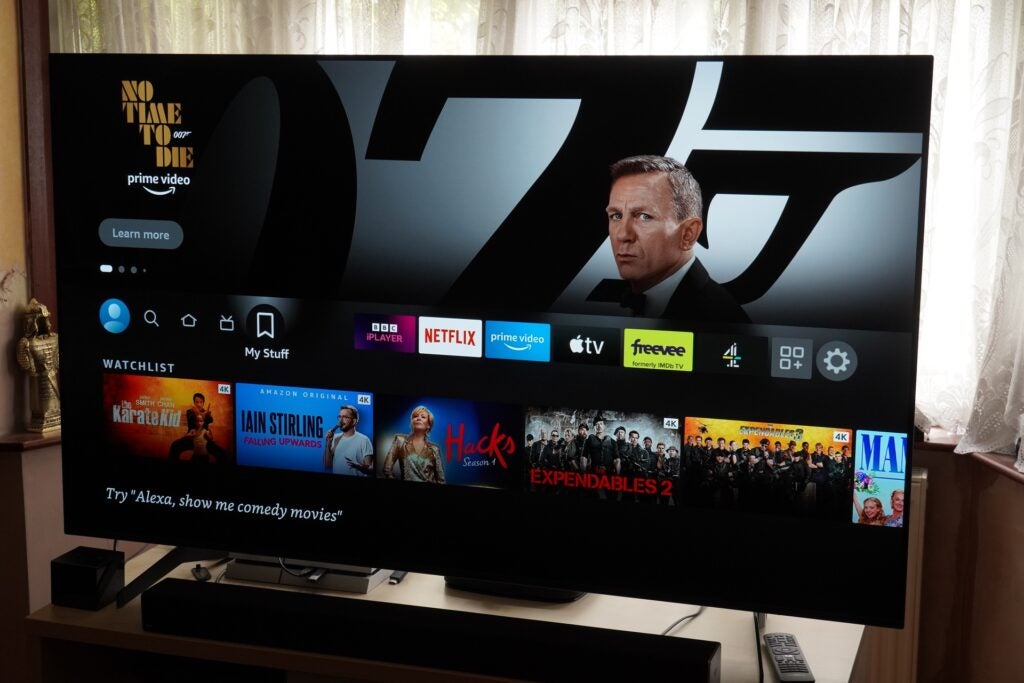
Amazon encourages use of Alexa, with consistent prompts in the bottom left corner suggesting ways of using the digital voice assistant (these can be turned off). One other thing to note is the Fire TV Cube needs to be placed one to two feet (around 30cm) away from a speaker. Presumably so Alexa can not only hear you but isn’t confused by the wash of audio that could sound like a command.
Performance
- A very fine picture presentation
- Multi-HDR support
- Swift Alexa response
- Detailed and nuanced audio performance
In terms of picture quality, the Fire TV Cube puts in a pleasing performance. HDR compatibility is all-inclusive with HDR10, HLG, HDR10+ and Dolby Vision, which gives the reassuring feeling the Fire TV Cube can extract the best picture quality possible from whatever source.
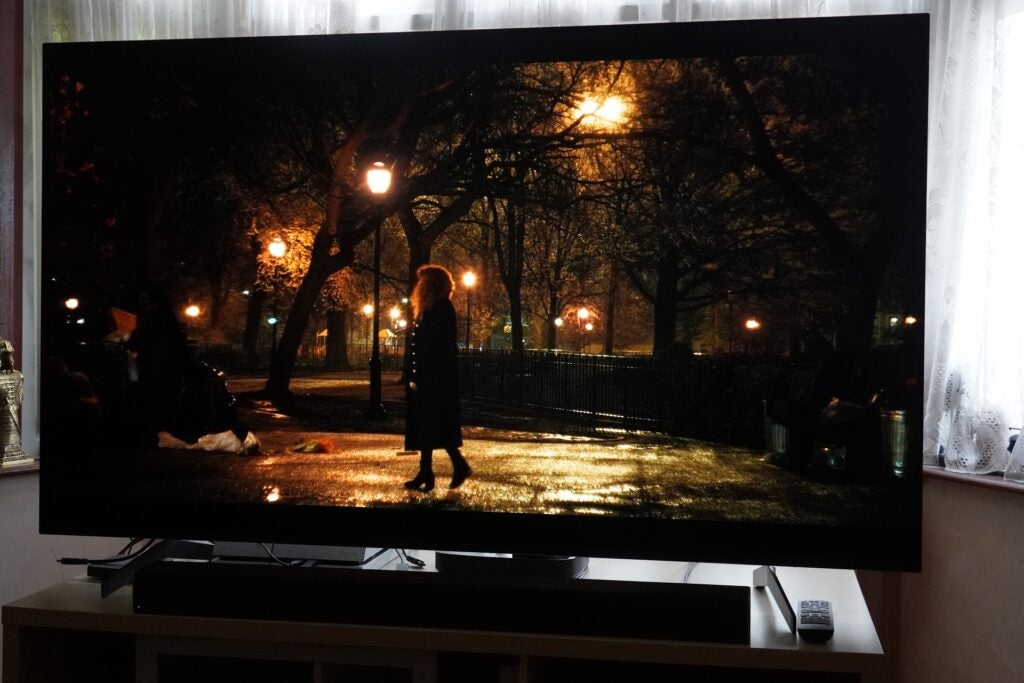
Overall picture performance depends on your TV, the Fire TV Cube will play to its strengths and won’t be able to do much about its weakness just like any other video streamer. But the performance is on the level of the Fire TV Stick 4K Max, if not slightly edging it.
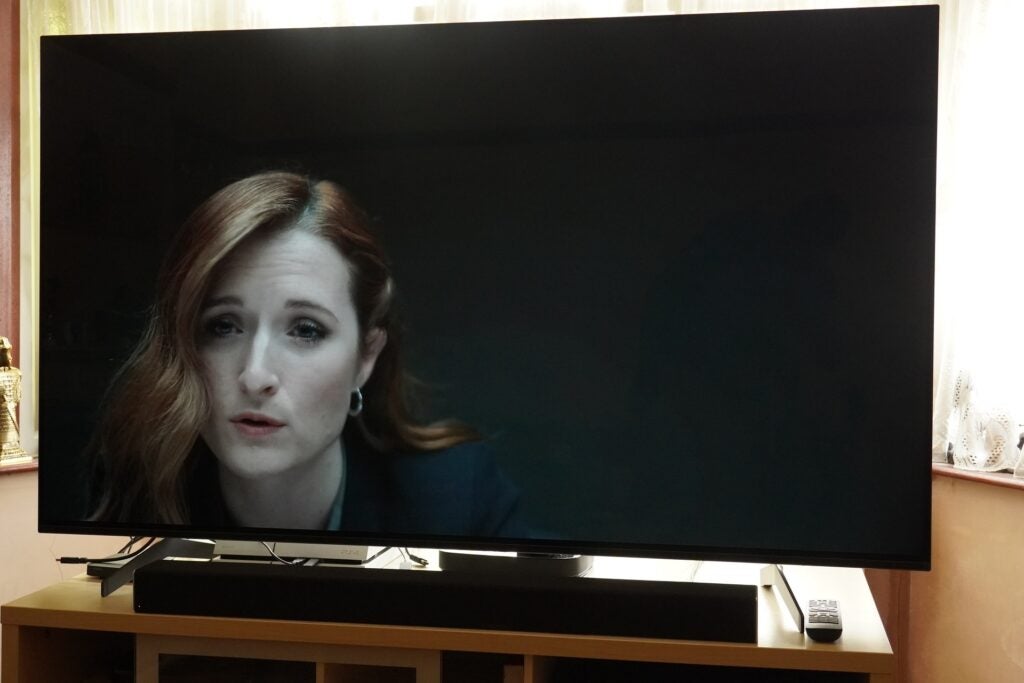
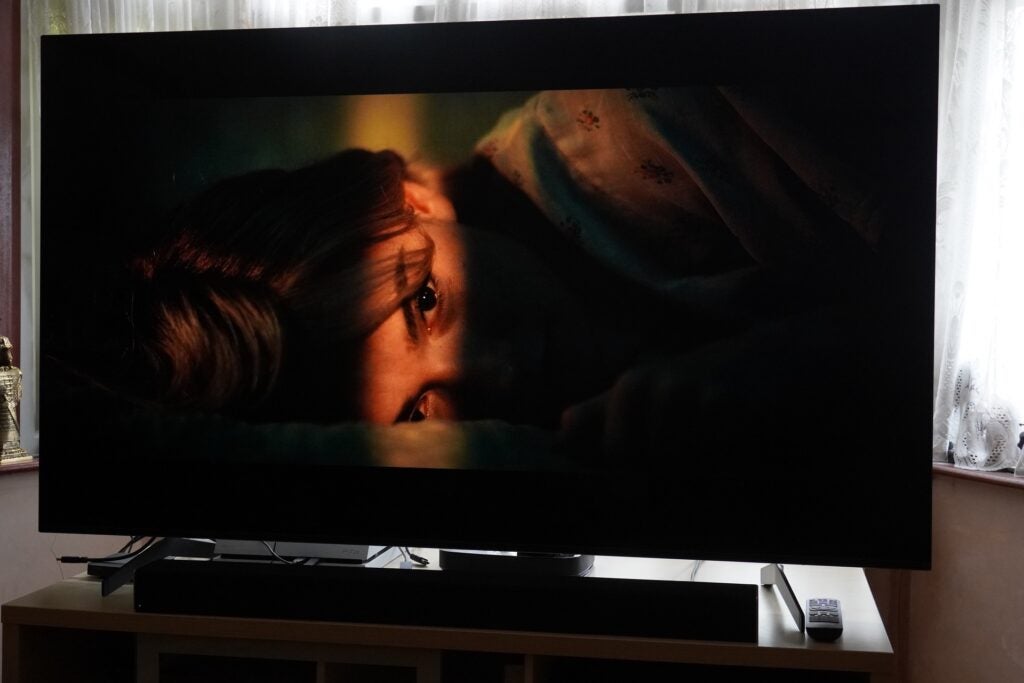
The Fire TV Cube copes with darker scenes better than either the Fire TV Stick 4K Max or Strong Leap-S1 in both The Witch and an episode of Mr Robot where a suspect is being interrogated by the FBI. The surface of the background behind the actors features less compression and artefacts on the Fire TV Cube, which can distract on the Fire TV Stick.
Viewing the second series of Russian Doll and the Dolby Vision enhancement helps push the warm red light in a bar and electric blues of some signage to evoke the rich, nocturnal feel of 80s New York the series is going for. Staying with Netflix and the Dolby Vision presentation of Rebecca offers some great high contrast lightning of the actors, and lots of fine detail and textures, like the creamy finish of Maxim de Winter’s car. It’s a great looking presentation.
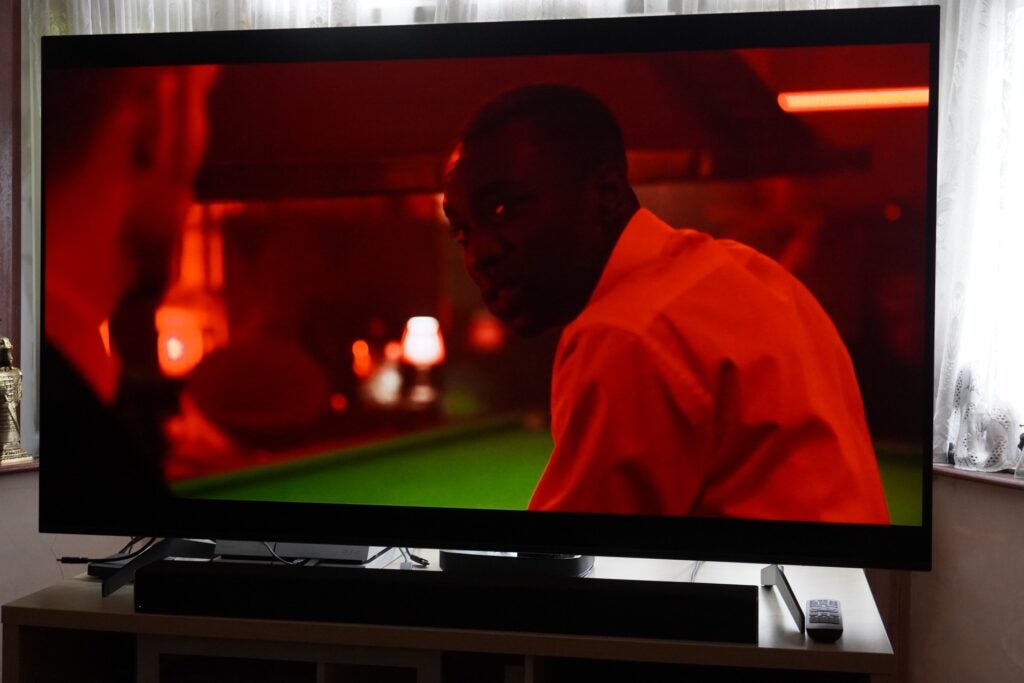
Watching Gangs of London on NOW and there’s plenty of fine detail to grasp from the actor’s faces, clothing and production design, with strong representation of colours too, like a scene that takes place in a club with saturated red lights contrasting with the green of a snooker table. The Fire TV Cube feels like it’s giving your TV every opportunity to look its best.
Dolby Atmos in its lossy Dolby Digital+ is supported if you have the kit to take advantage. If not, the Fire TV Cube can play audio in stereo and Dolby Digital. The audio performance is similar to other Fire TV Sticks, which I’d say have the edge on their more bassy Roku rivals, the Fire TV cube displays the most refined and rounded bass performance of the lot. Both Dolby Atmos and MQA content are supported with Tidal, which is better than Roku can manage with its Tidal app.
There are eight microphones and advanced beamforming technology that suppress surrounding noise to hear your requests, the Fire TV Cube uses local processing to ensure Alexa responds quicker, and there’s a built-in 1.6-inch speaker so Alexa can speak to you. The hexa-core processor powering it aims to offer a fast and fluid performance.
And Alexa is responsive to requests, with both a near- and far-field microphone ensuring she could hear me from across a room. She saves a press of a button or a search through the menus for mundane tasks. Up or lower the volume and she can do that too, as switching between the HDMI sources on your TV.
There were moments where she can get confused, but I wouldn’t say it was her fault. I asked her to fetch Conversations with Friends and there also happens to be a podcast episode with that title on Amazon Music. A second attempt took me to the episode I was watching on iPlayer. Asking a similar fetch and retrieve for Our House on ITV Hub and Alexa went to the last episode, not helpful if you don’t like spoilers.
It helps to be more specific with your phrasing, such as ‘Alexa, play Doctor Strange in the Multiverse of Madness on Disney+’ instead of ‘Play Doctor Strange in the Multiverse of Madness’. That way she took me to playback of the film instead of a track on Spotify.
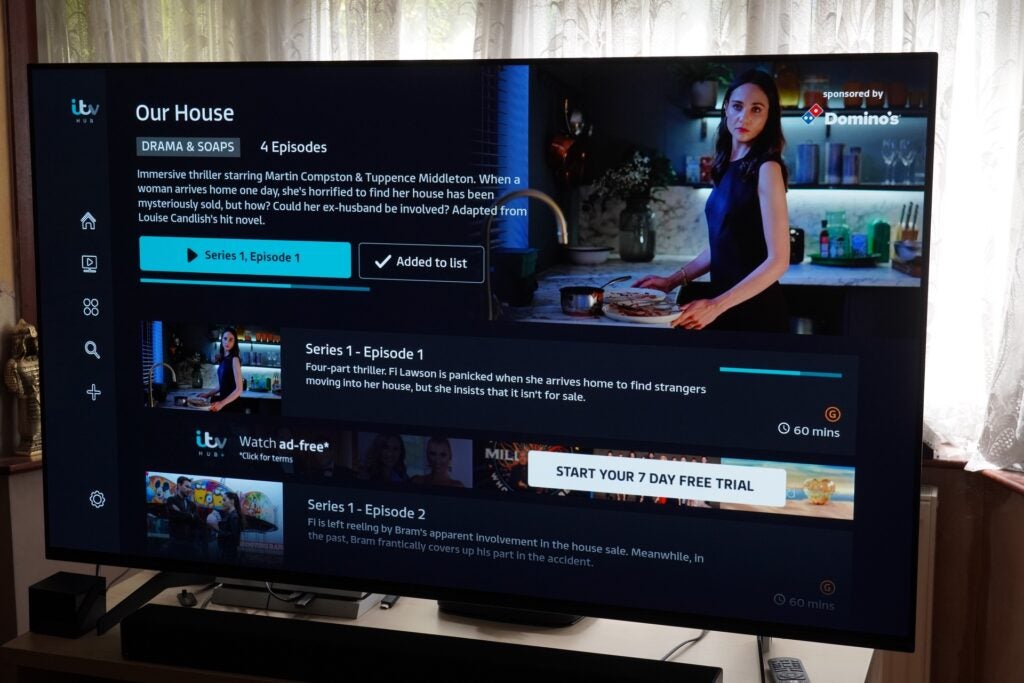
You can also play/pause episodes and films with Alexa voice control, which is supported on iPlayer, Netflix, Disney+ and All 4. You can navigate hands-free in All 4 and ITV Hub, too. In terms of navigation, I think it’s quicker to use the remote than to keep saying ‘Alexa, do this…’ It’s nice to have anyway.
You can increase the number of products Alexa holds sway over in the Settings menu; whether that’s a satellite box, AV receiver or game console. Connecting a Virgin TiVO box involved letting Alexa know which HDMI port it was connected to on the TV, with Alexa switching back and forth between the inputs to confirm.
Latest deals
Should you buy it?
You’re a Prime subscriber If you’re a Prime subscriber who favours the entertainment options the retailer offers, then the Fire TV Cube is a one-stop shop.
You find it’s a bit expensive At £110 it’s twice as much as either the Fire TV Stick 4K or the Roku Streaming Stick Plus, but it does offer a greater degree of functionality. You can always wait for a sales event to get it for less.
Final Thoughts
The Fire TV Cube is the best Fire TV streamer than Amazon currently offers though it does come at a significant price premium over the Fire TV Stick 4K Max.
Overall performance isn’t too dissimilar between those two models, though with the built-in speaker for Alexa, the Fire TV Cube is the more convenient. It also offers more control over a home cinema set-up making it the best streaming option for home cinema enthusiasts.
How we test
We test every video streamer we review thoroughly over an extended period of time. We use industry-standard tests to compare features properly. We’ll always tell you what we find. We never, ever, accept money to review a product.
Find out more about how we test in our ethics policy.
Tested with video and audio content
FAQs
The Fire TV Cube offers greater control over home cinema equipment and hands-free Alexa support
Jargon buster
Dolby Vision
Dolby Vision is a variant of HDR, adding a layer of dynamic metadata to the core HDR signal. This dynamic metadata carries scene-by-scene (or frame-by-frame) instructions from content creators on how a TV should present the images to improve everything from brightness to contrast, detailing and colour reproduction.
HDR10+
HDR10+ is a HDR format supported by Panasonic and Samsung as a free to use, open platform alternative to Dolby Vision. It adds dynamic metadata on top of the core HDR10 signal that tells a TV how it should adjust the brightness, colours and contrast of content for the most optimal picture quality.
Dolby Atmos
Dolby Atmos is an object-based audio format. It expands on 5.1 and 7.1 soundtracks by adding overhead channels. Sounds are referred to as “audio objects”, of which there can be up to 128 audio channels, and these ‘objects’ can be accurately positioned within a 3D soundscape. This allows soundtracks that support the technology to place sounds above and around the listener with compatible kit.

Verdict
The Fire TV Cube remains an excellent video streamer with its HDR support, impressive picture and sound performance plus its Alexa integration. For home cinema fans this is the Fire TV model to get.
Pros
- Excellent picture and sound
- Control over a wide range of home cinema devices
- Simple set-up
- Hands-free Alexa
Cons
- HDMI cable not included
- Double the price of the Fire TV Stick 4K
- Focus on Prime Video content
Availability
- UKRRP: £109.99
- USARRP: $109.99
- EuropeRRP: €119.99
- CanadaRRP: CA$149.99
- Australiaunavailable
-
Hexa-core processorStill the most powerful Fire TV streamer -
Multi-HDR supportSupports Dolby Vision and HDR10+
Introduction
The Fire TV Cube is the second gen version of Amazon’s most expensive streaming player, set up as a rival to Apple’s 4K TV box.
It’s arguably still Amazon’s fastest and most powerful Fire TV product yet despite the launch of the Fire TV Stick 4K Max, and it’s been updated to support Amazon’s latest interface.
Nearly three years on from when it first launched, how is the Cube faring, and is it still worth purchasing?
Design
- It looks like a cube!
- Privacy button to mute Alexa
- Alexa voice remote 3rd Gen
The Fire TV Cube is, like its name implies, cubed in shape. Its appearance is glossy black finish, which is a magnet for dust and smudges if you get up close to the unit. Like all of Amazon’s Fire TV products it’s not meant to draw much attention to itself.
The Cube has a HDMI, a mini-USB and IR extender port on its rear but, annoyingly, no HDMI cable included. What you do get is an IR extender cable – which Amazon has made available separately – and an ethernet adaptor for a hardwired connection. The purpose of the IR extender is to open up the Fire TV’s reach so it can control other devices in tight spaces or ones locked away in an AV rack.
On the top is the ribbon LED strip that signals Alexa’s response. There are four buttons too, volume, an action button for Alexa and a mute button that turns off Alexa’s microphones. You arguably won’t use these controls much, but they’re useful if the included voice remote has gone walkies.
The remote has a mute button for the TV, a microphone button for Alexa, and the layout of D-pad for navigation, playback and volume controls, home button etc. I like the snappy feel of the control, which is much preferable to Roku’s remotes.
Interface
- More organised menu layout
- Focused on Prime Video/FreeVee content
- Alexa for hands-free navigation
The focus with the interface is on Amazon content, which shouldn’t be a surprise to anyone, but for those who want a more platform agnostic approach, there’s always Roku’s streaming sticks.
At the top of the UI is a carousel that mostly focuses on Prime Video and Freevee, and below is where you’ll find your main apps (the order and selection of which you can customise), followed by content you’re recently watched so you can jump back in; recently used apps; a section labelled as ‘Next Up For You’ that appears to be a random selection of films and shows.
Then it’s Live TV (which hosts a bunch of internet channels like the Red Bull Channel), and curated rows of titles from Netflix, Prime Video and Freevee and other services.
There are plenty of apps to keep anyone occupied and, in my estimation, more than you’ll find on Roku with the likes of Netflix, Disney+, NOW, BT Sport, UFC, NFL, Eurosport, Spotify, Tidal, BBC Sounds, Deezer, ROXi and many, many more.
As I’ve mentioned in the Fire TV Stick 4K Max review, some of the tweaks since the all-new interface went live have been a bit puzzling, although one issue that has been fixed was the Library (‘My Stuff’) being buried in the ‘Find’ tab. It’s now back on the Home screen again. Another issue is where some titles, for example Spider-Man: No Way Home, have a 4K tag but clicking through to the title page you’re offered options for renting and buying in HD only.
Amazon encourages use of Alexa, with consistent prompts in the bottom left corner suggesting ways of using the digital voice assistant (these can be turned off). One other thing to note is the Fire TV Cube needs to be placed one to two feet (around 30cm) away from a speaker. Presumably so Alexa can not only hear you but isn’t confused by the wash of audio that could sound like a command.
Performance
- A very fine picture presentation
- Multi-HDR support
- Swift Alexa response
- Detailed and nuanced audio performance
In terms of picture quality, the Fire TV Cube puts in a pleasing performance. HDR compatibility is all-inclusive with HDR10, HLG, HDR10+ and Dolby Vision, which gives the reassuring feeling the Fire TV Cube can extract the best picture quality possible from whatever source.
Overall picture performance depends on your TV, the Fire TV Cube will play to its strengths and won’t be able to do much about its weakness just like any other video streamer. But the performance is on the level of the Fire TV Stick 4K Max, if not slightly edging it.
The Fire TV Cube copes with darker scenes better than either the Fire TV Stick 4K Max or Strong Leap-S1 in both The Witch and an episode of Mr Robot where a suspect is being interrogated by the FBI. The surface of the background behind the actors features less compression and artefacts on the Fire TV Cube, which can distract on the Fire TV Stick.
Viewing the second series of Russian Doll and the Dolby Vision enhancement helps push the warm red light in a bar and electric blues of some signage to evoke the rich, nocturnal feel of 80s New York the series is going for. Staying with Netflix and the Dolby Vision presentation of Rebecca offers some great high contrast lightning of the actors, and lots of fine detail and textures, like the creamy finish of Maxim de Winter’s car. It’s a great looking presentation.
Watching Gangs of London on NOW and there’s plenty of fine detail to grasp from the actor’s faces, clothing and production design, with strong representation of colours too, like a scene that takes place in a club with saturated red lights contrasting with the green of a snooker table. The Fire TV Cube feels like it’s giving your TV every opportunity to look its best.
Dolby Atmos in its lossy Dolby Digital+ is supported if you have the kit to take advantage. If not, the Fire TV Cube can play audio in stereo and Dolby Digital. The audio performance is similar to other Fire TV Sticks, which I’d say have the edge on their more bassy Roku rivals, the Fire TV cube displays the most refined and rounded bass performance of the lot. Both Dolby Atmos and MQA content are supported with Tidal, which is better than Roku can manage with its Tidal app.
There are eight microphones and advanced beamforming technology that suppress surrounding noise to hear your requests, the Fire TV Cube uses local processing to ensure Alexa responds quicker, and there’s a built-in 1.6-inch speaker so Alexa can speak to you. The hexa-core processor powering it aims to offer a fast and fluid performance.
And Alexa is responsive to requests, with both a near- and far-field microphone ensuring she could hear me from across a room. She saves a press of a button or a search through the menus for mundane tasks. Up or lower the volume and she can do that too, as switching between the HDMI sources on your TV.
There were moments where she can get confused, but I wouldn’t say it was her fault. I asked her to fetch Conversations with Friends and there also happens to be a podcast episode with that title on Amazon Music. A second attempt took me to the episode I was watching on iPlayer. Asking a similar fetch and retrieve for Our House on ITV Hub and Alexa went to the last episode, not helpful if you don’t like spoilers.
It helps to be more specific with your phrasing, such as ‘Alexa, play Doctor Strange in the Multiverse of Madness on Disney+’ instead of ‘Play Doctor Strange in the Multiverse of Madness’. That way she took me to playback of the film instead of a track on Spotify.
You can also play/pause episodes and films with Alexa voice control, which is supported on iPlayer, Netflix, Disney+ and All 4. You can navigate hands-free in All 4 and ITV Hub, too. In terms of navigation, I think it’s quicker to use the remote than to keep saying ‘Alexa, do this…’ It’s nice to have anyway.
You can increase the number of products Alexa holds sway over in the Settings menu; whether that’s a satellite box, AV receiver or game console. Connecting a Virgin TiVO box involved letting Alexa know which HDMI port it was connected to on the TV, with Alexa switching back and forth between the inputs to confirm.
Latest deals
Should you buy it?
You’re a Prime subscriber If you’re a Prime subscriber who favours the entertainment options the retailer offers, then the Fire TV Cube is a one-stop shop.
You find it’s a bit expensive At £110 it’s twice as much as either the Fire TV Stick 4K or the Roku Streaming Stick Plus, but it does offer a greater degree of functionality. You can always wait for a sales event to get it for less.
Final Thoughts
The Fire TV Cube is the best Fire TV streamer than Amazon currently offers though it does come at a significant price premium over the Fire TV Stick 4K Max.
Overall performance isn’t too dissimilar between those two models, though with the built-in speaker for Alexa, the Fire TV Cube is the more convenient. It also offers more control over a home cinema set-up making it the best streaming option for home cinema enthusiasts.
How we test
We test every video streamer we review thoroughly over an extended period of time. We use industry-standard tests to compare features properly. We’ll always tell you what we find. We never, ever, accept money to review a product.
Find out more about how we test in our ethics policy.
Tested with video and audio content
FAQs
The Fire TV Cube offers greater control over home cinema equipment and hands-free Alexa support
Jargon buster
Dolby Vision
Dolby Vision is a variant of HDR, adding a layer of dynamic metadata to the core HDR signal. This dynamic metadata carries scene-by-scene (or frame-by-frame) instructions from content creators on how a TV should present the images to improve everything from brightness to contrast, detailing and colour reproduction.
HDR10+
HDR10+ is a HDR format supported by Panasonic and Samsung as a free to use, open platform alternative to Dolby Vision. It adds dynamic metadata on top of the core HDR10 signal that tells a TV how it should adjust the brightness, colours and contrast of content for the most optimal picture quality.
Dolby Atmos
Dolby Atmos is an object-based audio format. It expands on 5.1 and 7.1 soundtracks by adding overhead channels. Sounds are referred to as “audio objects”, of which there can be up to 128 audio channels, and these ‘objects’ can be accurately positioned within a 3D soundscape. This allows soundtracks that support the technology to place sounds above and around the listener with compatible kit.



