





The Huawei MateBook 16s was announced alongside the MateBook D 16, boasting a large 16-inch touchscreen and the latest Alder Lake 12th-Generation Intel Core processor. It seems ideal for anyone who wants a large-screen laptop that can be used for entry-level creative tasks like photo editing.
Availability
- UKRRP: £1299.99
- EuropeRRP: €1699
-
Runs on Windows 11Comes with Windows 11 preinstalled -
Large screenThe large 16-inch touchscreen is ideal for photo editing or watching movies. -
12th-Generation Intel processorCan be configured up to an i9-12900H processor and is Intel Evo certified
Introduction
Huawei has announced the MateBook 16s, coming in as the touchscreen successor to the Huawei MateBook 16 while boasting the latest 12th-Generation Intel chips and a new webcam.
The latest large-screen laptop from Huawei has the same sleek branding as the rest of the MateBook range, coming in only one colourway.
I will be covering my first impression of the laptop since I have not yet spent enough time with the laptop for a full review. However, make sure to check back in with Trusted Reviews soon, as our full review of the MateBook 16s will be coming soon.
Design and keyboard
- Sturdy build
- Clicky touchpad and keyboard
- Under 2kg
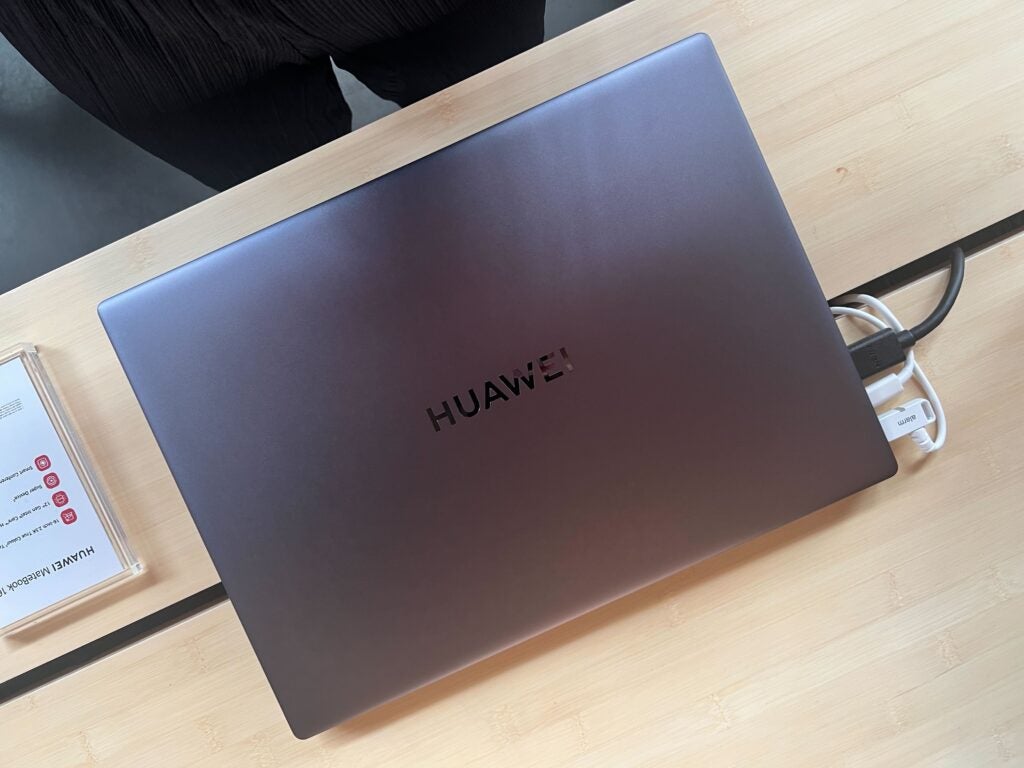
The Huawei MateBook 16s keeps the same design as all the other MateBook laptops, coming in one colourway: Space Grey. While I would have liked to see some more colours, like the MateBook X Pro 2022‘s Spruce Green, this design is mature and would fit in perfectly in an office.
I thought the laptop felt sturdy and well built, with the 1.99kg weight making it feel robust. I could just about hold it with one hand, though I imagine it would feel fine to carry around in a backpack, provided you weren’t travelling constantly. I also believe that the laptop could sustain a few knocks and bumps without taking damage, which may be ideal for anyone who is always on the go and needs a well-built machine.
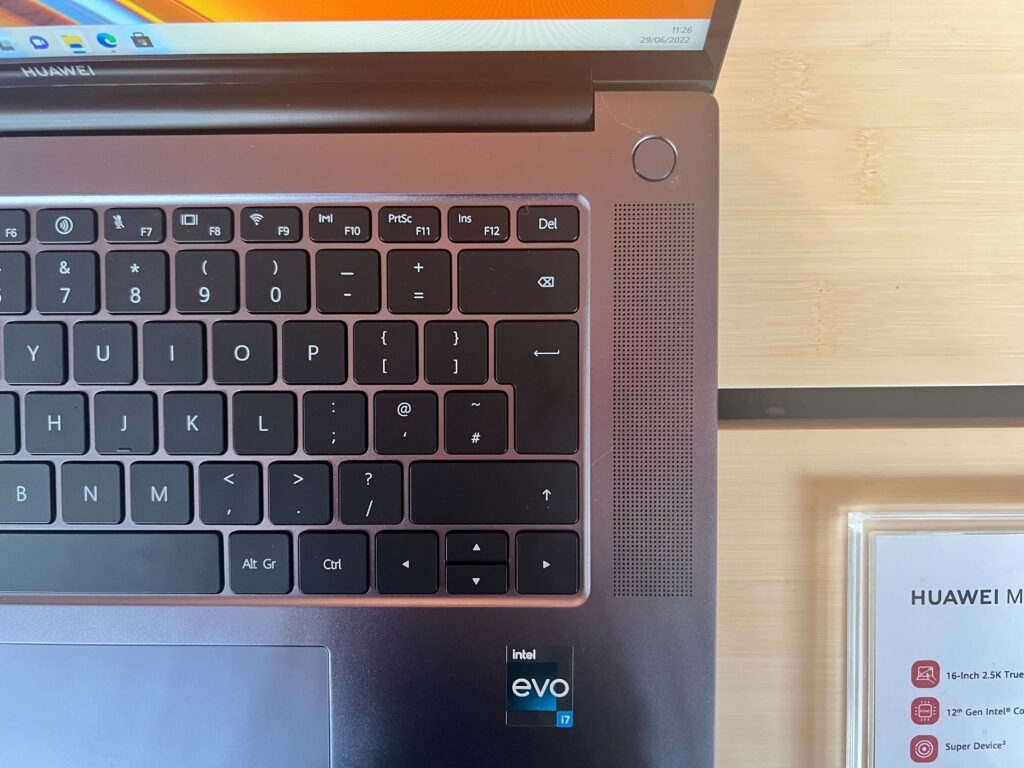
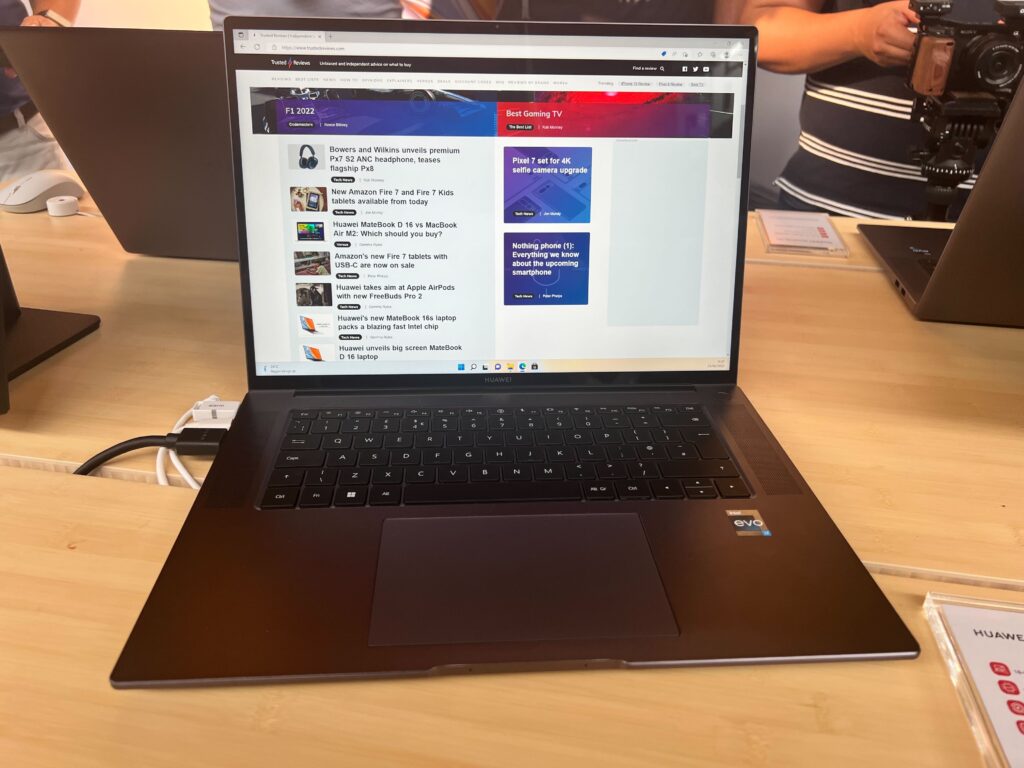
Unlike the new MateBook D 16, this laptop does not feature a number pad alongside the keyboard, however, since it’s targeted at creatives I think the omission is a good thing. From my short time using it, I thought the keyboard was responsive and had a good depth and I had no issue using it to type out a few simple words.
The touchpad was also roomy and felt clicky to use, which I liked, and I didn’t notice any lag or issues when moving the cursor on the screen.
Screen
- 16-inch display
- 2520×1680 resolution
- Touch screen support
The biggest selling point of the Huawei MateBook 16s is obviously its large 16-inch screen, coming with a 2520×1680 resolution and a 3:2 aspect ratio. While I wasn’t able to watch a movie on this laptop during my short time with it, I thought the display was vibrant and colourful with a quoted 300 nits of brightness from Huawei.
I like the fact the laptop includes touchscreen support, like the MateBook 14s, as it allowed me to easily jump between tabs and open up new apps without needing to search for my cursor.
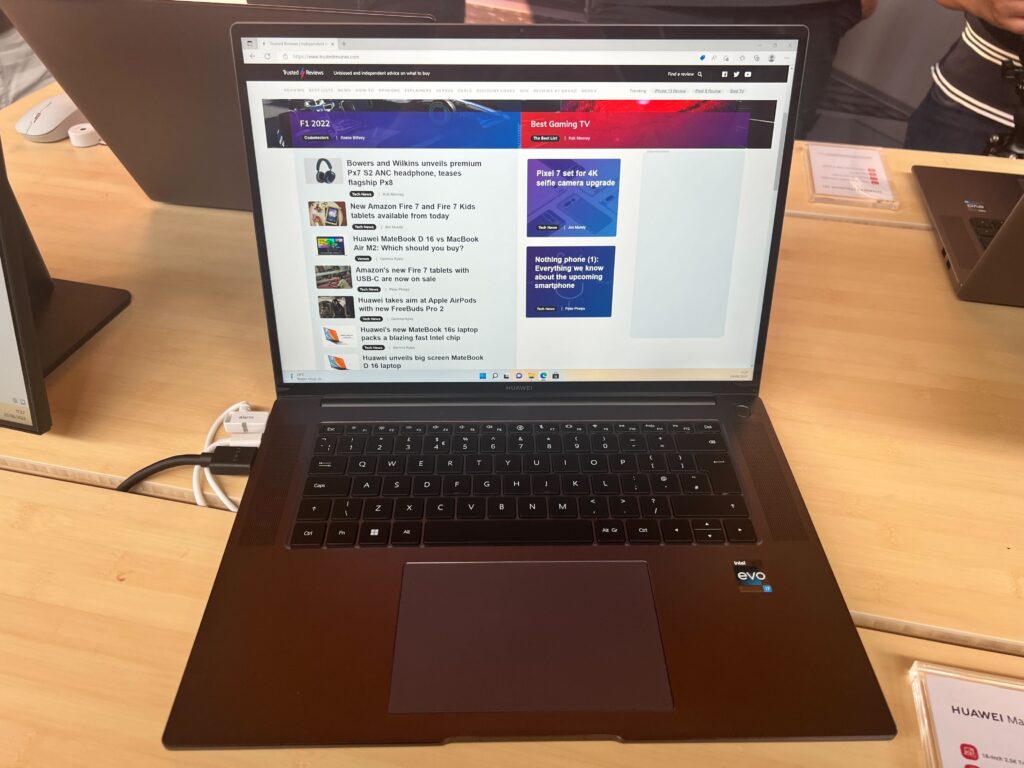
I’m a big have of having such as big screen, as it worked well for multitasking, allowing me to open multiple tabs at the same time without the screen feeling clustered. I liked how bright and colourful the screen was, and I suspect it would work great for watching media.
Specs
- 12th-Generation Intel Core processor
- Intel Iris Xe Graphics
- Multiple ports
Since I was not able to spend enough time with the Huawei MateBook 16s to get a full view of its performance, I will just be going over the specs. The laptop comes with 12th-Generation Intel Core processors, with choices between the i9-12900H and i7-12700H processors.
The H-Series of Alder Lake processors are designed to take on high-performance workloads and I would expect it to handle all productivity tasks, such as browsing the web, checking emails and writing up documents. Huawei is pushing this laptop as a creative device, even though it come with an integrated GPU – Intel Iris Xe Graphics – which may not be powerful enough to take on large tasks such as 4K video editing or 3D rendering.
However, I do think it will be able to handle less intensive tasks, such as photo editing or 1080p video editing, due to the high performance that the CPU is likely capable of.
Huawei has not made any claims about the battery life of the MateBook 16s, though we will be sure to test it out when we get it in for testing.
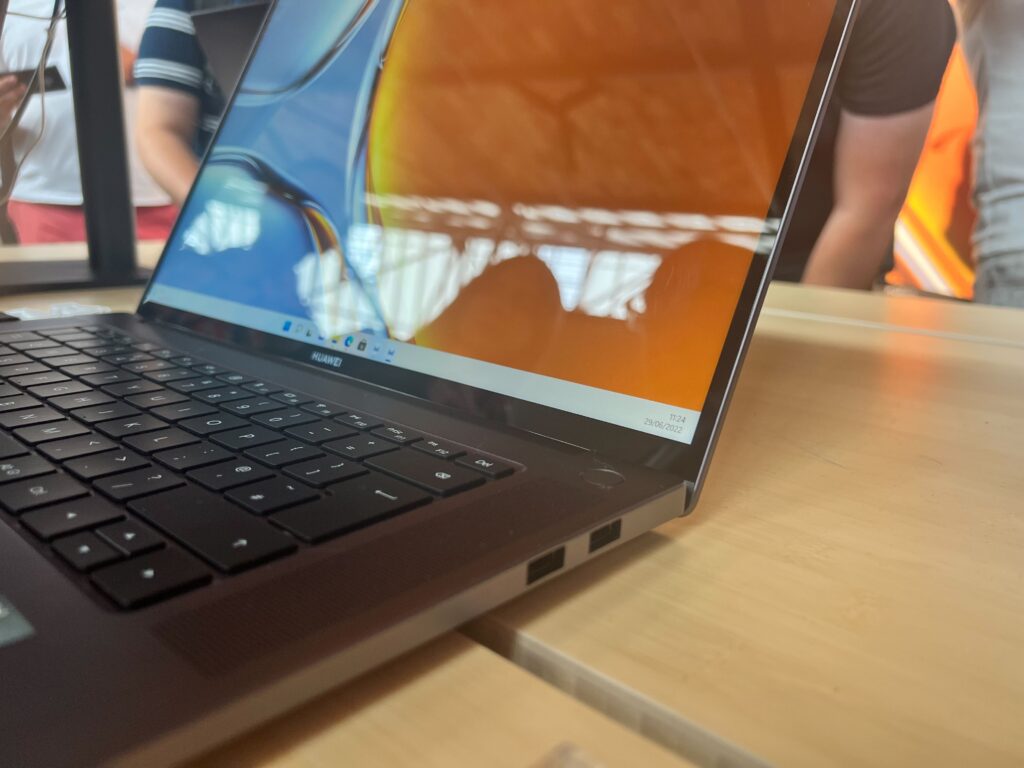
In terms of ports, it comes with two USB-A 3.2, USB-C, Thunderbolt 4, HDMI and a 3.5mm audio jack.
It also comes with an updated 2MP 1080p AI camera that has an 88-degree wide angle, and comes with multiple features such as FollowCam mode, which ensures the speaker is always in the centre of the screen, as well as Virtual Background, which allows users to upload images as their background.
I was able to try out the FollowCam and found that it was able to accurately track my face, although it would sometimes get distracted with other people in the room so may not be ideal for those working in a busy office environment.
First Impression
Despite only spending a short time with the Huawei MateBook 16s, I thought it was a solid laptop and ideal choice for anyone looking to engage in entry-level creative work on a large screen. The large 16-inch screen looked bright and vibrant, making it ideal for photo editing, multitasking ands even Netflix binigng sessions.
I do think the starting price of £1299.99 is a little steep given the lack of a discrete GPU, but the 12th-Gen H-Series Intel processor and Intel Evo certification should make it a speedy device that I would expect can breeze though productivity tasks.
While I wouldn’t recommend it to any professional or gamer seeing a high-end graphics performance, I think it will work well for anyone after a large portable device with generous screen space.
Jargon buster
GPU
The graphics processing unit is designed to render graphics, which is particularly important for gaming, creating 3D models and editing video.

The Huawei MateBook 16s was announced alongside the MateBook D 16, boasting a large 16-inch touchscreen and the latest Alder Lake 12th-Generation Intel Core processor. It seems ideal for anyone who wants a large-screen laptop that can be used for entry-level creative tasks like photo editing.
Availability
- UKRRP: £1299.99
- EuropeRRP: €1699
-
Runs on Windows 11Comes with Windows 11 preinstalled -
Large screenThe large 16-inch touchscreen is ideal for photo editing or watching movies. -
12th-Generation Intel processorCan be configured up to an i9-12900H processor and is Intel Evo certified
Introduction
Huawei has announced the MateBook 16s, coming in as the touchscreen successor to the Huawei MateBook 16 while boasting the latest 12th-Generation Intel chips and a new webcam.
The latest large-screen laptop from Huawei has the same sleek branding as the rest of the MateBook range, coming in only one colourway.
I will be covering my first impression of the laptop since I have not yet spent enough time with the laptop for a full review. However, make sure to check back in with Trusted Reviews soon, as our full review of the MateBook 16s will be coming soon.
Design and keyboard
- Sturdy build
- Clicky touchpad and keyboard
- Under 2kg
The Huawei MateBook 16s keeps the same design as all the other MateBook laptops, coming in one colourway: Space Grey. While I would have liked to see some more colours, like the MateBook X Pro 2022‘s Spruce Green, this design is mature and would fit in perfectly in an office.
I thought the laptop felt sturdy and well built, with the 1.99kg weight making it feel robust. I could just about hold it with one hand, though I imagine it would feel fine to carry around in a backpack, provided you weren’t travelling constantly. I also believe that the laptop could sustain a few knocks and bumps without taking damage, which may be ideal for anyone who is always on the go and needs a well-built machine.
Unlike the new MateBook D 16, this laptop does not feature a number pad alongside the keyboard, however, since it’s targeted at creatives I think the omission is a good thing. From my short time using it, I thought the keyboard was responsive and had a good depth and I had no issue using it to type out a few simple words.
The touchpad was also roomy and felt clicky to use, which I liked, and I didn’t notice any lag or issues when moving the cursor on the screen.
Screen
- 16-inch display
- 2520×1680 resolution
- Touch screen support
The biggest selling point of the Huawei MateBook 16s is obviously its large 16-inch screen, coming with a 2520×1680 resolution and a 3:2 aspect ratio. While I wasn’t able to watch a movie on this laptop during my short time with it, I thought the display was vibrant and colourful with a quoted 300 nits of brightness from Huawei.
I like the fact the laptop includes touchscreen support, like the MateBook 14s, as it allowed me to easily jump between tabs and open up new apps without needing to search for my cursor.
I’m a big have of having such as big screen, as it worked well for multitasking, allowing me to open multiple tabs at the same time without the screen feeling clustered. I liked how bright and colourful the screen was, and I suspect it would work great for watching media.
Specs
- 12th-Generation Intel Core processor
- Intel Iris Xe Graphics
- Multiple ports
Since I was not able to spend enough time with the Huawei MateBook 16s to get a full view of its performance, I will just be going over the specs. The laptop comes with 12th-Generation Intel Core processors, with choices between the i9-12900H and i7-12700H processors.
The H-Series of Alder Lake processors are designed to take on high-performance workloads and I would expect it to handle all productivity tasks, such as browsing the web, checking emails and writing up documents. Huawei is pushing this laptop as a creative device, even though it come with an integrated GPU – Intel Iris Xe Graphics – which may not be powerful enough to take on large tasks such as 4K video editing or 3D rendering.
However, I do think it will be able to handle less intensive tasks, such as photo editing or 1080p video editing, due to the high performance that the CPU is likely capable of.
Huawei has not made any claims about the battery life of the MateBook 16s, though we will be sure to test it out when we get it in for testing.
In terms of ports, it comes with two USB-A 3.2, USB-C, Thunderbolt 4, HDMI and a 3.5mm audio jack.
It also comes with an updated 2MP 1080p AI camera that has an 88-degree wide angle, and comes with multiple features such as FollowCam mode, which ensures the speaker is always in the centre of the screen, as well as Virtual Background, which allows users to upload images as their background.
I was able to try out the FollowCam and found that it was able to accurately track my face, although it would sometimes get distracted with other people in the room so may not be ideal for those working in a busy office environment.
First Impression
Despite only spending a short time with the Huawei MateBook 16s, I thought it was a solid laptop and ideal choice for anyone looking to engage in entry-level creative work on a large screen. The large 16-inch screen looked bright and vibrant, making it ideal for photo editing, multitasking ands even Netflix binigng sessions.
I do think the starting price of £1299.99 is a little steep given the lack of a discrete GPU, but the 12th-Gen H-Series Intel processor and Intel Evo certification should make it a speedy device that I would expect can breeze though productivity tasks.
While I wouldn’t recommend it to any professional or gamer seeing a high-end graphics performance, I think it will work well for anyone after a large portable device with generous screen space.
Jargon buster
GPU
The graphics processing unit is designed to render graphics, which is particularly important for gaming, creating 3D models and editing video.



