





Verdict
The Logitech Pebble Mouse 2 M350s is a decent affordable mouse to use on the go or in the office. It offers some big internal upgrades over its predecessors, including quieter buttons and a snappier sensor. Its flat profile will take some getting used to, but it certainly doesn’t feel too cheap.
Pros
- Responsive sensor and buttons
- Powerful software
- Solid battery life
- Stunningly cheap
Cons
- Flat design may not suit some
- Lack of additional buttons
-
Upgraded internals:The Pebble Mouse 2 M350s features an uprated 4000 DPI sensor and quieter buttons for a responsive experience. -
Dual modes of connectivity:It can connect to your PC either via Bluetooth or the Logi Bolt USB receiver. -
Up to 24 months battery life:With its bundled AA battery, the Pebble Mouse 2 M350s can also last for up to 2 years on a single charge.
Introduction
Logitech’s Pebble Mouse 2 M350s offers a flat and affordable option for those on the go, and updates one of the brand’s more longstanding models for the better.
It brings with it some handy new features such as an uprated sensor, quieter mouse buttons and some powerful software in what seems like quite a reasonably priced package at £24.99/$29.99/€29.99.
Of course, it isn’t going to make for one of the best gaming mice out there today, but that’s not what the Pebble Mouse 2 M350s is designed for. It’s more of a compact office mouse, and as long as it delivers there, Logitech is on to a winner. Let’s find out.
Design
- Slender, flat frame
- Bereft of buttons, apart from the basics
- Lightweight and easy to transport
Compared to more traditional office mice, the Pebble Mouse 2 M350s is a little more unorthodox. The chassis is much flatter, which can take some getting used to on first use. It’s a relatively comfortable mouse in hand, although you will have to be wary of that adjustment period.
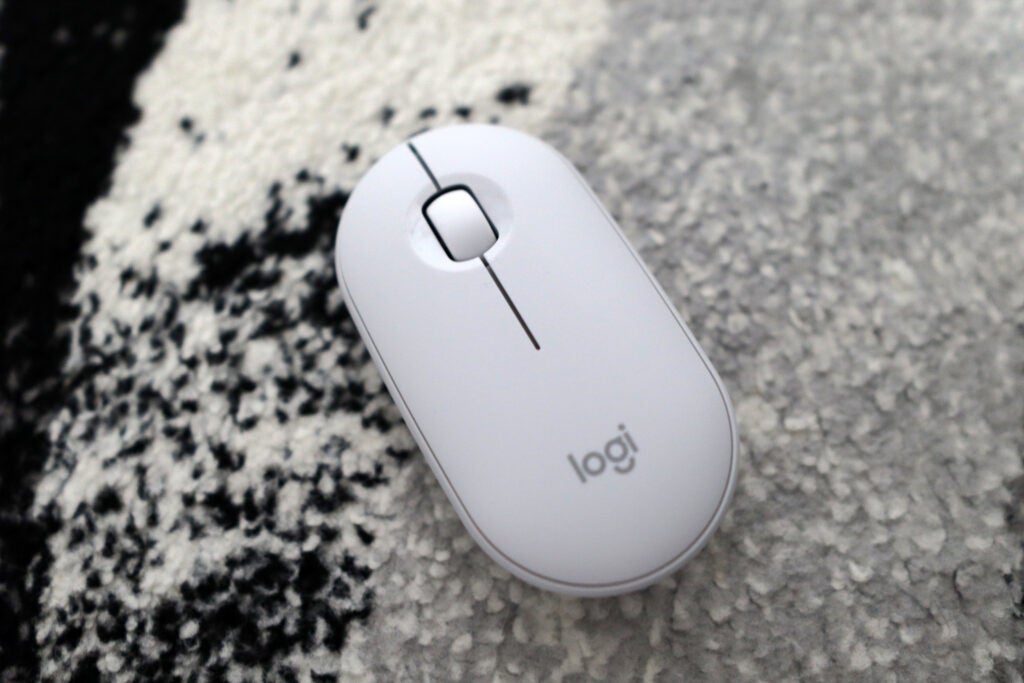
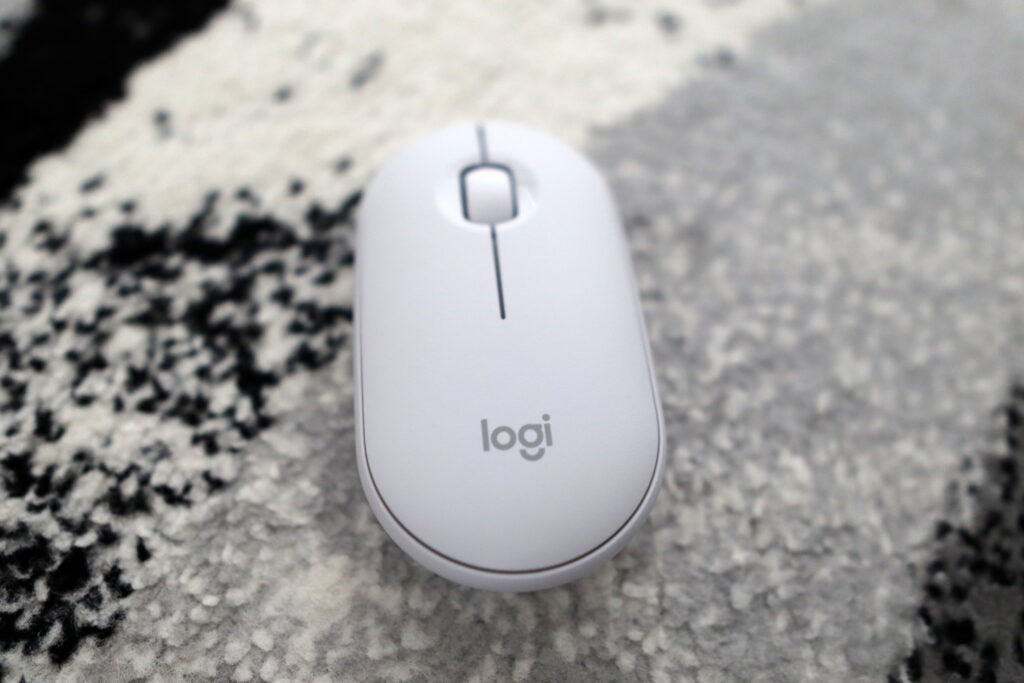
Its off-white and grey chassis looks modern and fits in well with the accompanying Pebble Keys 2 K380s keyboard, which you can purchase with the Pebble Mouse 2 M350s as a desk set. This is a mouse that only deals with the essentials in terms of buttons though, with left and right options, as well as a rubberised scroll wheel. No side buttons, or a thumb wheel – it’s back to basics for Logitech here. The lack of side buttons at least makes this a mouse that can be used by both right and left-handers, though, which is nice.
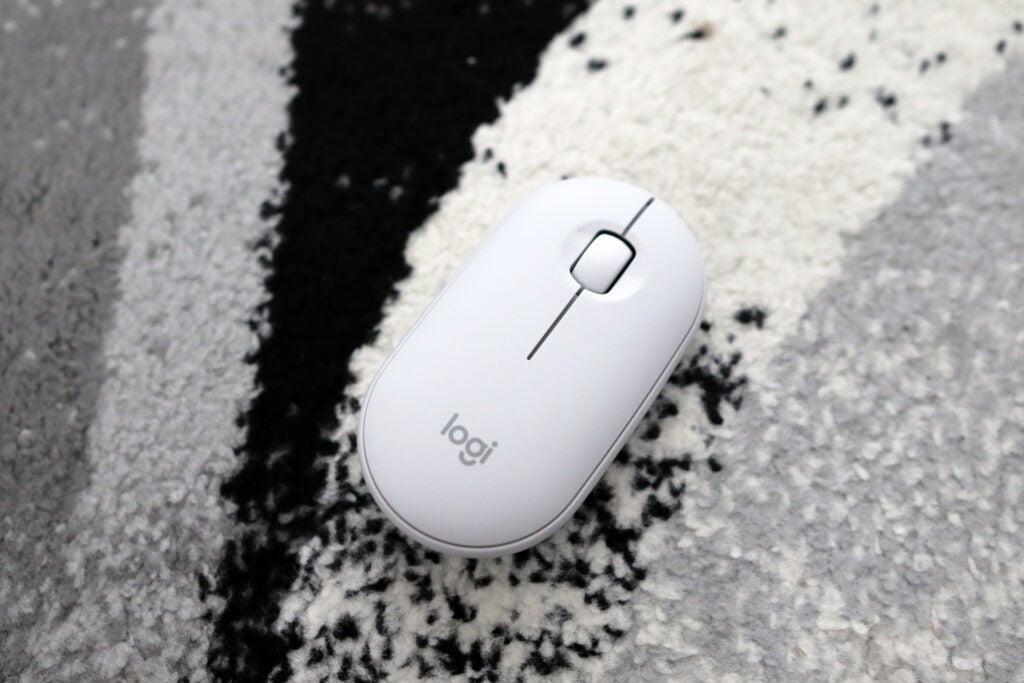
The smooth plastics used feel excellent, and the Pebble Mouse 2 M350s doesn’t feel cheap, despite its more affordable price tag. That slender frame, combined with a 76g weight, battery included, makes this an ideal travel mouse, where it can just be chucked in a bag without taking up too much space.
The underside is home to an on/off switch, as well as a button to switch between connected devices, as well as some small glide pads to allow for smooth operation when on your desk. As this isn’t a mouse that comes bundled with a Logi Bolt dongle on its own, there’s no dongle storage, either. With that in mind, though, if you purchase the Pebble Mouse 2 M350s with the Pebble Keys 2 K380s as a combo set, there is a dongle included.
The Logitech Pebble Mouse 2 M350s is made of 58% recycled plastics, according to Logitech. In terms of packaging, there’s no plastic involved, as the mouse comes in a cardboard box, and is wrapped in Logitech-branded paper. The review sample I received came as the combo set, although I imagine it would be similar to the mouse on its own.
Performance
- Upgraded sensitivity feels responsive
- Silent click buttons offer much quieter clicks
- Excellent battery life
It’s inside the Pebble Mouse 2 M350s where Logitech has introduced some wholesale upgrades, as opposed to the outside. The biggest of these is the movement to a 4000 DPI sensor, which marks a major upgrade compared to the 1000 DPI featured on the older M350. It’s a much better fit in 2023, offering a responsive experience for the office work it’s designed for.
Using the Pebble Mouse 2 M350s for day-to-day tasks took some getting used to with that flatter chassis, and it isn’t the most comfortable compared to the raised profile of my usual MX Master 3S. If you’re in a pinch, though, and you’re using it as an alternative to a laptop trackpad when on the go, I can see why the Pebble Mouse 2 M350s makes sense.
It also utilises silent click buttons, which Logitech has placed inside a lot of their recent office-based releases, including both the MX Master 3S and the more recent MX Anywhere 3S. The ones inside the Pebble Mouse 2 M350s feel similar, with an especially quiet click, although they don’t lose out on their tactility because of it. The buttons still feel responsive, and the dampened noise is handy for quieter use.
As for its connectivity, the Pebble Mouse 2 M350s works over both Bluetooth and a Logi Bolt receiver, although the latter isn’t included if you buy the mouse on its own. Connecting via either means is easy, and switching between them if you’re using more than one device is seamless with the button on the underside of the mouse’s chassis.
It’s powered by a single AA battery as found underneath the removable top casing, which makes changing batteries ease. You won’t be replacing them for years, though, as the Pebble Mouse 2 M350s is rated to last for up to 24 months on a single charge, giving you enough juice to last for 2 years or so.
Software
- Sleek and modern software
- Smart Actions are rather clever, despite only being programmable on one button
- Logi Flow is ideal for power users
Even on their more affordable mice, Logitech hasn’t skimped out on offering an extensive suite of software to make life easier. Bundling Logi Options+ with the Pebble Mouse 2 M350s makes it a much more compelling purchase than similarly priced alternatives for a couple of important reasons.
You can program what Logitech calls ‘Smart Actions’ with the Pebble Mouse 2 M350s. These are essentially macros that you can assign to the middle button, giving you the chance to program multi-level functions, such as opening multiple apps in one go. As well as this, you can also assign app-specific options within Options+, tying the mouse’s middle button to a specific function such as saving a document in Microsoft Word or opening a new tab in Chrome.
The Pebble Mouse 2 M350s also features the powers of Logitech Flow, which allows you to use the mouse on two different devices (with different OSes if you wish), as long as they’re connected on different channels and on the same network, and transfer files between them. For people who dual-wield between operating systems and devices, and want to keep working with a single set of peripherals, it’s an especially clever system. It is also nice to see this filtering down to one of Logitech’s more affordable mice, where it had previously been present on higher-cost options.
Latest deals
Should you buy it?
You want a powerful travel mouse
The Pebble Mouse 2 M350s offers some uprated internals in a travel-friendly package and makes for a solid travel companion.
You want a sculpted chassis
However, if you’re looking for a mouse with ergonomics at the forefront, the Pebble Mouse 2 M350s’s flat chassis may have you looking elsewhere.
Final Thoughts
The Pebble Mouse 2 M350s isn’t going to be my first choice to recommend to people who want the absolute best mouse for office use, but it’s an affordable option that has a lot to like about it. The upgrades Logitech have put inside are major and noteworthy, especially on the front of providing a much more powerful sensor, as well as quieter mouse buttons, which make using it a very pleasant experience.
It’s on the front of software where the biggest upgrades have been made. Options+ is an especially powerful suite and gives the Pebble Mouse 2 M350s a large edge over the competition, especially with Smart Actions and Logi Flow. Combined with this, the convenience of practically instant switching over Bluetooth, as well as support for Logi Bolt, and 2 years’ worth of battery life make this a solid little mouse.
Its construction is largely sturdy, and the ambidextrous nature of the design is pleasant enough. The flatter profile though isn’t the most comfortable at first compared to more ‘conventional’ looking mice, but I can understand why people would appreciate it from the perspective of a mouse to travel with. Once you’re used to using it, though, the Pebble Mouse 2 M350s feels decent in hand.
Logitech will provide you with those more conventional mice with some bigger upgrades in terms of sensitivity, such as the MX Anywhere 3S, although you will be paying more than double for it compared to the Pebble Mouse 2 M350s. For other more tailored options, dive into our best wireless mouse and best gaming mouse guides. Overall, this is a decent travel mouse with a lot to like about it, and you’ll be hard-pressed to find something a lot better for the outlay.
How we test
We use every mouse we test for at least a week. During that time, we’ll check it for ease of use and put it through its paces during day-to-day use.
We also check each mouse’s software to see how easy it is to customise and set up.
Used for at least a week.
Used both Bluetooth and dongle.
FAQs
The Logitech Pebble Mouse 2 M350s lasts for up to 2 years on its included AA battery.
The M350s, compared to the original M350, features quieter-click buttons, as well as an upgraded sensor (4000 vs 1000 DPI), and some new software – Logi Options+.

Verdict
The Logitech Pebble Mouse 2 M350s is a decent affordable mouse to use on the go or in the office. It offers some big internal upgrades over its predecessors, including quieter buttons and a snappier sensor. Its flat profile will take some getting used to, but it certainly doesn’t feel too cheap.
Pros
- Responsive sensor and buttons
- Powerful software
- Solid battery life
- Stunningly cheap
Cons
- Flat design may not suit some
- Lack of additional buttons
-
Upgraded internals:The Pebble Mouse 2 M350s features an uprated 4000 DPI sensor and quieter buttons for a responsive experience. -
Dual modes of connectivity:It can connect to your PC either via Bluetooth or the Logi Bolt USB receiver. -
Up to 24 months battery life:With its bundled AA battery, the Pebble Mouse 2 M350s can also last for up to 2 years on a single charge.
Introduction
Logitech’s Pebble Mouse 2 M350s offers a flat and affordable option for those on the go, and updates one of the brand’s more longstanding models for the better.
It brings with it some handy new features such as an uprated sensor, quieter mouse buttons and some powerful software in what seems like quite a reasonably priced package at £24.99/$29.99/€29.99.
Of course, it isn’t going to make for one of the best gaming mice out there today, but that’s not what the Pebble Mouse 2 M350s is designed for. It’s more of a compact office mouse, and as long as it delivers there, Logitech is on to a winner. Let’s find out.
Design
- Slender, flat frame
- Bereft of buttons, apart from the basics
- Lightweight and easy to transport
Compared to more traditional office mice, the Pebble Mouse 2 M350s is a little more unorthodox. The chassis is much flatter, which can take some getting used to on first use. It’s a relatively comfortable mouse in hand, although you will have to be wary of that adjustment period.
Its off-white and grey chassis looks modern and fits in well with the accompanying Pebble Keys 2 K380s keyboard, which you can purchase with the Pebble Mouse 2 M350s as a desk set. This is a mouse that only deals with the essentials in terms of buttons though, with left and right options, as well as a rubberised scroll wheel. No side buttons, or a thumb wheel – it’s back to basics for Logitech here. The lack of side buttons at least makes this a mouse that can be used by both right and left-handers, though, which is nice.
The smooth plastics used feel excellent, and the Pebble Mouse 2 M350s doesn’t feel cheap, despite its more affordable price tag. That slender frame, combined with a 76g weight, battery included, makes this an ideal travel mouse, where it can just be chucked in a bag without taking up too much space.
The underside is home to an on/off switch, as well as a button to switch between connected devices, as well as some small glide pads to allow for smooth operation when on your desk. As this isn’t a mouse that comes bundled with a Logi Bolt dongle on its own, there’s no dongle storage, either. With that in mind, though, if you purchase the Pebble Mouse 2 M350s with the Pebble Keys 2 K380s as a combo set, there is a dongle included.
The Logitech Pebble Mouse 2 M350s is made of 58% recycled plastics, according to Logitech. In terms of packaging, there’s no plastic involved, as the mouse comes in a cardboard box, and is wrapped in Logitech-branded paper. The review sample I received came as the combo set, although I imagine it would be similar to the mouse on its own.
Performance
- Upgraded sensitivity feels responsive
- Silent click buttons offer much quieter clicks
- Excellent battery life
It’s inside the Pebble Mouse 2 M350s where Logitech has introduced some wholesale upgrades, as opposed to the outside. The biggest of these is the movement to a 4000 DPI sensor, which marks a major upgrade compared to the 1000 DPI featured on the older M350. It’s a much better fit in 2023, offering a responsive experience for the office work it’s designed for.
Using the Pebble Mouse 2 M350s for day-to-day tasks took some getting used to with that flatter chassis, and it isn’t the most comfortable compared to the raised profile of my usual MX Master 3S. If you’re in a pinch, though, and you’re using it as an alternative to a laptop trackpad when on the go, I can see why the Pebble Mouse 2 M350s makes sense.
It also utilises silent click buttons, which Logitech has placed inside a lot of their recent office-based releases, including both the MX Master 3S and the more recent MX Anywhere 3S. The ones inside the Pebble Mouse 2 M350s feel similar, with an especially quiet click, although they don’t lose out on their tactility because of it. The buttons still feel responsive, and the dampened noise is handy for quieter use.
As for its connectivity, the Pebble Mouse 2 M350s works over both Bluetooth and a Logi Bolt receiver, although the latter isn’t included if you buy the mouse on its own. Connecting via either means is easy, and switching between them if you’re using more than one device is seamless with the button on the underside of the mouse’s chassis.
It’s powered by a single AA battery as found underneath the removable top casing, which makes changing batteries ease. You won’t be replacing them for years, though, as the Pebble Mouse 2 M350s is rated to last for up to 24 months on a single charge, giving you enough juice to last for 2 years or so.
Software
- Sleek and modern software
- Smart Actions are rather clever, despite only being programmable on one button
- Logi Flow is ideal for power users
Even on their more affordable mice, Logitech hasn’t skimped out on offering an extensive suite of software to make life easier. Bundling Logi Options+ with the Pebble Mouse 2 M350s makes it a much more compelling purchase than similarly priced alternatives for a couple of important reasons.
You can program what Logitech calls ‘Smart Actions’ with the Pebble Mouse 2 M350s. These are essentially macros that you can assign to the middle button, giving you the chance to program multi-level functions, such as opening multiple apps in one go. As well as this, you can also assign app-specific options within Options+, tying the mouse’s middle button to a specific function such as saving a document in Microsoft Word or opening a new tab in Chrome.
The Pebble Mouse 2 M350s also features the powers of Logitech Flow, which allows you to use the mouse on two different devices (with different OSes if you wish), as long as they’re connected on different channels and on the same network, and transfer files between them. For people who dual-wield between operating systems and devices, and want to keep working with a single set of peripherals, it’s an especially clever system. It is also nice to see this filtering down to one of Logitech’s more affordable mice, where it had previously been present on higher-cost options.
Latest deals
Should you buy it?
You want a powerful travel mouse
The Pebble Mouse 2 M350s offers some uprated internals in a travel-friendly package and makes for a solid travel companion.
You want a sculpted chassis
However, if you’re looking for a mouse with ergonomics at the forefront, the Pebble Mouse 2 M350s’s flat chassis may have you looking elsewhere.
Final Thoughts
The Pebble Mouse 2 M350s isn’t going to be my first choice to recommend to people who want the absolute best mouse for office use, but it’s an affordable option that has a lot to like about it. The upgrades Logitech have put inside are major and noteworthy, especially on the front of providing a much more powerful sensor, as well as quieter mouse buttons, which make using it a very pleasant experience.
It’s on the front of software where the biggest upgrades have been made. Options+ is an especially powerful suite and gives the Pebble Mouse 2 M350s a large edge over the competition, especially with Smart Actions and Logi Flow. Combined with this, the convenience of practically instant switching over Bluetooth, as well as support for Logi Bolt, and 2 years’ worth of battery life make this a solid little mouse.
Its construction is largely sturdy, and the ambidextrous nature of the design is pleasant enough. The flatter profile though isn’t the most comfortable at first compared to more ‘conventional’ looking mice, but I can understand why people would appreciate it from the perspective of a mouse to travel with. Once you’re used to using it, though, the Pebble Mouse 2 M350s feels decent in hand.
Logitech will provide you with those more conventional mice with some bigger upgrades in terms of sensitivity, such as the MX Anywhere 3S, although you will be paying more than double for it compared to the Pebble Mouse 2 M350s. For other more tailored options, dive into our best wireless mouse and best gaming mouse guides. Overall, this is a decent travel mouse with a lot to like about it, and you’ll be hard-pressed to find something a lot better for the outlay.
How we test
We use every mouse we test for at least a week. During that time, we’ll check it for ease of use and put it through its paces during day-to-day use.
We also check each mouse’s software to see how easy it is to customise and set up.
Used for at least a week.
Used both Bluetooth and dongle.
FAQs
The Logitech Pebble Mouse 2 M350s lasts for up to 2 years on its included AA battery.
The M350s, compared to the original M350, features quieter-click buttons, as well as an upgraded sensor (4000 vs 1000 DPI), and some new software – Logi Options+.



