





Verdict
Neat, simple to fit and easy to use, TP-Link’s Tapo S220 Smart Light Switch adds smart control to a lighting circuit. It’s a great way to integrate non-smart and specialist bulbs into lighting and other automation scenarios, but it does have some limitations – chiefly that it’s no use for two-way wiring such as on the stairs. Still, at this price it’s a great addition to an existing smart setup.
Cons
- One-way wiring only
- No dimmer
-
Make dumb lights smartThis smart switch replaces a standard one, letting you turn two lighting circuits on and off using the Tapo app.
Introduction
Smart bulbs are getting more varied, but you can’t yet find one for every fitting or application. Step forward TP-Link’s S220, a two-gang smart light switch to replace a single conventional one.
The S220’s two switches can toggle the power to two separate lighting circuits, or you can control them manually or automatically via the Tapo app.
The S220 should fit the existing backbox behind most standard modern light switches. There’s also a single switch version, the S210. Each circuit can handle up to 600 watts of lighting, or a ceiling fan of up to 50W.
While most Tapo devices connect directly to your existing Wi-Fi network, the S220 and S210 require either the H100 or H200 hub. You can buy the former for around £15.
Design and features
- Smart, slimline design
- Physical, app and voice control
- On and off, but no dimming
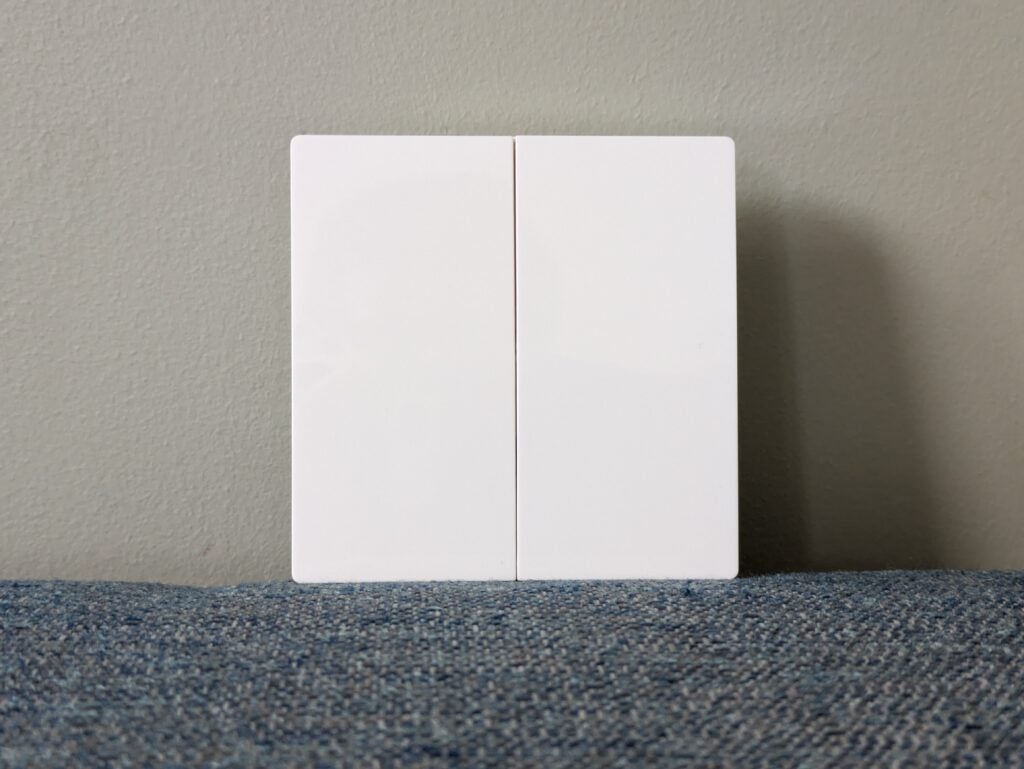
The TP-Link Tapo S220 Smart Light Switch has a modern, fuss-free design. Rather than two small switches on a large backplate, it’s all switches – you simply press either side gently to toggle the power on and off.
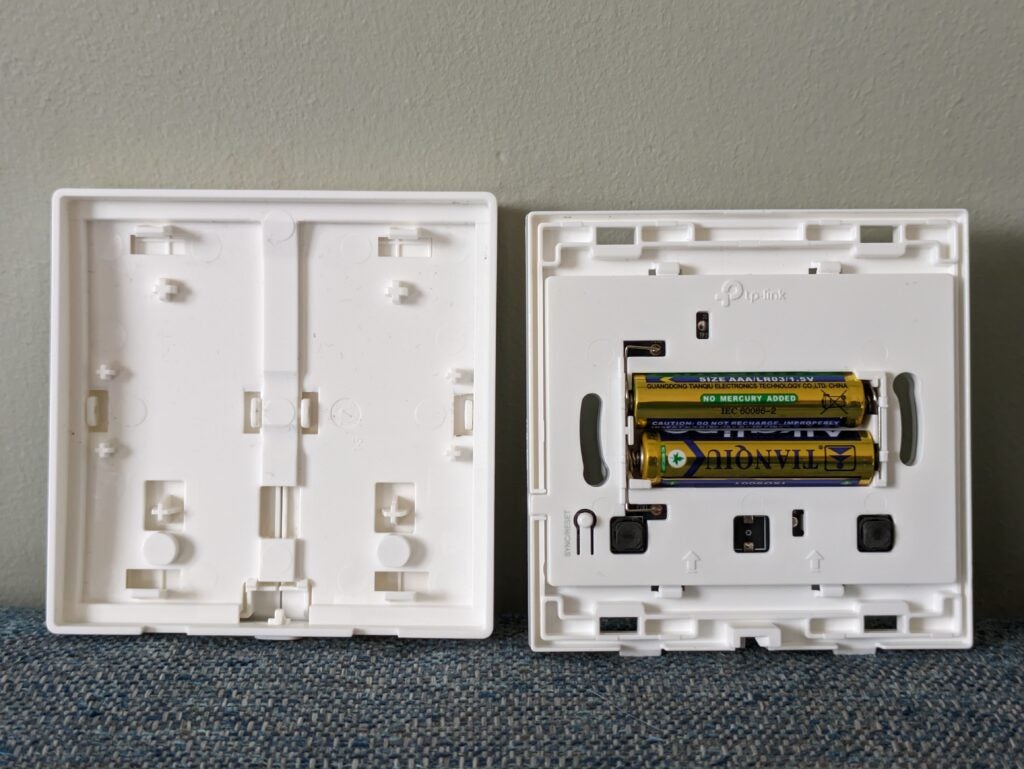
Unlock the front plate, pull it off and you can fit and change the batteries without going near any live wiring.
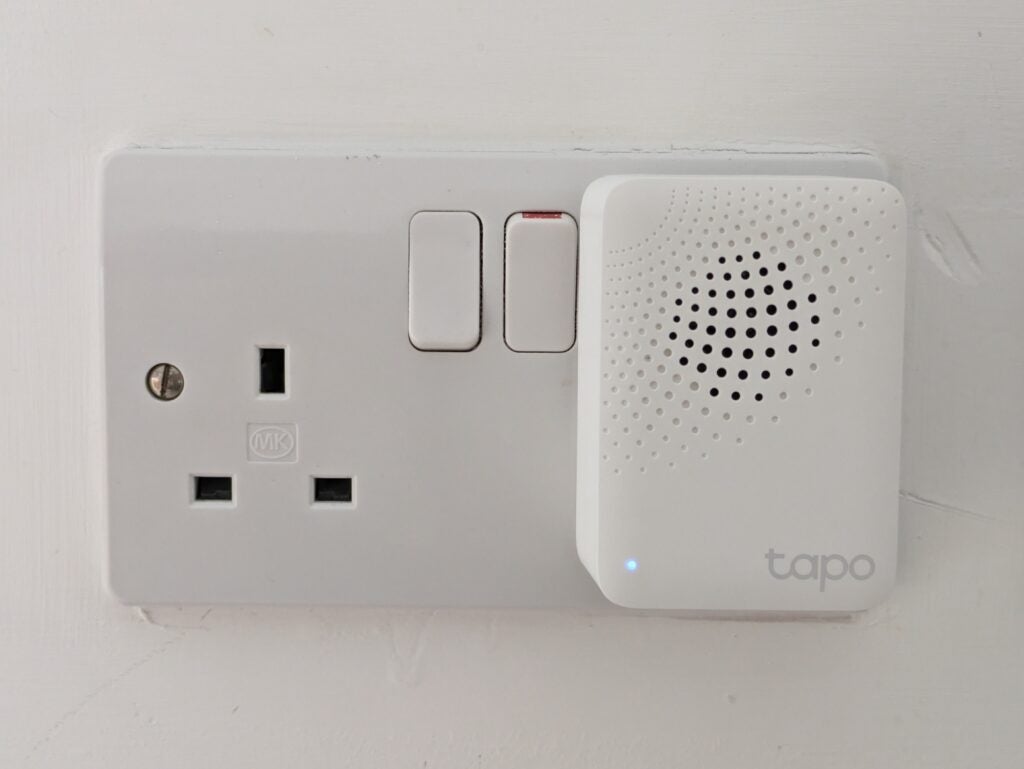
In many cases, the S220 is a straightforward replacement for a conventional light switch, but there are some requirements and limitations. First, it uses low-energy 868MHz wireless communications, so you’ll need either the Tapo H100 or H200 hub to connect it to your network and get smart control of it.
Second, this and the single-gang S210 are both one-way switches, meaning their power is either on or off, rather than switched between two possible outputs. This means you can’t use them where you currently have two switches controlling a single light circuit, such as on the stairs.
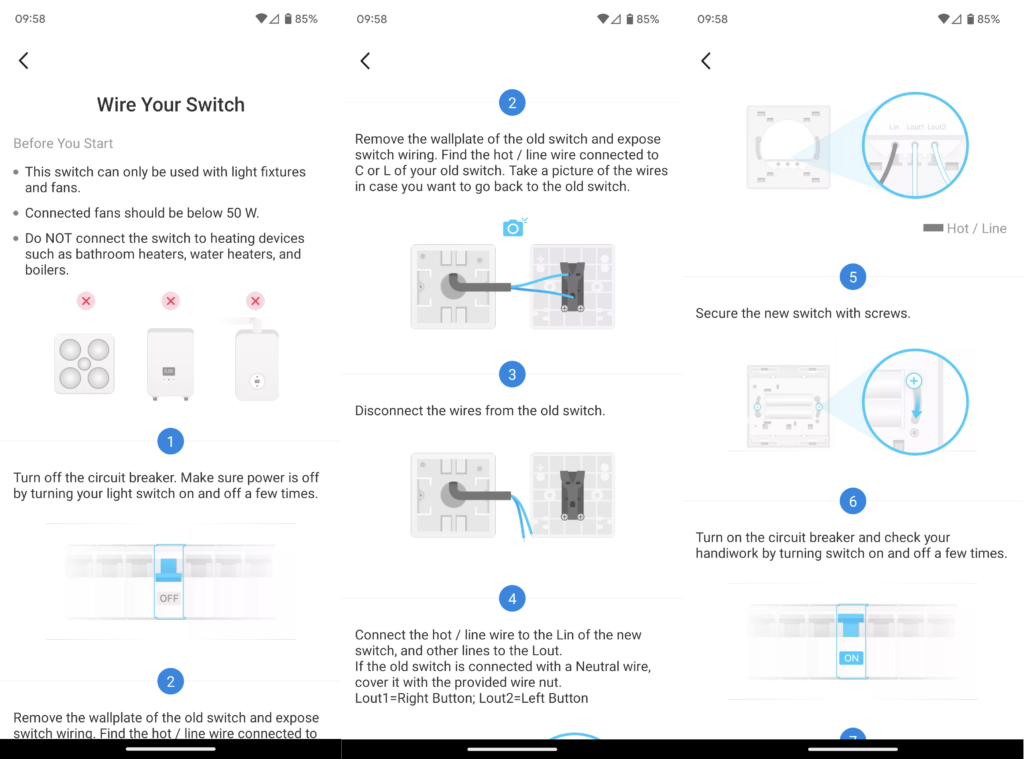
Provided you’ve got a suitable switch to upgrade, it shouldn’t be too hard to fit the S220. Because it’s battery powered you can add it via the Tapo app and get it configured before physically connecting it. After turning off the relevant lighting circuit (or the whole house if you want to be more cautious) from your fuse box, you can unscrew the existing fitting, take note of its wiring configuration and remove it.
The Tapo app shows you how to wire the S220 up, and I found the process fairly simple, but we always recommend you consult an electrician if you’re in any doubt.
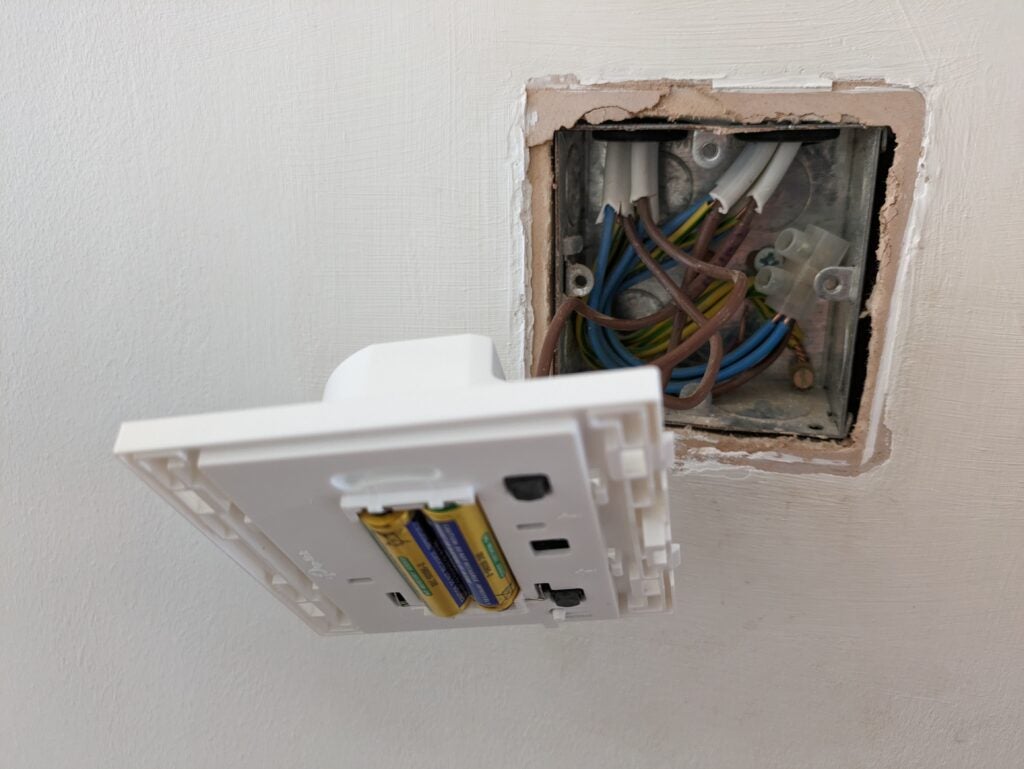
The one issue I encountered was that the S220 is quite deep, and my backbox contains quite a mass of wires – I had to tease the switch into place before I could get it to fit flush.
There’s not much more to the S220. The app presents it as two separate lighting switches, rather than a single two-gang switch, which makes more sense when it comes to creating automations. You could, for example, add both circuits to a ‘bedtime’ routine that turns them both off, or to a ‘movie night’ routine that turns a dining area light off and the TV area light on.
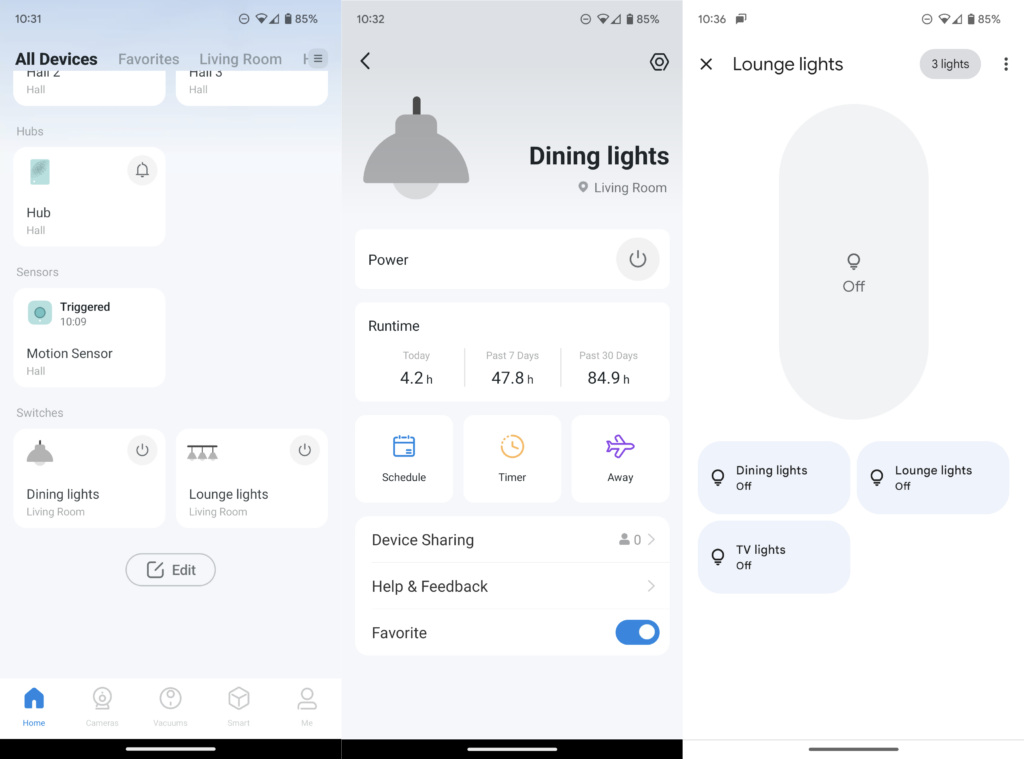
The Tapo app is compatible with Alexa and Google Assistant, so you can also control either switch with your voice, or add them to Google Home routines. The only real omission is that the switches are on/off only – if you want dimming control you’ll need to buy the Tapo S200D dimmer switch, which is single-gang only. Reassuringly, the S220’s physical switches still work even if the Tapo hub or your internet connection are down – they’ll fail if the batteries are flat, though.
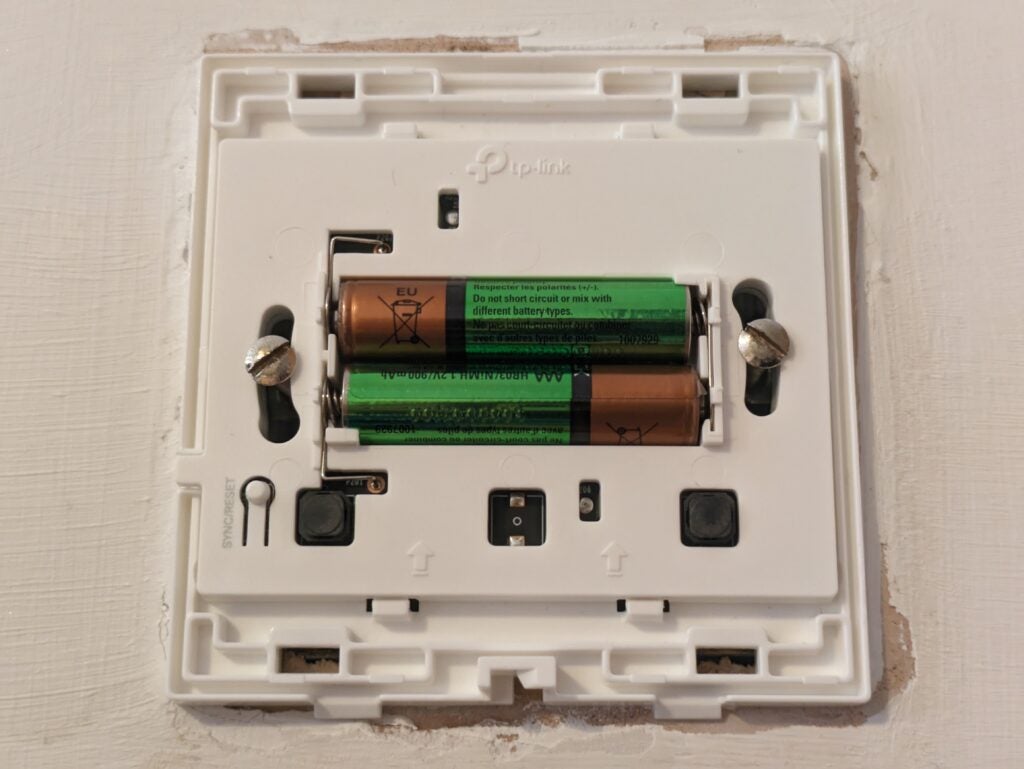
This brings me to my only other criticism. Being battery-powered means there’s no mains power consumption, but it could mean battery waste. Fortunately, the S220 worked fine when I tried it with a pair of rechargeable AAA batteries.
Latest deals
Should you buy it?
You want to add smart controls: This is a great choice if you want to add smart controls to dumb lighting or a ceiling fan
You want more features and colour changing: A Philips Hue-based system will make more sense.
Final Thoughts
This is a simple and effective way to add smart on/off control to older or designer lighting fixtures where smart bulbs would be impossible or impractical. It’s reasonably easy to fit, and easy to configure for smart control via the Tapo app. It’s a shame it needs a hub, but the H100 is quite inexpensive, and it supports other sensors and switches that could help you automate more in your home. If you can fit smart bulbs, a Philips Hue system with a Retrotouch Friends of Hue Smart Switch will give you more versatility.
How we test
Unlike other sites, we test every smart home product we review thoroughly over an extended period of time. We use industry standard tests to compare features properly. We’ll always tell you what we find. We never, ever, accept money to review a product.
Find out more about how we test in our ethics policy.
We test how each product integrates with other smart home systems including Amazon Alexa, Google Assistant, Apple HomeKit, IFTTT and Samsung SmartThings
We use each smart home product in a real world setting, integrating it into our home.
FAQs
You’ll need either the H100 or H200 hub if you don’t already have one.
Power on the hub, tap Add in the Tapo app, then follow the prompts to get the hub up and running. Once it is, install the batteries or remove the insulating tab if they’re already installed. Then tap Add and again, follow the prompts.
No. It uses low-power networking, so it needs a Tapo hub to be able to talk to your other devices.

Verdict
Neat, simple to fit and easy to use, TP-Link’s Tapo S220 Smart Light Switch adds smart control to a lighting circuit. It’s a great way to integrate non-smart and specialist bulbs into lighting and other automation scenarios, but it does have some limitations – chiefly that it’s no use for two-way wiring such as on the stairs. Still, at this price it’s a great addition to an existing smart setup.
Cons
- One-way wiring only
- No dimmer
-
Make dumb lights smartThis smart switch replaces a standard one, letting you turn two lighting circuits on and off using the Tapo app.
Introduction
Smart bulbs are getting more varied, but you can’t yet find one for every fitting or application. Step forward TP-Link’s S220, a two-gang smart light switch to replace a single conventional one.
The S220’s two switches can toggle the power to two separate lighting circuits, or you can control them manually or automatically via the Tapo app.
The S220 should fit the existing backbox behind most standard modern light switches. There’s also a single switch version, the S210. Each circuit can handle up to 600 watts of lighting, or a ceiling fan of up to 50W.
While most Tapo devices connect directly to your existing Wi-Fi network, the S220 and S210 require either the H100 or H200 hub. You can buy the former for around £15.
Design and features
- Smart, slimline design
- Physical, app and voice control
- On and off, but no dimming
The TP-Link Tapo S220 Smart Light Switch has a modern, fuss-free design. Rather than two small switches on a large backplate, it’s all switches – you simply press either side gently to toggle the power on and off.
Unlock the front plate, pull it off and you can fit and change the batteries without going near any live wiring.
In many cases, the S220 is a straightforward replacement for a conventional light switch, but there are some requirements and limitations. First, it uses low-energy 868MHz wireless communications, so you’ll need either the Tapo H100 or H200 hub to connect it to your network and get smart control of it.
Second, this and the single-gang S210 are both one-way switches, meaning their power is either on or off, rather than switched between two possible outputs. This means you can’t use them where you currently have two switches controlling a single light circuit, such as on the stairs.
Provided you’ve got a suitable switch to upgrade, it shouldn’t be too hard to fit the S220. Because it’s battery powered you can add it via the Tapo app and get it configured before physically connecting it. After turning off the relevant lighting circuit (or the whole house if you want to be more cautious) from your fuse box, you can unscrew the existing fitting, take note of its wiring configuration and remove it.
The Tapo app shows you how to wire the S220 up, and I found the process fairly simple, but we always recommend you consult an electrician if you’re in any doubt.
The one issue I encountered was that the S220 is quite deep, and my backbox contains quite a mass of wires – I had to tease the switch into place before I could get it to fit flush.
There’s not much more to the S220. The app presents it as two separate lighting switches, rather than a single two-gang switch, which makes more sense when it comes to creating automations. You could, for example, add both circuits to a ‘bedtime’ routine that turns them both off, or to a ‘movie night’ routine that turns a dining area light off and the TV area light on.
The Tapo app is compatible with Alexa and Google Assistant, so you can also control either switch with your voice, or add them to Google Home routines. The only real omission is that the switches are on/off only – if you want dimming control you’ll need to buy the Tapo S200D dimmer switch, which is single-gang only. Reassuringly, the S220’s physical switches still work even if the Tapo hub or your internet connection are down – they’ll fail if the batteries are flat, though.
This brings me to my only other criticism. Being battery-powered means there’s no mains power consumption, but it could mean battery waste. Fortunately, the S220 worked fine when I tried it with a pair of rechargeable AAA batteries.
Latest deals
Should you buy it?
You want to add smart controls: This is a great choice if you want to add smart controls to dumb lighting or a ceiling fan
You want more features and colour changing: A Philips Hue-based system will make more sense.
Final Thoughts
This is a simple and effective way to add smart on/off control to older or designer lighting fixtures where smart bulbs would be impossible or impractical. It’s reasonably easy to fit, and easy to configure for smart control via the Tapo app. It’s a shame it needs a hub, but the H100 is quite inexpensive, and it supports other sensors and switches that could help you automate more in your home. If you can fit smart bulbs, a Philips Hue system with a Retrotouch Friends of Hue Smart Switch will give you more versatility.
How we test
Unlike other sites, we test every smart home product we review thoroughly over an extended period of time. We use industry standard tests to compare features properly. We’ll always tell you what we find. We never, ever, accept money to review a product.
Find out more about how we test in our ethics policy.
We test how each product integrates with other smart home systems including Amazon Alexa, Google Assistant, Apple HomeKit, IFTTT and Samsung SmartThings
We use each smart home product in a real world setting, integrating it into our home.
FAQs
You’ll need either the H100 or H200 hub if you don’t already have one.
Power on the hub, tap Add in the Tapo app, then follow the prompts to get the hub up and running. Once it is, install the batteries or remove the insulating tab if they’re already installed. Then tap Add and again, follow the prompts.
No. It uses low-power networking, so it needs a Tapo hub to be able to talk to your other devices.



