





Verdict
An improvement over the original, the SwitchBot Curtain 3 is quieter, more powerful and easier to install, plus it has a better optional solar panel. Compatible with Matter, via the SwitchBot Hub 2, this product has wide smart home compatibility. Remote control over the internet can be a bit unreliable, but if you want to automate your home curtains, this is a great upgrade.
Pros
- Quiet in operation
- Long battery life
- Matter compatible
Cons
- Remote connection a little flaky
- Chunky
-
ConnectionConnects via Bluetooth to your phone or a Hub, and supports Matter with the SwitchBot Hub 2.
Introduction
SwitchBot has been trying to automate dumb old curtains with its clever robotic openers. While the original SwitchBot Curtain and even the updated SwitchBot Curtain 2, robots were good, they lacked a bit of finesse, which the brand-new SwitchBot Curtain 3 fixes.
Better battery life, smoother operation, proper auto-calibration, improved solar panels and Matter support all make these a vast improvement.
Design and installation
- Rod, U Rail and I Rail versions
- Easy to clip into place
- Improved solar panels
As with previous product versions, the SwitchBot Curtain 3 is available in different versions, depending on the type of curtain pole you have. I have curtain rods, so have the Rod version; there’s also a U Rail version and, coming soon, an I Rail version.
While a Curtain 3 can work as an individual product, you can pair two together where you have a set of curtains that meet in the middle.
A slightly larger version of the Curtain 2, the Curtain 3 has a bigger battery and a more powerful motor, which SwitchBot says is more than twice as powerful as the old one. That’s good for two reasons: you can use heavier curtains, and the Curtain 3 will deal with curtains that are slightly stiff to pull.
Installing the Curtain 3 is easy, as it comes apart into three bits: the two arms and the main motor itself.
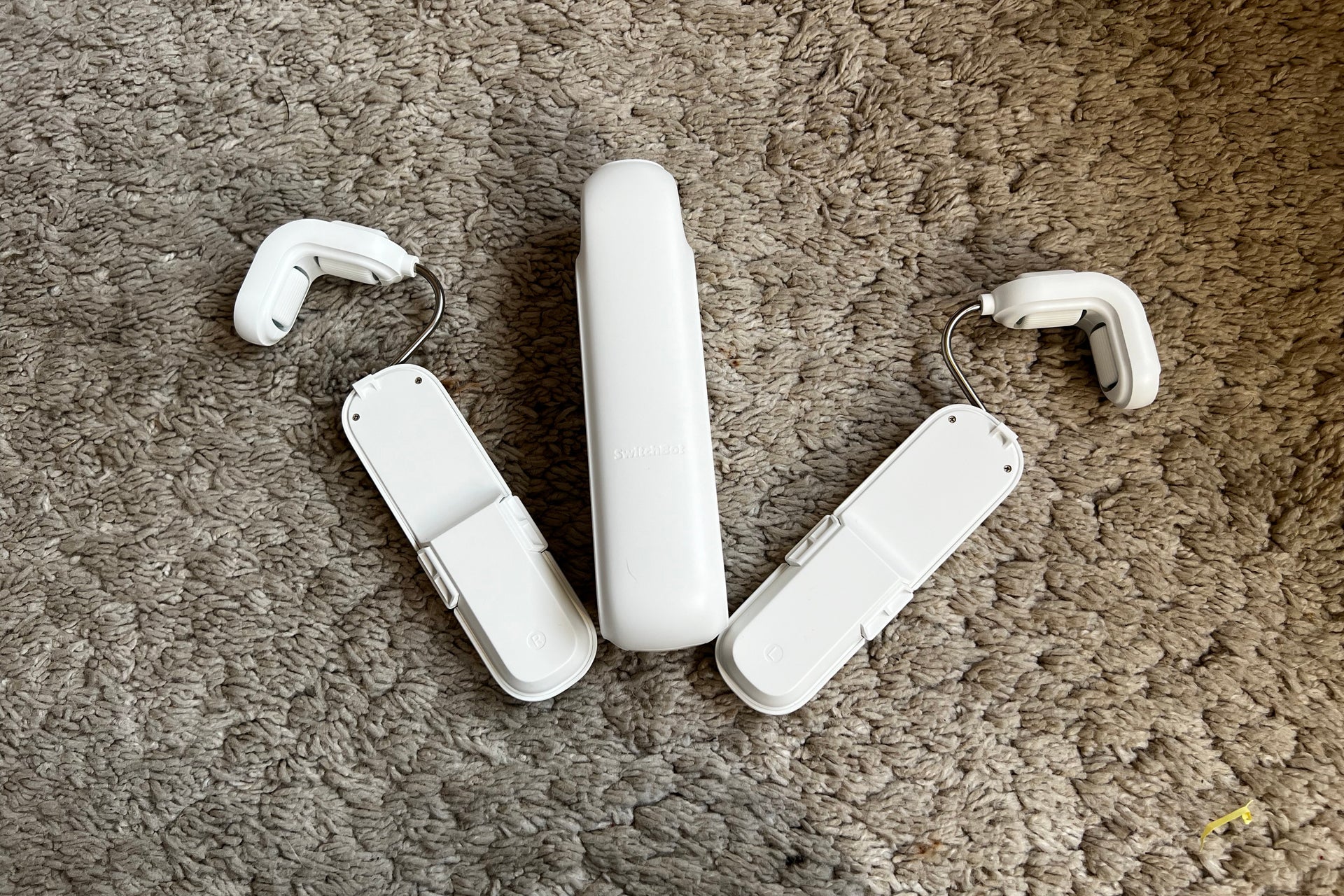
Arms should be installed first, and then the main motor is clipped between them. As the arms have springs inside them, the system auto-tensions itself, which is an improvement over the original product, which needed to be manually tensioned.
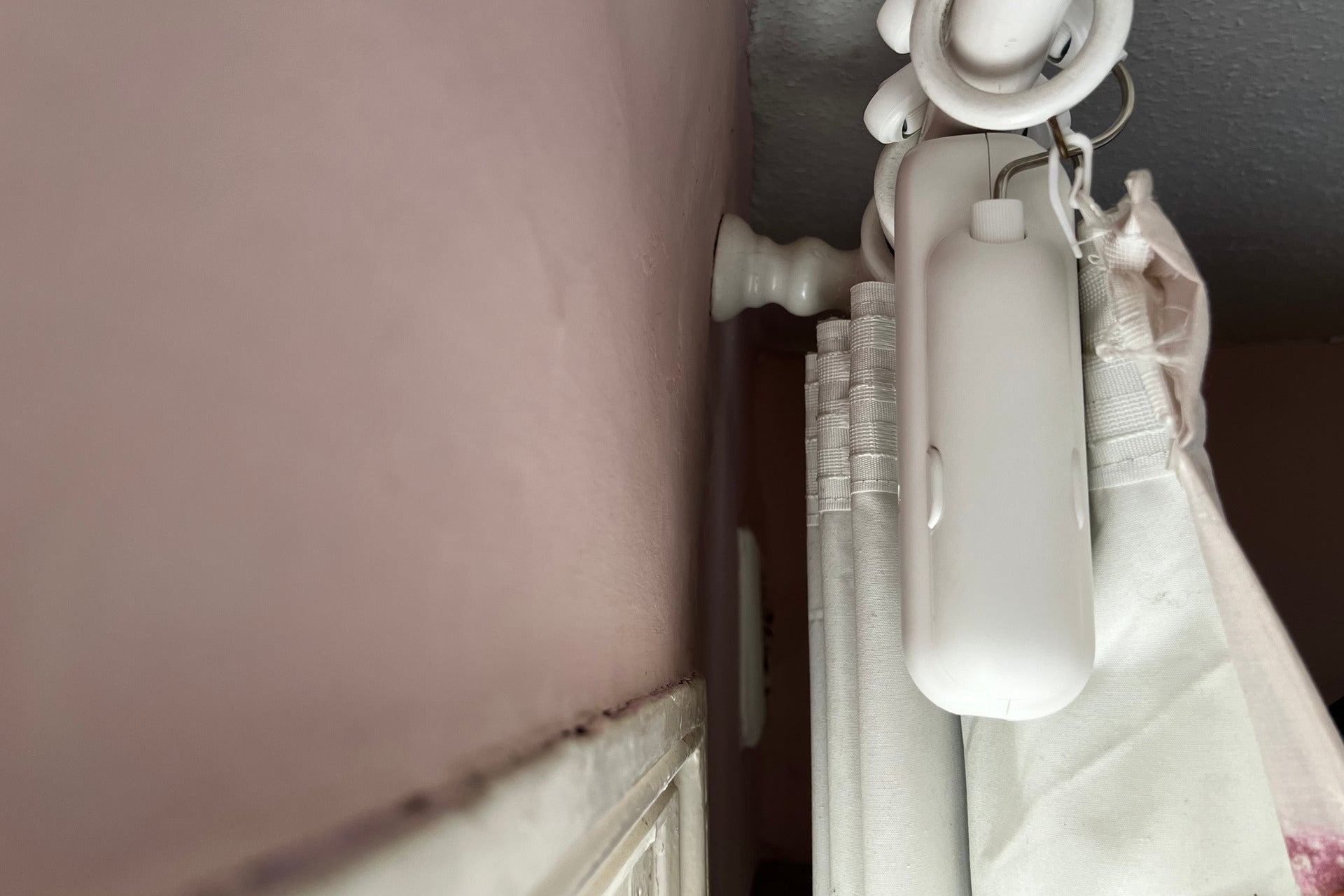
I do urge you to clean your curtain poles first and make sure that they’re dry, so that the SwitchBot Curtain 3 can get a good grip.
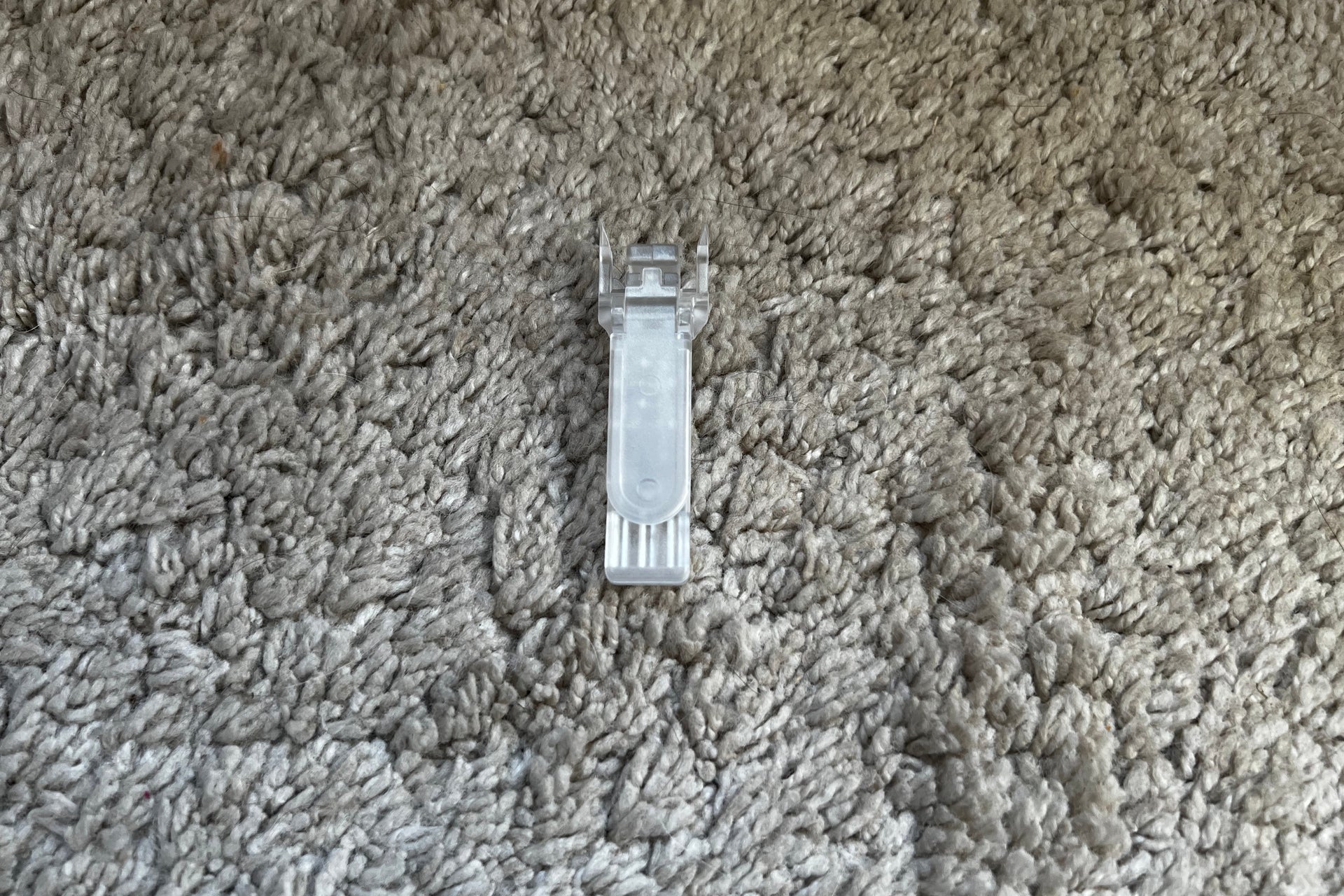
Also included in the box are a variety of clips, which suit different types of curtain. I have top-ring curtains, so didn’t need these.
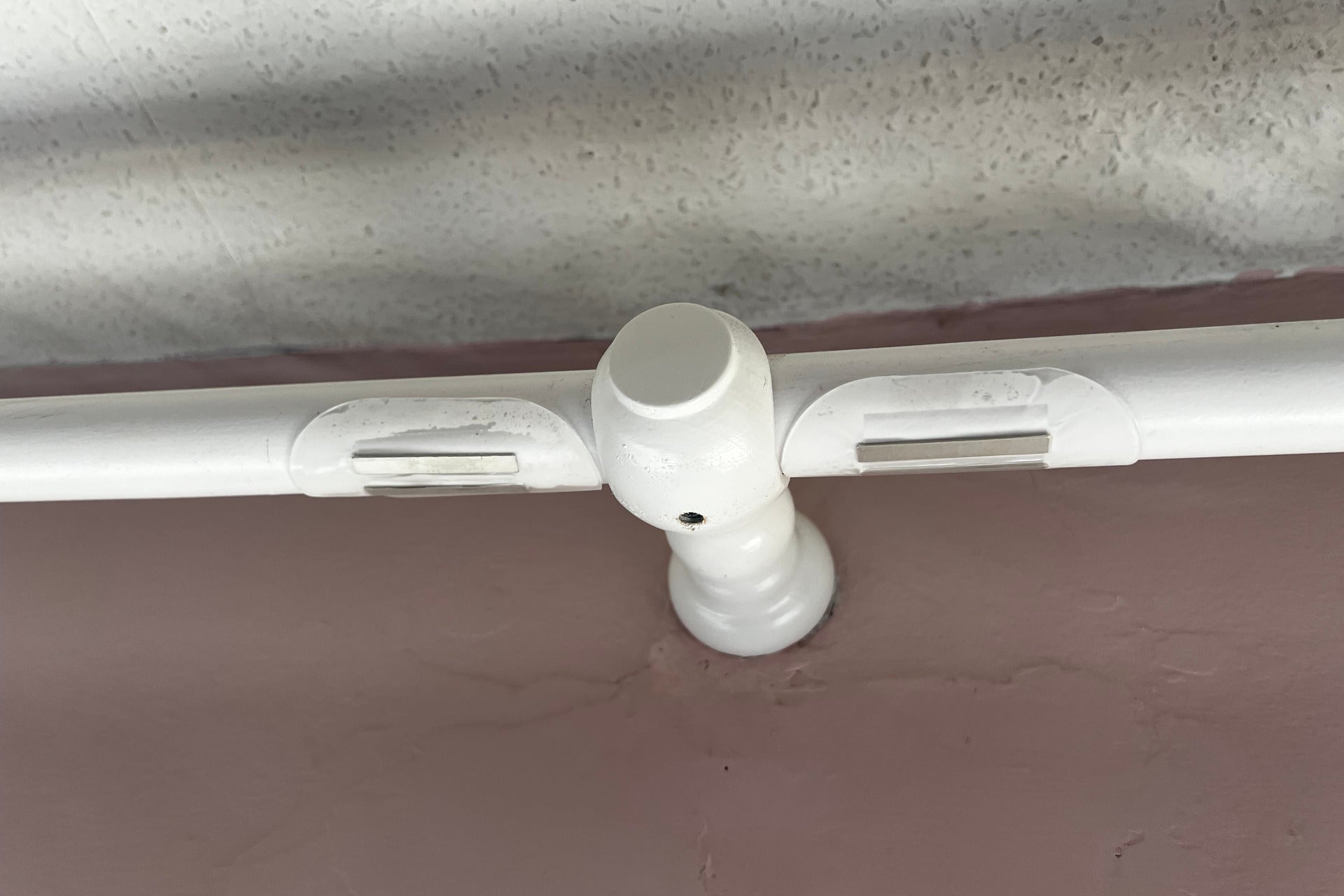
I did need to install one new component: the magnetic stickers, which go at the point where the curtain is closed. These are used by Curtain 3 to detect when it’s fully closed and to improve the auto-calibration routine.
Charged via USB-C, the SwitchBot Curtain 3 can be installed and the battery topped up when flat. Typically, a full battery should last around eight months.
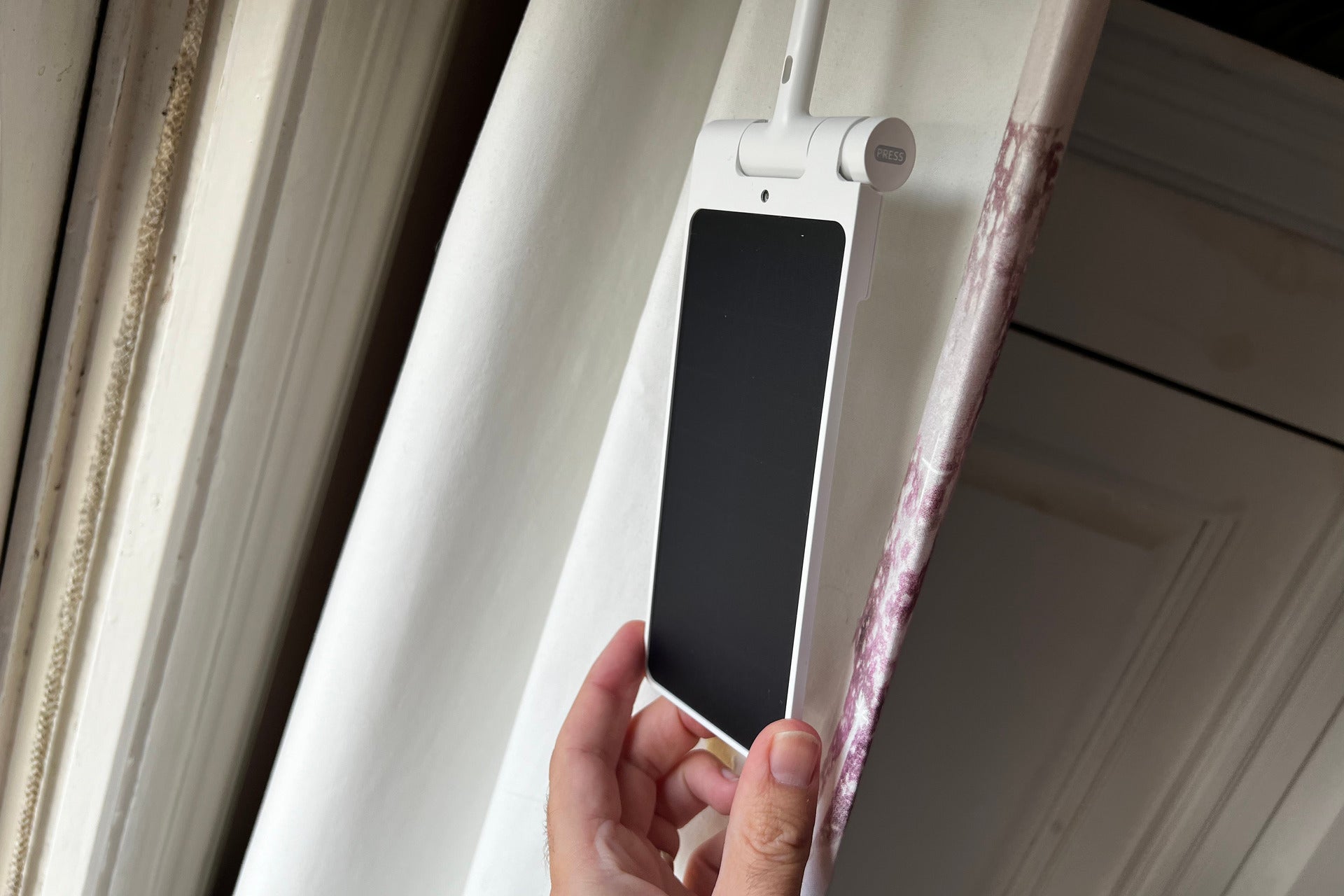
If you never want to take the curtains down, then there’s an optional solar panel, which clips into the bottom of the robot.
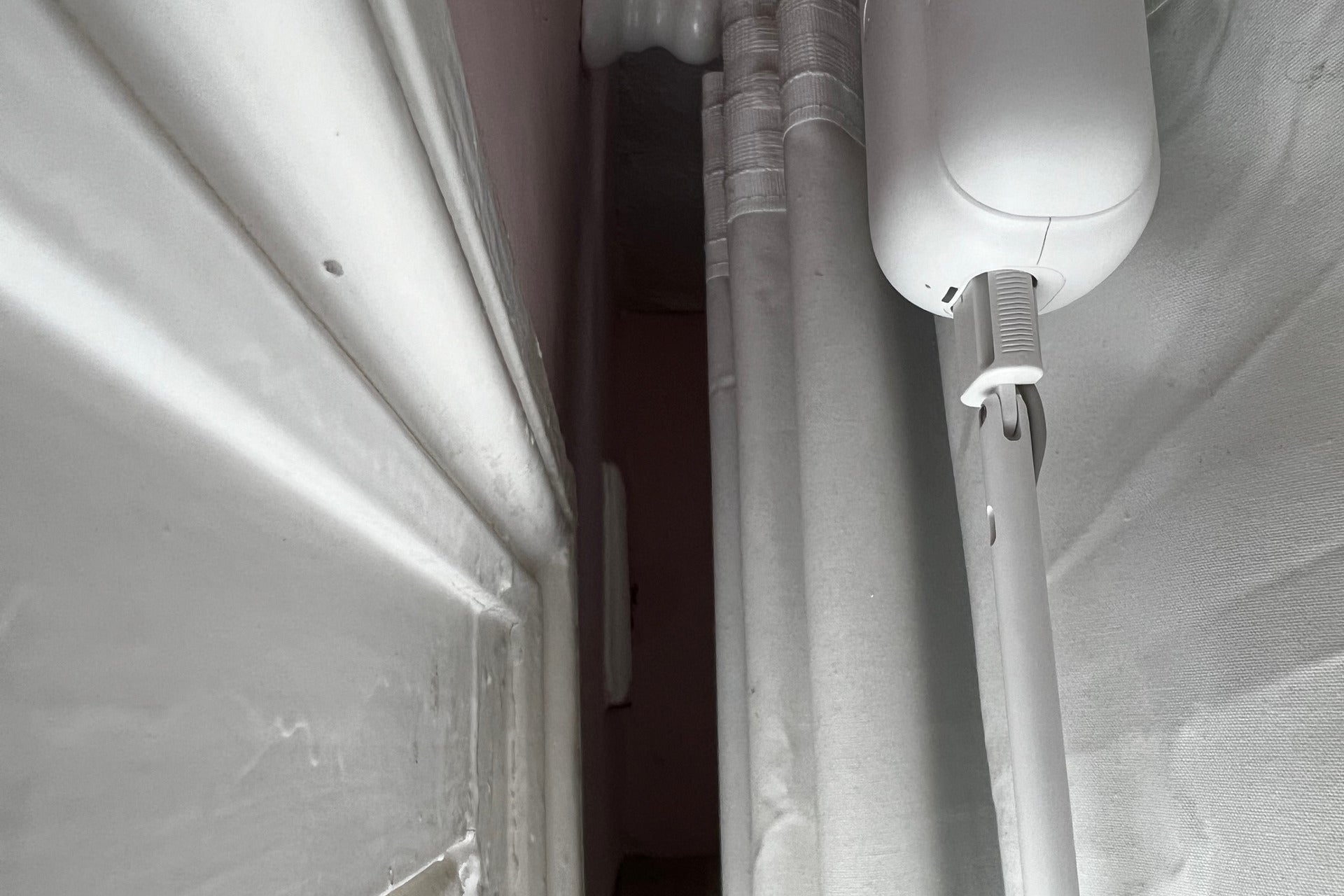
Unlike the original solar panels, which had to be stuck to the back of your curtains, the new panels have a rigid arm, so hang straight down.
Solar panels are useful for windows that get direct sunlight; if you don’t, you’ll have to stick with manually charging the robots.
Features
- Auto calibrates
- Clever solar charging mode
- Works with Matter via SwitchBot Hub 2
Once installed, the SwitchBot Curtain 3 has to be connected to the app via Bluetooth. That’s quick to do, and then I had to run through the auto-calibration routine. This automatically works out where the open and closed positions are, using the magnet as a guide. This routine can work with a single curtain or a pair of curtains that meet in the middle. I found that it took just a few minutes to get my curtains perfectly set up.
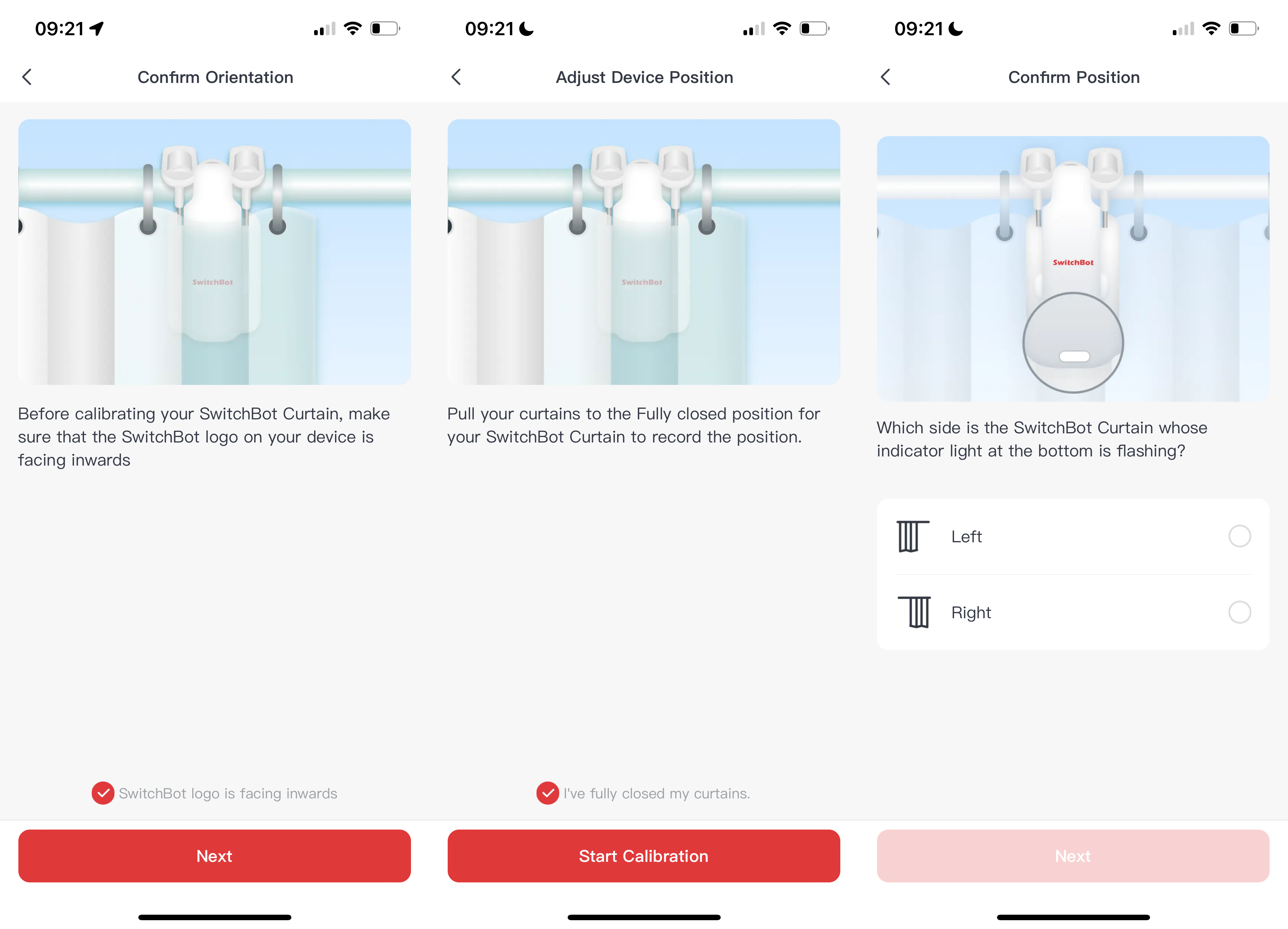
At this point, there are two control options. First, you can use the app within Bluetooth range. Shortcut buttons open and close the curtains fully, but the detailed controls let you set a curtain to any position.
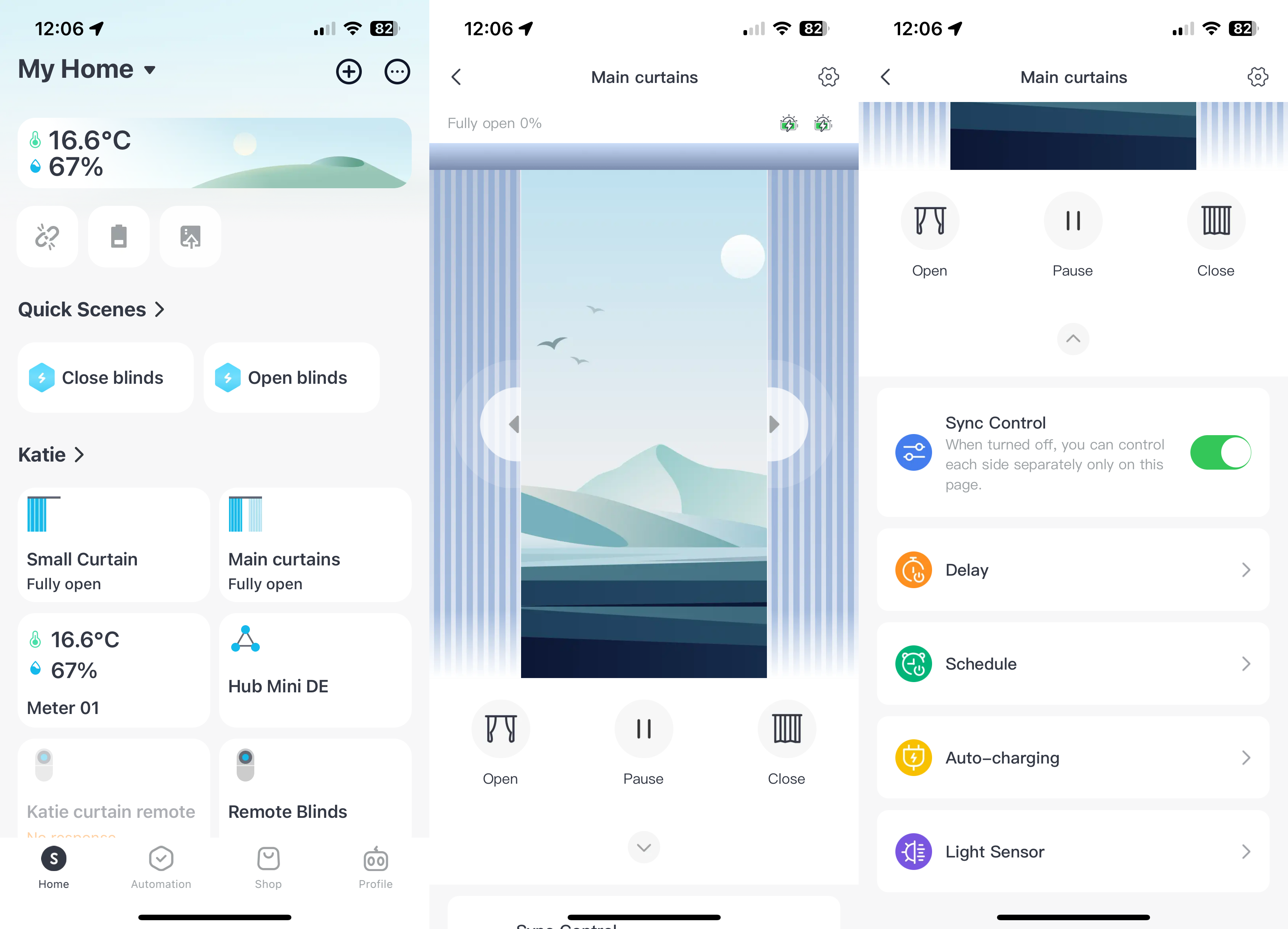
Secondly, you can pair a Remote directly with either one single SwitchBot Curtain 3 or one pair of robots. This gives direct control, with dedicated buttons to open or close curtains.
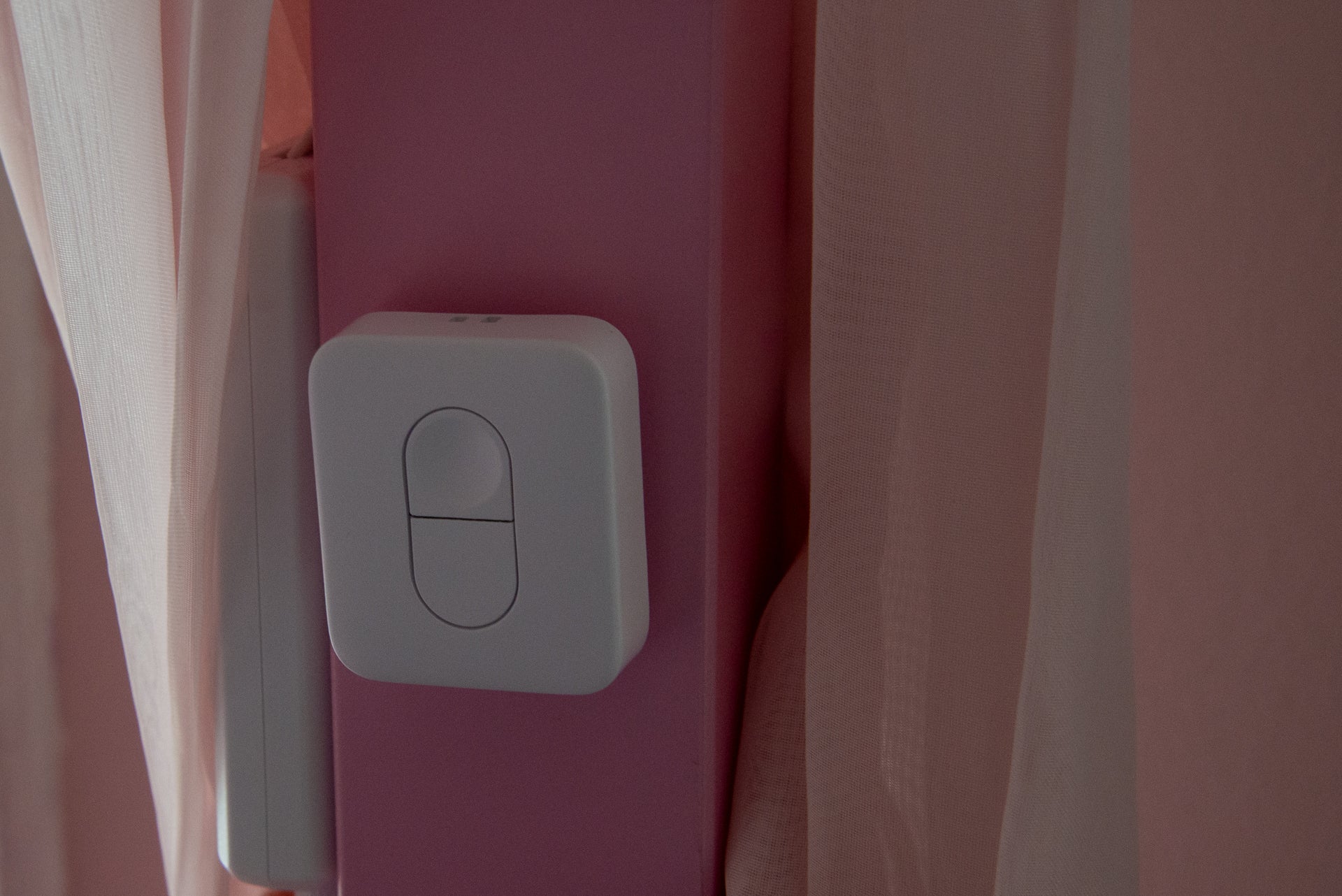
If you’re old-fashioned, just tug at a curtain and the robot takes over when it starts to move (a pair of curtains will open/close automatically if you pull just one of them).
For more control, you need to have a SwitchBot Hub Mini or SwitchBot Hub 2. Both connect the SwitchBot Curtain 3 to the internet. The Hub 2 has the advantage of making the robots Matter compatible so that you can get direct control from your smart home system of choice, including Amazon Alexa and Apple Home.
With either system in place, remote control means that you can open and close your curtains no matter where you are. Well, in theory. I sat in my garden office at the bottom of the garden, and I found that the app kept trying to use its Bluetooth connection rather than switching to Wi-Fi, which proved unreliable.
Out of Bluetooth range, the SwitchBot Curtain 3 defaulted to Wi-Fi and an internet connection. This still would fail on occasion, and I’d have to restart the app.
With a Hub, the SwitchBot Curtain 3 can do more. Set up scenes, and you can program a Remote to trigger one, opening or closing multiple curtains simultaneously. That’s handy if you’ve got a room with multiple windows.
A Hub also means voice control via Amazon Alexa or Google Assistant. With the older Hub, the connection is via the cloud, which can be a little slow; with the Hub 2, Matter means direct control.
Automations are also improved with a Hub. I could use a temperature reading from the Hub 2 to automatically close my curtains when it was hot and open them again when it was cool. Cleverly, automations can be restricted so that my curtains never opened in the middle of the night.
If you do have solar panels, there’s also an option to close the curtains partially at certain times so that the solar panels get full light. That’s handy if your panels end up hidden behind a wall during the day.
Performance
- Faster than the original
- QuietDrift is practically silent
The SwitchBot Curtain 3 is much quieter and much faster than any of the previous products. Moving at some speed, I found that my curtains shut and opened quickly, with just a gentle whisper that was not loud enough to disturb anyone.
Want it quieter? With a schedule, the SwitchBot Curtain 3 can operate in QuietDrift mode, where the robots edge slowly to the open or closed position, making no noise. Well, they make a little bit of noise, but it’s below ambient room levels, so you can’t hear anything. Is it worth it? Probably not: the basic sound level is so low, and I prefer to control when my curtains are opened or closed.
Latest deals
Should you buy it?
You have dumb curtains you want to make smart
This is a simple way to do that and you don’t have to upgrade your curtains or curtain rods.
You want a neater option
As good as this product is, it’s still quite big; smart curtains with integrated smarts look neater.
Final Thoughts
The original products were more of a faff to install, but the SwitchBot Curtain 3 has streamlined installation and improved performance, both in terms of speed and power. The option to add Matter support makes these products even more useful than ever, but even without the SwitchBot Curtain 3 is a great way to turn dumb curtains smart.
How we test
Unlike other sites, we test every smart home product we review thoroughly over an extended period of time. We use industry standard tests to compare features properly. We’ll always tell you what we find. We never, ever, accept money to review a product.
Find out more about how we test in our ethics policy.
We test how each product integrates with other smart home systems including Amazon Alexa, Google Assistant, Apple HomeKit, IFTTT and Samsung SmartThings
We use each smart home product in a real world setting, integrating it into our home.
FAQs
You can use other products in combine routines and scenes. If you want to control a pair of curtains, you need two matching models.

Verdict
An improvement over the original, the SwitchBot Curtain 3 is quieter, more powerful and easier to install, plus it has a better optional solar panel. Compatible with Matter, via the SwitchBot Hub 2, this product has wide smart home compatibility. Remote control over the internet can be a bit unreliable, but if you want to automate your home curtains, this is a great upgrade.
Pros
- Quiet in operation
- Long battery life
- Matter compatible
Cons
- Remote connection a little flaky
- Chunky
-
ConnectionConnects via Bluetooth to your phone or a Hub, and supports Matter with the SwitchBot Hub 2.
Introduction
SwitchBot has been trying to automate dumb old curtains with its clever robotic openers. While the original SwitchBot Curtain and even the updated SwitchBot Curtain 2, robots were good, they lacked a bit of finesse, which the brand-new SwitchBot Curtain 3 fixes.
Better battery life, smoother operation, proper auto-calibration, improved solar panels and Matter support all make these a vast improvement.
Design and installation
- Rod, U Rail and I Rail versions
- Easy to clip into place
- Improved solar panels
As with previous product versions, the SwitchBot Curtain 3 is available in different versions, depending on the type of curtain pole you have. I have curtain rods, so have the Rod version; there’s also a U Rail version and, coming soon, an I Rail version.
While a Curtain 3 can work as an individual product, you can pair two together where you have a set of curtains that meet in the middle.
A slightly larger version of the Curtain 2, the Curtain 3 has a bigger battery and a more powerful motor, which SwitchBot says is more than twice as powerful as the old one. That’s good for two reasons: you can use heavier curtains, and the Curtain 3 will deal with curtains that are slightly stiff to pull.
Installing the Curtain 3 is easy, as it comes apart into three bits: the two arms and the main motor itself.
Arms should be installed first, and then the main motor is clipped between them. As the arms have springs inside them, the system auto-tensions itself, which is an improvement over the original product, which needed to be manually tensioned.
I do urge you to clean your curtain poles first and make sure that they’re dry, so that the SwitchBot Curtain 3 can get a good grip.
Also included in the box are a variety of clips, which suit different types of curtain. I have top-ring curtains, so didn’t need these.
I did need to install one new component: the magnetic stickers, which go at the point where the curtain is closed. These are used by Curtain 3 to detect when it’s fully closed and to improve the auto-calibration routine.
Charged via USB-C, the SwitchBot Curtain 3 can be installed and the battery topped up when flat. Typically, a full battery should last around eight months.
If you never want to take the curtains down, then there’s an optional solar panel, which clips into the bottom of the robot.
Unlike the original solar panels, which had to be stuck to the back of your curtains, the new panels have a rigid arm, so hang straight down.
Solar panels are useful for windows that get direct sunlight; if you don’t, you’ll have to stick with manually charging the robots.
Features
- Auto calibrates
- Clever solar charging mode
- Works with Matter via SwitchBot Hub 2
Once installed, the SwitchBot Curtain 3 has to be connected to the app via Bluetooth. That’s quick to do, and then I had to run through the auto-calibration routine. This automatically works out where the open and closed positions are, using the magnet as a guide. This routine can work with a single curtain or a pair of curtains that meet in the middle. I found that it took just a few minutes to get my curtains perfectly set up.
At this point, there are two control options. First, you can use the app within Bluetooth range. Shortcut buttons open and close the curtains fully, but the detailed controls let you set a curtain to any position.
Secondly, you can pair a Remote directly with either one single SwitchBot Curtain 3 or one pair of robots. This gives direct control, with dedicated buttons to open or close curtains.
If you’re old-fashioned, just tug at a curtain and the robot takes over when it starts to move (a pair of curtains will open/close automatically if you pull just one of them).
For more control, you need to have a SwitchBot Hub Mini or SwitchBot Hub 2. Both connect the SwitchBot Curtain 3 to the internet. The Hub 2 has the advantage of making the robots Matter compatible so that you can get direct control from your smart home system of choice, including Amazon Alexa and Apple Home.
With either system in place, remote control means that you can open and close your curtains no matter where you are. Well, in theory. I sat in my garden office at the bottom of the garden, and I found that the app kept trying to use its Bluetooth connection rather than switching to Wi-Fi, which proved unreliable.
Out of Bluetooth range, the SwitchBot Curtain 3 defaulted to Wi-Fi and an internet connection. This still would fail on occasion, and I’d have to restart the app.
With a Hub, the SwitchBot Curtain 3 can do more. Set up scenes, and you can program a Remote to trigger one, opening or closing multiple curtains simultaneously. That’s handy if you’ve got a room with multiple windows.
A Hub also means voice control via Amazon Alexa or Google Assistant. With the older Hub, the connection is via the cloud, which can be a little slow; with the Hub 2, Matter means direct control.
Automations are also improved with a Hub. I could use a temperature reading from the Hub 2 to automatically close my curtains when it was hot and open them again when it was cool. Cleverly, automations can be restricted so that my curtains never opened in the middle of the night.
If you do have solar panels, there’s also an option to close the curtains partially at certain times so that the solar panels get full light. That’s handy if your panels end up hidden behind a wall during the day.
Performance
- Faster than the original
- QuietDrift is practically silent
The SwitchBot Curtain 3 is much quieter and much faster than any of the previous products. Moving at some speed, I found that my curtains shut and opened quickly, with just a gentle whisper that was not loud enough to disturb anyone.
Want it quieter? With a schedule, the SwitchBot Curtain 3 can operate in QuietDrift mode, where the robots edge slowly to the open or closed position, making no noise. Well, they make a little bit of noise, but it’s below ambient room levels, so you can’t hear anything. Is it worth it? Probably not: the basic sound level is so low, and I prefer to control when my curtains are opened or closed.
Latest deals
Should you buy it?
You have dumb curtains you want to make smart
This is a simple way to do that and you don’t have to upgrade your curtains or curtain rods.
You want a neater option
As good as this product is, it’s still quite big; smart curtains with integrated smarts look neater.
Final Thoughts
The original products were more of a faff to install, but the SwitchBot Curtain 3 has streamlined installation and improved performance, both in terms of speed and power. The option to add Matter support makes these products even more useful than ever, but even without the SwitchBot Curtain 3 is a great way to turn dumb curtains smart.
How we test
Unlike other sites, we test every smart home product we review thoroughly over an extended period of time. We use industry standard tests to compare features properly. We’ll always tell you what we find. We never, ever, accept money to review a product.
Find out more about how we test in our ethics policy.
We test how each product integrates with other smart home systems including Amazon Alexa, Google Assistant, Apple HomeKit, IFTTT and Samsung SmartThings
We use each smart home product in a real world setting, integrating it into our home.
FAQs
You can use other products in combine routines and scenes. If you want to control a pair of curtains, you need two matching models.



