





Verdict
A smarter addition to the Rocketbook line of reusable notebooks, the Rocketbook Pro has a premium cover and can have its pages swapped for different packs for different uses. It’s as nice to write on this as it is with real paper, but the pages can be wiped clean and used time and time again. Simple scanning to the app adds some smart features including automatic text detection, although it can be hard to remember what the automatic destination selection icons are for. A few more varied packs of pages wouldn’t go amiss, either.
Pros
- Feels like real paper
- Premium design with replaceable page packs
- Smart app delivers simple page scanning
Cons
- Destination icons confusing
- Replacement packs not that varied
-
Wipe cleanPages can be sprayed with water and wiped with a microfibre cloth, so they can be reused time and time again. -
Requires special inkWorks with Pilot Frixion erasable pens only. -
Scan to appTake PDF backups of your handwritten notes using the smart app.
Introduction
No matter how smart computers get, how good voice recognition is or how intelligent note and planning apps get, sometimes it’s just easier to grab a pen and write. From a company known for its line of reusable notebooks, the Rocketbook Pro is a step-up in terms of style, delivering a more premium experience alongside replaceable packs of paper.
It offers the same writing experience as Rocketbook’s other products, with my only complaint that the choice of packs of paper may not be flexible enough for all uses.
Design and writing
- More premium design
- Replaceable packs of paper
- Feels like paper with slower drying ink
When I reviewed the Rocketbook Fusion, I loved the feel of the paper and the way I could write naturally, but the look and feel let the product down: it felt like a bog-standard ring-bound notebook but with a high-end price.
The Rocketbook Pro is different. From the outside it feels more like a tablet, with its tougher exterior. It’s a big improvement over Rocketbook’s regular products with a nicer, more premium design.
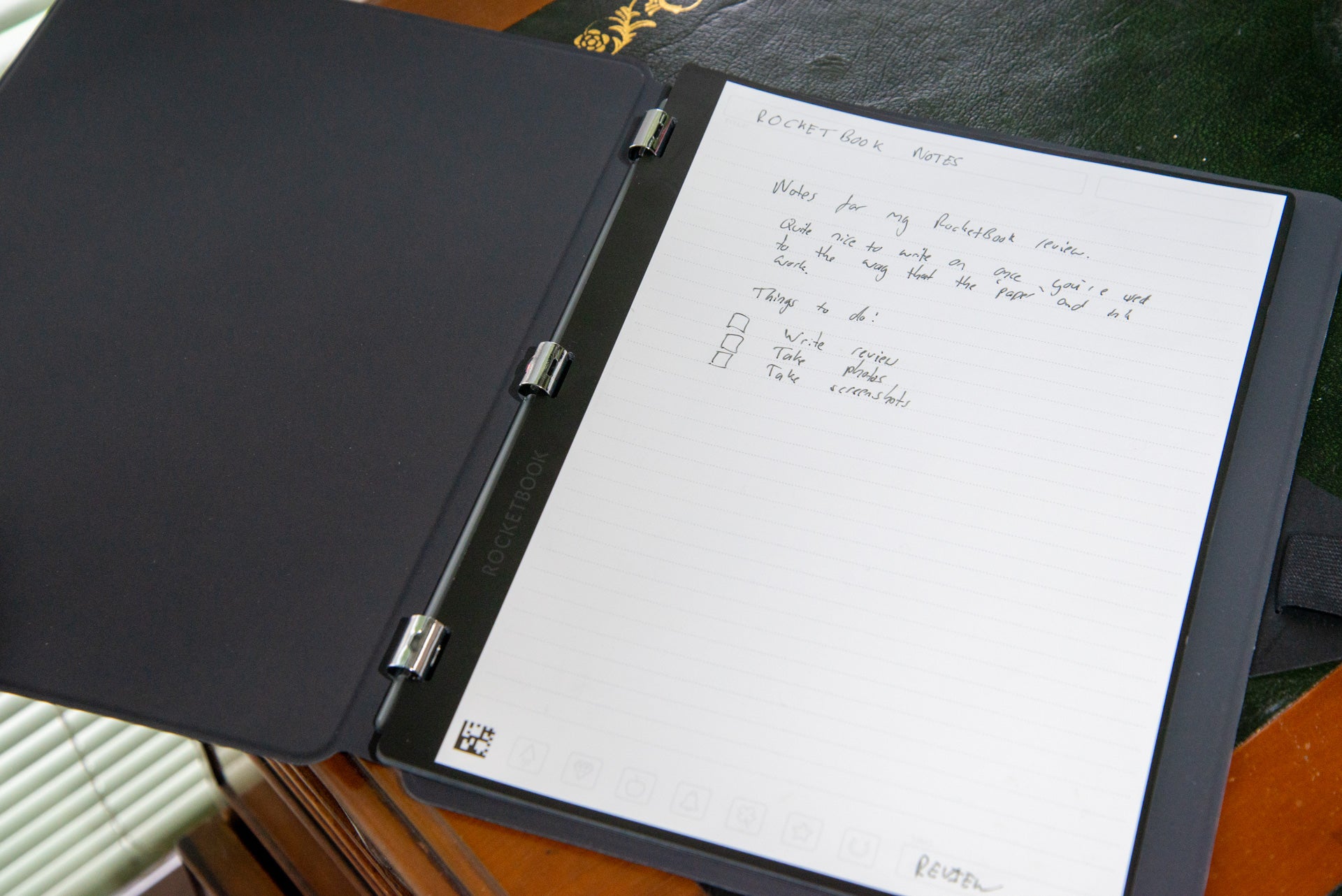
It’s available in two sizes. I went with the A4/Letter edition, but a smaller Executive A5 version is also available. Both feature a similar design and have the one thing that makes them stand out from other Rocketbook products: replaceable packs of paper.
Using a clever clip-in system, packs can be swapped in and out in a matter of seconds. Just grab the top right and pull down to remove; clip the rings into place and they instantly grab on securely.
It’s a neat design, and one that makes the Rocketbook Pro more flexible. The Rocketbook Pro ships with lined paper, but there are packs for meeting notes, monthly planning, a to-do list, and dot paper. On Rocketbook’s site there are images for Dungeons & Dragons character sheets, fitness regimes and blank paper, none of which are available to buy.
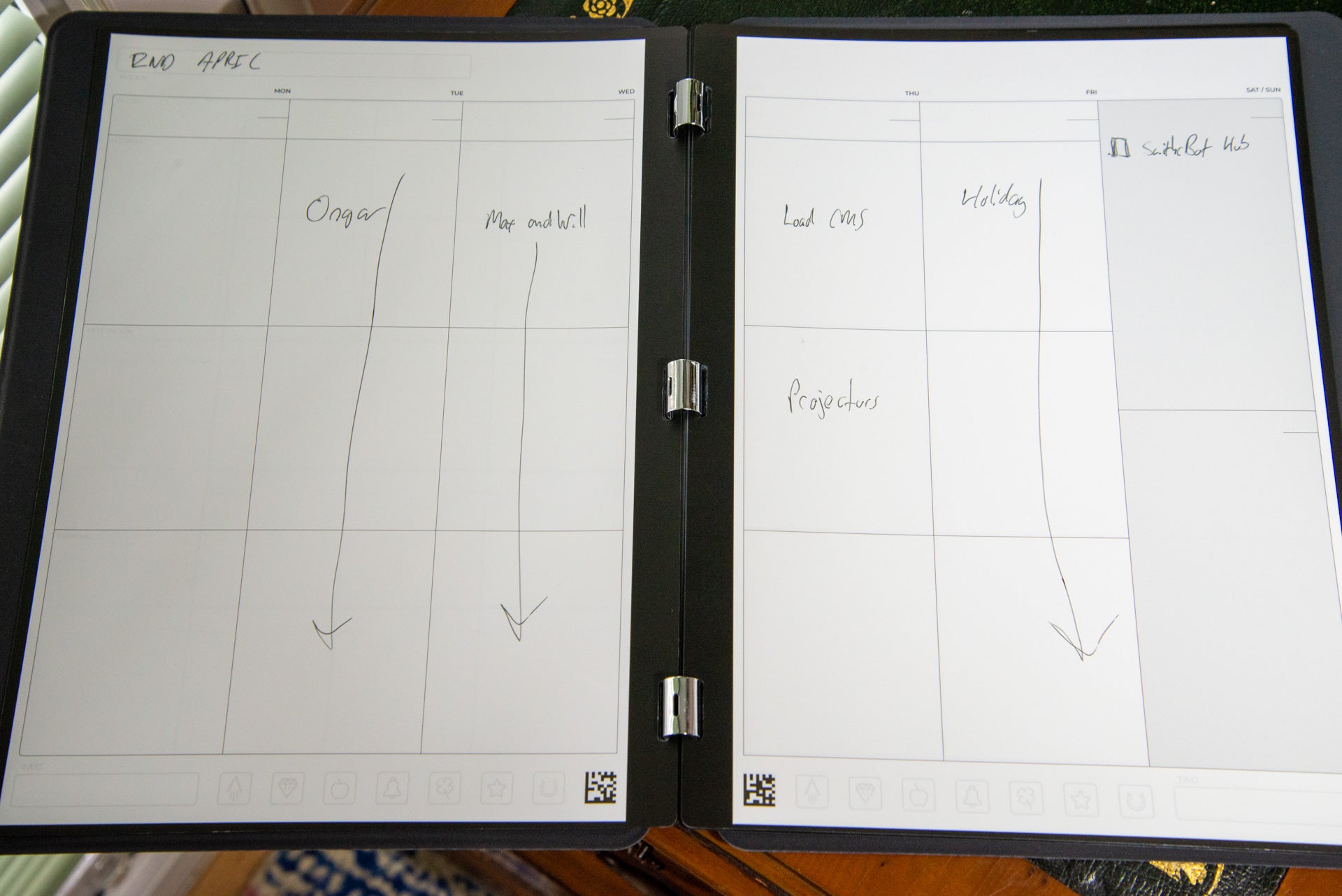
Having the choice to switch between paper packs is good, but it’s a shame that there’s not a bundle that gives a bit of everything, as with the Rocketbook Fusion: I’d love a notebook that had a to-do list, a planner and still had plenty of space for notes. There’s no way of opening up the binding to do a DIY job and make your own bundles either, which feels like a missed opportunity.
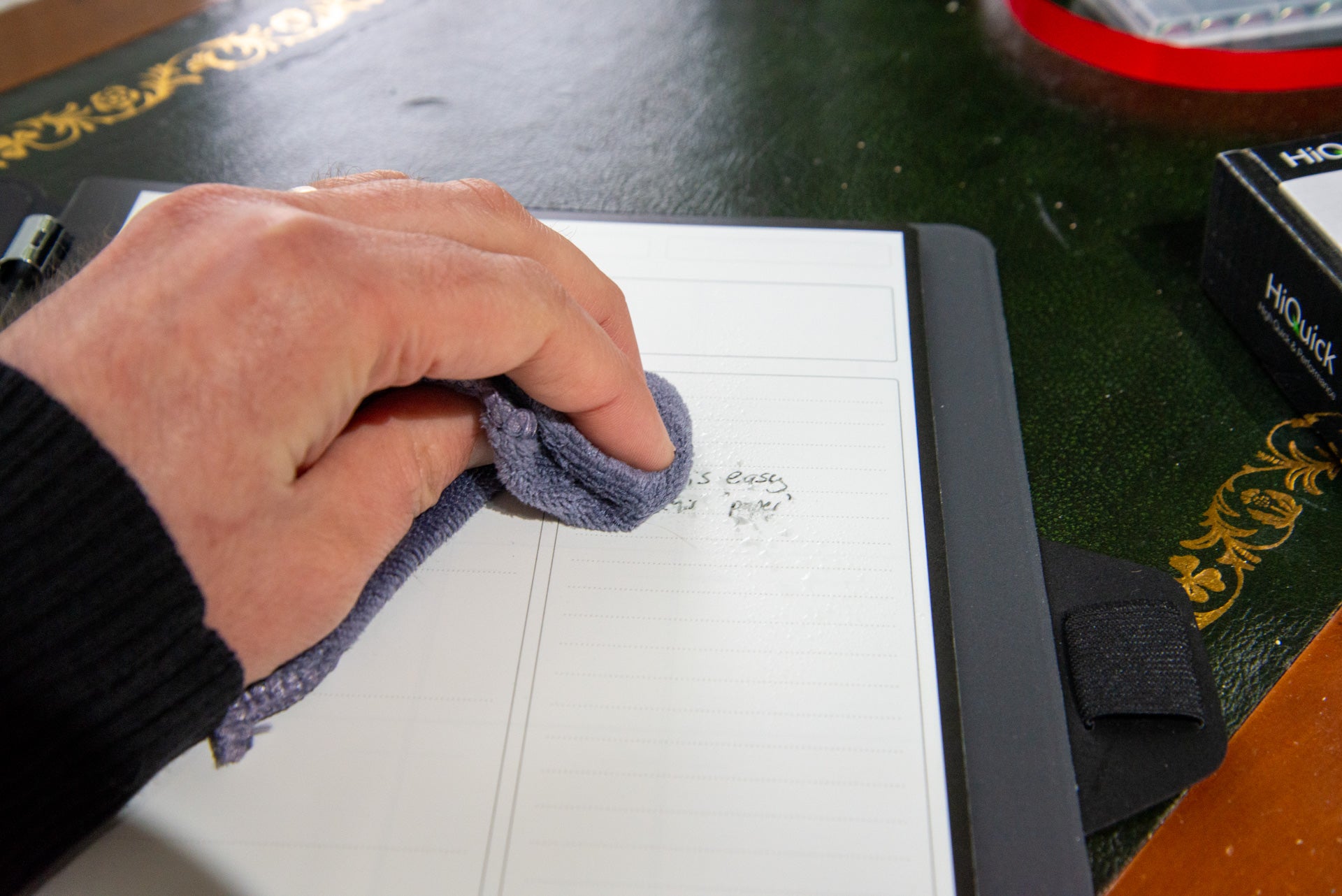
In all cases, the packs are made out of the same reusable paper. Using a Pilot Frixion pen, the ink can be erased using just water and a microfibre cloth.
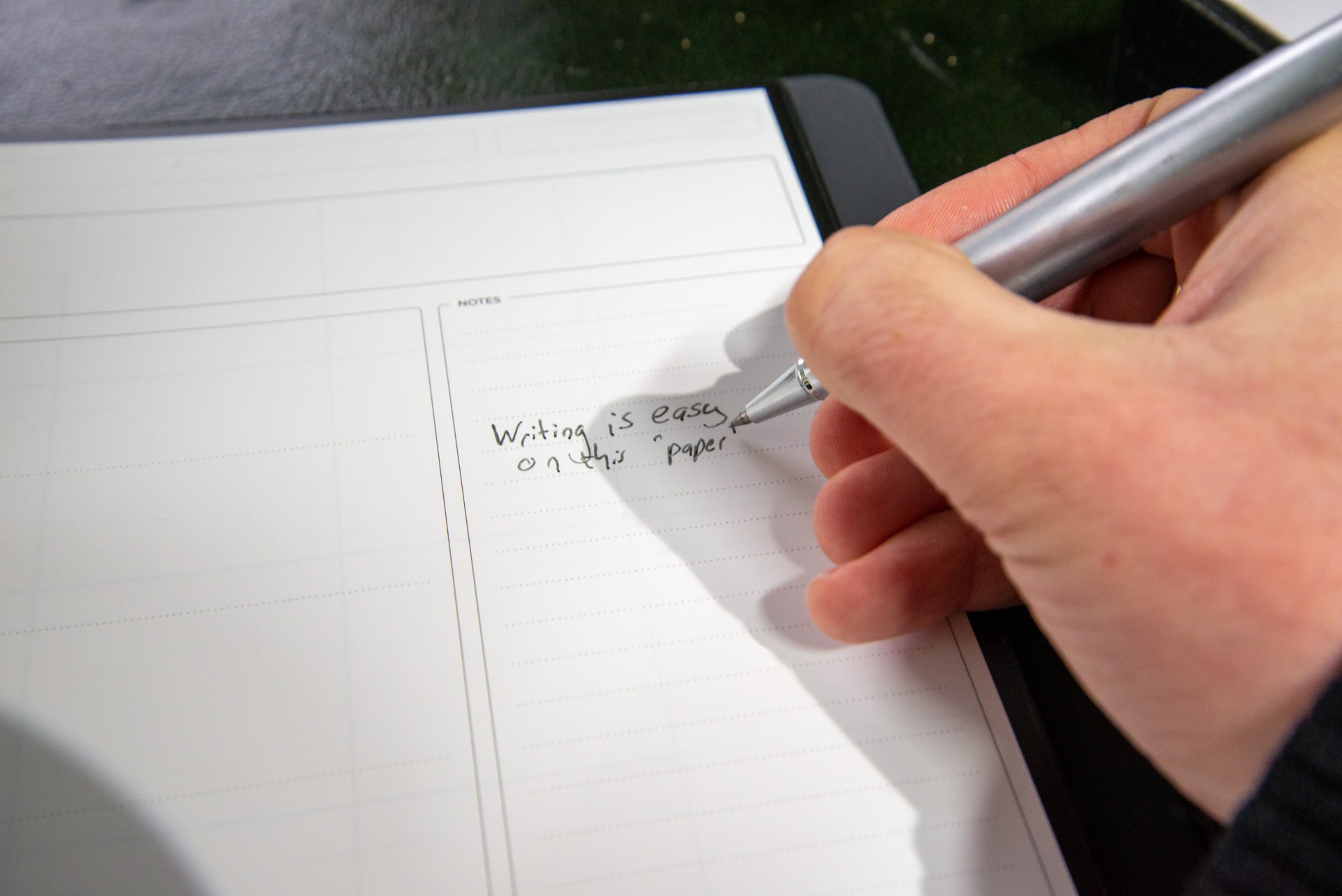
The basic 0.7 pen feels a bit cheap, but there are refills available to use with a nicer ball pen if you have one. Multiple colours and three sizes (0.5, 0.7 and 1.0) are available.
Rocketbook provides a cloth in the box, but I recommend buying a simple water sprayer to make it easier to wipe clean.
There is a very slight depression in the paper where previous words have stood but even so, the packs are designed for unlimited use. Given that each use adds more impressions however, I recommend varying which pages you use. That’s quite easy on the Rocketbook Pro: the pack can be removed, and pages moved to the front. Do this regularly, and it’s easy to reuse pages evenly.
Writing is just as easy on this paper as it is on normal paper, with one slight exception: the ink takes a bit longer to dry. I found that needed to wait for a short time after finishing writing to allow the ink to dry before turning a page. Still, it’s more natural than using an e-ink screen, such as the one on the Kindle Scribe.
App
- OCR needs careful handwriting
- Automatically picks up lists
- Tags and names are added automatically
While writing on a reusable notepad gives you a more eco-friendly way of writing, the paper can be lost due to accidents, and once the book is full it has to be erased to be reused. That’s where the app comes in, giving a quick way to scan and save notes forever.
As each page has a QR code on it, the app knows what type of page it is, and adjusts the camera automatically to just capture the page. Provided the light is good enough, capturing pages is very fast.
Documents are saved to the app and can be bundled together with multiple pages in one file.
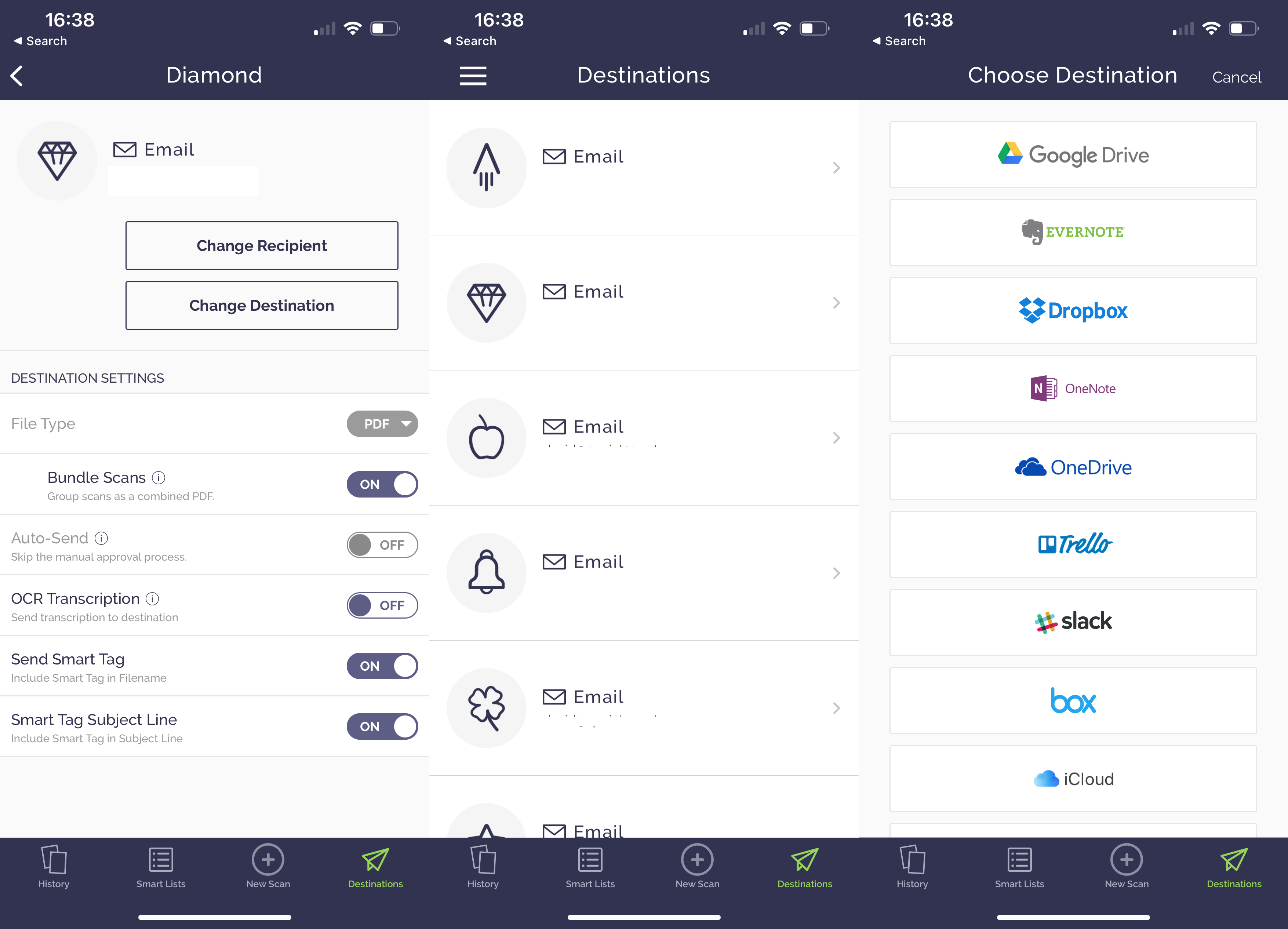
While you can share files from within the Rocketbook app, there are some destination settings made available by crossing the icon on the page: a rocket, a diamond, an apple and so on.
In the app, each icon can be associated with action, including sending an email, saving to cloud storage (iCloud, Dropbox, Google Drive and OneDrive are supported), saving to Evernote, or adding to Trello or Slack. It’s quite a neat idea, provided you can remember which icon you’ve set for the action you want.
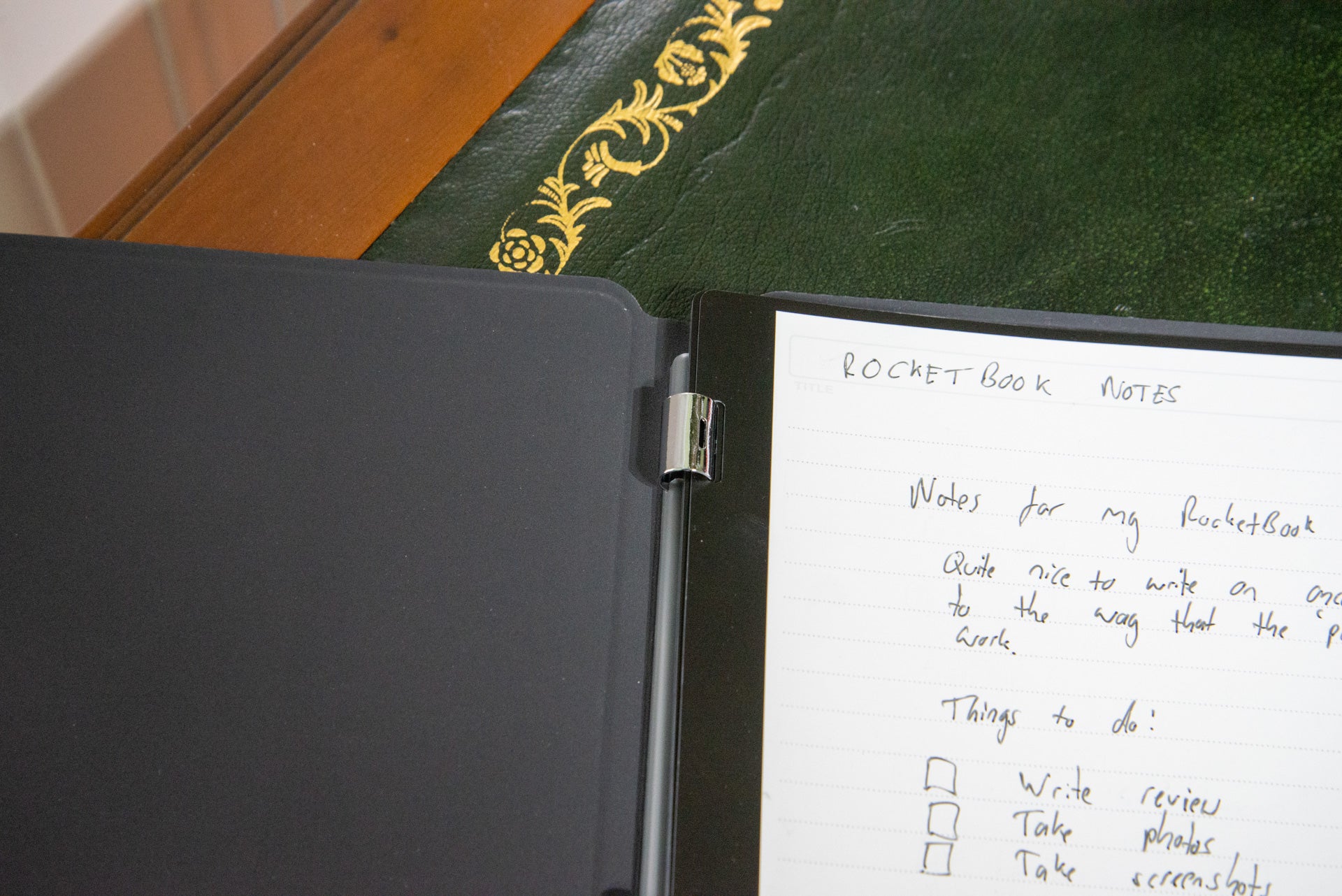
With the Rocketbook Pro pages, there are some advanced OCR options. First, you can write titles on pages to automatically title a file, and you can add tags to group together documents. Just make sure that you write these clearly.
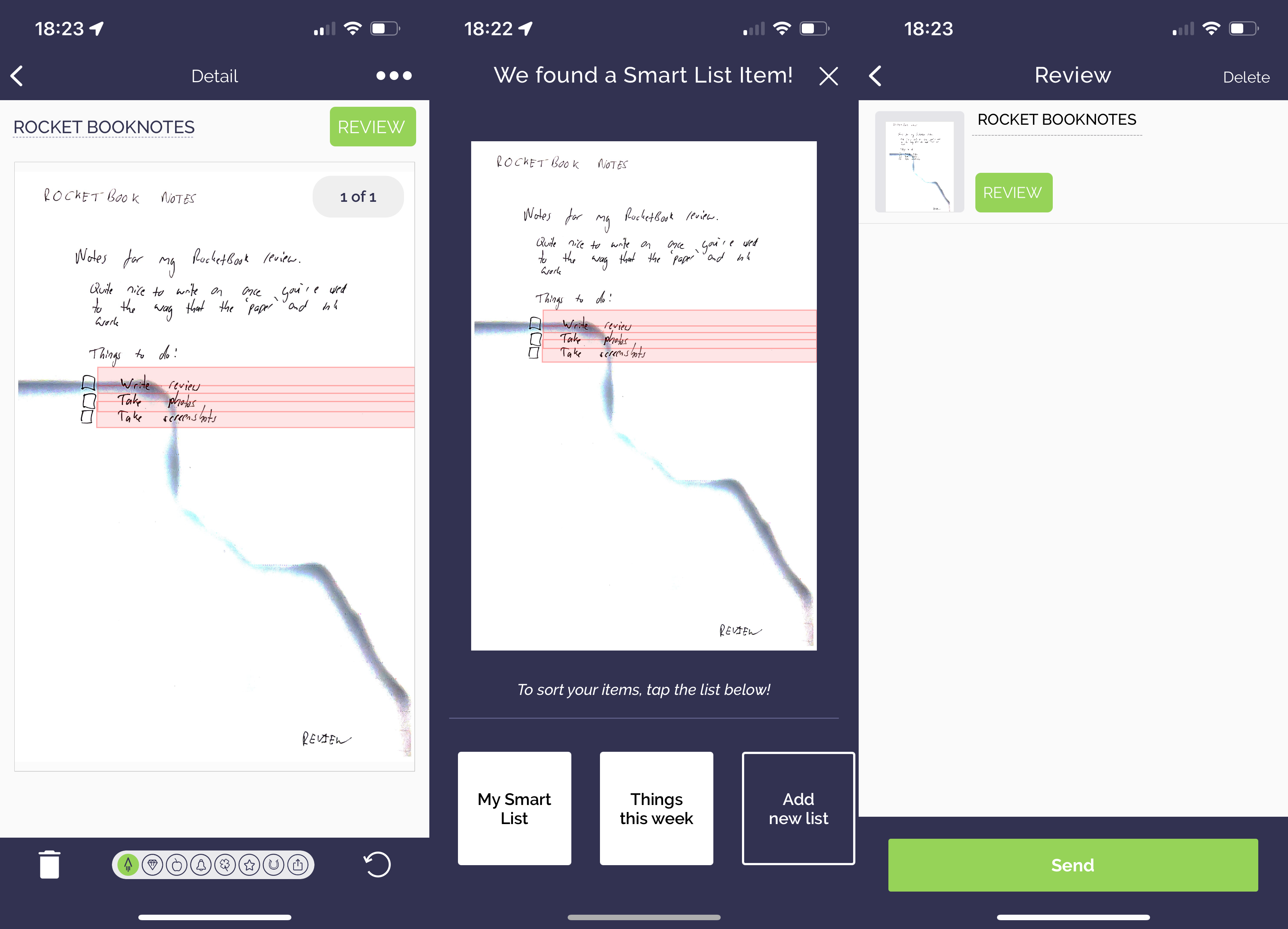
OCR can also be used to spot lists in items: just draw checkboxes and write the options next to them. Again, it’s important to write these very carefully. If you’ve got messy handwriting, then the software can and will make mistakes.
Latest deals
Should you buy it?
You like taking notes in the traditional way: The paper-like feel makes this notebook easy to use, while reusable pages and in-app scanning propel note-taking into the 21st century.
You want more varied pages: The packs are limited in scope to one job and don’t have the flexibility that the RocketBook Fusion has.
Final Thoughts
I guess the direct competition to this is the Remarkable 2 e-ink tablet. That product has some advantages, including being able to connect a keyboard and more easily being able to add to-do lists. However, it is more expensive and requires charging, even if battery life is exceptionally long.
While expensive compared to normal paper, the Rocketbook Pro is good value compared to having to buy notebooks continually, and it’s cheaper than the digital equivalent, adding some smart backup options.
I love the new look and feel, and like the way that the packs can be changed. I would like to see more varied bundles or the option to create my own packs. That aside, this is a premium notebook that let me take notes in the old-fashioned way, giving me modern backup and reusable pages in the mix.
How we test
We test every smart notebook we review thoroughly over an extended period of time. We use industry standard tests to compare features properly. We’ll always tell you what we find. We never, ever, accept money to review a product.
Find out more about how we test in our ethics policy.
Used as our main notebook for the review period.
App thoroughly tested to see how well the smart options work.
FAQs
The Pro has replaceable page packs and a more premium cover; the Fusion has a fixed set of pages.
Only Pilot Frixion pens can be used.
Sustainability
TrustedReviews holds the fact that global warming is not a myth as a core value and will continuously endeavour to help protect our planet from harm in its business practice
As part of this mission, whenever we review a product, we send the company a series of questions to help us gauge and make transparent the impact the device has on the environment
We currently haven’t received answers to the questions on this product, but we will update this page the moment we do. You can see a detailed breakdown of the questions we ask and why in our sustainability info page.

Verdict
A smarter addition to the Rocketbook line of reusable notebooks, the Rocketbook Pro has a premium cover and can have its pages swapped for different packs for different uses. It’s as nice to write on this as it is with real paper, but the pages can be wiped clean and used time and time again. Simple scanning to the app adds some smart features including automatic text detection, although it can be hard to remember what the automatic destination selection icons are for. A few more varied packs of pages wouldn’t go amiss, either.
Pros
- Feels like real paper
- Premium design with replaceable page packs
- Smart app delivers simple page scanning
Cons
- Destination icons confusing
- Replacement packs not that varied
-
Wipe cleanPages can be sprayed with water and wiped with a microfibre cloth, so they can be reused time and time again. -
Requires special inkWorks with Pilot Frixion erasable pens only. -
Scan to appTake PDF backups of your handwritten notes using the smart app.
Introduction
No matter how smart computers get, how good voice recognition is or how intelligent note and planning apps get, sometimes it’s just easier to grab a pen and write. From a company known for its line of reusable notebooks, the Rocketbook Pro is a step-up in terms of style, delivering a more premium experience alongside replaceable packs of paper.
It offers the same writing experience as Rocketbook’s other products, with my only complaint that the choice of packs of paper may not be flexible enough for all uses.
Design and writing
- More premium design
- Replaceable packs of paper
- Feels like paper with slower drying ink
When I reviewed the Rocketbook Fusion, I loved the feel of the paper and the way I could write naturally, but the look and feel let the product down: it felt like a bog-standard ring-bound notebook but with a high-end price.
The Rocketbook Pro is different. From the outside it feels more like a tablet, with its tougher exterior. It’s a big improvement over Rocketbook’s regular products with a nicer, more premium design.
It’s available in two sizes. I went with the A4/Letter edition, but a smaller Executive A5 version is also available. Both feature a similar design and have the one thing that makes them stand out from other Rocketbook products: replaceable packs of paper.
Using a clever clip-in system, packs can be swapped in and out in a matter of seconds. Just grab the top right and pull down to remove; clip the rings into place and they instantly grab on securely.
It’s a neat design, and one that makes the Rocketbook Pro more flexible. The Rocketbook Pro ships with lined paper, but there are packs for meeting notes, monthly planning, a to-do list, and dot paper. On Rocketbook’s site there are images for Dungeons & Dragons character sheets, fitness regimes and blank paper, none of which are available to buy.
Having the choice to switch between paper packs is good, but it’s a shame that there’s not a bundle that gives a bit of everything, as with the Rocketbook Fusion: I’d love a notebook that had a to-do list, a planner and still had plenty of space for notes. There’s no way of opening up the binding to do a DIY job and make your own bundles either, which feels like a missed opportunity.
In all cases, the packs are made out of the same reusable paper. Using a Pilot Frixion pen, the ink can be erased using just water and a microfibre cloth.
The basic 0.7 pen feels a bit cheap, but there are refills available to use with a nicer ball pen if you have one. Multiple colours and three sizes (0.5, 0.7 and 1.0) are available.
Rocketbook provides a cloth in the box, but I recommend buying a simple water sprayer to make it easier to wipe clean.
There is a very slight depression in the paper where previous words have stood but even so, the packs are designed for unlimited use. Given that each use adds more impressions however, I recommend varying which pages you use. That’s quite easy on the Rocketbook Pro: the pack can be removed, and pages moved to the front. Do this regularly, and it’s easy to reuse pages evenly.
Writing is just as easy on this paper as it is on normal paper, with one slight exception: the ink takes a bit longer to dry. I found that needed to wait for a short time after finishing writing to allow the ink to dry before turning a page. Still, it’s more natural than using an e-ink screen, such as the one on the Kindle Scribe.
App
- OCR needs careful handwriting
- Automatically picks up lists
- Tags and names are added automatically
While writing on a reusable notepad gives you a more eco-friendly way of writing, the paper can be lost due to accidents, and once the book is full it has to be erased to be reused. That’s where the app comes in, giving a quick way to scan and save notes forever.
As each page has a QR code on it, the app knows what type of page it is, and adjusts the camera automatically to just capture the page. Provided the light is good enough, capturing pages is very fast.
Documents are saved to the app and can be bundled together with multiple pages in one file.
While you can share files from within the Rocketbook app, there are some destination settings made available by crossing the icon on the page: a rocket, a diamond, an apple and so on.
In the app, each icon can be associated with action, including sending an email, saving to cloud storage (iCloud, Dropbox, Google Drive and OneDrive are supported), saving to Evernote, or adding to Trello or Slack. It’s quite a neat idea, provided you can remember which icon you’ve set for the action you want.
With the Rocketbook Pro pages, there are some advanced OCR options. First, you can write titles on pages to automatically title a file, and you can add tags to group together documents. Just make sure that you write these clearly.
OCR can also be used to spot lists in items: just draw checkboxes and write the options next to them. Again, it’s important to write these very carefully. If you’ve got messy handwriting, then the software can and will make mistakes.
Latest deals
Should you buy it?
You like taking notes in the traditional way: The paper-like feel makes this notebook easy to use, while reusable pages and in-app scanning propel note-taking into the 21st century.
You want more varied pages: The packs are limited in scope to one job and don’t have the flexibility that the RocketBook Fusion has.
Final Thoughts
I guess the direct competition to this is the Remarkable 2 e-ink tablet. That product has some advantages, including being able to connect a keyboard and more easily being able to add to-do lists. However, it is more expensive and requires charging, even if battery life is exceptionally long.
While expensive compared to normal paper, the Rocketbook Pro is good value compared to having to buy notebooks continually, and it’s cheaper than the digital equivalent, adding some smart backup options.
I love the new look and feel, and like the way that the packs can be changed. I would like to see more varied bundles or the option to create my own packs. That aside, this is a premium notebook that let me take notes in the old-fashioned way, giving me modern backup and reusable pages in the mix.
How we test
We test every smart notebook we review thoroughly over an extended period of time. We use industry standard tests to compare features properly. We’ll always tell you what we find. We never, ever, accept money to review a product.
Find out more about how we test in our ethics policy.
Used as our main notebook for the review period.
App thoroughly tested to see how well the smart options work.
FAQs
The Pro has replaceable page packs and a more premium cover; the Fusion has a fixed set of pages.
Only Pilot Frixion pens can be used.
Sustainability
TrustedReviews holds the fact that global warming is not a myth as a core value and will continuously endeavour to help protect our planet from harm in its business practice
As part of this mission, whenever we review a product, we send the company a series of questions to help us gauge and make transparent the impact the device has on the environment
We currently haven’t received answers to the questions on this product, but we will update this page the moment we do. You can see a detailed breakdown of the questions we ask and why in our sustainability info page.



