





Verdict
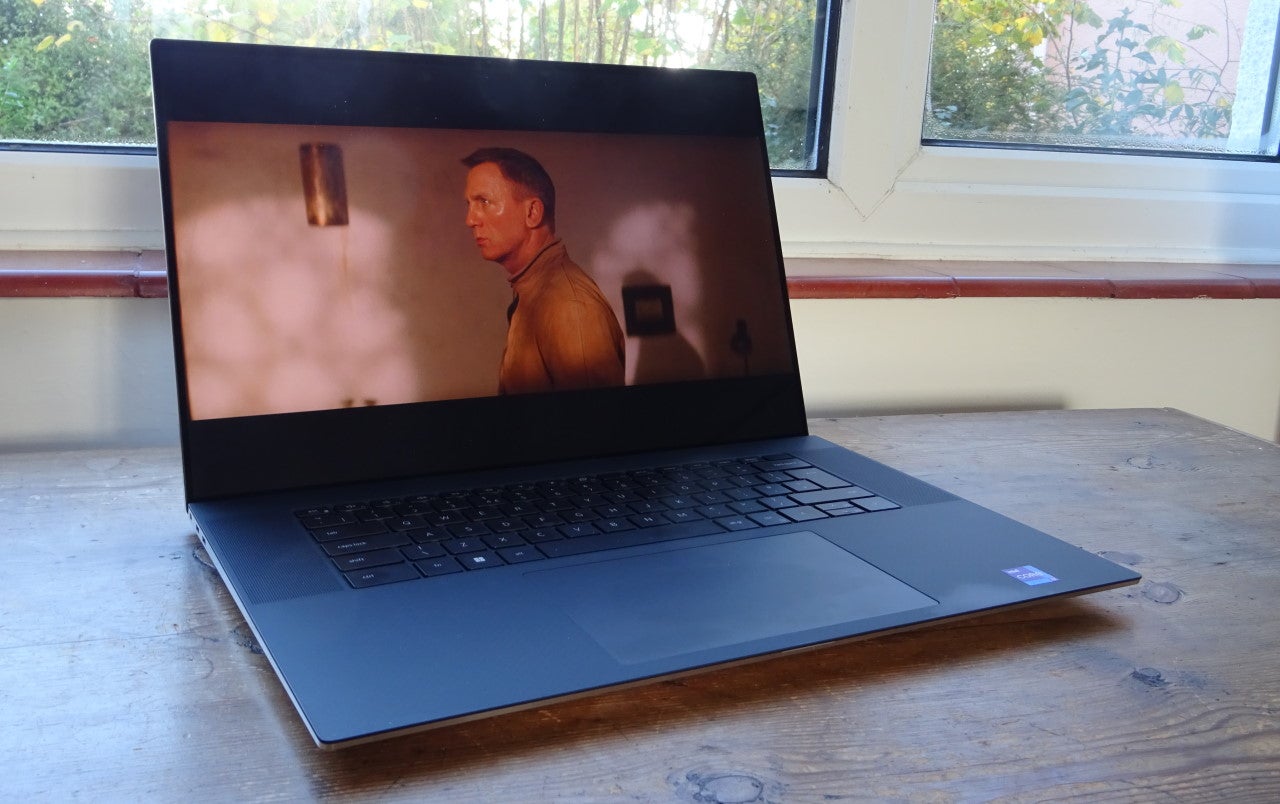
With good all-round performance and an impressive 4K display, the Dell XPS 17 (2022) is a brilliant premium big-screen laptop without the usual bulk.
Pros
- High-quality 17-inch 4K screen
- Good all-round performance
- Stylish, bulk-reducing design
Cons
- Not much battery life
- Stability issues in games
- Power-constrained GPU
Availability
- UKRRP: £2709
- USARRP: $3109
- EuropeRRP: €3616
- CanadaRRP: CA$3199
- AustraliaRRP: AU$4353
-
17-inch 4K screenThis display is perfect for serious multitasking or work in complex creative applications -
Core i7 12700H CPUNot Intel’s fastest 12th-gen CPU, but one of the fastest you can get without spending silly money -
RTX 3060 GPUIt’s only the 60W version, but it’s good enough for graphics and video work plus occasional 3D gaming
Introduction
Laptops with small screens, and slim and light designs are always going to win on style and portability, but there are some scenarios where going bigger works out better.
When you’re working from home across several complex applications, or you’re looking to be entertained, the big screen gives you space and clarity, or just a bigger, more immersive picture.
Until we have laptops with folding or extending screens, you’re never going to get the best of both worlds, but the Dell XPS 17 comes fairly close. By supersizing its much-admired premium laptop, Dell has created a machine with all the screen space you could want, but in a form you can just about lug around.
The Dell XPS 17 (2022) starts at just under £2000, getting you a version with a 12th-gen Core i7-12700H processor, an RTX 3050 GPU and a Full HD screen. From there, it stretches up with custom options to a Core i9, an RTX 3060, 64GB of RAM and a 2TB SSD, with a 17-inch UHD+ display, yours for around £3600.
My review sample is somewhere in the middle, with the Core i7, the RTX 3060 and the 4K screen, but with a 1TB SSD and 32GB of RAM. This spec comes in at a slightly more affordable £2709.
Design and Keyboard
- Slim and light by 17-inch laptop standards
- Decent USB-C connectivity with bundled Type A HDMI adapter
- Keyboard is very spacious and comfortable to type on
There’s no denying that the Dell XPS 17 is a big laptop, with a desktop footprint of roughly 38cm by 25cm when closed – think a good-sized hardback coffee-table book. However, it’s not dramatically bigger than some 15.6-inch laptops, and Dell has done its level best to keep it relatively slim and light.
It’s less than 20mm thick at the rear and a good 6mm thinner at the front, with the curved edges making it seem even slimmer. The weight – between 2.17kg and 2.57kg, depending on your spec – is a little high for the daily commute or trek to the coffee shop, but it shouldn’t kill your neck and shoulders if you do have to take it to the office or out on an occasional trip.
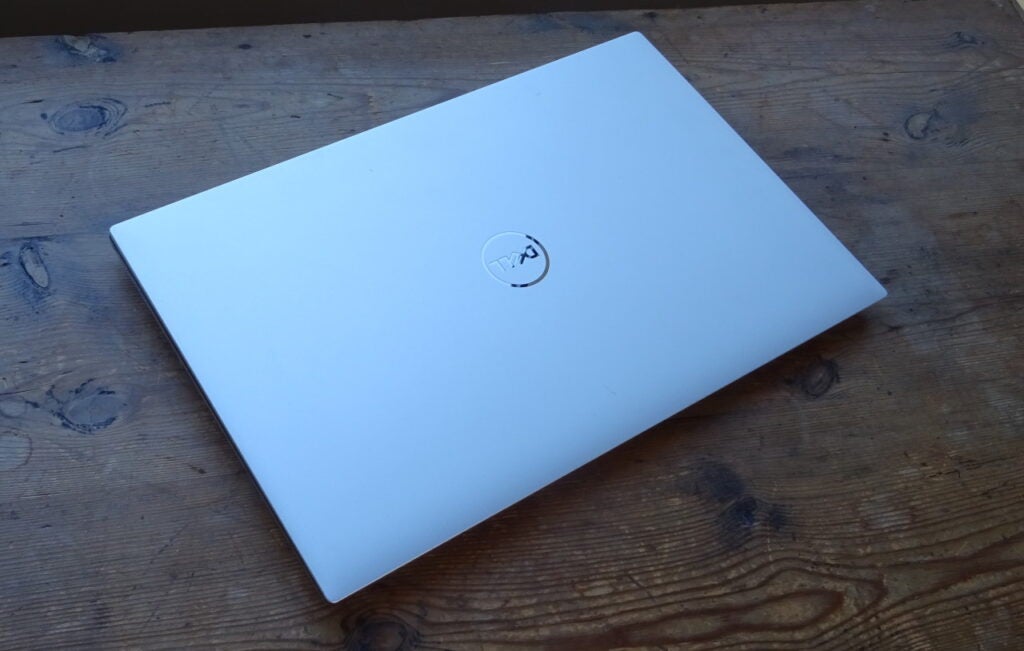
The materials will be familiar from the XPS 13 and XPS 15: all tough metallic alloys on the lid and the base, with a carbon-fibre panel surrounding the keyboard and touchpad, and a nearly zero-bezel glass-fronted display. You won’t get a 17-inch screen in anything much smaller, and the build feels luxurious, solid and robust.
It’s nigh impossible to spot the built-in webcam when the “on” light isn’t shining, but it’s positioned where it should be – at the top rather than the bottom of the screen. The resolution isn’t anything special, but the quality is pretty good, with decent natural colours and a well-balanced exposure.
Connectivity is actually a little better than with the XPS 15, with space for two USB-C/Thunderbolt 4 ports on each side of the unit, both supporting DisplayPort and USB PD. There’s also a full-sized SD card reader and an audio jack on the right-hand side, while Dell thoughtfully bundles a USB 3.0 Type A and HDMI 2.0 adapter.
There’s no Ethernet connectivity, but that’s neither unusual nor much of an issue, given the onboard 2×2 MIMO Wi-Fi 6. Meanwhile, you have Bluetooth 5.2 for your mouse and wireless headsets.
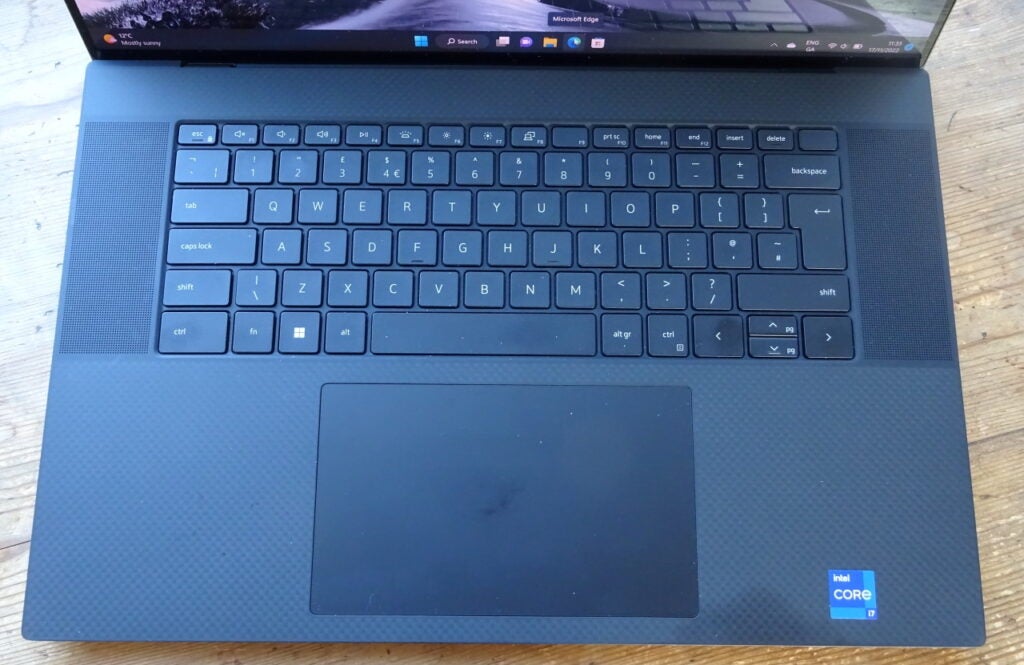
Is it possible for a keyboard to be too spacious? For a while, the XPS 17 had me thinking “maybe”. It’s almost the size of a proper desktop keyboard, minus the numerical pad, and takes a lot of adjustment if you’re used to a less expansive laptop layout. With a bit of time, however, it grew on me. The Tab, Caps Lock, Shift and Ctrl keys are easy to find in a hurry, and the actual action is nice, crisp and speedy, with a convincing amount of travel. When you’re typing, it gives you room to breathe.
As for the trackpad, it’s equally as massive, measuring approximately 15cm across and nearly 9cm deep. It’s smooth, with good tracking and plenty of sensitivity, and you always have the option of a touchscreen if you like that sort of thing. I’ll admit that I tended to forget it was there.
There are two options for signing in: the webcam handles Windows Hello facial recognition, while there’s also a fingerprint scanner in the power key on the top-right corner of the keyboard. Both work reliably and quickly, so you won’t have to worry about passwords or PINs most of the time.
Screen
- Size and resolution are ideal for creative apps and entertainment
- High levels of brightness and contrast for a laptop IPS display
- Excellent colour gamut coverage and accuracy
Having only just reviewed the Dell XPS 15 with its stunning 3.5K OLED panel, I was prepared for a bit of a comedown with the XPS 17’s 4K IPS display.
It was a bit, but not by as much as I’d initially feared. The display here is bright – Dell rates it at 500 nits – and its colours are rich and accurate. Whether doing my daily work across Office applications, watching Netflix, playing games or adjusting images for publication, I was very happy doing so with this screen.
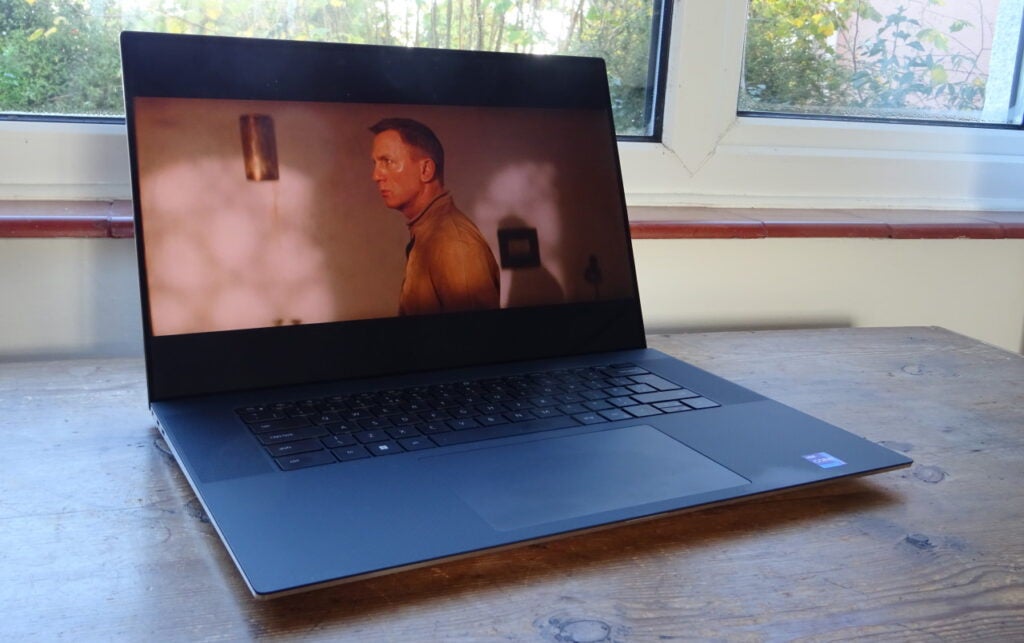
Let’s look at the numbers. The 4K screen covers 100% of the sRGB gamut and a credible 95.2% of DCI-P3. I measured the maximum brightness at 467.4 nits, and with a 0.275-nit black level, that gives us a contrast of 1686.4:1. All these figures are well above average for an IPS screen, even at this price point. Meanwhile, the average Delta E is fantastic, at just 0.75. Whether you’re tuning photos or playing HDR games and video, you won’t find many laptop LCDs that are more qualified.
I’m just as impressed by the sound. It’s not miraculously deep or bassy, but there’s some decent tone and a nice stereo soundstage that works really well for games and movies. If you plug in some headphones, it will be more out of privacy or consideration for others than because you can’t stand the output – that’s not bad at all.
Performance
- Strong performance across most applications
- 3D speeds could be better, but are fine for creative apps and gaming
- Stability issues rear up when pushed hard in modern games
With six performance cores running at up to 4.7GHz, and eight efficient cores at up to 3.5GHz, the Core i7 12700H is a speedy chip. Throw the RTX 3060 into the mix and the Dell XPS 17 (2022) is slightly faster across a range of applications than the XPS 15, which was itself a good performer.
The XPS 17’s results in Geekbench 5 and PC Mark 10 also put it ahead of other big-screen high-performance laptops, such as the Huawei MateBook 16S, Acer Swift Edge and LG Gram 16. Even high-end video and design applications aren’t going to cause any problems for this 17-incher, and they’re exactly the kind applications you’d probably buy this laptop for.
The Nvidia RTX 3060 also opens up some gaming opportunities, although I have a few caveats to add. Firstly, this is the 60W version of the GPU – what we’d have previously called the Max-Q version – so it can’t reach the same 1425-1702MHz clock speeds as the 80W or 115W versions. Instead, it maxes out at 1282MHz.
Secondly, I found that the bottom of the test sample got very hot during 3D graphics and games testing, with the GPU temperature closing in at about 90°C. There was a lot of fan noise by this point, and I actually propped the laptop up slightly to give more room around the vents while gaming.
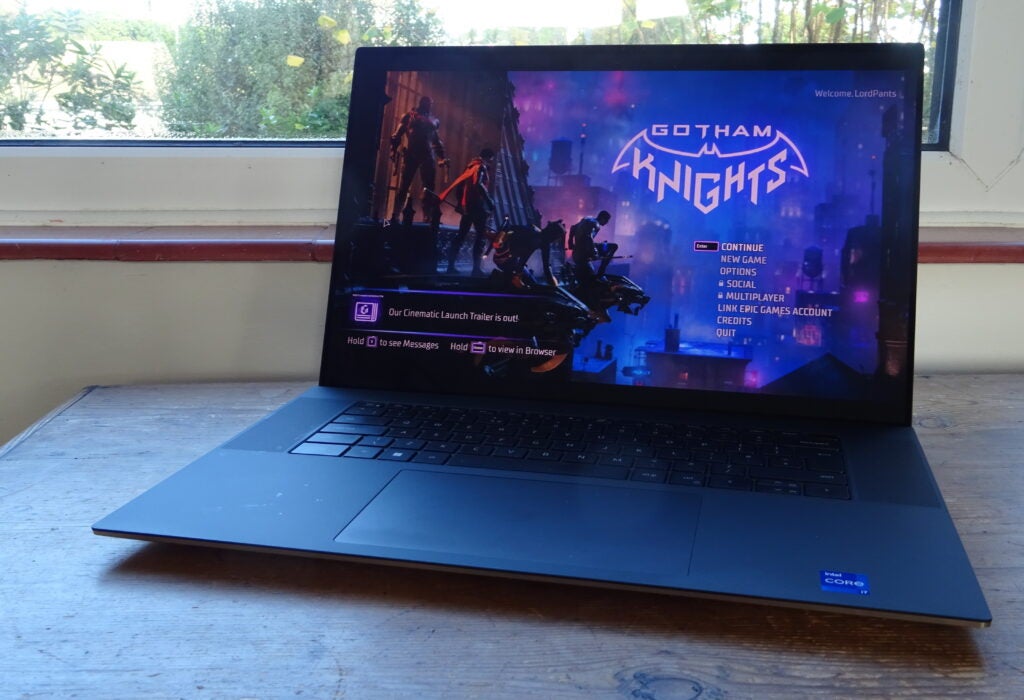
Finally, I had some issues with stability. Both Borderlands 3 and Horizon Zero Dawn refused to run benchmark sequences on a few occasions, and I had to restart Gotham Knights a couple of times because frame rates had begun to crawl.
The latter isn’t the world’s most bug-free bit of code by any means, but this hammers home the point that XPS 17 is a machine for productivity and some casual gaming, not a dedicated gaming powerhouse with the cooling systems to match.
In any case, when the benchmarks would run on the XPS 17, it was significantly faster than the XPS 15, and it’s really only the more specialist gaming machines that are going to make it look slow. What’s more, you can use DLSS to boost your frame rates – and you really need to do so if you’re planning to run games at anything near native screen resolutions rather than the bog-standard 1080p. Doing so, I could get Horizon Zero Dawn running at a playable 44fps average rather than a slightly janky 32fps.
Battery life
- Just 3hrs and 37mins of office work
- Roughly 3hrs of streaming at full brightness
There is one area, unfortunately, in which the Dell XPS 17 (2022) matches gaming laptops, and that’s its battery life.
3 hours and 37mins is a disappointing result with my Modern Office benchmark, and while you will probably get more with light browsing and office work, you still won’t make it through a working day without a recharge, especially with the screen brightness turned up – we test at just 150 nits.
If you’re streaming video at close to full brightness, then you’ll see the battery run down pretty quickly. Expect about 3hrs of streaming, with an extra half an hour or so if you turn the brightness down.
Latest deals
Should you buy it?
If you’re looking for a big-screen laptop for work and entertainment
The XPS 17 is an excellent choice. It’s fast, it offers good 2D and 3D performance and a screen that’s ready for creative applications as well as 4K Netflix and Disney+ binges. It also looks great and is about as lightweight as a 17-inch laptop can get.
You want a gaming laptop
This isn’t a games machine, and the stability (or the lack of it) during testing gave me some pause for thought on cooling. You also pay a high premium for the big 4K screen, while cheaper options are available if you’re happy with less power or a smaller 16-inch display.
Final Thoughts
If I were in the market for a luxurious laptop with a larger screen, the Dell XPS 17 (2022) would be near the top of my shortlist. Sure, it’s expensive, but the 17-inch 4K screen is fantastic and the high spec means there’s power to spare.
As a gamer, middling 3D performance and some teething issues with stability put me off a little. But if that’s not a deal-breaker for you, then the Dell XPS 17 is a strong proposition.
How we test
Every laptop we review goes through a series of uniform checks designed to gauge key things including build quality, performance, screen quality and battery life.
These include formal synthetic benchmarks and scripted tests, plus a series of real-world checks, such as how well it runs the most frequently used apps.
We also make sure to use every laptop we review as our primary device for at least a week to ensure our review is as accurate as possible.
Spent at least a week testing the laptop.
Tested the screen with professional equipment.
Use benchmark software to evaluate performance.
FAQs
The Dell XPS 17 is capable of casual gaming, but it isn’t really a proper gaming laptop. Check out Dell’s Alienware brand instead.
I did find the laptop to get noticeably hot underneath when under intense pressure. Although it should be fine for productivity tasks.
Trusted Reviews test data
PCMark 10
Geekbench 5 single core
Geekbench 5 multi core
3DMark Time Spy
Brightness
Black level
Contrast
White Visual Colour Temperature
sRGB
Adobe RGB
DCI-P3
PCMark Battery (office)
Borderlands 3 frame rate (4K)
Borderlands 3 frame rate (Full HD)
Horizon Zero Dawn frame rate (4K)
Horizon Zero Dawn frame rate (Full HD)
UK RRP
USA RRP
EU RRP
CA RRP
AUD RRP
CPU
Manufacturer
Quiet Mark Accredited
Screen Size
Storage Capacity
Front Camera
Battery
Battery Hours
Size (Dimensions)
Weight
Operating System
Release Date
First Reviewed Date
Model Number
Resolution
HDR
Refresh Rate
Ports
Audio (Power output)
GPU
RAM
Connectivity
Colours
Screen Technology
Touch Screen
Convertible?
Jargon buster
GPU
The graphics processing unit is designed to render graphics, which is particularly important for gaming, creating 3D models and editing video.
SSD
Known as Solid State Drive, this is a faster form of a memory than a standard hard drive. Results in faster loading times and more ambitious games.

Verdict
With good all-round performance and an impressive 4K display, the Dell XPS 17 (2022) is a brilliant premium big-screen laptop without the usual bulk.
Pros
- High-quality 17-inch 4K screen
- Good all-round performance
- Stylish, bulk-reducing design
Cons
- Not much battery life
- Stability issues in games
- Power-constrained GPU
Availability
- UKRRP: £2709
- USARRP: $3109
- EuropeRRP: €3616
- CanadaRRP: CA$3199
- AustraliaRRP: AU$4353
-
17-inch 4K screenThis display is perfect for serious multitasking or work in complex creative applications -
Core i7 12700H CPUNot Intel’s fastest 12th-gen CPU, but one of the fastest you can get without spending silly money -
RTX 3060 GPUIt’s only the 60W version, but it’s good enough for graphics and video work plus occasional 3D gaming
Introduction
Laptops with small screens, and slim and light designs are always going to win on style and portability, but there are some scenarios where going bigger works out better.
When you’re working from home across several complex applications, or you’re looking to be entertained, the big screen gives you space and clarity, or just a bigger, more immersive picture.
Until we have laptops with folding or extending screens, you’re never going to get the best of both worlds, but the Dell XPS 17 comes fairly close. By supersizing its much-admired premium laptop, Dell has created a machine with all the screen space you could want, but in a form you can just about lug around.
The Dell XPS 17 (2022) starts at just under £2000, getting you a version with a 12th-gen Core i7-12700H processor, an RTX 3050 GPU and a Full HD screen. From there, it stretches up with custom options to a Core i9, an RTX 3060, 64GB of RAM and a 2TB SSD, with a 17-inch UHD+ display, yours for around £3600.
My review sample is somewhere in the middle, with the Core i7, the RTX 3060 and the 4K screen, but with a 1TB SSD and 32GB of RAM. This spec comes in at a slightly more affordable £2709.
Design and Keyboard
- Slim and light by 17-inch laptop standards
- Decent USB-C connectivity with bundled Type A HDMI adapter
- Keyboard is very spacious and comfortable to type on
There’s no denying that the Dell XPS 17 is a big laptop, with a desktop footprint of roughly 38cm by 25cm when closed – think a good-sized hardback coffee-table book. However, it’s not dramatically bigger than some 15.6-inch laptops, and Dell has done its level best to keep it relatively slim and light.
It’s less than 20mm thick at the rear and a good 6mm thinner at the front, with the curved edges making it seem even slimmer. The weight – between 2.17kg and 2.57kg, depending on your spec – is a little high for the daily commute or trek to the coffee shop, but it shouldn’t kill your neck and shoulders if you do have to take it to the office or out on an occasional trip.
The materials will be familiar from the XPS 13 and XPS 15: all tough metallic alloys on the lid and the base, with a carbon-fibre panel surrounding the keyboard and touchpad, and a nearly zero-bezel glass-fronted display. You won’t get a 17-inch screen in anything much smaller, and the build feels luxurious, solid and robust.
It’s nigh impossible to spot the built-in webcam when the “on” light isn’t shining, but it’s positioned where it should be – at the top rather than the bottom of the screen. The resolution isn’t anything special, but the quality is pretty good, with decent natural colours and a well-balanced exposure.
Connectivity is actually a little better than with the XPS 15, with space for two USB-C/Thunderbolt 4 ports on each side of the unit, both supporting DisplayPort and USB PD. There’s also a full-sized SD card reader and an audio jack on the right-hand side, while Dell thoughtfully bundles a USB 3.0 Type A and HDMI 2.0 adapter.
There’s no Ethernet connectivity, but that’s neither unusual nor much of an issue, given the onboard 2×2 MIMO Wi-Fi 6. Meanwhile, you have Bluetooth 5.2 for your mouse and wireless headsets.
Is it possible for a keyboard to be too spacious? For a while, the XPS 17 had me thinking “maybe”. It’s almost the size of a proper desktop keyboard, minus the numerical pad, and takes a lot of adjustment if you’re used to a less expansive laptop layout. With a bit of time, however, it grew on me. The Tab, Caps Lock, Shift and Ctrl keys are easy to find in a hurry, and the actual action is nice, crisp and speedy, with a convincing amount of travel. When you’re typing, it gives you room to breathe.
As for the trackpad, it’s equally as massive, measuring approximately 15cm across and nearly 9cm deep. It’s smooth, with good tracking and plenty of sensitivity, and you always have the option of a touchscreen if you like that sort of thing. I’ll admit that I tended to forget it was there.
There are two options for signing in: the webcam handles Windows Hello facial recognition, while there’s also a fingerprint scanner in the power key on the top-right corner of the keyboard. Both work reliably and quickly, so you won’t have to worry about passwords or PINs most of the time.
Screen
- Size and resolution are ideal for creative apps and entertainment
- High levels of brightness and contrast for a laptop IPS display
- Excellent colour gamut coverage and accuracy
Having only just reviewed the Dell XPS 15 with its stunning 3.5K OLED panel, I was prepared for a bit of a comedown with the XPS 17’s 4K IPS display.
It was a bit, but not by as much as I’d initially feared. The display here is bright – Dell rates it at 500 nits – and its colours are rich and accurate. Whether doing my daily work across Office applications, watching Netflix, playing games or adjusting images for publication, I was very happy doing so with this screen.
Let’s look at the numbers. The 4K screen covers 100% of the sRGB gamut and a credible 95.2% of DCI-P3. I measured the maximum brightness at 467.4 nits, and with a 0.275-nit black level, that gives us a contrast of 1686.4:1. All these figures are well above average for an IPS screen, even at this price point. Meanwhile, the average Delta E is fantastic, at just 0.75. Whether you’re tuning photos or playing HDR games and video, you won’t find many laptop LCDs that are more qualified.
I’m just as impressed by the sound. It’s not miraculously deep or bassy, but there’s some decent tone and a nice stereo soundstage that works really well for games and movies. If you plug in some headphones, it will be more out of privacy or consideration for others than because you can’t stand the output – that’s not bad at all.
Performance
- Strong performance across most applications
- 3D speeds could be better, but are fine for creative apps and gaming
- Stability issues rear up when pushed hard in modern games
With six performance cores running at up to 4.7GHz, and eight efficient cores at up to 3.5GHz, the Core i7 12700H is a speedy chip. Throw the RTX 3060 into the mix and the Dell XPS 17 (2022) is slightly faster across a range of applications than the XPS 15, which was itself a good performer.
The XPS 17’s results in Geekbench 5 and PC Mark 10 also put it ahead of other big-screen high-performance laptops, such as the Huawei MateBook 16S, Acer Swift Edge and LG Gram 16. Even high-end video and design applications aren’t going to cause any problems for this 17-incher, and they’re exactly the kind applications you’d probably buy this laptop for.
The Nvidia RTX 3060 also opens up some gaming opportunities, although I have a few caveats to add. Firstly, this is the 60W version of the GPU – what we’d have previously called the Max-Q version – so it can’t reach the same 1425-1702MHz clock speeds as the 80W or 115W versions. Instead, it maxes out at 1282MHz.
Secondly, I found that the bottom of the test sample got very hot during 3D graphics and games testing, with the GPU temperature closing in at about 90°C. There was a lot of fan noise by this point, and I actually propped the laptop up slightly to give more room around the vents while gaming.
Finally, I had some issues with stability. Both Borderlands 3 and Horizon Zero Dawn refused to run benchmark sequences on a few occasions, and I had to restart Gotham Knights a couple of times because frame rates had begun to crawl.
The latter isn’t the world’s most bug-free bit of code by any means, but this hammers home the point that XPS 17 is a machine for productivity and some casual gaming, not a dedicated gaming powerhouse with the cooling systems to match.
In any case, when the benchmarks would run on the XPS 17, it was significantly faster than the XPS 15, and it’s really only the more specialist gaming machines that are going to make it look slow. What’s more, you can use DLSS to boost your frame rates – and you really need to do so if you’re planning to run games at anything near native screen resolutions rather than the bog-standard 1080p. Doing so, I could get Horizon Zero Dawn running at a playable 44fps average rather than a slightly janky 32fps.
Battery life
- Just 3hrs and 37mins of office work
- Roughly 3hrs of streaming at full brightness
There is one area, unfortunately, in which the Dell XPS 17 (2022) matches gaming laptops, and that’s its battery life.
3 hours and 37mins is a disappointing result with my Modern Office benchmark, and while you will probably get more with light browsing and office work, you still won’t make it through a working day without a recharge, especially with the screen brightness turned up – we test at just 150 nits.
If you’re streaming video at close to full brightness, then you’ll see the battery run down pretty quickly. Expect about 3hrs of streaming, with an extra half an hour or so if you turn the brightness down.
Latest deals
Should you buy it?
If you’re looking for a big-screen laptop for work and entertainment
The XPS 17 is an excellent choice. It’s fast, it offers good 2D and 3D performance and a screen that’s ready for creative applications as well as 4K Netflix and Disney+ binges. It also looks great and is about as lightweight as a 17-inch laptop can get.
You want a gaming laptop
This isn’t a games machine, and the stability (or the lack of it) during testing gave me some pause for thought on cooling. You also pay a high premium for the big 4K screen, while cheaper options are available if you’re happy with less power or a smaller 16-inch display.
Final Thoughts
If I were in the market for a luxurious laptop with a larger screen, the Dell XPS 17 (2022) would be near the top of my shortlist. Sure, it’s expensive, but the 17-inch 4K screen is fantastic and the high spec means there’s power to spare.
As a gamer, middling 3D performance and some teething issues with stability put me off a little. But if that’s not a deal-breaker for you, then the Dell XPS 17 is a strong proposition.
How we test
Every laptop we review goes through a series of uniform checks designed to gauge key things including build quality, performance, screen quality and battery life.
These include formal synthetic benchmarks and scripted tests, plus a series of real-world checks, such as how well it runs the most frequently used apps.
We also make sure to use every laptop we review as our primary device for at least a week to ensure our review is as accurate as possible.
Spent at least a week testing the laptop.
Tested the screen with professional equipment.
Use benchmark software to evaluate performance.
FAQs
The Dell XPS 17 is capable of casual gaming, but it isn’t really a proper gaming laptop. Check out Dell’s Alienware brand instead.
I did find the laptop to get noticeably hot underneath when under intense pressure. Although it should be fine for productivity tasks.
Trusted Reviews test data
PCMark 10
Geekbench 5 single core
Geekbench 5 multi core
3DMark Time Spy
Brightness
Black level
Contrast
White Visual Colour Temperature
sRGB
Adobe RGB
DCI-P3
PCMark Battery (office)
Borderlands 3 frame rate (4K)
Borderlands 3 frame rate (Full HD)
Horizon Zero Dawn frame rate (4K)
Horizon Zero Dawn frame rate (Full HD)
UK RRP
USA RRP
EU RRP
CA RRP
AUD RRP
CPU
Manufacturer
Quiet Mark Accredited
Screen Size
Storage Capacity
Front Camera
Battery
Battery Hours
Size (Dimensions)
Weight
Operating System
Release Date
First Reviewed Date
Model Number
Resolution
HDR
Refresh Rate
Ports
Audio (Power output)
GPU
RAM
Connectivity
Colours
Screen Technology
Touch Screen
Convertible?
Jargon buster
GPU
The graphics processing unit is designed to render graphics, which is particularly important for gaming, creating 3D models and editing video.
SSD
Known as Solid State Drive, this is a faster form of a memory than a standard hard drive. Results in faster loading times and more ambitious games.



