





Verdict
For owners of the original, there’s not much reason to upgrade. For those looking for way to automate their existing curtains, the SwitchBot Curtain Rod 2 is a great upgrade to practically any curtain pole. The kit needs the optional Hub Mini to unleash its full potential, and the Remote could be more powerful, but those quibbles aside, this is a neat upgrade to almost any home.
Pros
- Easy to fit
- Needs the Hub for internet control
- Works with most curtain poles
-
ConnectionWorks over Bluetooth and requires a Hub Mini for internet control. -
Smarthome compatibilityWorks with IFTTT, SmartThings, Amazon Alexa and Google Assistant.
Introduction
SwitchBot’s original Curtain robot made it simple to automate practically any set of curtains. Now, the SwitchBot Curtain Rod 2 promises to do the same thing, only this set is easier to install, quieter and more powerful.
It works well, and reliably, with just a few minor issues getting in the way.
Design and installation
- Clips over a curtain rod
- Compatible with the solar panel
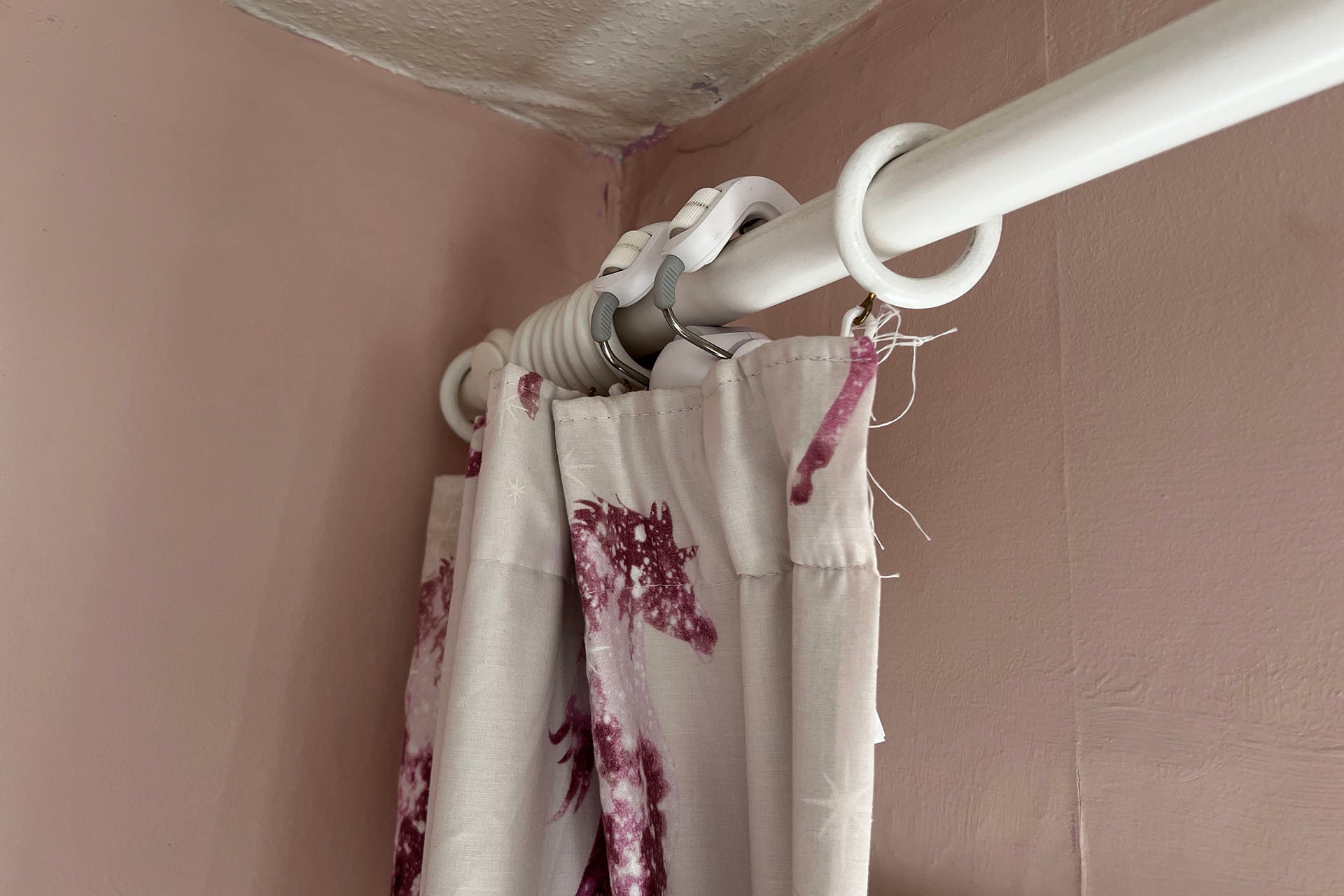
The SwitchBot Curtain Rod 2 is designed to work with curtain rods only, with separate models available for U- and I-rail curtains, although the basic software is the same for these versions. New to this version is the installation method.
When I reviewed the original SwitchBot Curtain I found that it was a little fiddly to install: get the robot to grip too tight and it would get stuck; too loose and it wouldn’t move at all. Here, SwitchBot has made things easier.
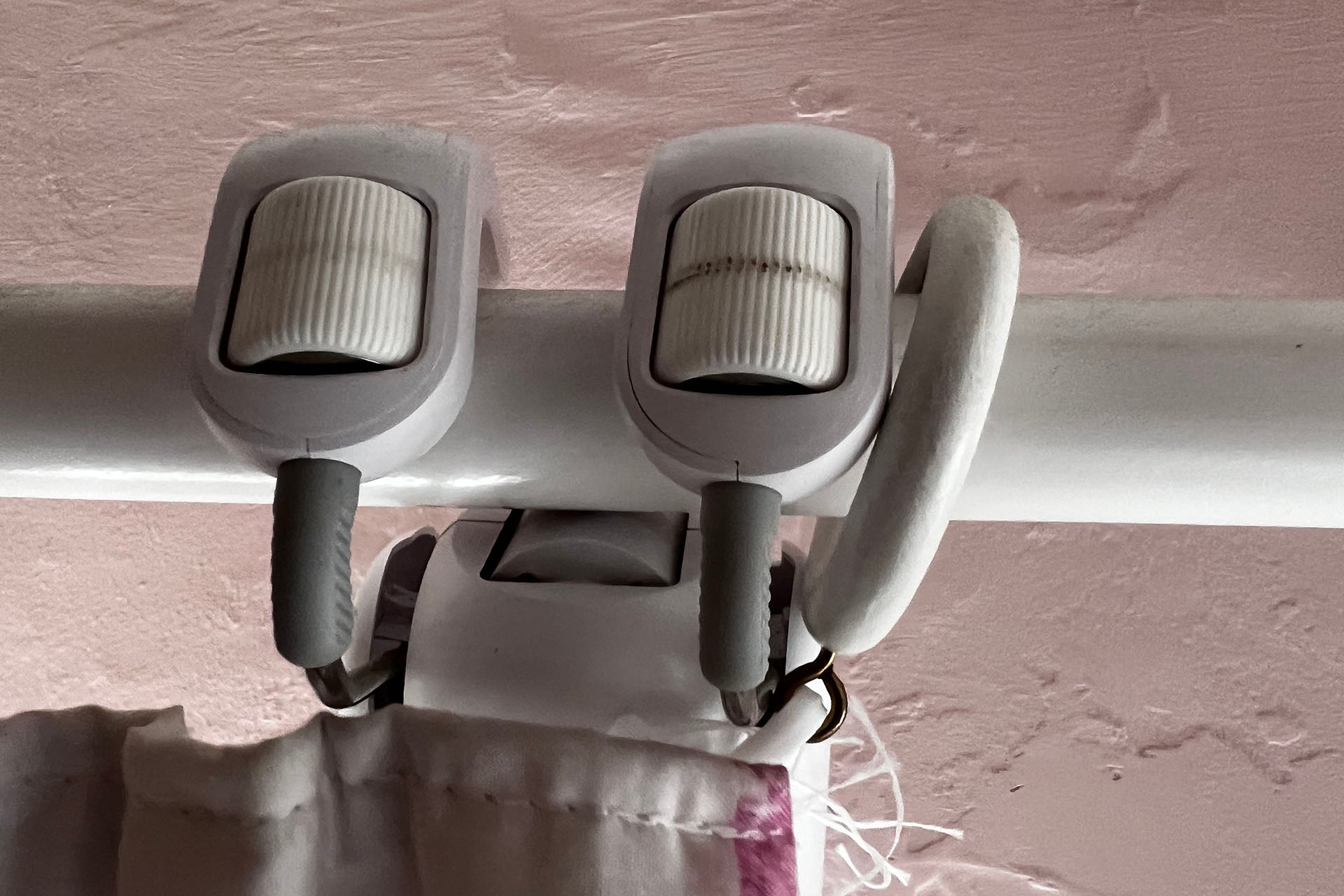
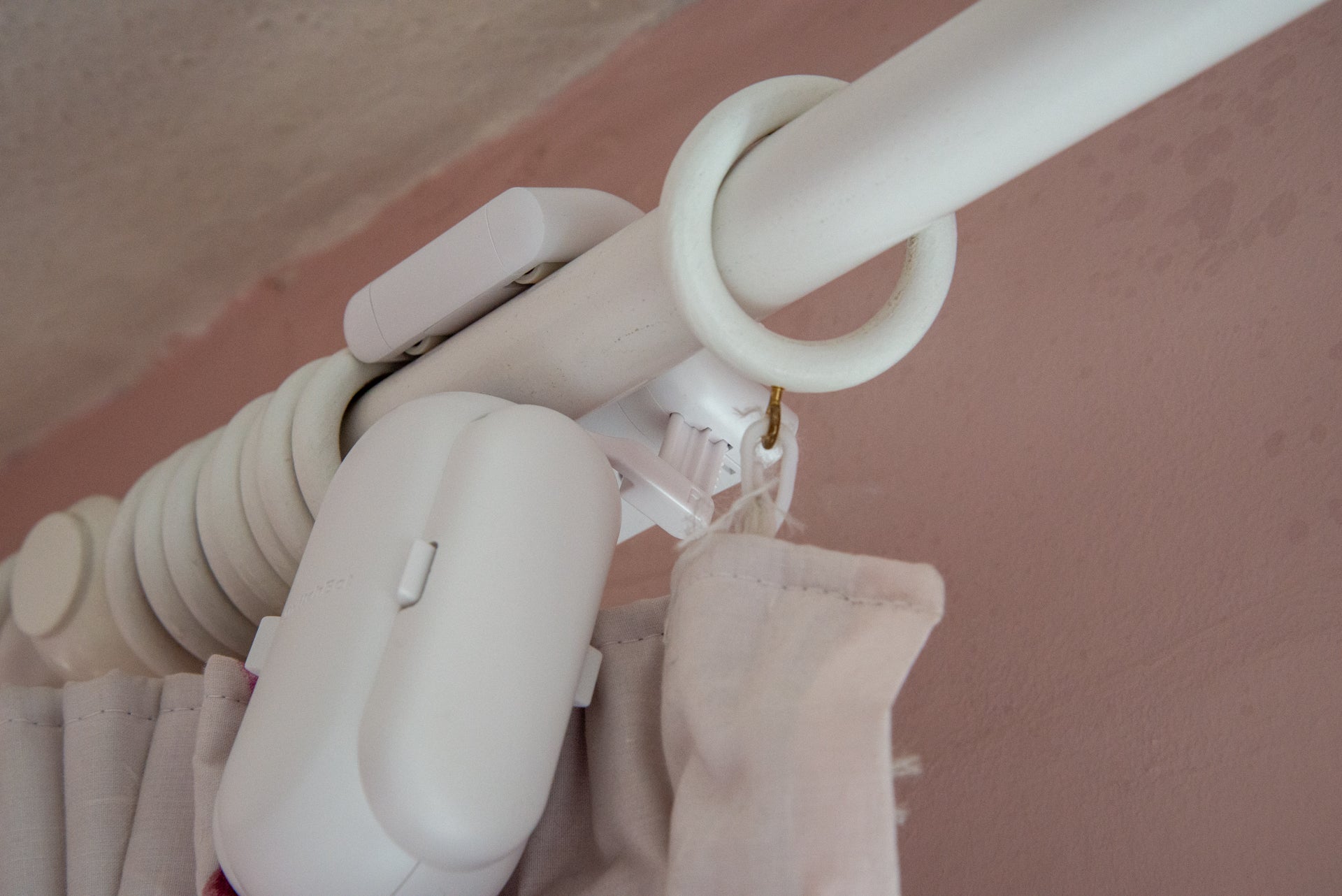
With this model, two arms hold the SwitchBot Curtain Rod 2 in place, but you remove one before fitting. The remaining arms levels up, and you simply grip it around the curtain rod, then clip the second arm into place, reattaching it to the robot’s body. SwitchBot has some excellent videos that explain how to do this for different types of curtains.
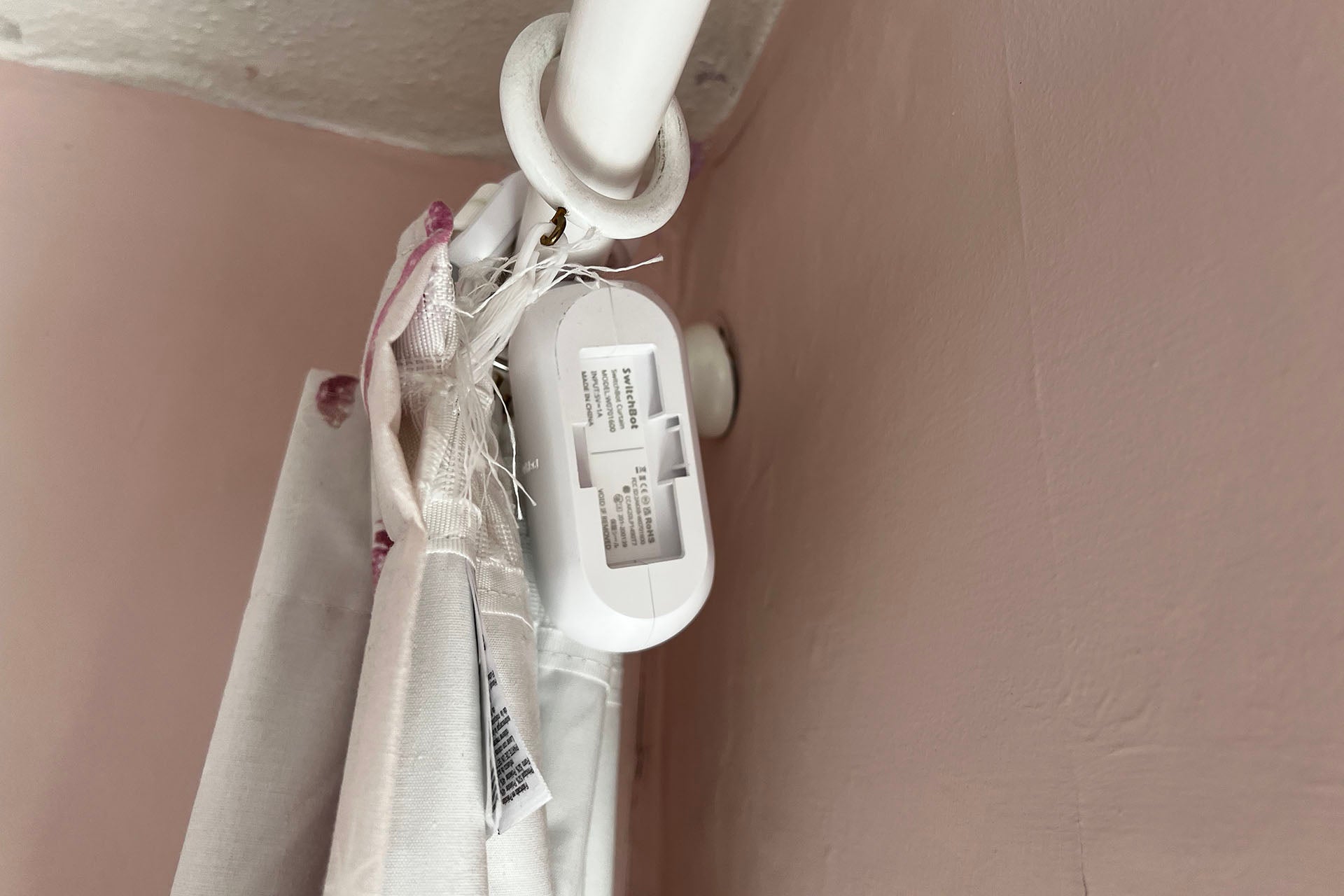
My curtains just needed the robot to be installed, but some require the chain of beads to be clipped on to help the curtain bunch up and unfold properly. Again, there are excellent videos that show you how.
I found that it only took me a couple of minutes to get my SwitchBot Curtain Rod 2 curtain installed, which was way faster than the installation for the original models. It’s possible to see the robot peaking over the top of the curtains, but overall I didn’t find them too ugly or obtrusive.
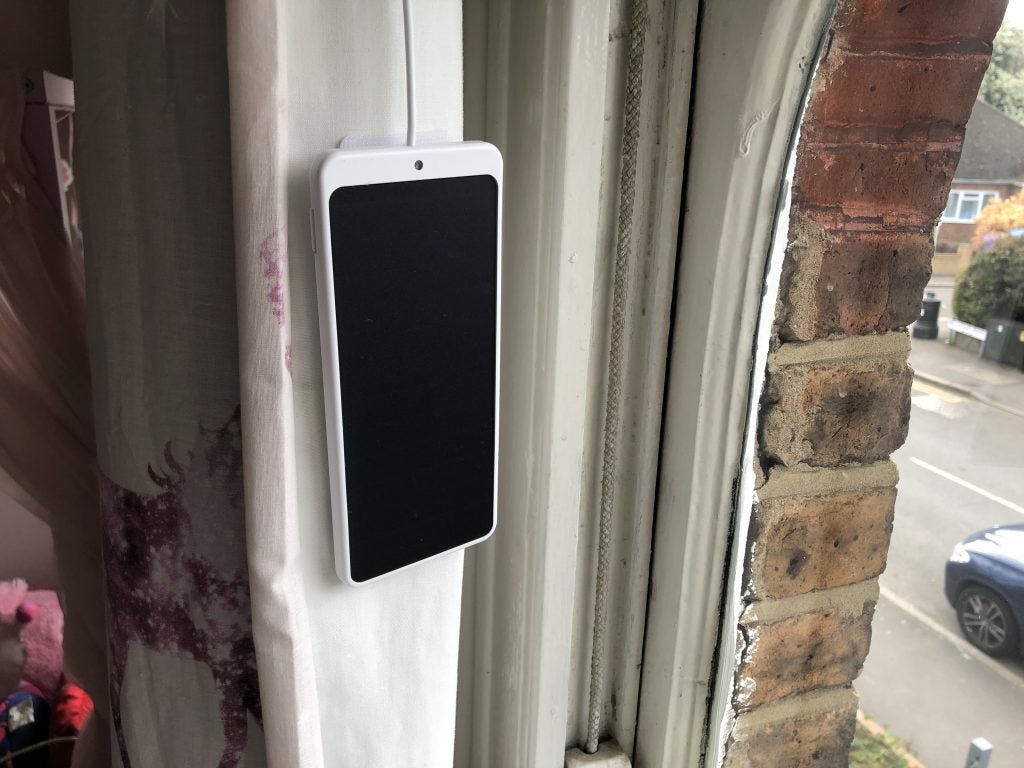
As with the original, the SwitchBot Curtain Rod 2 is battery-powered, charged via its USB-C input. However, there’s also an optional solar panel that sticks to the back of a curtain, so you can keep the curtains topped up for free. You can buy a pack of two solar panels for around £33.
Features
- Can operate a single curtain or a pair
- Optional Remote control
- Internet control via Hub Mini
The SwitchBot Curtain Rod 2 uses Bluetooth to connect to the app, so you have to be in range of the device to install it. Once added to the app, there’s a choice of configuring a single bot or as a pair controlling two curtains over a window.
In both cases, the initial configuration helps the Curtain Rod 2 learn where the fully open position is and the fully closed position. Once done, the app can be used for quick control (fully open or fully closed), or you can dive into the advanced settings and set the robot to move to any position.
That’s useful, but who wants to dive into an app every time you want to open and shut the curtains? Fortunately, there are multiple control options. By default, the SwitchBot Curtain Rod 2 will respond when you start to close or open curtains automatically. Cleverly, if you’ve got a pair of Curtain Rod 2 bots, opening or closing one will do the same thing on the other one.
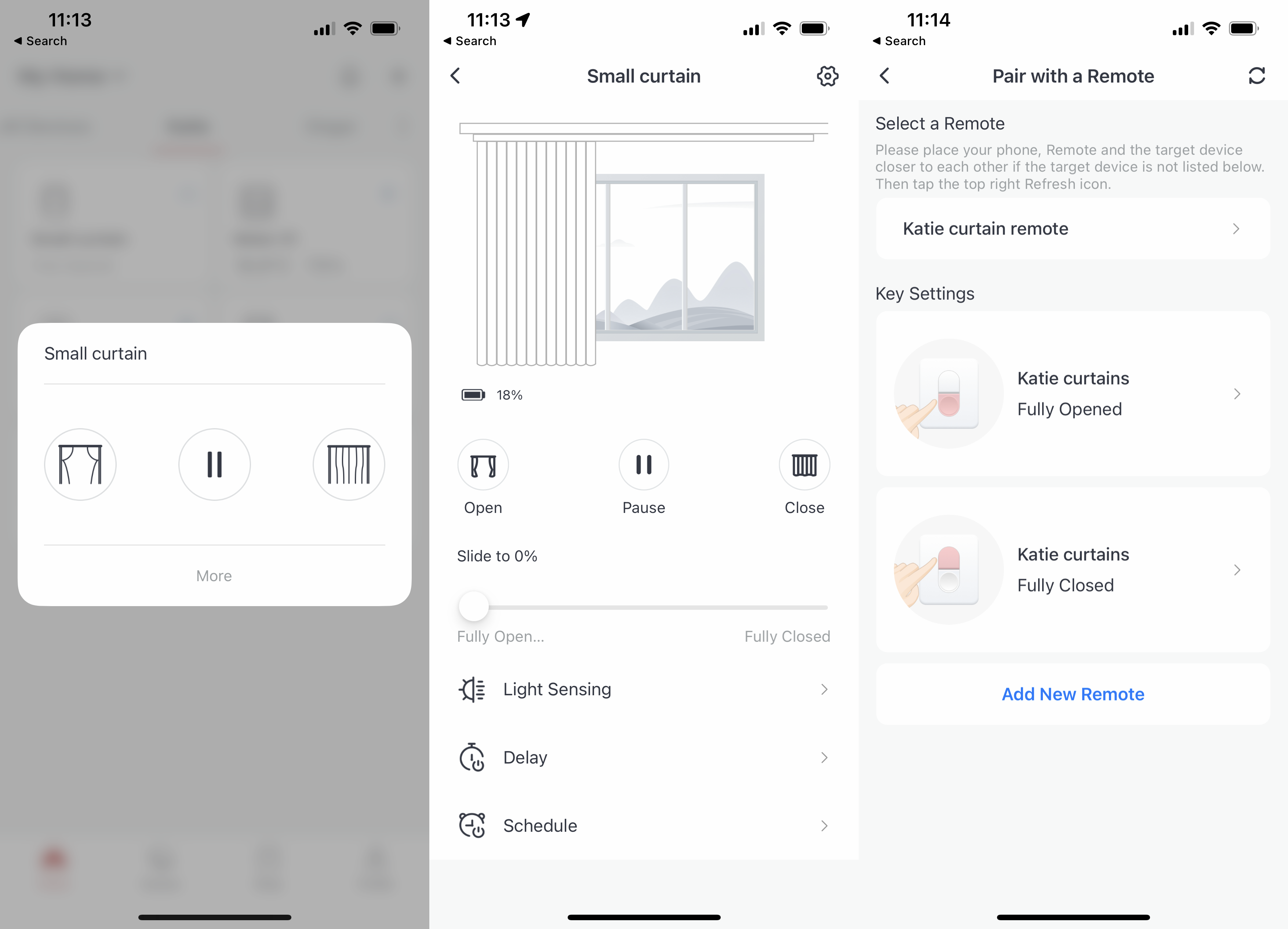
More useful is the SwitchBot Remote, a wireless smart switch that can be paired with the bot to give you touch-control to open and close a curtain (or pair of curtains). The Remote can only be paired to one curtain (or a pair), which is a little frustrating. In the room that I was testing in, I have three curtains: one over a small window and a pair over two larger windows. I’d like the option to have the remote control all three curtains at the same time.
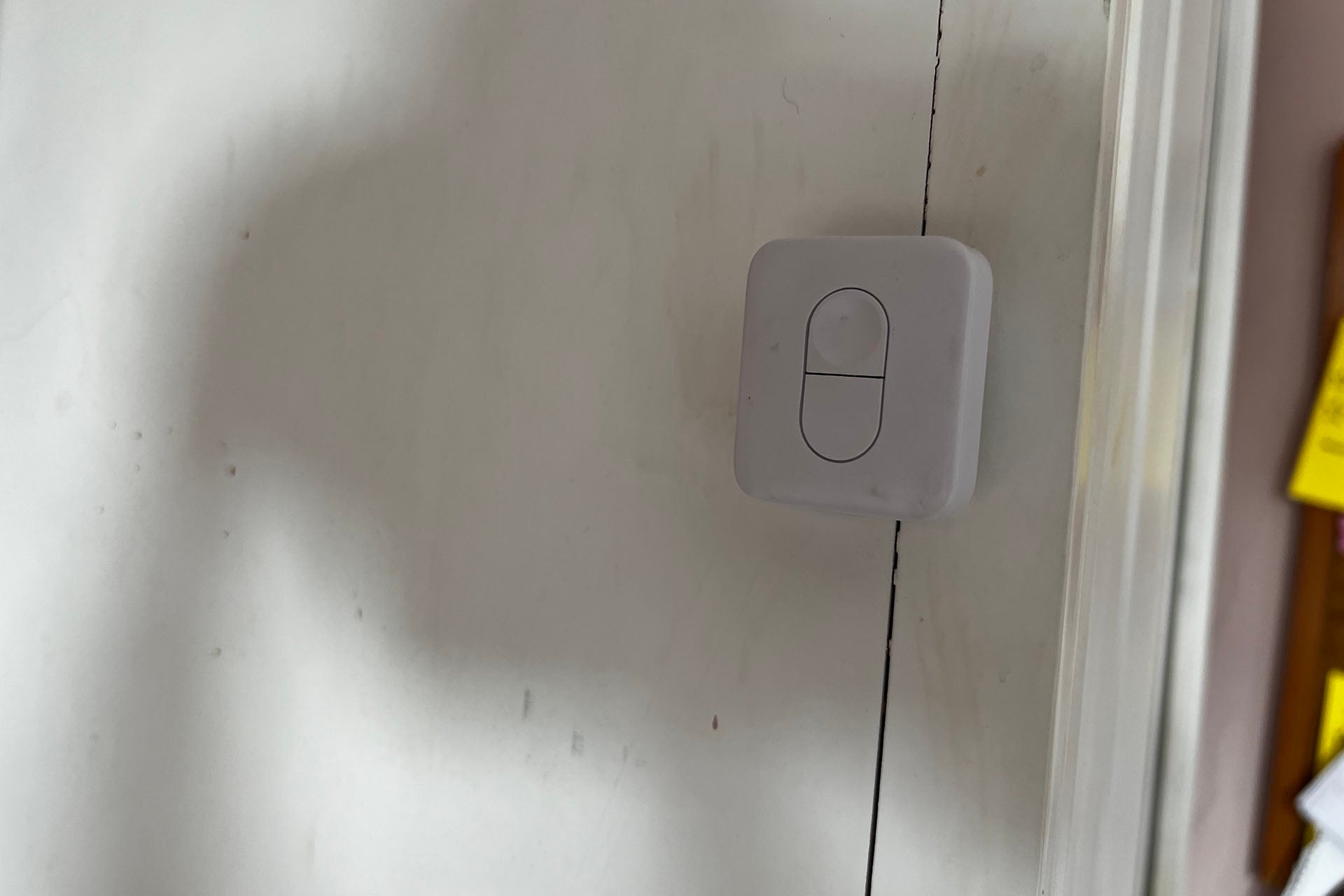
As the SwitchBot Curtain Rod 2 uses Bluetooth, the only way to get remote control is to install the SwitchBot Hub Mini, a small Wi-Fi enabled device. Once installed, the app gives the option to turn on cloud control features for the curtains.
Aside from remote control, having the Hub gives Amazon Alexa and Google Assistant control, so curtains can be opened and closed with a voice command.
Scenes can be created, too, which does let you set a scene where two or more curtains can be controlled at the same time. As scenes are available in Amazon Alexa and Google Assistant, it’s possible to trigger multiple curtains to operate simultaneously with just one voice command.
Unfortunately, it’s not possible to get a SwitchBot Remote to trigger a scene, and the control can only be manually paired to one device, which is a little limiting. For automation, using a third-party system, such as SmartThings or IFTTT, may be easier.
Light Sensing is built into the SwitchBot Curtain Rod 2, and illuminance level data is collected automatically, displayed on a graph between 0 (dark) and 10 (very bright). Curtains can be automated based on the light level, closing or opening them automatically based on the level of ambient light.
For example, you can shut the curtains when it’s very bright, but open them again when it gets dark. I found the light sensitivity to be very good, although it’s worth restricting the times the automation can run so that curtains don’t, for example, open when it’s dark outside and bedtime.
It’s slightly frustrating that there’s no ‘sunrise’ or ‘sunset’ restriction, and only hard times. Trying to pick times when a rule won’t run that applies all year round can be quite hard.
I could also schedule times for the curtains to open and close automatically, which is handy when I go away, as I can make it look as though someone is home. And, as with the original, if you buy the SwitchBot Meter, I could open and close curtains based on the ambient temperature and humidity level.
Performance
- Quieter than the original
- Smoother than the original
The main difference between the SwitchBot Curtain Rod 2 and the original is in motion. I found the SwitchBot Curtain Rod 2 quieter than the first model, with just a small electronic wine as the curtains opened or closed.
Sure, I could hear the robot in operation, but given that you’ll likely be awake when operating your curtains, this really doesn’t matter.
With wheels on the top and behind the curtain rod, I found the SwitchBot Curtain Rod 2 a slightly better performer. While the original SwitchBot Curtain would occasionally jitter along as it moved, I find the SwitchBot Curtain Rod 2 much smoother.
Latest deals
Should you buy it?
If you’ve got dumb curtains that you want to make smart, this is a great upgrade for any home.
If you want a neater solution with nothing on display, a set of smart curtain tracks with the technolog embedded will be a better choice.
Final Thoughts
If you’ve already got the SwitchBot Curtain Rod, then there’s not much here to make upgrading worthwhile. Indeed, both products have the same features and limitations. However, if you want to automate your dumb curtains from scratch, the SwitchBot Curtain Rod 2 is a great upgrade working with almost every type of curtain pole. I’d like to see a few more automation options, and I’d like a way of making a Remote work with more than one curtain (or pair of curtains). That aside, this is a great product.
How we test
Unlike other sites, we test every smart home product we review thoroughly over an extended period of time. We use industry standard tests to compare features properly. We’ll always tell you what we find. We never, ever, accept money to review a product.
Find out more about how we test in our ethics policy.
We test how each product integrates with other smart home systems including Amazon Alexa, Google Assistant, Apple HomeKit, IFTTT and Samsung SmartThings
We use each smart home product in a real world setting, integrating it into our home.
You might like…

FAQs
This version works with curtain poles only.
It connects via Bluetooth to the SwitchBot app or Remote physical control; for internet control, you need the SwitchBot Hub Mini.

Verdict
For owners of the original, there’s not much reason to upgrade. For those looking for way to automate their existing curtains, the SwitchBot Curtain Rod 2 is a great upgrade to practically any curtain pole. The kit needs the optional Hub Mini to unleash its full potential, and the Remote could be more powerful, but those quibbles aside, this is a neat upgrade to almost any home.
Pros
- Easy to fit
- Needs the Hub for internet control
- Works with most curtain poles
-
ConnectionWorks over Bluetooth and requires a Hub Mini for internet control. -
Smarthome compatibilityWorks with IFTTT, SmartThings, Amazon Alexa and Google Assistant.
Introduction
SwitchBot’s original Curtain robot made it simple to automate practically any set of curtains. Now, the SwitchBot Curtain Rod 2 promises to do the same thing, only this set is easier to install, quieter and more powerful.
It works well, and reliably, with just a few minor issues getting in the way.
Design and installation
- Clips over a curtain rod
- Compatible with the solar panel
The SwitchBot Curtain Rod 2 is designed to work with curtain rods only, with separate models available for U- and I-rail curtains, although the basic software is the same for these versions. New to this version is the installation method.
When I reviewed the original SwitchBot Curtain I found that it was a little fiddly to install: get the robot to grip too tight and it would get stuck; too loose and it wouldn’t move at all. Here, SwitchBot has made things easier.
With this model, two arms hold the SwitchBot Curtain Rod 2 in place, but you remove one before fitting. The remaining arms levels up, and you simply grip it around the curtain rod, then clip the second arm into place, reattaching it to the robot’s body. SwitchBot has some excellent videos that explain how to do this for different types of curtains.
My curtains just needed the robot to be installed, but some require the chain of beads to be clipped on to help the curtain bunch up and unfold properly. Again, there are excellent videos that show you how.
I found that it only took me a couple of minutes to get my SwitchBot Curtain Rod 2 curtain installed, which was way faster than the installation for the original models. It’s possible to see the robot peaking over the top of the curtains, but overall I didn’t find them too ugly or obtrusive.
As with the original, the SwitchBot Curtain Rod 2 is battery-powered, charged via its USB-C input. However, there’s also an optional solar panel that sticks to the back of a curtain, so you can keep the curtains topped up for free. You can buy a pack of two solar panels for around £33.
Features
- Can operate a single curtain or a pair
- Optional Remote control
- Internet control via Hub Mini
The SwitchBot Curtain Rod 2 uses Bluetooth to connect to the app, so you have to be in range of the device to install it. Once added to the app, there’s a choice of configuring a single bot or as a pair controlling two curtains over a window.
In both cases, the initial configuration helps the Curtain Rod 2 learn where the fully open position is and the fully closed position. Once done, the app can be used for quick control (fully open or fully closed), or you can dive into the advanced settings and set the robot to move to any position.
That’s useful, but who wants to dive into an app every time you want to open and shut the curtains? Fortunately, there are multiple control options. By default, the SwitchBot Curtain Rod 2 will respond when you start to close or open curtains automatically. Cleverly, if you’ve got a pair of Curtain Rod 2 bots, opening or closing one will do the same thing on the other one.
More useful is the SwitchBot Remote, a wireless smart switch that can be paired with the bot to give you touch-control to open and close a curtain (or pair of curtains). The Remote can only be paired to one curtain (or a pair), which is a little frustrating. In the room that I was testing in, I have three curtains: one over a small window and a pair over two larger windows. I’d like the option to have the remote control all three curtains at the same time.
As the SwitchBot Curtain Rod 2 uses Bluetooth, the only way to get remote control is to install the SwitchBot Hub Mini, a small Wi-Fi enabled device. Once installed, the app gives the option to turn on cloud control features for the curtains.
Aside from remote control, having the Hub gives Amazon Alexa and Google Assistant control, so curtains can be opened and closed with a voice command.
Scenes can be created, too, which does let you set a scene where two or more curtains can be controlled at the same time. As scenes are available in Amazon Alexa and Google Assistant, it’s possible to trigger multiple curtains to operate simultaneously with just one voice command.
Unfortunately, it’s not possible to get a SwitchBot Remote to trigger a scene, and the control can only be manually paired to one device, which is a little limiting. For automation, using a third-party system, such as SmartThings or IFTTT, may be easier.
Light Sensing is built into the SwitchBot Curtain Rod 2, and illuminance level data is collected automatically, displayed on a graph between 0 (dark) and 10 (very bright). Curtains can be automated based on the light level, closing or opening them automatically based on the level of ambient light.
For example, you can shut the curtains when it’s very bright, but open them again when it gets dark. I found the light sensitivity to be very good, although it’s worth restricting the times the automation can run so that curtains don’t, for example, open when it’s dark outside and bedtime.
It’s slightly frustrating that there’s no ‘sunrise’ or ‘sunset’ restriction, and only hard times. Trying to pick times when a rule won’t run that applies all year round can be quite hard.
I could also schedule times for the curtains to open and close automatically, which is handy when I go away, as I can make it look as though someone is home. And, as with the original, if you buy the SwitchBot Meter, I could open and close curtains based on the ambient temperature and humidity level.
Performance
- Quieter than the original
- Smoother than the original
The main difference between the SwitchBot Curtain Rod 2 and the original is in motion. I found the SwitchBot Curtain Rod 2 quieter than the first model, with just a small electronic wine as the curtains opened or closed.
Sure, I could hear the robot in operation, but given that you’ll likely be awake when operating your curtains, this really doesn’t matter.
With wheels on the top and behind the curtain rod, I found the SwitchBot Curtain Rod 2 a slightly better performer. While the original SwitchBot Curtain would occasionally jitter along as it moved, I find the SwitchBot Curtain Rod 2 much smoother.
Latest deals
Should you buy it?
If you’ve got dumb curtains that you want to make smart, this is a great upgrade for any home.
If you want a neater solution with nothing on display, a set of smart curtain tracks with the technolog embedded will be a better choice.
Final Thoughts
If you’ve already got the SwitchBot Curtain Rod, then there’s not much here to make upgrading worthwhile. Indeed, both products have the same features and limitations. However, if you want to automate your dumb curtains from scratch, the SwitchBot Curtain Rod 2 is a great upgrade working with almost every type of curtain pole. I’d like to see a few more automation options, and I’d like a way of making a Remote work with more than one curtain (or pair of curtains). That aside, this is a great product.
How we test
Unlike other sites, we test every smart home product we review thoroughly over an extended period of time. We use industry standard tests to compare features properly. We’ll always tell you what we find. We never, ever, accept money to review a product.
Find out more about how we test in our ethics policy.
We test how each product integrates with other smart home systems including Amazon Alexa, Google Assistant, Apple HomeKit, IFTTT and Samsung SmartThings
We use each smart home product in a real world setting, integrating it into our home.
You might like…
FAQs
This version works with curtain poles only.
It connects via Bluetooth to the SwitchBot app or Remote physical control; for internet control, you need the SwitchBot Hub Mini.



