













Verdict
Able to push practically any button or flip and switch, the SwitchBot Bot is a simple tool for making dumb devices smart, from coffee machines to remote controls. It’s easy to set up, reliable and, via the hub, can talk to Alexa, Google Assistant, IFTTT and SmartThings. It isn’t the most attractive of devices, and it can make it difficult to reach the original button. However, these complaints aside, if you have an older device that you want to automate, this is a great tool.
Pros
- Pushes any button or switch
- Easy to set up
- Highly configurable
- Excellent integrations via hub
Cons
- Looks a bit ugly
- Can stop you manually using a button
-
ConnectionThis device connects via Bluetooth, either to your phone or to the hub. -
Smarthome integrationsIf you have a Hub, you get an internet connection, and the Bot can talk to Alexa, Google Assistant, IFTTT and SmartThings.
Introduction
You can pretty much buy a smart version of most gadgets these days, from light switches to kettles, switching out the dumb version for the new. However, the SwitchBot Bot is designed to make your dumb gadgets smart; it’s a battery-powered device with an arm that can be used to press buttons and flick switches.
It’s a little more intrusive to install than a smart device with the functionality that you want built in; but for jobs where you can’t go smart, or it would be prohibitively expensive to do so, the SwitchBot Bot is a great tool.
Design and Features
- Works with push buttons and switches
- Can be internet-connected
- Scenes don’t allow much complexity
Similar in size to a carry case for a pair of true wireless earbuds, the SwitchBot Bot is available in both black and white. It’s a battery-powered device with a mechanised robot arm that connects to your phone via Bluetooth – although buy the optional hub, and you can connect it to the internet.
As well as delivering remote control, the hub adds interconnection with other smart systems including Alexa, Google Assistant and SmartThings.
The basic principle of the device is simple. You position it in front of the switch or button you want to press, and the Bot’s arm does the work for you. There’s a small pad on the bottom of the Bot that allows you to stick the device within its arm’s reach of the device you wish to control.
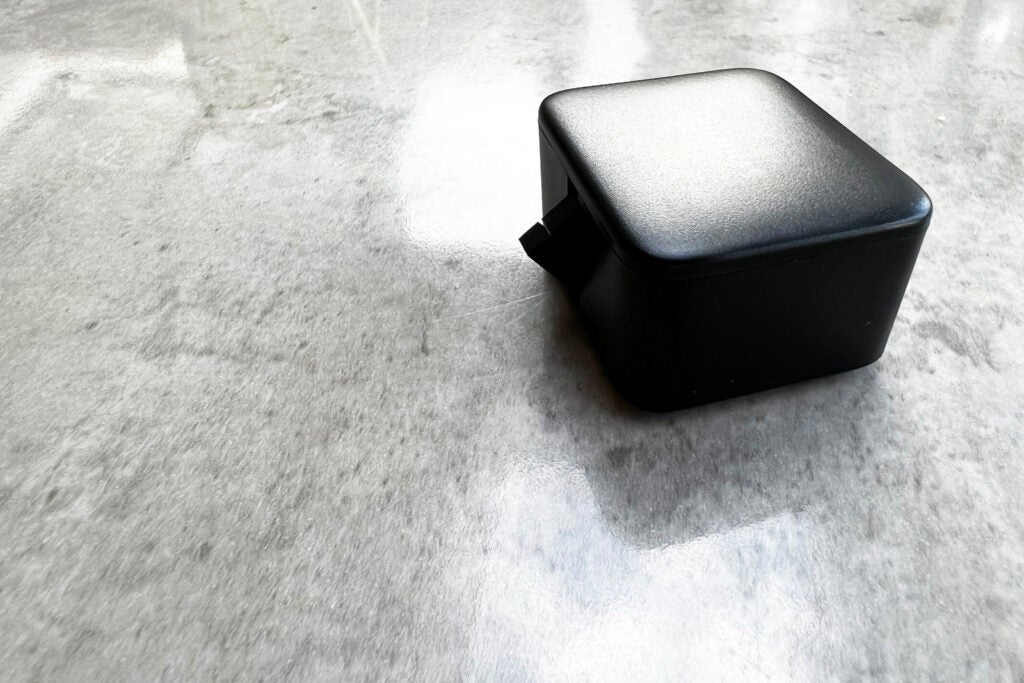
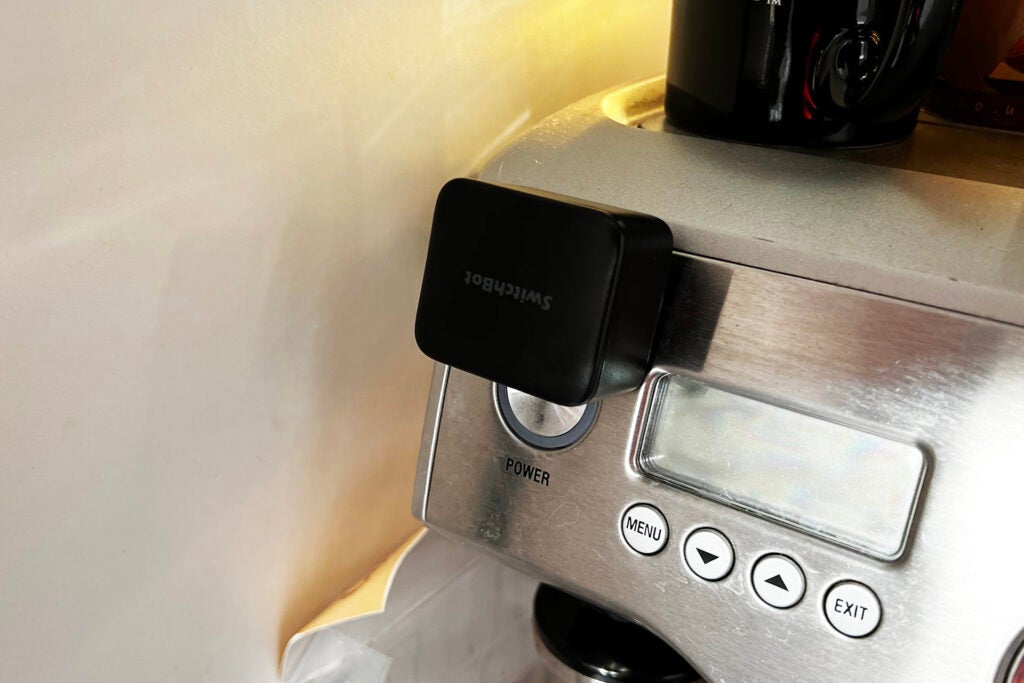
There’s sufficient room to put the Bot where you’d want it in most situations. For example, I was able to attach the Bot to my coffee machine and light switch with ease, plus I also used the Bot in our Home Appliance Test Lab to press buttons on a remote control to open fridge/freezers under test, simulating real use.
In this situation, the remote fobs weren’t big enough for mounting, so I had to attach the keyfobs on a bit of card and adhere the Bot on some sticky pads. It does work.
The default mode that the SwitchBot Bot operates in is Press mode. Using the app, I could configure how long the Bot should hold down a button for, up to a maximum of 60 seconds; the default of 0 seconds is effectively a quick tap.
Longer presses are useful for devices that require constant pressure. My fridge-door opening system needs the remote buttons held down to work.
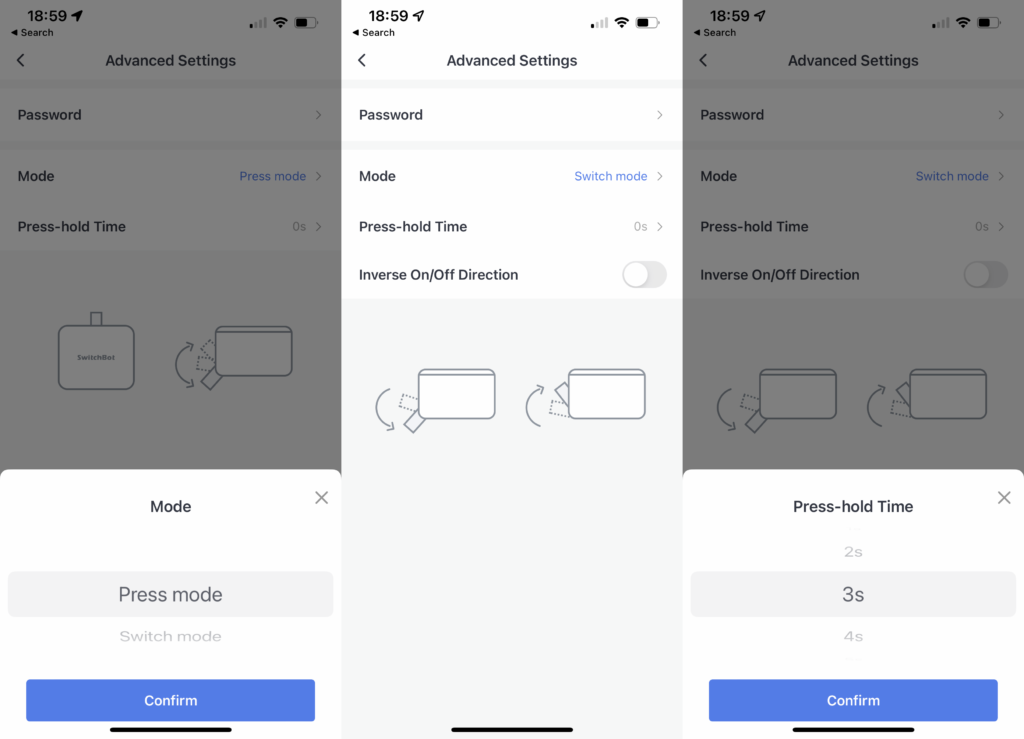
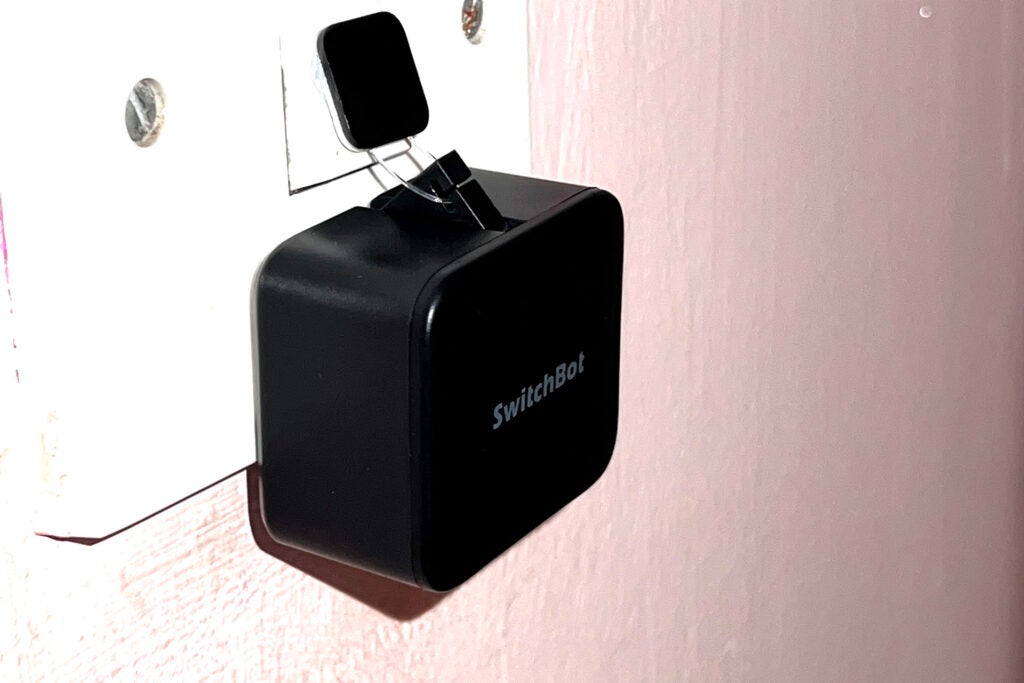
The second is Switch mode. This is for use with devices that have a rocker action, such as a light switch. In this mode, you need the small sticky pad hooked to the SwitchBot Bot’s arm. This lets the Bot click the switch down and pull it back up. It’s pretty clever, really, although it’s a bit ugly: I prefer to use my SwitchBots somewhere out of sight.
Finally, there’s an Advanced mode with which I could set multiple actions in one, such as long press, pause and short press. I don’t have any devices that require this kind of action, but the option is welcome nonetheless.
Control is through the app, which is also home to the other devices, such as the SwitchBot Curtain. For press actions, I could just tap and the Bot holds down for as long as it’s programmed to. Move to the Switch and Advanced modes, and the control is replaced with an on/off button. Note that in SmartThings, there’s always an on/off control, regardless of how the Bot is actually configured.
Each Bot can store up to 10 schedules, which operate automatically at times you programme; they don’t require an internet connection.
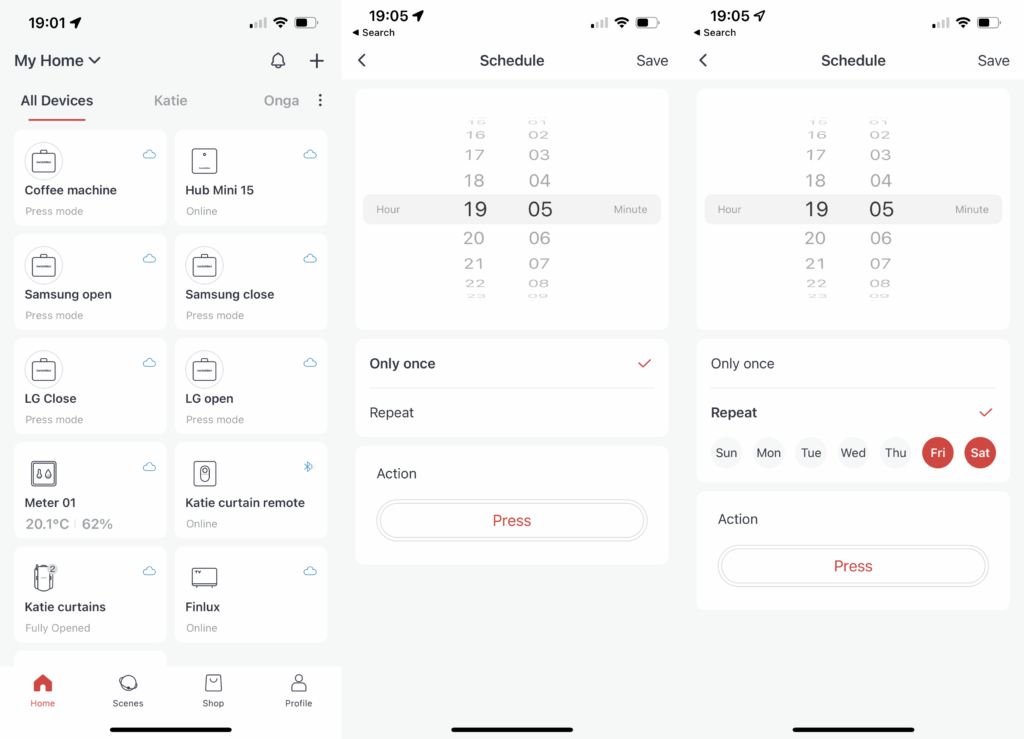
If you want to do something more complicated, then you’ll need the hub. As well as internet control, you can set up more complicated Scenes that run automatically using a trigger. Triggers can be a time or another SwitchBot device, such as the Meter (humidity and temperature), the Contact Sensor or the Motion Sensor.
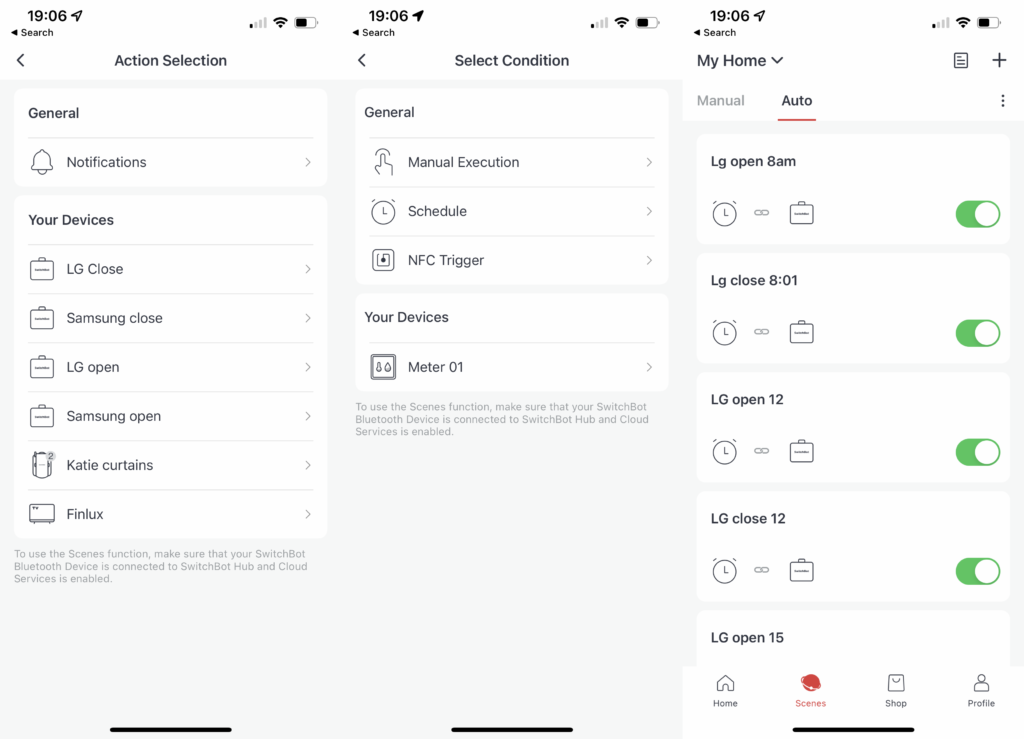
With IFTTT and SmartThings support, it’s also possible to build routines using external devices, such as using SwitchBot to turn on a light switch when a Ring Doorbell is pressed.
There’s also an optional remote that you can pair to the SwitchBot Bot – a button to press a button, if you will. It’s handy if you want a physical control, particularly if the Bot is out of reach – say, at the back of a cupboard.
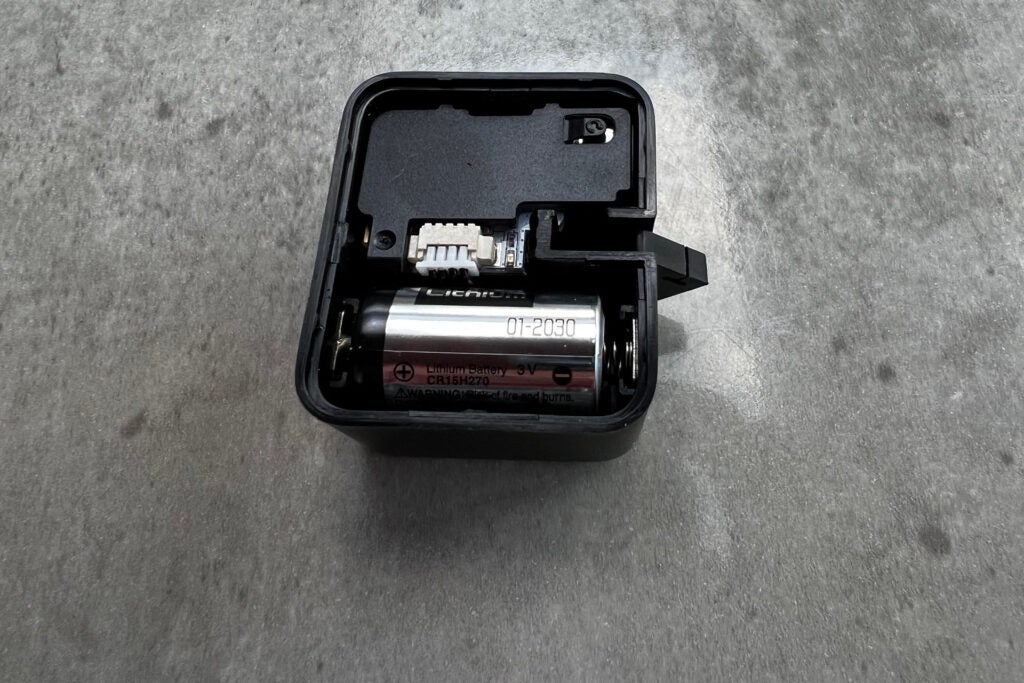
The Bot is powered by a CR2 battery, with battery life quoted at up to 600 days. Of course, how often you use the bot will impact this time, as will the time for which it’s programmed to press and hold.
Performance
- Powerful pushing
- Flexible and reliable
- Sometimes the original control is hard to reach
I’ve been using the SwitchBot Bot for weeks now, as part of a testing regime, to open and close fridge doors. I need this test to be reliable, and the Bot has proved itself, triggering exactly when it’s supposed to, without any problems.
I’m impressed with how powerful both the arm and the sticky pad holding the Bot in place are. Considering how small the Bot is, it presses with a good firm action, and it’s worked on every device that I’ve tried it on, including a coffee machine, remote control and a light switch.
If there’s one issue with the Bot, it’s that it can totally cover the control it’s operating, which can make it difficult to operate a device manually. With my remote control, for example, the SwitchBot Bot has to sit firmly over the buttons, so I can’t reach them if I want to use them manually. You’ll have to be mindful about placement, as a result.
Latest deals
Should you buy it?
If you have a switch or button that’s crying out for a smarter life, then the SwitchBot Bot is for you.
If the SwitchBot Bot has to be on display, you may find there’s a neater way to achieve a solution.
Final Thoughts
The SwitchBot Bot is a clever tool, making dumb items smart. It isn’t the most attractive of products, so I’d rather opt for integrated smart lighting or switches for light fittings that are on display.
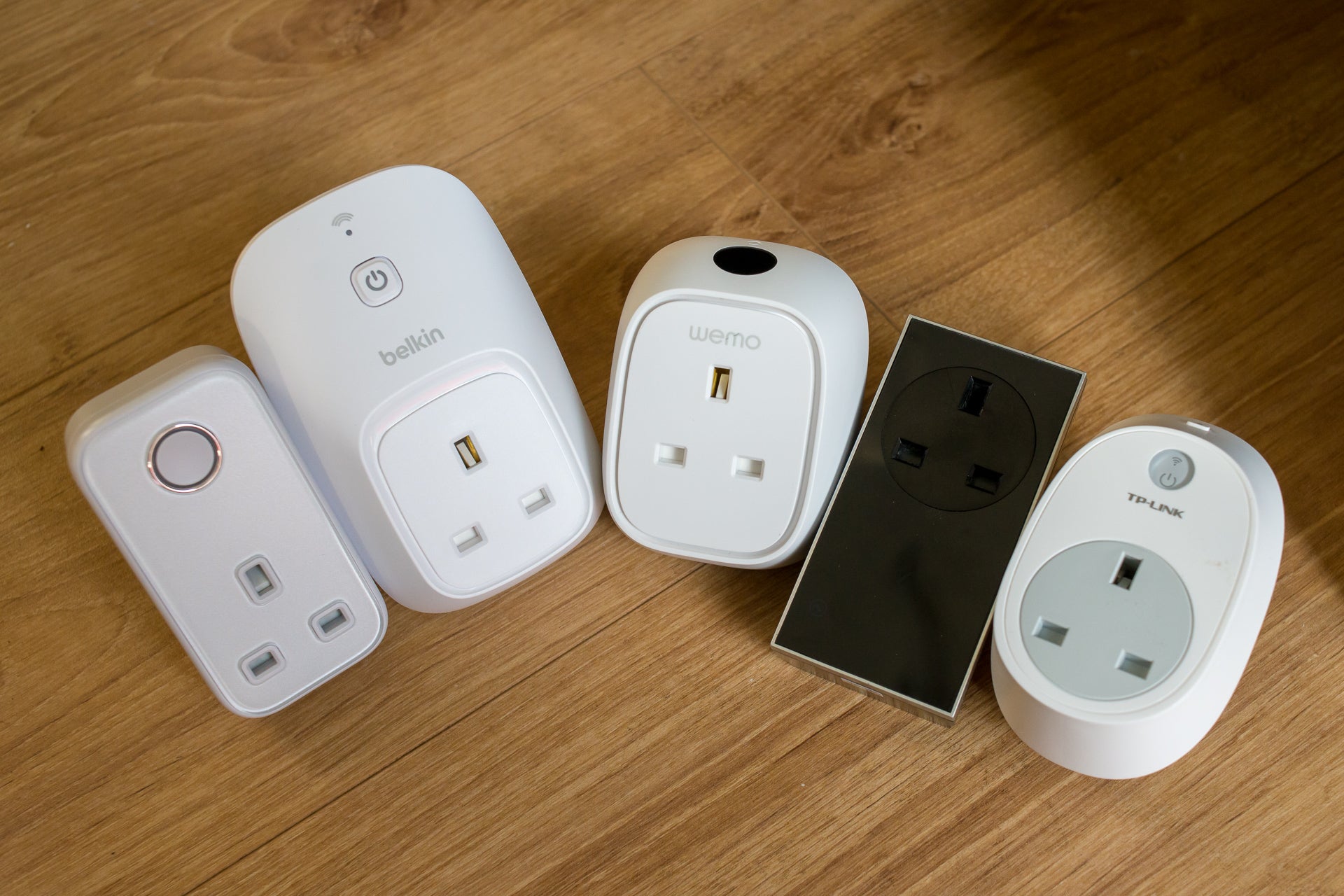
Some jobs can be achieved more simply, too. A smart plug, for example, may make more sense for many jobs.
Yet, there are still those last little bits of life that aren’t so easy to automate, or would be expensive to do so, for which the SwitchBot excels. If you have a button or switch that you wish you could automate, then the SwitchBot Bot could be just what you need to make it happen.
How we test
Unlike other sites, we test every smart home product we review thoroughly over an extended period of time. We use industry standard tests to compare features properly. We’ll always tell you what we find. We never, ever, accept money to review a product.
Find out more about how we test in our ethics policy.
We test how each product integrates with other smart home systems including Amazon Alexa, Google Assistant, Apple HomeKit, IFTTT and Samsung SmartThings
We use each smart home product in a real world setting, integrating it into our home.
You might like…
FAQs
It connects via Bluetooth, either to your phone or the optional hub.
Yes, so long as there’s a flat surface near the button or switch.

Verdict
Able to push practically any button or flip and switch, the SwitchBot Bot is a simple tool for making dumb devices smart, from coffee machines to remote controls. It’s easy to set up, reliable and, via the hub, can talk to Alexa, Google Assistant, IFTTT and SmartThings. It isn’t the most attractive of devices, and it can make it difficult to reach the original button. However, these complaints aside, if you have an older device that you want to automate, this is a great tool.
Pros
- Pushes any button or switch
- Easy to set up
- Highly configurable
- Excellent integrations via hub
Cons
- Looks a bit ugly
- Can stop you manually using a button
-
ConnectionThis device connects via Bluetooth, either to your phone or to the hub. -
Smarthome integrationsIf you have a Hub, you get an internet connection, and the Bot can talk to Alexa, Google Assistant, IFTTT and SmartThings.
Introduction
You can pretty much buy a smart version of most gadgets these days, from light switches to kettles, switching out the dumb version for the new. However, the SwitchBot Bot is designed to make your dumb gadgets smart; it’s a battery-powered device with an arm that can be used to press buttons and flick switches.
It’s a little more intrusive to install than a smart device with the functionality that you want built in; but for jobs where you can’t go smart, or it would be prohibitively expensive to do so, the SwitchBot Bot is a great tool.
Design and Features
- Works with push buttons and switches
- Can be internet-connected
- Scenes don’t allow much complexity
Similar in size to a carry case for a pair of true wireless earbuds, the SwitchBot Bot is available in both black and white. It’s a battery-powered device with a mechanised robot arm that connects to your phone via Bluetooth – although buy the optional hub, and you can connect it to the internet.
As well as delivering remote control, the hub adds interconnection with other smart systems including Alexa, Google Assistant and SmartThings.
The basic principle of the device is simple. You position it in front of the switch or button you want to press, and the Bot’s arm does the work for you. There’s a small pad on the bottom of the Bot that allows you to stick the device within its arm’s reach of the device you wish to control.
There’s sufficient room to put the Bot where you’d want it in most situations. For example, I was able to attach the Bot to my coffee machine and light switch with ease, plus I also used the Bot in our Home Appliance Test Lab to press buttons on a remote control to open fridge/freezers under test, simulating real use.
In this situation, the remote fobs weren’t big enough for mounting, so I had to attach the keyfobs on a bit of card and adhere the Bot on some sticky pads. It does work.
The default mode that the SwitchBot Bot operates in is Press mode. Using the app, I could configure how long the Bot should hold down a button for, up to a maximum of 60 seconds; the default of 0 seconds is effectively a quick tap.
Longer presses are useful for devices that require constant pressure. My fridge-door opening system needs the remote buttons held down to work.
The second is Switch mode. This is for use with devices that have a rocker action, such as a light switch. In this mode, you need the small sticky pad hooked to the SwitchBot Bot’s arm. This lets the Bot click the switch down and pull it back up. It’s pretty clever, really, although it’s a bit ugly: I prefer to use my SwitchBots somewhere out of sight.
Finally, there’s an Advanced mode with which I could set multiple actions in one, such as long press, pause and short press. I don’t have any devices that require this kind of action, but the option is welcome nonetheless.
Control is through the app, which is also home to the other devices, such as the SwitchBot Curtain. For press actions, I could just tap and the Bot holds down for as long as it’s programmed to. Move to the Switch and Advanced modes, and the control is replaced with an on/off button. Note that in SmartThings, there’s always an on/off control, regardless of how the Bot is actually configured.
Each Bot can store up to 10 schedules, which operate automatically at times you programme; they don’t require an internet connection.
If you want to do something more complicated, then you’ll need the hub. As well as internet control, you can set up more complicated Scenes that run automatically using a trigger. Triggers can be a time or another SwitchBot device, such as the Meter (humidity and temperature), the Contact Sensor or the Motion Sensor.
With IFTTT and SmartThings support, it’s also possible to build routines using external devices, such as using SwitchBot to turn on a light switch when a Ring Doorbell is pressed.
There’s also an optional remote that you can pair to the SwitchBot Bot – a button to press a button, if you will. It’s handy if you want a physical control, particularly if the Bot is out of reach – say, at the back of a cupboard.
The Bot is powered by a CR2 battery, with battery life quoted at up to 600 days. Of course, how often you use the bot will impact this time, as will the time for which it’s programmed to press and hold.
Performance
- Powerful pushing
- Flexible and reliable
- Sometimes the original control is hard to reach
I’ve been using the SwitchBot Bot for weeks now, as part of a testing regime, to open and close fridge doors. I need this test to be reliable, and the Bot has proved itself, triggering exactly when it’s supposed to, without any problems.
I’m impressed with how powerful both the arm and the sticky pad holding the Bot in place are. Considering how small the Bot is, it presses with a good firm action, and it’s worked on every device that I’ve tried it on, including a coffee machine, remote control and a light switch.
If there’s one issue with the Bot, it’s that it can totally cover the control it’s operating, which can make it difficult to operate a device manually. With my remote control, for example, the SwitchBot Bot has to sit firmly over the buttons, so I can’t reach them if I want to use them manually. You’ll have to be mindful about placement, as a result.
Latest deals
Should you buy it?
If you have a switch or button that’s crying out for a smarter life, then the SwitchBot Bot is for you.
If the SwitchBot Bot has to be on display, you may find there’s a neater way to achieve a solution.
Final Thoughts
The SwitchBot Bot is a clever tool, making dumb items smart. It isn’t the most attractive of products, so I’d rather opt for integrated smart lighting or switches for light fittings that are on display.
Some jobs can be achieved more simply, too. A smart plug, for example, may make more sense for many jobs.
Yet, there are still those last little bits of life that aren’t so easy to automate, or would be expensive to do so, for which the SwitchBot excels. If you have a button or switch that you wish you could automate, then the SwitchBot Bot could be just what you need to make it happen.
How we test
Unlike other sites, we test every smart home product we review thoroughly over an extended period of time. We use industry standard tests to compare features properly. We’ll always tell you what we find. We never, ever, accept money to review a product.
Find out more about how we test in our ethics policy.
We test how each product integrates with other smart home systems including Amazon Alexa, Google Assistant, Apple HomeKit, IFTTT and Samsung SmartThings
We use each smart home product in a real world setting, integrating it into our home.
You might like…
FAQs
It connects via Bluetooth, either to your phone or the optional hub.
Yes, so long as there’s a flat surface near the button or switch.



