

• Washington DC |
  • New York |
  • Toronto |
  • Distribution: (800) 510 9863
Friday, December 5, 2025
  • Login
No Result
View All Result
NEWSLETTER
New Edge Times
  • World
  • U.S.
  • Politics
  • Business
  • Science
  • Tech
  • Youth
  • Entertainment
    • All
    • Arts
    • Gaming
    • Movie
    • Music
    Video: The 10 Best Books of 2025

    Video: The 10 Best Books of 2025

    FROM ITALY TO HOLLYWOOD, VERONICA VITALE’S SURVIVOR VOICE GAINS GROUND IN THE GRAMMYS® CONVERSATION

    FROM ITALY TO HOLLYWOOD, VERONICA VITALE’S SURVIVOR VOICE GAINS GROUND IN THE GRAMMYS® CONVERSATION

    Video: 3 Cozy Books We Love

    Video: 3 Cozy Books We Love

    Video: ‘Wicked: For Good’ Tells a Story Through Color

    Video: ‘Wicked: For Good’ Tells a Story Through Color

    SURREY AUTHOR MAKES NATIONAL WAVES WITH NIGHTMARISH FICTION

    SURREY AUTHOR MAKES NATIONAL WAVES WITH NIGHTMARISH FICTION

    Darrell Hudson Expands Bigbarrell Empire with New Ventures, Emphasizing Community and Innovation

    Darrell Hudson Expands Bigbarrell Empire with New Ventures, Emphasizing Community and Innovation

    Video: ‘Wicked: For Good’ | Anatomy of a Scene

    Video: ‘Wicked: For Good’ | Anatomy of a Scene

    “JAYSOEAZY Strips It Back: ‘Give Me A Blunt’ EP Drops Friday with Raw Acoustic Edge”

    “JAYSOEAZY Strips It Back: ‘Give Me A Blunt’ EP Drops Friday with Raw Acoustic Edge”

    • Gaming
    • Movie
    • Music
    • Arts
  • Sports
  • Lifestyle
    • All
    • Fashion
    • Food
    • Health
    • Travel
    17 Three-Ingredient Appetizers, So You Can Enjoy the Party, Too

    17 Three-Ingredient Appetizers, So You Can Enjoy the Party, Too

    The Most Popular Recipes of 2025

    The Most Popular Recipes of 2025

    Video: Best Clothing Stores in the Country

    Video: Best Clothing Stores in the Country

    These 7 Cookies Will Be the Life of Every Party

    These 7 Cookies Will Be the Life of Every Party

    How Should I Store Sweet Potatoes?

    How Should I Store Sweet Potatoes?

    Our Best Recipes for Thanksgiving Leftovers

    Our Best Recipes for Thanksgiving Leftovers

    From Molecules to Mathematics: Exploring Physics-Inspired Approaches to Ultra-Fast Protein Modelling

    From Molecules to Mathematics: Exploring Physics-Inspired Approaches to Ultra-Fast Protein Modelling

    Need Vegan Thanksgiving Dishes? These Will Wow Everyone.

    Need Vegan Thanksgiving Dishes? These Will Wow Everyone.

    • Fashion
    • Food
    • Health
    • Travel
  • Reviews
  • Trending
  • World
  • U.S.
  • Politics
  • Business
  • Science
  • Tech
  • Youth
  • Entertainment
    • All
    • Arts
    • Gaming
    • Movie
    • Music
    Video: The 10 Best Books of 2025

    Video: The 10 Best Books of 2025

    FROM ITALY TO HOLLYWOOD, VERONICA VITALE’S SURVIVOR VOICE GAINS GROUND IN THE GRAMMYS® CONVERSATION

    FROM ITALY TO HOLLYWOOD, VERONICA VITALE’S SURVIVOR VOICE GAINS GROUND IN THE GRAMMYS® CONVERSATION

    Video: 3 Cozy Books We Love

    Video: 3 Cozy Books We Love

    Video: ‘Wicked: For Good’ Tells a Story Through Color

    Video: ‘Wicked: For Good’ Tells a Story Through Color

    SURREY AUTHOR MAKES NATIONAL WAVES WITH NIGHTMARISH FICTION

    SURREY AUTHOR MAKES NATIONAL WAVES WITH NIGHTMARISH FICTION

    Darrell Hudson Expands Bigbarrell Empire with New Ventures, Emphasizing Community and Innovation

    Darrell Hudson Expands Bigbarrell Empire with New Ventures, Emphasizing Community and Innovation

    Video: ‘Wicked: For Good’ | Anatomy of a Scene

    Video: ‘Wicked: For Good’ | Anatomy of a Scene

    “JAYSOEAZY Strips It Back: ‘Give Me A Blunt’ EP Drops Friday with Raw Acoustic Edge”

    “JAYSOEAZY Strips It Back: ‘Give Me A Blunt’ EP Drops Friday with Raw Acoustic Edge”

    • Gaming
    • Movie
    • Music
    • Arts
  • Sports
  • Lifestyle
    • All
    • Fashion
    • Food
    • Health
    • Travel
    17 Three-Ingredient Appetizers, So You Can Enjoy the Party, Too

    17 Three-Ingredient Appetizers, So You Can Enjoy the Party, Too

    The Most Popular Recipes of 2025

    The Most Popular Recipes of 2025

    Video: Best Clothing Stores in the Country

    Video: Best Clothing Stores in the Country

    These 7 Cookies Will Be the Life of Every Party

    These 7 Cookies Will Be the Life of Every Party

    How Should I Store Sweet Potatoes?

    How Should I Store Sweet Potatoes?

    Our Best Recipes for Thanksgiving Leftovers

    Our Best Recipes for Thanksgiving Leftovers

    From Molecules to Mathematics: Exploring Physics-Inspired Approaches to Ultra-Fast Protein Modelling

    From Molecules to Mathematics: Exploring Physics-Inspired Approaches to Ultra-Fast Protein Modelling

    Need Vegan Thanksgiving Dishes? These Will Wow Everyone.

    Need Vegan Thanksgiving Dishes? These Will Wow Everyone.

    • Fashion
    • Food
    • Health
    • Travel
  • Reviews
  • Trending
No Result
View All Result
New Edge Times
No Result
View All Result
Home Reviews

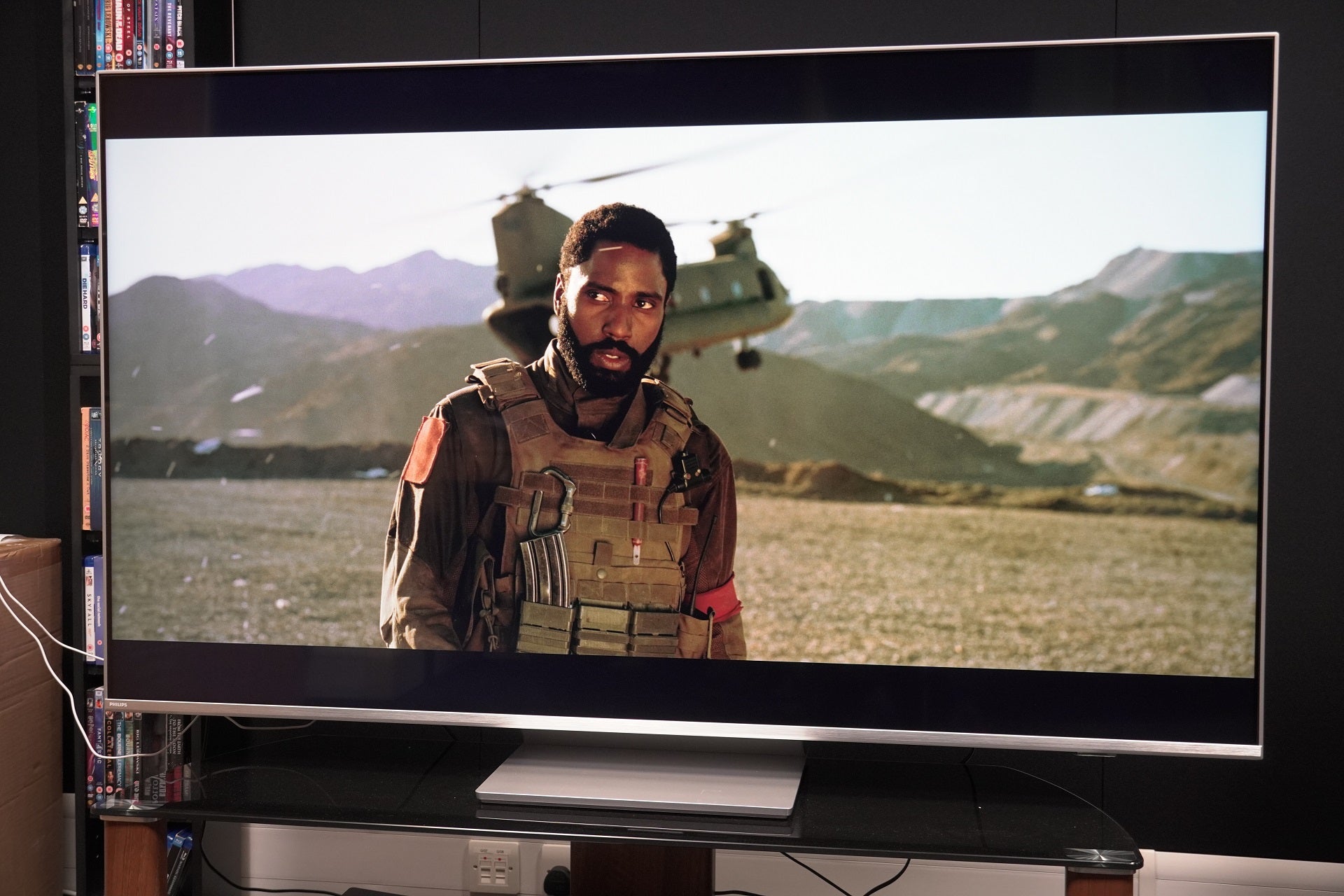
Philips 65PUS8807

by New Edge Times Report
January 12, 2023
in Reviews
Philips 65PUS8807
Share on FacebookShare on Twitter

Verdict

A solid mid-range set from Philips that’s affordable for its size and produces a satisfying performance with TV, films and games. Its out-of-box picture still requires adjusting with an HDR performance that’s too dark out of the box.

Pros

  • Wide HDR support
  • High-end gaming spec
  • Capable of expansive sound
  • Ambilight is great

Cons

  • Default HDR image is too dark
  • Android TV’s not great for curation
  • A few too many motion settings

Availability

  • UKRRP: £999
  • USATBC
  • EuropeRRP: €1199
  • CanadaTBC
  • AustraliaTBC

  • Ambilight AuroraThree-sided Ambilight glow for image galleries

  • Multi-HDR supportIncludes HDR10, HLG, HDR10+ and Dolby Vision formats

  • DTS Play-FiWirelessly connect speakers and soundbars to the TV

Introduction

Philips’ The One series aims to unravel the mystery of buying a TV by giving you everything you might want at an accessible price.

The aim of The One is to mould itself into the shape of whatever you’re after, whether that’s watching films, streaming TV or playing high-end games.

Is The One the affordable TV saviour, or is all not as it appears to be?

Design

  • Central pedestal stand
  • Loss of colour and brightness at wide angles
  • Three-sided Ambilight

I’ve previously tested the PUS8506 and PUS8545 versions of The One, and this 65PUS8807 model represents a slight departure in design.
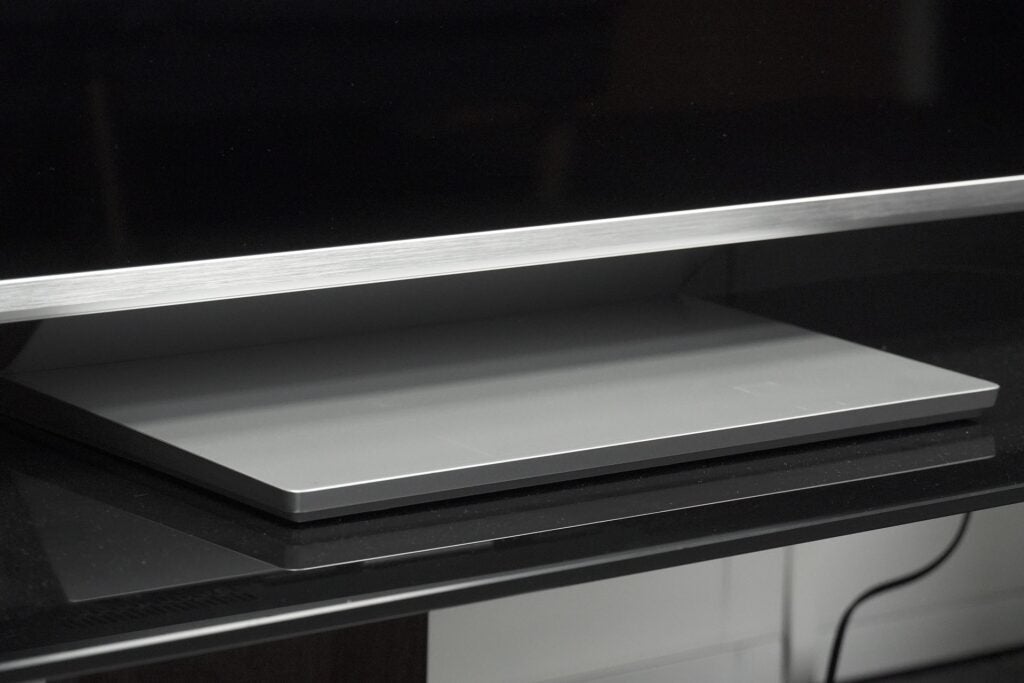
Philips 65PUS8807 stand pedestal
Image Credit (Trusted Reviews)

The main difference is the stand, which is now a centrally mounted pedestal rather than the T-shaped effort of the older models. The ability to swivel is lost, so there’s not much to be done about the wash of ambient light once the TV’s position is set.

The stand is not too heavy (around 3kg), nor does it feel as premium as the PUS8506 without its glossy aluminium finish. Assembling the stand and attaching it takes about five minutes, and around the rear is a little holder to filter cables through to keep the area neat and tidy.
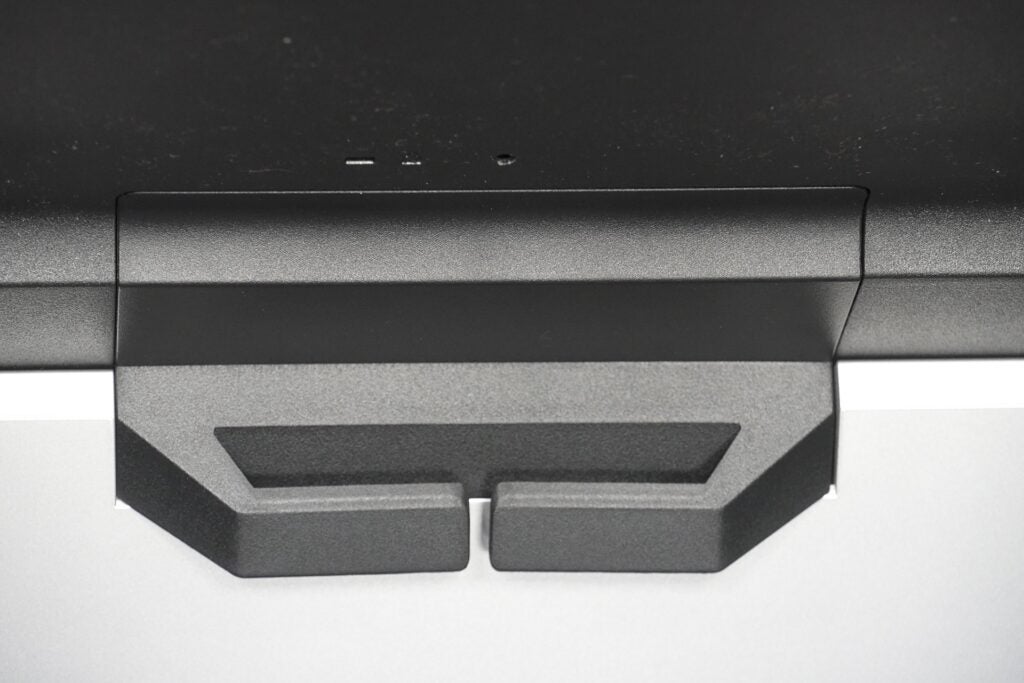
Philips 65PUS8807 stand cable holder
Image Credit (Trusted Reviews)

This model supports Ambilight in its three-sided form arrayed around the top and sides. That means if the TV is wall-mounted, the Ambilight effect will feel incomplete without the bottom row. Aesthetically it looks fine, the silver trim of the bezel makes the TV stand out from the legion of all-black TVs on the market.

Wide angles are fine too, the IPS panel does produce clouding with bright areas (halos around objects) as well as some loss of colour and brightness.
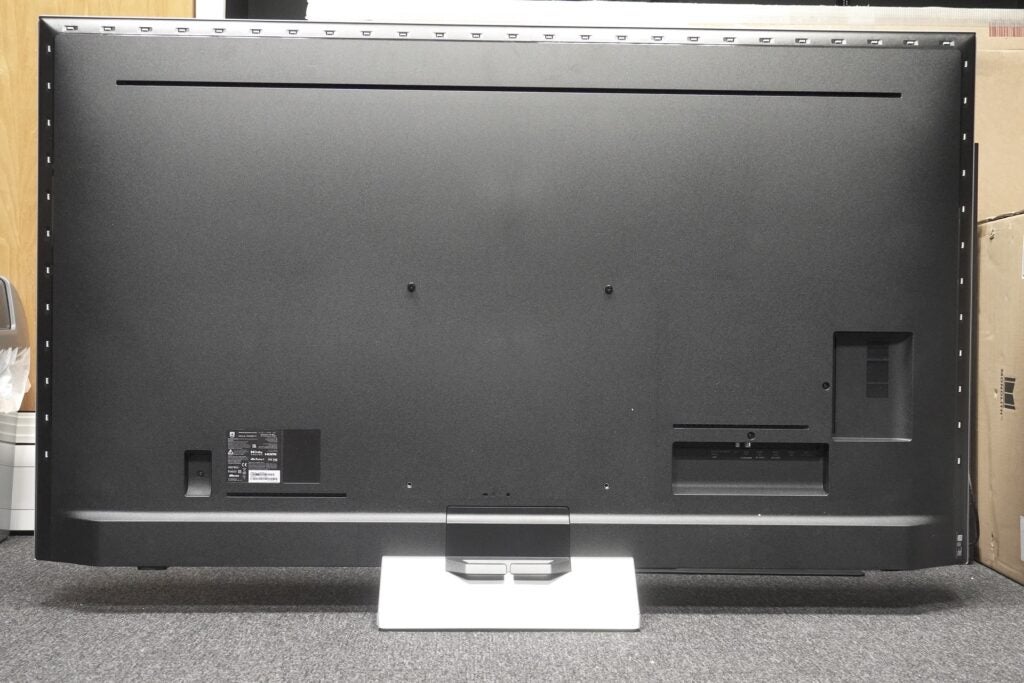
Philips 65PUS8807 rear panel
Image Credit (Trusted Reviews)

Android TV Interface

  • Major apps supported
  • Solid Android interface
  • Philips’ menu for adjusting settings

Philips uses Android TV and if you’ve ever come across it previously, the 65PUS8807 differs little from what you’ve encountered before.

Android is a solid interface that lacks the bells and whistles of others, but is simply laid out, easily navigable and fast enough to traverse.
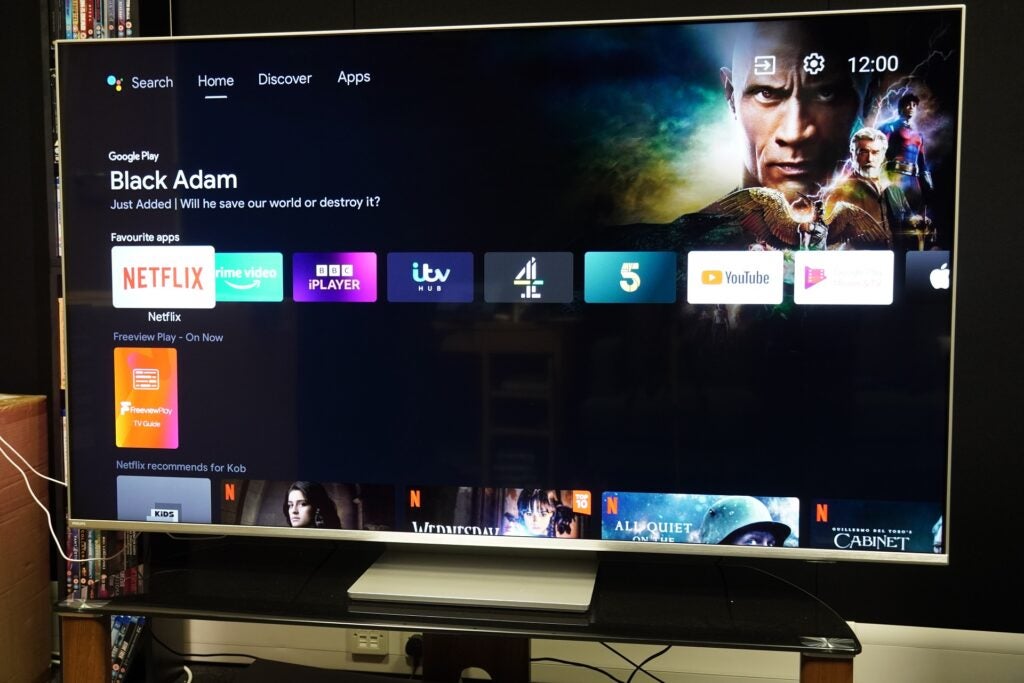
Philips 65PUS8807 Android TV
Image Credit (Trusted Reviews)

It’s separated into three tabs: Home, Discover and Apps. Home is where your favourite apps are located, with rows dedicated to each and filled with recommendations.

There are a fair number of rows to filter through and scrolling down never feels all that engaging. At least there’s the option of customizing and moving things about.
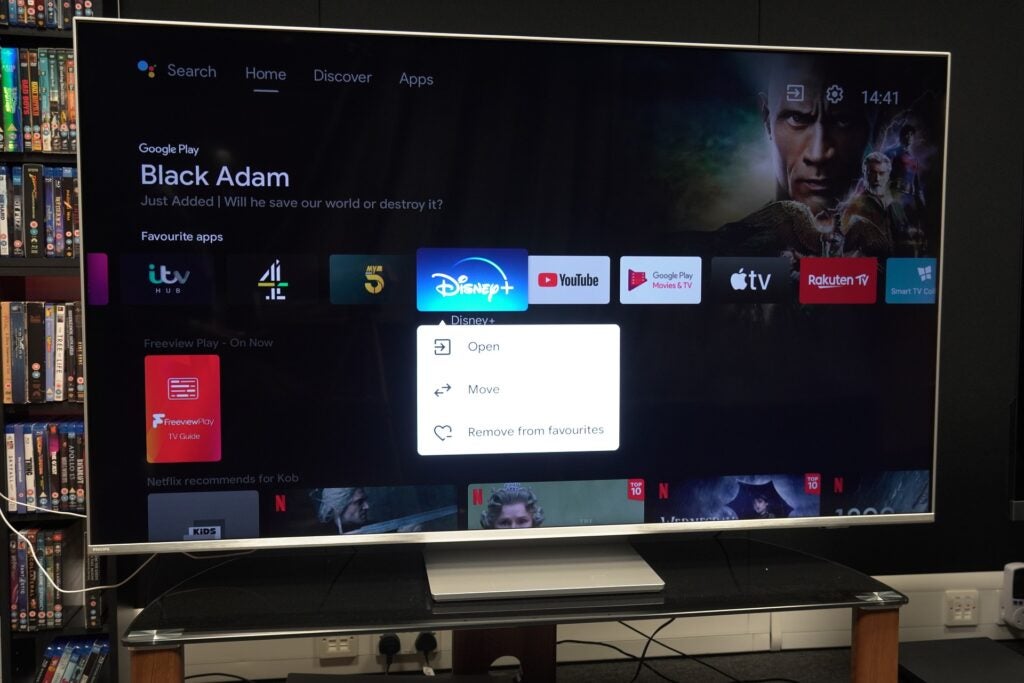
Philips 65PUS8807 Android customisation
Image Credit (Trusted Reviews)

Discover presents personalized recommendations using your viewing history from Prime Video, Disney+, Apple TV, Rakuten Viki, ZEE5 and Discovery+ to suggest titles. As always with these methods of curation, I’m unsure as to whether they’re truly personalized. Vinnie Jones: Russia’s Toughest is not something that appeals and even after several attempts to learn my habits, I’m still served titles I have little interest in.

Your watchlist is stored here too, a list of the titles you’ve saved across streaming services. It really ought to be on the Home screen, as its placement here makes it all too easy to miss.
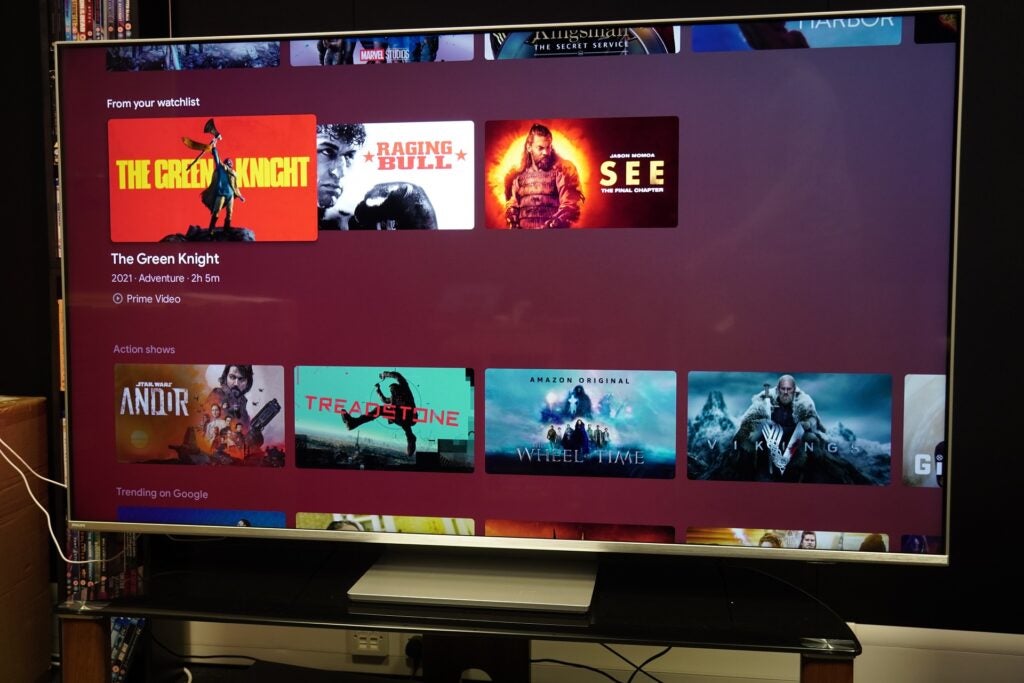
Philips 65PUS8807 Discover Watchlist
Image Credit (Trusted Reviews)

There are plenty of apps in the Google Play Store, though you can probably count on one hand (maybe two) how many you’ll use. Freeview Play adds all the UK catch-up and on-demand apps under its banner with the likes of iPlayer, All4 and ITVX. Disney+, Netflix and Prime Video are available in their Dolby Vision and Atmos forms.
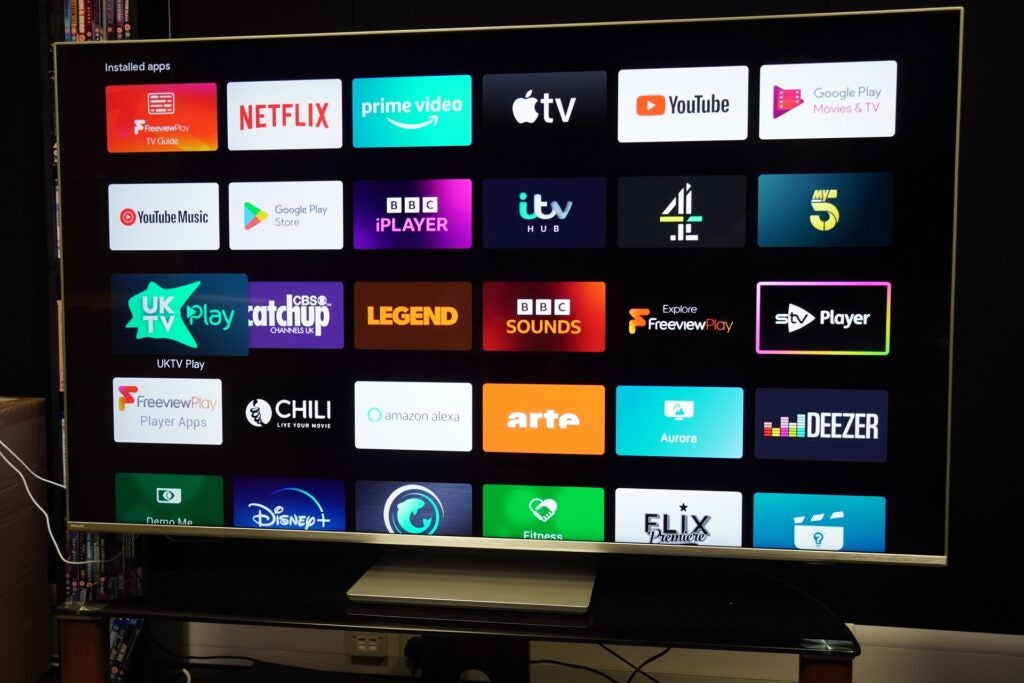
Philips 65PUS8807 installed apps
Image Credit (Trusted Reviews)

Voice assistance includes Google Assistant (built-in) and ‘Works with Alexa’, which requires another device (say an Echo speaker) on the same network for Alexa to function.

Google Assistant can be good at getting the gist of what you’re saying: search for a title and it comes up with a list of watch/buy options. Ask who’s playing in a sports tournament and it’ll provide a list of games with tabs to click on for more info. Some titles can confuse it; the word Andor was interpreted as Andorra instead.

Then there’s the Philips menus where you can change a myriad of settings for picture, sound, Ambilight and more. It’s very thorough, with useful explanations to describe what each setting does.
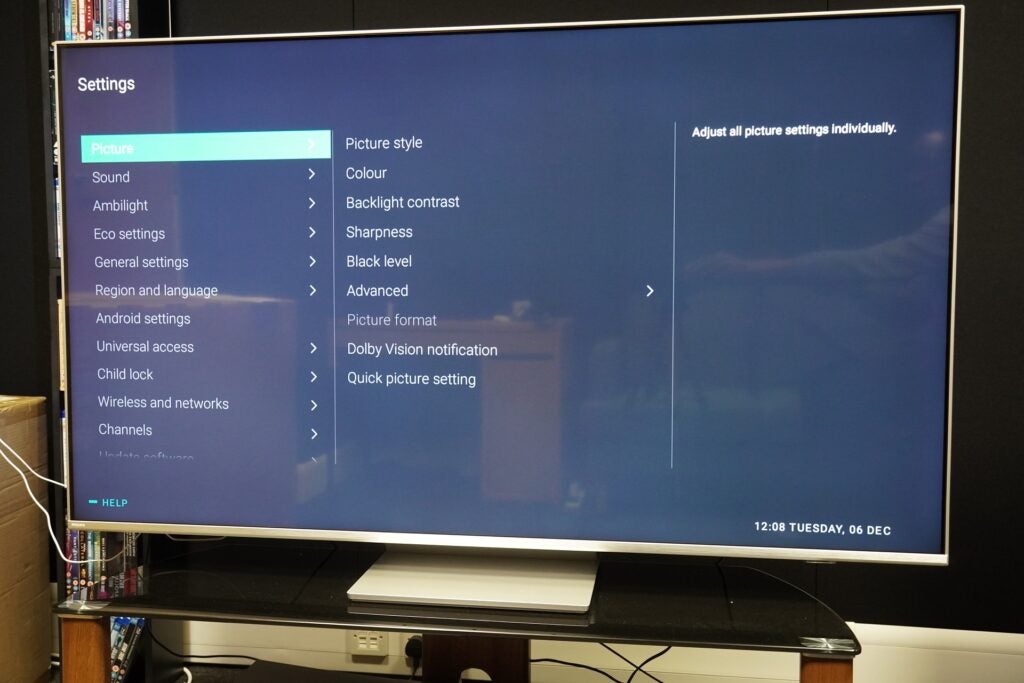
Philips 65PUS8807 settings
Image Credit (Trusted Reviews)

I do have a bone to pick, and the issue affects the Freeview Play apps. For reasons I can’t fathom, picture settings for these apps can’t be changed within the app; instead, you’re chucked out to the Home screen before you can alter settings. Stranger still, switching picture modes only works for standard definition content. Change it for 4K HLG content and nothing happens.

Features

  • Two HDMI 2.1 inputs
  • DTS Play-Fi support
  • Ambilight Aurora

Given this model’s melding of premium features at an affordable price, the Philips 65PUS8807 offers a good spread of features for film fans and gamers.

There are two HDMI 2.1 compatible inputs, though one supports eARC so you’ll need to be mindful if you have a couple 2.1 sources and want to add a soundbar as it will occupy one of those inputs.
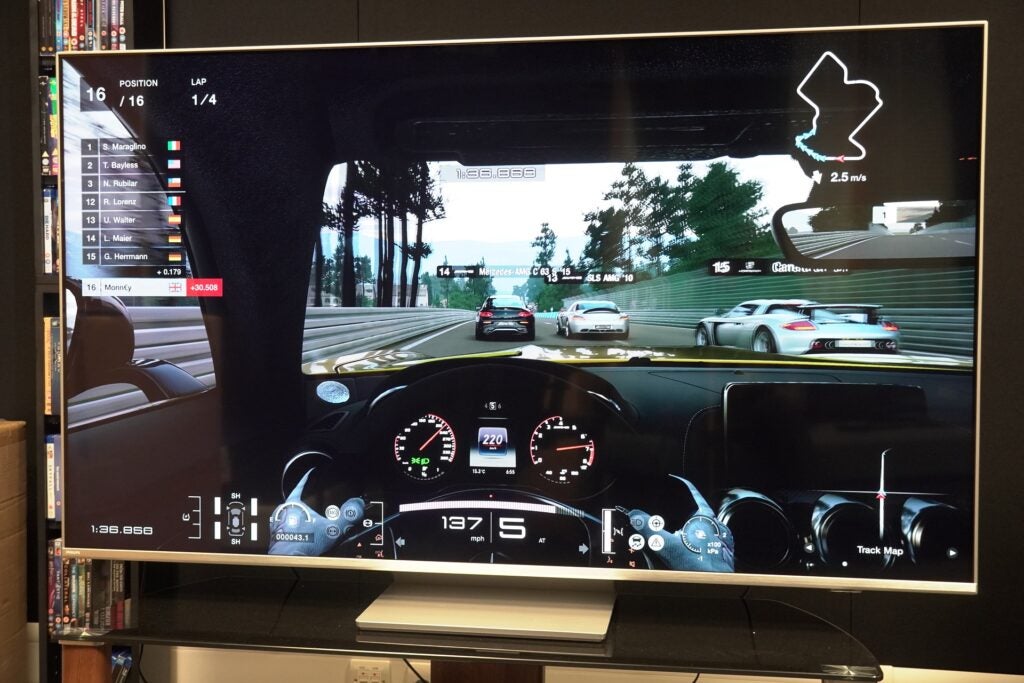
Philips 65PUS8807 Gran Turismo 7
Image Credit (Trusted Reviews)

ALLM and HDMI VRR are supported on those two (full bandwidth) HDMI 2.1 ports with AMD FreeSync Premium provided for PC gamers to improve picture fidelity and reduce issues such as screen tearing. I measured the 65PUS8807’s latency at 15.9ms, which is good and can be reduced with VRR and high frame rates in play (The One supports frame rates up to 4K/120Hz). For Xbox Series console owners there’s Dolby Vision Game mode to improve HDR colour and contrast.

Philips has snuggled up to DTS’ wireless Play-Fi system that allows any compatible audio device (soundbar, wireless speaker) to be connected to the TV. A wireless home cinema system could be created, or music sent from the TV to another speaker.
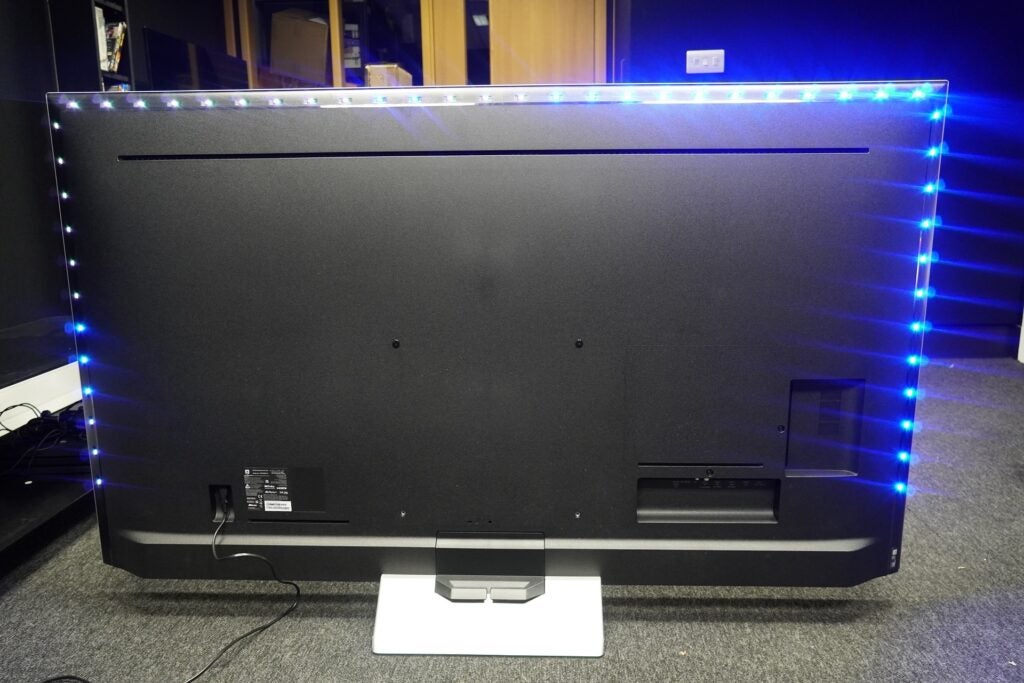
Philips 65PUS8807 Ambilight three-sided
Image Credit (Trusted Reviews)

Ambilight enlivens the TV viewing experience (and apparently protects your eyes), the three-sided array produces a warm glow that mirrors the colours on screen. It works perfectly in dark rooms and after a while becomes part of the experience. Ambilight Aurora is a gallery function that adds the Ambilight effect to images for a smoothing, relaxing experience.

Connections include the HDMI 2.1 inputs, along with two HDMI 2.0 ports, two USBs, digital audio out, Ethernet, headphone out, satellite connector, terrestrial aerial and CI+. HDMI ARC is supported across all inputs, so if you have a sound system that’s ARC compatible but not eARC, that frees up one of the 2.1 inputs. Wirelessly there’s Wi-Fi (Chromecast) and Bluetooth 5.0.
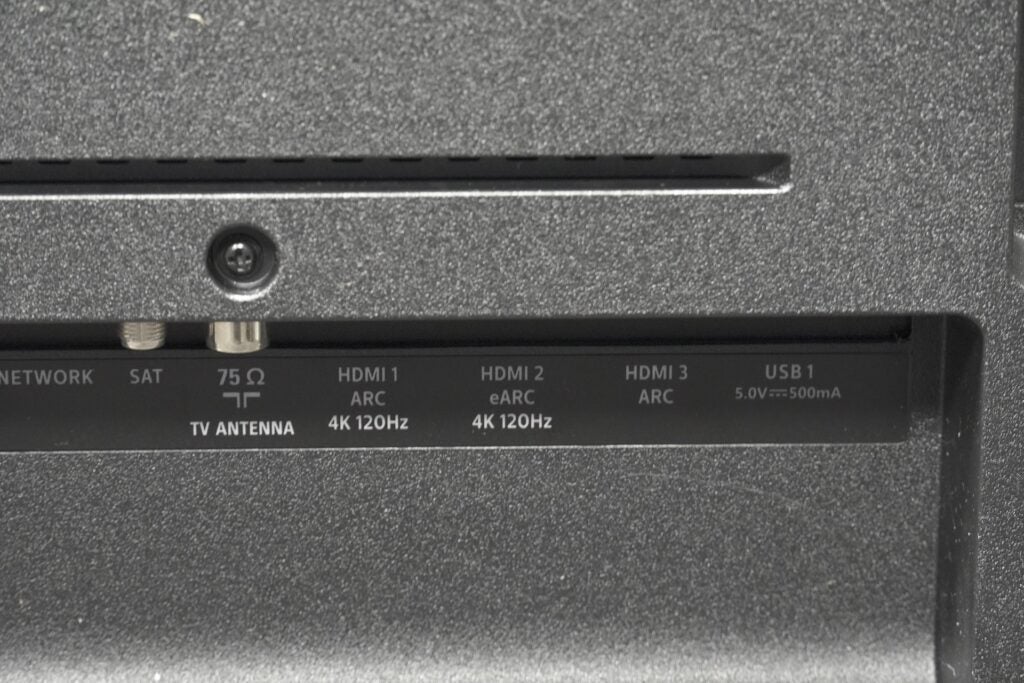
Philips 65PUS8807 connections
Image Credit (Trusted Reviews)

Picture Quality

  • HDR performance out the box is too dark
  • Decent upscaling with HD content
  • Good motion abilities

Did someone turn the lights off? That’s the first thing you’ll ask about the Philips’ HDR performance. Out of the box settings render floomy images. Dark areas are inky splotches in 1917 (4K Blu-ray, HDR10+) as Schofield attempts to cross a river. It’s as if Philips was trying to imitate its own OLEDs but overcooked it.

It is rectified by diving into the settings and raising brightness to around the 65/70-point mark. The Philips’ picture perks up, detail in the darkest parts is more visible, and colour tones are better served. This darkness does afflict HDR10, Dolby Vision and HDR10+ modes, and from time-to-time, there’s a slightly distracting green tint to shadows.

The 4K-capable 65PUS8807 is capable of more brightness than the Samsung UE65BU8000, hitting a measured 528 nits in the Personal mode on a 5% HDR window and 529 nits on a 10% window. Brightness is consistent across all modes, Vivid doesn’t offer much more headroom at 536 nits.
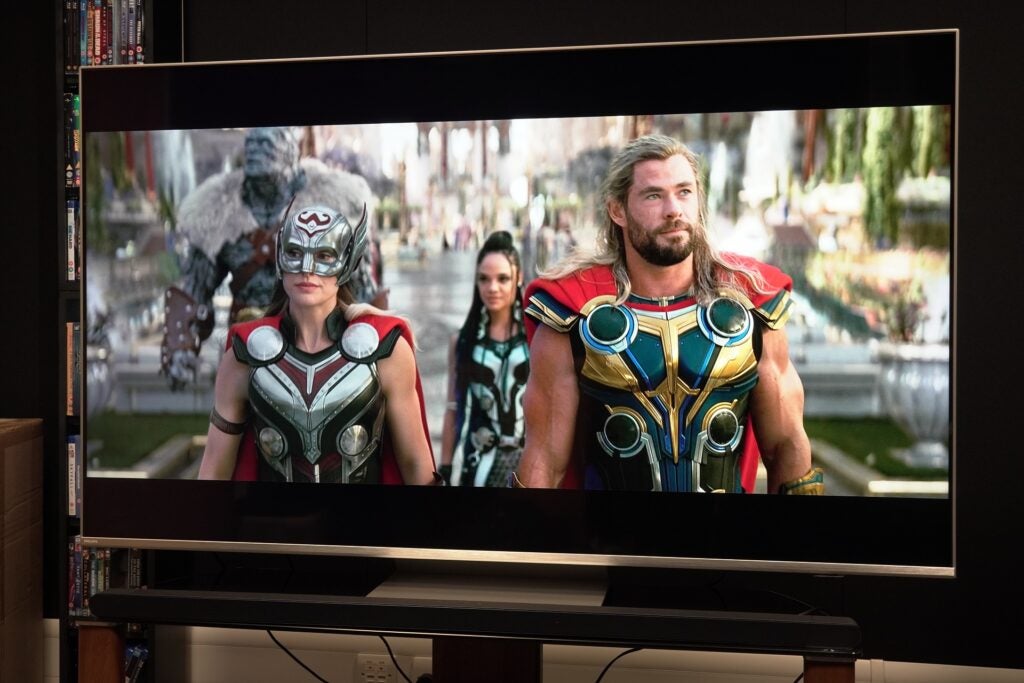
Philips 65PUS8807 Thor Love and Thunder armour
Image Credit (Trusted Reviews)

That level of brightness is enough to give a reasonable account of HDR (when brightness is corrected), and the VA panel of the Philips conveys a wide range of colours in Thor: Love & Thunder; the appearance of the two Thor’s armour is colourful throughout, crisp in tone though not as lush or saturated as Philips OLEDs.

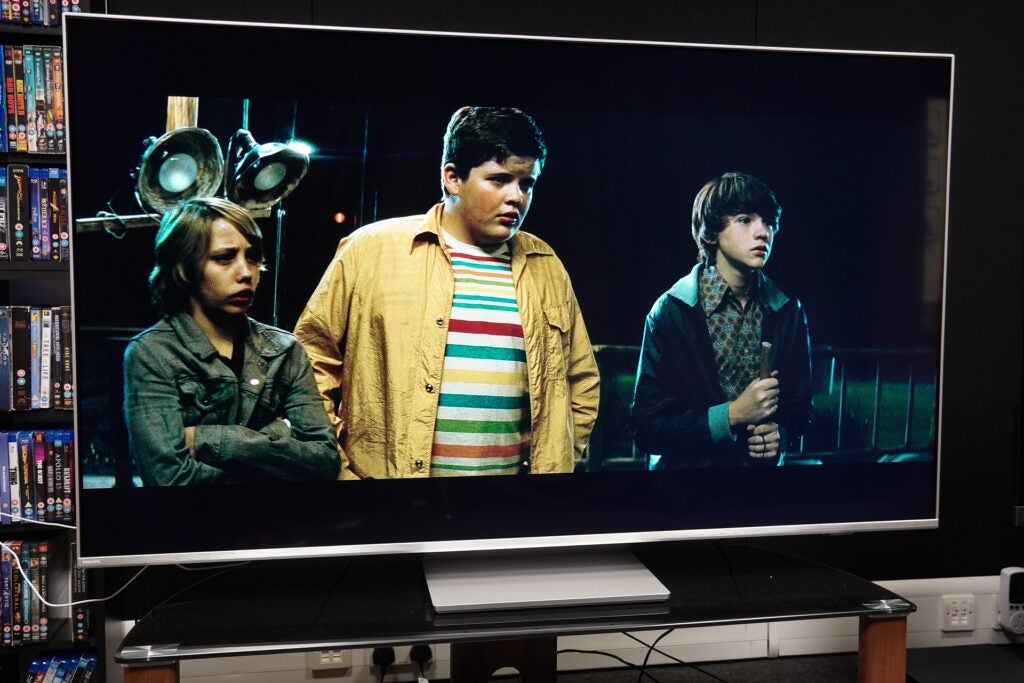
The Philips is at its best with Dolby Vision content. Super 8 (4K Blu-ray) is a showcase for black levels that feel richer and deeper than that of the HDR10 version.
Philips 65PUS8807 Super 8 train crash
Image Credit (Trusted Reviews)

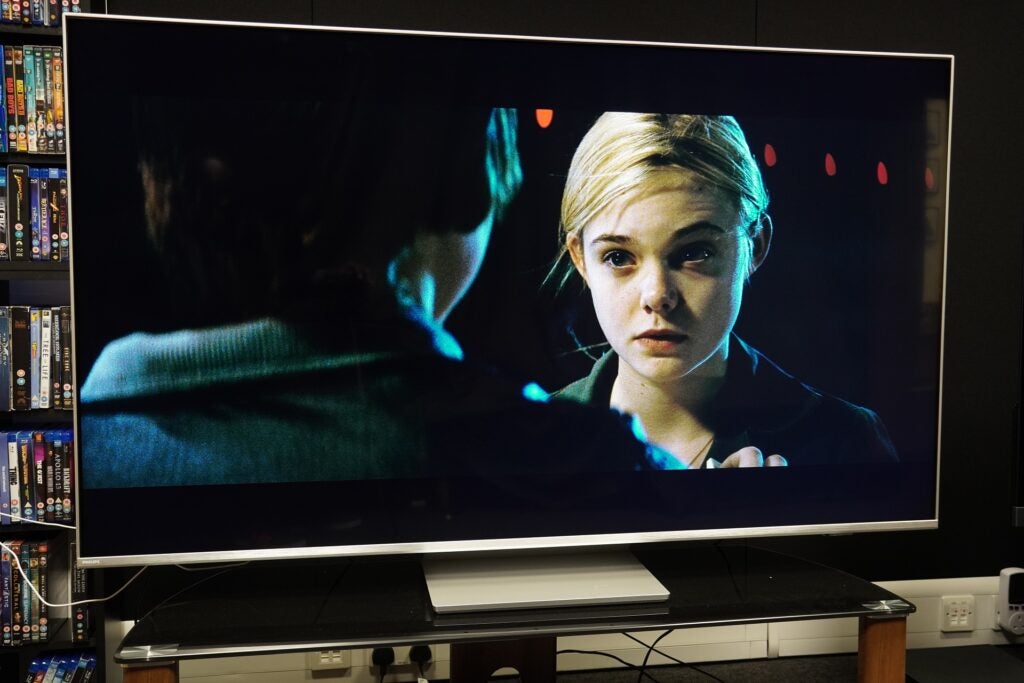
Complexions of the cast of young actors are described a little more naturally. Contrast is also emphasised better, the lights at the train station brighter and more intense in the night-time setting, while colours receive a boost from the Dolby Vision grading; budding filmmaker Charlie’s yellow jacket strikes a richer tone.
Philips 65PUS8807 Super 8
Image Credit (Trusted Reviews)

The Philips offers a suite of picture modes to choose from. Movie looks a tad darker, Natural and Personal modes look perceptibly brighter (but with a bluer tint). Despite mention of a Filmmaker mode, I can’t find it in the menus.
Philips 65PUS8807 The Matrix Reloaded
Image Credit (Trusted Reviews)

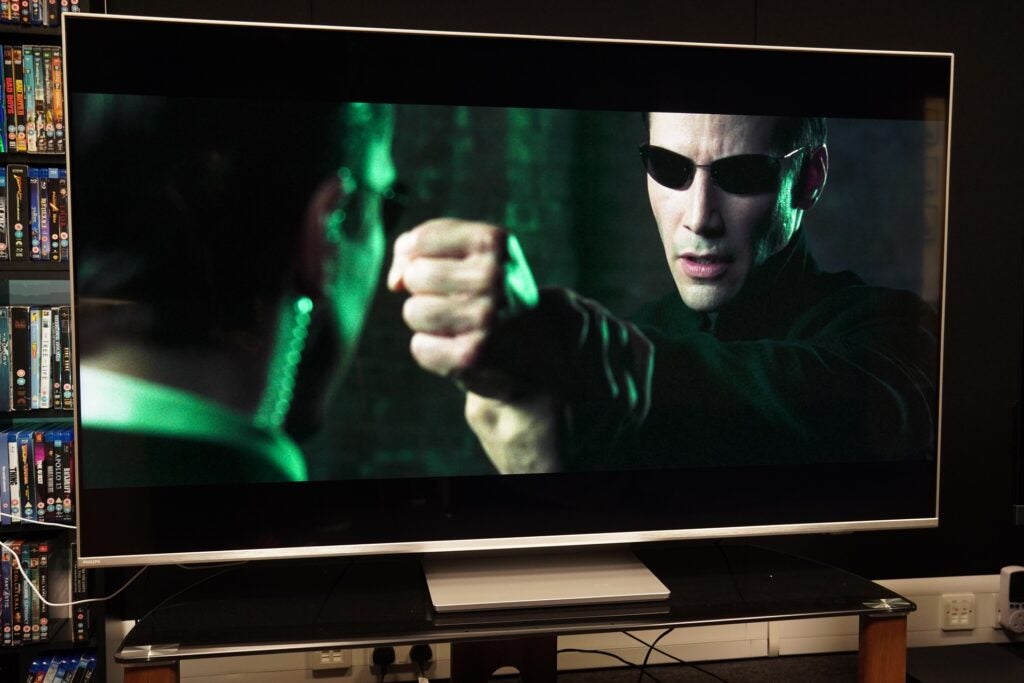
In terms of upscaling the Philips’ P5 picture processor does a solid job and is comfortably better at managing HD sources than SD.

A Blu-ray of The Matrix Reloaded presents a few issues of note. It’s not overly sharp or soft, levels of detail are pleasing and colours (in Movie mode) appear accurate. Black levels have depth and white tones look slightly hot, not too dissimilar to how Philips 48OLED807 tackled them.
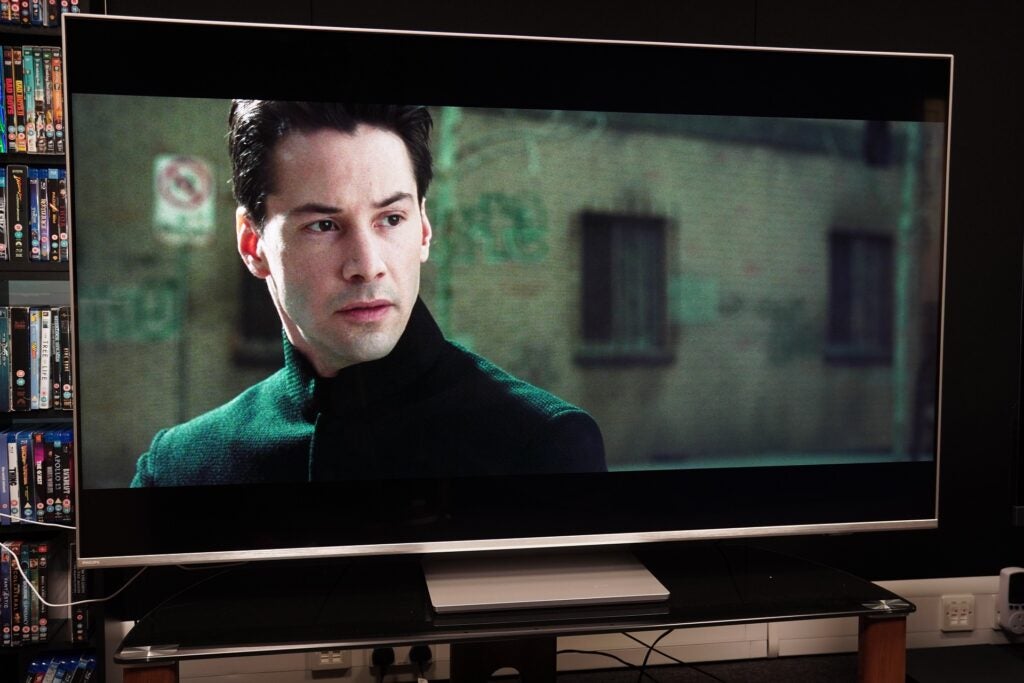
Philips 65PUS8807 The Matrix Reloaded white tones
Image Credit (Trusted Reviews)

With a DVD of Tony Scott’s eclectic Man on Fire the positivity is more subdued. The Movie mode is again dark, and both Personal and Natural modes improve on it in brightness and contrast.
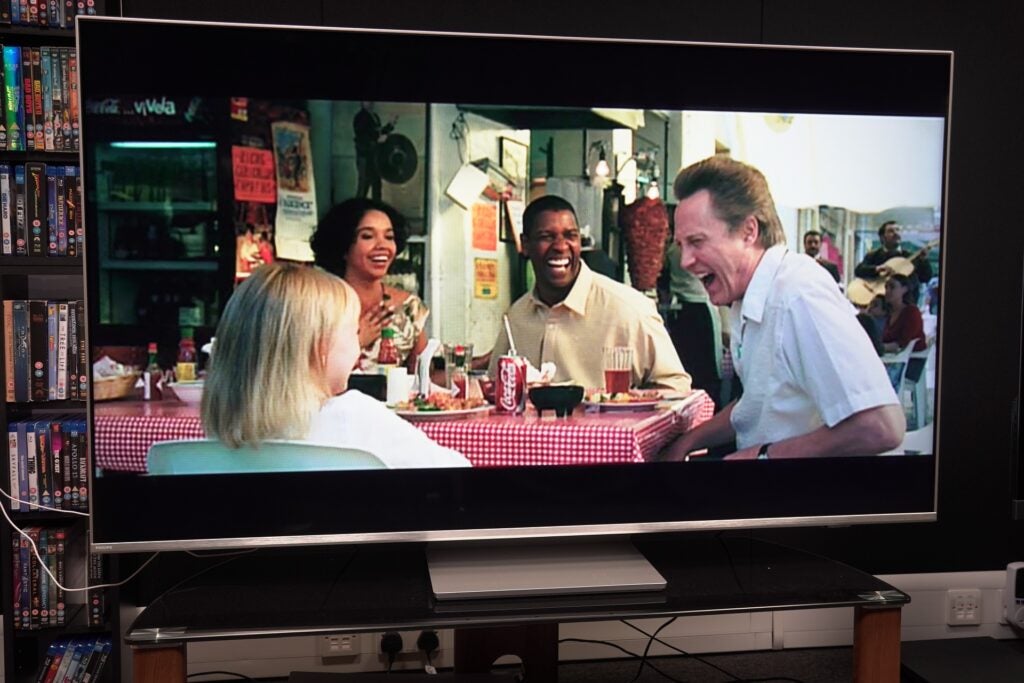
Philips 65PUS8807 Man on Fire
Image Credit (Trusted Reviews)

Edges are dealt with an unsurprisingly softness, and though facial features display decent levels of fine detail in close ups, wider shots are revealed to be soft and pixelated in places. Complexions are varied though, and in Movie mode the film’s palette hits the right note, but on a TV of this size, make sure it’s in HD if you’re going to watch lower-resolution content.

Moving onto the set’s motion processing and there are a few too many motion options, the difference between them can be vanishingly small. Smooth and Standard are similar, Smooth the slightly stronger in terms of processing. Movie and Personal are similar too, the latter offers the ability to fine-tune with sharpness and judder settings.

Personal and Movie control motion well in 1917, maintaining the film’s 24fps stutter without appearing too artificial or inducing judder and blur.

Smooth and Solid settings present more judder and stutter, especially with hand movements and people as they move. And when Schofield runs across the trenches, the lower half of his body looks artificial, dragging you out of the dramatic moment by looking fake.
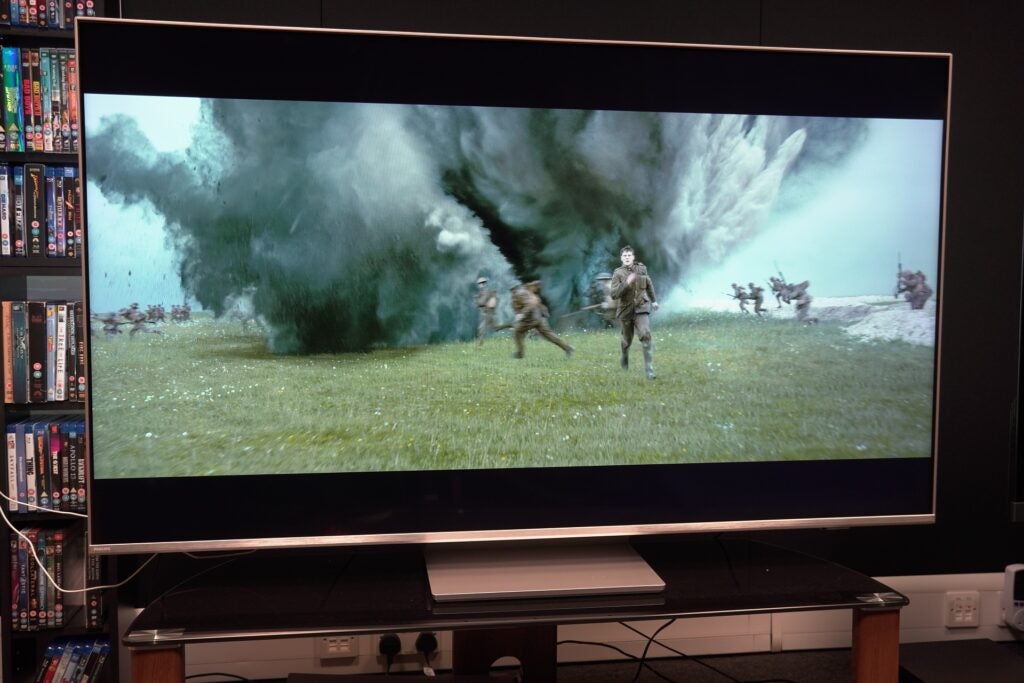
Philips 65PUS8807 1917 motion processing
Image Credit (Trusted Reviews)

Motion with sports works fine with the World Cup on iPlayer, though as mentioned in the Features section, I couldn’t tell which picture mode the TV is in with 4K content on iPlayer.

Philips 65PUS8807 World Cup iplayer
Image Credit (Trusted Reviews)

Sound Quality

  • Entertainment mode offers most expansive performance
  • Room Calibration support
  • Dolby Atmos support

With just 20W of power, the Philips 65PUS8807 sound system is not a powerhouse but it performs reasonably well.

You’ll want to opt for the Entertainment as that is the biggest, most dynamic-sounding mode. It has a good feel for dialogue and the tone of character’s various accents in episodes from the first series of Game of Thrones. There’s also a decent ability to pick out more subtle effects such as the wind that blows past during the execution scene in the first episode.
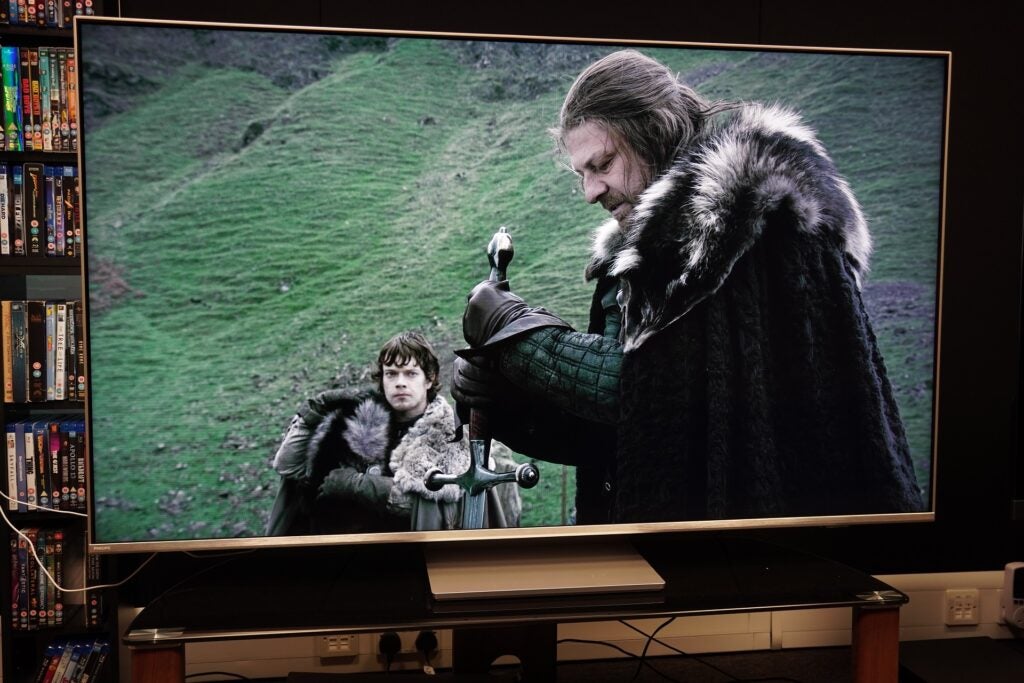
Philips 65PUS8807 Game of Thrones execution
Image Credit (Trusted Reviews)

The Personal sound mode has a thicker, warmer presentation that’s not as crisp or as clear. Despite this mode featuring a Dolby Atmos Virtualiser, it sounds constricted and hemmed in. I personally would opt for Entertainment mode’s expansive soundstage.

Personalised audio is possible with Room Calibration and Mimi Sound Personalisation, the latter tailors audio based on your hearing ability. Using Room Calibration, the resulting effect wasn’t as heavy on the bass and sounded brighter at the top end, but I stuck with the Original setting as it sounded more impactful. As is often the case, you’d want a soundbar to elevate this TV’s performance.

Latest deals

Should you buy it?

If you’re after a versatile 65-inch 4K TV: The Philips offers good picture quality (once adjusted), good level of gaming skills for current-gen consoles and enough entertainment options through its Android interface to satisfy most people

You’re not one for adjusting the image: If you don’t adjust the TV’s picture performance out of the box, you’ll have to deal with a strangely dark HDR performance. It’s easy to change the brightness levels, but you really shouldn’t have to.

Final Thoughts

The One from Philips is not perfect and given this TV is promoted to a wider audience, the tinkering required to fine-tune the image is at odds with its accessible tagline. You shouldn’t have to put up with the dim HDR image the 65PUS8807 initially presents.

But stick with it and it is a capable all-rounder. Android is easy to use, its gaming skills make it a good option for those after a more affordable big screen for the PS5 and Xbox Series consoles, while the picture performance is a step up from the lacklustre Samsung BU8000. The presence of Ambilight enhances the experience and is a feature you can’t get anywhere else.

This is another solid mid-range effort from Philips, but there’s still room for improvement. Here’s hoping the 2023 models can progress further.

How we test

We test every television we review thoroughly over an extended period of time. We use industry standard tests to compare features properly. We’ll always tell you what we find. We never, ever, accept money to review a product.

Find out more about how we test in our ethics policy.

Tested with real world use

Benchmarked against other TVs

FAQs

Does the Philips PUS8807 model support Ambilight?

The PUS8807 does support Ambilight, though this comes in its three-sided form with LEDs around the top and sides of the real panel.

Trusted Reviews test data

‹

Input lag (ms)

Peak brightness (nits) 5%

Peak brightness (nits) 10%

Philips 65PUS8807

15.9 ms

528 nits

529 nits

›

‹

UK RRP

EU RRP

Manufacturer

Screen Size

Size (Dimensions)

Size (Dimensions without stand)

Weight

Operating System

Release Date

Model Number

Resolution

HDR

Types of HDR

Refresh Rate TVs

Ports

HDMI (2.1)

Audio (Power output)

Connectivity

Colours

Display Technology

Philips 65PUS8807

£999

€1199

Philips

64.5 inches

1450.5 x 289.1 x 906.9 MM

842.2 x 85.1 x 1450.5 MM

24.5 KG

Android TV

2022

65PUS8807/12

3840 x 2160

Yes

HDR10, HLG, HDR10+, Dolby Vision

40 – 120 Hz

Two HDMI 2.1 inputs, HDMI 2.0 ports, two USBs, digital audio out, Ethernet, headphone out, satellite connector, terrestrial aerial, CI+.

eARC, HDMI VRR, ALLM,

20 W

Wi-Fi, Bluetooth 5.0, Chromecast, DTS Play-Fi

Silver

LED

›

Sustainability

TrustedReviews’ holds the fact that global warming is not a myth as a core value and will continuously endeavour to help protect our planet from harm in its business practices.

As part of this mission, whenever we review a product we send the company a series of questions to help us gauge and make transparent the impact the device has on the environment.

You can see a breakdown of the company’s answers to these questions below.

Company questions

These questions apply to all of a comapany’s practices

Do you have an Environmental Product Declaration (EPD) or equivalent public product sustainability policy? If so, please share it.

We currently do not have an EPD of the 8807.

Are you a carbon neutral company, if not do you have a roadmap to become one?

We are not yet a carbon neutral company, but our Science Based Targets were approved in September and are as follows: TPV Technology Limited commits to reduce absolute scope 1 and 2 GHG emissions 42% by FY2030 from a FY2020 base year. TPV Technology Limited also commits to reduce absolute scope 3 GHG emissions from the use of our sold products by 42% within the same timeframe.

To the best of your knowledge is every employee in your company on a living wage? If so, provide what accreditation you use to determine this (example: https://www.livingwage.org.uk/)

Yes, this is the case. Please see also our human rights policy and modern slavery act statement. https://www.tpv-tech.com/en/duty3.html We also have our RBA and social audits in place where this topic is audited by external agencies. Since the start of 2023 we are also member of the RBA.

To the best of your knowledge does your supply chain pay employees a living wage under the same criteria?

Yes. This is also covered in our supplier code of conduct.

Does the company have a net zero target in place?

Not yet because setting the Science Based Targets and receiving approval is our first step towards this goal.

What supply chain policies does the company have in place to avoid the sourcing of conflict minerals and guard against human rights violations?

We have a due diligence program which can be found in our annual conflict minerals report. https://www.tpv-tech.com/en/duty3.html
We are thereby member of the RMI, RBA, IPC and partner of PACT.

Does the company disclose environmental data through the CDP platform?

Yes, TPV continues to make progress and, based on the 2021 ESG Report, we received an A- for Supplier engagement, a B for Water security and a B- for Climate change.

Does the company have a 100 per cent renewable energy sourcing commitment in place?

Not yet.

Materials used

The purpose of this section is specific to the product being reviewed. The goal is to ascertain what measures have been taken to use sustainably sourced, recycled materials in the product. There are no perfect answers, the goal is to show what has been done.

What percentage of the materials used are biodegradable?

0%

Is the packaging biodegradable?

No, but it can be recycled.

Is the product’s packaging responsibly sourced?

Is the product’s packaging responsibly sourced?

Repairability

Trusted Reviews believes tech shouldn’t be thrown away the moment something goes wrong. Products should be easily repairable and receive company support for as long as possible. This section of the questions focuses on what guarantees are being made to ensure this on the specific product being reviewed.

Can all parts of the device be replaced or upgraded using publicly available tools?

Not yet, because if this was possible this would lead also to more accidents like electrocution. 

Are replacement parts readily available to the general public?

Yes, we have a spare parts web shop. https://tpvision.sparepartservice.shop/eshopmvc/index?g7=1334516N&

Does home repair void the product’s warranty?

If a customer is repairing the product himself and not involving us then the warranty is immediately invalid. This is mentioned in our warranty documents.

Recyclability

The purpose of this section is to establish what efforts have been made to ensure the product can be safely and sustainably disposed of.

Are any components or parts permanently attached/unremovable to the point they cannot be recycled?

No, all parts can be easily dismantled by common tools.

Does your company offer incentives (cash on a new device etc) for people to recycle their old device?

No.

Is the packaging recyclable?

Yes, the amount of packaging possible to recycle is 76,3%.

Supply chain

This section shows what is being done to help boost sustainability in consumer tech.

Have you undertaken a carbon foot-printing exercise for the product?

No.

To the best of your knowledge, was it manufactured using ethically sourced labour?

Yes, due to our policies and external audits in our Polish factory.

Jargon buster

LCD

The type of display usually used on cheaper and mid-range devices. Lacks the punch on an OLED panel.

Dolby Vision

Dolby Vision is a variant of HDR, adding a layer of dynamic metadata to the core HDR signal. This dynamic metadata carries scene-by-scene (or frame-by-frame) instructions from content creators on how a TV should present the images to improve everything from brightness to contrast, detailing and colour reproduction.

Verdict

A solid mid-range set from Philips that’s affordable for its size and produces a satisfying performance with TV, films and games. Its out-of-box picture still requires adjusting with an HDR performance that’s too dark out of the box.

Pros

  • Wide HDR support
  • High-end gaming spec
  • Capable of expansive sound
  • Ambilight is great

Cons

  • Default HDR image is too dark
  • Android TV’s not great for curation
  • A few too many motion settings

Availability

  • UKRRP: £999
  • USATBC
  • EuropeRRP: €1199
  • CanadaTBC
  • AustraliaTBC

  • Ambilight AuroraThree-sided Ambilight glow for image galleries

  • Multi-HDR supportIncludes HDR10, HLG, HDR10+ and Dolby Vision formats

  • DTS Play-FiWirelessly connect speakers and soundbars to the TV

Introduction

Philips’ The One series aims to unravel the mystery of buying a TV by giving you everything you might want at an accessible price.

The aim of The One is to mould itself into the shape of whatever you’re after, whether that’s watching films, streaming TV or playing high-end games.

Is The One the affordable TV saviour, or is all not as it appears to be?

Design

  • Central pedestal stand
  • Loss of colour and brightness at wide angles
  • Three-sided Ambilight

I’ve previously tested the PUS8506 and PUS8545 versions of The One, and this 65PUS8807 model represents a slight departure in design.

Philips 65PUS8807 stand pedestal
Image Credit (Trusted Reviews)

The main difference is the stand, which is now a centrally mounted pedestal rather than the T-shaped effort of the older models. The ability to swivel is lost, so there’s not much to be done about the wash of ambient light once the TV’s position is set.

The stand is not too heavy (around 3kg), nor does it feel as premium as the PUS8506 without its glossy aluminium finish. Assembling the stand and attaching it takes about five minutes, and around the rear is a little holder to filter cables through to keep the area neat and tidy.

Philips 65PUS8807 stand cable holder
Image Credit (Trusted Reviews)

This model supports Ambilight in its three-sided form arrayed around the top and sides. That means if the TV is wall-mounted, the Ambilight effect will feel incomplete without the bottom row. Aesthetically it looks fine, the silver trim of the bezel makes the TV stand out from the legion of all-black TVs on the market.

Wide angles are fine too, the IPS panel does produce clouding with bright areas (halos around objects) as well as some loss of colour and brightness.

Philips 65PUS8807 rear panel
Image Credit (Trusted Reviews)

Android TV Interface

  • Major apps supported
  • Solid Android interface
  • Philips’ menu for adjusting settings

Philips uses Android TV and if you’ve ever come across it previously, the 65PUS8807 differs little from what you’ve encountered before.

Android is a solid interface that lacks the bells and whistles of others, but is simply laid out, easily navigable and fast enough to traverse.

Philips 65PUS8807 Android TV
Image Credit (Trusted Reviews)

It’s separated into three tabs: Home, Discover and Apps. Home is where your favourite apps are located, with rows dedicated to each and filled with recommendations.

There are a fair number of rows to filter through and scrolling down never feels all that engaging. At least there’s the option of customizing and moving things about.

Philips 65PUS8807 Android customisation
Image Credit (Trusted Reviews)

Discover presents personalized recommendations using your viewing history from Prime Video, Disney+, Apple TV, Rakuten Viki, ZEE5 and Discovery+ to suggest titles. As always with these methods of curation, I’m unsure as to whether they’re truly personalized. Vinnie Jones: Russia’s Toughest is not something that appeals and even after several attempts to learn my habits, I’m still served titles I have little interest in.

Your watchlist is stored here too, a list of the titles you’ve saved across streaming services. It really ought to be on the Home screen, as its placement here makes it all too easy to miss.

Philips 65PUS8807 Discover Watchlist
Image Credit (Trusted Reviews)

There are plenty of apps in the Google Play Store, though you can probably count on one hand (maybe two) how many you’ll use. Freeview Play adds all the UK catch-up and on-demand apps under its banner with the likes of iPlayer, All4 and ITVX. Disney+, Netflix and Prime Video are available in their Dolby Vision and Atmos forms.

Philips 65PUS8807 installed apps
Image Credit (Trusted Reviews)

Voice assistance includes Google Assistant (built-in) and ‘Works with Alexa’, which requires another device (say an Echo speaker) on the same network for Alexa to function.

Google Assistant can be good at getting the gist of what you’re saying: search for a title and it comes up with a list of watch/buy options. Ask who’s playing in a sports tournament and it’ll provide a list of games with tabs to click on for more info. Some titles can confuse it; the word Andor was interpreted as Andorra instead.

Then there’s the Philips menus where you can change a myriad of settings for picture, sound, Ambilight and more. It’s very thorough, with useful explanations to describe what each setting does.

Philips 65PUS8807 settings
Image Credit (Trusted Reviews)

I do have a bone to pick, and the issue affects the Freeview Play apps. For reasons I can’t fathom, picture settings for these apps can’t be changed within the app; instead, you’re chucked out to the Home screen before you can alter settings. Stranger still, switching picture modes only works for standard definition content. Change it for 4K HLG content and nothing happens.

Features

  • Two HDMI 2.1 inputs
  • DTS Play-Fi support
  • Ambilight Aurora

Given this model’s melding of premium features at an affordable price, the Philips 65PUS8807 offers a good spread of features for film fans and gamers.

There are two HDMI 2.1 compatible inputs, though one supports eARC so you’ll need to be mindful if you have a couple 2.1 sources and want to add a soundbar as it will occupy one of those inputs.

Philips 65PUS8807 Gran Turismo 7
Image Credit (Trusted Reviews)

ALLM and HDMI VRR are supported on those two (full bandwidth) HDMI 2.1 ports with AMD FreeSync Premium provided for PC gamers to improve picture fidelity and reduce issues such as screen tearing. I measured the 65PUS8807’s latency at 15.9ms, which is good and can be reduced with VRR and high frame rates in play (The One supports frame rates up to 4K/120Hz). For Xbox Series console owners there’s Dolby Vision Game mode to improve HDR colour and contrast.

Philips has snuggled up to DTS’ wireless Play-Fi system that allows any compatible audio device (soundbar, wireless speaker) to be connected to the TV. A wireless home cinema system could be created, or music sent from the TV to another speaker.

Philips 65PUS8807 Ambilight three-sided
Image Credit (Trusted Reviews)

Ambilight enlivens the TV viewing experience (and apparently protects your eyes), the three-sided array produces a warm glow that mirrors the colours on screen. It works perfectly in dark rooms and after a while becomes part of the experience. Ambilight Aurora is a gallery function that adds the Ambilight effect to images for a smoothing, relaxing experience.

Connections include the HDMI 2.1 inputs, along with two HDMI 2.0 ports, two USBs, digital audio out, Ethernet, headphone out, satellite connector, terrestrial aerial and CI+. HDMI ARC is supported across all inputs, so if you have a sound system that’s ARC compatible but not eARC, that frees up one of the 2.1 inputs. Wirelessly there’s Wi-Fi (Chromecast) and Bluetooth 5.0.

Philips 65PUS8807 connections
Image Credit (Trusted Reviews)

Picture Quality

  • HDR performance out the box is too dark
  • Decent upscaling with HD content
  • Good motion abilities

Did someone turn the lights off? That’s the first thing you’ll ask about the Philips’ HDR performance. Out of the box settings render floomy images. Dark areas are inky splotches in 1917 (4K Blu-ray, HDR10+) as Schofield attempts to cross a river. It’s as if Philips was trying to imitate its own OLEDs but overcooked it.

It is rectified by diving into the settings and raising brightness to around the 65/70-point mark. The Philips’ picture perks up, detail in the darkest parts is more visible, and colour tones are better served. This darkness does afflict HDR10, Dolby Vision and HDR10+ modes, and from time-to-time, there’s a slightly distracting green tint to shadows.

The 4K-capable 65PUS8807 is capable of more brightness than the Samsung UE65BU8000, hitting a measured 528 nits in the Personal mode on a 5% HDR window and 529 nits on a 10% window. Brightness is consistent across all modes, Vivid doesn’t offer much more headroom at 536 nits.

Philips 65PUS8807 Thor Love and Thunder armour
Image Credit (Trusted Reviews)

That level of brightness is enough to give a reasonable account of HDR (when brightness is corrected), and the VA panel of the Philips conveys a wide range of colours in Thor: Love & Thunder; the appearance of the two Thor’s armour is colourful throughout, crisp in tone though not as lush or saturated as Philips OLEDs.

The Philips is at its best with Dolby Vision content. Super 8 (4K Blu-ray) is a showcase for black levels that feel richer and deeper than that of the HDR10 version.

Philips 65PUS8807 Super 8 train crash
Image Credit (Trusted Reviews)

Complexions of the cast of young actors are described a little more naturally. Contrast is also emphasised better, the lights at the train station brighter and more intense in the night-time setting, while colours receive a boost from the Dolby Vision grading; budding filmmaker Charlie’s yellow jacket strikes a richer tone.

Philips 65PUS8807 Super 8
Image Credit (Trusted Reviews)

The Philips offers a suite of picture modes to choose from. Movie looks a tad darker, Natural and Personal modes look perceptibly brighter (but with a bluer tint). Despite mention of a Filmmaker mode, I can’t find it in the menus.

Philips 65PUS8807 The Matrix Reloaded
Image Credit (Trusted Reviews)

In terms of upscaling the Philips’ P5 picture processor does a solid job and is comfortably better at managing HD sources than SD.

A Blu-ray of The Matrix Reloaded presents a few issues of note. It’s not overly sharp or soft, levels of detail are pleasing and colours (in Movie mode) appear accurate. Black levels have depth and white tones look slightly hot, not too dissimilar to how Philips 48OLED807 tackled them.

Philips 65PUS8807 The Matrix Reloaded white tones
Image Credit (Trusted Reviews)

With a DVD of Tony Scott’s eclectic Man on Fire the positivity is more subdued. The Movie mode is again dark, and both Personal and Natural modes improve on it in brightness and contrast.

Philips 65PUS8807 Man on Fire
Image Credit (Trusted Reviews)

Edges are dealt with an unsurprisingly softness, and though facial features display decent levels of fine detail in close ups, wider shots are revealed to be soft and pixelated in places. Complexions are varied though, and in Movie mode the film’s palette hits the right note, but on a TV of this size, make sure it’s in HD if you’re going to watch lower-resolution content.

Moving onto the set’s motion processing and there are a few too many motion options, the difference between them can be vanishingly small. Smooth and Standard are similar, Smooth the slightly stronger in terms of processing. Movie and Personal are similar too, the latter offers the ability to fine-tune with sharpness and judder settings.

Personal and Movie control motion well in 1917, maintaining the film’s 24fps stutter without appearing too artificial or inducing judder and blur.

Smooth and Solid settings present more judder and stutter, especially with hand movements and people as they move. And when Schofield runs across the trenches, the lower half of his body looks artificial, dragging you out of the dramatic moment by looking fake.

Philips 65PUS8807 1917 motion processing
Image Credit (Trusted Reviews)

Motion with sports works fine with the World Cup on iPlayer, though as mentioned in the Features section, I couldn’t tell which picture mode the TV is in with 4K content on iPlayer.

Philips 65PUS8807 World Cup iplayer
Image Credit (Trusted Reviews)

Sound Quality

  • Entertainment mode offers most expansive performance
  • Room Calibration support
  • Dolby Atmos support

With just 20W of power, the Philips 65PUS8807 sound system is not a powerhouse but it performs reasonably well.

You’ll want to opt for the Entertainment as that is the biggest, most dynamic-sounding mode. It has a good feel for dialogue and the tone of character’s various accents in episodes from the first series of Game of Thrones. There’s also a decent ability to pick out more subtle effects such as the wind that blows past during the execution scene in the first episode.

Philips 65PUS8807 Game of Thrones execution
Image Credit (Trusted Reviews)

The Personal sound mode has a thicker, warmer presentation that’s not as crisp or as clear. Despite this mode featuring a Dolby Atmos Virtualiser, it sounds constricted and hemmed in. I personally would opt for Entertainment mode’s expansive soundstage.

Personalised audio is possible with Room Calibration and Mimi Sound Personalisation, the latter tailors audio based on your hearing ability. Using Room Calibration, the resulting effect wasn’t as heavy on the bass and sounded brighter at the top end, but I stuck with the Original setting as it sounded more impactful. As is often the case, you’d want a soundbar to elevate this TV’s performance.

Latest deals

Should you buy it?

If you’re after a versatile 65-inch 4K TV: The Philips offers good picture quality (once adjusted), good level of gaming skills for current-gen consoles and enough entertainment options through its Android interface to satisfy most people

You’re not one for adjusting the image: If you don’t adjust the TV’s picture performance out of the box, you’ll have to deal with a strangely dark HDR performance. It’s easy to change the brightness levels, but you really shouldn’t have to.

Final Thoughts

The One from Philips is not perfect and given this TV is promoted to a wider audience, the tinkering required to fine-tune the image is at odds with its accessible tagline. You shouldn’t have to put up with the dim HDR image the 65PUS8807 initially presents.

But stick with it and it is a capable all-rounder. Android is easy to use, its gaming skills make it a good option for those after a more affordable big screen for the PS5 and Xbox Series consoles, while the picture performance is a step up from the lacklustre Samsung BU8000. The presence of Ambilight enhances the experience and is a feature you can’t get anywhere else.

This is another solid mid-range effort from Philips, but there’s still room for improvement. Here’s hoping the 2023 models can progress further.

How we test

We test every television we review thoroughly over an extended period of time. We use industry standard tests to compare features properly. We’ll always tell you what we find. We never, ever, accept money to review a product.

Find out more about how we test in our ethics policy.

Tested with real world use

Benchmarked against other TVs

FAQs

Does the Philips PUS8807 model support Ambilight?

The PUS8807 does support Ambilight, though this comes in its three-sided form with LEDs around the top and sides of the real panel.

Trusted Reviews test data

‹

Input lag (ms)

Peak brightness (nits) 5%

Peak brightness (nits) 10%

Philips 65PUS8807

15.9 ms

528 nits

529 nits

›

‹

UK RRP

EU RRP

Manufacturer

Screen Size

Size (Dimensions)

Size (Dimensions without stand)

Weight

Operating System

Release Date

Model Number

Resolution

HDR

Types of HDR

Refresh Rate TVs

Ports

HDMI (2.1)

Audio (Power output)

Connectivity

Colours

Display Technology

Philips 65PUS8807

£999

€1199

Philips

64.5 inches

1450.5 x 289.1 x 906.9 MM

842.2 x 85.1 x 1450.5 MM

24.5 KG

Android TV

2022

65PUS8807/12

3840 x 2160

Yes

HDR10, HLG, HDR10+, Dolby Vision

40 – 120 Hz

Two HDMI 2.1 inputs, HDMI 2.0 ports, two USBs, digital audio out, Ethernet, headphone out, satellite connector, terrestrial aerial, CI+.

eARC, HDMI VRR, ALLM,

20 W

Wi-Fi, Bluetooth 5.0, Chromecast, DTS Play-Fi

Silver

LED

›

Sustainability

TrustedReviews’ holds the fact that global warming is not a myth as a core value and will continuously endeavour to help protect our planet from harm in its business practices.

As part of this mission, whenever we review a product we send the company a series of questions to help us gauge and make transparent the impact the device has on the environment.

You can see a breakdown of the company’s answers to these questions below.

Company questions

These questions apply to all of a comapany’s practices

Do you have an Environmental Product Declaration (EPD) or equivalent public product sustainability policy? If so, please share it.

We currently do not have an EPD of the 8807.

Are you a carbon neutral company, if not do you have a roadmap to become one?

We are not yet a carbon neutral company, but our Science Based Targets were approved in September and are as follows: TPV Technology Limited commits to reduce absolute scope 1 and 2 GHG emissions 42% by FY2030 from a FY2020 base year. TPV Technology Limited also commits to reduce absolute scope 3 GHG emissions from the use of our sold products by 42% within the same timeframe.

To the best of your knowledge is every employee in your company on a living wage? If so, provide what accreditation you use to determine this (example: https://www.livingwage.org.uk/)

Yes, this is the case. Please see also our human rights policy and modern slavery act statement. https://www.tpv-tech.com/en/duty3.html We also have our RBA and social audits in place where this topic is audited by external agencies. Since the start of 2023 we are also member of the RBA.

To the best of your knowledge does your supply chain pay employees a living wage under the same criteria?

Yes. This is also covered in our supplier code of conduct.

Does the company have a net zero target in place?

Not yet because setting the Science Based Targets and receiving approval is our first step towards this goal.

What supply chain policies does the company have in place to avoid the sourcing of conflict minerals and guard against human rights violations?

We have a due diligence program which can be found in our annual conflict minerals report. https://www.tpv-tech.com/en/duty3.html
We are thereby member of the RMI, RBA, IPC and partner of PACT.

Does the company disclose environmental data through the CDP platform?

Yes, TPV continues to make progress and, based on the 2021 ESG Report, we received an A- for Supplier engagement, a B for Water security and a B- for Climate change.

Does the company have a 100 per cent renewable energy sourcing commitment in place?

Not yet.

Materials used

The purpose of this section is specific to the product being reviewed. The goal is to ascertain what measures have been taken to use sustainably sourced, recycled materials in the product. There are no perfect answers, the goal is to show what has been done.

What percentage of the materials used are biodegradable?

0%

Is the packaging biodegradable?

No, but it can be recycled.

Is the product’s packaging responsibly sourced?

Is the product’s packaging responsibly sourced?

Repairability

Trusted Reviews believes tech shouldn’t be thrown away the moment something goes wrong. Products should be easily repairable and receive company support for as long as possible. This section of the questions focuses on what guarantees are being made to ensure this on the specific product being reviewed.

Can all parts of the device be replaced or upgraded using publicly available tools?

Not yet, because if this was possible this would lead also to more accidents like electrocution. 

Are replacement parts readily available to the general public?

Yes, we have a spare parts web shop. https://tpvision.sparepartservice.shop/eshopmvc/index?g7=1334516N&

Does home repair void the product’s warranty?

If a customer is repairing the product himself and not involving us then the warranty is immediately invalid. This is mentioned in our warranty documents.

Recyclability

The purpose of this section is to establish what efforts have been made to ensure the product can be safely and sustainably disposed of.

Are any components or parts permanently attached/unremovable to the point they cannot be recycled?

No, all parts can be easily dismantled by common tools.

Does your company offer incentives (cash on a new device etc) for people to recycle their old device?

No.

Is the packaging recyclable?

Yes, the amount of packaging possible to recycle is 76,3%.

Supply chain

This section shows what is being done to help boost sustainability in consumer tech.

Have you undertaken a carbon foot-printing exercise for the product?

No.

To the best of your knowledge, was it manufactured using ethically sourced labour?

Yes, due to our policies and external audits in our Polish factory.

Jargon buster

LCD

The type of display usually used on cheaper and mid-range devices. Lacks the punch on an OLED panel.

Dolby Vision

Dolby Vision is a variant of HDR, adding a layer of dynamic metadata to the core HDR signal. This dynamic metadata carries scene-by-scene (or frame-by-frame) instructions from content creators on how a TV should present the images to improve everything from brightness to contrast, detailing and colour reproduction.

Previous Post

Jazz’s Year of Reckoning With Tradition

Next Post

Virgin Orbit Offers More Details on Rocket Failure

Related Posts

Poco Pad X1 Review
Reviews

Poco Pad X1 Review

by New Edge Times Report
December 3, 2025
Trust USB-C Rechargeable AA Batteries Review
Reviews

Trust USB-C Rechargeable AA Batteries Review

by New Edge Times Report
December 3, 2025
XGODY N6 Pro Review
Reviews

XGODY N6 Pro Review

by New Edge Times Report
December 3, 2025
Leave Comment
New Edge Times

© 2025 New Edge Times or its affiliated companies. All rights reserved.

Navigate Site

  • About
  • Advertise
  • Terms & Conditions
  • Privacy Policy
  • Disclaimer
  • Contact

Follow Us

No Result
View All Result
  • World
  • U.S.
  • Politics
  • Business
  • Science
  • Tech
  • Youth
  • Entertainment
    • Gaming
    • Movie
    • Music
    • Arts
  • Sports
  • Lifestyle
    • Fashion
    • Food
    • Health
    • Travel
  • Reviews
  • Trending

© 2025 New Edge Times or its affiliated companies. All rights reserved.

Welcome Back!

Login to your account below

Forgotten Password?

Retrieve your password

Please enter your username or email address to reset your password.

Log In
