











Verdict
Much brighter than the competition, the JMGO N1 Ultra takes a step up in terms of quality, delivering bright, vibrant 4K images. Its flexible stand and automatic setup routine make this projector easy to set up practically anywhere. It is quite expensive and the lack of integrated Netflix is a shame, but if you want a flexible projector that can compete with a proper home cinema model, this is for you.
Pros
- Extremely bright
- Excellent image quality
- Flexible stand
Cons
- Stand doesn’t have a tripod mount
- No native Netflix
-
Projector typeSomewhere between a home cinema projector and a portable model, this one has a high brightness and 4K resolution, along with a flexible gimbal stand. -
Streaming servicesAndroid TV is built in with support for the main streaming services (Amazon Prime Video, Disney+, Paramount+ and Apple TV+). Netflix is not certified to run.
Introduction
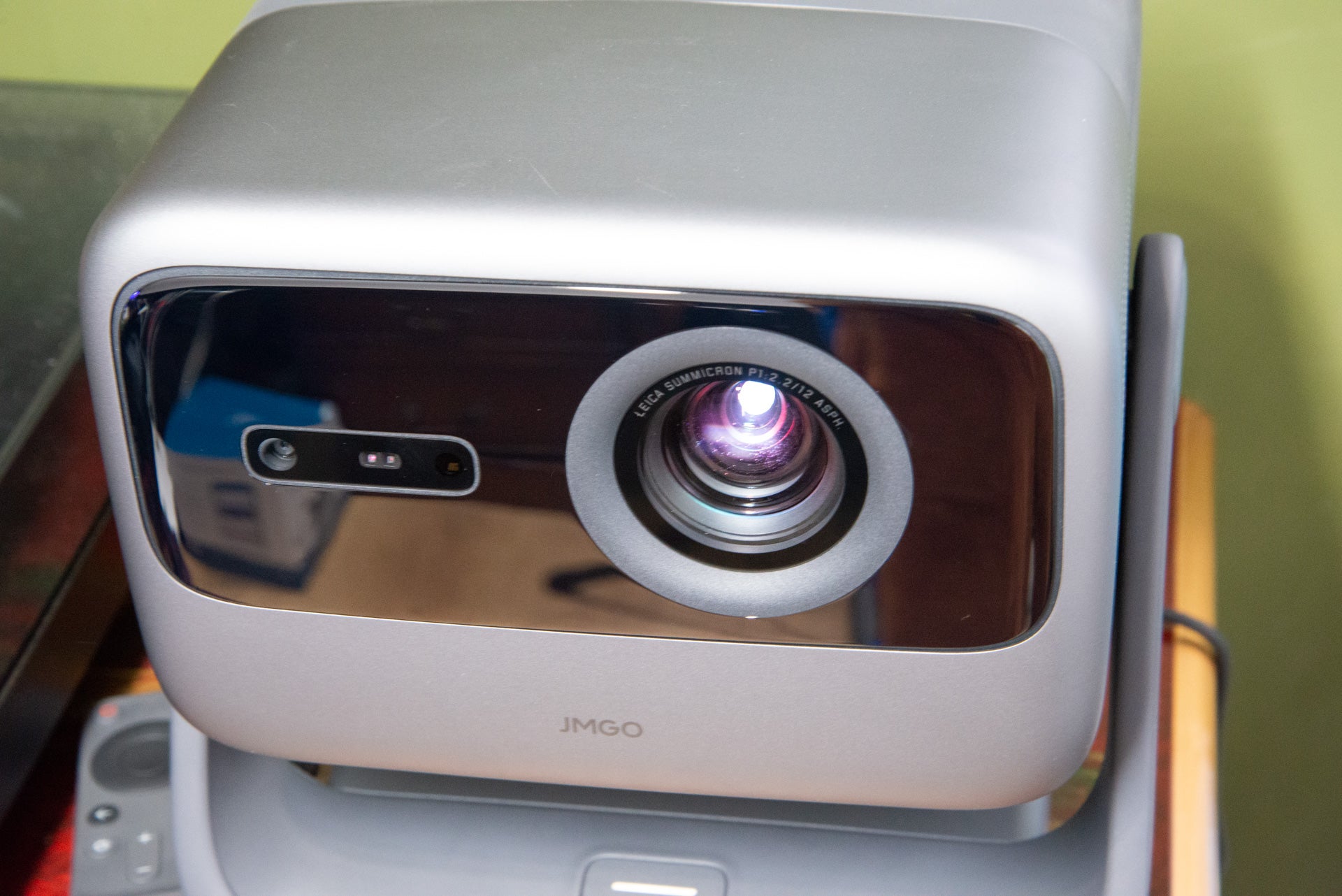
It hasn’t taken long for portable projectors to go from low-resolution, low brightness models to those that can give a traditional home cinema projector a run for their money. Now, with the JMGO N1 Ultra, we’ve got a 4K portable projector with a 4000 ANSI Lumens brightness, and smart auto-setup features, as well as decent built-in audio.
It’s a step up in terms of price and quality from the main competition, offering a full home cinema experience anywhere.
Design
- Built-in gimble
- Packing acts as a carry case
- Dual HDMI inputs with HDMI eARC
I’m used to most portable projectors looking roughly the same, and most, such as the XGIMI Horizon Pro, have projector mounts on the bottom. The JMGO N1 Ultra is different, as this model comes with a built-in gimbal stand.
Stick it on a desk and I could spin it a full 360-degree pan and a 135-degree tilt, letting me point the projector directly at the ceiling, as well as a wall or screen. It’s a neat stand to have, and it works really well. No matter which angle I pointed the projector at, it stayed in the same position and didn’t drop.
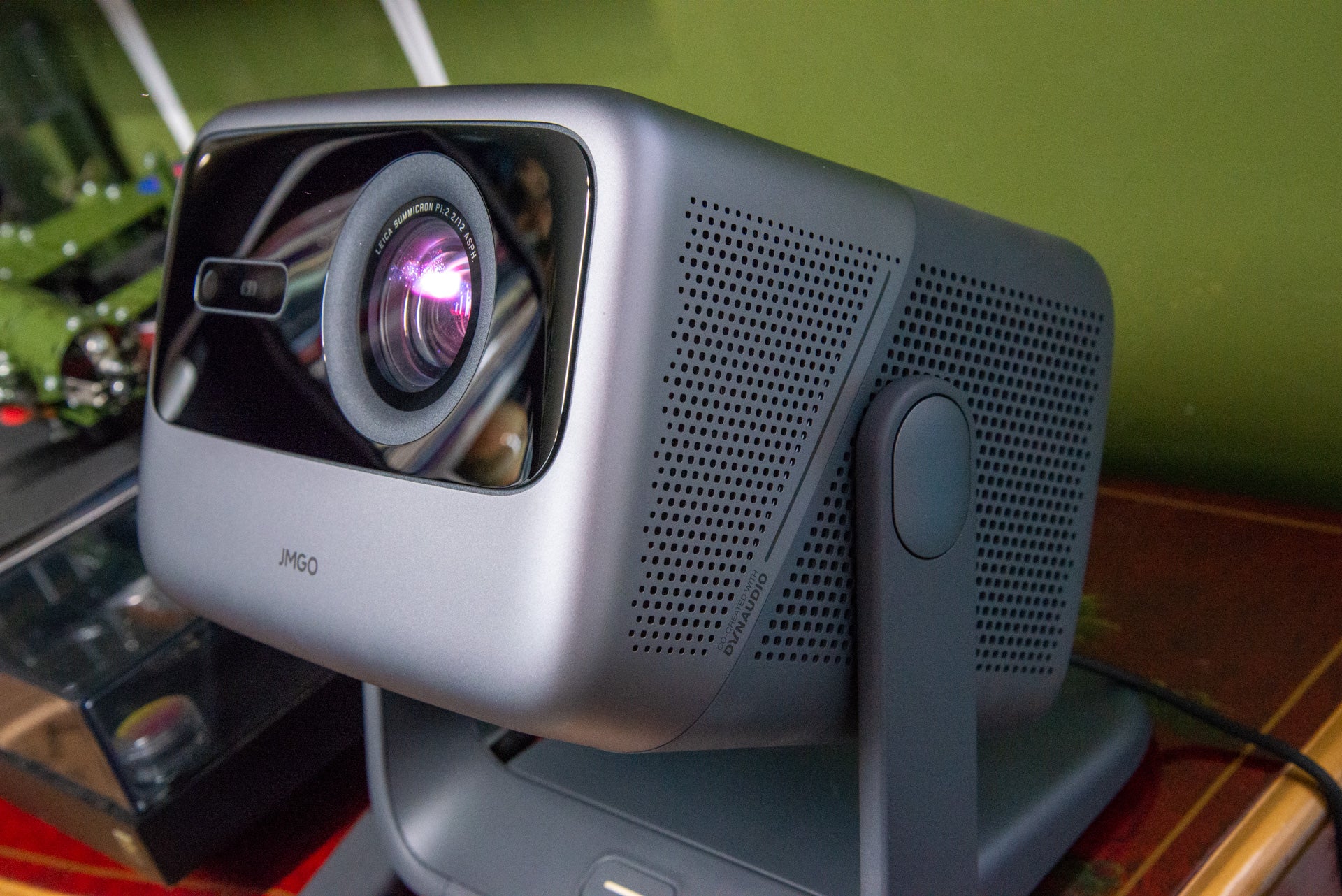
Set up of this projector is a lot more straightforward than other models, assuming you want to place it on the floor or a table. I would still have liked a tripod mount underneath for added flexibility. JMGO sells alternative installation kits, including a long pole for floor mounting and wall and ceiling mounts.
Having an integrated stand makes the JMGO N1 Ultra a bit more bulky than the competition (241 x 202 x 235mm and 4.5kg), but there’s a clever solution to portability: the original packing. Inside the box is a hard foam case with a lock on it. This protects the projector in transit, but it’s also a handy carry case or storage box for when you’re not using the projector.
It’s well worth keeping, particularly as this projector doesn’t have a lens cap to protect its more delicate bits. And, this box holds the remote control and chunky power brick, too.
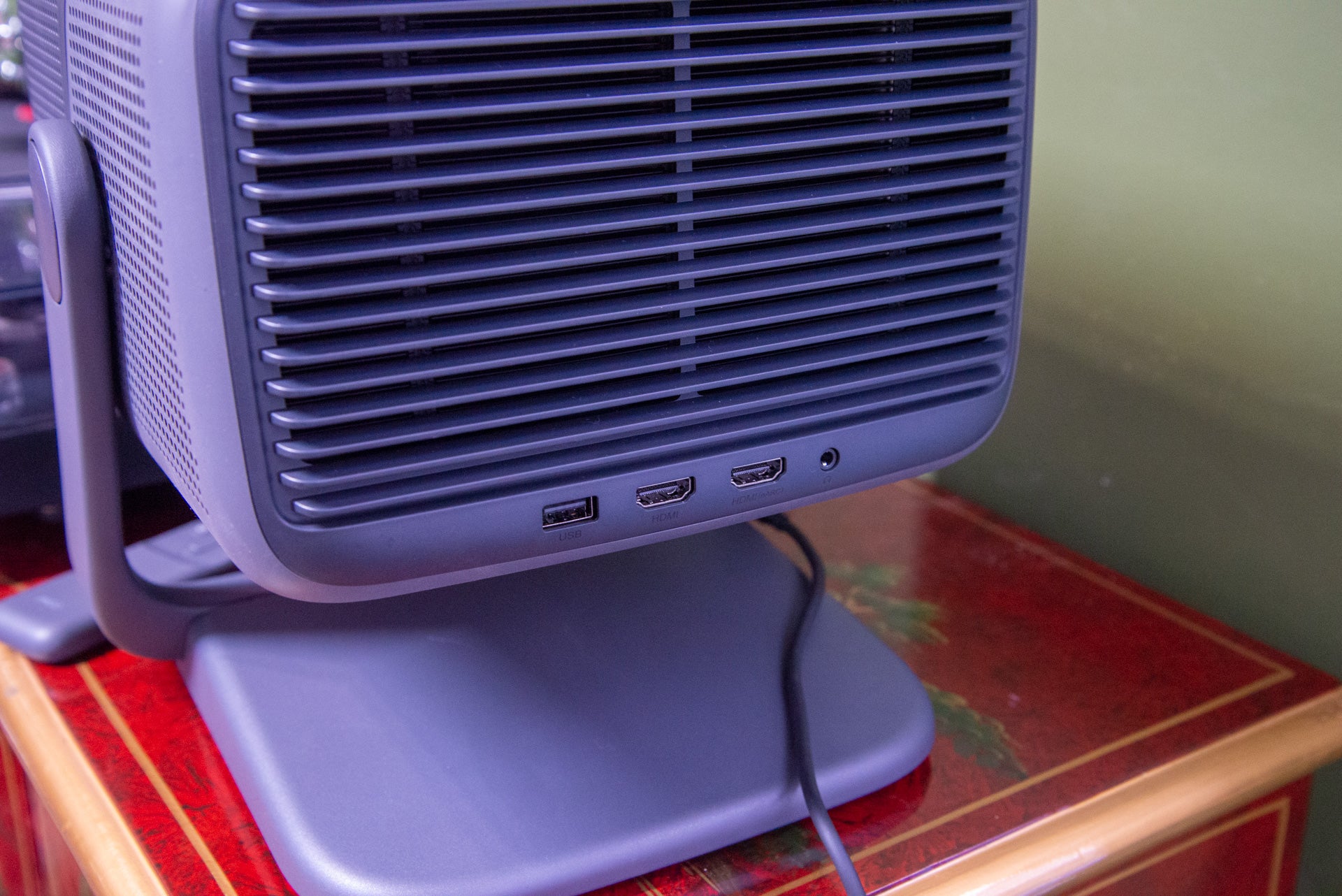
At the back of the projector are two HDMI 2.1 inputs, with one supporting HDMI eARC. That’s handy if you want to get the highest-quality sound out of this projector into an external sound system, such as the Sonos Arc.
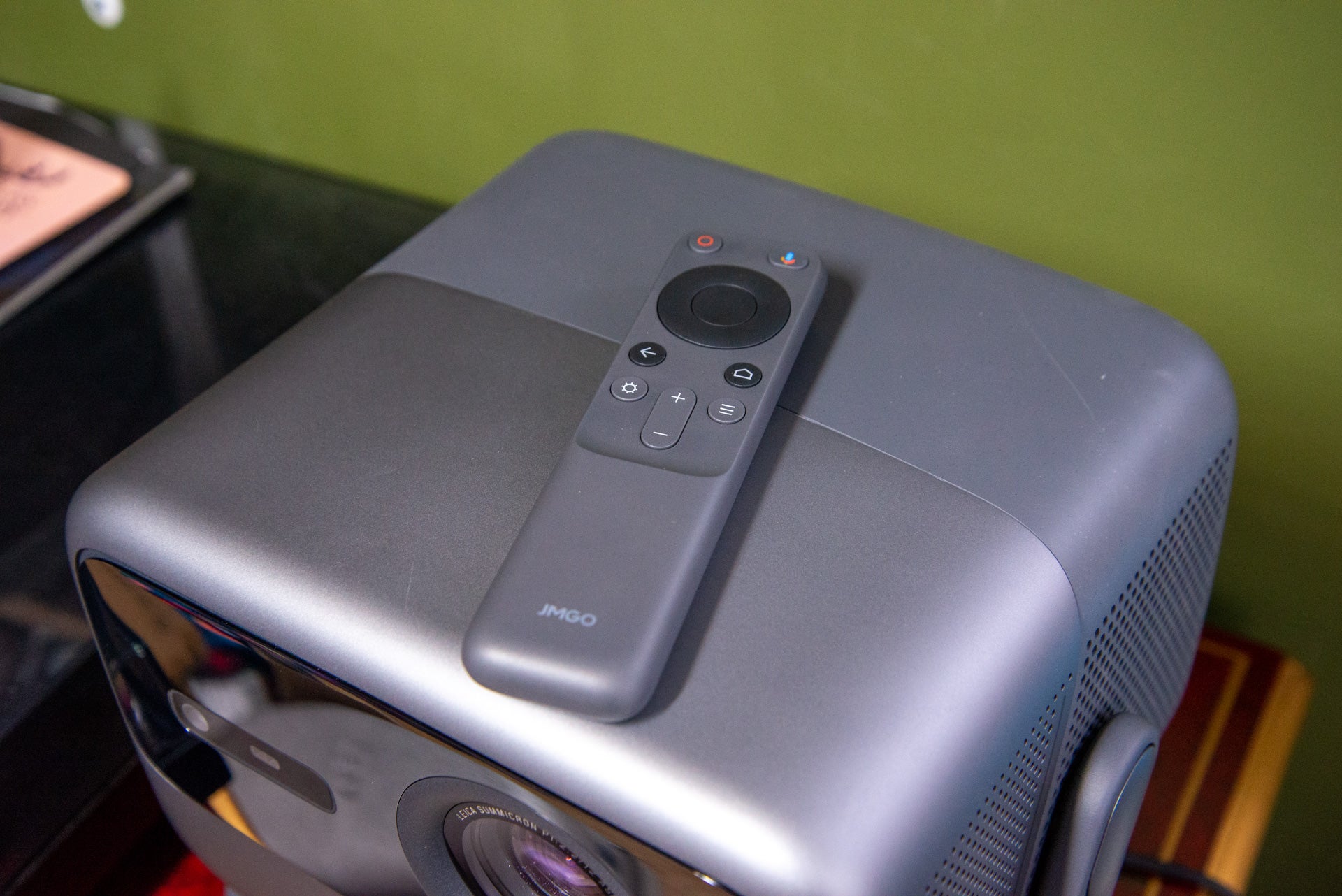
A simple Bluetooth remote is provided. This tiny model feels nice in the hand, and has relatively few buttons on it: enough to do the basics, not so many that it starts to look confusing. It’s also got a built-in microphone for using the Google Assistant and voice search.
Features
- Supports HDR
- Smart auto setup features
- Google Play Store but no Netflix
As with most portable projectors that I’ve reviewed recently, the JMGO N1 Ultra runs Android TV natively. It’s a good choice, as the large interface is designed for use with a remote control, plus you get full access to the Google Play Store for downloading apps.
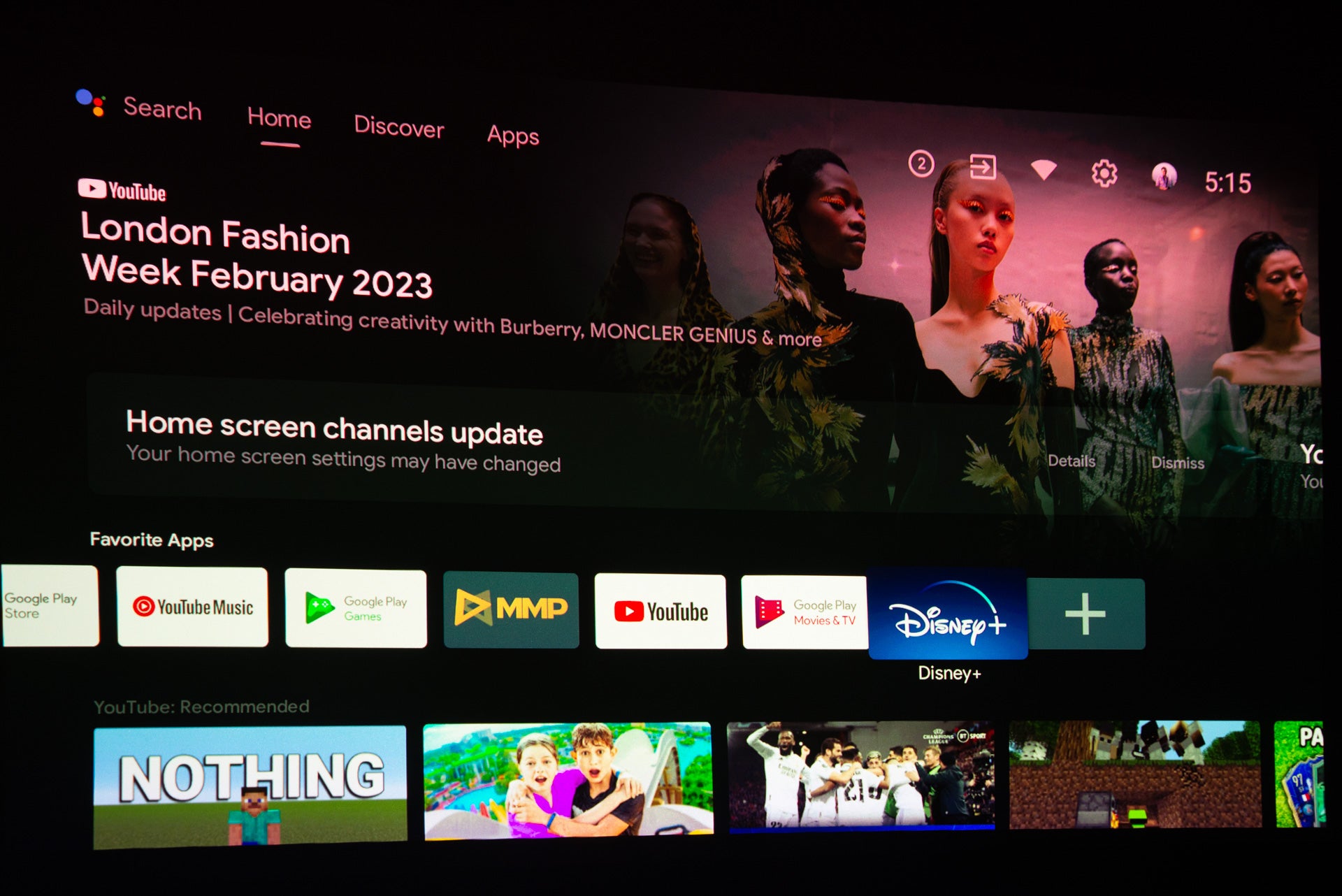
Aside from the Philips PicoPix MaxTV Mobile Projector PPX720/INT, portable projectors don’t normally support Netflix on this platform. This is because Netflix has to certify each device that it runs on. Here, Netflix isn’t even available as an option, leaving two choices: you can try and sideload it, or you can use a media streamer, such as a FireTV Stick 4K Max, in the back. The latter is my preference.
Otherwise, the Google Play Store is well-stocked. I could install and run Disney+, Paramount+, Apple TV+, BT Sport and NOW. The UK’s catch-up channels, such as iPlayer, are not available. Again, for the widest choice of content, a media streaming stick makes more sense.
Similar to the XGIMI Horizon Pro, the JMGO N1 Ultra has some smart auto-setup features. Autofocus is standard, but auto vertical and horizontal keystone corrections are nice to see, as they make getting a square picture really easy.
I recommend lining the projector up as best you can before engaging auto keystone, as this correction is a digital one that lowers the actual projection resolution.
Also available is Auto Obstacle Avoidance. Similar to the tech in XGIMI projectors, the projector uses its sensors to spot obstacles such as light switches and then resizes the main image around them. It’s a wonder for setting up in awkward spots, but I would leave it off most of the time for a couple of reasons.
First, I noticed that this kicked into life occasionally while watching. Firing up Disney+, when the loading icon appeared on the screen, the JMGO N1 Ultra decided to try and resize the image. Secondly, even on a flat projector screen, the tech would sometimes make the image smaller than it needed to be.
Automatic corrections can be overridden with the standard four-point manual keystone correction, although I rarely needed to do this.
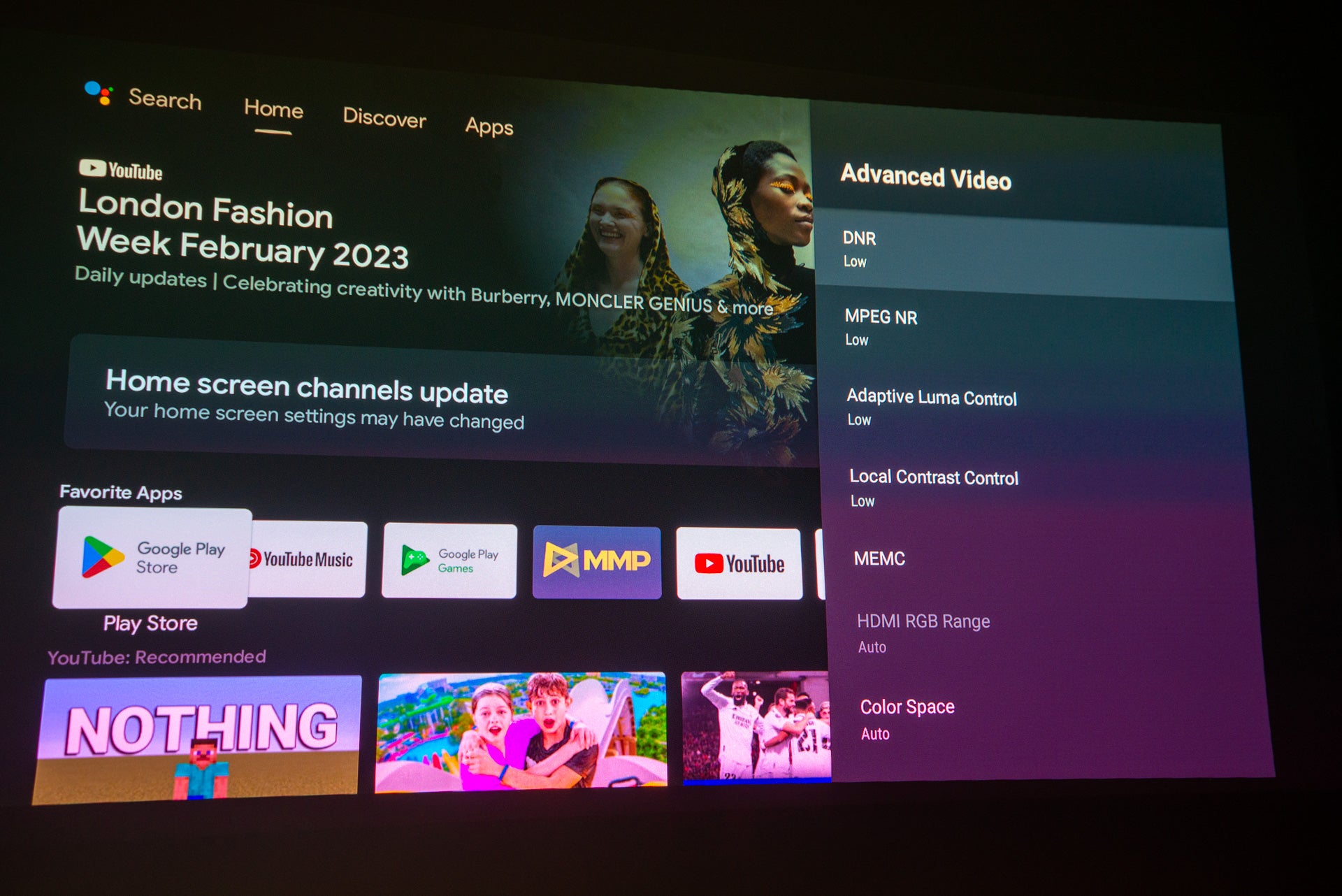
Projector image settings are buried deep in the settings menu. The main settings are quite basic, with just a selection of picture modes to choose from and sliders for Contrast, Saturation, Hue and Sharpness.
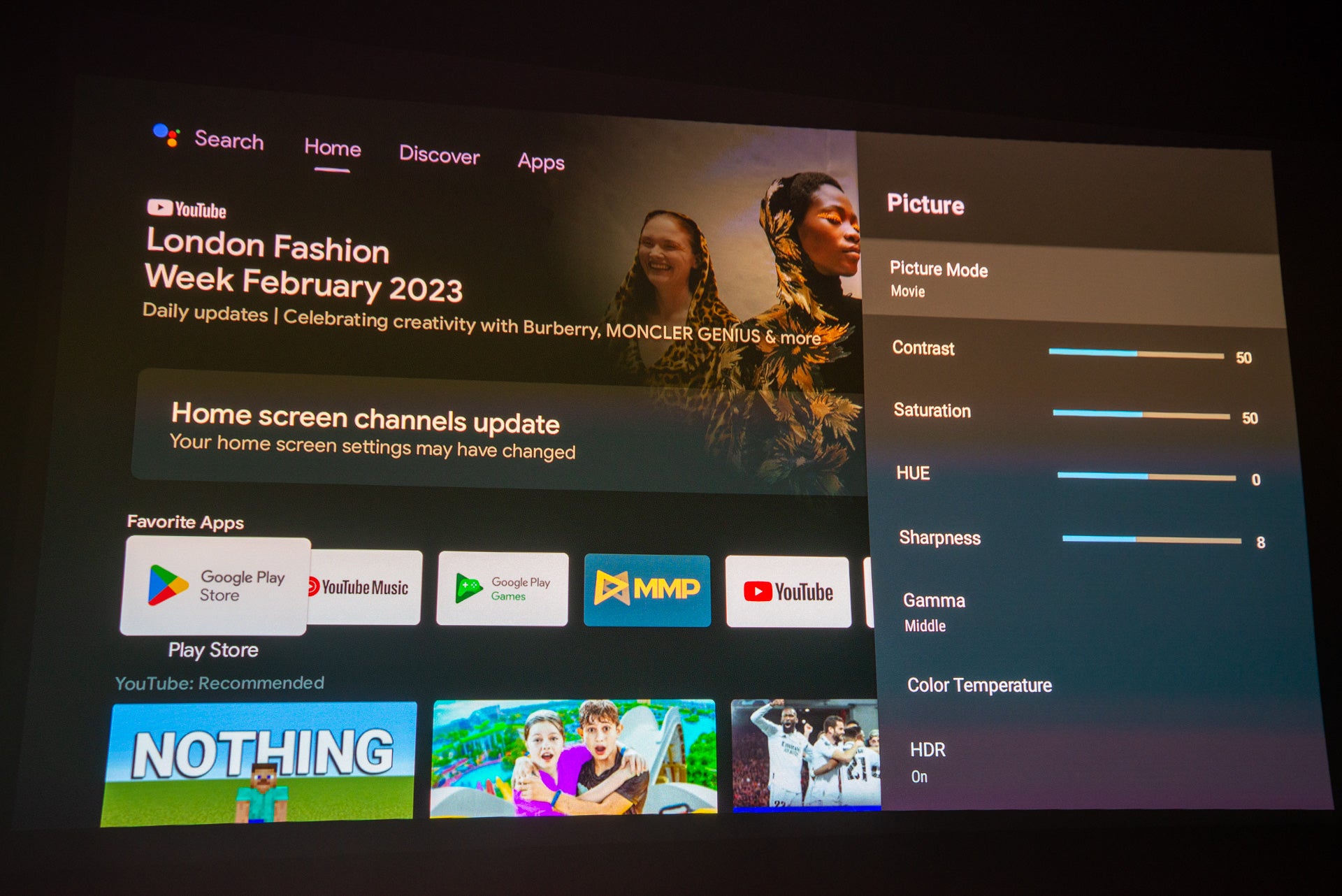
Dive into the more advanced settings, and there’s full white balance correction with sliders foo Red, Green and Blue, plus Hue, Saturation and Brightness adjustment (Red, Green, Blue, Cyan, Magenta, Yellow and Flesh Tone).
I found the default picture quality in Movie mode pretty good and didn’t need to tweak the settings much. I do recommend turning the MEMC motion compensation down or turning it off, as the High setting is a little over the top.
Performance
- Loud audio
- A very bright picture
- Handles dark scenes well
If there’s one issue with portable projectors, it’s brightness. Even the 2200-lumen XGIMI Horizon Pro struggles to get a watchable picture in a room flooded by daylight. Here, the JMGO N1 Ultra has a 4000-lumen brightness, which is more than the AWOL Vision LTV-3500, although that ultra short throw model sits close to the screen so doesn’t need to be as bright.
Still, 4000 lumens is a lot. Testing in my office with the blinds open and the overhead lights on, I was impressed that I could easily get a watchable 60-inch screen during the day. Drop the blinds or wait until night, and any screen size you’re realistically likely to have (say up to 150 inches) is easy.
With a throw ratio of 1.2:1, the JMGO N1 Ultra doesn’t have to be placed too far from the screen to get a big picture.
This level of brightness can be damaging to the eyes, but the JMGO N1 Ultra has a protection feature that cuts the lamp off if someone walks in front of it. If you find this annoying, you can turn it off.
Internally, the JMGO N1 Ultra has a 0.47-inch DMD DLP chip, which has a native resolution of 1920 x 1080. In common with other 4K DLP projectors, this one uses XPR technology. Running at 240Hz, the chip is shifted multiple times per frame to build up a 4K picture.
The result is an image that’s close to 4K, even if it’s not strictly 4K. As with all XPR projectors, the only downside is that it runs at true refresh rate of 60Hz, regardless of the input. This is one reason that I stick on Low motion compensation.
Detail is impressive on this projector. Lined up next to a Full HD model, and it’s noticeably sharper, particularly in highly-detailed scenes and for text. It also has the advantage that 4K content, whether streamed or taken from an Ultra HD Blu-ray player, can be shown at its maximum quality, bringing out all that extra detail and image sharpness. It becomes even more noticeable at larger screen sizes, as 4K holds up better than Full HD does.
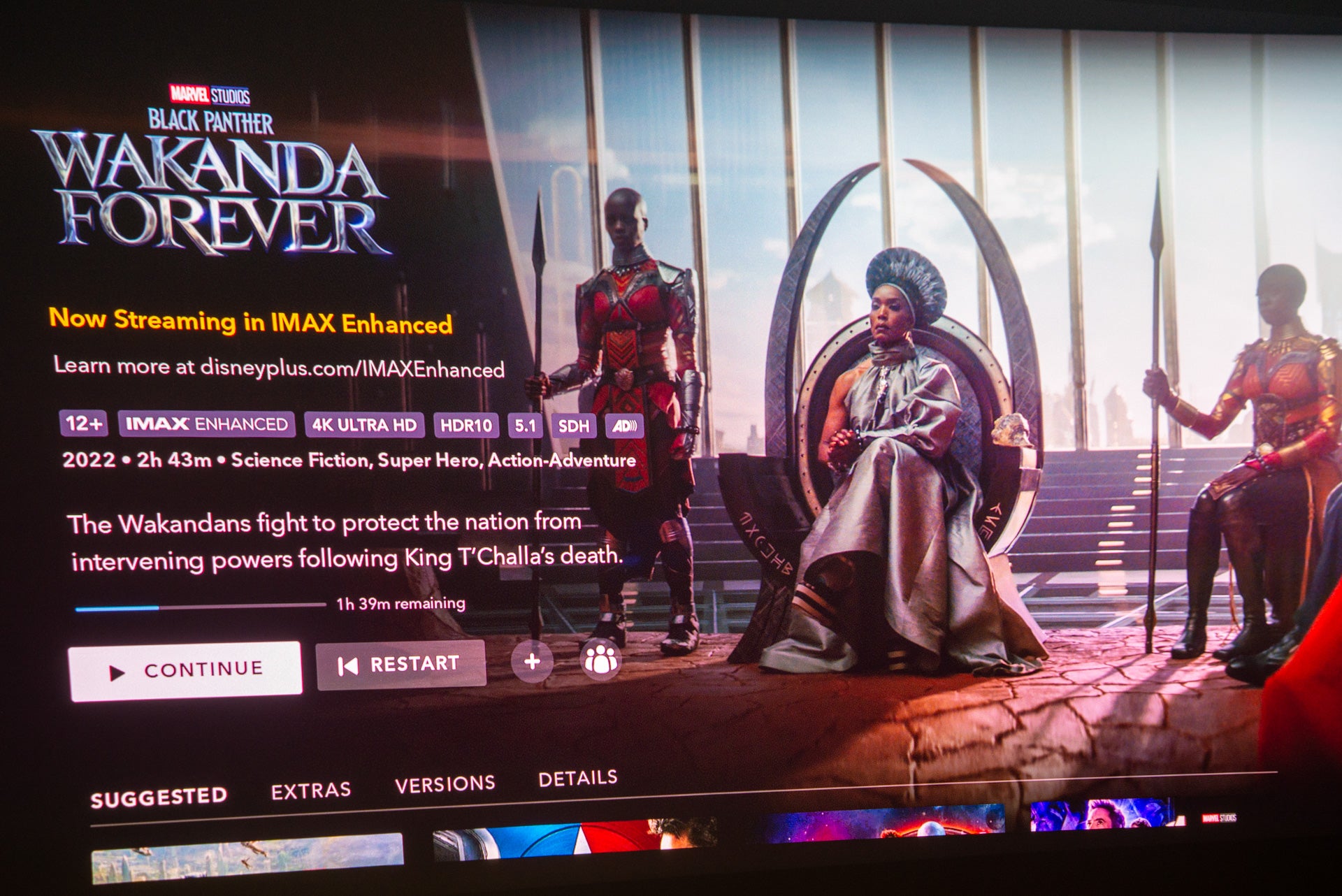
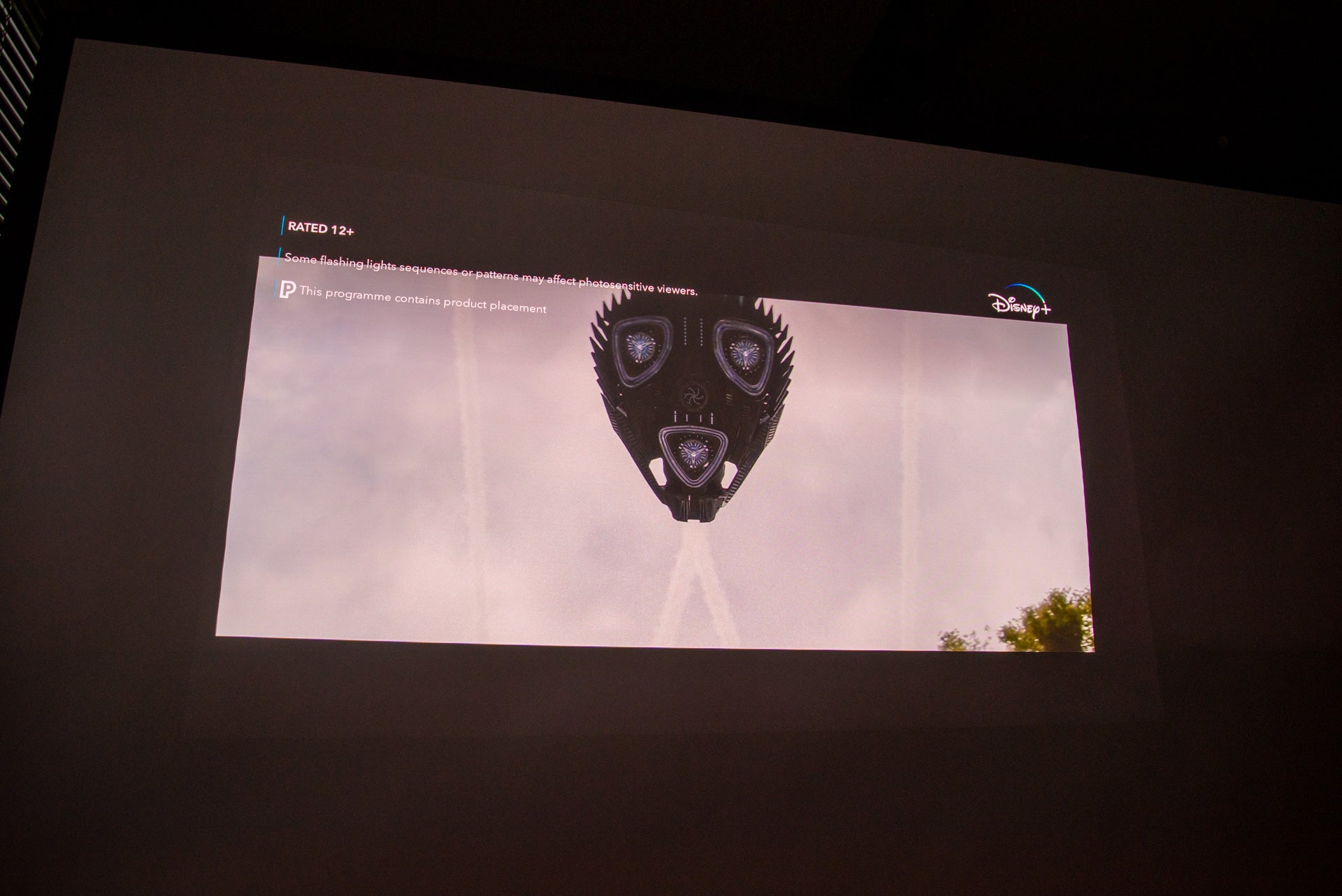
It’s the combination of HDR10, high brightness and resolution that sets this projector apart from its rivals. Watching Black Panther: Wakanda Forever and Wakanda is brought to live in its full glory. At T’Challa’s funeral, as the ship arrives in the bright sky, the JMGO N1 Ultra is capable of some eye-searing brightness, delivering a bright HDR image. This really is a step up from other portable projectors.
Bright colourful scenes are one thing, but the JMGO N1 Ultra is also very good at dealing with more subtle detail. Watch something darker and moodier, such as Werewolf by Night or the night scenes in Black Panther, and the JMGO N1 Ultra has the ability to render every bit of detail right into the shadows of each frame.
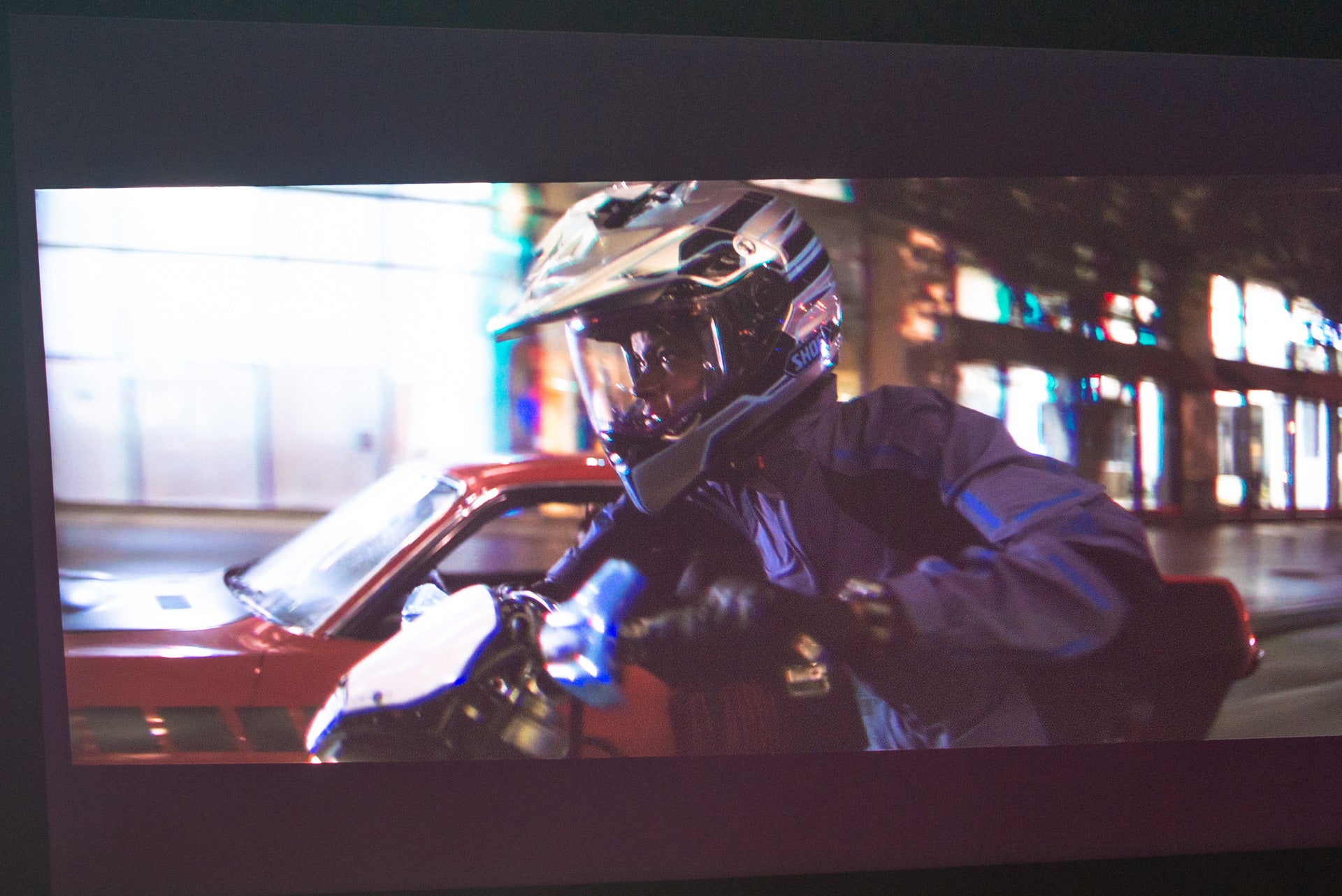
The slight side effect of high brightness is that blacks verge more towards grey, but you’re not going to get perfect blacks unless you go for high-quality TV. Ultimately, with a portable projector, you sacrifice black levels for a brighter image and bigger, more immersive screen.
Colour balance is excellent, and the overall picture is the best that I’ve seen from a portable projector and up there with some regular home cinema varieties.
There’s a non-replaceable triple laser light source on this model, which is rated to last for 30,000 hours (that’s more than ten years if you ran this projector for eight hours per day).
There’s a touch of rainbow effect, particularly in black and white scenes, but it’s largely an occasional phenomenom and only if your’re particuilarly susceptible to it.
Dual 10W speakers are installed, which are certainly plenty loud enough whether you’re using the projector inside or out. There’s enough detail in the speakers to make speech clearly heard, but bass can be a little clumsy and muddled. Aside from in my living room, where I’ve got a soundbar, I didn’t feel the need to use external speakers, but I would say that XGIMI Horizon Pro sounds slightly better.
Latest deals
Should you buy it?
If you want a flexible 4K projector: The JMGO can work in practically any situation, this bright, portable model is a great choice.
If you just want a portable projector for more occasional use: There are cheaper alternatives, particularly if you don’t need high brightness.
Final Thoughts
With its high brightness, the JMGO N1 Ultra pushes the limits of what you can reasonably expect from a portable projector. It delivers a sharp 4K image with searing bright peaks that start to make the most of HDR, while being perfectly capable of producing all of the detail in darker parts of an image. Its speakers aren’t bad either: good enough to use if you don’t have a soundbar.
This is a projector for those that want a proper home cinema experience in a package that can be moved about, but it does come at a cost. At $2,299, it’s a lot more expensive than the XGIMI Horizon Pro (note that the first 1300 people will pay between $1099 and $1499).
If you’ve got the cash and want the best then this is it. But if you can’t justify stretching this far, I’d go with the XGIMI Horizon Pro or, cheaper still, the Full HD XGIMI Horizon model. Check out other smaller alternatives in our guide to the best portable projectors.
How we test
We test every projector we review thoroughly over an extended period of time. We use industry standard tests to compare features properly. We’ll always tell you what we find. We never, ever, accept money to review a product.
Find out more about how we test in our ethics policy.
Tested for more than a week
Tested with real world use
You might like…
FAQs
It’s rated at 4000 ANSI lumens, so it’s bright enough that you can watch in a lit room.
Not natively, as this projector isn’t certified for Netflix.
Sustainability
TrustedReviews holds the fact that global warming is not a myth as a core value and will continuously endeavour to help protect our planet from harm in its business practices.
As part of this mission, whenever we review a product, we send the company a series of questions to help us gauge and make transparent the impact the device has on the environment.
We currently haven’t received answers to the questions on this product, but we will update this page the moment we do. You can see a detailed breakdown of the questions we ask and why in our sustainability info page.

Verdict
Much brighter than the competition, the JMGO N1 Ultra takes a step up in terms of quality, delivering bright, vibrant 4K images. Its flexible stand and automatic setup routine make this projector easy to set up practically anywhere. It is quite expensive and the lack of integrated Netflix is a shame, but if you want a flexible projector that can compete with a proper home cinema model, this is for you.
Pros
- Extremely bright
- Excellent image quality
- Flexible stand
Cons
- Stand doesn’t have a tripod mount
- No native Netflix
-
Projector typeSomewhere between a home cinema projector and a portable model, this one has a high brightness and 4K resolution, along with a flexible gimbal stand. -
Streaming servicesAndroid TV is built in with support for the main streaming services (Amazon Prime Video, Disney+, Paramount+ and Apple TV+). Netflix is not certified to run.
Introduction
It hasn’t taken long for portable projectors to go from low-resolution, low brightness models to those that can give a traditional home cinema projector a run for their money. Now, with the JMGO N1 Ultra, we’ve got a 4K portable projector with a 4000 ANSI Lumens brightness, and smart auto-setup features, as well as decent built-in audio.
It’s a step up in terms of price and quality from the main competition, offering a full home cinema experience anywhere.
Design
- Built-in gimble
- Packing acts as a carry case
- Dual HDMI inputs with HDMI eARC
I’m used to most portable projectors looking roughly the same, and most, such as the XGIMI Horizon Pro, have projector mounts on the bottom. The JMGO N1 Ultra is different, as this model comes with a built-in gimbal stand.
Stick it on a desk and I could spin it a full 360-degree pan and a 135-degree tilt, letting me point the projector directly at the ceiling, as well as a wall or screen. It’s a neat stand to have, and it works really well. No matter which angle I pointed the projector at, it stayed in the same position and didn’t drop.
Set up of this projector is a lot more straightforward than other models, assuming you want to place it on the floor or a table. I would still have liked a tripod mount underneath for added flexibility. JMGO sells alternative installation kits, including a long pole for floor mounting and wall and ceiling mounts.
Having an integrated stand makes the JMGO N1 Ultra a bit more bulky than the competition (241 x 202 x 235mm and 4.5kg), but there’s a clever solution to portability: the original packing. Inside the box is a hard foam case with a lock on it. This protects the projector in transit, but it’s also a handy carry case or storage box for when you’re not using the projector.
It’s well worth keeping, particularly as this projector doesn’t have a lens cap to protect its more delicate bits. And, this box holds the remote control and chunky power brick, too.
At the back of the projector are two HDMI 2.1 inputs, with one supporting HDMI eARC. That’s handy if you want to get the highest-quality sound out of this projector into an external sound system, such as the Sonos Arc.
A simple Bluetooth remote is provided. This tiny model feels nice in the hand, and has relatively few buttons on it: enough to do the basics, not so many that it starts to look confusing. It’s also got a built-in microphone for using the Google Assistant and voice search.
Features
- Supports HDR
- Smart auto setup features
- Google Play Store but no Netflix
As with most portable projectors that I’ve reviewed recently, the JMGO N1 Ultra runs Android TV natively. It’s a good choice, as the large interface is designed for use with a remote control, plus you get full access to the Google Play Store for downloading apps.
Aside from the Philips PicoPix MaxTV Mobile Projector PPX720/INT, portable projectors don’t normally support Netflix on this platform. This is because Netflix has to certify each device that it runs on. Here, Netflix isn’t even available as an option, leaving two choices: you can try and sideload it, or you can use a media streamer, such as a FireTV Stick 4K Max, in the back. The latter is my preference.
Otherwise, the Google Play Store is well-stocked. I could install and run Disney+, Paramount+, Apple TV+, BT Sport and NOW. The UK’s catch-up channels, such as iPlayer, are not available. Again, for the widest choice of content, a media streaming stick makes more sense.
Similar to the XGIMI Horizon Pro, the JMGO N1 Ultra has some smart auto-setup features. Autofocus is standard, but auto vertical and horizontal keystone corrections are nice to see, as they make getting a square picture really easy.
I recommend lining the projector up as best you can before engaging auto keystone, as this correction is a digital one that lowers the actual projection resolution.
Also available is Auto Obstacle Avoidance. Similar to the tech in XGIMI projectors, the projector uses its sensors to spot obstacles such as light switches and then resizes the main image around them. It’s a wonder for setting up in awkward spots, but I would leave it off most of the time for a couple of reasons.
First, I noticed that this kicked into life occasionally while watching. Firing up Disney+, when the loading icon appeared on the screen, the JMGO N1 Ultra decided to try and resize the image. Secondly, even on a flat projector screen, the tech would sometimes make the image smaller than it needed to be.
Automatic corrections can be overridden with the standard four-point manual keystone correction, although I rarely needed to do this.
Projector image settings are buried deep in the settings menu. The main settings are quite basic, with just a selection of picture modes to choose from and sliders for Contrast, Saturation, Hue and Sharpness.
Dive into the more advanced settings, and there’s full white balance correction with sliders foo Red, Green and Blue, plus Hue, Saturation and Brightness adjustment (Red, Green, Blue, Cyan, Magenta, Yellow and Flesh Tone).
I found the default picture quality in Movie mode pretty good and didn’t need to tweak the settings much. I do recommend turning the MEMC motion compensation down or turning it off, as the High setting is a little over the top.
Performance
- Loud audio
- A very bright picture
- Handles dark scenes well
If there’s one issue with portable projectors, it’s brightness. Even the 2200-lumen XGIMI Horizon Pro struggles to get a watchable picture in a room flooded by daylight. Here, the JMGO N1 Ultra has a 4000-lumen brightness, which is more than the AWOL Vision LTV-3500, although that ultra short throw model sits close to the screen so doesn’t need to be as bright.
Still, 4000 lumens is a lot. Testing in my office with the blinds open and the overhead lights on, I was impressed that I could easily get a watchable 60-inch screen during the day. Drop the blinds or wait until night, and any screen size you’re realistically likely to have (say up to 150 inches) is easy.
With a throw ratio of 1.2:1, the JMGO N1 Ultra doesn’t have to be placed too far from the screen to get a big picture.
This level of brightness can be damaging to the eyes, but the JMGO N1 Ultra has a protection feature that cuts the lamp off if someone walks in front of it. If you find this annoying, you can turn it off.
Internally, the JMGO N1 Ultra has a 0.47-inch DMD DLP chip, which has a native resolution of 1920 x 1080. In common with other 4K DLP projectors, this one uses XPR technology. Running at 240Hz, the chip is shifted multiple times per frame to build up a 4K picture.
The result is an image that’s close to 4K, even if it’s not strictly 4K. As with all XPR projectors, the only downside is that it runs at true refresh rate of 60Hz, regardless of the input. This is one reason that I stick on Low motion compensation.
Detail is impressive on this projector. Lined up next to a Full HD model, and it’s noticeably sharper, particularly in highly-detailed scenes and for text. It also has the advantage that 4K content, whether streamed or taken from an Ultra HD Blu-ray player, can be shown at its maximum quality, bringing out all that extra detail and image sharpness. It becomes even more noticeable at larger screen sizes, as 4K holds up better than Full HD does.
It’s the combination of HDR10, high brightness and resolution that sets this projector apart from its rivals. Watching Black Panther: Wakanda Forever and Wakanda is brought to live in its full glory. At T’Challa’s funeral, as the ship arrives in the bright sky, the JMGO N1 Ultra is capable of some eye-searing brightness, delivering a bright HDR image. This really is a step up from other portable projectors.
Bright colourful scenes are one thing, but the JMGO N1 Ultra is also very good at dealing with more subtle detail. Watch something darker and moodier, such as Werewolf by Night or the night scenes in Black Panther, and the JMGO N1 Ultra has the ability to render every bit of detail right into the shadows of each frame.
The slight side effect of high brightness is that blacks verge more towards grey, but you’re not going to get perfect blacks unless you go for high-quality TV. Ultimately, with a portable projector, you sacrifice black levels for a brighter image and bigger, more immersive screen.
Colour balance is excellent, and the overall picture is the best that I’ve seen from a portable projector and up there with some regular home cinema varieties.
There’s a non-replaceable triple laser light source on this model, which is rated to last for 30,000 hours (that’s more than ten years if you ran this projector for eight hours per day).
There’s a touch of rainbow effect, particularly in black and white scenes, but it’s largely an occasional phenomenom and only if your’re particuilarly susceptible to it.
Dual 10W speakers are installed, which are certainly plenty loud enough whether you’re using the projector inside or out. There’s enough detail in the speakers to make speech clearly heard, but bass can be a little clumsy and muddled. Aside from in my living room, where I’ve got a soundbar, I didn’t feel the need to use external speakers, but I would say that XGIMI Horizon Pro sounds slightly better.
Latest deals
Should you buy it?
If you want a flexible 4K projector: The JMGO can work in practically any situation, this bright, portable model is a great choice.
If you just want a portable projector for more occasional use: There are cheaper alternatives, particularly if you don’t need high brightness.
Final Thoughts
With its high brightness, the JMGO N1 Ultra pushes the limits of what you can reasonably expect from a portable projector. It delivers a sharp 4K image with searing bright peaks that start to make the most of HDR, while being perfectly capable of producing all of the detail in darker parts of an image. Its speakers aren’t bad either: good enough to use if you don’t have a soundbar.
This is a projector for those that want a proper home cinema experience in a package that can be moved about, but it does come at a cost. At $2,299, it’s a lot more expensive than the XGIMI Horizon Pro (note that the first 1300 people will pay between $1099 and $1499).
If you’ve got the cash and want the best then this is it. But if you can’t justify stretching this far, I’d go with the XGIMI Horizon Pro or, cheaper still, the Full HD XGIMI Horizon model. Check out other smaller alternatives in our guide to the best portable projectors.
How we test
We test every projector we review thoroughly over an extended period of time. We use industry standard tests to compare features properly. We’ll always tell you what we find. We never, ever, accept money to review a product.
Find out more about how we test in our ethics policy.
Tested for more than a week
Tested with real world use
You might like…
FAQs
It’s rated at 4000 ANSI lumens, so it’s bright enough that you can watch in a lit room.
Not natively, as this projector isn’t certified for Netflix.
Sustainability
TrustedReviews holds the fact that global warming is not a myth as a core value and will continuously endeavour to help protect our planet from harm in its business practices.
As part of this mission, whenever we review a product, we send the company a series of questions to help us gauge and make transparent the impact the device has on the environment.
We currently haven’t received answers to the questions on this product, but we will update this page the moment we do. You can see a detailed breakdown of the questions we ask and why in our sustainability info page.



