








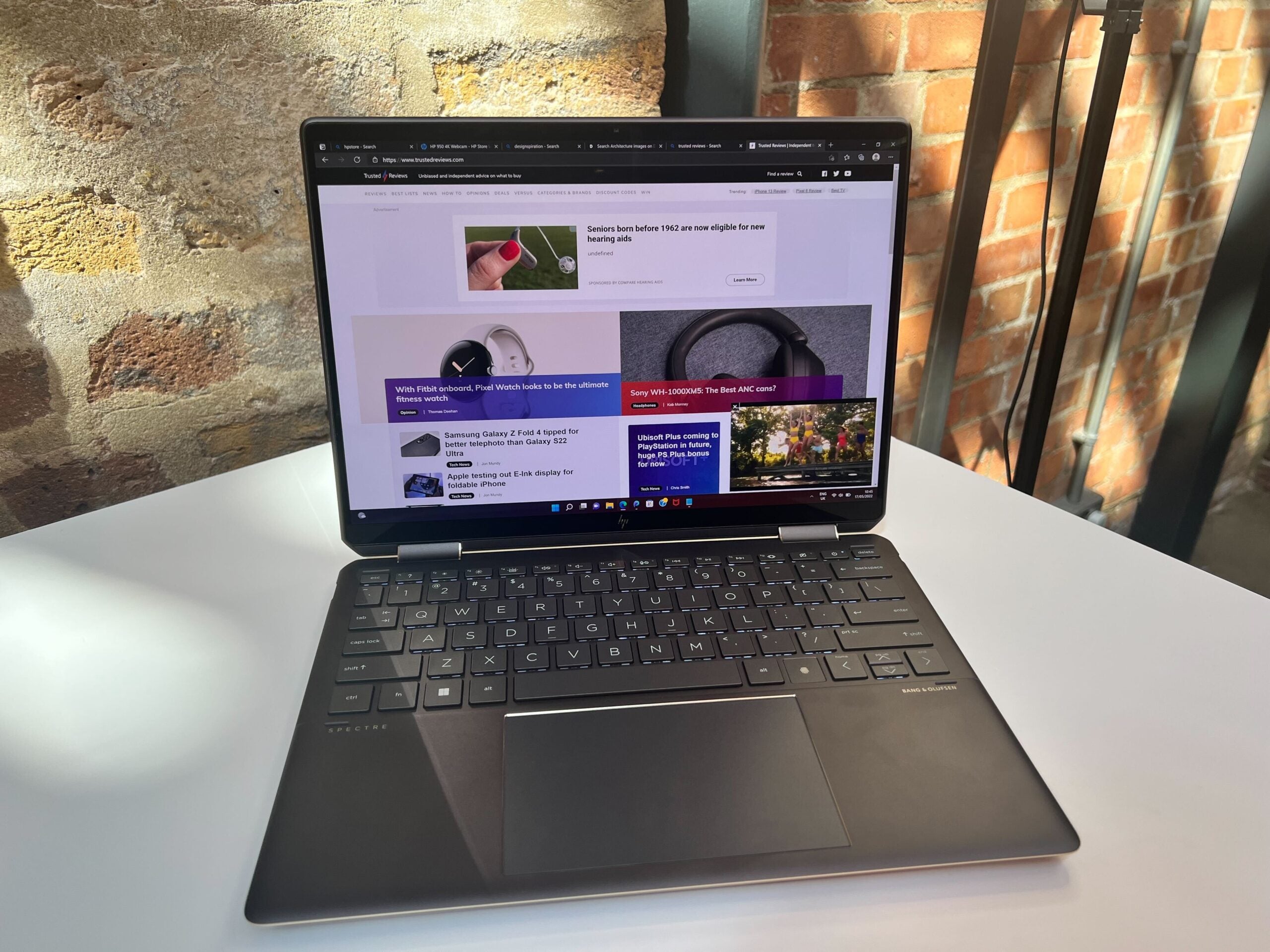
The HP Spectre x360 13.5-inch 2-in-1 is a sleek device that can be used as either a traditional clamshell laptop or a tablet, thanks to its 360-degree hinge. Running on Windows 11 and featuring the latest 12th-Generation Intel Core processors, this is a great option for anyone seeking a speedy productivity device with some creative flair.
-
Latest Intel processorsCan be configured up to 12th-Gen Intel Core i7 processor -
Intel graphicsComes with Intel Iris Xe Graphics -
Touchscreen13.5-inch display with touchscreen capabilities
Introduction
The HP Spectre x360 13.5-inch 2-in-1 has been engineered on the Intel Evo platform and arrives with touchscreen capabilities and the HP Tilt Pen included, which should be welcome news for any creatives.
The HP Spectre x360 13.5-inch packs some impressive specs, including the latest 12th-Generation Intel Core processors. It appears to have been designed with creatives in mind, featuring a 360-degree hinge that can transform the laptop into a tablet to watch media, take notes or doodle.
Also available is the HP Spectre x350 15.6-inch 2-in-1 laptop, which offers similar specs to the x360 13.5-inch model, but with a larger screen. We have asked HP for more details on this model and will update this article once we receive them.
It’s important to note that what follows isn’t a review but a hands on, since I was only able to spend a few hours with this laptop at a press event. That means I’ll be covering the design and specs of the device, not the features I was unable to test, such as performance and battery life.
Price and Availability
Prices for the HP Spectre x360 13.5-inch start at $1,249.99, with the device expected to be available in May. I’ll update this article when we know the UK and European pricing, as well as more specific release dates.
Design and Screen
- 13.5-inch screen
- 90.11% screen-to-body ratio
- Touchscreen support with HP Tilt Pen
- Comes in Nightfall Black, Nocturne Blue and Natural Silver
Unlike the HP Envy x360 15.6-inch laptop, this device is available in three colourways. I was hands-on with the Nocturne Blue model, impressed by how much it stood out, especially next to the Natural Silver version. All three colours look sleek and professional, in my opinion, but I’m happy to see variation beyond the usual silver and grey options.
I was a fan of the keyboard and touchpad here; both were super-responsive and typing up documents and emails proved trouble-free. The touchscreen was also very responsive, reacting well to both my finger and the HP Tilt Pen. There was no sign of screen tearing or judder in use, and typing via the on-screen keyboard was comfortable. While I didn’t get the opportunity to properly draw with the HP Tilt Pen, my experience taking notes with it suggests it would work well for such tasks, delivering a high level of accuracy.
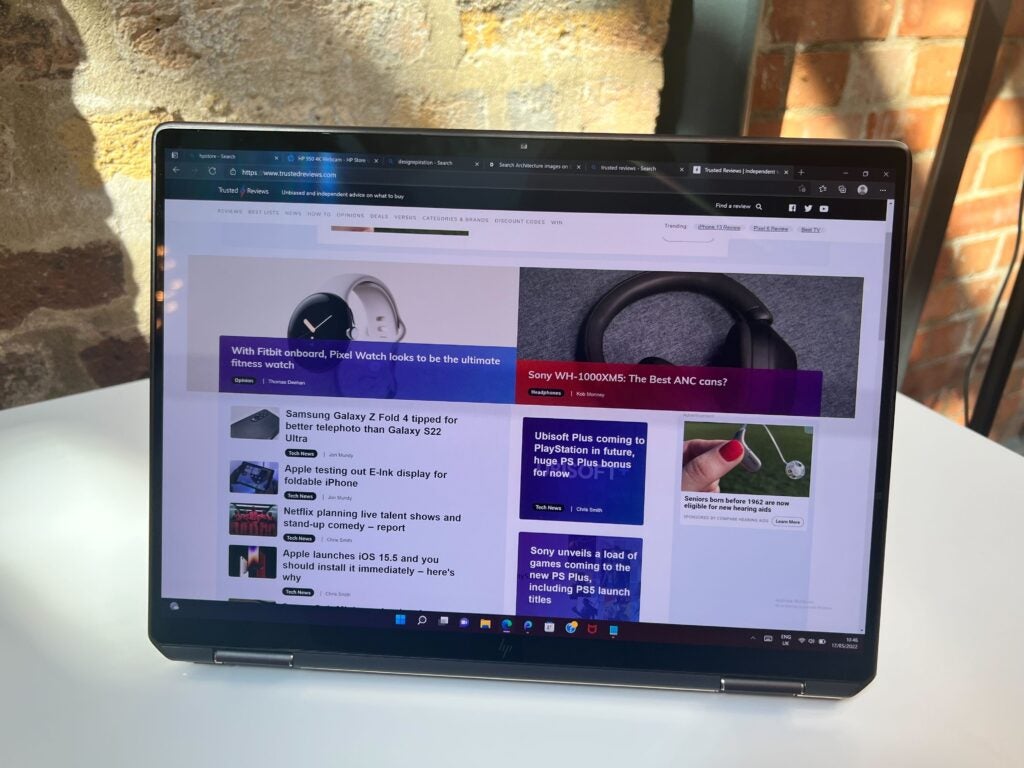
There are three different choices when it comes to the display – all are 13.5-inches and offer edge-to-edge anti-reflection Corning Gorilla Glass protection, however. The first is WUXGA+ and has a resolution of 1920 x 1280, up to 1000 nits of brightness and covers 100% of the sRGB gamut, according to HP.
The second is also WUXGA+ with a 1920 x 1280 resolution and 100% sRGB coverage, but maximum brightness is only 400 nits. The last option has a BrightView OLED panel that has a 3000 x 2000 resolution, alongside 400 nits brightness normally and 500 nits when in HDR, plus it covers 100% of the DCI-P3 gamut. I welcome the fact that HP has developed several options, since it will allow creatives to choose the best screen for their work, while also giving people the option to pay more for high-end features such as an OLED panel.
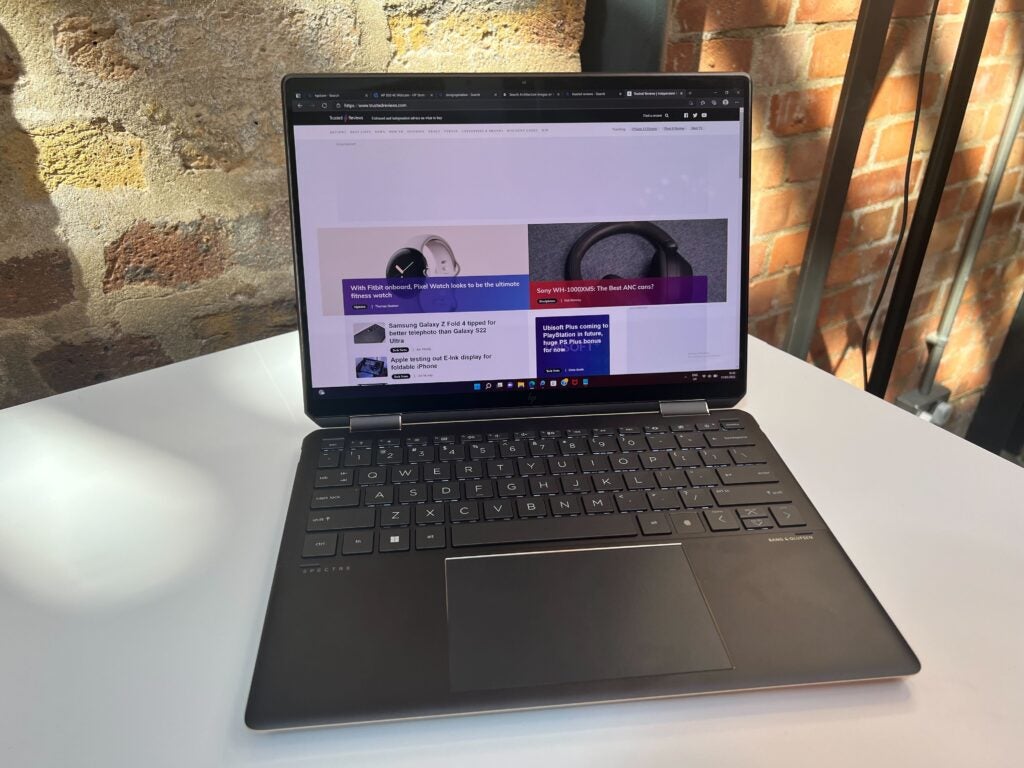
Creatives will also be pleased with the number of ports on offer here: two Thunderbolt 4 USB-C, SuperSpeed USB Type-A, a microSD card reader and a 3.5mm audio jack. This is ideal for those who might be transferring a lot of video content and, in particular, HP’s inclusion of Thunderbolt 4 ensures faster transfer speeds than normal USB-C with external SSDs, for example.
Performance
- Two Intel Core processor options
- Intel Iris Xe Graphics
- Up to 32GB of RAM
- Up to 2TB storage
The HP Spectre x360 13.5-inch is available in two different flavours of CPU: the 12th-Generation Intel Core i7-1255U and the 12th-Generation Intel Core i5-1235U. The i7 processor should deliver better performance than the i5, although the latter should still be perfectly serviceable for the majority of productivity tasks and some low-level creative workloads such as picture editing.
The integrated GPU, Intel Iris Xe, makes this laptop less capable than the HP Envy x360 15.6-inch with its Nvidia GeForce 2050 laptop GPU, so I wouldn’t recommend it for those looking to engage in high-intensity graphical tasks, such as 4K video editing or 3D rendering. However, it should still work fine as a creative device for doodling and editing; but it likely won’t be as powerful as a laptop with a discrete GPU.
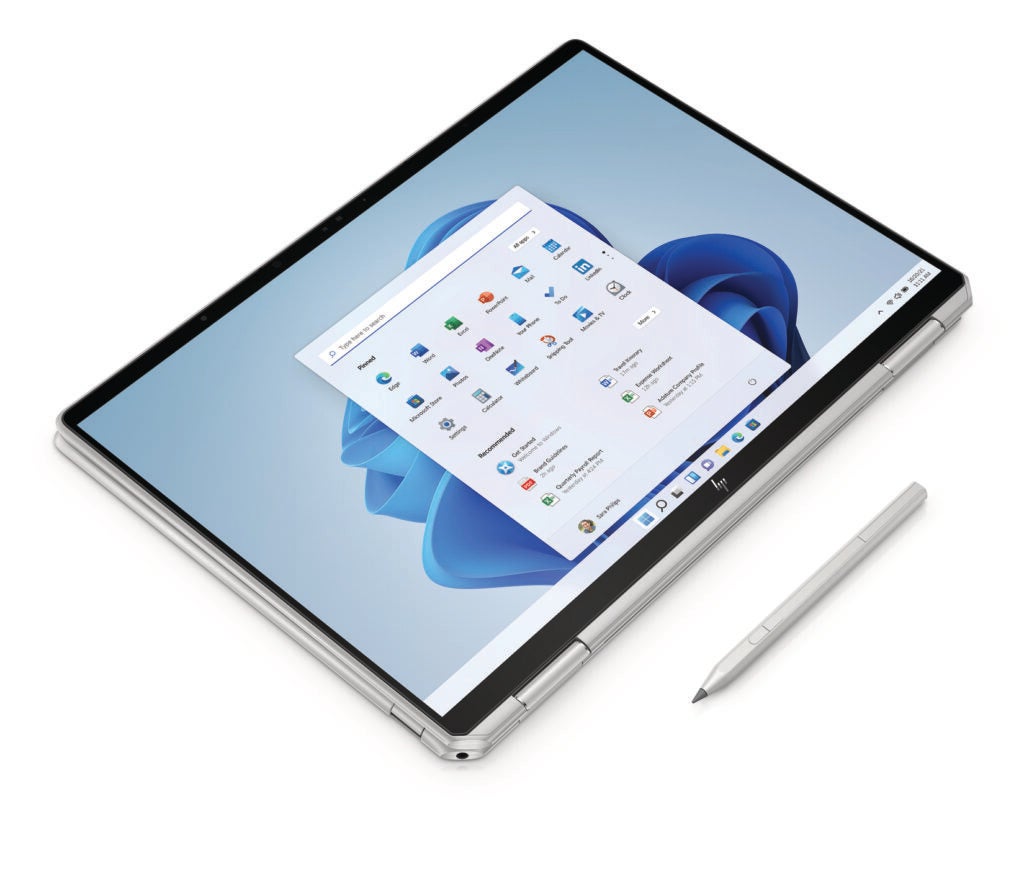
The HP Spectre x360 13.5-inch 2-in-1 laptop can be configured with up to 32GB of LPDDR4 RAM and up to 2TB of PCle storage, which should be sufficient for low-content creation and productivity tasks. It comes with a 66Wh battery, which HP claims can last up to 16 hours for mixed use, and up to 19hrs 30mins for video playback. The battery supports fast charging, too, with HP claiming that a 45-minute charge will see the 2-in-1 powered back up to 50%, which is ideal for hybrid workers or those who are always on the go.
First Impressions
The HP Spectre x360 13.5-inch 2-in-1 laptop looks like it will be a great portable device for either content creation or productivity. Its compact form and stated battery life make it an ideal option for those who frequently travel or people who are hybrid working. In addition, the 360-degree hinge makes this device great for watching movies or taking notes with the included HP Tilt Pen.
While the integrated GPU here is less capable than that included with some other laptops, such as the HP Envy 16-inch or HP Envy 17.3-inch, the HP Spectre x360 13.5-inch 2 in 1 should still prove a speedy and reliable device as a result of the latest-generation Intel Core processors and Intel Evo platform.
HP Spectre x360 13.5 inch 2-in-1 specs
UK RRP
USA RRP
EU RRP
CA RRP
AUD RRP
CPU
Manufacturer
Screen Size
Storage Capacity
Front Camera
Battery
Battery Hours
Size (Dimensions)
Weight
ASIN
Operating System
Release Date
First Reviewed Date
Model Number
Resolution
HDR
Refresh Rate
Ports
Audio (Power output)
GPU
RAM
Connectivity
Colours
Display Technology
Screen Technology
Touch Screen
Convertible?
Bin capacity

The HP Spectre x360 13.5-inch 2-in-1 is a sleek device that can be used as either a traditional clamshell laptop or a tablet, thanks to its 360-degree hinge. Running on Windows 11 and featuring the latest 12th-Generation Intel Core processors, this is a great option for anyone seeking a speedy productivity device with some creative flair.
-
Latest Intel processorsCan be configured up to 12th-Gen Intel Core i7 processor -
Intel graphicsComes with Intel Iris Xe Graphics -
Touchscreen13.5-inch display with touchscreen capabilities
Introduction
The HP Spectre x360 13.5-inch 2-in-1 has been engineered on the Intel Evo platform and arrives with touchscreen capabilities and the HP Tilt Pen included, which should be welcome news for any creatives.
The HP Spectre x360 13.5-inch packs some impressive specs, including the latest 12th-Generation Intel Core processors. It appears to have been designed with creatives in mind, featuring a 360-degree hinge that can transform the laptop into a tablet to watch media, take notes or doodle.
Also available is the HP Spectre x350 15.6-inch 2-in-1 laptop, which offers similar specs to the x360 13.5-inch model, but with a larger screen. We have asked HP for more details on this model and will update this article once we receive them.
It’s important to note that what follows isn’t a review but a hands on, since I was only able to spend a few hours with this laptop at a press event. That means I’ll be covering the design and specs of the device, not the features I was unable to test, such as performance and battery life.
Price and Availability
Prices for the HP Spectre x360 13.5-inch start at $1,249.99, with the device expected to be available in May. I’ll update this article when we know the UK and European pricing, as well as more specific release dates.
Design and Screen
- 13.5-inch screen
- 90.11% screen-to-body ratio
- Touchscreen support with HP Tilt Pen
- Comes in Nightfall Black, Nocturne Blue and Natural Silver
Unlike the HP Envy x360 15.6-inch laptop, this device is available in three colourways. I was hands-on with the Nocturne Blue model, impressed by how much it stood out, especially next to the Natural Silver version. All three colours look sleek and professional, in my opinion, but I’m happy to see variation beyond the usual silver and grey options.
I was a fan of the keyboard and touchpad here; both were super-responsive and typing up documents and emails proved trouble-free. The touchscreen was also very responsive, reacting well to both my finger and the HP Tilt Pen. There was no sign of screen tearing or judder in use, and typing via the on-screen keyboard was comfortable. While I didn’t get the opportunity to properly draw with the HP Tilt Pen, my experience taking notes with it suggests it would work well for such tasks, delivering a high level of accuracy.
There are three different choices when it comes to the display – all are 13.5-inches and offer edge-to-edge anti-reflection Corning Gorilla Glass protection, however. The first is WUXGA+ and has a resolution of 1920 x 1280, up to 1000 nits of brightness and covers 100% of the sRGB gamut, according to HP.
The second is also WUXGA+ with a 1920 x 1280 resolution and 100% sRGB coverage, but maximum brightness is only 400 nits. The last option has a BrightView OLED panel that has a 3000 x 2000 resolution, alongside 400 nits brightness normally and 500 nits when in HDR, plus it covers 100% of the DCI-P3 gamut. I welcome the fact that HP has developed several options, since it will allow creatives to choose the best screen for their work, while also giving people the option to pay more for high-end features such as an OLED panel.
Creatives will also be pleased with the number of ports on offer here: two Thunderbolt 4 USB-C, SuperSpeed USB Type-A, a microSD card reader and a 3.5mm audio jack. This is ideal for those who might be transferring a lot of video content and, in particular, HP’s inclusion of Thunderbolt 4 ensures faster transfer speeds than normal USB-C with external SSDs, for example.
Performance
- Two Intel Core processor options
- Intel Iris Xe Graphics
- Up to 32GB of RAM
- Up to 2TB storage
The HP Spectre x360 13.5-inch is available in two different flavours of CPU: the 12th-Generation Intel Core i7-1255U and the 12th-Generation Intel Core i5-1235U. The i7 processor should deliver better performance than the i5, although the latter should still be perfectly serviceable for the majority of productivity tasks and some low-level creative workloads such as picture editing.
The integrated GPU, Intel Iris Xe, makes this laptop less capable than the HP Envy x360 15.6-inch with its Nvidia GeForce 2050 laptop GPU, so I wouldn’t recommend it for those looking to engage in high-intensity graphical tasks, such as 4K video editing or 3D rendering. However, it should still work fine as a creative device for doodling and editing; but it likely won’t be as powerful as a laptop with a discrete GPU.
The HP Spectre x360 13.5-inch 2-in-1 laptop can be configured with up to 32GB of LPDDR4 RAM and up to 2TB of PCle storage, which should be sufficient for low-content creation and productivity tasks. It comes with a 66Wh battery, which HP claims can last up to 16 hours for mixed use, and up to 19hrs 30mins for video playback. The battery supports fast charging, too, with HP claiming that a 45-minute charge will see the 2-in-1 powered back up to 50%, which is ideal for hybrid workers or those who are always on the go.
First Impressions
The HP Spectre x360 13.5-inch 2-in-1 laptop looks like it will be a great portable device for either content creation or productivity. Its compact form and stated battery life make it an ideal option for those who frequently travel or people who are hybrid working. In addition, the 360-degree hinge makes this device great for watching movies or taking notes with the included HP Tilt Pen.
While the integrated GPU here is less capable than that included with some other laptops, such as the HP Envy 16-inch or HP Envy 17.3-inch, the HP Spectre x360 13.5-inch 2 in 1 should still prove a speedy and reliable device as a result of the latest-generation Intel Core processors and Intel Evo platform.
HP Spectre x360 13.5 inch 2-in-1 specs
UK RRP
USA RRP
EU RRP
CA RRP
AUD RRP
CPU
Manufacturer
Screen Size
Storage Capacity
Front Camera
Battery
Battery Hours
Size (Dimensions)
Weight
ASIN
Operating System
Release Date
First Reviewed Date
Model Number
Resolution
HDR
Refresh Rate
Ports
Audio (Power output)
GPU
RAM
Connectivity
Colours
Display Technology
Screen Technology
Touch Screen
Convertible?
Bin capacity



