













Verdict
The Epson EcoTank ET-2830 may be basic, but it’s about as affordable as refillable ink tank multifunctions get. In return for the outlay, you get competent performance across the board, around 6000 pages’ worth of ink in the box, and ridiculously low running costs of just half a penny per page. It’s a shame this printer only comes with a one-year warranty, but otherwise it’s extremely hard to fault.
Pros
- Generous inks and extremely low running costs
- Surprisingly affordable for a refillable MFP
- Reasonable quality and speed
Cons
- Basic features
- One-year warranty only
-
A three-in-one wireless MFPThis multifunction may be short of advanced features, but it’s got the basics covered: print, scan and copy, with easy wireless connection to your home network. -
Refillable ink tanksThis printer arrives with about 6,000 pages’ worth of ink in the box. Even when that’s gone, running costs are just a fraction of a penny per page.
Introduction
Refillable ink tank printers are cheap to run, but they cost a fortune to buy – or so the prevailing wisdom goes.
Epson clearly set out to change that with the EcoTank ET-2830, which is about as cheap as refillable printers get. It’s not particularly rich in features, but it’s got the print, scan and copy functions you need for everyday household admin.
Consider the huge amount of included ink and the Epson EcoTank ET-2830 is a bargain. Many printers in this class won’t print 6000 pages over their lifetime, so it’s quite possible you’d never need to top up the ET-2830’s refillable tanks. For everyone except very occasional users, that could make this MFP better value than any cartridge-based alternative.
Design and features
- Basic features with no control panel
- Very low running costs
- Could do with a better warranty
There’s no getting away from this multifunction peripheral (MFP)’s basic nature. It has just a single paper feed at the back, and a straightforward output at the front. The scanner on top has no automatic document feeder, so automated multi-page copies are off the menu. The printer doesn’t support duplexing, either, so it can’t automatically print on both sides.
The Epson EcoTank ET-2830 has no display, just a smattering of lights and buttons. There are also no card slots, so you can’t print or scan using inserted USB drives or memory cards. What you do get for your money is, essentially, an entry-level MFP with wireless networking and incredibly low running costs.
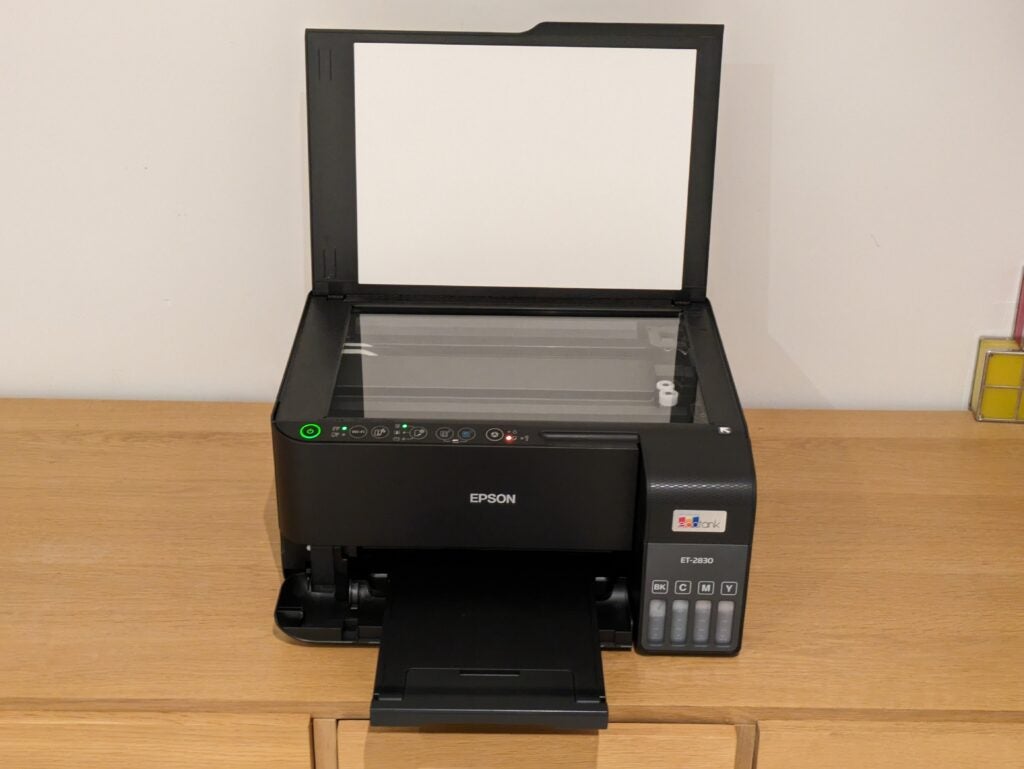
And low they are. Epson says the supplied black ink bottles should last for about 6600 pages, and the colour inks for 5900. That’s about 12 reams of printing just from the ink that comes in the box. Once you’ve used it up, new bottles cost less than £8 each and last for 4500 black or 7500 colour pages, meaning that a full-colour page will cost you 0.5p. That’s lower than any laser printer or cartridge-based inkjet I’ve tested, and even compares well among refillable printers.
That’s extraordinary from such a cheap printer. While it does cost around three times what you’d pay for a similar, cartridge based device, you’d be lucky to get 200 pages from the cartridges that came in that printer’s box. Buying enough ink to print 6000 pages could easily set you back £600 or more, so the ET-2830 is potentially far better value.
There is, however, one caveat. You’ll only get the benefit of your investment in a more expensive printer if the Epson EcoTank ET-2830 lasts long enough for you to use at least a third or so of its supplied ink. While I’ve no reason to doubt this MFP’s build quality, it’s only backed up by a one-year warranty, which could leave lighter users high and dry if it breaks down soon after the warranty period. Happily, this is slightly offset by a £50 cashback offer, running until April 2024.
You can set up the Epson EcoTank ET-2830 from any device running the new Epson Smart Panel app. This talks you through filling the ink and joining a wireless network in the style of an online chat app. While I’m not a great fan of the app’s chatty nature, it worked smoothly and was easy enough. Like other refillable printers, Epson’s ink loading system is foolproof – take it slowly and you won’t spill a drop.
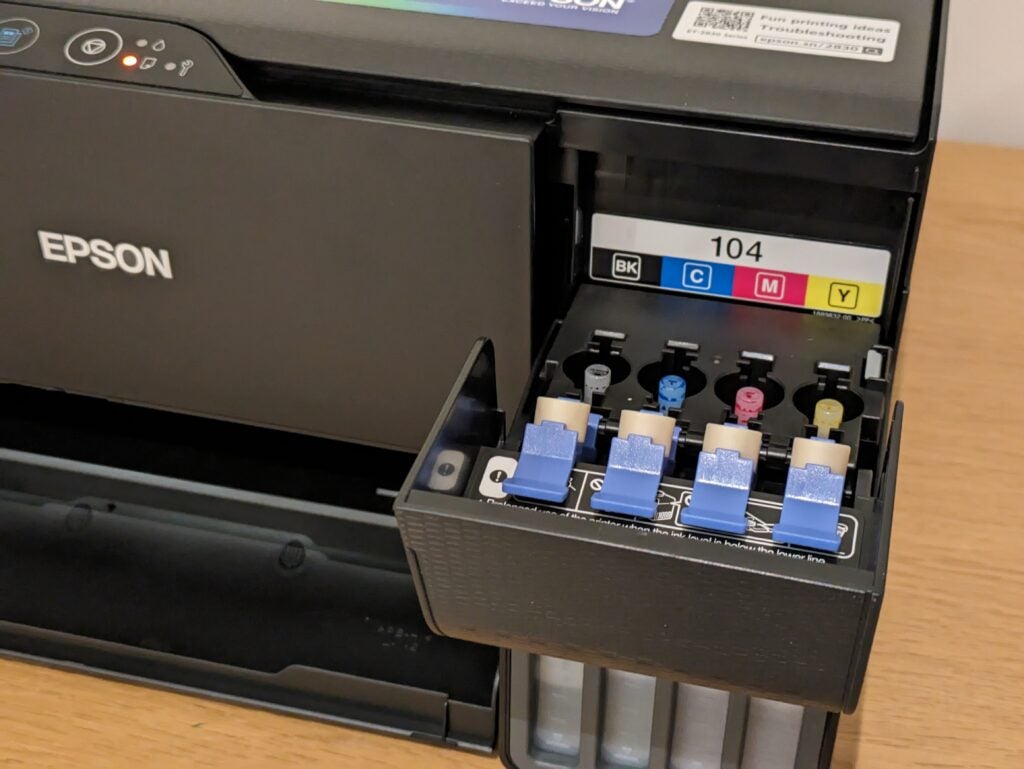
I was delighted that the new install process let me join the MFP to a wireless network while it was still priming the ink system – usually you have to wait 10 minutes or so for this to finish. As a result, you can carry on installing Epson’s software on your other computers and devices without needing to wait.
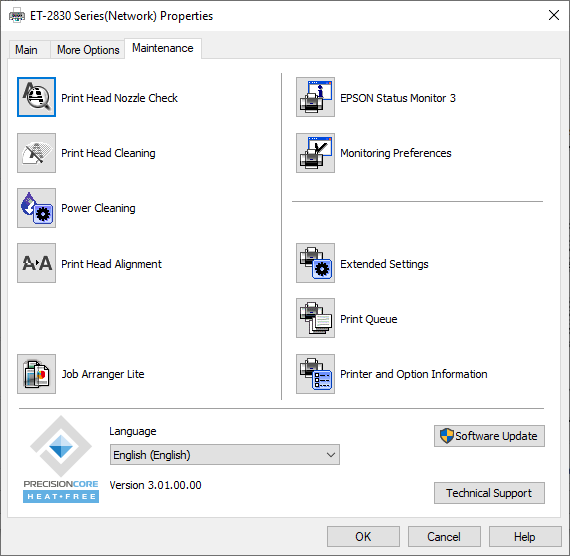
The one oddity during the process was that the app instructs you to hold a particular button to print a nozzle test, but this simply didn’t seem to work – you can do it from the print driver on a PC, anyway.
Print speed and quality
- Not especially fast when printing
- Strong print, scan and copy quality
- Surprisingly good photos
As you’d probably expect from its basic specification, the Epson EcoTank ET-2830 isn’t a blazing-fast printer. Epson quotes modest speeds of 15 pages per minute (ppm) in black and 8ppm in colour on the ISO/IEC 24734 print test, but it also states a maximum 33ppm in black and 20ppm in colour.
I treat maximum speed claims with a degree of scepticism, but the ET-2830 was quite close to Epson’s ISO speeds – which are based on an accepted testing standard. It reached only 6.8ppm over five pages, but lengthened its stride to 14.7ppm over a 20 page text document printed at draft quality. When printing multiple copies of a single page, it reached 12.3ppm, and even got to 17.2ppm in draft mode.
Colour printing is always slower, but the Epson EcoTank ET-2830 reached a fair 5.6ppm over 20 pages of text and graphics. On a more complex, graphics-heavy job it managed 4.5ppm – slow, but again quite acceptable for this class. There was a similar split in speeds when it came to copying, with single black pages completing in 14 seconds, and a colour page taking 35 seconds.
I’ve no complaints about this MFP’s scan speeds. It could complete a preview scan in 12 seconds, and capture an A4 document at 150 dots per inch (dpi) in the same timeframe. That’s a low resolution, but at a more detailed 300dpi it needed 22 seconds for the same job. I captured a 10x15cm photo at a fairly high 600dpi resolution, with the job completing in 37 seconds. At the maximum 1200dpi this job squeaked just in under the minute mark.
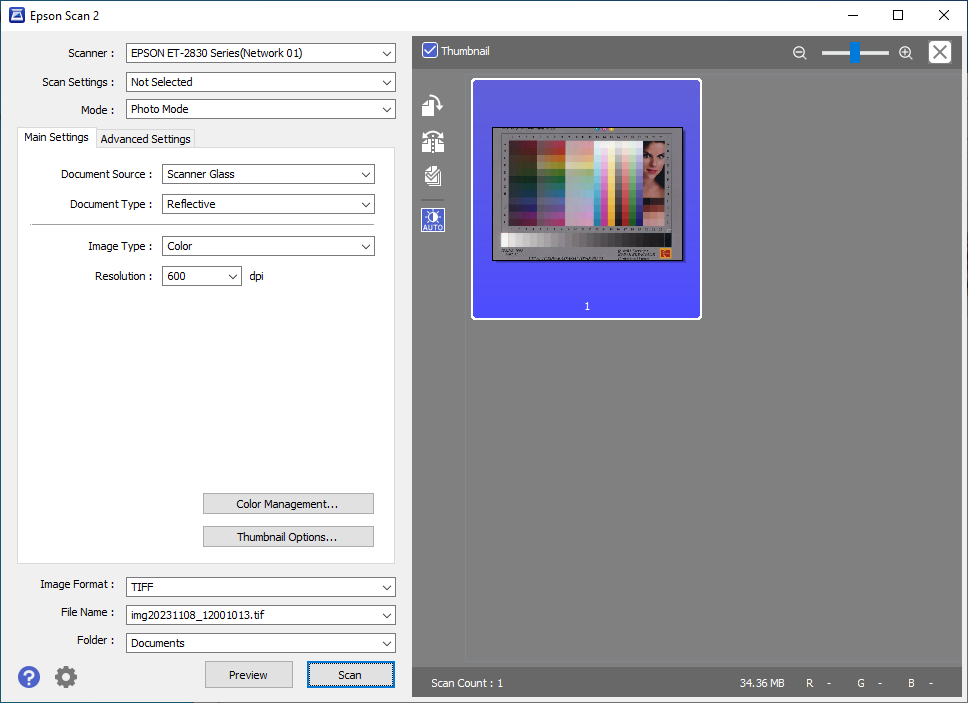
This is sometimes the point where a promising MFP shoots itself in the foot with sub-par results, but given its basic nature, prints, scans and copies from the Epson EcoTank ET-2830 were all impressive. I’ve seen darker, crisper printed characters, but this printer’s text was comfortably good enough for everyday use. Colour graphics could have had a little more impact on plain paper, but they were free of inkjet vices like banding or obvious graining.
Not unusually for an affordable printer, the ET-2830 only offers borderless printing for 10x15cm paper – you can’t make an A4 or 13x18cm photo without fine white borders around the edges. That’s a shame, because this printer’s photo quality was surprisingly good. It reproduced realistic skin tones and accurate, punchy colours, again without too much obvious grain. The only slight let down was on a black and white test photo, which came out with a mild green tint, and a slight loss of detail from among very dark regions.
Latest deals
Should you buy it?
Simply great value
This is an excellent ink tank multifunction for the money. It offers decent print, scan and copy performance, and results that wouldn’t shame a more expensive device. But best of all, it’s incredibly cheap to run.
Slow, and quite basic
This MFP isn’t ideal if you want results in a hurry, and it’s not great for more demanding users who want advanced features like duplex printing. If you want more sophistication, you’ll need to pay more.
Final Thoughts
There’s something really appealing about a cheap product that nevertheless turns out to be rather good, and that’s the Epson EcoTank ET-2830 in a nutshell.
Yes, I know it’s much more expensive than an entry-level, cartridge-based printer, but I suspect that most owners will use it enough so that it works out as much better value to own. If you’re in any doubt, keep a note of how many pages you print (or would like to print) over a few weeks, total it up, and see how long it would take you to get to 1500 pages or so – that’s roughly the point at which the balance tips in its favour compared to a dirt-cheap cartridge MFP.
Assuming the maths adds up, you’ll enjoy an MFP that doesn’t have any major weaknesses. It’s not the fastest and it’s generally quite thin on features, but it’s free of major disappointments. And in a device this cheap to own, that’s the ideal balance. For more options, check out our Best Printer guide.
How we test
Every printer we review goes through a series of uniform checks designed to gauge key things including print quality, speed and cost.
We’ll also compare the features with other printers at the same price point to see if you’re getting good value for your money.
Measured the time it takes to print with various paper
Compared print quality with other printers
Tested printing with monochrome and coloured ink
FAQs
EcoTank printers offer cheaper running costs and much longer maintenance intervals than a conventional inkjet – and even some laser printers. Their main disadvantage is that, like other refillable printers, they cost more to buy in the first place.
Laser printers tend to be faster than inkjets, and their print quality can be better on plain paper. However, a refillable inkjet like Epson’s EcoTank range should prove much cheaper to own. Both have advantages and disadvantages – it’s best to pick the one that sounds better to you.
Trusted Reviews test data

Verdict
The Epson EcoTank ET-2830 may be basic, but it’s about as affordable as refillable ink tank multifunctions get. In return for the outlay, you get competent performance across the board, around 6000 pages’ worth of ink in the box, and ridiculously low running costs of just half a penny per page. It’s a shame this printer only comes with a one-year warranty, but otherwise it’s extremely hard to fault.
Pros
- Generous inks and extremely low running costs
- Surprisingly affordable for a refillable MFP
- Reasonable quality and speed
Cons
- Basic features
- One-year warranty only
-
A three-in-one wireless MFPThis multifunction may be short of advanced features, but it’s got the basics covered: print, scan and copy, with easy wireless connection to your home network. -
Refillable ink tanksThis printer arrives with about 6,000 pages’ worth of ink in the box. Even when that’s gone, running costs are just a fraction of a penny per page.
Introduction
Refillable ink tank printers are cheap to run, but they cost a fortune to buy – or so the prevailing wisdom goes.
Epson clearly set out to change that with the EcoTank ET-2830, which is about as cheap as refillable printers get. It’s not particularly rich in features, but it’s got the print, scan and copy functions you need for everyday household admin.
Consider the huge amount of included ink and the Epson EcoTank ET-2830 is a bargain. Many printers in this class won’t print 6000 pages over their lifetime, so it’s quite possible you’d never need to top up the ET-2830’s refillable tanks. For everyone except very occasional users, that could make this MFP better value than any cartridge-based alternative.
Design and features
- Basic features with no control panel
- Very low running costs
- Could do with a better warranty
There’s no getting away from this multifunction peripheral (MFP)’s basic nature. It has just a single paper feed at the back, and a straightforward output at the front. The scanner on top has no automatic document feeder, so automated multi-page copies are off the menu. The printer doesn’t support duplexing, either, so it can’t automatically print on both sides.
The Epson EcoTank ET-2830 has no display, just a smattering of lights and buttons. There are also no card slots, so you can’t print or scan using inserted USB drives or memory cards. What you do get for your money is, essentially, an entry-level MFP with wireless networking and incredibly low running costs.
And low they are. Epson says the supplied black ink bottles should last for about 6600 pages, and the colour inks for 5900. That’s about 12 reams of printing just from the ink that comes in the box. Once you’ve used it up, new bottles cost less than £8 each and last for 4500 black or 7500 colour pages, meaning that a full-colour page will cost you 0.5p. That’s lower than any laser printer or cartridge-based inkjet I’ve tested, and even compares well among refillable printers.
That’s extraordinary from such a cheap printer. While it does cost around three times what you’d pay for a similar, cartridge based device, you’d be lucky to get 200 pages from the cartridges that came in that printer’s box. Buying enough ink to print 6000 pages could easily set you back £600 or more, so the ET-2830 is potentially far better value.
There is, however, one caveat. You’ll only get the benefit of your investment in a more expensive printer if the Epson EcoTank ET-2830 lasts long enough for you to use at least a third or so of its supplied ink. While I’ve no reason to doubt this MFP’s build quality, it’s only backed up by a one-year warranty, which could leave lighter users high and dry if it breaks down soon after the warranty period. Happily, this is slightly offset by a £50 cashback offer, running until April 2024.
You can set up the Epson EcoTank ET-2830 from any device running the new Epson Smart Panel app. This talks you through filling the ink and joining a wireless network in the style of an online chat app. While I’m not a great fan of the app’s chatty nature, it worked smoothly and was easy enough. Like other refillable printers, Epson’s ink loading system is foolproof – take it slowly and you won’t spill a drop.
I was delighted that the new install process let me join the MFP to a wireless network while it was still priming the ink system – usually you have to wait 10 minutes or so for this to finish. As a result, you can carry on installing Epson’s software on your other computers and devices without needing to wait.
The one oddity during the process was that the app instructs you to hold a particular button to print a nozzle test, but this simply didn’t seem to work – you can do it from the print driver on a PC, anyway.
Print speed and quality
- Not especially fast when printing
- Strong print, scan and copy quality
- Surprisingly good photos
As you’d probably expect from its basic specification, the Epson EcoTank ET-2830 isn’t a blazing-fast printer. Epson quotes modest speeds of 15 pages per minute (ppm) in black and 8ppm in colour on the ISO/IEC 24734 print test, but it also states a maximum 33ppm in black and 20ppm in colour.
I treat maximum speed claims with a degree of scepticism, but the ET-2830 was quite close to Epson’s ISO speeds – which are based on an accepted testing standard. It reached only 6.8ppm over five pages, but lengthened its stride to 14.7ppm over a 20 page text document printed at draft quality. When printing multiple copies of a single page, it reached 12.3ppm, and even got to 17.2ppm in draft mode.
Colour printing is always slower, but the Epson EcoTank ET-2830 reached a fair 5.6ppm over 20 pages of text and graphics. On a more complex, graphics-heavy job it managed 4.5ppm – slow, but again quite acceptable for this class. There was a similar split in speeds when it came to copying, with single black pages completing in 14 seconds, and a colour page taking 35 seconds.
I’ve no complaints about this MFP’s scan speeds. It could complete a preview scan in 12 seconds, and capture an A4 document at 150 dots per inch (dpi) in the same timeframe. That’s a low resolution, but at a more detailed 300dpi it needed 22 seconds for the same job. I captured a 10x15cm photo at a fairly high 600dpi resolution, with the job completing in 37 seconds. At the maximum 1200dpi this job squeaked just in under the minute mark.
This is sometimes the point where a promising MFP shoots itself in the foot with sub-par results, but given its basic nature, prints, scans and copies from the Epson EcoTank ET-2830 were all impressive. I’ve seen darker, crisper printed characters, but this printer’s text was comfortably good enough for everyday use. Colour graphics could have had a little more impact on plain paper, but they were free of inkjet vices like banding or obvious graining.
Not unusually for an affordable printer, the ET-2830 only offers borderless printing for 10x15cm paper – you can’t make an A4 or 13x18cm photo without fine white borders around the edges. That’s a shame, because this printer’s photo quality was surprisingly good. It reproduced realistic skin tones and accurate, punchy colours, again without too much obvious grain. The only slight let down was on a black and white test photo, which came out with a mild green tint, and a slight loss of detail from among very dark regions.
Latest deals
Should you buy it?
Simply great value
This is an excellent ink tank multifunction for the money. It offers decent print, scan and copy performance, and results that wouldn’t shame a more expensive device. But best of all, it’s incredibly cheap to run.
Slow, and quite basic
This MFP isn’t ideal if you want results in a hurry, and it’s not great for more demanding users who want advanced features like duplex printing. If you want more sophistication, you’ll need to pay more.
Final Thoughts
There’s something really appealing about a cheap product that nevertheless turns out to be rather good, and that’s the Epson EcoTank ET-2830 in a nutshell.
Yes, I know it’s much more expensive than an entry-level, cartridge-based printer, but I suspect that most owners will use it enough so that it works out as much better value to own. If you’re in any doubt, keep a note of how many pages you print (or would like to print) over a few weeks, total it up, and see how long it would take you to get to 1500 pages or so – that’s roughly the point at which the balance tips in its favour compared to a dirt-cheap cartridge MFP.
Assuming the maths adds up, you’ll enjoy an MFP that doesn’t have any major weaknesses. It’s not the fastest and it’s generally quite thin on features, but it’s free of major disappointments. And in a device this cheap to own, that’s the ideal balance. For more options, check out our Best Printer guide.
How we test
Every printer we review goes through a series of uniform checks designed to gauge key things including print quality, speed and cost.
We’ll also compare the features with other printers at the same price point to see if you’re getting good value for your money.
Measured the time it takes to print with various paper
Compared print quality with other printers
Tested printing with monochrome and coloured ink
FAQs
EcoTank printers offer cheaper running costs and much longer maintenance intervals than a conventional inkjet – and even some laser printers. Their main disadvantage is that, like other refillable printers, they cost more to buy in the first place.
Laser printers tend to be faster than inkjets, and their print quality can be better on plain paper. However, a refillable inkjet like Epson’s EcoTank range should prove much cheaper to own. Both have advantages and disadvantages – it’s best to pick the one that sounds better to you.



