













Verdict
Though ultra-snappy at 8,000Hz when enabled, the Corsair M75 doesn’t wow for its price. It’s a great way to get a solid performance increase if you’re rocking an older clicker but it’s just not a perfect fit. Ultimately, it could learn a thing or two from some cheaper alternatives.
Pros
- 8,000Hz polling makes a difference
- Simple, ambidextrous design
- Optical switches
Cons
- Side buttons are small and inset
- Cable could be lighter
Introduction
Corsair’s ramped things up with a regular cadence of peripheral releases in 2024, and the Corsair M75 is its latest. It’s wired for good measure and this unassuming sleek-black option is poised for combat.
The new mouse is capable of reaching 8,000Hz tracking, so it could be one to keep on hand and rely on for many years to come. It’ll be ready for any major monitor upgrades you might have your eye on, supplying the data-driven juice to turn your intent into kills in your favourite competitive shooters.
Even without them, you’ll feel the difference. You’ll just have to adjust a few other things to make proper use of it potential. Corsair is appealing to left-handed gamers with the new Corsair M75, but anyone can enjoy what it offers.
Design
- Simple black design with light RGB flair
- Chunky scroll wheel
- Removable side buttons for left and right use
Outside of the thin curved RGB lines tapering down the back of the mouse, the Corsair M75 is as simple as they come these days. You won’t find any perforations to keep weight low and airflow high, nor does it sport any wings, ridges, or bumps to support your digits. It’s simple: and that’s ok.
Jet black and smooth to the touch, even the middle wheel and twin side buttons are coloured to match. It’s a uniform piece of equipment, with colour coming from those flanking lines, the large Corsair logo right at the base, and a wide visor-like design on the very bottom that shines a little of that good stuff on your mouse pad.
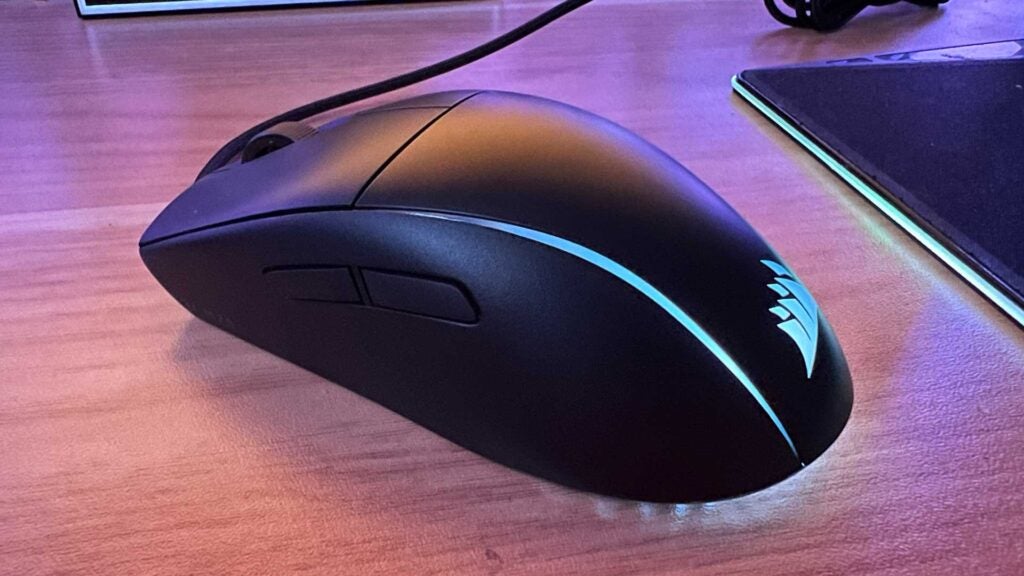
Because of the hard plastic shell, expect this one to show the signs of battle if you’re gaming with grubby claws: sweat and oils will have it looking a little worse for wear in no time.
Feeding your machine with all that precious, precision data is a braided 1.8m cable with just the right amount of flex. It’s rigid enough to bend and mould your desk setup, but not stiff enough to resist your swipes and swings. Is it better than the flowing wire of the HyperX Pulsefire Haste 2? Not in my book. But it’s also not a major cause for concern.
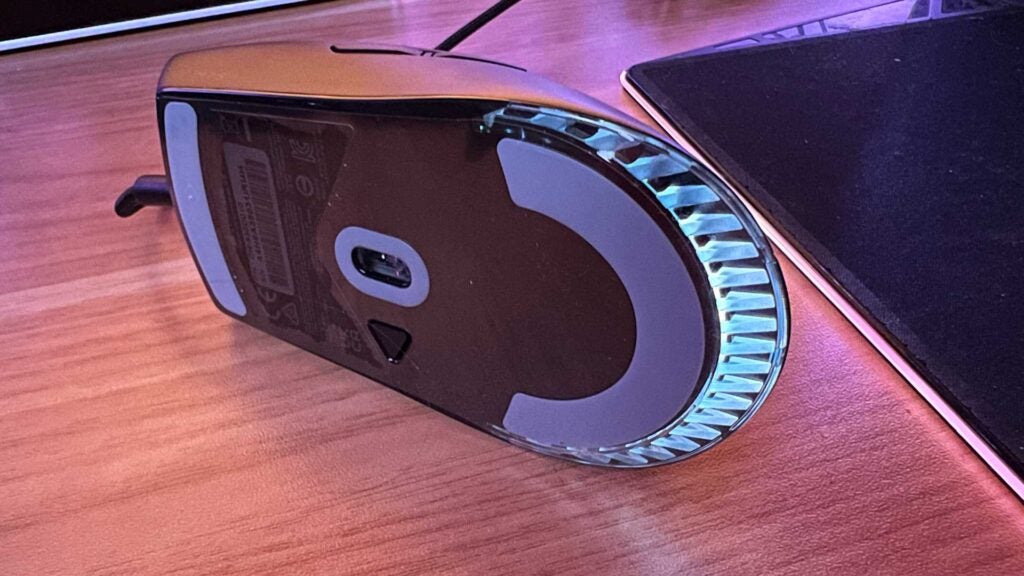
Packaging is almost entirely recyclable. Other than some paper pamphlets and the thin sticky-back plastic protecting the underside, it’s ready to be tossed into the reusables bin. Just be sure to pluck out the side button covers before you do. You can use these to create a smoother surface if you’re not planning to use both sets of side buttons.
Performance
- Rock-solid tracking
- 8000Hz polling can be felt
- Good, ambidextrous fit for most
Getting those precise headshots shouldn’t be a problem with the Corsair M75. It’s not the lightest mouse available at 74g, but it’s certainly up there, with the noticeable heft being in the back.
The Corsair Marksman optical sensor returns from the M75 Air, offering the same 26,000 DPI / 650 IPS / 50G acceleration benefits that should be more than enough to keep up – or surpass – the competition. The feet at the front and back are wide and smooth, and every clickable button sans the mouse wheel is a low-distance optical switch, pairing perfectly with the 0.125ms response time of the sensor’s 8,000Hz polling rate.
If you’ve ever used a non-gaming wireless mouse like the Logitech MX Master 3S in a multiplayer setting, you’ll certainly see the difference. At higher settings, be prepared to tweak that DPI preference. It’s so precise that you’re old DPI sweetspot will feel positively snail-like. You might wonder how you coped.
Testing it out with a range of titles from Overwatch 2 and CS2 to Crab Champions, Halo, and even Dauntless, there are no real negatives to report here. There were no drop-outs, disconnects, hitches, skips, stutters, or anything like that in my week of using it full-time. Absolutely nothing.
The bump to 8,000Hz resulted in noticeably smoother tracking on my 144Hz panel, suggesting some similarly perceivable performance gains are to be had with proper practice.
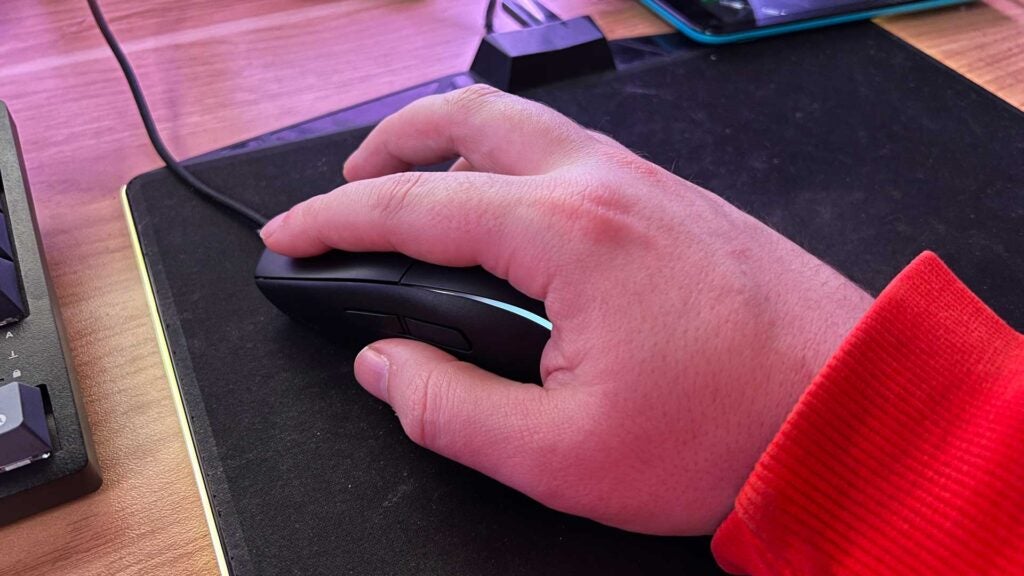
There is concern that the side buttons are a little too recessed. At least for my liking. If you’re ever afraid of triggering your current set accidentally, you likely won’t have to worry about that here. There’s virtually zero travel distance from a push to a click. They might just be a little hard to find in the moment. Learn to keep your finger (or thumb, in this case) on the trigger and you should be fine outside of any tense moments where you might squeeze the whole body.
Fit-wise, this is certainly one for the average hand. The side buttons are perfectly positioned for my thumbs, and the main snappy clickers aren’t too long or short. The arch to the back isn’t particularly high, suggesting a claw/hybrid grip will work best. It’s also not very wide. Larger hands or palm-grip players might struggle.
Software and Lighting
- Software required to unlock its potential
- Plenty of useful options and hardware-level settings to tweak
- Clean, intuitive software
So long as you have the correct version of Corsair’s iCUE suite installed, the Corsair M75 should get picked up immediately. You’ll need it to enable 8,000Hz hyper polling.
Clicking into its section on the app reveals plenty of bells and whistles you can tweak. Lift-off distance can be adjusted alongside surface calibration in around 30 seconds, On a relatively old Corsair MM800 mouse pad, the end result was a noticeable effect on tracking performance, so that’s always a recommended step for first-time setup.
Despite being powerful, the iCUE software is still one of the cleanest, most intuitive peripheral suites out there. You can set lighting layers and key assignments for use while the software is open to however many profiles you need, and register a single hardware-level lighting and settings profiles for when it’s not.
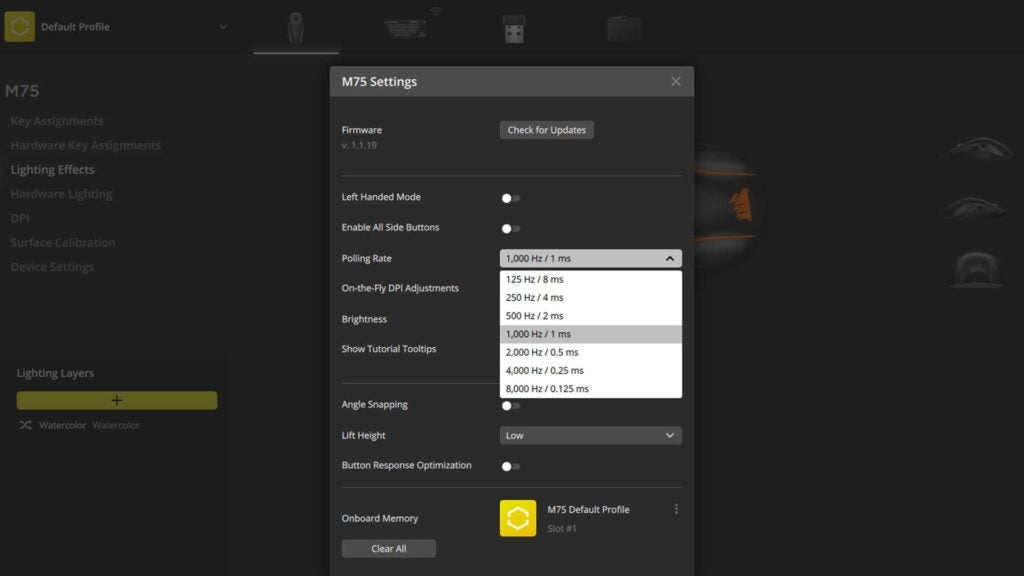
With no dedicated DPI button on the top of the mouse, you’ll need to rely on the five-stage button on the underside for quick tweaks. These are set 400, 800, 1,200, 1,600, and 3,200 out of the box, but you can tweak them as low as 100 and as high as 26,000 and save them to the device profile. There’s even a sixth setting for sniping you can assign to one of the side buttons.
You can enable and disable either set of side buttons to suit your style and avoid accidental misclicks, or enable both to allow for greater fluidity and additional on-device actions. If you can manage to position your hands in a way that reaches both sides reliably, it’s a good bonus.
Latest deals
Should you buy it?
You want a wired mouse as fast as they come
Even at 144Hz, the 8,000Hz difference with the Corsair M75 can be felt. This is an easy way in without risking a low battery or potentially spotty connection.
You want a multi-purpose ambidexterous mouse that won’t break the bank
Although not outrageously expensive compared to competing clickers, the Corsair M75 isn’t pushing the envelope. If you can take a performance hit for a better fit, you’ll benefit more.
Final Thoughts
If you want a fast, reliable mouse with no battery to worry about, the Corsair M75 could be the one. Low-travel optical switches pair perfectly with a high DPI range and fast-as-they-get tracking. So long as you have the equipment to back it all up and aren’t making an iterative upgrade over your previous model, you should see almost immediate improvements in your performance.
Even still, at £80, it’s a little on the simple side. The ambidextrous design is always wonderful to see. It’s just not quite the looker some might be after. The fit won’t suit everyone, and the side buttons might be a little too small and inset to rely on in a pinch. It’s bound to be a top-notch choice for most, but it’s far from perfect.
If you’re just looking for a small, ambidextrous mouse that doesn’t cost more than a game you’re likely to play with it, check out the Razer Viper Mini. And if you’re a stickler for a unique design, the frequently discounted Razer Viper 8K is one of the best gaming mice around. If you’re not running a high refresh rate panel and just want a large multi-purpose clicker, check out the Keychron M6 to save some cash.
How we test
We use every mouse we test for at least a week. During that time, we’ll check it for ease of use and put it through its paces by playing a variety of different genres, including FPS, strategy and MOBAs.
We also check each mouse’s software to see how easy it is to customise and set up.
Used as a main mouse for over a week
Tested performance on a variety of games
FAQs
Yes, there a low-travel optical switches powering the Corsair M75.
You can turn off the side buttons of the Corsair M75 in the iCUE software or physically swap them for non-clicking plates included in the box.



