













Verdict
It’s expensive to buy and slow to use, but don’t let that put you off. The Canon PIXMA G650 costs pennies to run, yet it prints great photos and has a strong scanner. If you’re after a partner for photography or other creative projects, this inkjet multifunction could keep the whole family happy.
Pros
- Low running costs
- Strong photo and scan quality
- Decent plain paper prints
Cons
- Expensive to buy
- Slow, especially on plain paper
- No automatic double-sided printing
Availability
- UKRRP: £250
- USAunavailable
- EuropeRRP: €357
- Canadaunavailable
- Australiaunavailable
-
A strong photo printerExtra red and grey inks help the G650 deliver more accurate shading and a wider range of colours -
Ink tanksNo expensive and wasteful cartridges, just tanks, filled using cheaper bottled ink -
Good scannerGreat scan quality makes this MFP a good creative companion
Introduction
The Canon PIXMA G650 is an inkjet multifunction peripheral (MFP) aimed at creative use in the home.
It doesn’t have fax or a multi-page document feeder, but with a scanner it’s set up to capture documents and photos, and make the odd photocopy.
Keen snappers will appreciate its six-ink printer, while everyone will love the refillable ink tanks that keep its running costs down to a minimum. But is it good enough to qualify for our best printer round-up?
Design and features
- Comparatively involved setup
- Simple mono display
- Scanner, but no automatic document feeder or duplexing
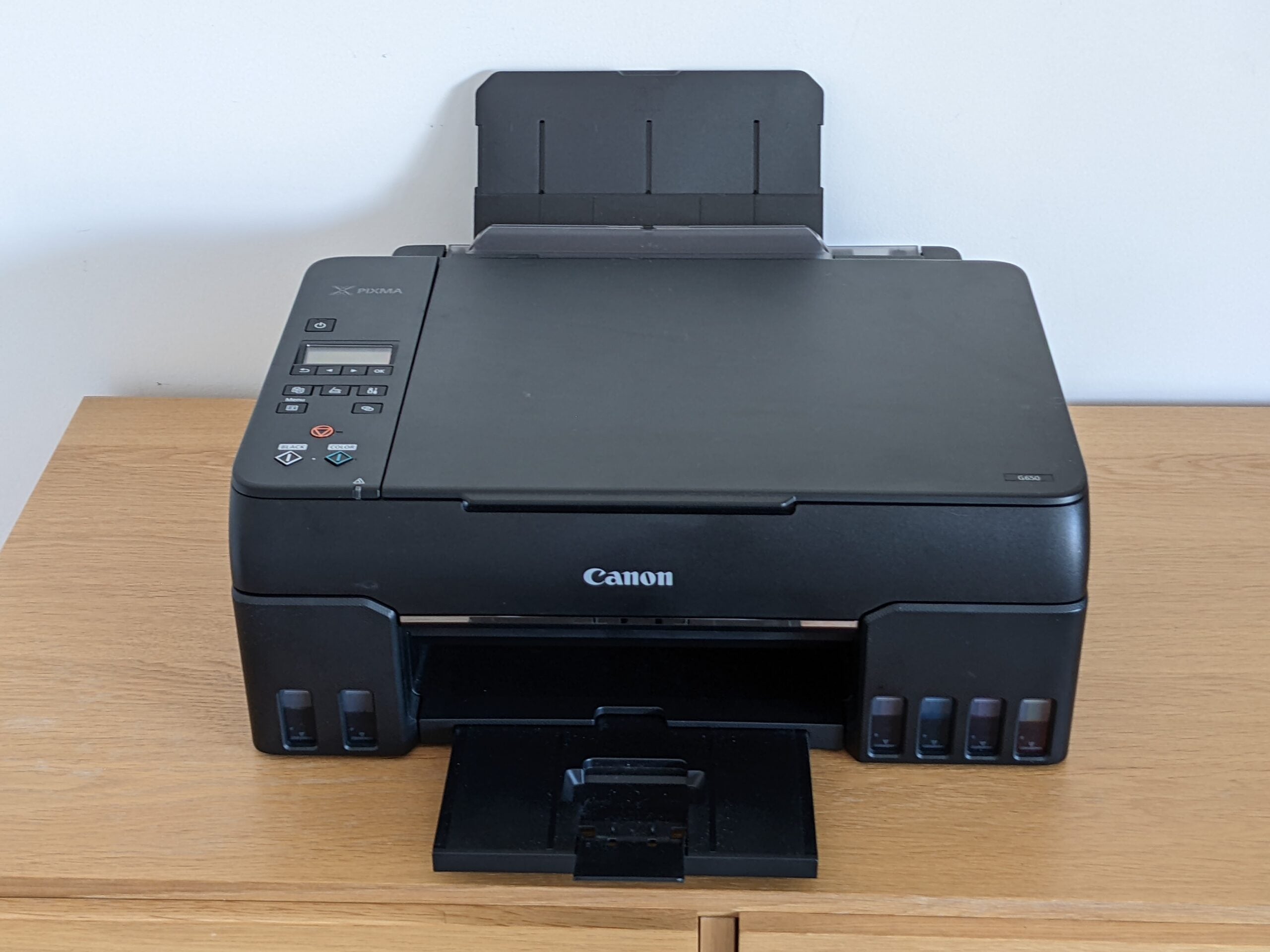
At a quick look, the Canon PIXMA G650 doesn’t seem so special. It’s a conventional, squat black multifunction peripheral (MFP), with a simple paper tray at the front and back. On top, its scanner comes without an automatic document feeder (ADF), so you can’t make multi-page scans or photocopies the lazy way.
Few of us need to fax these days, but the G650 can’t help you if you do. It also can’t automatically print on both sides of a sheet (duplex printing): you’ll need to turn pages over manually.
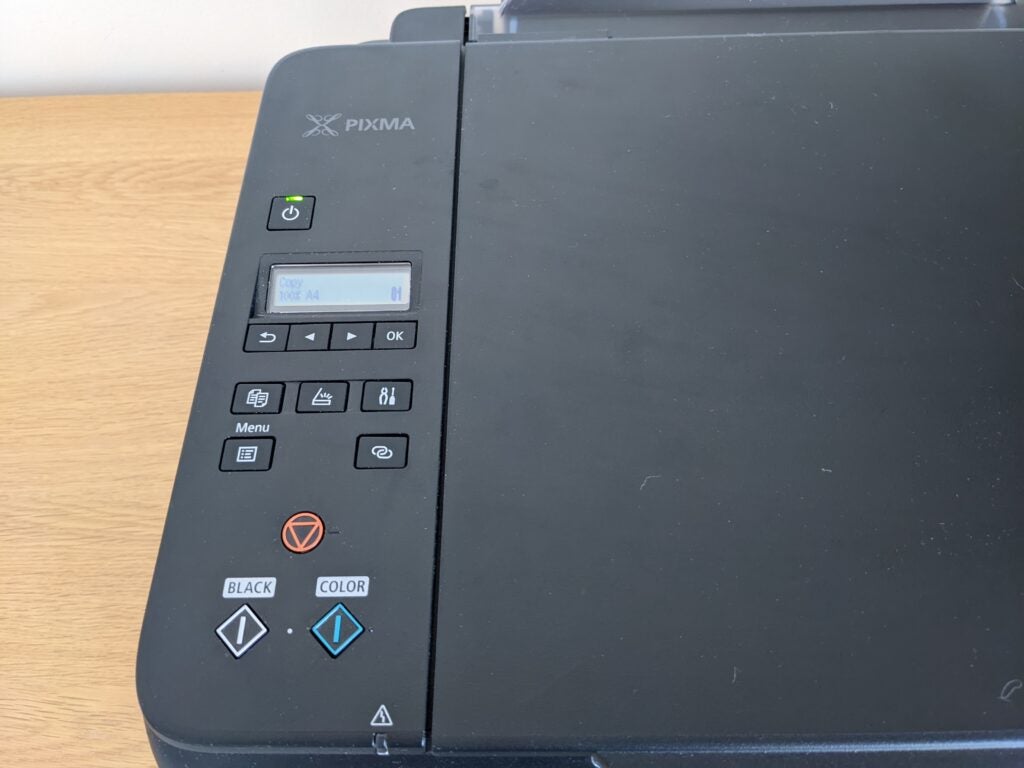
Check out this MFP’s simple, mono display and the few buttons down its side, and you might wonder why it costs the thick end of £300. The answer lies in the ink tanks distributed across its front panel. These reveal both that it’s a six-ink printer and also that it belongs to Canon’s Megatank range of refillable inkjets.
In practice, that means it arrives with a pair of printheads for you to fit, and a set of ink bottles rated for 3700 black pages, or up to 8000 in colour. While you’ll use up a little during the one-time setup process, that’s still more ink than some printers use in a lifetime.
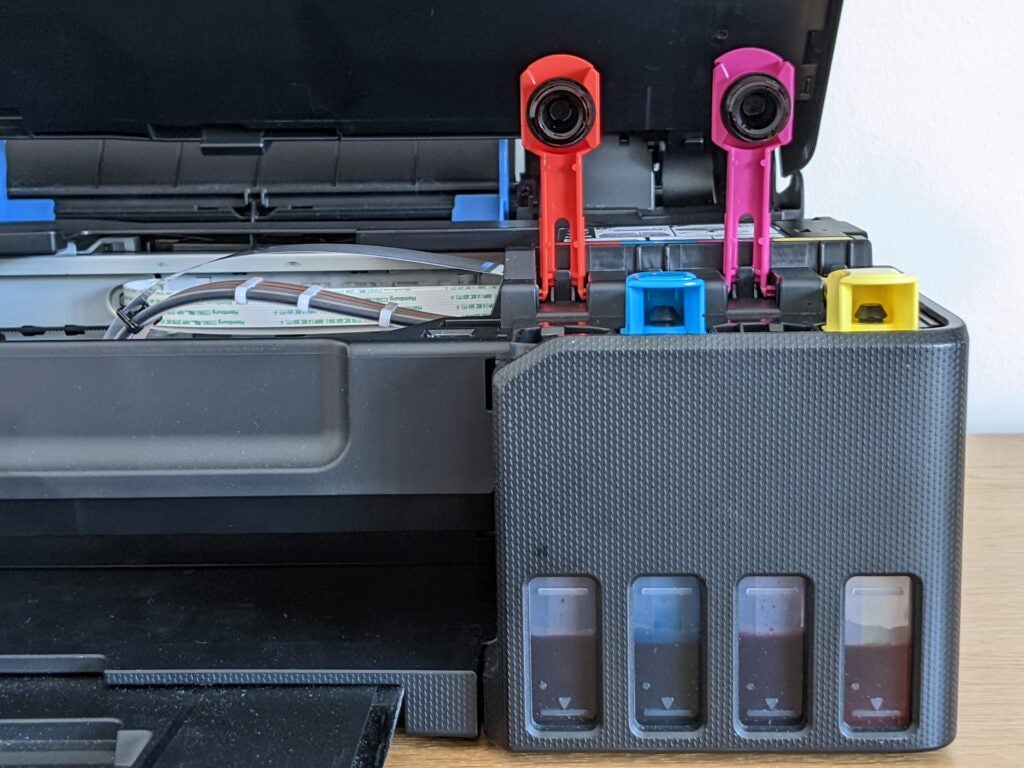
When it runs out, replacement bottles are only around £11 each, meaning that you’ll pay roughly 1p for every full colour page you print – that’s around a tenth of a conventional inkjet’s running costs.
As if this wasn’t enough of a bargain, Canon says the G650 will print about 3800 postcard-sized photos on a full set of tanks, meaning each snap costs less than 2p in ink. Other photo printers might be cheaper to buy, but with the high cost of cartridges they certainly won’t prove cheaper to own.
I’m a big fan of refillable inkjets for a further reason: the bottles are usually equivalent to at least 10 conventional cartridges. Potentially, that’s a lot of plastic kept out of landfill.
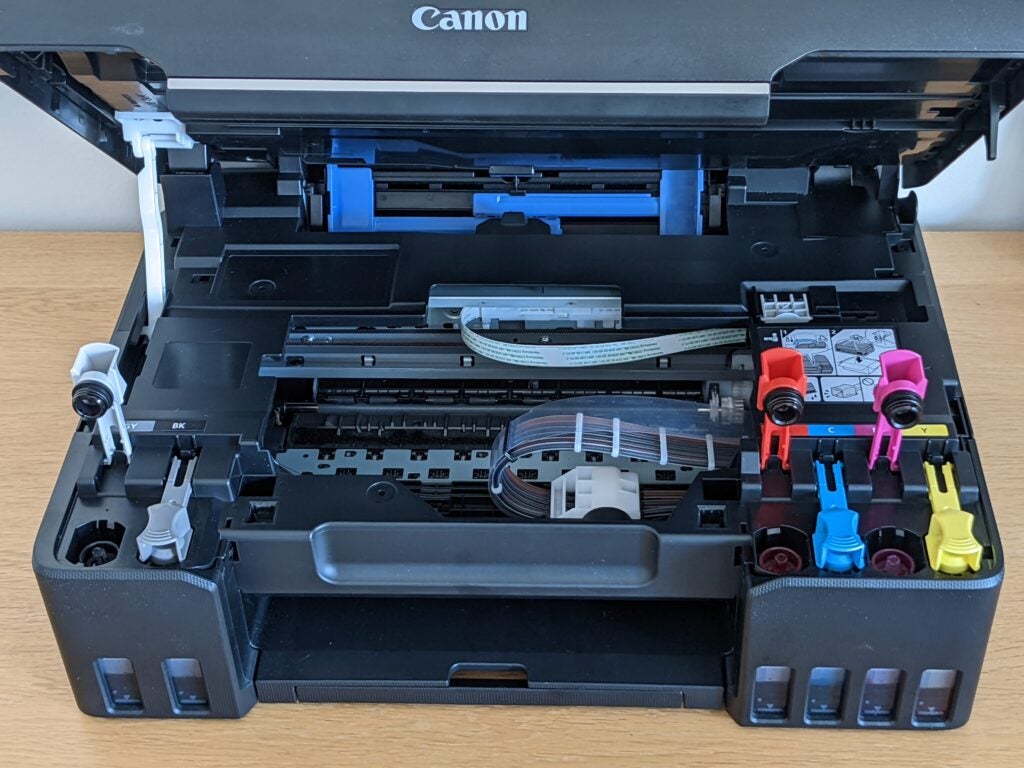
This printer takes a little more setting up than a regular, cartridge-based device. Inserting the heads is much like fitting a pair of cartridges, after which you’ll need to empty six bottles into the six tanks – they’ll only fit in the right slot, so you can’t really go wrong. After this, you simply need to wait for the ink system to prime itself, then download and install Canon’s software.
Gone are the days when photo printers tended to have direct printing features like memory slots and PictBridge ports. Still, the Canon PIXMA G650 does support PictBridge over Wi-Fi, and its simple control panel lets you configure various settings – giving you control over copy quality and size, for example. You can also scan directly to a USB stick, or to a computer on your network.
Print speed and quality
- Strong photo and scan quality
- Reasonable plain paper quality
- Fast scanning, slow printing
This Canon PIXMA G650 is unapologetically biased towards photo printing. It combines conventional black, cyan, magenta and yellow inks with an extra grey and red – that’s the six-ink setup I mentioned previously. The former should give it greater shade control (particularly in black and white photos), while the latter extends the ‘gamut’, essentially helping it reproduce a wider range of colours. It’s probably no surprise, then, that it delivered great results in our tests.
I was particularly impressed with black and white photos, which delivered on the promise of strong detailing and neutral tones. There was no colour cast, which you sometimes see on printers that have to produce greyscale images with colour inks. The PIXMA G650 just uses black and grey.
While colour photos were also a step above what you’d expect from a four-ink photo printer, they weren’t the best I’ve seen from a six-ink device. A few shots seemed to lack detail in the mid-tones, although this only became obvious when compared directly with photos printed by previous winners.
Like other Canon printers I’ve reviewed, photos from the G650 have a slightly warm colour bias that isn’t entirely to my tastes – this is a more subjective criticism, though, and other reviewers prefer it. There’s no doubt that with some subjects like brightly coloured fruit, the G650 delivers colours that pop impressively, but I found that skin tones were a touch too warm when compared to the best photo printers I’ve reviewed.
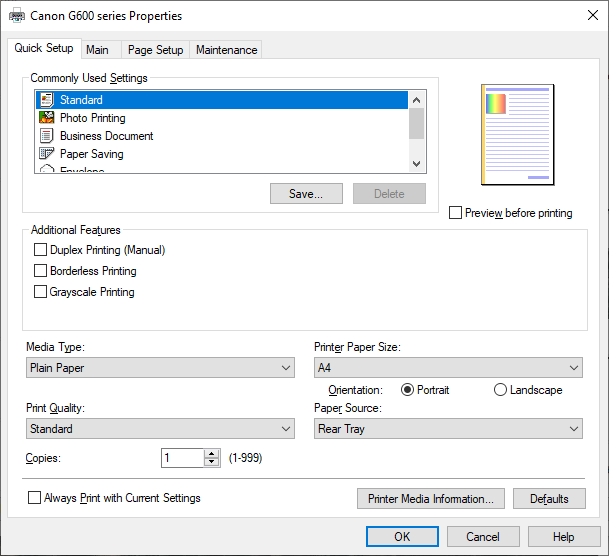
This printer’s dye inks are perfect for photo papers, but they perform a little less well on plain paper when compared to the pigment inks used by more office-focused devices. Still, plain paper print quality was perfectly good, with reasonably crisp and black text, and acceptably strong colours. Colour graphics benefitted from the G650’s excellent shade control, showing smooth transitions between colours across fills and backgrounds. This printer didn’t have the same subtle banding I saw in prints from the near-identical PIXMA G550, which is a good thing.
Unfortunately, there’s a ‘but’. This is one of the slowest inkjets I’ve tested in a long time, reaching only 2.9 pages per minute (ppm) in our five-page text test, and hitting a high of just 3.5ppm over 25 pages. That’s the slowest performance I’ve measured in more than five years. The G650 is even slower in colour, topping out at only 2.0ppm, although there are at least other recent inkjets chugging along at about the same speed.
Top quality photo printing was also slow. Each 10x15cm borderless photo completed in about two and a half minutes, while a borderless A4 print inched out in six minutes and 38 seconds. Again, I’ve reviewed plenty of other inkjets that are no quicker, but I’d expect at least slightly faster printing at this price.
Scans and copies
- Speedy scanning performance
- Copying speeds held back by sluggish printing
The Canon PIXMA G650 also comes with a scanner, and here the news is better. It could complete a preview scan in just eight seconds, and needed only 14 seconds to capture an A4 document at a low-ish 150 dots per inch (dpi) resolution. Switching to 300dpi extended this to 19 seconds, which is competitive.
I also scanned a 10x15cm photo, which took 24 seconds at a detailed 600dpi. At the maximum 1,200dpi the same job took an impressive 48 seconds – the fastest result I’ve seen from an inkjet MFP in several years.
When it comes to copying, this MFP’s fast scanner is held back by its more leisurely printer. I timed a single A4 page at 42 seconds in black only, while a colour copy completed in 39 seconds. Both copies were good, although the black copy was on the dingy side, with a little detail lost from the darkest shades of some graphics.
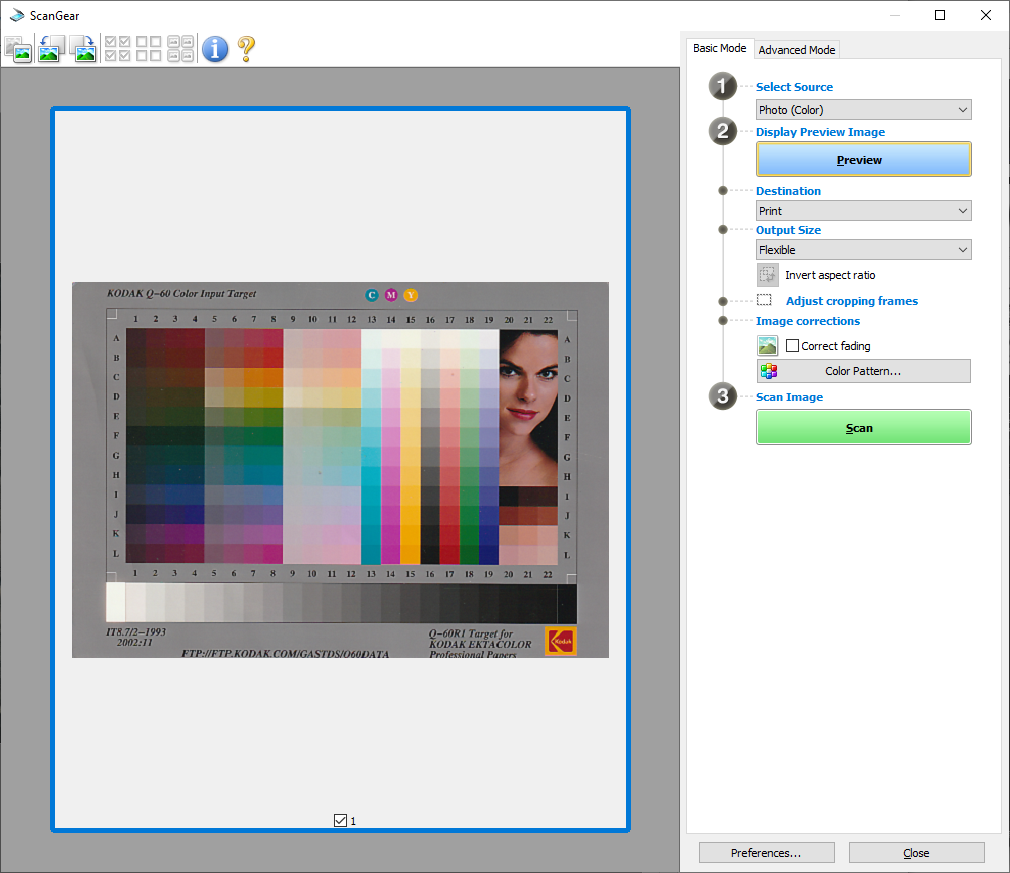
I’ve come to expect good scan quality from Canon devices, and the PIXMA G650 didn’t disappoint. While test documents seemed slightly under exposed at the default setting, they were fine for everyday archiving – and could easily be lightened using Canon’s straightforward scan interface.
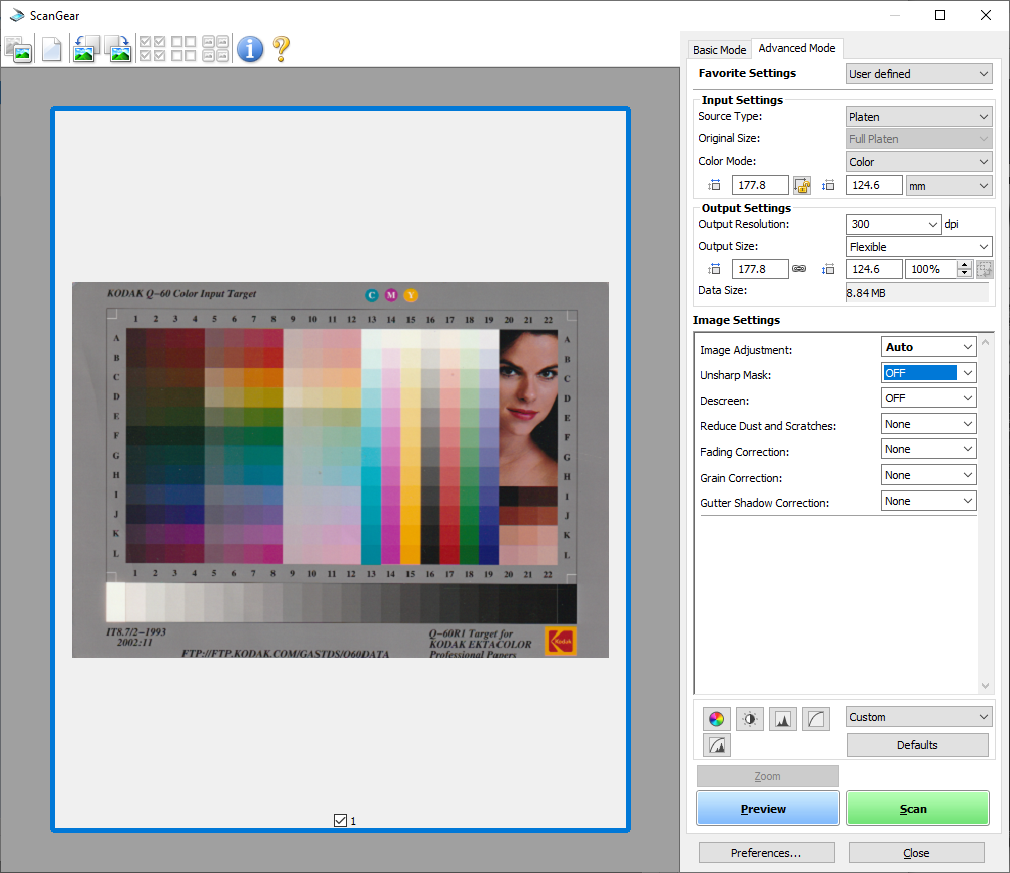
Photo scans were exceptionally good, with sharp focus, accurate colour reproduction, and an exemplary dynamic range that allowed the G650 to capture every shade in our target.
Latest deals
Should you buy it?
You want good scans and photos, with low costs:
The Canon PIXMA G650 delivers great scans in a hurry, and lab-quality photos for less money than recent rivals.
You need an all-rounder:
Although it can print, scan and copy, the Canon G650 can’t fax or duplex print. It may also be too slow for busier homes.
Final Thoughts
This Canon PIXMA G650 is light on features, with no document feeder, fax modem or colour screen. It’s expensive to buy, and in tests it was a slow printer.
That said, it makes up for it with snappy scanning, and high-quality prints, scans and copies. Even better, it has ultra-low running costs. We’ve seen better photos than the G650 turned out, but it’s still a cut above even the best four-ink photo printers.
Add everything up and this MFP isn’t the perfect all-rounder, but it does deliver on its promises: a strong performing, creative MFP with cheap photo printing.
How we test
Every printer we review goes through a series of uniform checks designed to gauge key things including print quality, speed and cost.
We’ll also compare the features with other printers at the same price point to see if you’re getting good value for your money.
Tested printing with monochrome and coloured ink
Measured the time it takes to print with various paper
Compared print quality with other printers
FAQs
A six-ink printer uses six different colours for printing instead of the more conventional four. This helps it to reproduce a wider range of colours.
Yes, the Canon PIXMA G650 can both scan and copy documents.
Trusted Reviews test data
Jargon buster
MFP
MFP stands for ‘multi-function printer’. This refers to printers that have more functions beyond printing, which includes copying and scanning.

Verdict
It’s expensive to buy and slow to use, but don’t let that put you off. The Canon PIXMA G650 costs pennies to run, yet it prints great photos and has a strong scanner. If you’re after a partner for photography or other creative projects, this inkjet multifunction could keep the whole family happy.
Pros
- Low running costs
- Strong photo and scan quality
- Decent plain paper prints
Cons
- Expensive to buy
- Slow, especially on plain paper
- No automatic double-sided printing
Availability
- UKRRP: £250
- USAunavailable
- EuropeRRP: €357
- Canadaunavailable
- Australiaunavailable
-
A strong photo printerExtra red and grey inks help the G650 deliver more accurate shading and a wider range of colours -
Ink tanksNo expensive and wasteful cartridges, just tanks, filled using cheaper bottled ink -
Good scannerGreat scan quality makes this MFP a good creative companion
Introduction
The Canon PIXMA G650 is an inkjet multifunction peripheral (MFP) aimed at creative use in the home.
It doesn’t have fax or a multi-page document feeder, but with a scanner it’s set up to capture documents and photos, and make the odd photocopy.
Keen snappers will appreciate its six-ink printer, while everyone will love the refillable ink tanks that keep its running costs down to a minimum. But is it good enough to qualify for our best printer round-up?
Design and features
- Comparatively involved setup
- Simple mono display
- Scanner, but no automatic document feeder or duplexing
At a quick look, the Canon PIXMA G650 doesn’t seem so special. It’s a conventional, squat black multifunction peripheral (MFP), with a simple paper tray at the front and back. On top, its scanner comes without an automatic document feeder (ADF), so you can’t make multi-page scans or photocopies the lazy way.
Few of us need to fax these days, but the G650 can’t help you if you do. It also can’t automatically print on both sides of a sheet (duplex printing): you’ll need to turn pages over manually.
Check out this MFP’s simple, mono display and the few buttons down its side, and you might wonder why it costs the thick end of £300. The answer lies in the ink tanks distributed across its front panel. These reveal both that it’s a six-ink printer and also that it belongs to Canon’s Megatank range of refillable inkjets.
In practice, that means it arrives with a pair of printheads for you to fit, and a set of ink bottles rated for 3700 black pages, or up to 8000 in colour. While you’ll use up a little during the one-time setup process, that’s still more ink than some printers use in a lifetime.
When it runs out, replacement bottles are only around £11 each, meaning that you’ll pay roughly 1p for every full colour page you print – that’s around a tenth of a conventional inkjet’s running costs.
As if this wasn’t enough of a bargain, Canon says the G650 will print about 3800 postcard-sized photos on a full set of tanks, meaning each snap costs less than 2p in ink. Other photo printers might be cheaper to buy, but with the high cost of cartridges they certainly won’t prove cheaper to own.
I’m a big fan of refillable inkjets for a further reason: the bottles are usually equivalent to at least 10 conventional cartridges. Potentially, that’s a lot of plastic kept out of landfill.
This printer takes a little more setting up than a regular, cartridge-based device. Inserting the heads is much like fitting a pair of cartridges, after which you’ll need to empty six bottles into the six tanks – they’ll only fit in the right slot, so you can’t really go wrong. After this, you simply need to wait for the ink system to prime itself, then download and install Canon’s software.
Gone are the days when photo printers tended to have direct printing features like memory slots and PictBridge ports. Still, the Canon PIXMA G650 does support PictBridge over Wi-Fi, and its simple control panel lets you configure various settings – giving you control over copy quality and size, for example. You can also scan directly to a USB stick, or to a computer on your network.
Print speed and quality
- Strong photo and scan quality
- Reasonable plain paper quality
- Fast scanning, slow printing
This Canon PIXMA G650 is unapologetically biased towards photo printing. It combines conventional black, cyan, magenta and yellow inks with an extra grey and red – that’s the six-ink setup I mentioned previously. The former should give it greater shade control (particularly in black and white photos), while the latter extends the ‘gamut’, essentially helping it reproduce a wider range of colours. It’s probably no surprise, then, that it delivered great results in our tests.
I was particularly impressed with black and white photos, which delivered on the promise of strong detailing and neutral tones. There was no colour cast, which you sometimes see on printers that have to produce greyscale images with colour inks. The PIXMA G650 just uses black and grey.
While colour photos were also a step above what you’d expect from a four-ink photo printer, they weren’t the best I’ve seen from a six-ink device. A few shots seemed to lack detail in the mid-tones, although this only became obvious when compared directly with photos printed by previous winners.
Like other Canon printers I’ve reviewed, photos from the G650 have a slightly warm colour bias that isn’t entirely to my tastes – this is a more subjective criticism, though, and other reviewers prefer it. There’s no doubt that with some subjects like brightly coloured fruit, the G650 delivers colours that pop impressively, but I found that skin tones were a touch too warm when compared to the best photo printers I’ve reviewed.
This printer’s dye inks are perfect for photo papers, but they perform a little less well on plain paper when compared to the pigment inks used by more office-focused devices. Still, plain paper print quality was perfectly good, with reasonably crisp and black text, and acceptably strong colours. Colour graphics benefitted from the G650’s excellent shade control, showing smooth transitions between colours across fills and backgrounds. This printer didn’t have the same subtle banding I saw in prints from the near-identical PIXMA G550, which is a good thing.
Unfortunately, there’s a ‘but’. This is one of the slowest inkjets I’ve tested in a long time, reaching only 2.9 pages per minute (ppm) in our five-page text test, and hitting a high of just 3.5ppm over 25 pages. That’s the slowest performance I’ve measured in more than five years. The G650 is even slower in colour, topping out at only 2.0ppm, although there are at least other recent inkjets chugging along at about the same speed.
Top quality photo printing was also slow. Each 10x15cm borderless photo completed in about two and a half minutes, while a borderless A4 print inched out in six minutes and 38 seconds. Again, I’ve reviewed plenty of other inkjets that are no quicker, but I’d expect at least slightly faster printing at this price.
Scans and copies
- Speedy scanning performance
- Copying speeds held back by sluggish printing
The Canon PIXMA G650 also comes with a scanner, and here the news is better. It could complete a preview scan in just eight seconds, and needed only 14 seconds to capture an A4 document at a low-ish 150 dots per inch (dpi) resolution. Switching to 300dpi extended this to 19 seconds, which is competitive.
I also scanned a 10x15cm photo, which took 24 seconds at a detailed 600dpi. At the maximum 1,200dpi the same job took an impressive 48 seconds – the fastest result I’ve seen from an inkjet MFP in several years.
When it comes to copying, this MFP’s fast scanner is held back by its more leisurely printer. I timed a single A4 page at 42 seconds in black only, while a colour copy completed in 39 seconds. Both copies were good, although the black copy was on the dingy side, with a little detail lost from the darkest shades of some graphics.
I’ve come to expect good scan quality from Canon devices, and the PIXMA G650 didn’t disappoint. While test documents seemed slightly under exposed at the default setting, they were fine for everyday archiving – and could easily be lightened using Canon’s straightforward scan interface.
Photo scans were exceptionally good, with sharp focus, accurate colour reproduction, and an exemplary dynamic range that allowed the G650 to capture every shade in our target.
Latest deals
Should you buy it?
You want good scans and photos, with low costs:
The Canon PIXMA G650 delivers great scans in a hurry, and lab-quality photos for less money than recent rivals.
You need an all-rounder:
Although it can print, scan and copy, the Canon G650 can’t fax or duplex print. It may also be too slow for busier homes.
Final Thoughts
This Canon PIXMA G650 is light on features, with no document feeder, fax modem or colour screen. It’s expensive to buy, and in tests it was a slow printer.
That said, it makes up for it with snappy scanning, and high-quality prints, scans and copies. Even better, it has ultra-low running costs. We’ve seen better photos than the G650 turned out, but it’s still a cut above even the best four-ink photo printers.
Add everything up and this MFP isn’t the perfect all-rounder, but it does deliver on its promises: a strong performing, creative MFP with cheap photo printing.
How we test
Every printer we review goes through a series of uniform checks designed to gauge key things including print quality, speed and cost.
We’ll also compare the features with other printers at the same price point to see if you’re getting good value for your money.
Tested printing with monochrome and coloured ink
Measured the time it takes to print with various paper
Compared print quality with other printers
FAQs
A six-ink printer uses six different colours for printing instead of the more conventional four. This helps it to reproduce a wider range of colours.
Yes, the Canon PIXMA G650 can both scan and copy documents.
Trusted Reviews test data
Jargon buster
MFP
MFP stands for ‘multi-function printer’. This refers to printers that have more functions beyond printing, which includes copying and scanning.



