









Verdict
The Canon MAXIFY GX2050 combines ink tank printing with a compact design and a decent set of features. It’s not that expensive by refillable printer standards, and it’s extremely cheap to run. This multifunction is heavily focused on home offices rather than general-purpose use, so it’s not ideal for helping the kids with their homework. But if you’re running a small business or you do a lot of printing from home, it does offer great value.
Pros
- Extremely low running costs
- Great scan and photocopy quality
- Three-year warranty
Cons
- Not especially fast
- Unimpressive photo prints
-
A four-in-one wireless MFPThis multifunction prints, scans, copies and faxes. You can share it over your wireless network, and even scan to or print from files stored in the cloud. -
Refillable ink tanksThis printer’s refillable tanks keep running costs down to just over a penny per page. You get several thousand pages’ worth of ink in the box, too.
Introduction
Probably the GX2050’s most notable feature is its refillable ink tanks. Rather than expensive and stingy cartridges, ink comes in large, relatively cheap bottles. You get a full set in the box that lasts for ages, and when they’re done you’ll pay little more than a penny per page to keep on printing. Over time, that’s likely to offset this multifunction’s higher purchase price.
Design and features
- Small, but not too slick
- Slightly annoying touch panel
- Very low running costs
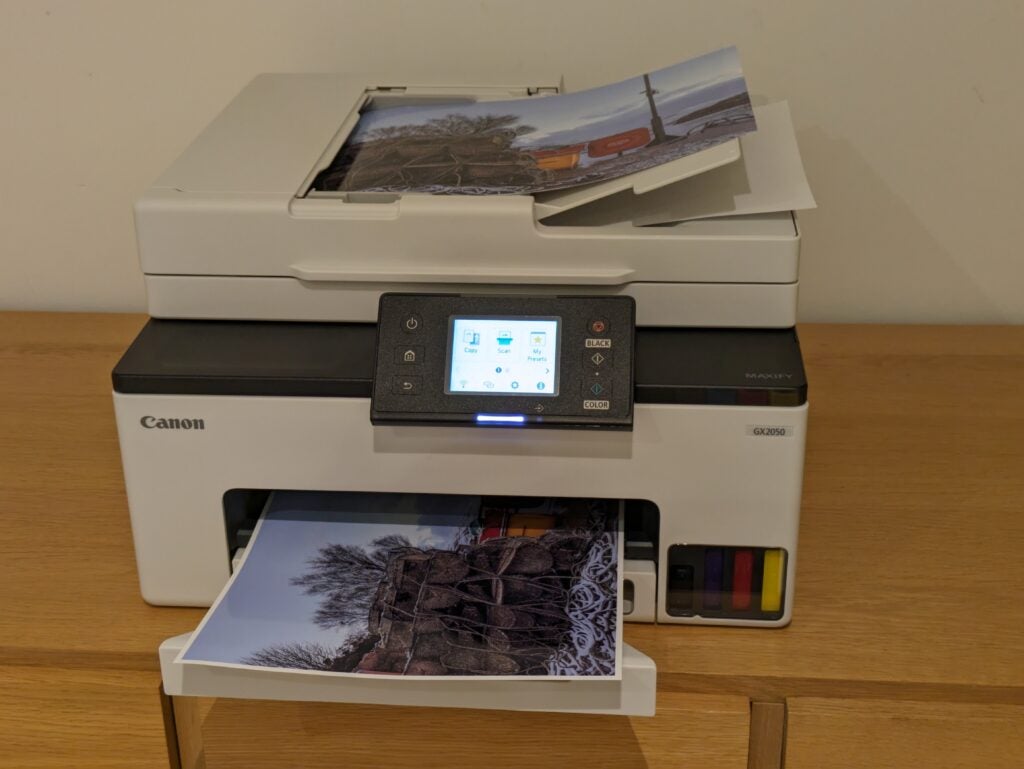
I’m not sure where it says that business printers have to be chunky, but the GX2050 lives up to expectations. There’s not much wrong with the look of its white and black plastics, but the pronounced step between wider printer and more shallow scanner seems awkward. It’s here that you’ll find its colour touchscreen control panel, which looks decent if a little small. Unfortunately, it’s not on particularly strong hinges, so I found it often tilted backwards when I tapped the screen or buttons.
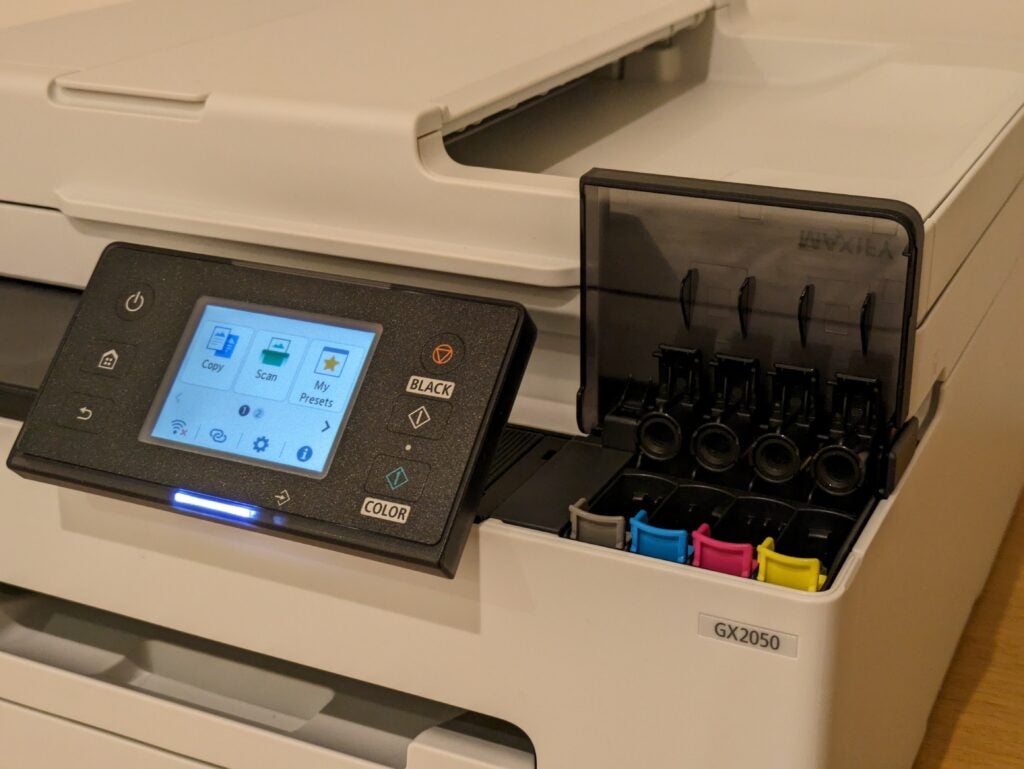
This printer arrives without its print heads fitted. That’s a fairly simple job, after which you’ll need to load it up with ink from the four supplied bottles. It’s a fairly foolproof process, with the only potential problems coming if you squeeze the ink bottles. Be patient, let them empty in their own time, and you shouldn’t spill a drop – you physically can’t put the wrong colour in the wrong tank.
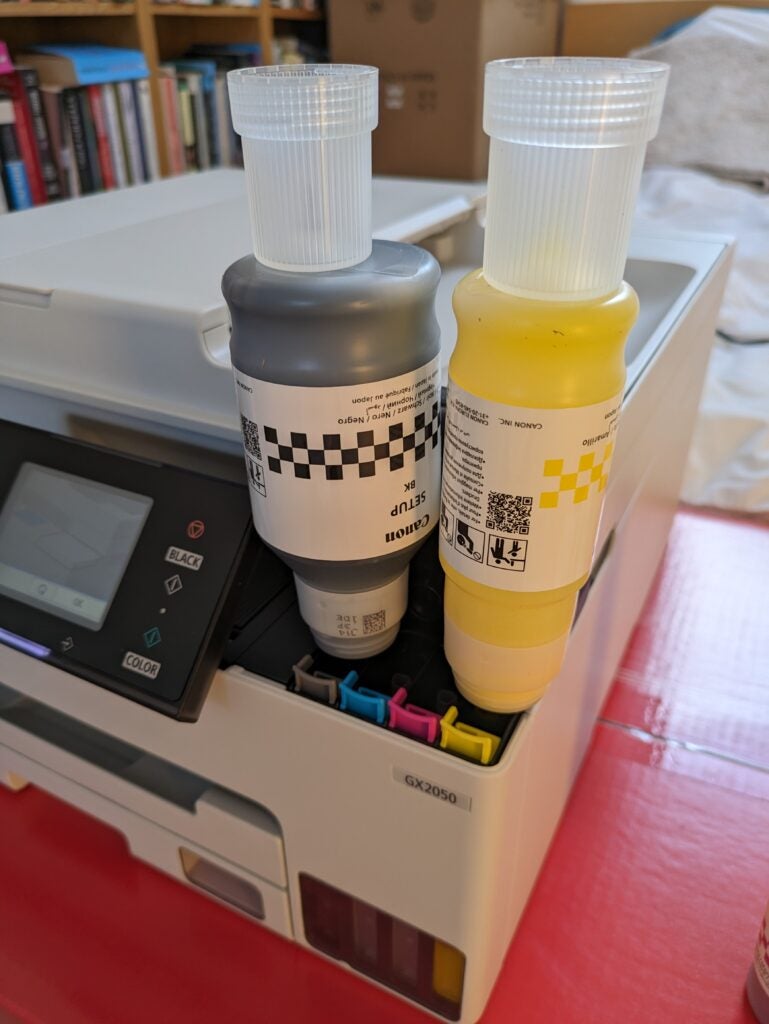
Once filled, you’ll need to wait around 10 minutes for the printer to complete a one-off priming process. This drinks a portion of the supplied ink, but even so, the bottles in the box should last you for more than 2,000 pages of black or colour office printing. Canon says you’ll get 3,000 pages from a new set, or 4,500 if you print in Economy mode. Stick to normal quality and that works out as 1.24p per page of mixed text and graphics.
Generally speaking, the more pages you print over a printer’s lifetime, the more likely it is that a refillable device will work out cheaper to own. The GX2050 costs at least twice as much as I’d expect to pay for an equivalently specified, cartridge-based inkjet, but its running costs are at least five times cheaper.
It’s easy to show how this works out if you imagine buying the GX2050 for £350, and printing 2,500 or so pages until its supplied inks run out. Spending £150 on a cartridge-based equivalent would save you £200 up-front, but you’ll spend all or most of those savings on ink before you get to 2,500 prints. Go beyond it – and a regularly used home office printer probably will – and the cartridge printer begins to work out much more expensive.
The one caveat is that, in a home office, this could take a couple of years, so it’s good to know that the GX2050 comes with a three-year warranty, provided you remember to register for it.
Elsewhere, this MFP has a decent set of features. You can connect to it using Wi-Fi or an Ethernet cable. Either way that lets multiple users share it, and also allows you to connect it to the cloud, enabling features such as scanning to or printing from a Dropbox folder. The scanner also has a 35-sheet automatic document feeder (ADF), which is great for making multi-page copies or faxes. Unfortunately, it’s single-sided only, so you’ll need to re-scan double-sided originals.
Print speed and quality
- Speeds might be a little casual for power users
- Excellent scan and copy quality
- Unremarkable printing
Like the MAXIFY GX6550, the GX2050 has a couple of simple but brilliant usability features I wish all multifunctions shared. When it’s printing, you can still use it for certain jobs, such as scanning to a PC or a cloud service – great if you’re busy, or sharing with other users. The GX2050 also tells you how many pages remain of a multi-page print or copy job, so you can judge if you’ve got time to do something else while waiting.
Canon’s print driver is easy to use, and its scan interface remains the best. In Basic mode, you can get at all the essentials without getting too confused, while Advanced mode lets you tweak things to get exactly the results you want.
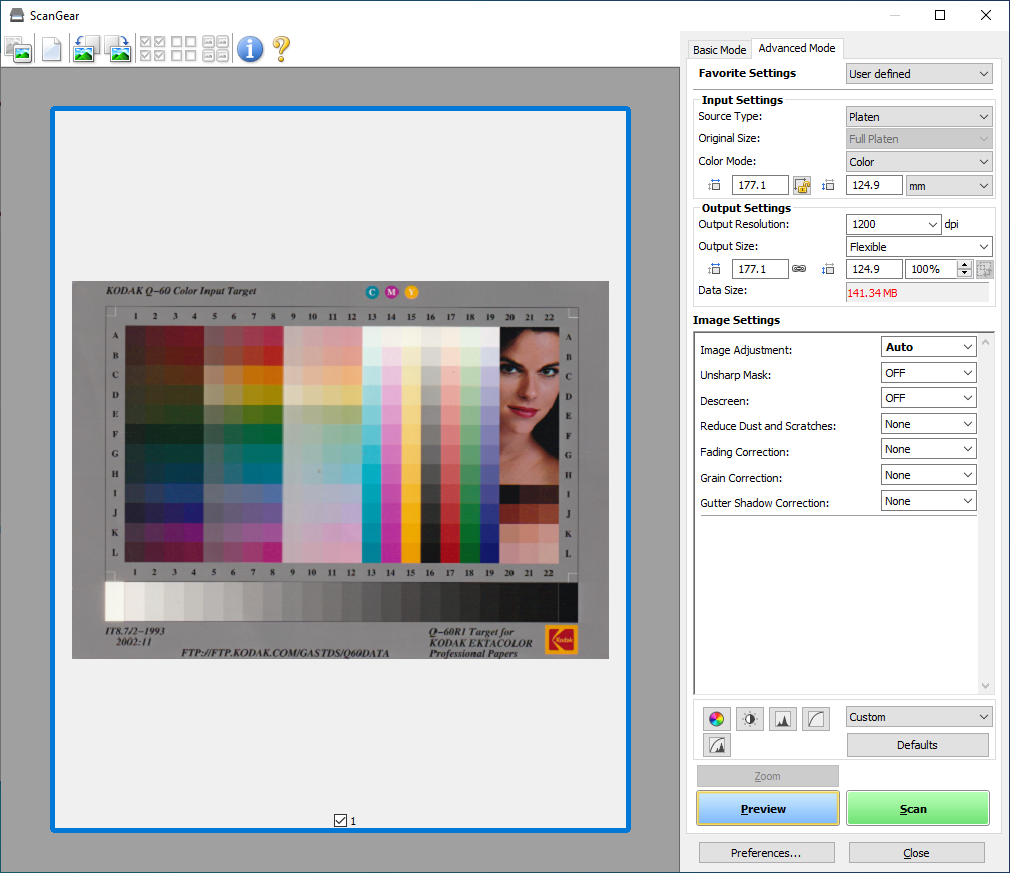
When it comes to scanning, the GX2050 is acceptably quick, needing just 14 seconds to capture an A4 document at a low-ish 150 dots per inch (dpi) resolution. It took 19 seconds on the same job with the resolution nudged up to a middling 300dpi. Scanning a postcard-sized photo at 600dpi took 30 seconds, but at a high 1,200dpi this needed a minute and a half.
Mono photocopies were quick, too, with a single page completed in just 10 seconds. Using the ADF to make 10 copies took 87 seconds. Colour copies were slower, but still acceptable – a single page needing 20 seconds, and 10 pages just over two minutes.
This isn’t an especially fast printer, though. It reached just 5.3 pages per minute (ppm) when printing text, and a maximum of 6.9ppm on colour graphics. It wasn’t too slow when duplexing, though, printing a 20-page document onto 10 sheets of A4 in four minutes.
It’s important to understand that the GX2050’s office focus goes beyond its selection of features. It uses pigment inks, which work well on plain paper, but they can’t produce fabulous glossy photos. This MFP can’t even print without borders on photo paper. It took just two and a half minutes to print our A4 photo test, but with borders this time isn’t directly comparable to other printers.
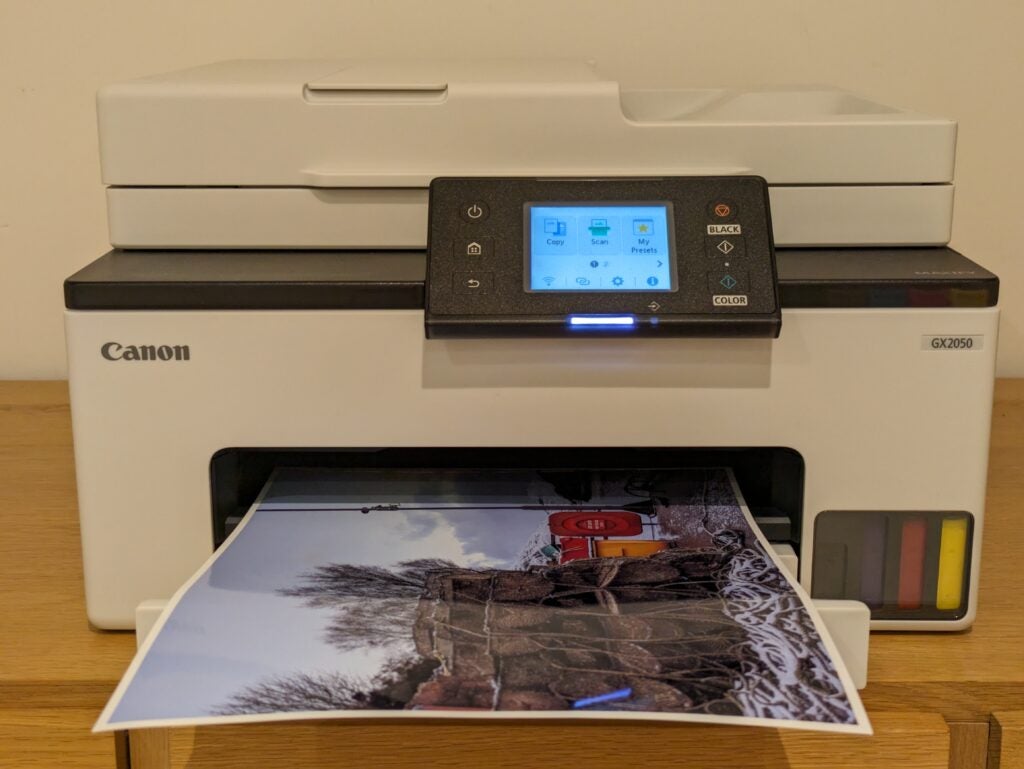
The MAXIFY GX2050 produced crisp, dark text prints, but I was a bit disappointed by its colour graphics. In colour fills like you might see in the background of a presentation slide there was some slight banding – subtle stripes visible when two passes of the print head don’t quite line up perfectly. Photos didn’t have this problem, but they weren’t great for the reasons I already mentioned.
I was impressed by the quality of this MFP’s scanner. Whether on business documents or photos, it did a great job of capturing crisp details and accurate colours. The GX2050 also produced excellent photocopies, keeping colours fairly accurate and preventing darker regions from turning into a muddy, featureless mess.
Latest deals
Should you buy it?
Great for home working
With low running costs and sensible office features, the Canon MAXIFY GX2050 MFP is a decent choice for a relatively busy home worker. It’s perfect if you expect to print in reasonable volumes, but you’re not after the fastest device.
Expensive up-front
With a comparatively high purchase price, the Canon MAXIFY GX2050 is unlikely to prove better value than a cartridge-based inkjet if it’s only used lightly. It’s also not ideal for more creative uses like photo printing.
Final Thoughts
By the standards of refillable ink tank printers, the Canon MAXIFY GX2050 is quite good value. It’s got almost all the features you could want in a home office, and it generally produces decent results – even if its speeds and colour graphics could have been better. Factor in its impressively low running costs and it becomes a good choice for a busy homeworker, even if it’s not exactly a brilliant MFP overall.
If you’re unlikely to print thousands of pages, or if you’re after something with a more creative bent, why not check out our best printer 2023 guide, where you’ll find a printer or MFP for every purpose.
How we test
Every printer we review goes through a series of uniform checks designed to gauge key things including print quality, speed and cost.
We’ll also compare the features with other printers at the same price point to see if you’re getting good value for your money.
Measured the time it takes to print with various paper
Compared print quality with other printers
Tested printing with monochrome and coloured ink
FAQs
Canon’s two main inkjet ranges have different focuses. PIXMA printers and multifunctions are aimed at home users, with a bias towards creative jobs like printing or scanning photos. MAXIFY printers and MFPs are geared towards small business users, so they usually have office features like automatic document feeders or faxes. Generally speaking, you can find great models in either range.
Yes, most MAXIFY devices use pigmented inks. They’re better than dye-based inks on plain paper, which is where they’ll spend most of their time, but not so great for photos.



