







Verdict
The Brother DCP-J1800DW is a decent all-round multifunction printer, suitable for a micro or home office, but it’s saddled with high running costs. It’s definitely worth it if you have a use for its paper-cutting party trick, but while its guillotine is beautifully integrated and seems to behave faultlessly, it is rather niche. If you won’t use it, you could buy a better MFP for less.
Pros
- Good set of features
- Unique, automatic cutter turns A4 paper into A5
- Decent print quality
Cons
- Unimpressive scan quality
- High running costs
Availability
- UKRRP: £200
- USAunavailable
- EuropeRRP: €240
- Canadaunavailable
- Australiaunavailable
-
Unique guillotine featureThis MFP can automatically cut A4 paper into two A5 sheets -
Colour touchscreenControl everything through a colour touchscreen
Introduction
The Brother DCP-J1800DW looks for all the world like any of Brother’s home office inkjet MFPs.
It’s a squat, not especially attractive device, with a tiltable control panel bearing a middling colour touchscreen. However, this MFP (multifunction printer) has the unique ability to automatically slice an innocent A4 page into two A5 sheets.
Combine this with automatic duplex (double-sided) printing, and it can turn out fliers, compact booklets, or even shrunken photos. Intrigued, I wanted a closer look. Here are my thoughts.
Design and features
- Automatic, concealed guillotine
- Duplex printing
- Automatic document feeder
The Brother DCP-J1800DW is, so far as I know, unique. While it looks like any other Brother multifunction printer, it’s a little heavier thanks to its inbuilt guillotine. Other than that, there’s no obvious sign that it can cut paper to size – I couldn’t even work out where the blade was stowed.
There is little else remarkable about this MFP. In its base you’ll find a 150-sheet paper tray that seems a little clattery and flexible. On top there’s a scanner equipped with a 20-sheet automatic document feeder (ADF), meaning it can automatically finish a multi-page scan or copy job. You can’t send or receive faxes with this model, however.
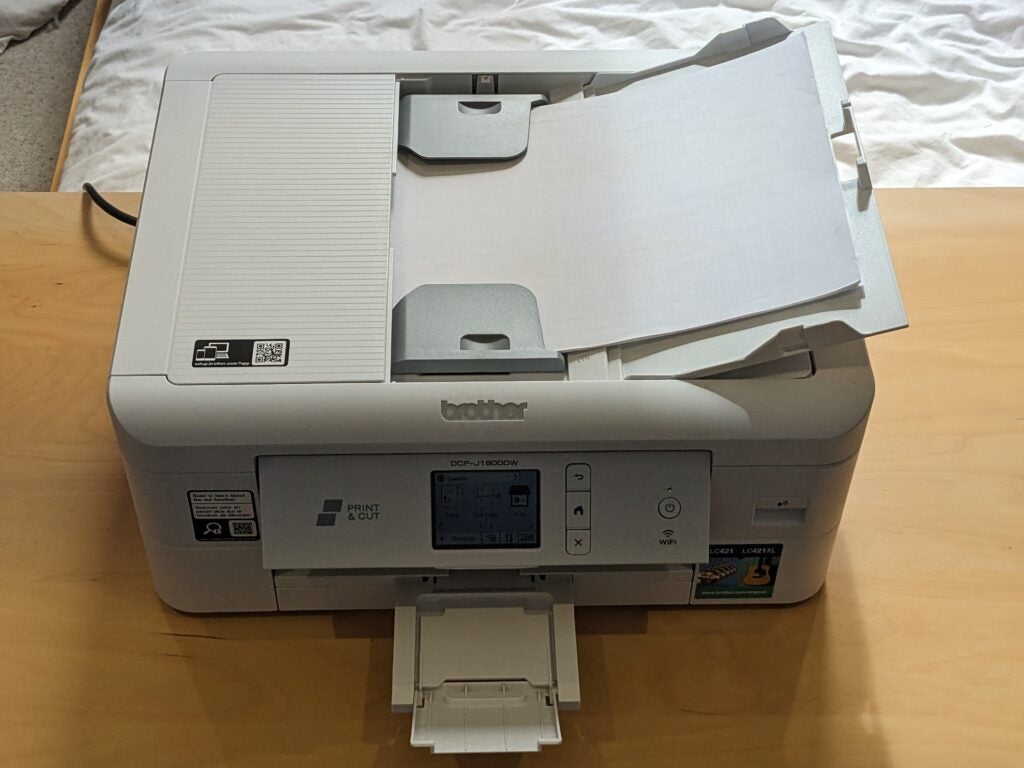
While the printer can automatically turn sheets round to print both sides, the scanner can’t – this means you can’t leave this MFP to do an unattended two-sided to two-sided copy, and it can’t automatically scan a two-sided original document. Still, it’s good to have two-sided printing, especially as this is integrated with the cutter, allowing you to create duplexed A4 or A5 documents without lifting a finger.
The Brother DCP-J1800DW supports wired and wireless networking, so it’s easy to share among users in a family or small office. I’m also a fan of Brother’s touchscreen operating system, which lets you set up quick shortcuts to the functions you tend to use the most often – a handy timesaver.
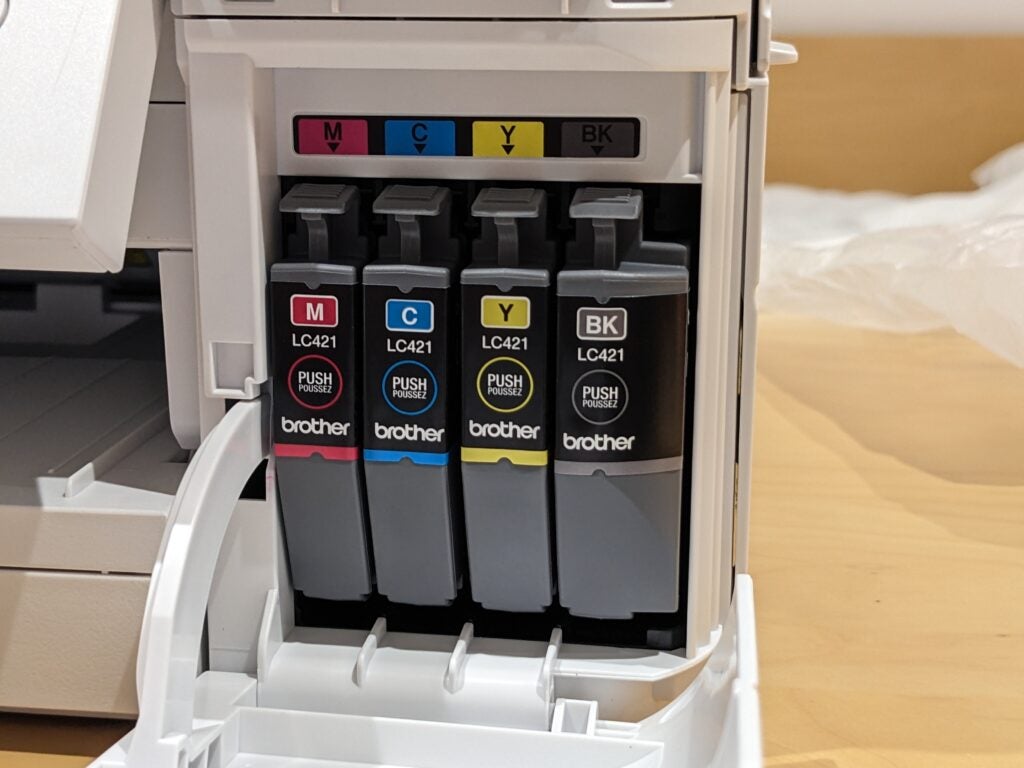
For a cartridge-based inkjet, this MFP is supplied with a reasonable amount of ink. Only towards the end of my testing – which involved printing about 160 plain paper pages and 10 photos – did the printer start displaying a low ink warning. You can replace spent supplies with regular or XL ones, but the latter aren’t especially competitively priced, meaning you’ll pay around 11.8p for every page of mixed text and graphics. When tank-based printers typically cost under a penny, I find it increasingly hard to recommend a printer with such high running costs.
Print speed and quality
- Good plain paper print quality
- Swift performance, especially printing
- Excellent, but niche, cutting feature
The Brother MFC-J1800DW performed reasonably well across all of our tests. It’s swift, needing just 20 seconds to deliver a first page of text, and going on to reach 6.5 pages per minute (ppm) on our five-page document. It was faster when printing multiple copies of a single page, hitting 15.0ppm over 25 pages.
On simple colour jobs, this printer matched its 6.5ppm black speed. More surprisingly, it hardly needed to slow down for our longer, more intensive graphics job, where it reached a more impressive 6.0ppm. Even photos didn’t trouble it too much, with each 6×4” (10x15cm) borderless print needing about 75 seconds.
Scan speeds were similarly brisk, ranging from nine seconds for a preview, up to 81 seconds to capture a postcard photo at the maximum 1,200dpi. Unsurprisingly, copying was also brisk, with a single page completed in just 13 seconds, or 16 seconds in colour. I loaded 10 pages in the ADF and copied them in 80 seconds, or 104 seconds in colour.
I wasn’t bowled over by the quality of any of the results, but the Brother DCP-J1800DW is a good enough printer. On plain paper it produced strong black text, and reasonably good colour graphics – although not as bold or colourful as from the best inkjets. Photos weren’t at all bad given that this MFP is biassed more towards office document use – prints on coated paper were more than good enough for holiday snaps or helping with school homework.
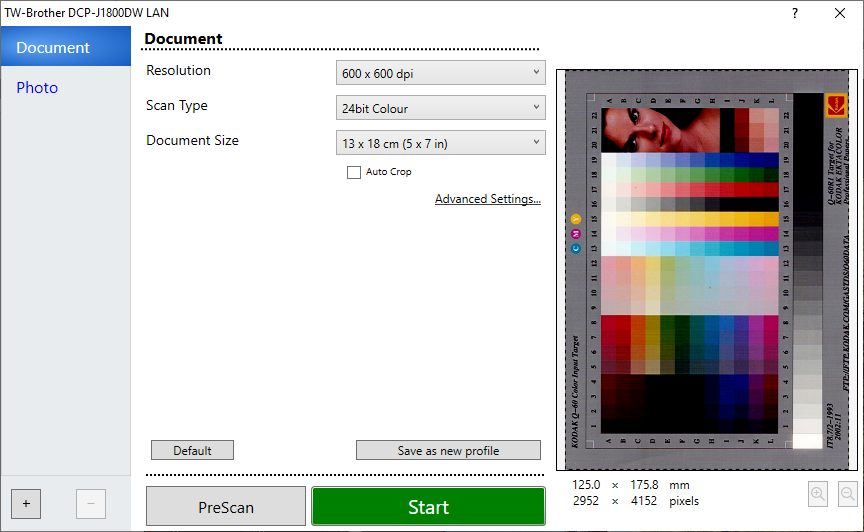
Photocopies weren’t bad either, so I was a little surprised that the Brother DCP-J1800DW wasn’t a stronger scanner. Documents were sharply focused and had little or no bleed through from the reverse side, but they were a little on the dark side, with some loss of detail from darker regions. I wasn’t impressed with photo scans, which seemed dark, with exaggerated contrast and a tendency to over-emphasise red tones.
It’s hard not to be impressed by this MFP’s party trick, however. You’ll find its paper cut options in the print driver, where you get a choice to either scale your document to the cut paper, or just cut without scaling. While the latter might be useful if you already have an A4 document designed to be cut into two A5 documents, scaling takes away the headache of creating a custom page layout.
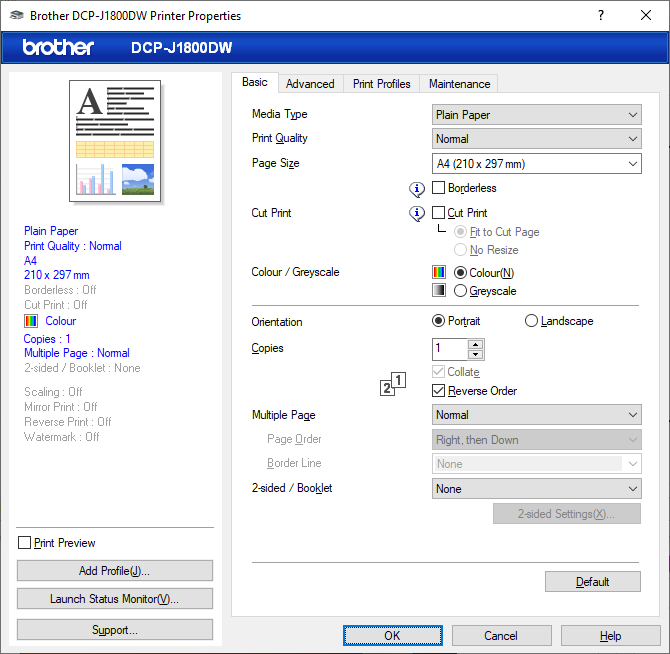
With scaling selected, your regular A4 documents are shrunk down so they print two to a page, which is then deftly halved by the guillotine. Pages come out in the right order, and the process adds only a second or two onto the time each sheet takes to print. You can hear the cutting head move quickly across the paper, but it’s quieter than our office guillotine.
I was particularly impressed that Brother has managed to make the system work with duplex prints. Here, the page is printed on both sides before being slashed, and again the end result is a tiny, double-sided document in the correct page order. In all my testing, pages were evenly sized and neatly cut.
It is, however, a bit of a niche feature. It’s useful if you need to create flyers, saving you the trouble of buying A5 paper. It might also be useful if you’re in the habit of making duplexed, two-pages-per-side prints to save paper.
It could also save you money, as A4 paper is generally cheaper, and doubly so if you cut it in half. By my calculations, though, you’d need to print about 7,500 A5 sheets to recoup the roughly £100 premium Brother charges for the feature. My sums also suggest that using a refillable printer and just buying A5 paper would probably be cheaper in the long run.
Latest deals
Should you buy it?
Unique paper cutting feature:
This multifunction printer is unique in helping you save money if you need to print on A5 paper
Not a brilliant MFP:
In most other ways, it’s an average multifactor printer, and its ink costs are high
Final Thoughts
The Brother DCP-J1800DW isn’t a brilliant multifactor printer in most ways. Although it’s easy to use, swift, and its plain paper print quality is good, its scans are underwhelming and it’s expensive to run.
Its ability to cut paper is unique, and it’s implemented brilliantly, meaning the Brother DCP-J1800DW may make new things possible in a small business. But if you can’t see a need for it, you could buy a standard but similar inkjet MFP for about half the price.
How we test
Every printer we review goes through a series of uniform checks designed to gauge key things including print quality, speed and cost.
We’ll also compare the features with other printers at the same price point to see if you’re getting good value for your money.
Measured the time it takes to print with various paper
Compared print quality with other printers
Tested printing with monochrome and coloured ink
FAQs
As far as I can work out, there’s no meaningful chance of an accident involving this printer’s cutting blade. You can’t fit your hand into the paper exit slot without removing the paper tray, which would stop the printer immediately anyway. To be on the safe side I wouldn’t recommend using the cutting feature with unattended kids or pets in the room, but that’s probably overly cautious.
Trusted Reviews test data

Verdict
The Brother DCP-J1800DW is a decent all-round multifunction printer, suitable for a micro or home office, but it’s saddled with high running costs. It’s definitely worth it if you have a use for its paper-cutting party trick, but while its guillotine is beautifully integrated and seems to behave faultlessly, it is rather niche. If you won’t use it, you could buy a better MFP for less.
Pros
- Good set of features
- Unique, automatic cutter turns A4 paper into A5
- Decent print quality
Cons
- Unimpressive scan quality
- High running costs
Availability
- UKRRP: £200
- USAunavailable
- EuropeRRP: €240
- Canadaunavailable
- Australiaunavailable
-
Unique guillotine featureThis MFP can automatically cut A4 paper into two A5 sheets -
Colour touchscreenControl everything through a colour touchscreen
Introduction
The Brother DCP-J1800DW looks for all the world like any of Brother’s home office inkjet MFPs.
It’s a squat, not especially attractive device, with a tiltable control panel bearing a middling colour touchscreen. However, this MFP (multifunction printer) has the unique ability to automatically slice an innocent A4 page into two A5 sheets.
Combine this with automatic duplex (double-sided) printing, and it can turn out fliers, compact booklets, or even shrunken photos. Intrigued, I wanted a closer look. Here are my thoughts.
Design and features
- Automatic, concealed guillotine
- Duplex printing
- Automatic document feeder
The Brother DCP-J1800DW is, so far as I know, unique. While it looks like any other Brother multifunction printer, it’s a little heavier thanks to its inbuilt guillotine. Other than that, there’s no obvious sign that it can cut paper to size – I couldn’t even work out where the blade was stowed.
There is little else remarkable about this MFP. In its base you’ll find a 150-sheet paper tray that seems a little clattery and flexible. On top there’s a scanner equipped with a 20-sheet automatic document feeder (ADF), meaning it can automatically finish a multi-page scan or copy job. You can’t send or receive faxes with this model, however.
While the printer can automatically turn sheets round to print both sides, the scanner can’t – this means you can’t leave this MFP to do an unattended two-sided to two-sided copy, and it can’t automatically scan a two-sided original document. Still, it’s good to have two-sided printing, especially as this is integrated with the cutter, allowing you to create duplexed A4 or A5 documents without lifting a finger.
The Brother DCP-J1800DW supports wired and wireless networking, so it’s easy to share among users in a family or small office. I’m also a fan of Brother’s touchscreen operating system, which lets you set up quick shortcuts to the functions you tend to use the most often – a handy timesaver.
For a cartridge-based inkjet, this MFP is supplied with a reasonable amount of ink. Only towards the end of my testing – which involved printing about 160 plain paper pages and 10 photos – did the printer start displaying a low ink warning. You can replace spent supplies with regular or XL ones, but the latter aren’t especially competitively priced, meaning you’ll pay around 11.8p for every page of mixed text and graphics. When tank-based printers typically cost under a penny, I find it increasingly hard to recommend a printer with such high running costs.
Print speed and quality
- Good plain paper print quality
- Swift performance, especially printing
- Excellent, but niche, cutting feature
The Brother MFC-J1800DW performed reasonably well across all of our tests. It’s swift, needing just 20 seconds to deliver a first page of text, and going on to reach 6.5 pages per minute (ppm) on our five-page document. It was faster when printing multiple copies of a single page, hitting 15.0ppm over 25 pages.
On simple colour jobs, this printer matched its 6.5ppm black speed. More surprisingly, it hardly needed to slow down for our longer, more intensive graphics job, where it reached a more impressive 6.0ppm. Even photos didn’t trouble it too much, with each 6×4” (10x15cm) borderless print needing about 75 seconds.
Scan speeds were similarly brisk, ranging from nine seconds for a preview, up to 81 seconds to capture a postcard photo at the maximum 1,200dpi. Unsurprisingly, copying was also brisk, with a single page completed in just 13 seconds, or 16 seconds in colour. I loaded 10 pages in the ADF and copied them in 80 seconds, or 104 seconds in colour.
I wasn’t bowled over by the quality of any of the results, but the Brother DCP-J1800DW is a good enough printer. On plain paper it produced strong black text, and reasonably good colour graphics – although not as bold or colourful as from the best inkjets. Photos weren’t at all bad given that this MFP is biassed more towards office document use – prints on coated paper were more than good enough for holiday snaps or helping with school homework.
Photocopies weren’t bad either, so I was a little surprised that the Brother DCP-J1800DW wasn’t a stronger scanner. Documents were sharply focused and had little or no bleed through from the reverse side, but they were a little on the dark side, with some loss of detail from darker regions. I wasn’t impressed with photo scans, which seemed dark, with exaggerated contrast and a tendency to over-emphasise red tones.
It’s hard not to be impressed by this MFP’s party trick, however. You’ll find its paper cut options in the print driver, where you get a choice to either scale your document to the cut paper, or just cut without scaling. While the latter might be useful if you already have an A4 document designed to be cut into two A5 documents, scaling takes away the headache of creating a custom page layout.
With scaling selected, your regular A4 documents are shrunk down so they print two to a page, which is then deftly halved by the guillotine. Pages come out in the right order, and the process adds only a second or two onto the time each sheet takes to print. You can hear the cutting head move quickly across the paper, but it’s quieter than our office guillotine.
I was particularly impressed that Brother has managed to make the system work with duplex prints. Here, the page is printed on both sides before being slashed, and again the end result is a tiny, double-sided document in the correct page order. In all my testing, pages were evenly sized and neatly cut.
It is, however, a bit of a niche feature. It’s useful if you need to create flyers, saving you the trouble of buying A5 paper. It might also be useful if you’re in the habit of making duplexed, two-pages-per-side prints to save paper.
It could also save you money, as A4 paper is generally cheaper, and doubly so if you cut it in half. By my calculations, though, you’d need to print about 7,500 A5 sheets to recoup the roughly £100 premium Brother charges for the feature. My sums also suggest that using a refillable printer and just buying A5 paper would probably be cheaper in the long run.
Latest deals
Should you buy it?
Unique paper cutting feature:
This multifunction printer is unique in helping you save money if you need to print on A5 paper
Not a brilliant MFP:
In most other ways, it’s an average multifactor printer, and its ink costs are high
Final Thoughts
The Brother DCP-J1800DW isn’t a brilliant multifactor printer in most ways. Although it’s easy to use, swift, and its plain paper print quality is good, its scans are underwhelming and it’s expensive to run.
Its ability to cut paper is unique, and it’s implemented brilliantly, meaning the Brother DCP-J1800DW may make new things possible in a small business. But if you can’t see a need for it, you could buy a standard but similar inkjet MFP for about half the price.
How we test
Every printer we review goes through a series of uniform checks designed to gauge key things including print quality, speed and cost.
We’ll also compare the features with other printers at the same price point to see if you’re getting good value for your money.
Measured the time it takes to print with various paper
Compared print quality with other printers
Tested printing with monochrome and coloured ink
FAQs
As far as I can work out, there’s no meaningful chance of an accident involving this printer’s cutting blade. You can’t fit your hand into the paper exit slot without removing the paper tray, which would stop the printer immediately anyway. To be on the safe side I wouldn’t recommend using the cutting feature with unattended kids or pets in the room, but that’s probably overly cautious.



