








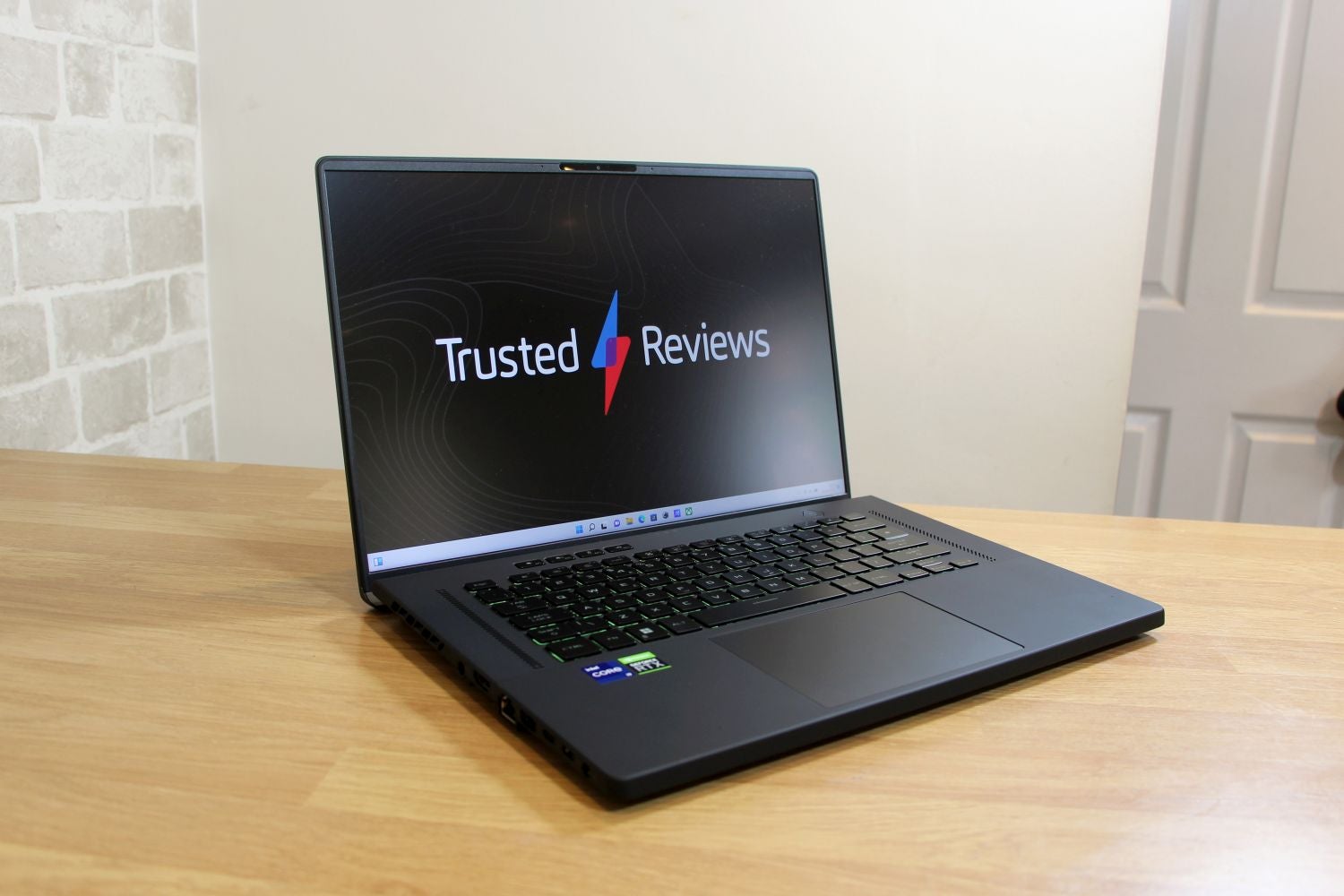
The Asus ROG Zephyrus M16 is slim, good looking and fast, with solid gaming and CPU performance. It’s often hot and loud, though, and you’ll certainly find more performance if you’re willing to use a thicker, heavier notebook instead.
Pros
- Good-looking, lightweight design
- Capable mainstream gaming ability
- Solid display and responsive keyboard
- Fast, versatile processor
Cons
- Often hot and loud
- Rivals are quicker
- No alternative display options
Availability
- UKRRP: £2599
- USARRP: $2148
- EuropeRRP: €2799
-
Mature design with impressive dimensionsThe Asus ROG Zephyrus M16 looks great thanks to its dark aluminium exterior, and its 2kg weight is great considering the 16in display – this laptop is far more portable than its competitors. -
A reliably fast Nvidia graphics coreThe Nvidia GeForce RTX 3070 Ti deploys top-notch speed for mainstream gaming and eSports, although you’ll certainly find more performance from the same GPU inside heavier, thicker notebooks. -
Great screen and speaker qualityThe 16in screen has a 16:10 aspect ratio, a high resolution and consistently great quality, and the speakers are loud and powerful. Only the keenest eSports players won’t be satisfied.
Introduction
The Asus ROG Zephyrus M16 is the latest gaming laptop to try to bridge the gap between conventional 15.6in notebooks and behemothic 17.3in rigs.
The M16 does the job with style, and on the inside it’s got an Nvidia GeForce RTX 3070 Ti and Intel Core i9 processor – so there’s no power shortage.
For this model (GU603ZW-K8015W), though, you’ll have to shell out $2149 / £2599 / €2799. The UK and US machines offer the best value: the UK rig has 32GB of memory and a super-fast 1TB SSD, while the US version halves those figures and reduces the price. The European version sticks with lower capacities at a higher price.
That might be plenty of cash to spend on any gaming laptop, but the M16’s rivals aren’t always cheaper. If you’re willing to settle for 15.6in designs, the Asus ROG Strix Scar 15 deploys the same core components as the M16 for a cost of $2499 / £2399 / €2799. And if you’d like to go the other way, an equivalent Alienware x17 R2 will set you back $3699 / £2649 / €2899.
Design and Keyboard
- Sturdy and lightweight chassis that undercuts less mature rivals
- Fast, consistent keyboard with extra media buttons
- Plenty of ports and connectivity, but no HDMI 2.1
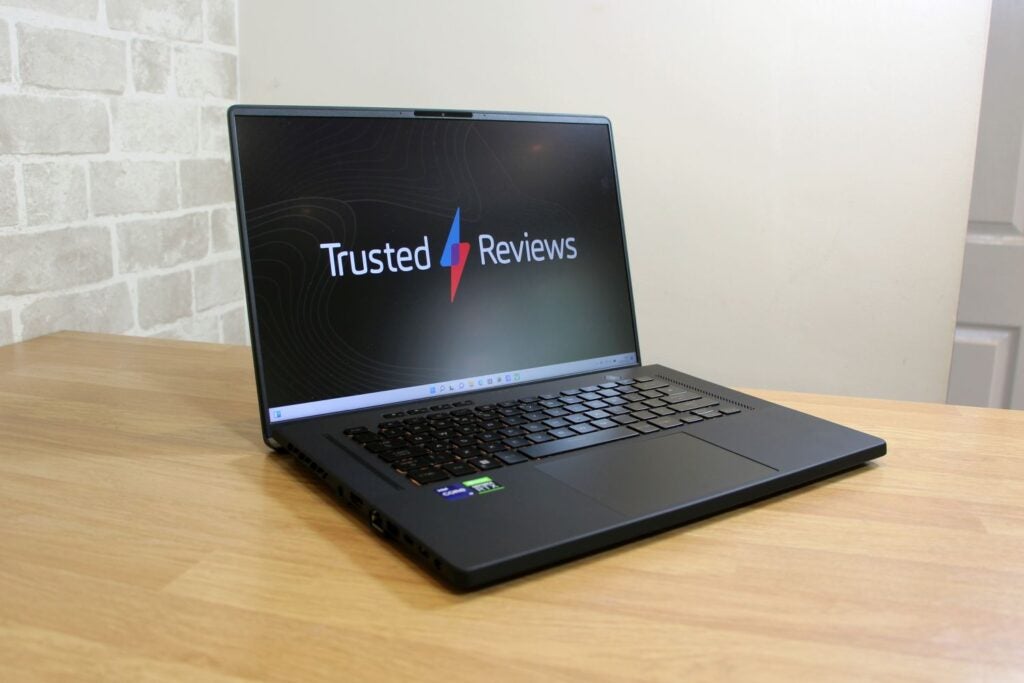
Look beyond the pricing and you’ll find mature design. The Asus ROG Zephyrus M16 is built from black aluminium and plastic, and it doesn’t have the excessive lighting or material you’ll find on rivals. It’s practical, too: the ErgoLift hinge angles the keyboard towards the user and hides the bottom bezel, which makes the display more immersive.
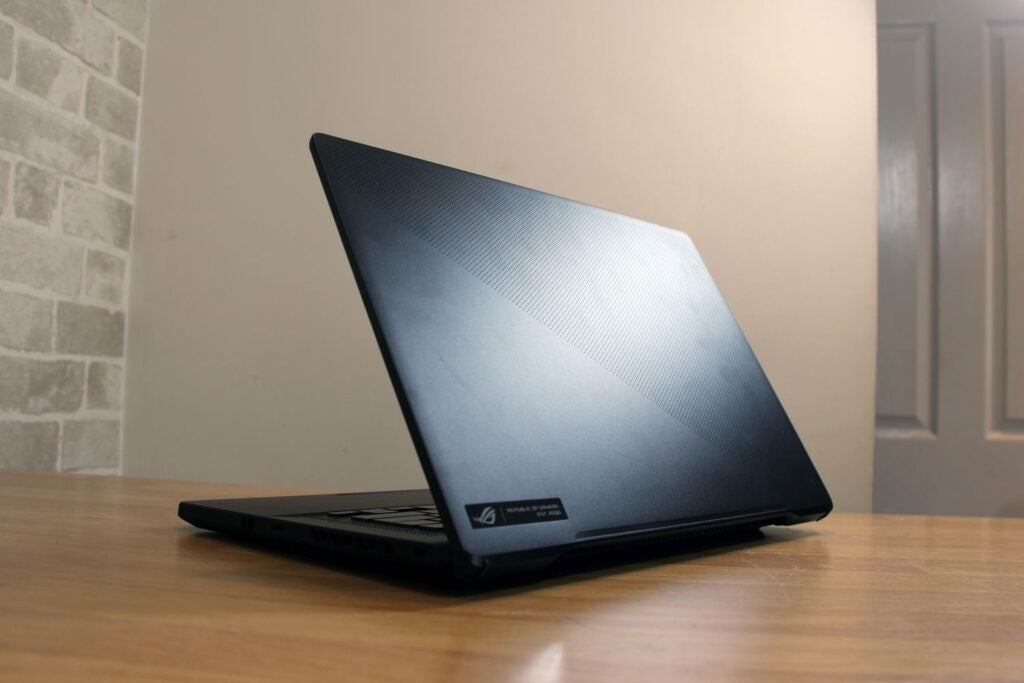
As with other Zephyrus models, the lid has a smart dotted pattern and, when you occasionally catch it in the right light, a metallic rainbow sheen is visible underneath. Aside from the RGB LEDs on the keyboard and a small ROG logo, that’s it for ornamentation.
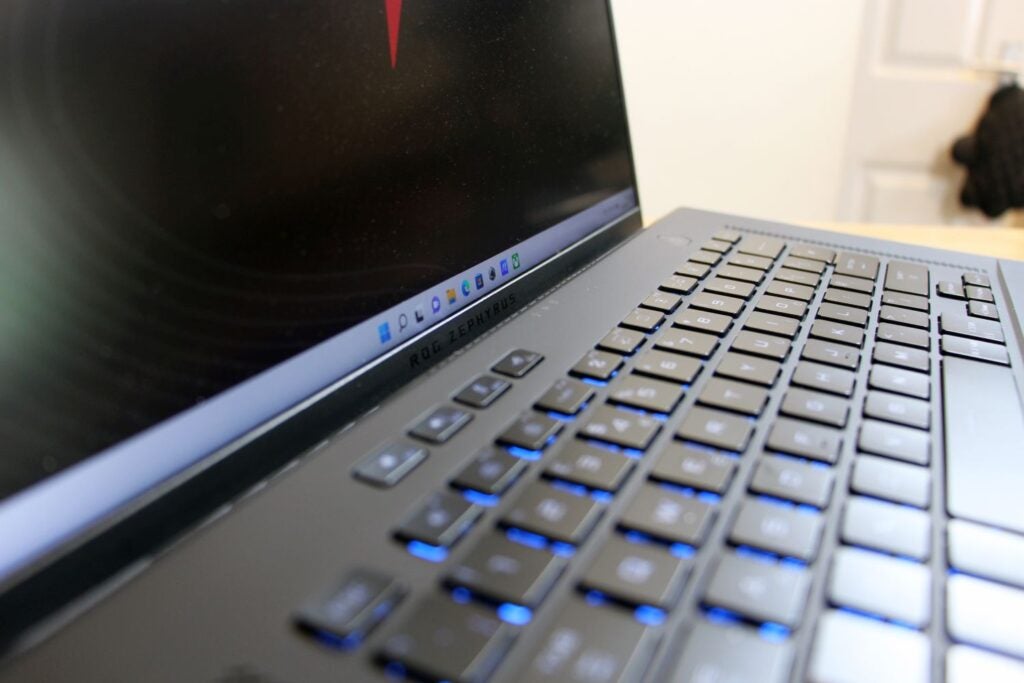
The rig’s 2kg weight undercuts the Asus Scar and Alienware products, and the M16 is slimmer than both. There’s a bit of give in the metal around the keyboard, but I’m not concerned about the M16’s longevity. While the M16 is not small, it’s about as portable as large gaming laptops get.
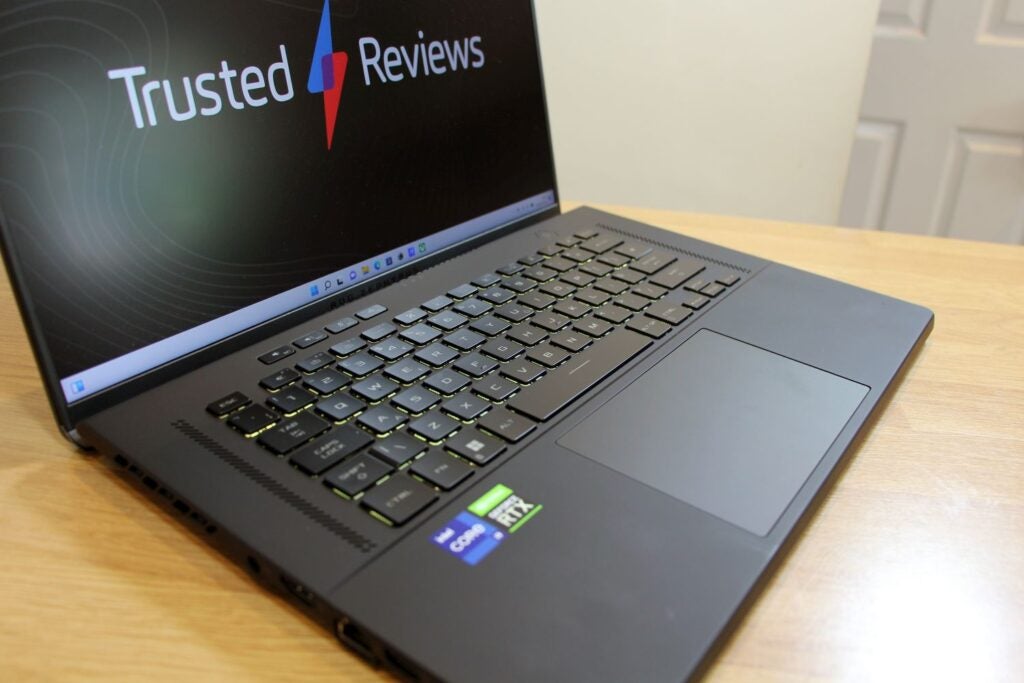
The keyboard has a solid base and decent action – the buttons are fast, consistent and have 1.7mm of travel. They’re firm enough for frantic gaming, and Asus includes extra media keys. Beneath the keyboard you’ll find a large trackpad, but its soft buttons mean I’d recommend a USB mouse instead.
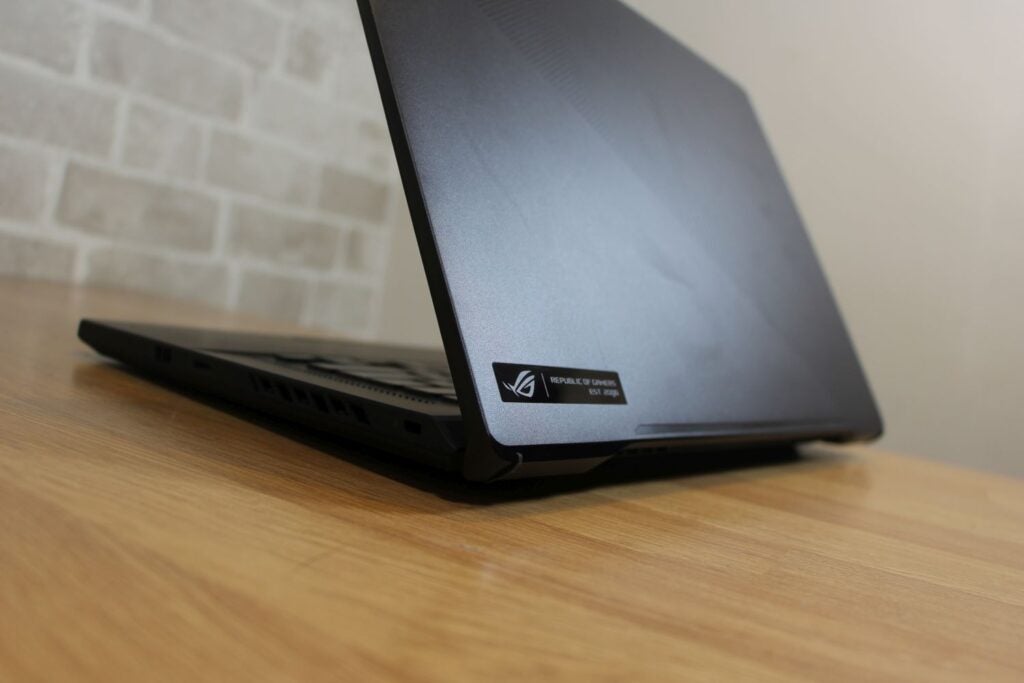
The M16’s typing gear could be better, though. It’s got single-zone RGB LED lighting rather than per-key, so both rivals have more customisation. There’s no number pad, but there’s no excuse for small cursor and Return keys on a machine this size.
The laptop’s right edge houses a full-size USB 3.2 Gen 2 port and a microSD card reader, and the left-hand edge offers another USB port, a Type-C connector, a Thunderbolt 4 slot and an audio jack alongside HDMI 2.0b. On the inside, there’s Gigabit Ethernet, dual-band Wi-Fi 6 and Bluetooth 5.2. The webcam is only 720p, but it does support Windows Hello, and there’s no fingerprint reader.
Screen
- A big, high-resolution display with a helpful aspect ratio
- Bold, bright imagery with good sRGB and DCI gamut coverage
- The refresh rate is only suitable for mainstream eSports
The 16-inch diagonal isn’t the display’s only interesting attribute. It’s got a 16:10 aspect ratio, which means a bit more vertical space for your games, and its 2560 x 1600 resolution is sharp.
More mundane is adaptive sync that tops out at 165Hz: that’s fine for single-player gaming, but it’ll only cope with mainstream eSports rather than high-end competition. Similarly, the 3ms response time is good rather than great.
The panel’s brightness figure of 476 nits enables indoor and outdoor use, especially with the screen’s matte finish, and the contrast ratio of 1221:1 is high enough to provide enough depth for gaming.
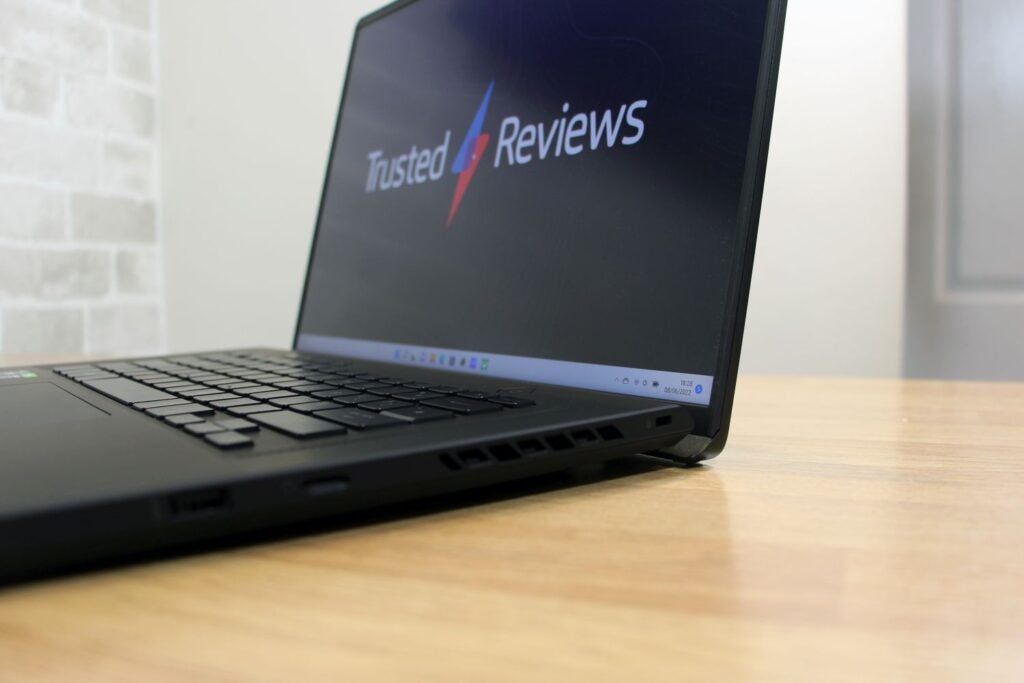
The delta E of 2.43 provides ample accuracy for gamers, and the panel’s 99.9% and 98% coverage figures for the sRGB and DCI-P3 gamuts mean that the screen renders every gaming colour.
This is a rock-solid display for mainstream single-player and eSports gaming. It’s paired with great speakers – they’re loud and punchy, and easily good enough to make games boom. They’ve got a tad too much high-end concentration and they could do with a bit more bass, but that’s a minor complaint.
Performance
- Fast in games and applications
- Other laptops get more pace from the graphics core
- Often hotter and louder than most other laptops
The Asus ROG Zephyrus M16 packs a RTX 3070 Ti, which deploys its usual 5888 stream processors and 8GB of memory. Asus says its power limit tops out at 100W with an extra 20W available through Dynamic Boost.
Elsewhere, the M16 deploys an Intel Core i9-12900H with six Hyper-Threaded P-Cores and a top speed of 5GHz. The UK model has 32GB of DDR5 memory and a 2TB PCIE 4.0 SSD. US and European buyers must settle for half the memory and storage capacities.
The RTX 3070 Ti is fast. At the laptop’s native resolution the M16 played Horizon Zero Dawn at 67fps, and it ran Borderlands 3 at 53fps. There is no big-name single-player game that the M16 won’t run, and you’ll only need to dial down some settings if you want to play the toughest games with ray tracing. Don’t worry about eSports, either: the M16 played Rainbow Six at 217fps.
That’s good gaming power, but rivals are faster. The Asus ROG Strix Scar 15 ran its RTX 3070 Ti with a higher power envelope, and at 2560 x 1440 it played Horizon and Borderlands at 80fps and 62fps. Expect similar speeds from the Alienware, which also uses an RTX 3070 Ti with a higher power level.
This situation is no surprise. In the M16’s default Performance mode its graphics core only pulls 80W, so it runs at lower speeds than rival chips – the Asus ran at 125W and the Alienware is even faster. Activating Turbo mode saw the M16’s GPU pull 100W, which improved its Horizon result from 67fps to 77fps, but that’s still not enough to catch rivals.
The M16 also delivered inconsistent thermal results. In the machine’s default Performance mode the M16’s fan output was present, but modest. Sadly, in this mode the keyboard deck and underside became hot.
Ramping up to Turbo mode saw the M16 make more noise than most gaming notebooks, and the noise was high-pitched and annoying – a headset is essential. The exterior got warmer, and I couldn’t touch the metal above the keyboard for more than a few seconds. The Alienware and Asus Scar rigs may be heavier and thicker than the M16, but they’re cooler and quieter.
Testing the processor saw similar results. In Performance mode the noise levels were good, but the CPU’s P-cores ran at 2.4GHz in a multi-core workload and between 4.3GHz and 4.6GHz in a single-core benchmark. When the chip hits 4GHz and up to 5GHz on paper, those speeds are clearly throttled.
Turbo mode saw the processor reach a multi-core speed of 3.9GHz and a consistent single-core pace of 4.6GHz. Those results are better, but still not top-notch, and the M16 was very hot and loud.
| Asus ROG Zephyrus M16 | Asus ROG Strix Scar 15 | Alienware x17 R2 | |
| CPU | Intel Core i9-12900H | Intel Core i9-12900H | Intel Core i7-12700H |
| PCMark10 | 7960 | 7705 | 7856 |
| Geekbench 5 Single / Multi | 1822 / 11,591 | 1658 / 9680 | 1686 / 12,040 |
| GPU | Nvidia RTX 3070 Ti | Nvidia RTX 3070 Ti | Nvidia RTX 3080 Ti |
| 3DMark Time Spy | 9291 | 10,389 | 12,486 |
Processing performance took a hit because of this throttling. In Geekbench the M16 returned scores of 1822 and 11,591. Those results beat the same Core i9 chip inside the Scar, but they can’t match the multi-core speed provided by the Core i7-12700H inside the Alienware. Turbo mode saw the multi-core result jump to 13,754, which is brilliant, but the M16 was very loud here.
I’m not saying that the processor is slow – far from it. There’s lashings of power here, and the M16 will tackle almost anything, from tough multi-tasking to high-end content creation, including photo and video work. It’s just a shame that the processor never achieves its full potential, and that you can only extract more grunt from this chip at the expense of noise and heat.
As with most Asus rigs, the M16 has a Windows mode that restricts performance. That keeps the noise down and you still get good everyday power and enough grunt to play most games at 60fps, but it arguably misses the point of buying a gaming laptop.
And, if you’re thinking of dropping $3279 / £3499 / €3499 on the M16’s RTX 3080 Ti version, I wouldn’t recommend it. The RTX 3080 Ti will operate at a lower level than in other machines, and with even more noise and heat. The Asus Scar and Alienware notebooks usually offer the RTX 3080 Ti at slightly lower prices.
Battery
- Surprisingly good battery life in media and work situations
- As with most gaming laptops, though, expect an hour of gameplay time
If you don’t use the Asus ROG Zephyrus M16 for gaming, then this large laptop actually delivers decent longevity. It played video with the display at 150 nits for a monster 8hrs 29mins, which was two hours beyond the Scar and more than twice as good as the Alienware x17.
When handling a work benchmark, the M16 ran for just over four hours. That’s still twice as good as the x17, although slightly worse than the Asus Scar. Nevertheless, it’s a reasonable result for a laptop of this size, and it improves versatility.
Unsurprisingly, the M16 only lasted for 1hr 6mins when gaming. Neither rival dramatically improved on that result, and it’s par for the course when it comes to gaming laptops – if you want to load the latest titles, stay plugged in.
Latest deals
Should you buy it?
You want a gaming laptop that’s slimmer and lighter than the rest:
The M16 is a sleeker machine than any rival, and for the most part it does a good job in terms of performance and ergonomics. This is ideal for frequent travellers.
You need ultimate gaming power, more screen options, or quiet operation:
The slim design means the M16 is hot and loud, and other machines have more display options and get more pace from the GPU.
Final Thoughts
The Asus ROG Zephyrus M16 is slimmer and lighter than competitors while still providing good quality in most departments, so it’s ideal if you want a sleeker notebook. It’s hot and loud, though, and other machines have more power and more screen variety.
How we test
Every gaming laptop we review goes through a series of uniform checks designed to gauge key things including build quality, performance, screen quality and battery life.
These include formal synthetic benchmarks and scripted tests, plus a series of real world checks, such as how well it runs when running a AAA game.
We used as our main laptop for at least a week.
Tested the performance via both benchmark tests and real-world use.
We tested the screen with a colorimeter and real-world use.
We tested the battery with a benchmark test and real-world use.
FAQs
As with all other Asus gaming notebooks, the Zephyrus M16 has a one-year warranty
UK RRP
USA RRP
EU RRP
CPU
Manufacturer
Quiet Mark Accredited
Screen Size
Storage Capacity
Front Camera
Battery
Battery Hours
Size (Dimensions)
Weight
ASIN
Operating System
Release Date
First Reviewed Date
Model Number
Model Variants
Resolution
Refresh Rate
Ports
Audio (Power output)
GPU
RAM
Connectivity
Colours
Display Technology
Screen Technology
Touch Screen
Convertible?
Trusted Reviews test data
PCMark 10
Geekbench 5 single core
Geekbench 5 multi core
3DMark Time Spy
CrystalDiskMark Read speed
CrystalMarkDisk Write Speed
Brightness
Black level
Contrast
White Visual Colour Temperature
sRGB
Adobe RGB
DCI-P3
PCMark Battery (office)
PCMark Battery (gaming)
Battery Life
Borderlands 3 frame rate (Quad HD)
Borderlands 3 frame rate (Full HD)
Horizon Zero Dawn frame rate (Quad HD)
Horizon Zero Dawn frame rate (Full HD)
Dirt Rally (Quad HD)
Dirt Rally (Full HD)
Jargon buster
Refresh Rate
The number of times the screen refreshes itself per second.
Bluetooth 5.0
Bluetooth 5.0 is the latest iteration of the standard, and allows data to be sent at twice as much as speed over previous standards, cover four times as much in terms of distance and transfer eight times as much data.
Wi-Fi 6
One of the latest wireless standards that allows for faster speeds and better coverage when paired with compatible routers.

The Asus ROG Zephyrus M16 is slim, good looking and fast, with solid gaming and CPU performance. It’s often hot and loud, though, and you’ll certainly find more performance if you’re willing to use a thicker, heavier notebook instead.
Pros
- Good-looking, lightweight design
- Capable mainstream gaming ability
- Solid display and responsive keyboard
- Fast, versatile processor
Cons
- Often hot and loud
- Rivals are quicker
- No alternative display options
Availability
- UKRRP: £2599
- USARRP: $2148
- EuropeRRP: €2799
-
Mature design with impressive dimensionsThe Asus ROG Zephyrus M16 looks great thanks to its dark aluminium exterior, and its 2kg weight is great considering the 16in display – this laptop is far more portable than its competitors. -
A reliably fast Nvidia graphics coreThe Nvidia GeForce RTX 3070 Ti deploys top-notch speed for mainstream gaming and eSports, although you’ll certainly find more performance from the same GPU inside heavier, thicker notebooks. -
Great screen and speaker qualityThe 16in screen has a 16:10 aspect ratio, a high resolution and consistently great quality, and the speakers are loud and powerful. Only the keenest eSports players won’t be satisfied.
Introduction
The Asus ROG Zephyrus M16 is the latest gaming laptop to try to bridge the gap between conventional 15.6in notebooks and behemothic 17.3in rigs.
The M16 does the job with style, and on the inside it’s got an Nvidia GeForce RTX 3070 Ti and Intel Core i9 processor – so there’s no power shortage.
For this model (GU603ZW-K8015W), though, you’ll have to shell out $2149 / £2599 / €2799. The UK and US machines offer the best value: the UK rig has 32GB of memory and a super-fast 1TB SSD, while the US version halves those figures and reduces the price. The European version sticks with lower capacities at a higher price.
That might be plenty of cash to spend on any gaming laptop, but the M16’s rivals aren’t always cheaper. If you’re willing to settle for 15.6in designs, the Asus ROG Strix Scar 15 deploys the same core components as the M16 for a cost of $2499 / £2399 / €2799. And if you’d like to go the other way, an equivalent Alienware x17 R2 will set you back $3699 / £2649 / €2899.
Design and Keyboard
- Sturdy and lightweight chassis that undercuts less mature rivals
- Fast, consistent keyboard with extra media buttons
- Plenty of ports and connectivity, but no HDMI 2.1
Look beyond the pricing and you’ll find mature design. The Asus ROG Zephyrus M16 is built from black aluminium and plastic, and it doesn’t have the excessive lighting or material you’ll find on rivals. It’s practical, too: the ErgoLift hinge angles the keyboard towards the user and hides the bottom bezel, which makes the display more immersive.
As with other Zephyrus models, the lid has a smart dotted pattern and, when you occasionally catch it in the right light, a metallic rainbow sheen is visible underneath. Aside from the RGB LEDs on the keyboard and a small ROG logo, that’s it for ornamentation.
The rig’s 2kg weight undercuts the Asus Scar and Alienware products, and the M16 is slimmer than both. There’s a bit of give in the metal around the keyboard, but I’m not concerned about the M16’s longevity. While the M16 is not small, it’s about as portable as large gaming laptops get.
The keyboard has a solid base and decent action – the buttons are fast, consistent and have 1.7mm of travel. They’re firm enough for frantic gaming, and Asus includes extra media keys. Beneath the keyboard you’ll find a large trackpad, but its soft buttons mean I’d recommend a USB mouse instead.
The M16’s typing gear could be better, though. It’s got single-zone RGB LED lighting rather than per-key, so both rivals have more customisation. There’s no number pad, but there’s no excuse for small cursor and Return keys on a machine this size.
The laptop’s right edge houses a full-size USB 3.2 Gen 2 port and a microSD card reader, and the left-hand edge offers another USB port, a Type-C connector, a Thunderbolt 4 slot and an audio jack alongside HDMI 2.0b. On the inside, there’s Gigabit Ethernet, dual-band Wi-Fi 6 and Bluetooth 5.2. The webcam is only 720p, but it does support Windows Hello, and there’s no fingerprint reader.
Screen
- A big, high-resolution display with a helpful aspect ratio
- Bold, bright imagery with good sRGB and DCI gamut coverage
- The refresh rate is only suitable for mainstream eSports
The 16-inch diagonal isn’t the display’s only interesting attribute. It’s got a 16:10 aspect ratio, which means a bit more vertical space for your games, and its 2560 x 1600 resolution is sharp.
More mundane is adaptive sync that tops out at 165Hz: that’s fine for single-player gaming, but it’ll only cope with mainstream eSports rather than high-end competition. Similarly, the 3ms response time is good rather than great.
The panel’s brightness figure of 476 nits enables indoor and outdoor use, especially with the screen’s matte finish, and the contrast ratio of 1221:1 is high enough to provide enough depth for gaming.
The delta E of 2.43 provides ample accuracy for gamers, and the panel’s 99.9% and 98% coverage figures for the sRGB and DCI-P3 gamuts mean that the screen renders every gaming colour.
This is a rock-solid display for mainstream single-player and eSports gaming. It’s paired with great speakers – they’re loud and punchy, and easily good enough to make games boom. They’ve got a tad too much high-end concentration and they could do with a bit more bass, but that’s a minor complaint.
Performance
- Fast in games and applications
- Other laptops get more pace from the graphics core
- Often hotter and louder than most other laptops
The Asus ROG Zephyrus M16 packs a RTX 3070 Ti, which deploys its usual 5888 stream processors and 8GB of memory. Asus says its power limit tops out at 100W with an extra 20W available through Dynamic Boost.
Elsewhere, the M16 deploys an Intel Core i9-12900H with six Hyper-Threaded P-Cores and a top speed of 5GHz. The UK model has 32GB of DDR5 memory and a 2TB PCIE 4.0 SSD. US and European buyers must settle for half the memory and storage capacities.
The RTX 3070 Ti is fast. At the laptop’s native resolution the M16 played Horizon Zero Dawn at 67fps, and it ran Borderlands 3 at 53fps. There is no big-name single-player game that the M16 won’t run, and you’ll only need to dial down some settings if you want to play the toughest games with ray tracing. Don’t worry about eSports, either: the M16 played Rainbow Six at 217fps.
That’s good gaming power, but rivals are faster. The Asus ROG Strix Scar 15 ran its RTX 3070 Ti with a higher power envelope, and at 2560 x 1440 it played Horizon and Borderlands at 80fps and 62fps. Expect similar speeds from the Alienware, which also uses an RTX 3070 Ti with a higher power level.
This situation is no surprise. In the M16’s default Performance mode its graphics core only pulls 80W, so it runs at lower speeds than rival chips – the Asus ran at 125W and the Alienware is even faster. Activating Turbo mode saw the M16’s GPU pull 100W, which improved its Horizon result from 67fps to 77fps, but that’s still not enough to catch rivals.
The M16 also delivered inconsistent thermal results. In the machine’s default Performance mode the M16’s fan output was present, but modest. Sadly, in this mode the keyboard deck and underside became hot.
Ramping up to Turbo mode saw the M16 make more noise than most gaming notebooks, and the noise was high-pitched and annoying – a headset is essential. The exterior got warmer, and I couldn’t touch the metal above the keyboard for more than a few seconds. The Alienware and Asus Scar rigs may be heavier and thicker than the M16, but they’re cooler and quieter.
Testing the processor saw similar results. In Performance mode the noise levels were good, but the CPU’s P-cores ran at 2.4GHz in a multi-core workload and between 4.3GHz and 4.6GHz in a single-core benchmark. When the chip hits 4GHz and up to 5GHz on paper, those speeds are clearly throttled.
Turbo mode saw the processor reach a multi-core speed of 3.9GHz and a consistent single-core pace of 4.6GHz. Those results are better, but still not top-notch, and the M16 was very hot and loud.
| Asus ROG Zephyrus M16 | Asus ROG Strix Scar 15 | Alienware x17 R2 | |
| CPU | Intel Core i9-12900H | Intel Core i9-12900H | Intel Core i7-12700H |
| PCMark10 | 7960 | 7705 | 7856 |
| Geekbench 5 Single / Multi | 1822 / 11,591 | 1658 / 9680 | 1686 / 12,040 |
| GPU | Nvidia RTX 3070 Ti | Nvidia RTX 3070 Ti | Nvidia RTX 3080 Ti |
| 3DMark Time Spy | 9291 | 10,389 | 12,486 |
Processing performance took a hit because of this throttling. In Geekbench the M16 returned scores of 1822 and 11,591. Those results beat the same Core i9 chip inside the Scar, but they can’t match the multi-core speed provided by the Core i7-12700H inside the Alienware. Turbo mode saw the multi-core result jump to 13,754, which is brilliant, but the M16 was very loud here.
I’m not saying that the processor is slow – far from it. There’s lashings of power here, and the M16 will tackle almost anything, from tough multi-tasking to high-end content creation, including photo and video work. It’s just a shame that the processor never achieves its full potential, and that you can only extract more grunt from this chip at the expense of noise and heat.
As with most Asus rigs, the M16 has a Windows mode that restricts performance. That keeps the noise down and you still get good everyday power and enough grunt to play most games at 60fps, but it arguably misses the point of buying a gaming laptop.
And, if you’re thinking of dropping $3279 / £3499 / €3499 on the M16’s RTX 3080 Ti version, I wouldn’t recommend it. The RTX 3080 Ti will operate at a lower level than in other machines, and with even more noise and heat. The Asus Scar and Alienware notebooks usually offer the RTX 3080 Ti at slightly lower prices.
Battery
- Surprisingly good battery life in media and work situations
- As with most gaming laptops, though, expect an hour of gameplay time
If you don’t use the Asus ROG Zephyrus M16 for gaming, then this large laptop actually delivers decent longevity. It played video with the display at 150 nits for a monster 8hrs 29mins, which was two hours beyond the Scar and more than twice as good as the Alienware x17.
When handling a work benchmark, the M16 ran for just over four hours. That’s still twice as good as the x17, although slightly worse than the Asus Scar. Nevertheless, it’s a reasonable result for a laptop of this size, and it improves versatility.
Unsurprisingly, the M16 only lasted for 1hr 6mins when gaming. Neither rival dramatically improved on that result, and it’s par for the course when it comes to gaming laptops – if you want to load the latest titles, stay plugged in.
Latest deals
Should you buy it?
You want a gaming laptop that’s slimmer and lighter than the rest:
The M16 is a sleeker machine than any rival, and for the most part it does a good job in terms of performance and ergonomics. This is ideal for frequent travellers.
You need ultimate gaming power, more screen options, or quiet operation:
The slim design means the M16 is hot and loud, and other machines have more display options and get more pace from the GPU.
Final Thoughts
The Asus ROG Zephyrus M16 is slimmer and lighter than competitors while still providing good quality in most departments, so it’s ideal if you want a sleeker notebook. It’s hot and loud, though, and other machines have more power and more screen variety.
How we test
Every gaming laptop we review goes through a series of uniform checks designed to gauge key things including build quality, performance, screen quality and battery life.
These include formal synthetic benchmarks and scripted tests, plus a series of real world checks, such as how well it runs when running a AAA game.
We used as our main laptop for at least a week.
Tested the performance via both benchmark tests and real-world use.
We tested the screen with a colorimeter and real-world use.
We tested the battery with a benchmark test and real-world use.
FAQs
As with all other Asus gaming notebooks, the Zephyrus M16 has a one-year warranty
UK RRP
USA RRP
EU RRP
CPU
Manufacturer
Quiet Mark Accredited
Screen Size
Storage Capacity
Front Camera
Battery
Battery Hours
Size (Dimensions)
Weight
ASIN
Operating System
Release Date
First Reviewed Date
Model Number
Model Variants
Resolution
Refresh Rate
Ports
Audio (Power output)
GPU
RAM
Connectivity
Colours
Display Technology
Screen Technology
Touch Screen
Convertible?
Trusted Reviews test data
PCMark 10
Geekbench 5 single core
Geekbench 5 multi core
3DMark Time Spy
CrystalDiskMark Read speed
CrystalMarkDisk Write Speed
Brightness
Black level
Contrast
White Visual Colour Temperature
sRGB
Adobe RGB
DCI-P3
PCMark Battery (office)
PCMark Battery (gaming)
Battery Life
Borderlands 3 frame rate (Quad HD)
Borderlands 3 frame rate (Full HD)
Horizon Zero Dawn frame rate (Quad HD)
Horizon Zero Dawn frame rate (Full HD)
Dirt Rally (Quad HD)
Dirt Rally (Full HD)
Jargon buster
Refresh Rate
The number of times the screen refreshes itself per second.
Bluetooth 5.0
Bluetooth 5.0 is the latest iteration of the standard, and allows data to be sent at twice as much as speed over previous standards, cover four times as much in terms of distance and transfer eight times as much data.
Wi-Fi 6
One of the latest wireless standards that allows for faster speeds and better coverage when paired with compatible routers.



