








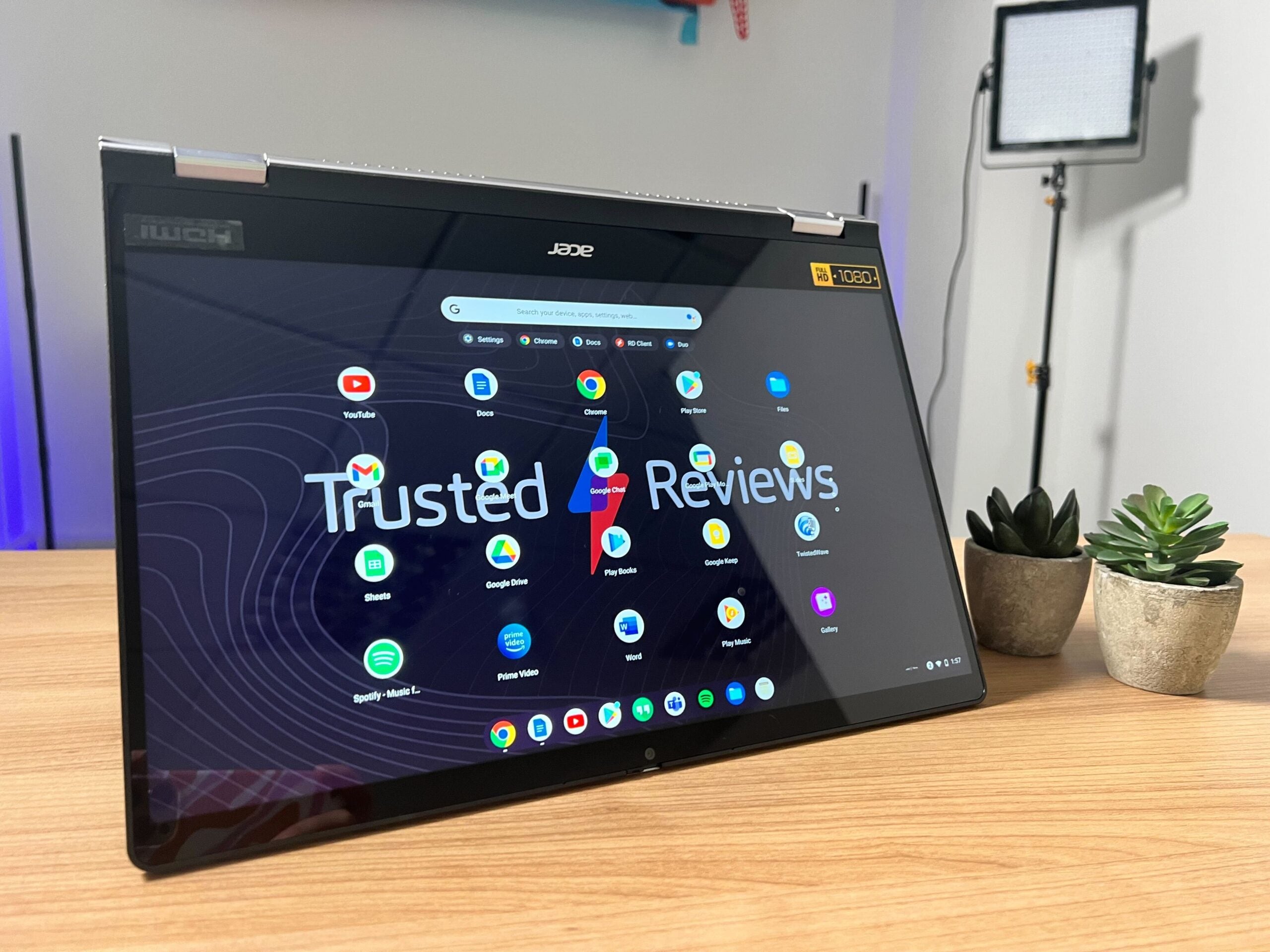
The Acer Chromebook Spin 514 is the little brother to the Acer Chromebook Spin 714 and can be configured up to an AMD Ryzen 7 processor. This laptop has been designed with hybrid workers in mind and comes with touchscreen capabilities.
-
Convertable designThe display can rotate 360-degrees -
AMD Ryzen CPUAMD Ryzen 5000 C-Series processor -
100% sRGB touchscreenThe touchscreen has a 100% sRGB score, according to Acer
Introduction
The Acer Chromebook Spin 514 is the younger brother to the Chromebook Spin 714, coming with an AMD processor instead of the 12th-Generation Intel chips.
The Acer Chromebook Spin 514 is the latest and cheapest new laptop to join the Spin series, arriving alongside the Chromebook Spin 714 and the Spin 5. The lower price of this machine reflects slightly in the specs, but it looks to be a solid alternative for anyone looking for a productivity laptop.
It’s important to note that the unit that we’re looking at is pre-production, meaning that it does not necessarily reflect what the final product will look like, especially in terms of performance. It’s more likely that the final model will stick with the same keyboard and overall design, but we wouldn’t expect these pre-prod models to function or perform as well as the finished models.
Plus, since I was only able to spend a day with the Chromebook Spin 514, this is a Hands on and not a full review, meaning that we will only be touching on the design and specs and not the performance or the battery life.
Pricing
The Acer Chromebook Spin 514 will start at £699.99 and will launch next year. We will be sure to update this article once we know the American and European pricing as well as a more specific launch date.
Design and keyboard
- Flimsy chassis
- Multiple ports
- Good keyboard
As with the other two laptops Acer has just revealed, I really like the keyboard on this model. The response time was good and I was able to comfortably use it to write up some articles without any issues. I am not a massive fan of the trackpad; it reminded me of the Nokia PureBook Pro and it didn’t feel smooth or easy to move tabs around.

Again, in the same vein as the Chromebook Spin 714 and Spin 5, the keyboard chassis is very flimsy, and I found that even though I liked the keyboard, I did not need to apply much pressure to see it massively flex inwards. This issue was more present at the top of the keyboard, to the point where the bottom of the screen also felt fairly unstable, which meant I was overall more conscious of how I was handling and using the laptop than I would be with a sturdier model, like the Huawei MateBook 16.
This laptop packs in a lot of ports – two USB-C, USB 2.0, HDMI and a 3.5mm audio jack – which is ideal for anyone that will be transferring video or other data, but it does give the laptop a chunky look. I don’t dislike it massively, but it doesn’t look as sleek as some thinner models, like the Dell XPS 13 OLED (2021)

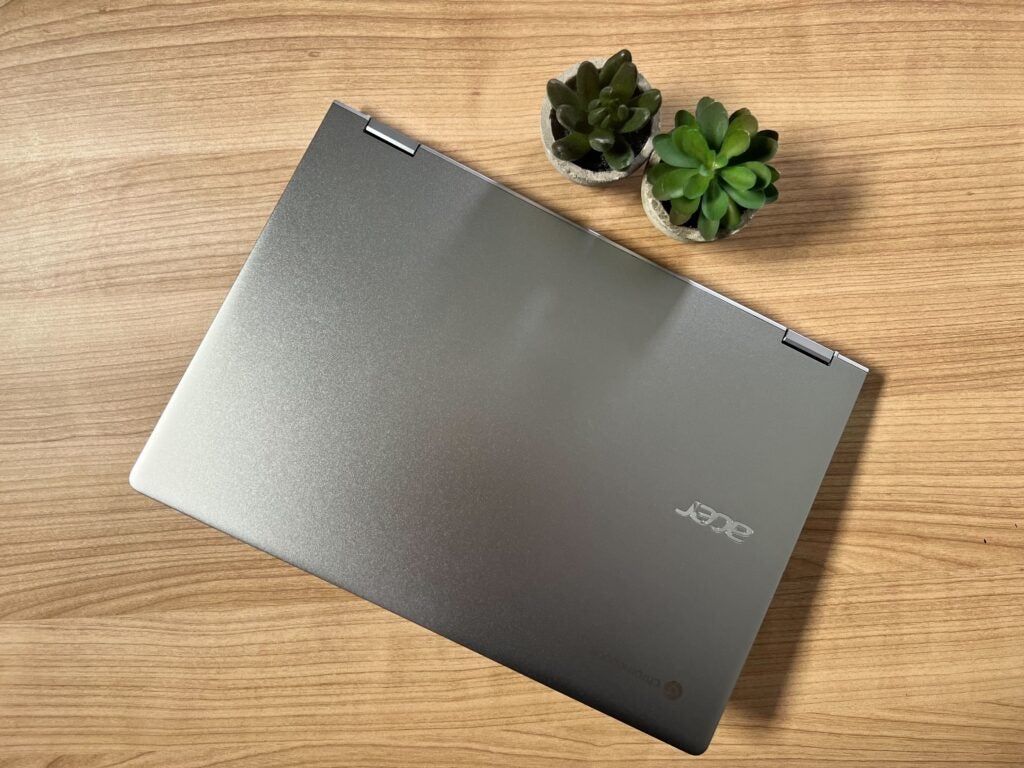
The Chromebook Spin 514 weighs in at 1.5kg and I could just about hold it comfortably with one hand, though I do think it would fit into most backpacks and would work well as a portable device, which is ideal for anyone who is currently hybrid working. The unit I tested was also a silvery grey which I thought looked a little too plain, especially since Acer’s own Spin 5 came in a lovely sage green, which just stands out compared to most other laptops.
Screen
- 360-degree hinge
- Touchscreen capabilities
- 14-inch display
- Netflix looked very grainy
The Chromebook Spin 514 comes with a 14-inch IPS display with a resolution of 1920 x 1080 and a 16:10 aspect ratio. I thought that the screen was crisp and clear, though I do think that the colours seemed a tad desaturated. I took the laptop up to its highest brightness during testing, and even though the whites looked very clear and did not have any blue or yellow undertones, I felt that the screen looked slightly dark.
Acer did not give any information on what the nit count looks like for this laptop, though the company did claim that it covers 100% of the sRGB gamut. While I can’t actually test out these claims yet, I do think that it offered up mostly vibrant and bright colours, even if the screen was slightly dim.
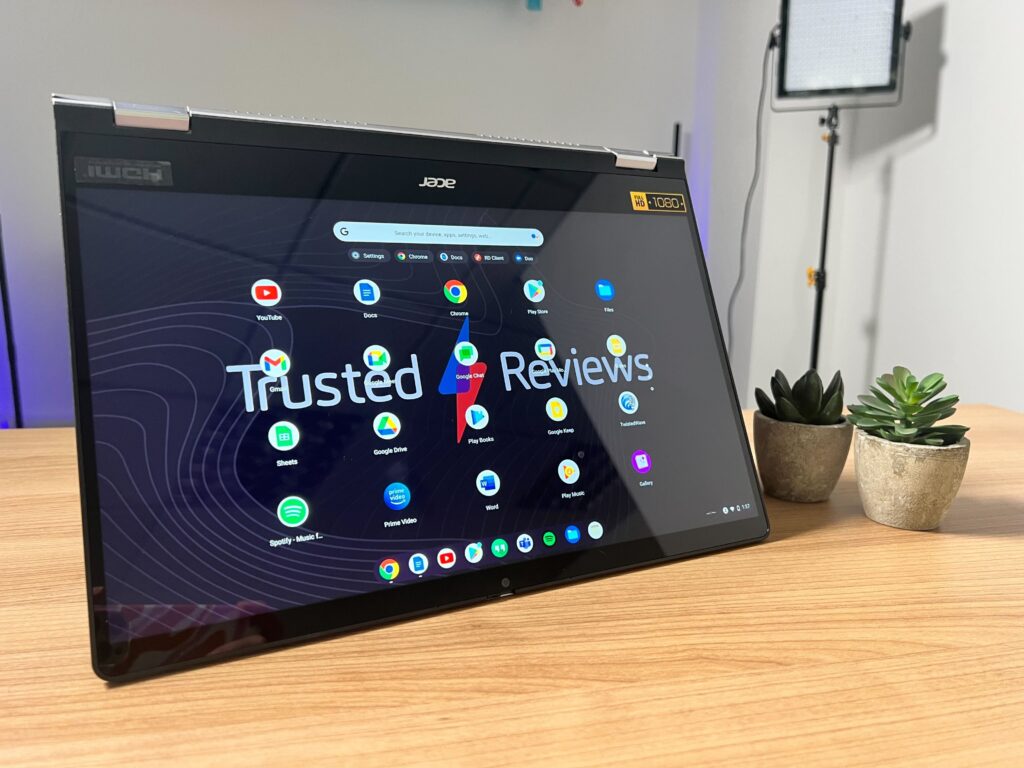
Acer also fitted this laptop with a 360-degree hinge, meaning that it can be turned from a clamshell device into a tablet with ease. Despite the slightly flimsy chassis, it was simple to transform the laptop and I enjoyed using it as a tablet to scroll through articles or check my emails. Unlike the Spin 5, there is no stylus included, but I found that the screen was very responsive when I used my finger and I didn’t experience any screen tearing or lag.
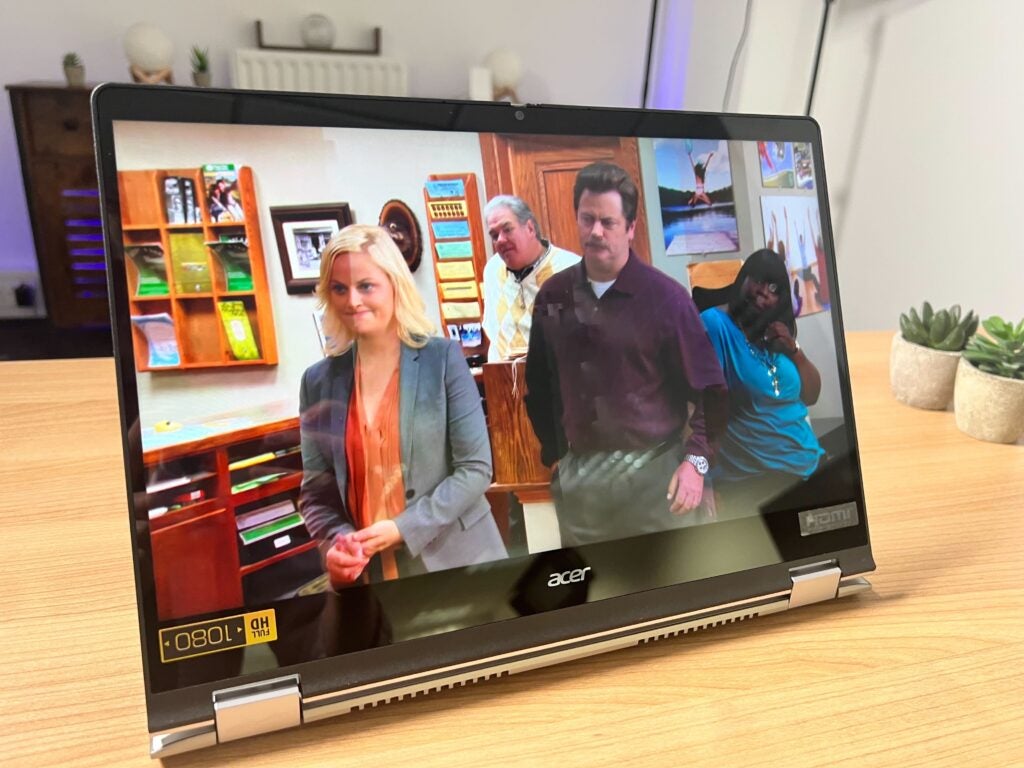
I was able to work well with the 16:10 display as I could have multiple tabs open at once, though I did encounter one issue while browsing the web: Netflix was very grainy, and it looked like the screen was tearing on occasion. This could be due to the fact that this is a pre-pro model, though I would be wary if you were looking to use this mainly as a media device.
Performance
- AMD Ryzen processors
- AMD Radeon graphics
- Chrome OS
Since this is a merely an early look and not a review, I cannot comment on the performance of the Chromebook Spin 514, but I can run through the specs.
You will be able to buy this laptop in four flavours: AMD Ryzen 7 5825C, AMD Ryzen 5 5625C, AMD Ryzen 3 5425C and AMD Ryzen 3 5125C. The highest performing CPU here should offer speedy load up times and should work well for productivity tasks and some creative tasks, provided they’re not too intense.
There is an iGPU, AMD Radeon Graphics, which will limit this laptop in terms of intensive graphical tasks, such as triple-A gaming, 4K video editing and 3D rendering. This is no bad thing, but I would only recommend the Chromebook Spin 514 as a work or educational device.
First Impressions
The Acer Chromebook Spin 514 looks to be a very reasonably priced laptop that would work well for anyone who is currently in school or after a simple productivity device. While not as high end as the Chromebook Spin 714, it should be more than capable of browsing the web, sending emails and writing up documents.
Other than my issue with Netflix – which I assume will be ironed out before the product’s official release – I liked the screen and felt that it gave me a crisp and clear image while I was watching YouTube. I do hope that Acer can remedy the flimsy chassis as it may put people off using this as a portable and hybrid working device, which is supposed to be its primary use case.
Acer Chromebook Spin 514 specs

The Acer Chromebook Spin 514 is the little brother to the Acer Chromebook Spin 714 and can be configured up to an AMD Ryzen 7 processor. This laptop has been designed with hybrid workers in mind and comes with touchscreen capabilities.
-
Convertable designThe display can rotate 360-degrees -
AMD Ryzen CPUAMD Ryzen 5000 C-Series processor -
100% sRGB touchscreenThe touchscreen has a 100% sRGB score, according to Acer
Introduction
The Acer Chromebook Spin 514 is the younger brother to the Chromebook Spin 714, coming with an AMD processor instead of the 12th-Generation Intel chips.
The Acer Chromebook Spin 514 is the latest and cheapest new laptop to join the Spin series, arriving alongside the Chromebook Spin 714 and the Spin 5. The lower price of this machine reflects slightly in the specs, but it looks to be a solid alternative for anyone looking for a productivity laptop.
It’s important to note that the unit that we’re looking at is pre-production, meaning that it does not necessarily reflect what the final product will look like, especially in terms of performance. It’s more likely that the final model will stick with the same keyboard and overall design, but we wouldn’t expect these pre-prod models to function or perform as well as the finished models.
Plus, since I was only able to spend a day with the Chromebook Spin 514, this is a Hands on and not a full review, meaning that we will only be touching on the design and specs and not the performance or the battery life.
Pricing
The Acer Chromebook Spin 514 will start at £699.99 and will launch next year. We will be sure to update this article once we know the American and European pricing as well as a more specific launch date.
Design and keyboard
- Flimsy chassis
- Multiple ports
- Good keyboard
As with the other two laptops Acer has just revealed, I really like the keyboard on this model. The response time was good and I was able to comfortably use it to write up some articles without any issues. I am not a massive fan of the trackpad; it reminded me of the Nokia PureBook Pro and it didn’t feel smooth or easy to move tabs around.
Again, in the same vein as the Chromebook Spin 714 and Spin 5, the keyboard chassis is very flimsy, and I found that even though I liked the keyboard, I did not need to apply much pressure to see it massively flex inwards. This issue was more present at the top of the keyboard, to the point where the bottom of the screen also felt fairly unstable, which meant I was overall more conscious of how I was handling and using the laptop than I would be with a sturdier model, like the Huawei MateBook 16.
This laptop packs in a lot of ports – two USB-C, USB 2.0, HDMI and a 3.5mm audio jack – which is ideal for anyone that will be transferring video or other data, but it does give the laptop a chunky look. I don’t dislike it massively, but it doesn’t look as sleek as some thinner models, like the Dell XPS 13 OLED (2021)
The Chromebook Spin 514 weighs in at 1.5kg and I could just about hold it comfortably with one hand, though I do think it would fit into most backpacks and would work well as a portable device, which is ideal for anyone who is currently hybrid working. The unit I tested was also a silvery grey which I thought looked a little too plain, especially since Acer’s own Spin 5 came in a lovely sage green, which just stands out compared to most other laptops.
Screen
- 360-degree hinge
- Touchscreen capabilities
- 14-inch display
- Netflix looked very grainy
The Chromebook Spin 514 comes with a 14-inch IPS display with a resolution of 1920 x 1080 and a 16:10 aspect ratio. I thought that the screen was crisp and clear, though I do think that the colours seemed a tad desaturated. I took the laptop up to its highest brightness during testing, and even though the whites looked very clear and did not have any blue or yellow undertones, I felt that the screen looked slightly dark.
Acer did not give any information on what the nit count looks like for this laptop, though the company did claim that it covers 100% of the sRGB gamut. While I can’t actually test out these claims yet, I do think that it offered up mostly vibrant and bright colours, even if the screen was slightly dim.
Acer also fitted this laptop with a 360-degree hinge, meaning that it can be turned from a clamshell device into a tablet with ease. Despite the slightly flimsy chassis, it was simple to transform the laptop and I enjoyed using it as a tablet to scroll through articles or check my emails. Unlike the Spin 5, there is no stylus included, but I found that the screen was very responsive when I used my finger and I didn’t experience any screen tearing or lag.
I was able to work well with the 16:10 display as I could have multiple tabs open at once, though I did encounter one issue while browsing the web: Netflix was very grainy, and it looked like the screen was tearing on occasion. This could be due to the fact that this is a pre-pro model, though I would be wary if you were looking to use this mainly as a media device.
Performance
- AMD Ryzen processors
- AMD Radeon graphics
- Chrome OS
Since this is a merely an early look and not a review, I cannot comment on the performance of the Chromebook Spin 514, but I can run through the specs.
You will be able to buy this laptop in four flavours: AMD Ryzen 7 5825C, AMD Ryzen 5 5625C, AMD Ryzen 3 5425C and AMD Ryzen 3 5125C. The highest performing CPU here should offer speedy load up times and should work well for productivity tasks and some creative tasks, provided they’re not too intense.
There is an iGPU, AMD Radeon Graphics, which will limit this laptop in terms of intensive graphical tasks, such as triple-A gaming, 4K video editing and 3D rendering. This is no bad thing, but I would only recommend the Chromebook Spin 514 as a work or educational device.
First Impressions
The Acer Chromebook Spin 514 looks to be a very reasonably priced laptop that would work well for anyone who is currently in school or after a simple productivity device. While not as high end as the Chromebook Spin 714, it should be more than capable of browsing the web, sending emails and writing up documents.
Other than my issue with Netflix – which I assume will be ironed out before the product’s official release – I liked the screen and felt that it gave me a crisp and clear image while I was watching YouTube. I do hope that Acer can remedy the flimsy chassis as it may put people off using this as a portable and hybrid working device, which is supposed to be its primary use case.



