









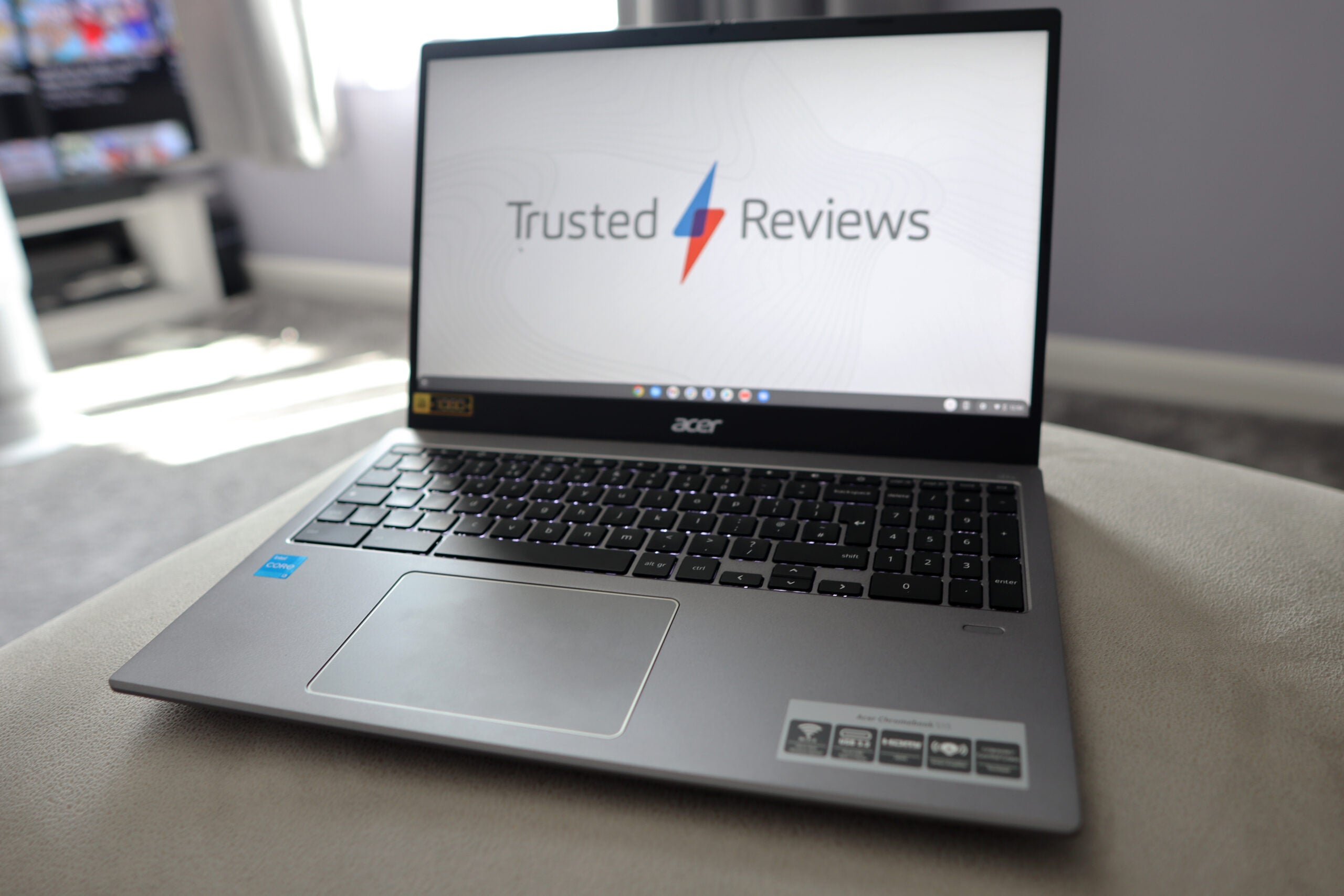
Verdict
The Acer Chromebook 515 is a great mid-range Chromebook with a large 15-inch screen. It looks good, and offers up a decent port selection and keyboard, while its performance is snappy with a high capacity drive for the price, too. Just watch out for the underwhelming expected battery life.
Pros
- Sturdy chassis
- Decent port selection
- Large display
- Plenty of power for a Chromebook
Cons
- Okay battery life
- ChromeOS can be quite limiting
- Slightly mushy keyboard
-
15.6 inch FHD display:The Acer Chromebook 515 features a large 15.6-inch display, complete with a Full HD resolution -
Portable design:It weighs 1.8kg, which is on the heavier side, but should be fine for those on the go -
Speedy productivity performance:The Chromebook 515 is powered by an 11th Gen Intel Core i3 processor which ensures a snappy performance
Introduction
Acer’s recent crop of Chromebooks have certainly been pretty impressive, and 2022 has seen the release of the new Acer Chromebook 515.
Priced at £499.99, it sits slap bang in the mid-range for a Chromebook, featuring a good spec sheet to match. You’ll be getting a 15.6-inch FHD display, alongside an 11th gen Intel Core i3 processor, a 128GB SSD and 8GB of RAM, which is plenty to be getting on with.
Can those specs, and more, help it to become one of the best Chromebooks money can buy? Let’s find out.
Design
- Sleek, slim construction
- Good port selection
- Slightly mushy keyboard
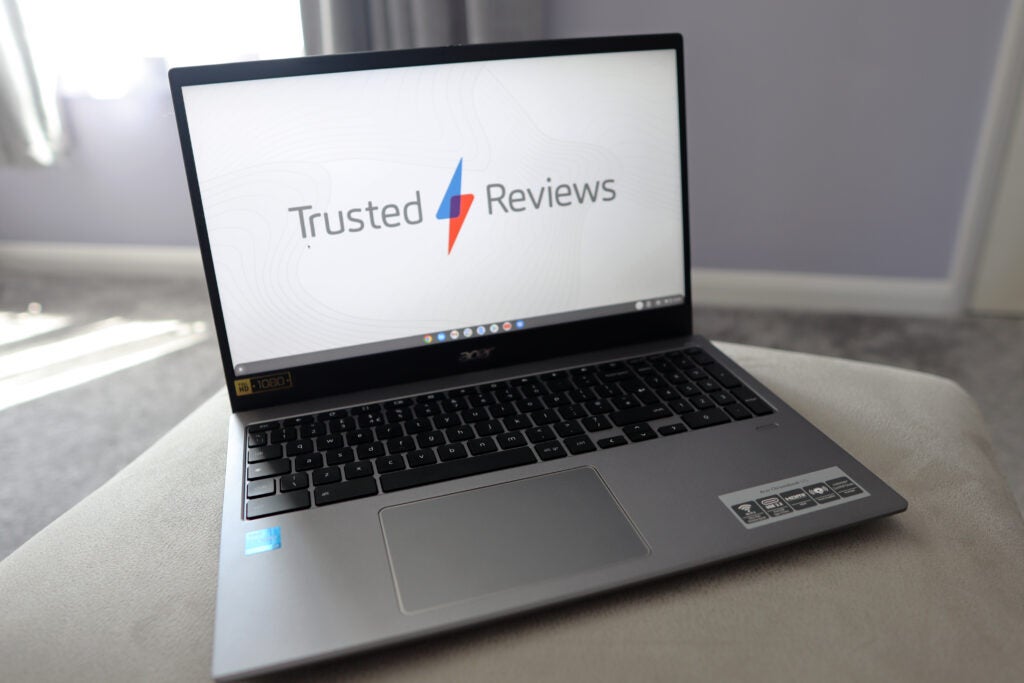
The dark grey colouring and sleek style of the Acer Chromebook 515 makes it look and feel an awful lot more expensive than it actually is. Its aesthetic is similar to that of the more premium (and slightly older) Chromebook 714, which helps it to look brilliant.
The metals here make the 515 also feel durable, and a small knock on the chassis doesn’t make it sound hollow. It also looks modern, with some thin bezels around the side of the display, although the top one is just thick enough to house a 720p webcam.
A weight of 1.8kg means this is actually on the heavier side for a 15-inch laptop, but to be honest, the Chromebook 515 doesn’t feel, nor look, like it’s that heavy. Sure, it carries some heft to it, but with a thickness of just 25mm, it doesn’t publicise the fact it’s a heavy duty laptop.
The port selection provides nearly everything users will need, with a good selection made up of a singular USB-A, alongside two USB-Cs, an HDMI port and a microSD card reader. A second USB-A port certainly wouldn’t have gone amiss here, especially given how widespread the connector still is.
For the price of the Chromebook 515, its speakers sound relatively okay. They are a little bit thin and crispy at times and lack a little bit in terms of their top end and overall body, but they should be okay for more casual usage. Much like a lot of other Acer Chromebooks, the ones here are downwards firing, which can can cause muffled sound if placed on a softer surface such as a bed.
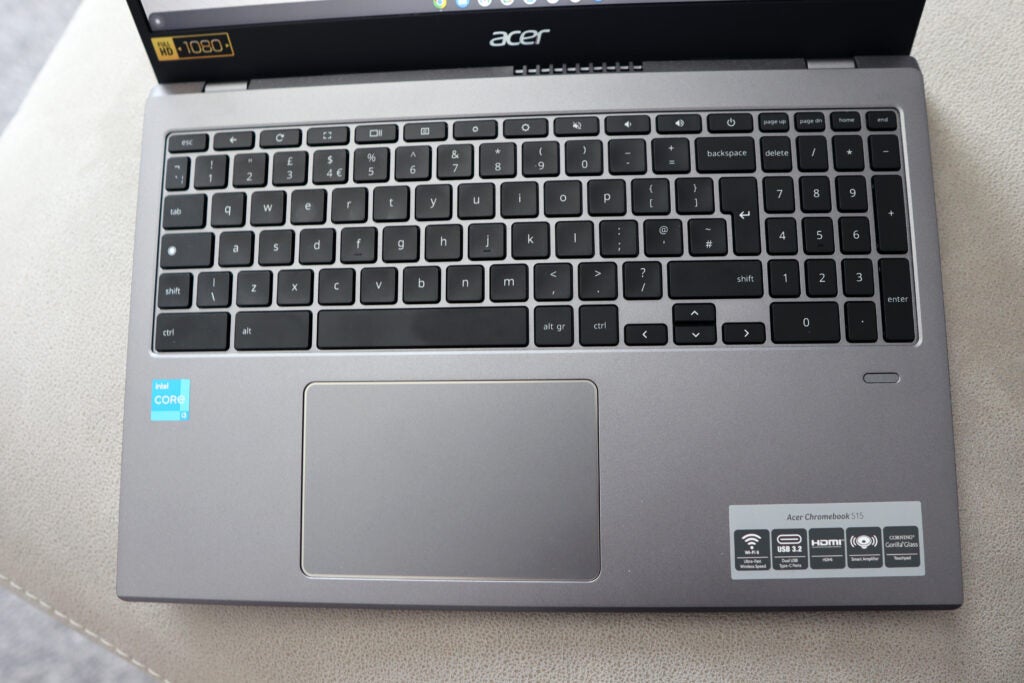
The keyboard feels tactile and responsive for day-to-day working, and the fact it’s a full size layout provides all the functionality you could need. Key travel here is perhaps on the shorter side, and the keypress is a little soft at times, but it generally feels good.
The backlight is even and vibrant when turned all the way up, so you could certainly use the Chromebook 515 for some after-dark working if you wanted to. There’s also a fingerprint reader present in the bottom-right corner, which provides a more secure login option.
Acer has always been generous with its trackpads, and the 515 is no different. It’s on the larger side, giving oodles of real estate for your fingers, alongside tactile buttons to boot. The fact it’s a Gorilla Glass covered pad too also helps things to feel extra smooth.
Display
- 15.6 inches provides decent screen real estate
- 320 nits of quoted brightness ensures vibrancy
- IPS tech ensures good viewing angles
Acer hasn’t decided to spring any surprises for the Chromebook 515’s display. It’s a tried-and-tested 15.6-inch IPS panel with a Full HD (1920×1080) resolution.
It’s a decent panel for the price, that offered good colours to my eye, while 320 nits of maximum brightness helps to boost the brightness and ensure the screen is visible in bright sunlight.
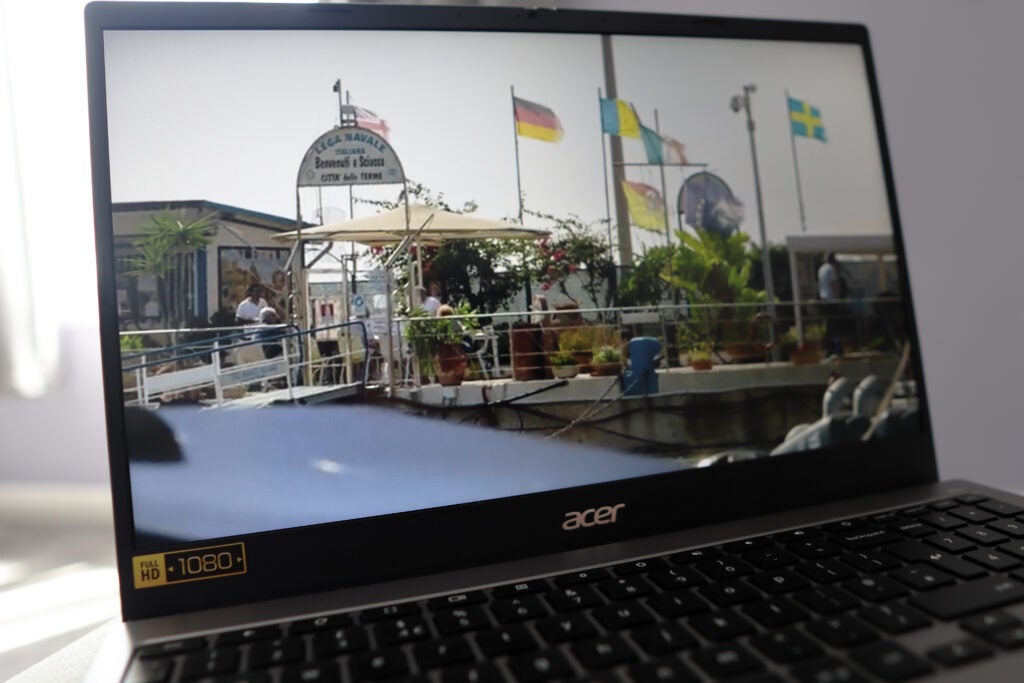
Nothing looked especially washed out or dim, and images also looked reasonably detailed with the FHD resolution. This is a matte display, meaning you could use the Acer Chromebook 515 outside if you so wished.
As an IPS display, the viewing angles here proved to be topnotch, and for day-to-day working, a 15.6 inch display provides loads of screen real estate. It is on the larger side compared to smaller 13- or 14-inch screens, but the extra couple of inches of space makes all the difference.
Performance
- 11th Gen Intel Core chip provides great performance
- 128GB SSD is speedier than other Chromebooks
- ChromeOS is easy to use, but can be limiting
Let’s face it, Chromebooks have never looked to dazzle with their performance, and are more designed to do the basics well, and that’s exactly what the Chromebook 515 does.
For more of a mid-range device, it packs some reasonable power, with an 11th gen Intel Core i3 processor that certainly beats the swathes of Celerons and Pentiums available in more affordable Chromebooks.
The Geekbench 5 scores I recorded are only half that of slightly pricier Windows laptops such as the Surface Laptop Go 2 and HP Pavilion 14. However, in day-to-day use, the Chromebook 515 was definitely snappy enough to run Google Docs and Spotify without a hitch, and opening a load of Chrome tabs didn’t seem to falter it, which is helped along by the 8GB of RAM inside.
| Acer Chromebook 515 | Surface Laptop Go 2 | HP Pavilion 14 (2021) | |
| Processor | Intel Core i3-1115G7 | Intel Core i5-1135G7 | Intel Core i5-1135G7 |
| Geekbench 5 single core | 1190 | 1364 | 1368 |
| Geekbench 5 multi core | 2701 | 3899 | 4553 |
The fact this particular Chromebook features a 128GB SSD means it matches laptops that are a fair bit more expensive in terms of storage options, and it’s nice to see solid state storage inside a Chromebook as opposed to the slower eMMC. In testing, the SSD performed reasonably well when loading and saving apps on the drive.
The only issue with the Chromebook 515 is the fact it runs ChromeOS, which has always been more of a locked down operating system compared to Window. It feels like a small waste of the 515’s talent to bung in some great specs for the price and be left with something that can really be only used for web browsing, work, and the occasional casual game downloaded from the Google Play Store. Most of the major productivity apps are here, but there are some apps such as Photoshop that aren’t available
Battery Life
- Lasted for 8hrs 35 mins in our testing
- Capable of lasting the working day
Generally speaking, a laptop should be able to last for around 10 hours if it’s got decent endurance, and that’s exactly the figure that Acer quotes the Chromebook 515 as being able to last for.
After dulling the brightness down to 50% and running a video loop test, the Chromebook 515 fell a tad short of that figure, lasting for eight and a half hours before conking out.
This means that, if you’re able to do a bit of hypermiling with your brightness, that you’ll be able to get a full working day out of the 515 before you need to charge it up, although you’ll want to be sure you’re sitting near an outlet if you do get towards the lower end of the scale.
This result is a little disappointing, given the fact that similarly priced Chromebooks (such as those from Acer themselves) have been able to last for over 10 hours, with some nearly lasting for doubly long as this one.
Latest deals
Should you buy it?
You want good levels of power from a Chromebook:
With an 11th Gen Intel Core i3 processor inside, the Acer Chromebook 515 offers some decent power for the £499 asking price, and will be more than capable of handling day-to-day working.
You want great endurance:
A battery life of 8.5hrs will be enough to help the Chromebook 515 last a working day, but you may want to look elsewhere if top endurance is of major importance when picking out a laptop.
Final Thoughts
The Acer Chromebook 515 looks to continue Acer’s great run of Chromebooks in recent years with a decent overall package for those after a large screen Chromebook at more of an affordable price that still packs plenty of power.
It borrows looks from more of a high-end machine, while the port selection will be good enough for most people. The display here proved to be handy for day to day working, as did the fact this Chromebook features some excellent levels of power with an 11th gen Intel Core i3 processor, especially when combined with its 128GB SSD and 8GB of RAM.
It’s just the battery life here that proved to be an issue, but you’ll still be able to get a working day out of it if you’re careful.
How we test
Every laptop we review goes through a series of uniform checks designed to gauge key things including build quality, performance, screen quality and battery life.
These include formal synthetic benchmarks and scripted tests, plus a series of real-world checks, such as how well it runs popular apps.
We used as our main laptop for at least a week.
Tested the performance via both benchmark tests and real-world use.
We tested the battery with real-world use.
FAQs
Chromebooks are restricted to downloads via Google’s app store, so you may not be able to download more obscure apps which are available via Windows. They also also lack the graphical power for gaming and heavy workloads, but make up for that with a low price and streamlined operating system.
Absolutely! A Chromebook can take the place of your Windows laptop as long as you’re happy to stick to basic workloads and apps such as Gmail, Chrome, Google Docs, Netflix and more.
Jargon buster
SSD
Known as Solid State Drive, this is a faster form of a memory than a standard hard drive. Results in faster loading times and more ambitious games.

Verdict
The Acer Chromebook 515 is a great mid-range Chromebook with a large 15-inch screen. It looks good, and offers up a decent port selection and keyboard, while its performance is snappy with a high capacity drive for the price, too. Just watch out for the underwhelming expected battery life.
Pros
- Sturdy chassis
- Decent port selection
- Large display
- Plenty of power for a Chromebook
Cons
- Okay battery life
- ChromeOS can be quite limiting
- Slightly mushy keyboard
-
15.6 inch FHD display:The Acer Chromebook 515 features a large 15.6-inch display, complete with a Full HD resolution -
Portable design:It weighs 1.8kg, which is on the heavier side, but should be fine for those on the go -
Speedy productivity performance:The Chromebook 515 is powered by an 11th Gen Intel Core i3 processor which ensures a snappy performance
Introduction
Acer’s recent crop of Chromebooks have certainly been pretty impressive, and 2022 has seen the release of the new Acer Chromebook 515.
Priced at £499.99, it sits slap bang in the mid-range for a Chromebook, featuring a good spec sheet to match. You’ll be getting a 15.6-inch FHD display, alongside an 11th gen Intel Core i3 processor, a 128GB SSD and 8GB of RAM, which is plenty to be getting on with.
Can those specs, and more, help it to become one of the best Chromebooks money can buy? Let’s find out.
Design
- Sleek, slim construction
- Good port selection
- Slightly mushy keyboard
The dark grey colouring and sleek style of the Acer Chromebook 515 makes it look and feel an awful lot more expensive than it actually is. Its aesthetic is similar to that of the more premium (and slightly older) Chromebook 714, which helps it to look brilliant.
The metals here make the 515 also feel durable, and a small knock on the chassis doesn’t make it sound hollow. It also looks modern, with some thin bezels around the side of the display, although the top one is just thick enough to house a 720p webcam.
A weight of 1.8kg means this is actually on the heavier side for a 15-inch laptop, but to be honest, the Chromebook 515 doesn’t feel, nor look, like it’s that heavy. Sure, it carries some heft to it, but with a thickness of just 25mm, it doesn’t publicise the fact it’s a heavy duty laptop.
The port selection provides nearly everything users will need, with a good selection made up of a singular USB-A, alongside two USB-Cs, an HDMI port and a microSD card reader. A second USB-A port certainly wouldn’t have gone amiss here, especially given how widespread the connector still is.
For the price of the Chromebook 515, its speakers sound relatively okay. They are a little bit thin and crispy at times and lack a little bit in terms of their top end and overall body, but they should be okay for more casual usage. Much like a lot of other Acer Chromebooks, the ones here are downwards firing, which can can cause muffled sound if placed on a softer surface such as a bed.
The keyboard feels tactile and responsive for day-to-day working, and the fact it’s a full size layout provides all the functionality you could need. Key travel here is perhaps on the shorter side, and the keypress is a little soft at times, but it generally feels good.
The backlight is even and vibrant when turned all the way up, so you could certainly use the Chromebook 515 for some after-dark working if you wanted to. There’s also a fingerprint reader present in the bottom-right corner, which provides a more secure login option.
Acer has always been generous with its trackpads, and the 515 is no different. It’s on the larger side, giving oodles of real estate for your fingers, alongside tactile buttons to boot. The fact it’s a Gorilla Glass covered pad too also helps things to feel extra smooth.
Display
- 15.6 inches provides decent screen real estate
- 320 nits of quoted brightness ensures vibrancy
- IPS tech ensures good viewing angles
Acer hasn’t decided to spring any surprises for the Chromebook 515’s display. It’s a tried-and-tested 15.6-inch IPS panel with a Full HD (1920×1080) resolution.
It’s a decent panel for the price, that offered good colours to my eye, while 320 nits of maximum brightness helps to boost the brightness and ensure the screen is visible in bright sunlight.
Nothing looked especially washed out or dim, and images also looked reasonably detailed with the FHD resolution. This is a matte display, meaning you could use the Acer Chromebook 515 outside if you so wished.
As an IPS display, the viewing angles here proved to be topnotch, and for day-to-day working, a 15.6 inch display provides loads of screen real estate. It is on the larger side compared to smaller 13- or 14-inch screens, but the extra couple of inches of space makes all the difference.
Performance
- 11th Gen Intel Core chip provides great performance
- 128GB SSD is speedier than other Chromebooks
- ChromeOS is easy to use, but can be limiting
Let’s face it, Chromebooks have never looked to dazzle with their performance, and are more designed to do the basics well, and that’s exactly what the Chromebook 515 does.
For more of a mid-range device, it packs some reasonable power, with an 11th gen Intel Core i3 processor that certainly beats the swathes of Celerons and Pentiums available in more affordable Chromebooks.
The Geekbench 5 scores I recorded are only half that of slightly pricier Windows laptops such as the Surface Laptop Go 2 and HP Pavilion 14. However, in day-to-day use, the Chromebook 515 was definitely snappy enough to run Google Docs and Spotify without a hitch, and opening a load of Chrome tabs didn’t seem to falter it, which is helped along by the 8GB of RAM inside.
| Acer Chromebook 515 | Surface Laptop Go 2 | HP Pavilion 14 (2021) | |
| Processor | Intel Core i3-1115G7 | Intel Core i5-1135G7 | Intel Core i5-1135G7 |
| Geekbench 5 single core | 1190 | 1364 | 1368 |
| Geekbench 5 multi core | 2701 | 3899 | 4553 |
The fact this particular Chromebook features a 128GB SSD means it matches laptops that are a fair bit more expensive in terms of storage options, and it’s nice to see solid state storage inside a Chromebook as opposed to the slower eMMC. In testing, the SSD performed reasonably well when loading and saving apps on the drive.
The only issue with the Chromebook 515 is the fact it runs ChromeOS, which has always been more of a locked down operating system compared to Window. It feels like a small waste of the 515’s talent to bung in some great specs for the price and be left with something that can really be only used for web browsing, work, and the occasional casual game downloaded from the Google Play Store. Most of the major productivity apps are here, but there are some apps such as Photoshop that aren’t available
Battery Life
- Lasted for 8hrs 35 mins in our testing
- Capable of lasting the working day
Generally speaking, a laptop should be able to last for around 10 hours if it’s got decent endurance, and that’s exactly the figure that Acer quotes the Chromebook 515 as being able to last for.
After dulling the brightness down to 50% and running a video loop test, the Chromebook 515 fell a tad short of that figure, lasting for eight and a half hours before conking out.
This means that, if you’re able to do a bit of hypermiling with your brightness, that you’ll be able to get a full working day out of the 515 before you need to charge it up, although you’ll want to be sure you’re sitting near an outlet if you do get towards the lower end of the scale.
This result is a little disappointing, given the fact that similarly priced Chromebooks (such as those from Acer themselves) have been able to last for over 10 hours, with some nearly lasting for doubly long as this one.
Latest deals
Should you buy it?
You want good levels of power from a Chromebook:
With an 11th Gen Intel Core i3 processor inside, the Acer Chromebook 515 offers some decent power for the £499 asking price, and will be more than capable of handling day-to-day working.
You want great endurance:
A battery life of 8.5hrs will be enough to help the Chromebook 515 last a working day, but you may want to look elsewhere if top endurance is of major importance when picking out a laptop.
Final Thoughts
The Acer Chromebook 515 looks to continue Acer’s great run of Chromebooks in recent years with a decent overall package for those after a large screen Chromebook at more of an affordable price that still packs plenty of power.
It borrows looks from more of a high-end machine, while the port selection will be good enough for most people. The display here proved to be handy for day to day working, as did the fact this Chromebook features some excellent levels of power with an 11th gen Intel Core i3 processor, especially when combined with its 128GB SSD and 8GB of RAM.
It’s just the battery life here that proved to be an issue, but you’ll still be able to get a working day out of it if you’re careful.
How we test
Every laptop we review goes through a series of uniform checks designed to gauge key things including build quality, performance, screen quality and battery life.
These include formal synthetic benchmarks and scripted tests, plus a series of real-world checks, such as how well it runs popular apps.
We used as our main laptop for at least a week.
Tested the performance via both benchmark tests and real-world use.
We tested the battery with real-world use.
FAQs
Chromebooks are restricted to downloads via Google’s app store, so you may not be able to download more obscure apps which are available via Windows. They also also lack the graphical power for gaming and heavy workloads, but make up for that with a low price and streamlined operating system.
Absolutely! A Chromebook can take the place of your Windows laptop as long as you’re happy to stick to basic workloads and apps such as Gmail, Chrome, Google Docs, Netflix and more.
Jargon buster
SSD
Known as Solid State Drive, this is a faster form of a memory than a standard hard drive. Results in faster loading times and more ambitious games.



