





Verdict
The Logitech Lift mouse is an excellent productivity device. Its design proved comfortable, alleviating any strain on my wrist, while the companion software offered the ability to adjust the DPI. The main downside of this device is its high price.
Pros
- Comfortable to hold
- Ergonomic design
- No glitches during testing
- Great button placement
- Works on a variety of surfaces
Cons
- Slightly small
- Have to manually turn off
Availability
- UKRRP: £69.99
- USARRP: $69.99
- EuropeRRP: €79.99
- CanadaRRP: CA$89.99
- AustraliaRRP: AU$130
-
Ergonomic designFeels comfortable to hold, alleviating wrist pain -
Made for smaller handsDesigned to be used by small to medium-sized hands -
Comes in a left-handed versionThe Lift Left for left-handed people is only available in the Graphite colour
Introduction
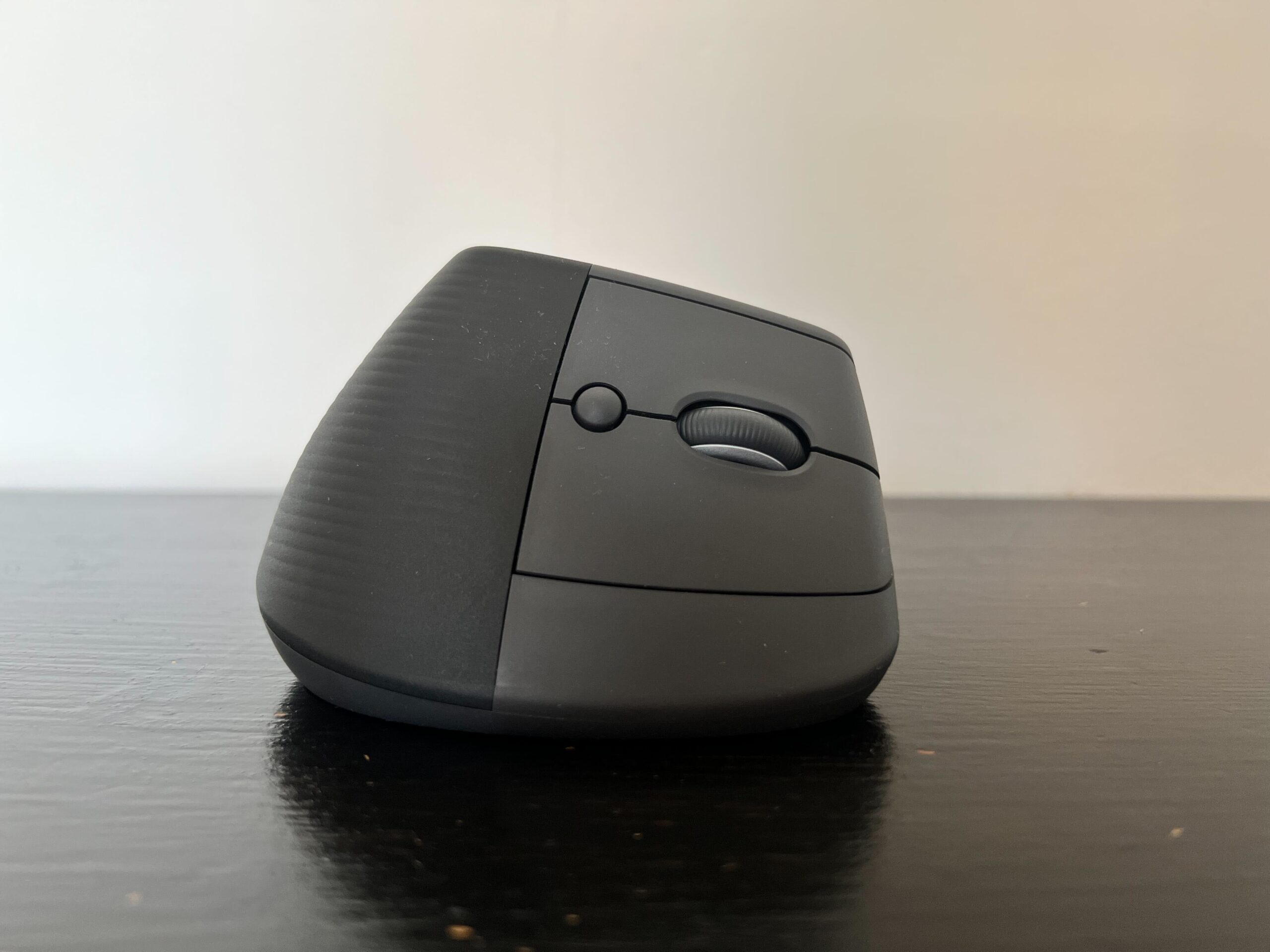
The Logitech Lift is a productivity mouse that’s aimed at people with small to medium-sized hands. Its peculiar design is supposed to help alleviate wrist-strain, and it comes with multiple buttons that you can customise via the Logi+ Options app.
I’ve been using this wireless mouse for a couple of weeks now, and despite reservations about its whacky design, I have fallen in love with it.
While that may sound like an overstatement, the comfortable design and easy-to-use companion software have made the Logitech Lift a joy to use – although my recommendation extends to productivity use only.
Here’s how I got on with the Logitech Lift wireless mouse.
Design
- Comfortable, ergonomic shape
- Alleviates wrist-strain
- Four customisable buttons
The most striking aspect of the Lift is its design. Aimed at people with small to medium-sized hands, I did feel it was a tad too small for me. Nevertheless, it feels remarkably pleasant to use.
Designed so that your hand rests in a more natural position than it would with a regular mouse, I certainly found it more comfortable than other devices I’ve used in the past. For work, I primarily use a mouse or a trackpad, and I usually find I experience wrist-strain towards the end of a work day. I was pleased to discover that the Logitech Lift alleviated almost all of my wrist-strain, feeling far better in use overall than any previous mice I’ve used.
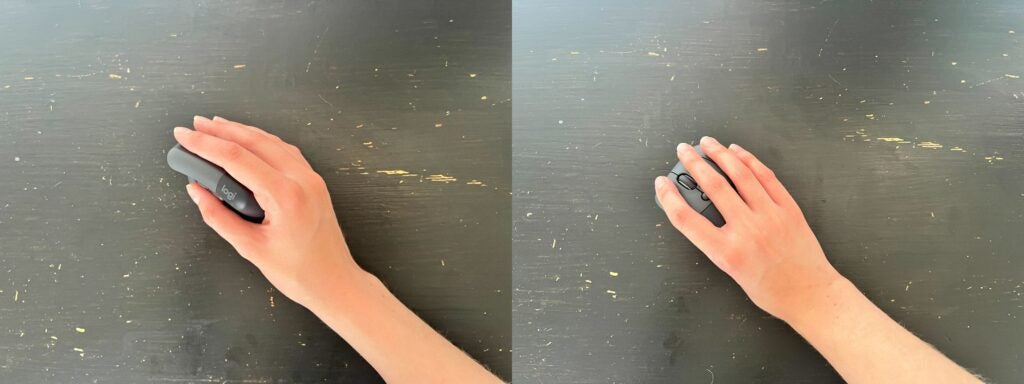
As you can see from the image above, my hand is slightly too big for the unit, covering the majority of the right side of the mouse. I wouldn’t recommend the Logitech Lift mouse for those with large hands, although it remained a comfortable model for me.
My main reservation about this mouse was becoming familiar with the new design. Thankfully, since you continue to use the same fingers to left-click and right-click, it feels more natural than you might initially imagine.
Since my partner codes for a living, using a mouse more often than a keyboard, I asked him to put the Logitech Lift through its paces as well. He, too, found the device easy to get to grips with and comfortable in use. He commented on how natural his wrist position felt compared to using a normal mouse. As such, this is a great device for those whose job involves spending much of the day using a mouse.
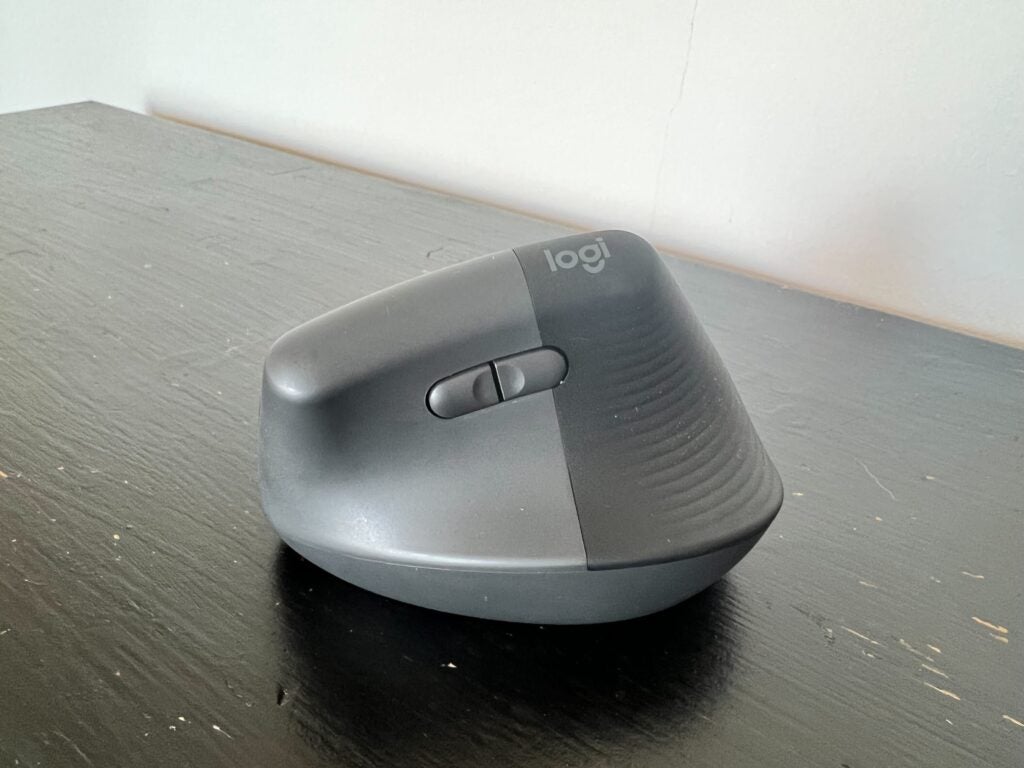
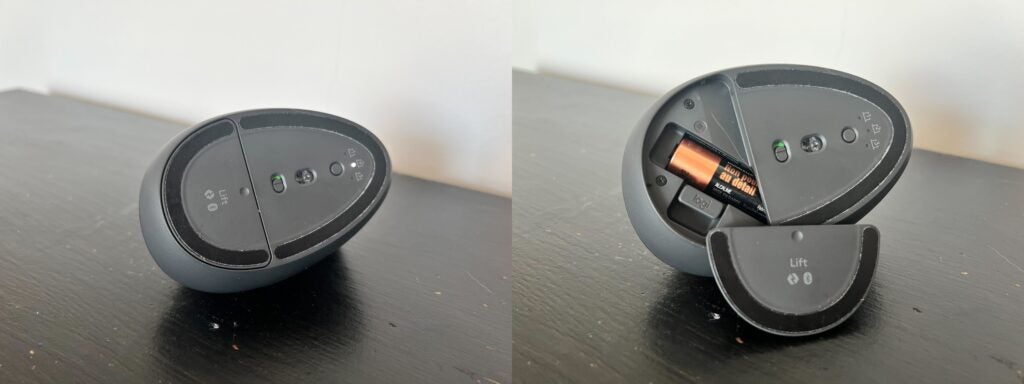
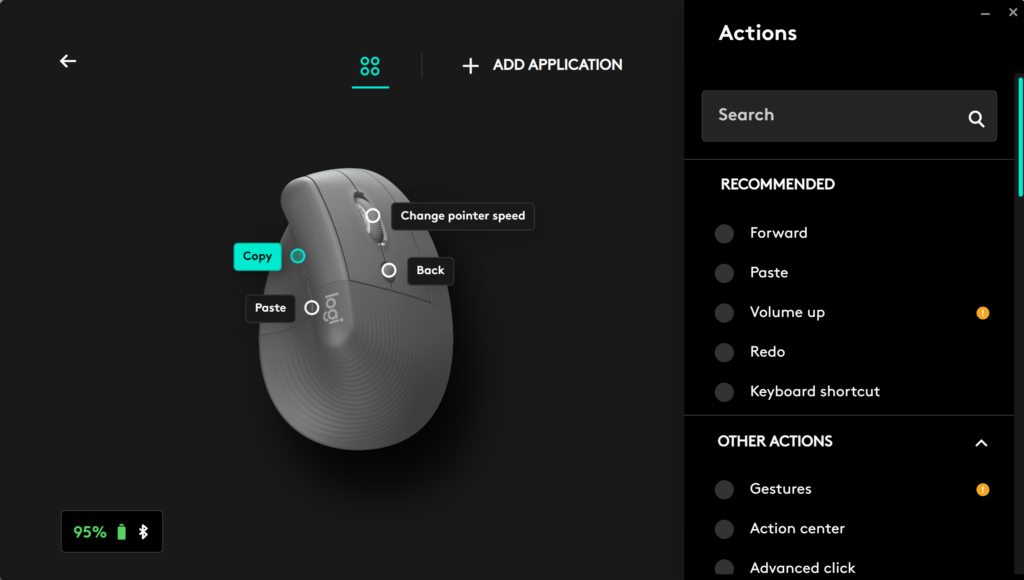
The Logitech Lift features four buttons – including the scroll wheel – that you can customise using the Logi+ Options app. Buttons are tactile and their placement means the sit within easy reach. A power button can be found on the bottom of the device as well as an Easy-Switch button, which we’ll touch upon in the next section. There’s no charging port here; instead the mouse is powered by a single AA battery, which you’ll find by sliding away a section on the bottom of the mouse.
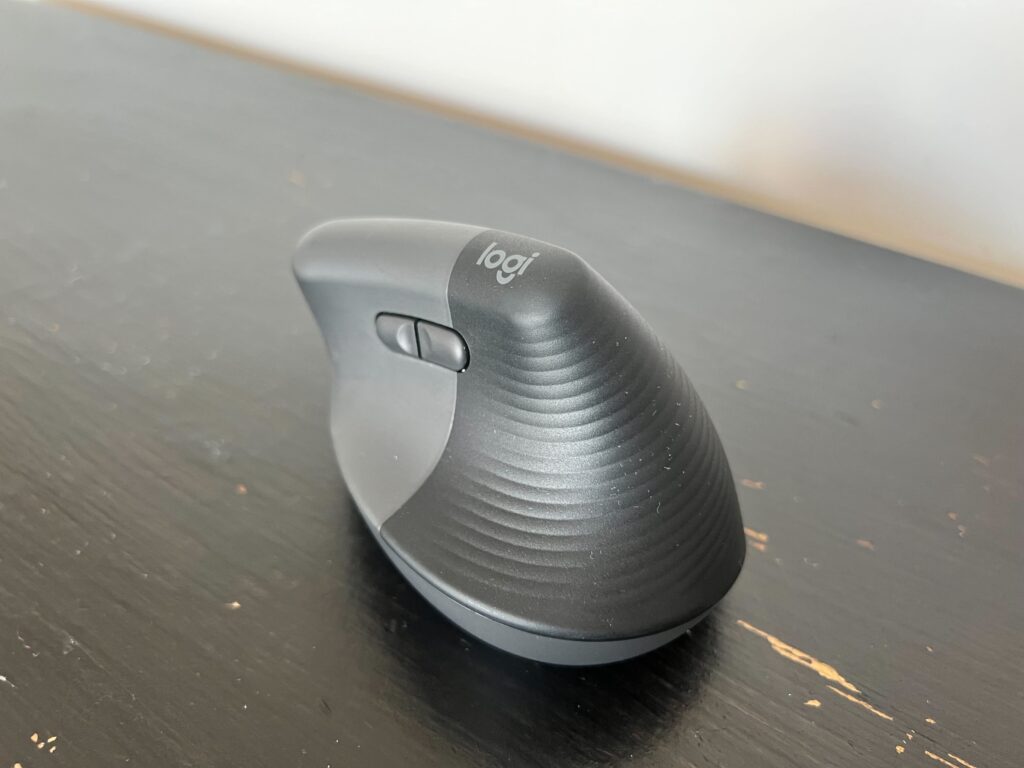
The Logitech Lift mouse comes in Rose, Off-White and Graphite colour options, with my model being of the latter. It’s also available in a left-handed variation, although that version is only to be found in the Graphite colour.
Performance and Software
- Logi+ Options app offers customisation
- 400-4000 DPI range
- Connect to three devices at once
- 24-month battery life
The Logitech Lift can be customised using the accompanying software, Logi+ Options (available on Windows and Mac). Through the app I was able to customise the buttons and adjust the DPI. The range on offer isn’t as high as some gaming mice – the Razer DeathAdder V2 X HyperSpeed, for example – but for a productivity device, it was perfectly fine.
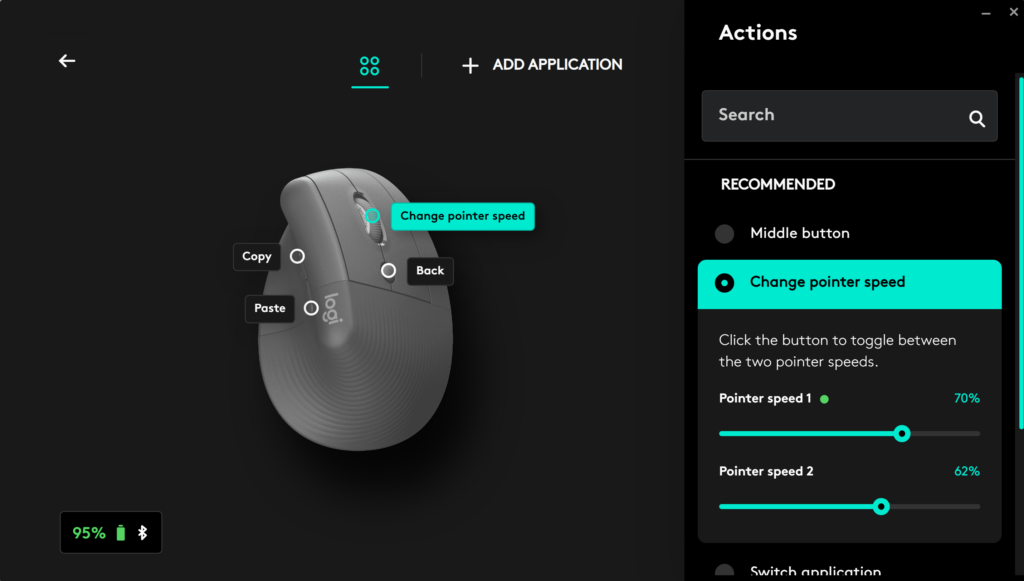
The mouse was sensitive and I found its out of the box sensitivity was ideal, although since I was using the device for my day-to-day work, I had few instances where it really need to be gaming level fast. Logi+ allows you to customise the DPI in 100dpi increments, and I was able to find a comfortable medium for my work.
I did play a couple of games with the Logitech Lift, such as Stardew Valley and Binding of Isaac, and I found the mouse functioned okay for such use. However, I wouldn’t really recommend it as a gaming mouse, since it doesn’t offer a massively high DPI range. In addition, with only four customisable buttons, it may not be ideal for more high-octane games such as Call of Duty: Vanguard. For casual gamers, though – especially with easy-going titles such as Stardew Valley – the Lift would be fine.
Another great feature of the Lift is its ability to connect to three devices. The Easy-Switch button on the rear of the device makes it easy to flip between a laptop and desktop; it worked seamlessly, making the Lift a great option for those who often work with multiple devices at once.
On the battery front, Logitech claims that this mouse can last up to 24 months. I’ve been using the device for around two months, and in that time battery life has decreased by only 5%. I also tested if battery drain differed between Bluetooth and dongle connection, but since the battery drains so slowly, I couldn’t see a difference.
Personally, I chose to connect the Logitech Lift via Bluetooth for most of the time, and didn’t notice the latency or connection being significantly improved when using the included Logi dongle.
Latest deals
Should you buy it?
You want a mouse for work or study Anyone looking for a productivity mouse should look no further. The Lift sports an incredibly comfortable design and features well-placed buttons that can be customised in the Logi+ Options app.
You need a larger mouse The Logitech Lift is aimed at those with small to medium-sized hands, and as such it won’t be suitable for anyone with larger hands.
Final Thoughts
The Logitech Lift wireless mouse is one of my favourite productivity peripherals. The design may take a brief amount of time to get used to, but it’s time well spent. Wrist strain has become a thing of the past since I’ve started using the device, and the quoted two-year battery life means you won’t need to worry about charging the mouse for a very long time.
The only criticism I can level at the Lift is its high price – you can find other ergonomic models for under £70. The smaller size may also be a hindrance to those with larger hands. Unless you’re going to make use of the Logi+ Options app and Easy-Switch feature, I’d consider a cheaper option – although the Logitech Lift is an easy recommend for anyone who works across multiple devices.
How we test
We use every mouse we test for at least a week. During that time, we’ll check it for ease of use and put it through its paces during day-to-day use.
We also check each mouse’s software to see how easy it is to customise and set up.
Used both Bluetooth and dongle
FAQs
You can connect the Logitech Lift either using Bluetooth or the included Logi Bolt USB receiver.
The Logitech Lift runs on a single AA battery. In addition, a high quoted battery life means this device doesn’t need to be charged between uses.
Full specs
You can see a breakdown of the Lift’s specs in the table below.
Sustainability
TrustedReviews’ holds the fact that global warming is not a myth as a core value and will continuously endeavor to help protect our planet from harm in its business practices.
As part of this mission, whenever we review a product we send the company a series of questions to help us gauge and make transparent the impact the device has on the environment.
We currently haven’t received answers to the questions on this product, but will update this page the moment we do. You can see a detailed breakdown of the questions we ask and why in our sustainability info page.
Jargon buster
DPI
DPI stands for “Dots Per Inch” and measures the sensitivity of a mouse. A higher DPI figure will see the mouse cursor travel a greater distance from the same wrist movement, making it very useful for competitive gaming.

Verdict
The Logitech Lift mouse is an excellent productivity device. Its design proved comfortable, alleviating any strain on my wrist, while the companion software offered the ability to adjust the DPI. The main downside of this device is its high price.
Pros
- Comfortable to hold
- Ergonomic design
- No glitches during testing
- Great button placement
- Works on a variety of surfaces
Cons
- Slightly small
- Have to manually turn off
Availability
- UKRRP: £69.99
- USARRP: $69.99
- EuropeRRP: €79.99
- CanadaRRP: CA$89.99
- AustraliaRRP: AU$130
-
Ergonomic designFeels comfortable to hold, alleviating wrist pain -
Made for smaller handsDesigned to be used by small to medium-sized hands -
Comes in a left-handed versionThe Lift Left for left-handed people is only available in the Graphite colour
Introduction
The Logitech Lift is a productivity mouse that’s aimed at people with small to medium-sized hands. Its peculiar design is supposed to help alleviate wrist-strain, and it comes with multiple buttons that you can customise via the Logi+ Options app.
I’ve been using this wireless mouse for a couple of weeks now, and despite reservations about its whacky design, I have fallen in love with it.
While that may sound like an overstatement, the comfortable design and easy-to-use companion software have made the Logitech Lift a joy to use – although my recommendation extends to productivity use only.
Here’s how I got on with the Logitech Lift wireless mouse.
Design
- Comfortable, ergonomic shape
- Alleviates wrist-strain
- Four customisable buttons
The most striking aspect of the Lift is its design. Aimed at people with small to medium-sized hands, I did feel it was a tad too small for me. Nevertheless, it feels remarkably pleasant to use.
Designed so that your hand rests in a more natural position than it would with a regular mouse, I certainly found it more comfortable than other devices I’ve used in the past. For work, I primarily use a mouse or a trackpad, and I usually find I experience wrist-strain towards the end of a work day. I was pleased to discover that the Logitech Lift alleviated almost all of my wrist-strain, feeling far better in use overall than any previous mice I’ve used.
As you can see from the image above, my hand is slightly too big for the unit, covering the majority of the right side of the mouse. I wouldn’t recommend the Logitech Lift mouse for those with large hands, although it remained a comfortable model for me.
My main reservation about this mouse was becoming familiar with the new design. Thankfully, since you continue to use the same fingers to left-click and right-click, it feels more natural than you might initially imagine.
Since my partner codes for a living, using a mouse more often than a keyboard, I asked him to put the Logitech Lift through its paces as well. He, too, found the device easy to get to grips with and comfortable in use. He commented on how natural his wrist position felt compared to using a normal mouse. As such, this is a great device for those whose job involves spending much of the day using a mouse.
The Logitech Lift features four buttons – including the scroll wheel – that you can customise using the Logi+ Options app. Buttons are tactile and their placement means the sit within easy reach. A power button can be found on the bottom of the device as well as an Easy-Switch button, which we’ll touch upon in the next section. There’s no charging port here; instead the mouse is powered by a single AA battery, which you’ll find by sliding away a section on the bottom of the mouse.
The Logitech Lift mouse comes in Rose, Off-White and Graphite colour options, with my model being of the latter. It’s also available in a left-handed variation, although that version is only to be found in the Graphite colour.
Performance and Software
- Logi+ Options app offers customisation
- 400-4000 DPI range
- Connect to three devices at once
- 24-month battery life
The Logitech Lift can be customised using the accompanying software, Logi+ Options (available on Windows and Mac). Through the app I was able to customise the buttons and adjust the DPI. The range on offer isn’t as high as some gaming mice – the Razer DeathAdder V2 X HyperSpeed, for example – but for a productivity device, it was perfectly fine.
The mouse was sensitive and I found its out of the box sensitivity was ideal, although since I was using the device for my day-to-day work, I had few instances where it really need to be gaming level fast. Logi+ allows you to customise the DPI in 100dpi increments, and I was able to find a comfortable medium for my work.
I did play a couple of games with the Logitech Lift, such as Stardew Valley and Binding of Isaac, and I found the mouse functioned okay for such use. However, I wouldn’t really recommend it as a gaming mouse, since it doesn’t offer a massively high DPI range. In addition, with only four customisable buttons, it may not be ideal for more high-octane games such as Call of Duty: Vanguard. For casual gamers, though – especially with easy-going titles such as Stardew Valley – the Lift would be fine.
Another great feature of the Lift is its ability to connect to three devices. The Easy-Switch button on the rear of the device makes it easy to flip between a laptop and desktop; it worked seamlessly, making the Lift a great option for those who often work with multiple devices at once.
On the battery front, Logitech claims that this mouse can last up to 24 months. I’ve been using the device for around two months, and in that time battery life has decreased by only 5%. I also tested if battery drain differed between Bluetooth and dongle connection, but since the battery drains so slowly, I couldn’t see a difference.
Personally, I chose to connect the Logitech Lift via Bluetooth for most of the time, and didn’t notice the latency or connection being significantly improved when using the included Logi dongle.
Latest deals
Should you buy it?
You want a mouse for work or study Anyone looking for a productivity mouse should look no further. The Lift sports an incredibly comfortable design and features well-placed buttons that can be customised in the Logi+ Options app.
You need a larger mouse The Logitech Lift is aimed at those with small to medium-sized hands, and as such it won’t be suitable for anyone with larger hands.
Final Thoughts
The Logitech Lift wireless mouse is one of my favourite productivity peripherals. The design may take a brief amount of time to get used to, but it’s time well spent. Wrist strain has become a thing of the past since I’ve started using the device, and the quoted two-year battery life means you won’t need to worry about charging the mouse for a very long time.
The only criticism I can level at the Lift is its high price – you can find other ergonomic models for under £70. The smaller size may also be a hindrance to those with larger hands. Unless you’re going to make use of the Logi+ Options app and Easy-Switch feature, I’d consider a cheaper option – although the Logitech Lift is an easy recommend for anyone who works across multiple devices.
How we test
We use every mouse we test for at least a week. During that time, we’ll check it for ease of use and put it through its paces during day-to-day use.
We also check each mouse’s software to see how easy it is to customise and set up.
Used both Bluetooth and dongle
FAQs
You can connect the Logitech Lift either using Bluetooth or the included Logi Bolt USB receiver.
The Logitech Lift runs on a single AA battery. In addition, a high quoted battery life means this device doesn’t need to be charged between uses.
Full specs
You can see a breakdown of the Lift’s specs in the table below.
Sustainability
TrustedReviews’ holds the fact that global warming is not a myth as a core value and will continuously endeavor to help protect our planet from harm in its business practices.
As part of this mission, whenever we review a product we send the company a series of questions to help us gauge and make transparent the impact the device has on the environment.
We currently haven’t received answers to the questions on this product, but will update this page the moment we do. You can see a detailed breakdown of the questions we ask and why in our sustainability info page.
Jargon buster
DPI
DPI stands for “Dots Per Inch” and measures the sensitivity of a mouse. A higher DPI figure will see the mouse cursor travel a greater distance from the same wrist movement, making it very useful for competitive gaming.



