





Verdict
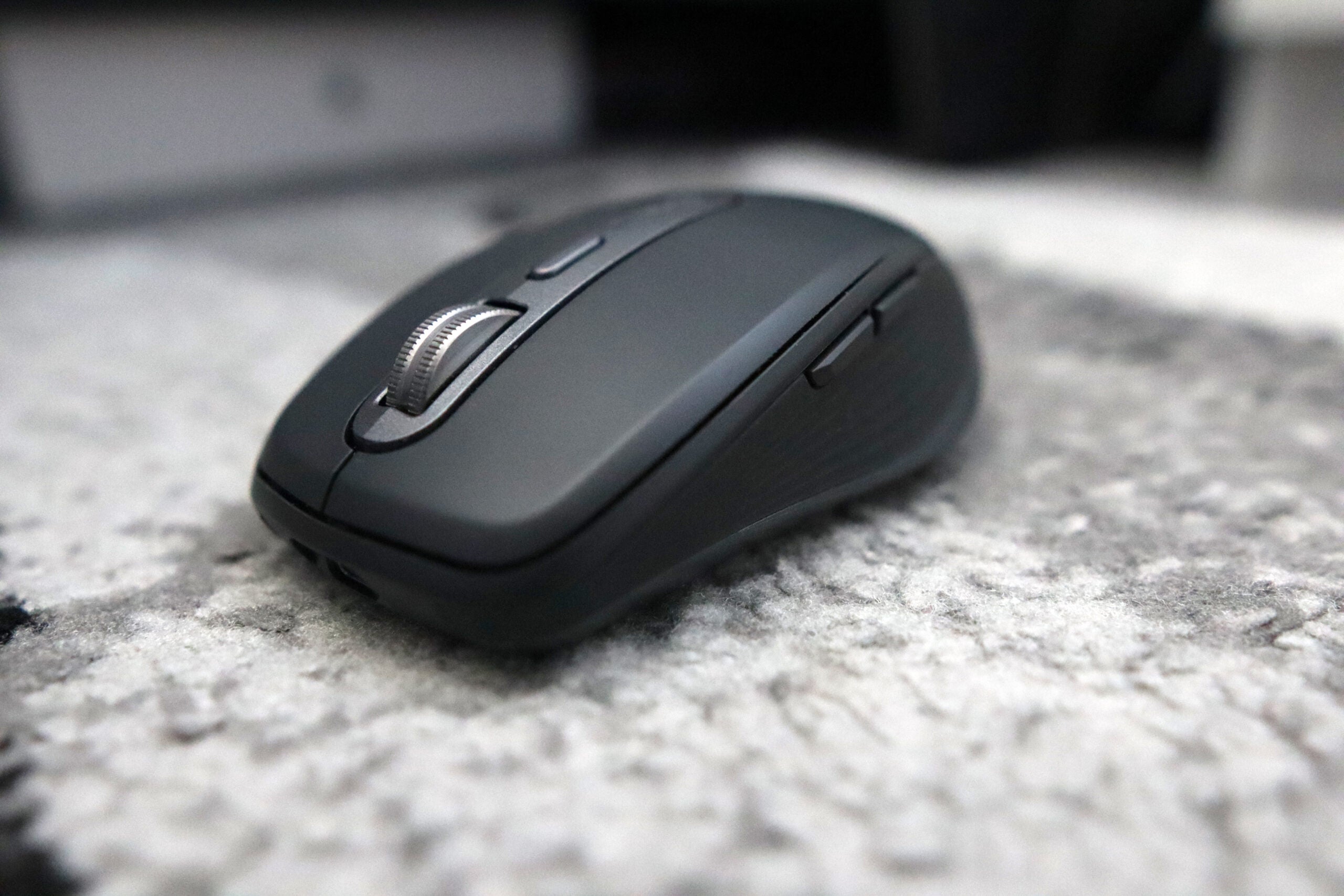
The Logitech MX Anywhere 3S is an excellent office mouse. It’s small enough to take on your travels, and offers a compact and comfortable chassis. Its uprated sensor makes office work a breeze, and provides a snappy user experience. The integration with Logi Options+ adds even more functionality, including its clever Smart Actions, and makes this a formidable mouse for productivity. It may be expensive, but the MX Anywhere 3S makes for an amazing office mouse.
Pros
- Comfortable shape with a modern aesthetic
- Powerful 8000 DPI sensor
- Excellent software
Cons
- No cosmetic changes to the previous model
- Quite expensive
-
Upgraded sensor:The MX Anywhere 3S’s sensitivity has been doubled compared to the previous model to 8000 DPI which will work especially well for office duties, as well as now working on all surfaces including glass. -
Logi Options+ software:It also works with Logitech’s Options+ software, including its clever Smart Actions. -
Dual modes of connectivity:The MX Anywhere 3S can connect to your PC either via Bluetooth or the Logi Bolt USB receiver
Introduction
The Logitech MX Anywhere 3S represents the latest entry in the Swiss brand’s long line of premium wireless mice, offering a dinkier option to the much-revered MX Master series.
This brand new model brings it in line with its bigger brother in a lot of ways, and on paper, it may just represent a great wireless office mouse for anyone looking for a smaller yet just as powerful choice as the MX Master 3S.
It comes at a bit of a cost though, clocking in at £89.99/$79.99/€99. With this in mind, that’s actually the same price as its predecessor from back in 2020, meaning this new “S” model may just be the worthwhile upgrade MX Anywhere fans have been craving for years.
Design
- Identical to its previous generation
- Comfortable, rubberised coating
- Quiet-click buttons feel excellent
I’ve often lauded Logitech as one of the kings of sleek, modern design in terms of their peripherals, and that’s definitely the case with the MX Anywhere 3S. It borrows a lot of its aesthetics from the bigger MX Master 3S, which becomes especially apparent when viewing the two mice side by side – as I use an an MX Master 3S in day to day anyways, it’s easy to draw a few parallels between the two products.
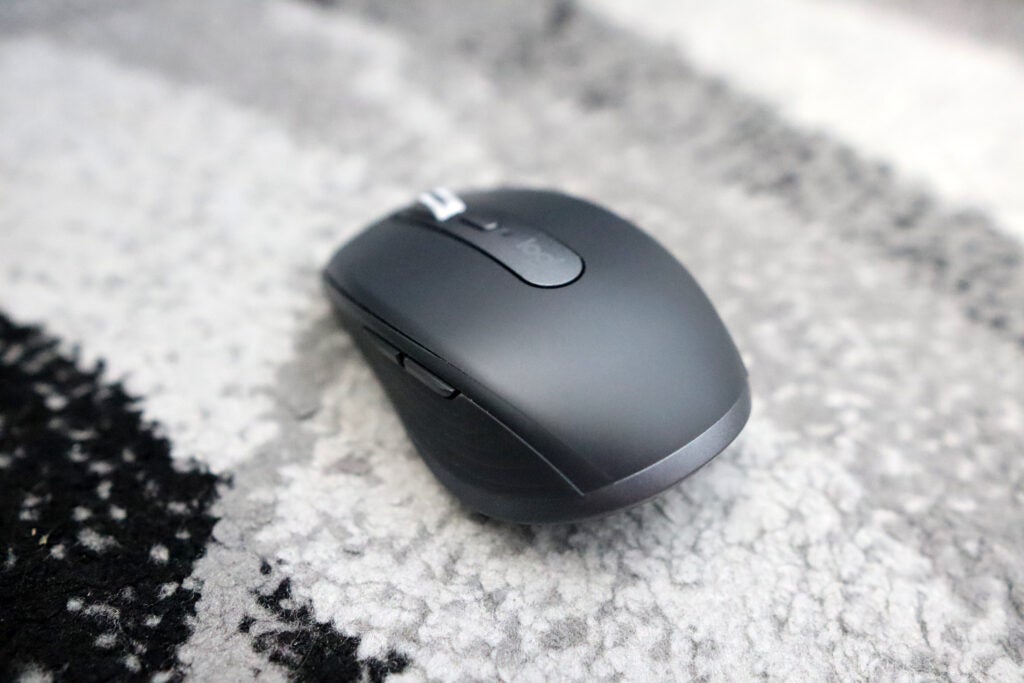
The MX Anywhere 3S is noticeably more compact compared to the Master 3S, but, as a travel mouse, that’s perhaps to be expected. With this in mind though, it is a comfortable mouse to hold and one that I felt no fatigue using for extended periods of time. It also looks absolutely gorgeous in the grey colourway provided here, fitting in well with Logitech’s raft of other MX peripherals. Although, if you want to grab it in a different colour, then they also offer a Pale Grey and a pink-ish colour called Rose.
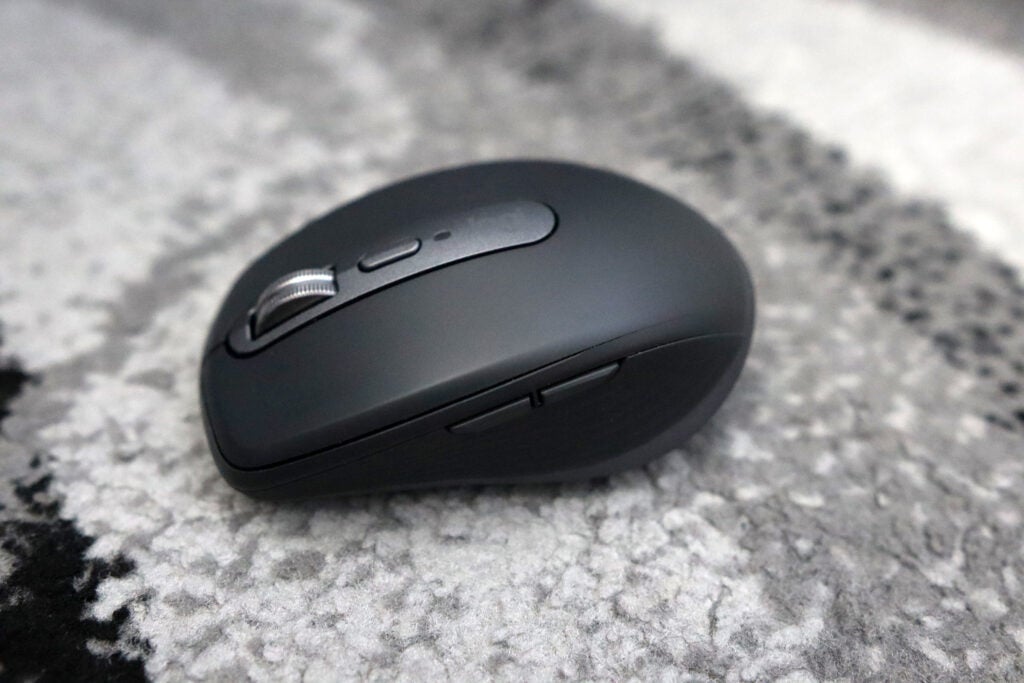
Its rubberised coating on the sides feels fantastic and just adds an extra layer of comfort when compared to using the plethora of other mice out there that are comprised of harder plastics. This coating is also ever-so slightly textured, just giving you an extra piece of support for those long working days. The design of the MX Anywhere 3S being virtually identical to the previous generation is no bad thing, given how comfortable it is. Moreover, the fact it is more of a compact mouse lends itself to fitting well as a travel mouse, which you can simply chuck in a bag with your laptop and the like, and take it away with you.
In terms of its weight, the MX Anywhere 3S clocks in at 99g, making it pretty heavy for a travel mouse, but it’s a fair bit lighter than the larger MX Master 3S. It gives the mouse a bit of heft, reinforcing its nature as a premium product. While it may be on the heavier side for gaming usage, for its intended purpose as a powerful office mouse, the Anywhere 3S feels fantastic in hand.
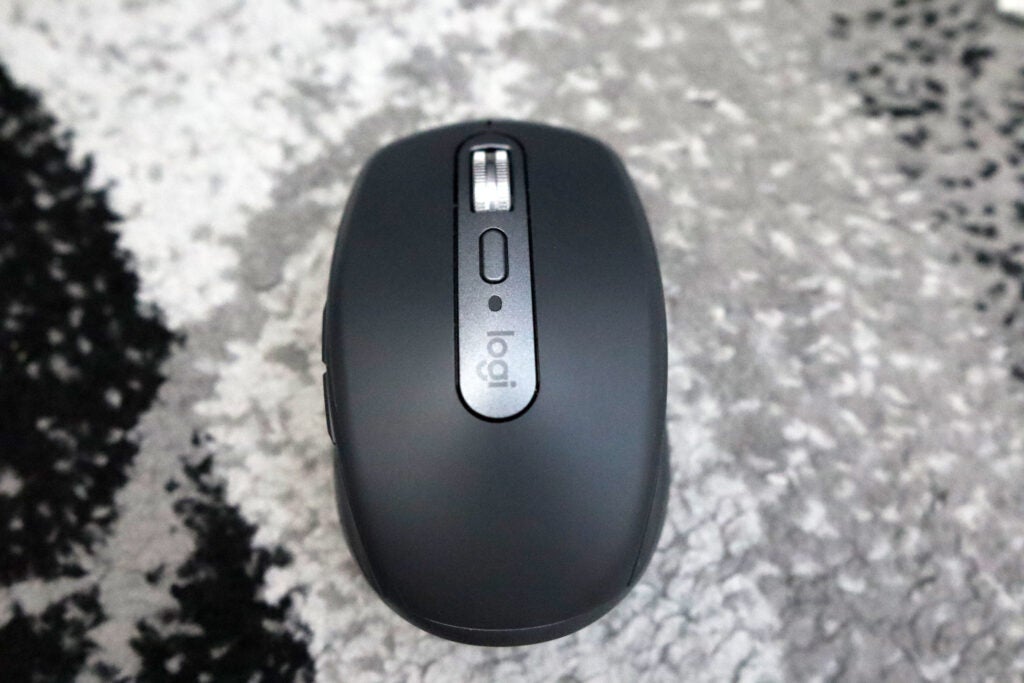
There isn’t much in the way of extra buttons on the Anywhere 3S, but each of the buttons you get here feel solid and tactile. It’s on the front of the main mouse buttons where Logitech has made some upgrades compared to the older Anywhere 3, by adding some Quiet Click buttons. These cut down on their volume drastically, and remain tactile, as opposed to other dampened mouse buttons I’ve tried that can feel a smidgen mushy.
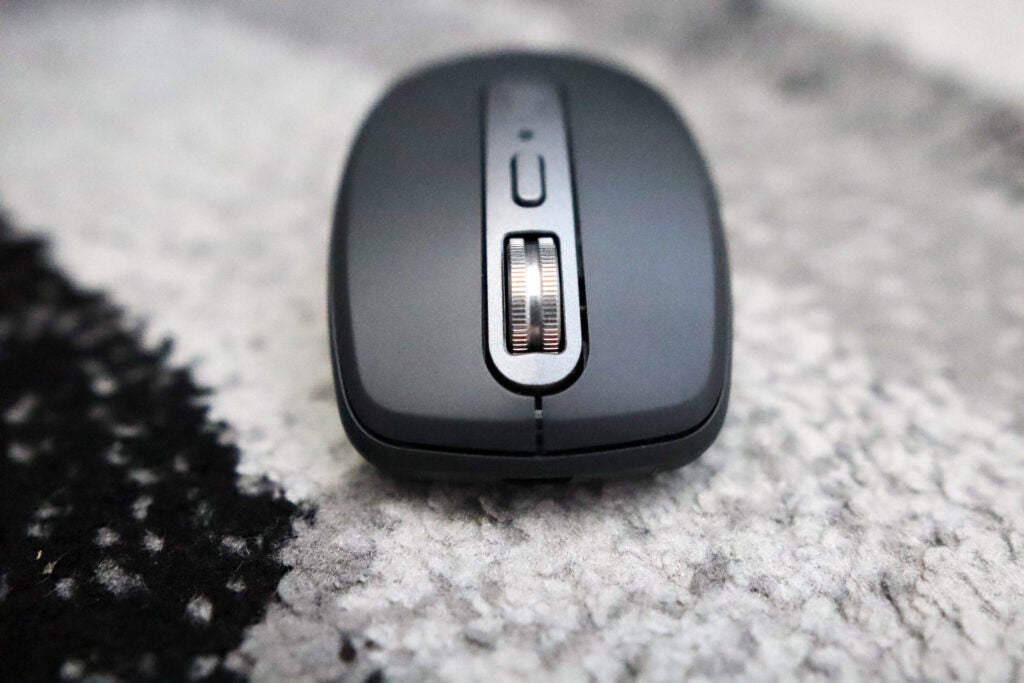
As with the older Anywhere 3, the new -S model keeps the same USB-C charging point on the front. It also comes with the excellent MagSpeed scroll wheel, complete with its dedicated mode for scrolling a thousand lines a second, as well as a more standard ratchet scroll that’s nice and comfortable. The button to switch between scrolling modes sits behind the wheel itself, and is one I maintain would have been better placed as a DPI switch. However, Logitech continues to stick with valuing its scrolling modes more so than a mouse’s options for sensitivity.
Performance
- Snappy, uprated 8000 DPI sensor
- Reliable wireless connection over both modes
- Excellent battery life
The point of sensitivity leads me nicely onto how the MX Anywhere 3S performs. Under the hood, Logitech has upgraded the sensor to now be an 8000 DPI one. This doubles the sensitivity that was found on the previous model, as well as allowing it to work on virtually any surface, including glass.
It presents a worthwhile upgrade compared to the previous model, and provides a snappy experience that’s perfect for office use and day-to-day working. Having an 8000 DPI sensor on paper may seem like a bit overkill for office work, but considering that we’ve now got flagship gaming mice pushing 30K DPI in terms of their sensitivity, office mice can also indulge in burgeoning numbers. It’s worth noting that only a few years ago, we had office mice that topped out a 1600 DPI, so having a mouse with as high sensitivity as the MX Anywhere 3S really is a worthwhile upgrade.
Logitech has also taken care to upgrade the wireless connectivity of the MX Anywhere 3S, too. Like its bigger brother, it takes advantage of Logitech’s clever Bolt Receiver. With it comes a much lower chance of interference thanks to its use of Bluetooth Low Energy, as opposed to being lumbered with the problems that an RF USB receiver can present. It also retains Bluetooth connectivity too alongside Bolt, and switching between three separate connected devices is as seamless and trouble-free as you’d expect.
While strides have been in terms of the Anywhere 3S’s sensor and wireless connectivity, the battery life remains identical. This is no bad thing though, as the mouse is rated to last for up 70 days on a single charge. Testament to that is that in my couple of weeks of using the Anywhere 3S as my main office mouse, I haven’t has to charge it once.
Software
- Intuitively designed software
- Smart Actions are rather clever
- Logi Flow is ideal for power users
Logitech has often wowed me on the front of its software for its mice, and the combo of the MX Anywhere 3S and Logi Options+ is no different. In fact, I’d go as far to say that it’s the best combination of mouse and software available on office peripherals today.
This is for two reasons. One is for a new feature called Smart Actions. These are also featured on the MX Keys S, and add an extra layer of functionality that power users will love. In essence, you can map a button of the MX Anywhere 3S to a multi-stage function. For instance, you could press a button that would open a number of Chrome windows, Zoom and Slack all in one go. It’s an especially clever system that can save you valuable seconds.
As well as bringing Smart Actions to the party, the Anywhere 3S also retains the clever powers of Logitech Flow. This allows you to use your mouse on two different devices (with different OSes if you wish), as long as they’re connected on different channels and on the same network, and transfer files between them. It’s especially handy for users who dual-wield a Mac and a PC for different purposes, but you want to keep one set of peripherals with both devices, and keep work as easy as possible.
In a more general sense, Logi Options+ also provides excellent functionality with an intuitive layout. It allows you to remap the Anywhere 3S’s buttons as well as to set-up app-specific profiles, all in a convenient package.
Latest deals
Should you buy it?
You want a powerful travel mouse
The MX Anywhere 3S, with its 8000 DPI sensor and integration with Logi Options+, is an especially powerful travel mouse.
You want a larger mouse
If you’re someone with larger hands, or you simply want a bigger mouse, then you may want to look at bigger options than the MX Anywhere 3S.
Final Thoughts
The Logitech MX Anywhere 3S is an excellent compact office mouse. It offers a comfortable frame that, while is identical to its predecessor, is great for those with small to medium-sized hands, especially with its rubberised frame.
It’s internally where things have been upgraded, with the new 8000 DPI sensor making this an especially responsive office mouse. The addition of Quiet Click buttons means nice and quiet while also being tactile. When combined with the excellent Logi Options+ software, and especially its Smart Actions, it makes the MX Anywhere 3S a great office mouse.
The real battle here lies with this and the MX Master 3S, though. If you want more of a compact choice with pretty much the same feature set, then the MX Anywhere 3S is the mouse for you. For a wider selection, delve into our best wireless mouse list.
How we test
We use every mouse we test for at least a week. During that time, we’ll check it for ease of use and put it through its paces during day-to-day use.
We also check each mouse’s software to see how easy it is to customise and set up.
Tested for at least a week.
Used both Bluetooth and dongle.
FAQs
Compared to the standard MX Anywhere 3S, the 3S offers a much more powerful sensor, as well as quieter mouse buttons, and some cleverer software.
With a mouse such as the Anywhere 3S, you have a choice of using either a USB receiver or Bluetooth. For the receiver, simply plug it in, and it should start working, while for Bluetooth, you’ll need to go into your host device’s connectivity settings and follow the steps to pair a new device.

Verdict
The Logitech MX Anywhere 3S is an excellent office mouse. It’s small enough to take on your travels, and offers a compact and comfortable chassis. Its uprated sensor makes office work a breeze, and provides a snappy user experience. The integration with Logi Options+ adds even more functionality, including its clever Smart Actions, and makes this a formidable mouse for productivity. It may be expensive, but the MX Anywhere 3S makes for an amazing office mouse.
Pros
- Comfortable shape with a modern aesthetic
- Powerful 8000 DPI sensor
- Excellent software
Cons
- No cosmetic changes to the previous model
- Quite expensive
-
Upgraded sensor:The MX Anywhere 3S’s sensitivity has been doubled compared to the previous model to 8000 DPI which will work especially well for office duties, as well as now working on all surfaces including glass. -
Logi Options+ software:It also works with Logitech’s Options+ software, including its clever Smart Actions. -
Dual modes of connectivity:The MX Anywhere 3S can connect to your PC either via Bluetooth or the Logi Bolt USB receiver
Introduction
The Logitech MX Anywhere 3S represents the latest entry in the Swiss brand’s long line of premium wireless mice, offering a dinkier option to the much-revered MX Master series.
This brand new model brings it in line with its bigger brother in a lot of ways, and on paper, it may just represent a great wireless office mouse for anyone looking for a smaller yet just as powerful choice as the MX Master 3S.
It comes at a bit of a cost though, clocking in at £89.99/$79.99/€99. With this in mind, that’s actually the same price as its predecessor from back in 2020, meaning this new “S” model may just be the worthwhile upgrade MX Anywhere fans have been craving for years.
Design
- Identical to its previous generation
- Comfortable, rubberised coating
- Quiet-click buttons feel excellent
I’ve often lauded Logitech as one of the kings of sleek, modern design in terms of their peripherals, and that’s definitely the case with the MX Anywhere 3S. It borrows a lot of its aesthetics from the bigger MX Master 3S, which becomes especially apparent when viewing the two mice side by side – as I use an an MX Master 3S in day to day anyways, it’s easy to draw a few parallels between the two products.
The MX Anywhere 3S is noticeably more compact compared to the Master 3S, but, as a travel mouse, that’s perhaps to be expected. With this in mind though, it is a comfortable mouse to hold and one that I felt no fatigue using for extended periods of time. It also looks absolutely gorgeous in the grey colourway provided here, fitting in well with Logitech’s raft of other MX peripherals. Although, if you want to grab it in a different colour, then they also offer a Pale Grey and a pink-ish colour called Rose.
Its rubberised coating on the sides feels fantastic and just adds an extra layer of comfort when compared to using the plethora of other mice out there that are comprised of harder plastics. This coating is also ever-so slightly textured, just giving you an extra piece of support for those long working days. The design of the MX Anywhere 3S being virtually identical to the previous generation is no bad thing, given how comfortable it is. Moreover, the fact it is more of a compact mouse lends itself to fitting well as a travel mouse, which you can simply chuck in a bag with your laptop and the like, and take it away with you.
In terms of its weight, the MX Anywhere 3S clocks in at 99g, making it pretty heavy for a travel mouse, but it’s a fair bit lighter than the larger MX Master 3S. It gives the mouse a bit of heft, reinforcing its nature as a premium product. While it may be on the heavier side for gaming usage, for its intended purpose as a powerful office mouse, the Anywhere 3S feels fantastic in hand.
There isn’t much in the way of extra buttons on the Anywhere 3S, but each of the buttons you get here feel solid and tactile. It’s on the front of the main mouse buttons where Logitech has made some upgrades compared to the older Anywhere 3, by adding some Quiet Click buttons. These cut down on their volume drastically, and remain tactile, as opposed to other dampened mouse buttons I’ve tried that can feel a smidgen mushy.
As with the older Anywhere 3, the new -S model keeps the same USB-C charging point on the front. It also comes with the excellent MagSpeed scroll wheel, complete with its dedicated mode for scrolling a thousand lines a second, as well as a more standard ratchet scroll that’s nice and comfortable. The button to switch between scrolling modes sits behind the wheel itself, and is one I maintain would have been better placed as a DPI switch. However, Logitech continues to stick with valuing its scrolling modes more so than a mouse’s options for sensitivity.
Performance
- Snappy, uprated 8000 DPI sensor
- Reliable wireless connection over both modes
- Excellent battery life
The point of sensitivity leads me nicely onto how the MX Anywhere 3S performs. Under the hood, Logitech has upgraded the sensor to now be an 8000 DPI one. This doubles the sensitivity that was found on the previous model, as well as allowing it to work on virtually any surface, including glass.
It presents a worthwhile upgrade compared to the previous model, and provides a snappy experience that’s perfect for office use and day-to-day working. Having an 8000 DPI sensor on paper may seem like a bit overkill for office work, but considering that we’ve now got flagship gaming mice pushing 30K DPI in terms of their sensitivity, office mice can also indulge in burgeoning numbers. It’s worth noting that only a few years ago, we had office mice that topped out a 1600 DPI, so having a mouse with as high sensitivity as the MX Anywhere 3S really is a worthwhile upgrade.
Logitech has also taken care to upgrade the wireless connectivity of the MX Anywhere 3S, too. Like its bigger brother, it takes advantage of Logitech’s clever Bolt Receiver. With it comes a much lower chance of interference thanks to its use of Bluetooth Low Energy, as opposed to being lumbered with the problems that an RF USB receiver can present. It also retains Bluetooth connectivity too alongside Bolt, and switching between three separate connected devices is as seamless and trouble-free as you’d expect.
While strides have been in terms of the Anywhere 3S’s sensor and wireless connectivity, the battery life remains identical. This is no bad thing though, as the mouse is rated to last for up 70 days on a single charge. Testament to that is that in my couple of weeks of using the Anywhere 3S as my main office mouse, I haven’t has to charge it once.
Software
- Intuitively designed software
- Smart Actions are rather clever
- Logi Flow is ideal for power users
Logitech has often wowed me on the front of its software for its mice, and the combo of the MX Anywhere 3S and Logi Options+ is no different. In fact, I’d go as far to say that it’s the best combination of mouse and software available on office peripherals today.
This is for two reasons. One is for a new feature called Smart Actions. These are also featured on the MX Keys S, and add an extra layer of functionality that power users will love. In essence, you can map a button of the MX Anywhere 3S to a multi-stage function. For instance, you could press a button that would open a number of Chrome windows, Zoom and Slack all in one go. It’s an especially clever system that can save you valuable seconds.
As well as bringing Smart Actions to the party, the Anywhere 3S also retains the clever powers of Logitech Flow. This allows you to use your mouse on two different devices (with different OSes if you wish), as long as they’re connected on different channels and on the same network, and transfer files between them. It’s especially handy for users who dual-wield a Mac and a PC for different purposes, but you want to keep one set of peripherals with both devices, and keep work as easy as possible.
In a more general sense, Logi Options+ also provides excellent functionality with an intuitive layout. It allows you to remap the Anywhere 3S’s buttons as well as to set-up app-specific profiles, all in a convenient package.
Latest deals
Should you buy it?
You want a powerful travel mouse
The MX Anywhere 3S, with its 8000 DPI sensor and integration with Logi Options+, is an especially powerful travel mouse.
You want a larger mouse
If you’re someone with larger hands, or you simply want a bigger mouse, then you may want to look at bigger options than the MX Anywhere 3S.
Final Thoughts
The Logitech MX Anywhere 3S is an excellent compact office mouse. It offers a comfortable frame that, while is identical to its predecessor, is great for those with small to medium-sized hands, especially with its rubberised frame.
It’s internally where things have been upgraded, with the new 8000 DPI sensor making this an especially responsive office mouse. The addition of Quiet Click buttons means nice and quiet while also being tactile. When combined with the excellent Logi Options+ software, and especially its Smart Actions, it makes the MX Anywhere 3S a great office mouse.
The real battle here lies with this and the MX Master 3S, though. If you want more of a compact choice with pretty much the same feature set, then the MX Anywhere 3S is the mouse for you. For a wider selection, delve into our best wireless mouse list.
How we test
We use every mouse we test for at least a week. During that time, we’ll check it for ease of use and put it through its paces during day-to-day use.
We also check each mouse’s software to see how easy it is to customise and set up.
Tested for at least a week.
Used both Bluetooth and dongle.
FAQs
Compared to the standard MX Anywhere 3S, the 3S offers a much more powerful sensor, as well as quieter mouse buttons, and some cleverer software.
With a mouse such as the Anywhere 3S, you have a choice of using either a USB receiver or Bluetooth. For the receiver, simply plug it in, and it should start working, while for Bluetooth, you’ll need to go into your host device’s connectivity settings and follow the steps to pair a new device.



