





Verdict
The Logitech StreamCam is an excellent webcam. It’s well built, offers solid mounting options, as well as smooth and sharp video output. Its integration with Logitech’s Capture software is also a major bonus, unlocking the real power of the StreamCam with some excellent functionality that makes this a fantastic webcam for streamers and content creators alike.
Pros
- Sleek, grey design
- Convenient mounting solution
- Smooth and detailed output
Cons
- No HDR can cause images to lack a bit of pop
- Lack of 4K output may turn some off
-
1080p/60fps output:The StreamCam offers detailed and smooth output at 1080p/60fps.
-
1.5m long cable:Comes with a long 1.5 metre cable, giving you a lot of cable-based freedom as to where you can put it. -
Logi Capture:Works with Logi Capture software which provides loads of options for configuration.
Introduction
The last few years have seen a boom in the popularity of streaming, and as such, manufacturers have begun offering products specifically designed for this use case.
The Logitech StreamCam has been around for a couple of years now, and has become a go-to webcam for streamers and other content creators alike. It may not be the most affordable of webcams, but it may well just be a prime choice for its target market. After spending a few weeks with it, here are my thoughts.
Design and features
- Gorgeous, modern looks
- Solid build quality and great mounting options
- Logitech Capture software provides a wealth of features
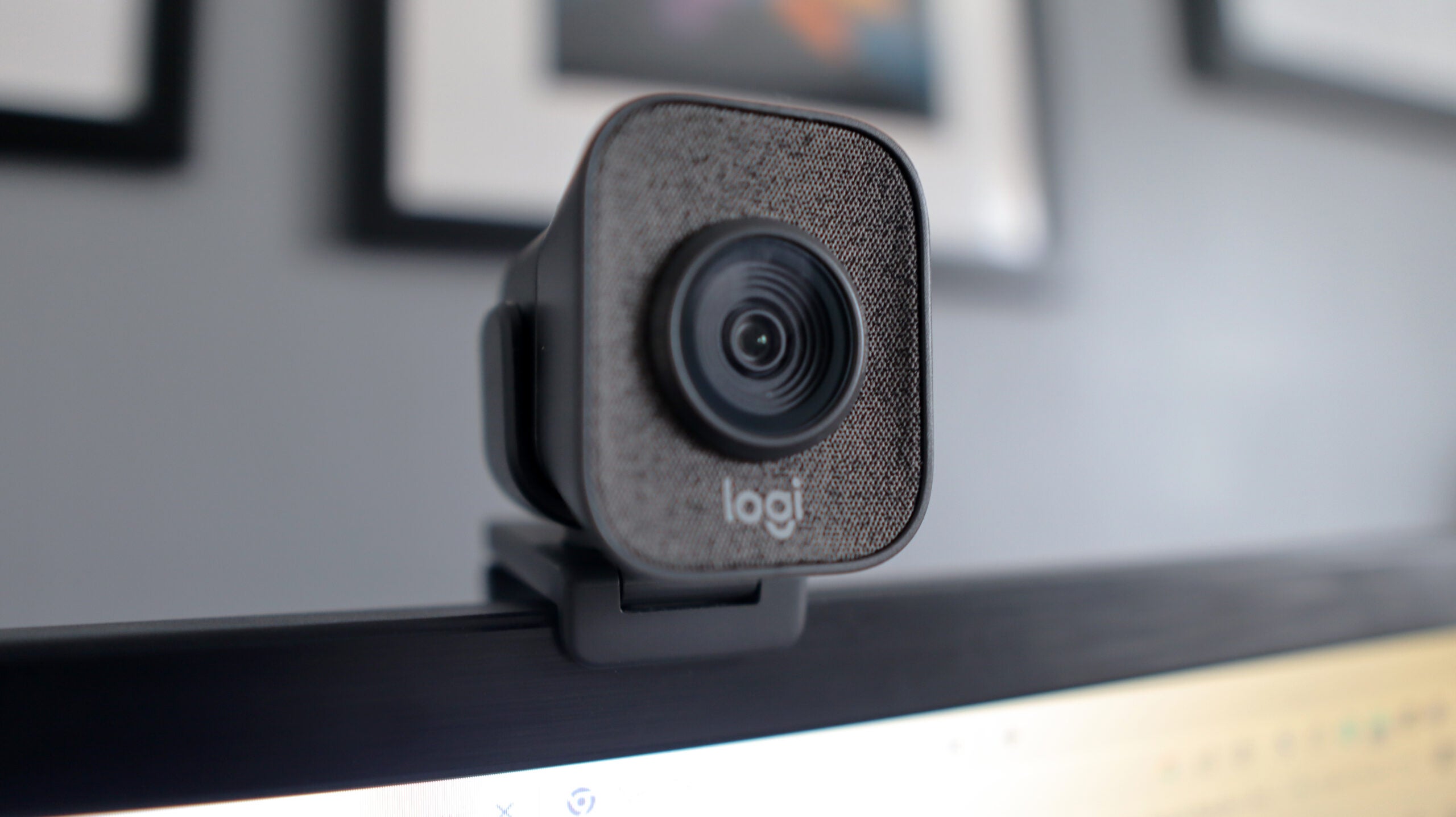
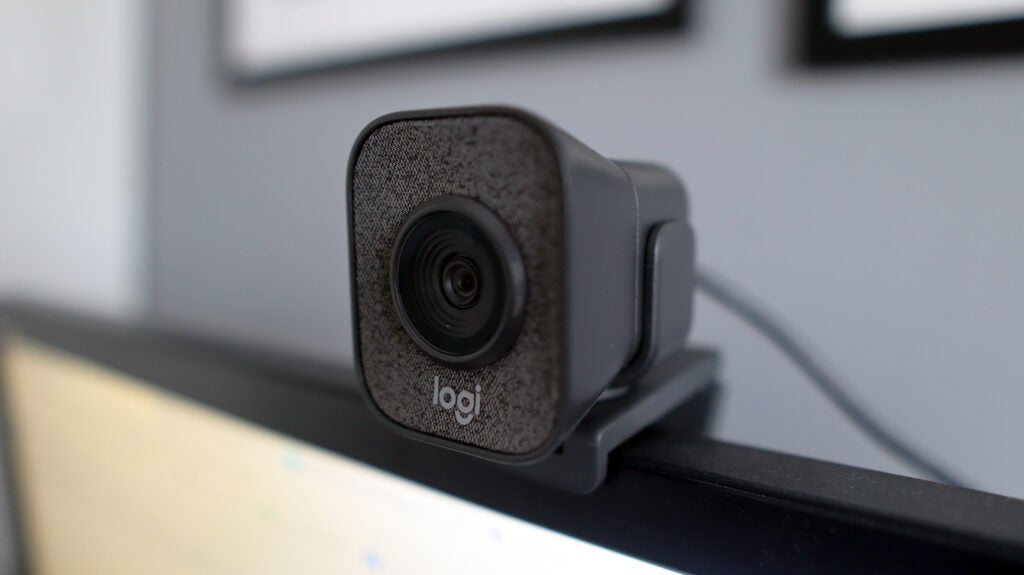
The Logitech StreamCam offers a commanding presence when on top of a monitor or laptop. It has a cube shape and is pretty tall, ensuring it carries quite a bit of status to make it a great choice as the centrepiece of your streaming setup.
The StreamCam is predominantly plastic and carries a reassuring amount of heft to it, too, reinforcing its excellent build quality. It also features fabric surrounding the lens, adding a bit of texture to the otherwise plastic shell.
The only odd thing about the design of the StreamCam is that it doesn’t have a privacy shutter. While it’s more for peace of mind, it arguably makes sense to include one regardless.
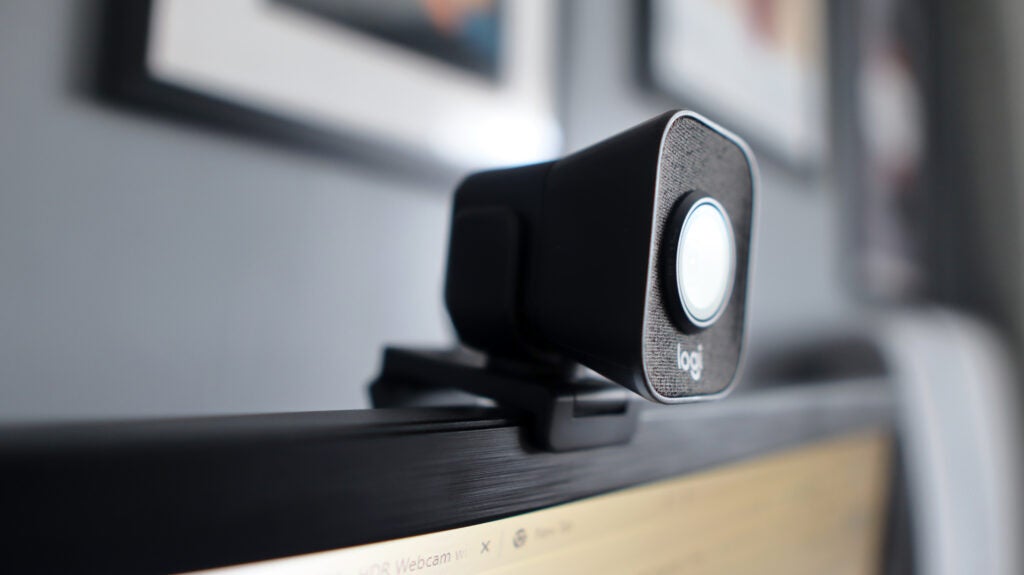
Mounting the StreamCam is easy, especially as it comes with a secure clip-in system that gives you the chance to use it in either portrait or landscape orientations. This is especially handy for those content creators who aren’t just making content in the more traditional landscape form, but also for shorter-form video for the likes of TikTok. If you don’t want to mount the StreamCam on the included mount, then it does have a standard tripod thread on the bottom, too.
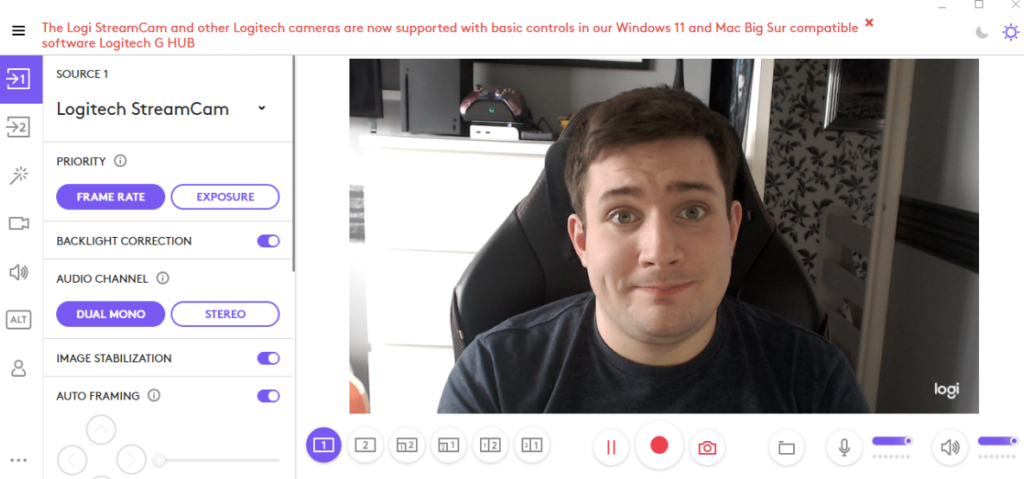
Connectivity is kept nice and simple, with the StreamCam working via the singular USB-C port on the back of the webcam. It also works plug and play, as most webcams do, although to get the most out of it, you will need to install Logitech’s additional software, Logi Capture. It’s here where you can fiddle with functions such as FOV and auto-framing to make you look your best. Logitech also says you can use G Hub to get basic functionality, although Capture proved to offer a fuller suite of features.
Logi Capture is an especially competent piece of software, and does a good job in unlocking the StreamCam’s functionality. Its face tracking and Auto Framing are especially coherent, and I was suitably impressed by how well the StreamCam tracked me when I moved around a tad. Moreover, its 78 degrees of FOV does a solid job of keeping your head and shoulders in frame, as opposed to any more.
Performance and Video Quality
- Smooth, sharp output at 1080p/60fps
- Great in pretty much all lighting environments
- Microphones lack a bit of body
The Logitech StreamCam may not be a webcam that’s capable of outputting in 4K, like the HP 960 is, but its 1080p/60fps output still provided excellent detail and smooth motion that’s going to make it a joy to use for streamers. It’s a great all-round webcam in terms of image quality, especially also when considering how well the face tracking is.
The lack of 4K output may not please some, but it’s worth noting this is a webcam that costs half the price of more premium 4K choices. Moreover, those webcams that do output in 4K typically do so at 30fps, giving you less smooth motion compared to the 60fps offered here. The extra pixels that 4K provides allows for a sharper image, but at a compromise.
The StreamCam handled both vibrant and low-light environments with ease, with great balance that kept images crisp. That great low-light performance is also helped along by the fact the StreamCam features a sensor with an f-stop of 2.0.
There isn’t any HDR support, which means images can lack that little bit of pop. In addition, its auto focus at times can be a little slow, but that’s a small price to pay when considering how buttery smooth and crisp the video on offer is, even if I look a mug in the process.
The StreamCam offers a set of dual microphones which offer good, clear pickup. They aren’t as full bodied as those found on the Logi Brio 500 I’ve also tested, but for most people, offer a good choice. In the settings, you can also choose whether you’d like the mics to pick up your voice either in dual mono or in stereo.
Latest deals
Should you buy it?
You want some smooth output:
The Logitech StreamCam’s video output is especially sharp, and its 60fps frame rate is excellent for those after slick and smooth footage.
You want 4K video quality:
While the Logitech StreamCam’s output at 1080p/60fps is excellent for most people, if you want the absolute best visual fidelity, you may wish to look elsewhere.
Final Thoughts
The Logitech StreamCam is by no means the perfect webcam for streamers, but it really is a fantastic choice for the price. It provides a great blend of detail and smoothness in its video output with solid colours and balance, even in tricky lighting conditions.
Its accompanying software, Logitech Capture, provides a wealth of options that brings the StreamCam to life, as well as being especially competent options in themselves. From a design front, the StreamCam also impresses, with a modern grey colouring to it that should fit well in any office environment.
The lack of HDR is a bit of a pain, while the omission of 4K output means this isn’t a webcam for those wanting the absolute best video output. And for a 1080p webcam, it might be a smidgen expensive, but considering it can be had for more reasonable money in sales in 2023, the StreamCam still represents a great choice. Check out our best webcams list for even more options.
How we test
We use every webcam we test as our main device for video conferencing throughout the review period, while also running its proprietary software through its paces.
We also check the device’s compatibility with more widely available software for professionals and content creators.
Tested over a period of seven days
Checked the capture quality with real-world testing
FAQs
No, the Logitech StreamCam is limited to a 1080p (Full HD) resolution.
Yes, the Logitech SteamCam is compatible with all third-party video call services, including Zoom.

Verdict
The Logitech StreamCam is an excellent webcam. It’s well built, offers solid mounting options, as well as smooth and sharp video output. Its integration with Logitech’s Capture software is also a major bonus, unlocking the real power of the StreamCam with some excellent functionality that makes this a fantastic webcam for streamers and content creators alike.
Pros
- Sleek, grey design
- Convenient mounting solution
- Smooth and detailed output
Cons
- No HDR can cause images to lack a bit of pop
- Lack of 4K output may turn some off
-
1080p/60fps output:The StreamCam offers detailed and smooth output at 1080p/60fps.
-
1.5m long cable:Comes with a long 1.5 metre cable, giving you a lot of cable-based freedom as to where you can put it. -
Logi Capture:Works with Logi Capture software which provides loads of options for configuration.
Introduction
The last few years have seen a boom in the popularity of streaming, and as such, manufacturers have begun offering products specifically designed for this use case.
The Logitech StreamCam has been around for a couple of years now, and has become a go-to webcam for streamers and other content creators alike. It may not be the most affordable of webcams, but it may well just be a prime choice for its target market. After spending a few weeks with it, here are my thoughts.
Design and features
- Gorgeous, modern looks
- Solid build quality and great mounting options
- Logitech Capture software provides a wealth of features
The Logitech StreamCam offers a commanding presence when on top of a monitor or laptop. It has a cube shape and is pretty tall, ensuring it carries quite a bit of status to make it a great choice as the centrepiece of your streaming setup.
The StreamCam is predominantly plastic and carries a reassuring amount of heft to it, too, reinforcing its excellent build quality. It also features fabric surrounding the lens, adding a bit of texture to the otherwise plastic shell.
The only odd thing about the design of the StreamCam is that it doesn’t have a privacy shutter. While it’s more for peace of mind, it arguably makes sense to include one regardless.
Mounting the StreamCam is easy, especially as it comes with a secure clip-in system that gives you the chance to use it in either portrait or landscape orientations. This is especially handy for those content creators who aren’t just making content in the more traditional landscape form, but also for shorter-form video for the likes of TikTok. If you don’t want to mount the StreamCam on the included mount, then it does have a standard tripod thread on the bottom, too.
Connectivity is kept nice and simple, with the StreamCam working via the singular USB-C port on the back of the webcam. It also works plug and play, as most webcams do, although to get the most out of it, you will need to install Logitech’s additional software, Logi Capture. It’s here where you can fiddle with functions such as FOV and auto-framing to make you look your best. Logitech also says you can use G Hub to get basic functionality, although Capture proved to offer a fuller suite of features.
Logi Capture is an especially competent piece of software, and does a good job in unlocking the StreamCam’s functionality. Its face tracking and Auto Framing are especially coherent, and I was suitably impressed by how well the StreamCam tracked me when I moved around a tad. Moreover, its 78 degrees of FOV does a solid job of keeping your head and shoulders in frame, as opposed to any more.
Performance and Video Quality
- Smooth, sharp output at 1080p/60fps
- Great in pretty much all lighting environments
- Microphones lack a bit of body
The Logitech StreamCam may not be a webcam that’s capable of outputting in 4K, like the HP 960 is, but its 1080p/60fps output still provided excellent detail and smooth motion that’s going to make it a joy to use for streamers. It’s a great all-round webcam in terms of image quality, especially also when considering how well the face tracking is.
The lack of 4K output may not please some, but it’s worth noting this is a webcam that costs half the price of more premium 4K choices. Moreover, those webcams that do output in 4K typically do so at 30fps, giving you less smooth motion compared to the 60fps offered here. The extra pixels that 4K provides allows for a sharper image, but at a compromise.
The StreamCam handled both vibrant and low-light environments with ease, with great balance that kept images crisp. That great low-light performance is also helped along by the fact the StreamCam features a sensor with an f-stop of 2.0.
There isn’t any HDR support, which means images can lack that little bit of pop. In addition, its auto focus at times can be a little slow, but that’s a small price to pay when considering how buttery smooth and crisp the video on offer is, even if I look a mug in the process.
The StreamCam offers a set of dual microphones which offer good, clear pickup. They aren’t as full bodied as those found on the Logi Brio 500 I’ve also tested, but for most people, offer a good choice. In the settings, you can also choose whether you’d like the mics to pick up your voice either in dual mono or in stereo.
Latest deals
Should you buy it?
You want some smooth output:
The Logitech StreamCam’s video output is especially sharp, and its 60fps frame rate is excellent for those after slick and smooth footage.
You want 4K video quality:
While the Logitech StreamCam’s output at 1080p/60fps is excellent for most people, if you want the absolute best visual fidelity, you may wish to look elsewhere.
Final Thoughts
The Logitech StreamCam is by no means the perfect webcam for streamers, but it really is a fantastic choice for the price. It provides a great blend of detail and smoothness in its video output with solid colours and balance, even in tricky lighting conditions.
Its accompanying software, Logitech Capture, provides a wealth of options that brings the StreamCam to life, as well as being especially competent options in themselves. From a design front, the StreamCam also impresses, with a modern grey colouring to it that should fit well in any office environment.
The lack of HDR is a bit of a pain, while the omission of 4K output means this isn’t a webcam for those wanting the absolute best video output. And for a 1080p webcam, it might be a smidgen expensive, but considering it can be had for more reasonable money in sales in 2023, the StreamCam still represents a great choice. Check out our best webcams list for even more options.
How we test
We use every webcam we test as our main device for video conferencing throughout the review period, while also running its proprietary software through its paces.
We also check the device’s compatibility with more widely available software for professionals and content creators.
Tested over a period of seven days
Checked the capture quality with real-world testing
FAQs
No, the Logitech StreamCam is limited to a 1080p (Full HD) resolution.
Yes, the Logitech SteamCam is compatible with all third-party video call services, including Zoom.



