





Verdict
The Canon MAXIFY GX4050 is a great inkjet multifunction, with all the features a small office might reasonably need. It comes with generous ink supplies, and even when they’re gone it’s still very cheap to run. It’s a shame, then, that it’s so expensive to buy in the first place.
Pros
- Good set of features
- Great print and scan quality
- Cheap ink
Cons
- Expensive to buy
- Not ideal for photo printing
Availability
- UKRRP: £403
- USAunavailable
- Europeunavailable
- Canadaunavailable
- Australiaunavailable
-
Refillable ink tanksInk comes in big bottles – you get thousands of pages’ worth in the box -
Colour touchscreenControl everything through a colour touchscreen -
Great paper handlingThis MFP has double-sided printing, an automatic document feeder, and a second paper tray
Introduction
The Canon MAXIFY GX4050 printer sits just above the GX3050 and below the GX5050. The GX4050 comes with a colour touchscreen, fax modem and wired networking.
The GX4050 also comes with an automatic document feeder (ADF) that speeds up multi-page copies, scans and faxes.
It’s an inkjet multifunction peripherals (MFP) with unashamedly office-focused features, including automatic duplex (double-sided) printing and refillable ink tanks for low-cost printing.
Design and features
- Refillable ink tanks
- Colour touchscreen
- Useful second paper tray
If you’re looking for a compact MFP to do everything in a small office, the Canon MAXIFY GX4050 could be perfect for the job. It’s a well-specified device, with features suited to working from home or in a small group.
It covers what I’d call the essentials for an office – duplex printing and an ADF – and adds handy extras including a second paper tray, which saves hassle if you often print on headed paper or other unusual media.
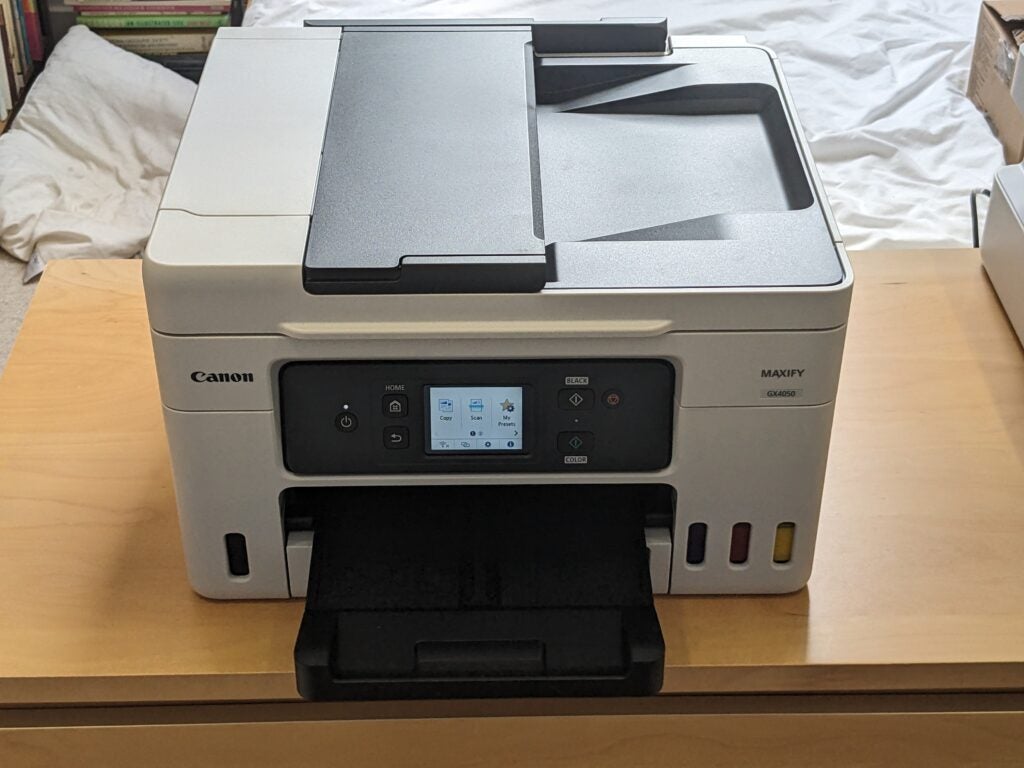
There’s not much wrong with the button controls on the MAXIFY GX3050, but the GX4050 upgrades them with a fairly big colour touchscreen. It’s generally a little easier to use.
This MFP also offers the flexibility of wired networking, giving you the option of cabling it to your wireless router or a Homeplug if your Wi-Fi is patchy. And while fax increasingly seems like a relic from the 1980s, it’s still worth having for certain industries, clients and suppliers.
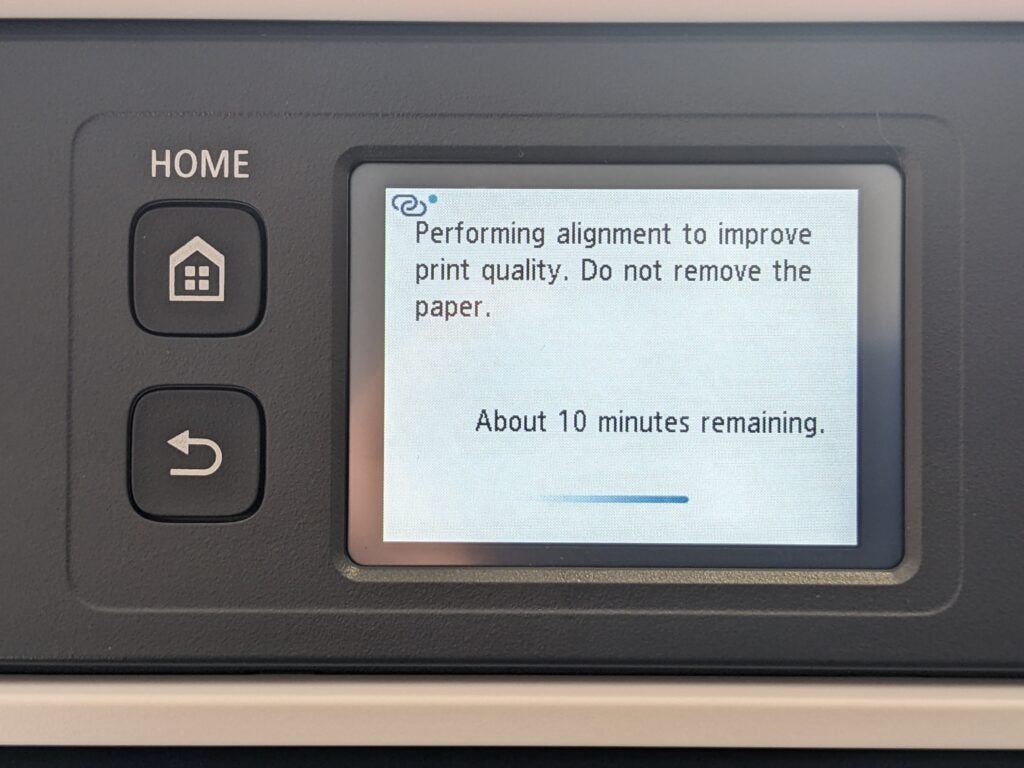
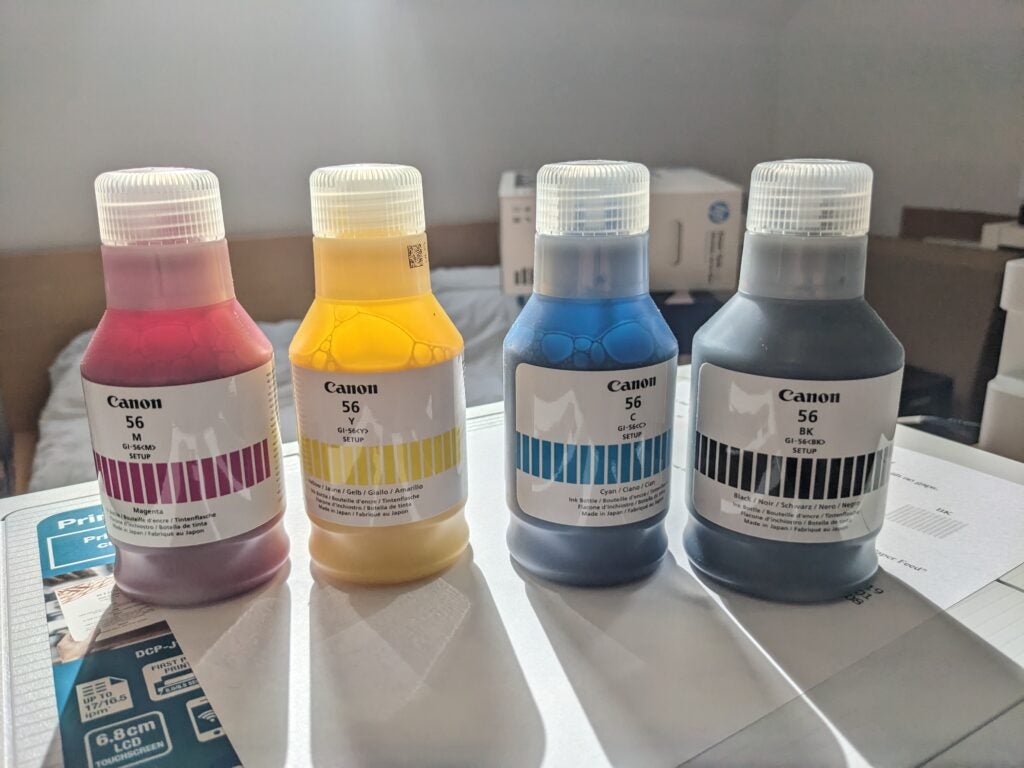
One feature that’s bang up to date is the refillable ink tanks visible on this MFP’s front panel. The Canon MAXIFY GX4050 arrives with bottled ink that’s good for a claimed 6,000 black or 14,000 colour pages (minus a small amount lost to the one-off ink priming process).
Even once you’ve used this up, replacement ink works out at less than 0.7p per colour page, giving this MFP exceptionally low running costs.
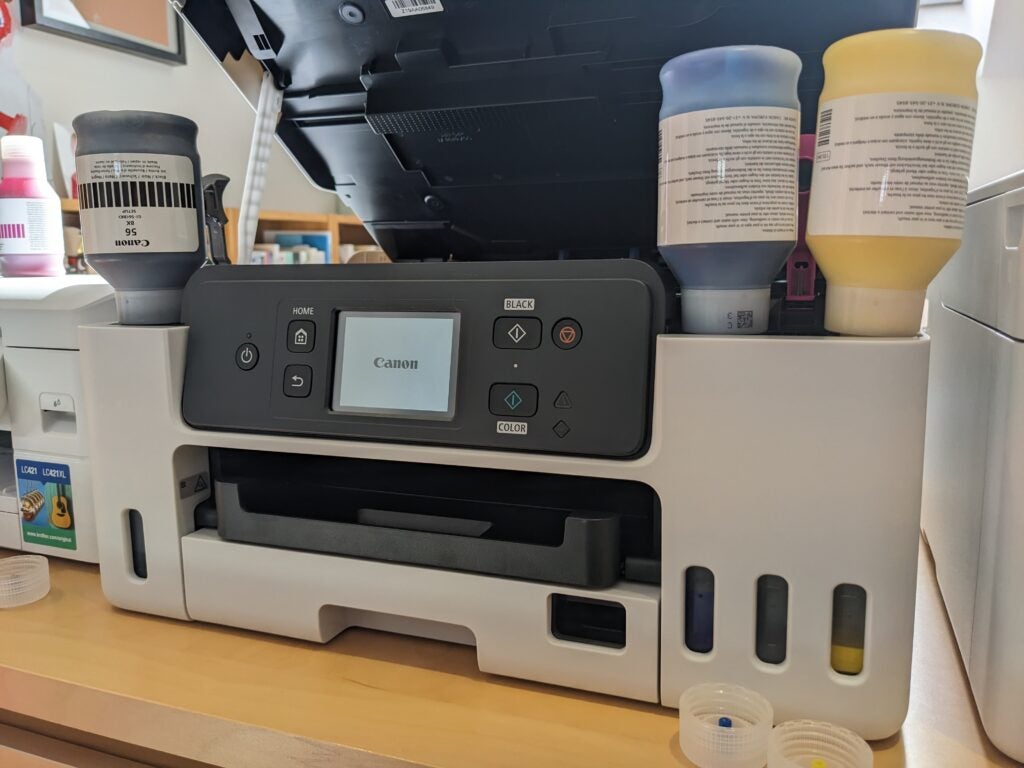
I’m a big fan of refillable inkjets, and the GX4050 is a decent example. Canon’s updated its MegaTank setup process so you no longer need to worry about installing print heads, and the ink filling routine is foolproof. This printer’s chalky looking pigment inks are ideal for bold, fade-resistant printing on plain paper.
As with all ink tank printers, however, you pay more upfront in return for the savings you’ll make on ink. Here, the GX4050 is less convincing. It’s very expensive – about £250 more than I’d expect to pay for an equivalent, cartridge-based inkjet MFP. And while there’s no doubt it would prove cheaper to own within just a few thousand pages, it might take more casual users several years to print the necessary volume.
Despite this, Canon offers only a one-year warranty. Confusingly, this rises to two years if you buy the MFP directly from its own online store, and regardless there’s a promotion whereby you can register it and claim an upgrade to three years.
Print speed and quality
- Great plain paper print quality
- Good scan quality
- Quick printing
The Canon MAXIFY GX4050 looks similar to the GX3050 and, in testing, it quickly became clear that they’re essentially the same under the skin. That’s no bad thing – both offer reasonably fast printing, scanning and copying, with strong quality in most jobs.
The GX4050 could deliver the first page of black text in 18 seconds, and it went on to reach 5.2 pages per minute (ppm) on our shorter document test. It was much quicker to print repeated copies of the same page, hitting 16.0ppm over 25 copies. In colour, this dropped to 6.3ppm, which is still competitive for an inkjet, though it dropped further to 4.3ppm on our more complex, graphics-intensive job.
Duplex printing is always slightly slower, as each page needs to be shepherded twice through the printer so the flip side can be printed. This MFP could print 5.9 images (sides) per minute in black only, or 3.3ipm in colour, which is reasonable for this device class.

Pigment inks are great on plain paper, but not so much on glossy photo paper, where they tend to sit on the surface and ruin the finish. The Canon MAXIFY GX4050 doesn’t even pretend to be interested in photo printing, with no borderless option, but its prints were surprisingly good given the limitations of its inks. I timed six postcard-sized photos for three and a half minutes.
As I’ve come to expect from Canon, the GX4050 has a strong scanner, paired with user-friendly scan software. Connected over Wi-Fi, it needed nine seconds to capture a preview image, and 14 seconds to scan an A4 document at a low 150 dots per inch (dpi) resolution. It needed 31 seconds to scan a postcard-sized photo at a high-ish 600dpi, and 104 seconds to repeat the job at the maximum 1,200dpi.
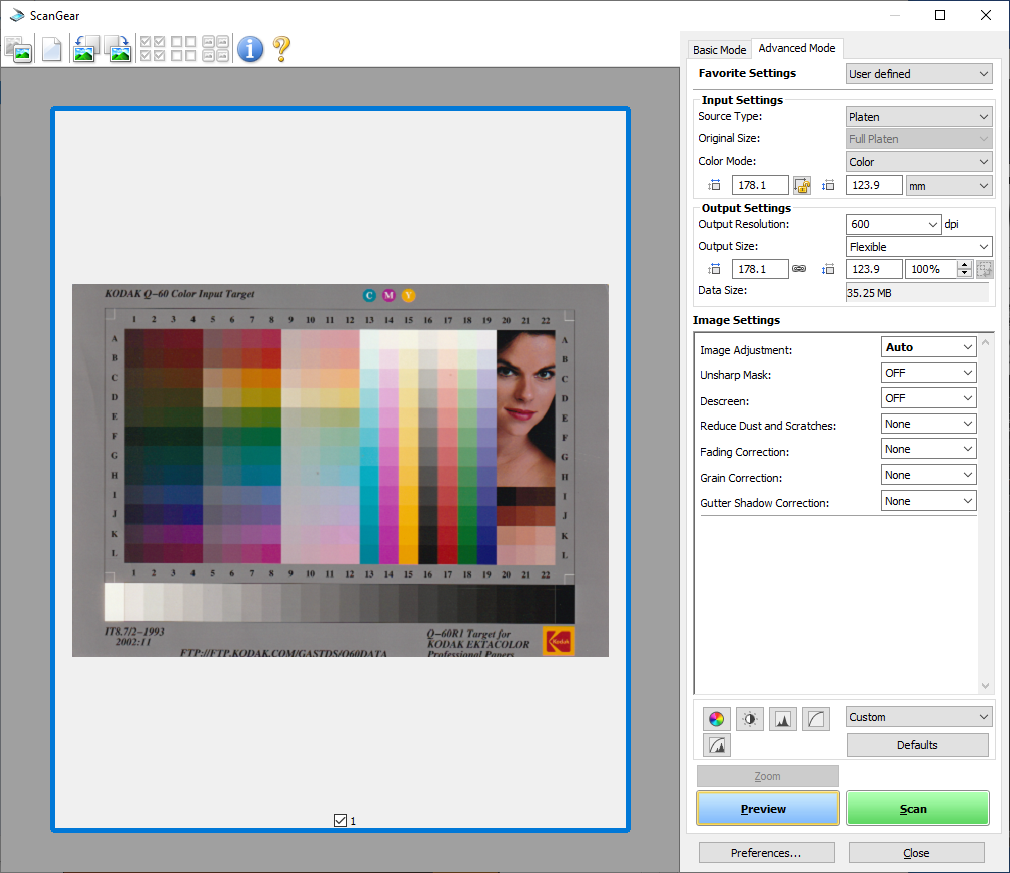
With a rapid printer and scanner, it’s not surprising this MFP was a quick copier. A single black copy took 14 seconds, while in colour it was 20 seconds. Using the ADF, a 10-page copy took just under a minute and a half, or two minutes in colour. The ADF doesn’t support automatic duplex scanning, but it can complete a duplex copy by scanning first one side, then the other of double-sided originals – it’s a good compromise. I also appreciated the low lip on the scanner platen, which makes it easier to retrieve the documents you’ve put there.
Just as with the GX3050, there’s little to criticise about the results from this MFP. I experienced a strange problem where the first preview scan was skewed slightly, even though the source document wasn’t, but repeating the preview cured the glitch. Other than that, scan quality was more than good enough for an office-focused device. Photocopies were also good, with accurate colour reproduction and well-judged exposure.
I wouldn’t choose this MFP for photo printing, but its plain paper prints are extremely good. Its pigment inks are authoritative and strong on the page, even if the colours in graphics were a touch less saturated than I usually prefer. Black text was about as good as you’ll get from an inkjet, with the added bonus that pigment inks tend to be resistant to smearing from water or highlighter pens.
Latest deals
Should you buy it?
You want a capable office MFP:
This is a swift and capable office MFP, enhanced by low running costs and good specifications
You don’t want to pay upfront:
It’s an expensive device, and you’ll need to print thousands of pages to get the benefit compared to a cartridge-based printer
Final Thoughts
There’s not much to choose between the Canon MAXIFY GX4050 and the MAXIFY GX3050. The former costs around £40 more and that buys you a touchscreen, wired Ethernet connection, ADF and fax modem.
I’d argue that makes the GX4050 better value overall, and certainly worth the extra if you need one or more of those features. Despite this, it’s expensive even by the standard of refillable printers, and hard to recommend without reservation.
How we test
Every printer we review goes through a series of uniform checks designed to gauge key things including print quality, speed and cost.
We’ll also compare the features with other printers at the same price point to see if you’re getting good value for your money.
Measured the time it takes to print with various paper
Compared print quality with other printers
Tested printing with monochrome and coloured ink
FAQs
They can take a little more setting up, particularly if you need to fit their print heads. However, once set up they usually require less maintenance. Often a single charge of ink will last for thousands of pages, whereas you’ll be lucky to get a few hundred from a set of cartridges.
MAXIFY printers are primarily intended for office use. PIXMA devices are focussed on at-home usage.
Trusted Reviews test data

Verdict
The Canon MAXIFY GX4050 is a great inkjet multifunction, with all the features a small office might reasonably need. It comes with generous ink supplies, and even when they’re gone it’s still very cheap to run. It’s a shame, then, that it’s so expensive to buy in the first place.
Pros
- Good set of features
- Great print and scan quality
- Cheap ink
Cons
- Expensive to buy
- Not ideal for photo printing
Availability
- UKRRP: £403
- USAunavailable
- Europeunavailable
- Canadaunavailable
- Australiaunavailable
-
Refillable ink tanksInk comes in big bottles – you get thousands of pages’ worth in the box -
Colour touchscreenControl everything through a colour touchscreen -
Great paper handlingThis MFP has double-sided printing, an automatic document feeder, and a second paper tray
Introduction
The Canon MAXIFY GX4050 printer sits just above the GX3050 and below the GX5050. The GX4050 comes with a colour touchscreen, fax modem and wired networking.
The GX4050 also comes with an automatic document feeder (ADF) that speeds up multi-page copies, scans and faxes.
It’s an inkjet multifunction peripherals (MFP) with unashamedly office-focused features, including automatic duplex (double-sided) printing and refillable ink tanks for low-cost printing.
Design and features
- Refillable ink tanks
- Colour touchscreen
- Useful second paper tray
If you’re looking for a compact MFP to do everything in a small office, the Canon MAXIFY GX4050 could be perfect for the job. It’s a well-specified device, with features suited to working from home or in a small group.
It covers what I’d call the essentials for an office – duplex printing and an ADF – and adds handy extras including a second paper tray, which saves hassle if you often print on headed paper or other unusual media.
There’s not much wrong with the button controls on the MAXIFY GX3050, but the GX4050 upgrades them with a fairly big colour touchscreen. It’s generally a little easier to use.
This MFP also offers the flexibility of wired networking, giving you the option of cabling it to your wireless router or a Homeplug if your Wi-Fi is patchy. And while fax increasingly seems like a relic from the 1980s, it’s still worth having for certain industries, clients and suppliers.
One feature that’s bang up to date is the refillable ink tanks visible on this MFP’s front panel. The Canon MAXIFY GX4050 arrives with bottled ink that’s good for a claimed 6,000 black or 14,000 colour pages (minus a small amount lost to the one-off ink priming process).
Even once you’ve used this up, replacement ink works out at less than 0.7p per colour page, giving this MFP exceptionally low running costs.
I’m a big fan of refillable inkjets, and the GX4050 is a decent example. Canon’s updated its MegaTank setup process so you no longer need to worry about installing print heads, and the ink filling routine is foolproof. This printer’s chalky looking pigment inks are ideal for bold, fade-resistant printing on plain paper.
As with all ink tank printers, however, you pay more upfront in return for the savings you’ll make on ink. Here, the GX4050 is less convincing. It’s very expensive – about £250 more than I’d expect to pay for an equivalent, cartridge-based inkjet MFP. And while there’s no doubt it would prove cheaper to own within just a few thousand pages, it might take more casual users several years to print the necessary volume.
Despite this, Canon offers only a one-year warranty. Confusingly, this rises to two years if you buy the MFP directly from its own online store, and regardless there’s a promotion whereby you can register it and claim an upgrade to three years.
Print speed and quality
- Great plain paper print quality
- Good scan quality
- Quick printing
The Canon MAXIFY GX4050 looks similar to the GX3050 and, in testing, it quickly became clear that they’re essentially the same under the skin. That’s no bad thing – both offer reasonably fast printing, scanning and copying, with strong quality in most jobs.
The GX4050 could deliver the first page of black text in 18 seconds, and it went on to reach 5.2 pages per minute (ppm) on our shorter document test. It was much quicker to print repeated copies of the same page, hitting 16.0ppm over 25 copies. In colour, this dropped to 6.3ppm, which is still competitive for an inkjet, though it dropped further to 4.3ppm on our more complex, graphics-intensive job.
Duplex printing is always slightly slower, as each page needs to be shepherded twice through the printer so the flip side can be printed. This MFP could print 5.9 images (sides) per minute in black only, or 3.3ipm in colour, which is reasonable for this device class.
Pigment inks are great on plain paper, but not so much on glossy photo paper, where they tend to sit on the surface and ruin the finish. The Canon MAXIFY GX4050 doesn’t even pretend to be interested in photo printing, with no borderless option, but its prints were surprisingly good given the limitations of its inks. I timed six postcard-sized photos for three and a half minutes.
As I’ve come to expect from Canon, the GX4050 has a strong scanner, paired with user-friendly scan software. Connected over Wi-Fi, it needed nine seconds to capture a preview image, and 14 seconds to scan an A4 document at a low 150 dots per inch (dpi) resolution. It needed 31 seconds to scan a postcard-sized photo at a high-ish 600dpi, and 104 seconds to repeat the job at the maximum 1,200dpi.
With a rapid printer and scanner, it’s not surprising this MFP was a quick copier. A single black copy took 14 seconds, while in colour it was 20 seconds. Using the ADF, a 10-page copy took just under a minute and a half, or two minutes in colour. The ADF doesn’t support automatic duplex scanning, but it can complete a duplex copy by scanning first one side, then the other of double-sided originals – it’s a good compromise. I also appreciated the low lip on the scanner platen, which makes it easier to retrieve the documents you’ve put there.
Just as with the GX3050, there’s little to criticise about the results from this MFP. I experienced a strange problem where the first preview scan was skewed slightly, even though the source document wasn’t, but repeating the preview cured the glitch. Other than that, scan quality was more than good enough for an office-focused device. Photocopies were also good, with accurate colour reproduction and well-judged exposure.
I wouldn’t choose this MFP for photo printing, but its plain paper prints are extremely good. Its pigment inks are authoritative and strong on the page, even if the colours in graphics were a touch less saturated than I usually prefer. Black text was about as good as you’ll get from an inkjet, with the added bonus that pigment inks tend to be resistant to smearing from water or highlighter pens.
Latest deals
Should you buy it?
You want a capable office MFP:
This is a swift and capable office MFP, enhanced by low running costs and good specifications
You don’t want to pay upfront:
It’s an expensive device, and you’ll need to print thousands of pages to get the benefit compared to a cartridge-based printer
Final Thoughts
There’s not much to choose between the Canon MAXIFY GX4050 and the MAXIFY GX3050. The former costs around £40 more and that buys you a touchscreen, wired Ethernet connection, ADF and fax modem.
I’d argue that makes the GX4050 better value overall, and certainly worth the extra if you need one or more of those features. Despite this, it’s expensive even by the standard of refillable printers, and hard to recommend without reservation.
How we test
Every printer we review goes through a series of uniform checks designed to gauge key things including print quality, speed and cost.
We’ll also compare the features with other printers at the same price point to see if you’re getting good value for your money.
Measured the time it takes to print with various paper
Compared print quality with other printers
Tested printing with monochrome and coloured ink
FAQs
They can take a little more setting up, particularly if you need to fit their print heads. However, once set up they usually require less maintenance. Often a single charge of ink will last for thousands of pages, whereas you’ll be lucky to get a few hundred from a set of cartridges.
MAXIFY printers are primarily intended for office use. PIXMA devices are focussed on at-home usage.



