





Verdict
Canon’s MAXIFY GX3050 is a strong all-rounder for a small office, with commendably low running costs. It’s swift, and adept at print, scan and copy jobs, but it’s rather expensive to buy – even by the standards of other refillable tank printers. As such, it’s hard to strongly recommend it.
Pros
- Good set of features
- Great print and scan quality
- Cheap ink
Cons
- Expensive to buy
- Not ideal for photo printing
Availability
- UKRRP: £366
- USAunavailable
- EuropeRRP: €389
- Canadaunavailable
- Australiaunavailable
-
Refillable ink tanksInk comes in big bottles – you get thousands of pages’ worth in the box -
Good paper handlingThis MFP has automatic double-sided printing and a second paper tray
Introduction
Canon’s MAXIFY range of printers is aimed at home office and small office users. The MAXIFY GX3050 is a mid-range option.
The Canon MAXIFY GX3050 is a multifunction peripheral, enhanced with refillable ink tanks for cheap printing. It’s got duplex (double-sided) printing and Wi-Fi support, but it can’t send or receive faxes. I’ve put it through its paces to see how it performs outright as well as how it stacks up against the competition.
Design and features
- Refillable ink tanks
- Mono screen with push-button controls
- Useful second paper tray
The Canon MAXIFY GX3050 sits at the junction between two Canon sub-brands: MAXIFY office devices, and MegaTank refillable inkjets. It’s a happy meeting place, with MAXIFY devices generally well suited to the needs of micro offices, and MegaTank printers offering a lower cost of ownership to small businesses and homes that print in reasonable volumes.
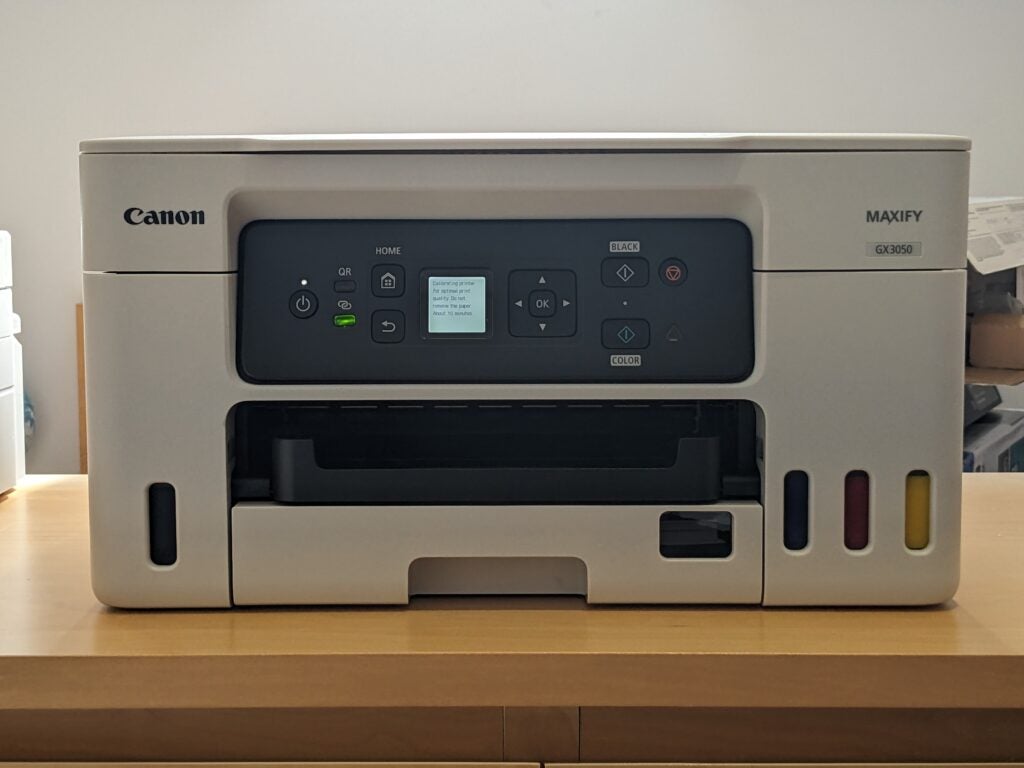
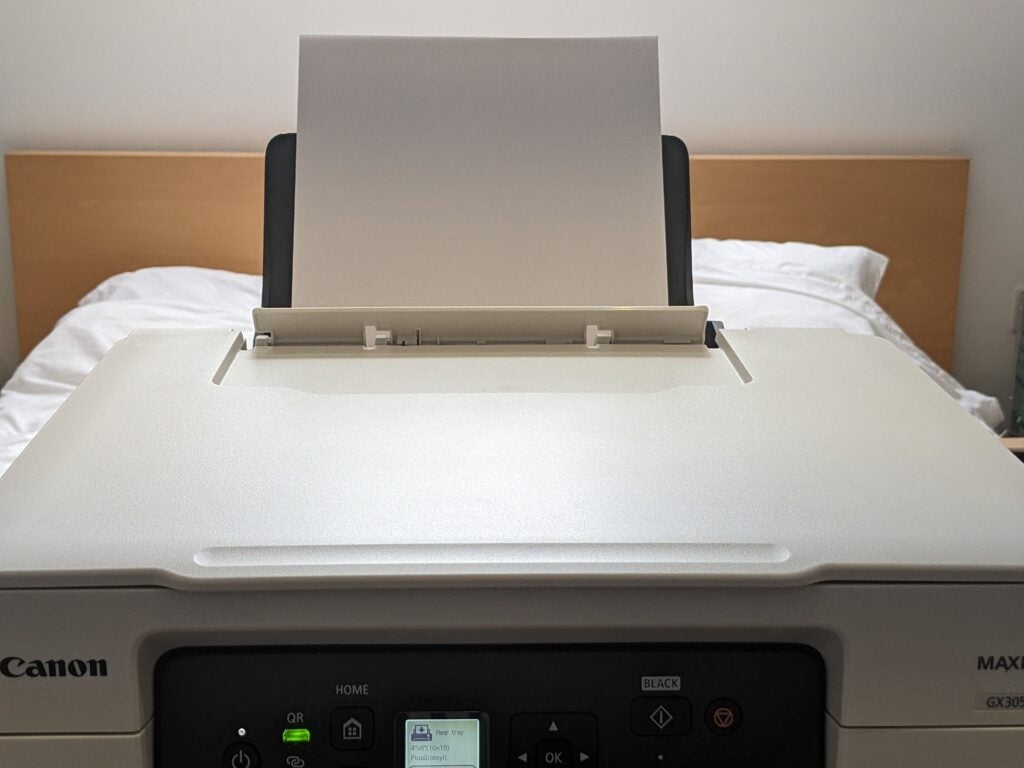
The GX3050 isn’t an especially high-end example, but it’s got everything you need if you don’t want fax and you don’t tend to copy or scan long documents. Duplex printing is a boon if you want to save paper – or just produce professional-looking documents – while its second paper tray is great if you regularly print things like address labels, or onto pre-printed headed paper.
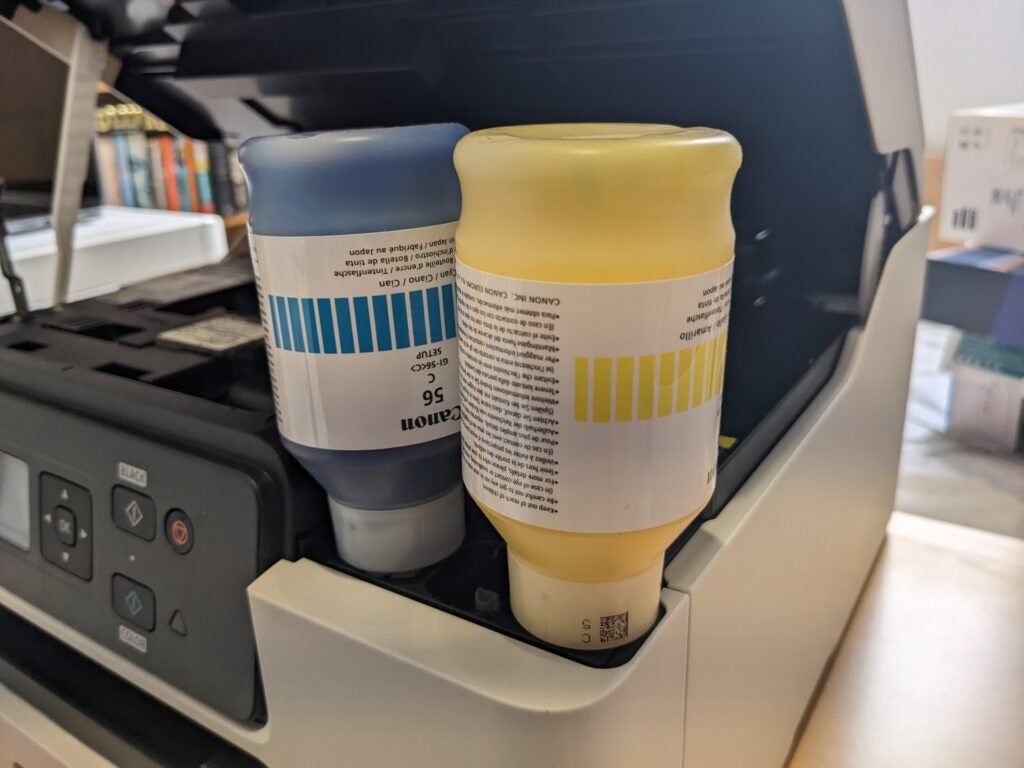
Canon has simplified the setup on this generation of MegaTank printers. You no longer need to fit the print heads yourself – simply line up the bottles and let them empty into the correct tank. I’ve literally never spilt a drop of Canon’s bottled ink, and it’s physically impossible to fit bottles into the wrong tank. The system’s foolproof, provided you don’t try to squeeze ink out of the bottle.
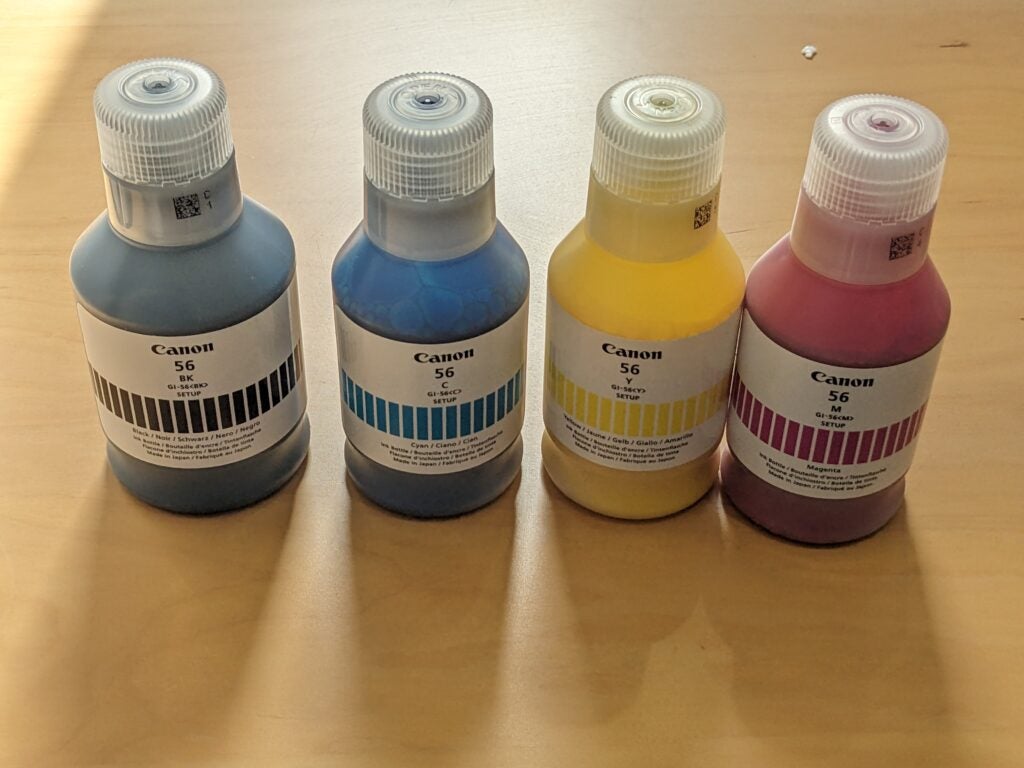
This printer is unapologetic about its office-specific brief. The supplied ink is pigment based, rather than dye, which makes it perfect for smudge-proof, bold printing on plain paper. On the flip side, it’s near-hopeless on glossy photo paper, sitting up on the surface to give an unsatisfying matte finish.
The GX3050 comes with a full set of full-sized black and colour inks. It’ll use a portion of them during the initial setup, but you’ll likely be left with the vast majority of their quoted 6,000-page black and 14,000-page colour capacity. That’s a huge amount of printing, likely to carry you through at least a year or two in a home or micro office.
Refillable printers can take several years before their higher purchase price is offset by lower running costs, and that’s particularly the case here. At more than £350, the Canon MAXIFY GX3050 is rather pricey, so it’s a shame its standard warranty is only one year. You’ll get two if you buy directly from Canon, and just to confuse things further Canon offers an extension to three years with registration, no matter where you buy from.
Print enough, and this MFP really will save you money. Spend £100 on a similarly specified cartridge printer, print 5,000 pages and you’ll fork out around £400 extra on ink, whereas there’s a fair chance the GX3050 might get that far on its supplied ink. Even if it did run out, its ongoing print costs work out at 0.6p per page – less than a tenth of what’s typical with cartridges.
Print speed and quality
- Great plain paper print quality
- Good scan quality
- Quick
If this MFP’s features set it up for office use, its performance seals the deal. It’s reasonably quick, delivering a first page of black text in 19 seconds, and going on to hit 6.6 pages per minute (ppm) over our 20-page test. It’s even quicker when printing multiple copies of the same sheet, reaching a peak of 16.1ppm. In colour, it hit 6.4ppm on our simple test, dropping to 4.2ppm on our more specialised and demanding 24-page job.
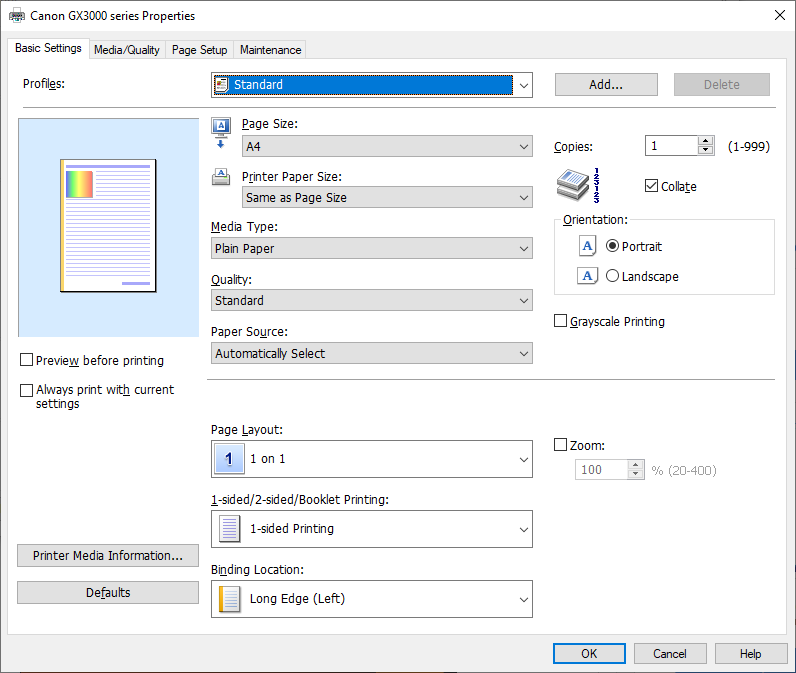
As I mentioned, this device really isn’t designed for photo printing, but it will step up if you insist. There’s no borderless option, but it could deliver a 6×4” (10x15cm) print about every 50 seconds. I timed a single-page photocopy at 14 seconds in black only, or 19 seconds in colour. With no automatic document feeder, I couldn’t complete our 10-page test.
This is a quick enough scanner, completing a preview in just nine seconds. In just 13 seconds it could capture an A4 page at 150 dots per inch (dpi) – a low resolution. The same job took 17 seconds at a middling 300 dpi. High-resolution scans are much more taxing, so it was no surprise they were slower – the GX3050 needed 104 seconds to capture a postcard photo at a maximum 1,200 dpi.
It’s hard to find fault with the quality of the Canon’s results. It’s a strong plain paper printer, delivering bold black text even in economy mode – which Canon claims extends the ink’s coverage by about 50%. It printed slightly less saturated colours than I prefer, but the graphics were still strong, with no obvious foibles such as banding or conspicuous graining. I was impressed with the photocopies, which were comparatively well-exposed and had unusually accurate colours.
Canon usually produces decent scanners, and the GX3050 didn’t disappoint here. That said, both it and the Canon MAXIFY GX4050 I tested at the same time had an odd glitch where the first preview appeared to be skewed when it wasn’t. I fixed the issue by simply repeating the preview.
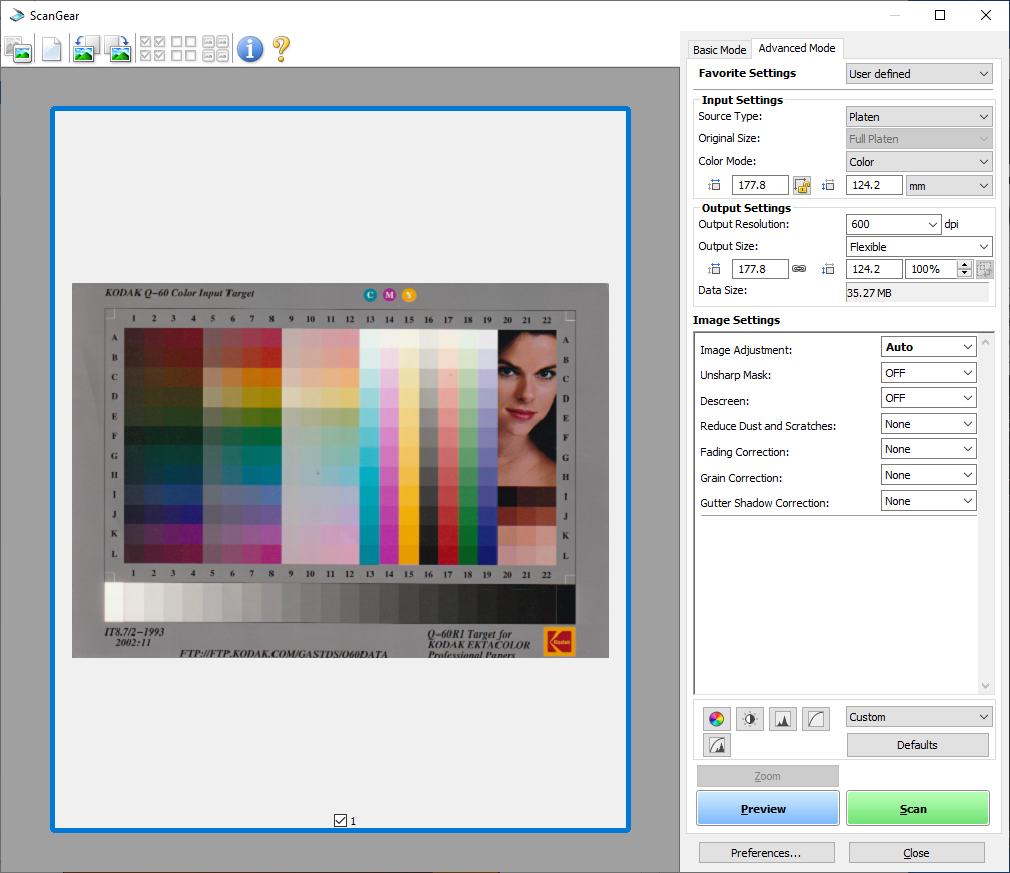
Scanned documents were exposed nicely, with very accurate colours and no obvious bleed-through from content printed on the flip side of the original material. Photos perhaps could have had higher contrast at the default settings, but they were still far better than typical for office-focused devices.
Latest deals
Should you buy it?
You want a competent office MFP
This is a swift and capable office MFP, enhanced by low running costs
You don’t want to pay up-front
It’s an expensive device, and you’ll need to print thousands of pages to get the benefit compared to a cartridge-based printer
Final Thoughts
Take the price out of the equation and the Canon MAXIFY GX3050 is a good home office MFP. Sure, it can’t fax or automatically scan two-sided originals, but it’s fast, and it produces strong results across the board. Factor in price and things are more complex. It’s expensive to buy.
Canon’s ink is cheap even after you use up the generous in-box supplies, but you’ll still need to print several thousand pages for it to prove cheaper to own overall than an equivalent cartridge-based device. More straightforwardly, the similar MAXIFY GX4050 offers more features for not much more money, ultimately making it a more compelling choice.
How we test
Every printer we review goes through a series of uniform checks designed to gauge key things including print quality, speed and cost.
We’ll also compare the features with other printers at the same price point to see if you’re getting good value for your money.
Measured the time it takes to print with various paper
Compared print quality with other printers
Tested printing with monochrome and coloured ink
FAQs
They can take a little more setting up, particularly if you need to fit their print heads. However, once set up they usually require less maintenance. Often a single charge of ink will last for thousands of pages, whereas you’ll be lucky to get a few hundred from a set of cartridges.
MAXIFY printers are primarily intended for office use. PIXMA devices are focussed on at-home usage.
Trusted Reviews test data

Verdict
Canon’s MAXIFY GX3050 is a strong all-rounder for a small office, with commendably low running costs. It’s swift, and adept at print, scan and copy jobs, but it’s rather expensive to buy – even by the standards of other refillable tank printers. As such, it’s hard to strongly recommend it.
Pros
- Good set of features
- Great print and scan quality
- Cheap ink
Cons
- Expensive to buy
- Not ideal for photo printing
Availability
- UKRRP: £366
- USAunavailable
- EuropeRRP: €389
- Canadaunavailable
- Australiaunavailable
-
Refillable ink tanksInk comes in big bottles – you get thousands of pages’ worth in the box -
Good paper handlingThis MFP has automatic double-sided printing and a second paper tray
Introduction
Canon’s MAXIFY range of printers is aimed at home office and small office users. The MAXIFY GX3050 is a mid-range option.
The Canon MAXIFY GX3050 is a multifunction peripheral, enhanced with refillable ink tanks for cheap printing. It’s got duplex (double-sided) printing and Wi-Fi support, but it can’t send or receive faxes. I’ve put it through its paces to see how it performs outright as well as how it stacks up against the competition.
Design and features
- Refillable ink tanks
- Mono screen with push-button controls
- Useful second paper tray
The Canon MAXIFY GX3050 sits at the junction between two Canon sub-brands: MAXIFY office devices, and MegaTank refillable inkjets. It’s a happy meeting place, with MAXIFY devices generally well suited to the needs of micro offices, and MegaTank printers offering a lower cost of ownership to small businesses and homes that print in reasonable volumes.
The GX3050 isn’t an especially high-end example, but it’s got everything you need if you don’t want fax and you don’t tend to copy or scan long documents. Duplex printing is a boon if you want to save paper – or just produce professional-looking documents – while its second paper tray is great if you regularly print things like address labels, or onto pre-printed headed paper.
Canon has simplified the setup on this generation of MegaTank printers. You no longer need to fit the print heads yourself – simply line up the bottles and let them empty into the correct tank. I’ve literally never spilt a drop of Canon’s bottled ink, and it’s physically impossible to fit bottles into the wrong tank. The system’s foolproof, provided you don’t try to squeeze ink out of the bottle.
This printer is unapologetic about its office-specific brief. The supplied ink is pigment based, rather than dye, which makes it perfect for smudge-proof, bold printing on plain paper. On the flip side, it’s near-hopeless on glossy photo paper, sitting up on the surface to give an unsatisfying matte finish.
The GX3050 comes with a full set of full-sized black and colour inks. It’ll use a portion of them during the initial setup, but you’ll likely be left with the vast majority of their quoted 6,000-page black and 14,000-page colour capacity. That’s a huge amount of printing, likely to carry you through at least a year or two in a home or micro office.
Refillable printers can take several years before their higher purchase price is offset by lower running costs, and that’s particularly the case here. At more than £350, the Canon MAXIFY GX3050 is rather pricey, so it’s a shame its standard warranty is only one year. You’ll get two if you buy directly from Canon, and just to confuse things further Canon offers an extension to three years with registration, no matter where you buy from.
Print enough, and this MFP really will save you money. Spend £100 on a similarly specified cartridge printer, print 5,000 pages and you’ll fork out around £400 extra on ink, whereas there’s a fair chance the GX3050 might get that far on its supplied ink. Even if it did run out, its ongoing print costs work out at 0.6p per page – less than a tenth of what’s typical with cartridges.
Print speed and quality
- Great plain paper print quality
- Good scan quality
- Quick
If this MFP’s features set it up for office use, its performance seals the deal. It’s reasonably quick, delivering a first page of black text in 19 seconds, and going on to hit 6.6 pages per minute (ppm) over our 20-page test. It’s even quicker when printing multiple copies of the same sheet, reaching a peak of 16.1ppm. In colour, it hit 6.4ppm on our simple test, dropping to 4.2ppm on our more specialised and demanding 24-page job.
As I mentioned, this device really isn’t designed for photo printing, but it will step up if you insist. There’s no borderless option, but it could deliver a 6×4” (10x15cm) print about every 50 seconds. I timed a single-page photocopy at 14 seconds in black only, or 19 seconds in colour. With no automatic document feeder, I couldn’t complete our 10-page test.
This is a quick enough scanner, completing a preview in just nine seconds. In just 13 seconds it could capture an A4 page at 150 dots per inch (dpi) – a low resolution. The same job took 17 seconds at a middling 300 dpi. High-resolution scans are much more taxing, so it was no surprise they were slower – the GX3050 needed 104 seconds to capture a postcard photo at a maximum 1,200 dpi.
It’s hard to find fault with the quality of the Canon’s results. It’s a strong plain paper printer, delivering bold black text even in economy mode – which Canon claims extends the ink’s coverage by about 50%. It printed slightly less saturated colours than I prefer, but the graphics were still strong, with no obvious foibles such as banding or conspicuous graining. I was impressed with the photocopies, which were comparatively well-exposed and had unusually accurate colours.
Canon usually produces decent scanners, and the GX3050 didn’t disappoint here. That said, both it and the Canon MAXIFY GX4050 I tested at the same time had an odd glitch where the first preview appeared to be skewed when it wasn’t. I fixed the issue by simply repeating the preview.
Scanned documents were exposed nicely, with very accurate colours and no obvious bleed-through from content printed on the flip side of the original material. Photos perhaps could have had higher contrast at the default settings, but they were still far better than typical for office-focused devices.
Latest deals
Should you buy it?
You want a competent office MFP
This is a swift and capable office MFP, enhanced by low running costs
You don’t want to pay up-front
It’s an expensive device, and you’ll need to print thousands of pages to get the benefit compared to a cartridge-based printer
Final Thoughts
Take the price out of the equation and the Canon MAXIFY GX3050 is a good home office MFP. Sure, it can’t fax or automatically scan two-sided originals, but it’s fast, and it produces strong results across the board. Factor in price and things are more complex. It’s expensive to buy.
Canon’s ink is cheap even after you use up the generous in-box supplies, but you’ll still need to print several thousand pages for it to prove cheaper to own overall than an equivalent cartridge-based device. More straightforwardly, the similar MAXIFY GX4050 offers more features for not much more money, ultimately making it a more compelling choice.
How we test
Every printer we review goes through a series of uniform checks designed to gauge key things including print quality, speed and cost.
We’ll also compare the features with other printers at the same price point to see if you’re getting good value for your money.
Measured the time it takes to print with various paper
Compared print quality with other printers
Tested printing with monochrome and coloured ink
FAQs
They can take a little more setting up, particularly if you need to fit their print heads. However, once set up they usually require less maintenance. Often a single charge of ink will last for thousands of pages, whereas you’ll be lucky to get a few hundred from a set of cartridges.
MAXIFY printers are primarily intended for office use. PIXMA devices are focussed on at-home usage.



