





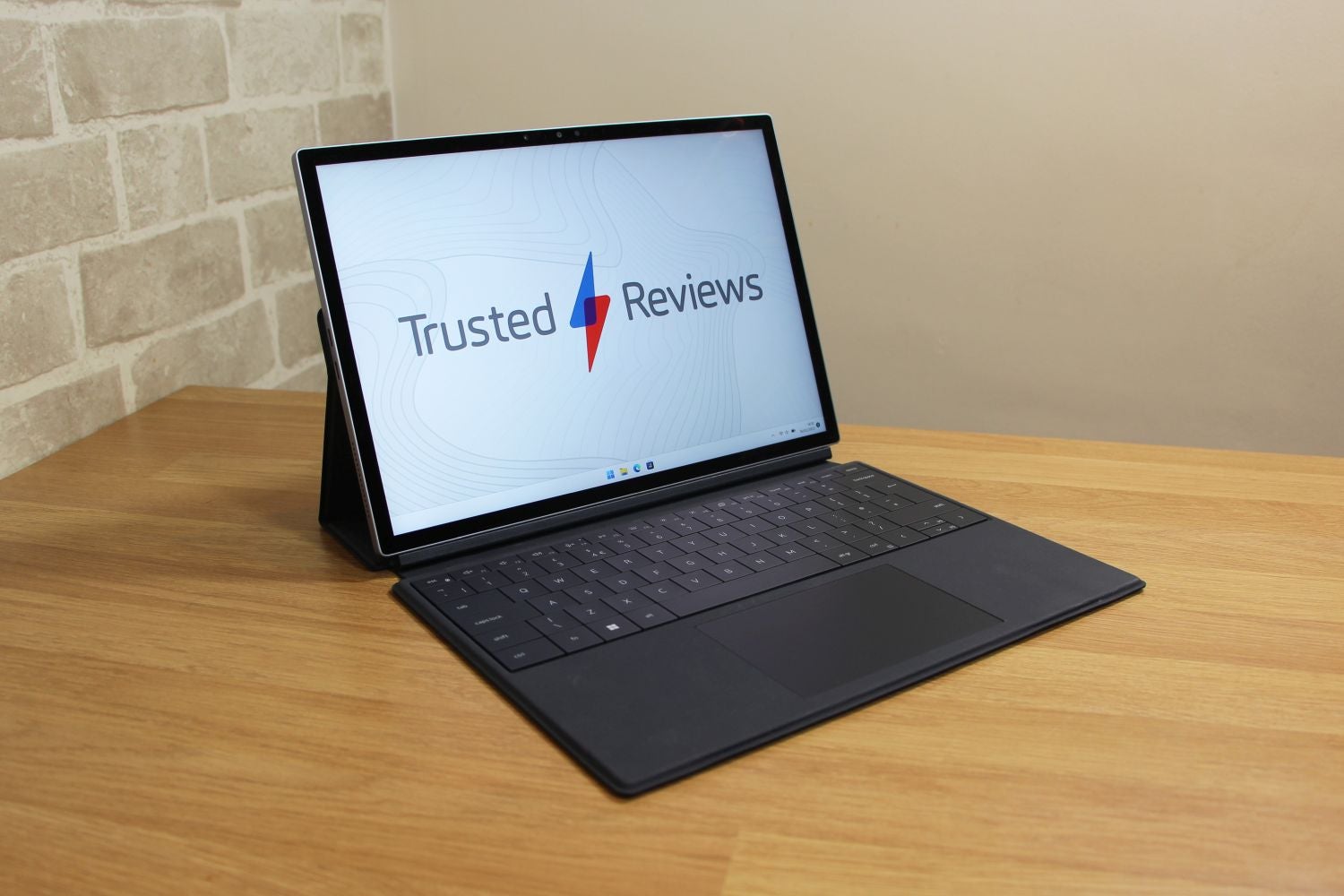
The Dell XPS 13 2-in-1 looks good, works pretty well and has a decent screen, but its rivals are better in most areas. So if you want more power, battery life, versatility or value, you’ll probably find it elsewhere
Pros
- Good-looking, robust design
- High-contrast, high-resolution IPS display
- Fast keyboard and two cameras
- Passive cooling, so it’s always silent
Cons
- Rivals are frequently faster
- Other machines have better battery life
- Little physical connectivity
Availability
- UKRRP: £1689
- USARRP: $1299
- EuropeRRP: €1899
-
A detachable hybrid designThe Dell XPS 13 2-in-1 pairs a tablet with a folio case with a sturdy magnetic connection. It can sit like a laptop with the screen at three different angles or function as a tablet, and the folio case wraps around the entire unit to keep the Gorilla Glass screen and recycled aluminium chassis safe. -
A high-quality touchscreenThanks to a high resolution, precise touchscreen, lashings of contrast and XPS stylus support, the Dell’s display works well in a wide variety of everyday tasks and creative workloads, including drawing and note-taking. -
Efficient Intel processorsIntel’s U-series Core i5 and Core i7 processors have enough power to handle everyday work and creative situations. And because they’re so efficient, the Dell can use passive cooling – which means silent operation.
Introduction
Hybrid laptops are among the most versatile machines on the market, and the Dell XPS 13 2-in-1 is one of the most popular models around thanks to its impressive detachable design.
The latest version of this rig – the Dell XPS 13 2-in-1 9315 – makes big changes to a winning formula, with updated Intel internals and a keyboard design cribbed from Dell’s inventive XPS machines.
Despite that, you won’t have to spend silly money to get your hands on the XPS. In the US you’ll pay $1149 for a Core i5 model and $1299 for a Core i7 rig. Those figures sit at £1189 and £1689 in the UK, and in Europe expect prices of €1599 and €1899.
It’s time to see if the Dell XPS 13 2-in-1 can bag a berth on our best laptop 2023 chart, or if existing devices like the Microsoft Surface Pro 9, Asus ZenBook S 13 OLED or Apple MacBook Air M2 can keep the XPS on the sidelines.
Design and Keyboard
- It looks good, it’s sturdy and works reasonably well in laptop mode
- The shallow, fast keyboard is crisp and satisfying
- It’s got great cameras, but the XPS only has two Thunderbolt 4 ports
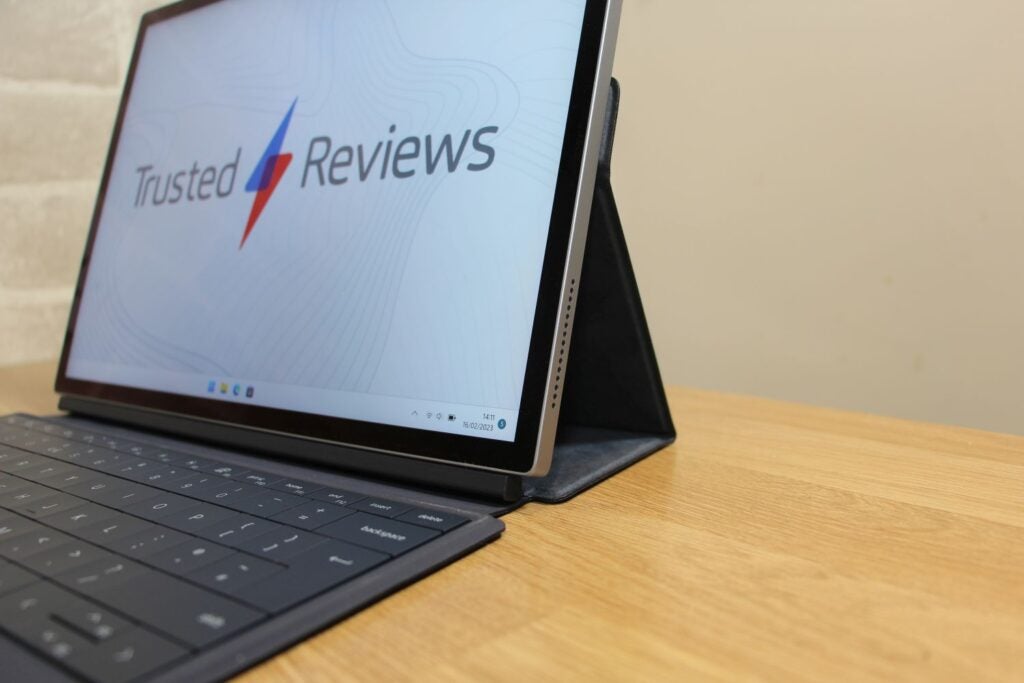
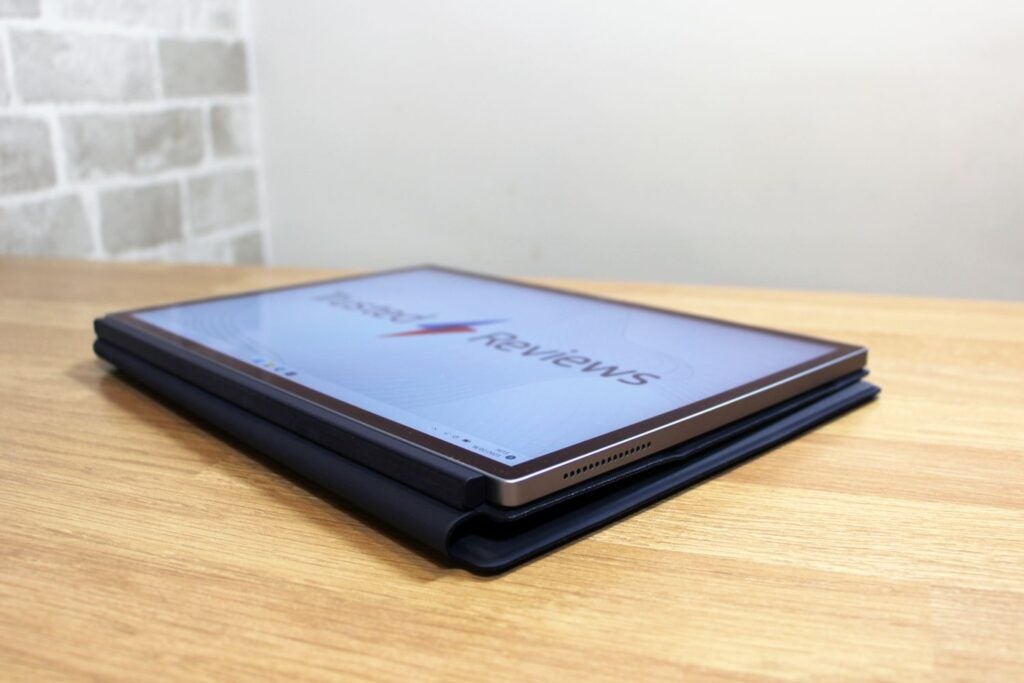
The Dell XPS 13 2-in-1 is detachable rather than the kind of unit with a 360-degree hinge, so in the box you’ll find a tablet and a folio case with the keyboard. They attach using a robust, reliable magnetic system.
Once combined, the folio case folds behind the tablet to prop the screen in a laptop-style position. Magnets in the case hold the screen in place, and the folio case props the screen at three angles – at a near-upright 100 degrees, at 11.2 degrees and a shallower 125-degree position.
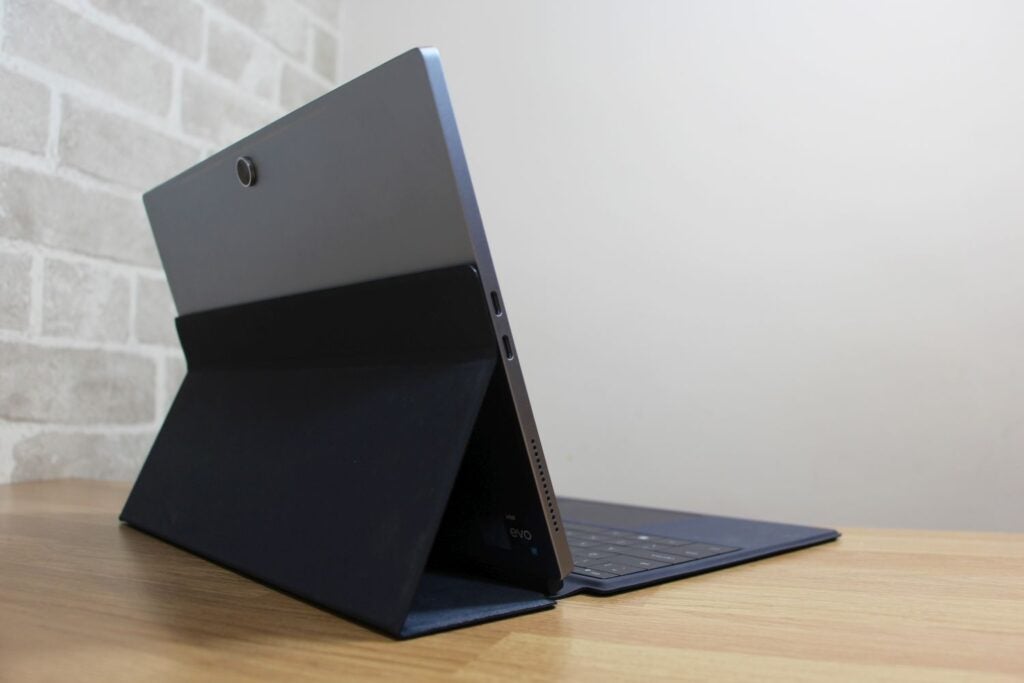
It’s robust, easy to use and stays firmly in place. I’ve no aesthetic quibbles, either: the soft-touch folio case looks smart, and the tablet is all CNC-milled lines and recycled aluminium.
When combined, the unit weighs 1.3kg and is 17mm thick, so it’s not huge. And while the case is a scuff magnet, it does a respectable job of protecting the tablet.
The only dimensional downside is the fact that the XPS stretches 300mm from front to back in laptop mode. That’s nearly 100mm more than the XPS 13 and MacBook and a little deeper than the Surface Pro 9.
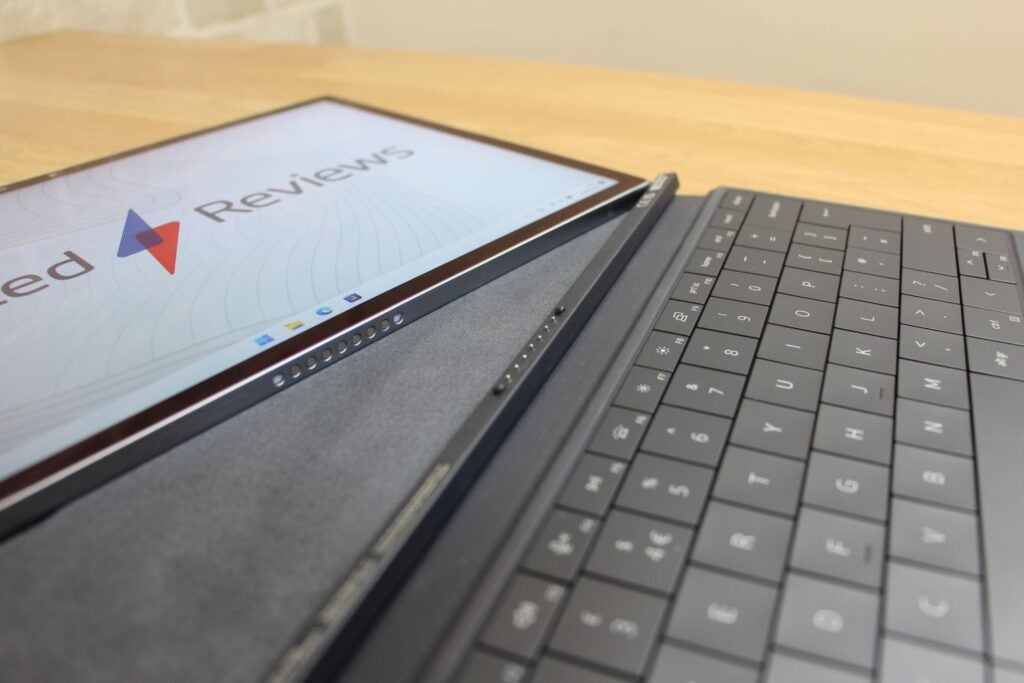
There are some other design foibles. You gain versatility by using the XPS as a tablet, of course, but in laptop mode it can only sit at those three angled points – conventional laptops and the Surface Pro 9 all have more positioning options. And, as with other hybrids, the Dell is a bit awkward in laptop mode when it’s actually in your lap – it’s far better on a desk.
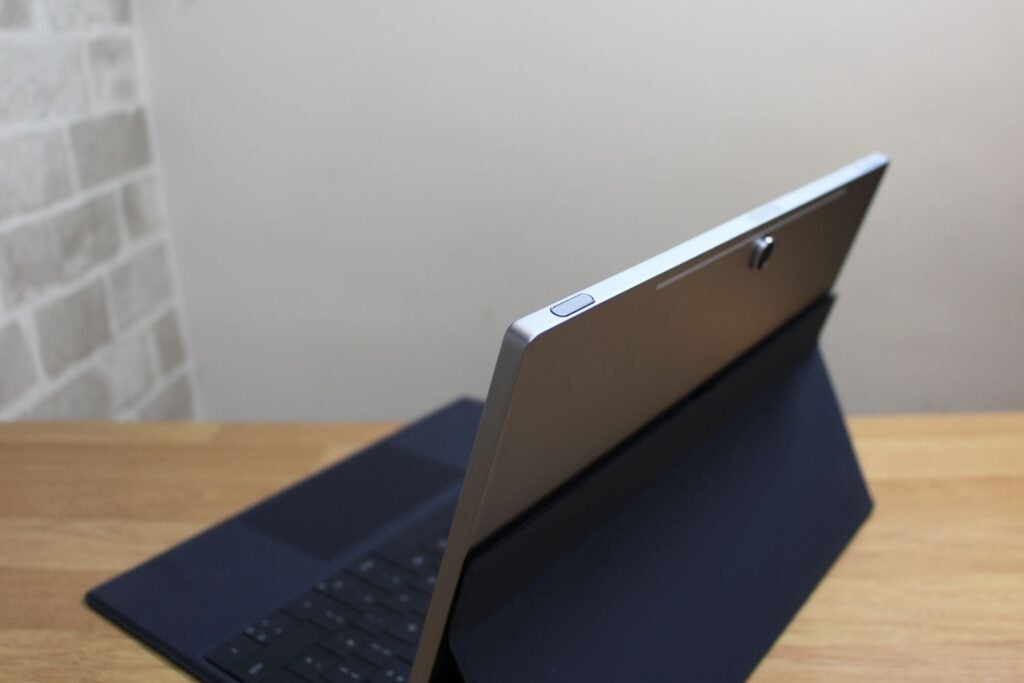
The 7.4mm-thick tablet houses Wi-Fi 6E and Bluetooth 5.2, and the Dell impresses with two cameras: the user gets a 5MP unit with Windows Hello and there’s a decent 11MP shooter on the back. At the top of the screen there’s a volume rocker and a power button with a fingerprint reader. The pair of 2W speakers are fine, too – a bit tinny, but suitable for casual media viewing.
The left-hand edge has two Thunderbolt 4 connections, with one needed for charging, but that’s it for physical connectivity. There’s no card reader, full-size USB, or headphone adapter. Dell includes headphone and full-size USB adapters in the box, but that’s never an elegant solution.
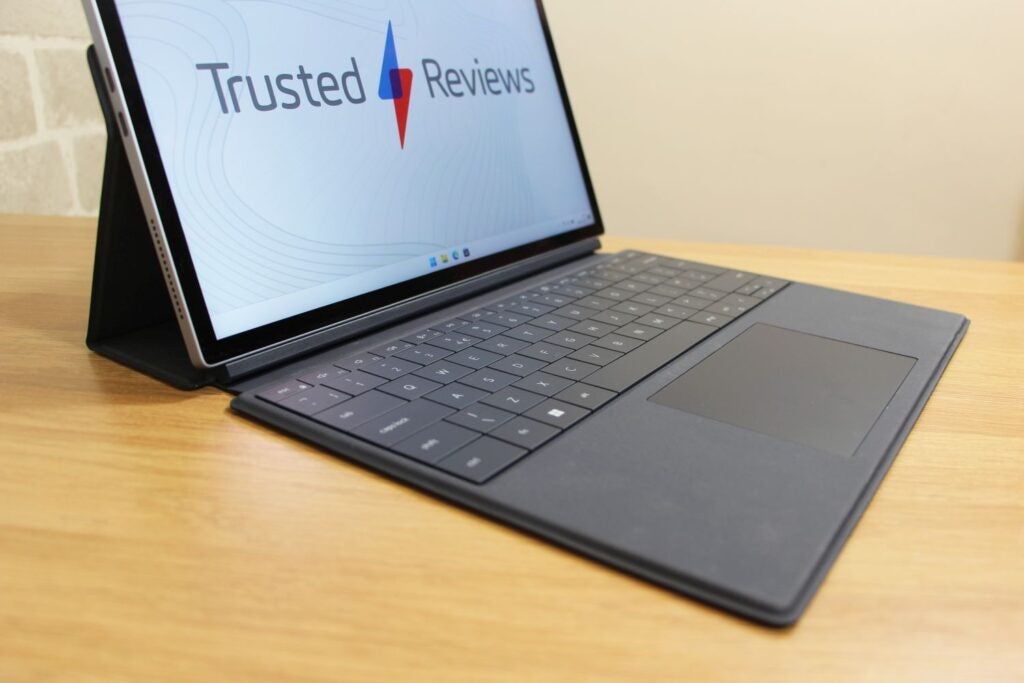
The keyboard is modelled on the XPS 13 Plus’s unit, which means large, flat buttons with no gaps and little travel. The buttons are fast and consistent, so they’re good for everyday use. There’s a backlight, too, and the entire thing is sturdier than the Surface’s typing gear. The touchpad is large and responsive, too.
The Dell is good-looking and robust, it’s not too large and has an effective keyboard and great cameras.
That said, it’s not the only game in town. The Asus, Apple and both conventional XPS 13 laptops are slimmer and lighter than the Dell 2-in-1. So is the Surface Pro 9. The MacBook Air has a headphone jack and the Asus has three USB Type-C ports. All the laptops mentioned here have more conventional and arguably more satisfying keyboards.
Screen
- The resolution, brightness and contrast make this a superb everyday screen
- Stylus support means that this is a good creative tool
- Rivals often have OLED displays at similar or lower prices
The Dell XPS 13 2-in-1 fights back with its screen. It uses edge-to-edge Gorilla Glass Victus – the toughest tablet glass to ever emerge from Corning’s labs – and the 13-inch panel is a 2880 x 1920 touchscreen with impressive sharpness and extra height from that 3:2 aspect ratio.
The benchmarks don’t mess about, either. The brightness level of 528 nits is excellent and means you can use this IPS display indoors and outdoors, and the contrast ratio of 2031:1 is a brilliant result and delivers loads of vibrancy and impact. The superb Delta E of 1.1 ensures accurate colours.
The display is compatible with the XPS Stylus, which has 4,096 pressure points and tilt functionality, and it attaches magnetically to the top of the display. It’s a smart design and means the XPS is well-suited to creative apps and note-taking tools alongside conventional laptop tasks.
Bear in mind, though, that the Stylus isn’t included – it’s a $100/£112/€129 upgrade.
This is a great screen for creative work, video calls, and media viewing, but it has limitations. It handles 94.8% of the sRGB gamut, but only renders 70% of the Adobe RGB and DCI-P3 colour spaces, so can’t work in those spaces. And while the 60Hz refresh rate is fine, 120Hz would have made sketching and navigation smoother.
You’ll get more elsewhere. The XPS 13 and 13 Plus are available with high-resolution options, and the 13 Plus also has an OLED variant with better contrast. The ZenBook’s OLED display has better contrast and DCI-P3 ability, and the MacBook’s screen also handles the DCI-P3 gamut – so both have better colours. The Surface Pro matches the Dell hybrid for colour but runs at 120Hz.
Performance
- The low-power Core i5 and Core i7 chips are ideal for everyday computing
- Passive cooling means that you’ll never hear any noise from the Dell
- Lots of other laptops include faster chips, often at lower prices
The two Dell XPS 13 2-in-1 models use the Core i5-1230U and i7-1250U processors. They’re low-power chips with pairs of multi-threaded Performance cores that peak at 4.4GHz and 4.7GHz respectively.
In the US and UK the i5-1230U models only use 8GB of DDR4 memory, and you’ll need to pay $1299 or £1489 for 16GB of memory – the recommended amount for work. In Europe the Core i5 model has 16GB as standard, and in all territories the Core i7 versions come with 16GB too. Also bear in mind that every rival uses faster DDR5 memory.
In all territories both models default to 512GB SSDs. To upgrade to a 1TB drive you’ll have to pay $150/£200/€100, and that upgrade is only available on the Core i7 model.
In Geekbench the i7-1250U in my sample scored 1620 and 6898. The former figure is a tad quicker than the Core i7-1260P and AMD Ryzen 7 6800U chips used in the XPS 13 Plus and ZenBook S 13 OLED, but the latter is slower.
That pattern repeated in PCMark 10, where the 2-in-1 scored 4969. And with Geekbench scores of 1928 and 8698, the M2 chip inside the MacBook Air soared beyond all of these Windows rigs.
There’s enough power here for everyday office tasks, for loads of browser tabs and for switching between media tools, word processors and web windows. You’ve got basic photo- and video-editing ability, too, and the XPS won’t balk at sketching and note-taking using the stylus.
The Core i5 version will handle most of this, although it’ll struggle sooner with multi-tasking and creative workloads. Given the lack of price difference between a Core i5 model with 16GB and the Core i7 version, I’d recommend the latter.
| Dell XPS 13 2-in-1 | Dell XPS 13 Plus | Apple MacBook Air M2 | Asus ZenBook S 13 OLED | |
| CPU | Intel Core i7-1250U | Intel Core i7-1260P | Apple M2 | AMD Ryzen 7 6800U |
| PCMark10 | 4969 | 5211 | n/a | 5823 |
| Geekbench 5 Single / Multi | 1620 / 6898 | 1467 / 7155 | 1928 / 8968 | 1482 / 7509 |
| 3DMark Time Spy | 1374 | 1687 | n/a | n/a |
The XPS is passively-cooled, so you don’t have to deal with any fan noise. Although if you push the internals while holding the tablet you’ll notice the upper section of the rear panel and the accompanying edges getting uncomfortably toasty.
Don’t expect any real gaming ability here, either, or much GPU help in creative tools – the integrated Iris Xe’s Time Spy score of 1374 falls behind the Core i7-1260P and the Ryzen 7 6800U’s Radeon GPU.
If you need more power you don’t always have to spend more than the $1299/£1689/€1899 commanded by the i7-1250U/16GB version of the XPS 13 2-in-1, even if you lose detachable ability. The Dell XPS 13 Plus with slightly faster i7-1260P processors costs $1299/£1399/€2099. The standard Dell XPS 13 with the same U-series chip only costs $999/£1199/€1349, and the ZenBook with AMD silicon costs $1299/£999/€1365.
Only the MacBook Air M2 and Surface Pro 9 are pricier. Apple’s rig costs $1699/£1749/€2079 with the better M2 CPU and 16GB of memory. A Core i7 Surface with the Pro Signature Keyboard sits at $1808/£1838/€2138.
Battery
- In most situations you’ll make it through your working day
- Other laptops are far better when it comes to longevity
The 49.5Wh battery inside the Dell XPS 13 2-in-1 is a bit ordinary. In an everyday work benchmark with the display at half brightness the Dell lasted for 8hrs 27mins, and it lasted for 9hrs 25mins during media playback with the screen at the same level.
In everyday working conditions, you’ll scrape through a working day with this rig – but no more. Push the components in creative tools and expect battery life to dip towards seven hours.
The other XPS rigs are no better, but the MacBook Air lasts about 14 hours and the ZenBook handles 13 hours of use. With the same U-series CPUs and a 47.7Wh battery, I’d expect the Surface Pro 9 to match Dell’s convertible for lifespan.
Latest deals
Should you buy it?
You need a detachable hybrid and prefer a shallow, speedy keyboard
The detachable display is a boon if you want a tablet-style working environment, and the large, flat keys deliver a fast and crisp typing experience.
You want more power, more ports or a better display
The Dell is fine in most aspects, but rivals routinely offer more speed, physical connectivity or improved OLED displays.
Final Thoughts
The Dell XPS 13 2-in-1 is a decent machine in most aspects, and highlights include the bright, bold IPS display, the crisp keyboard and the slick detachable design. But it’s too mediocre in too many areas, and you’ll often find improved screens, specifications and designs elsewhere at no extra cost.
How we test
Every laptop we review goes through a series of uniform checks designed to gauge key things including build quality, performance, screen quality and battery life.
These include formal synthetic benchmarks and scripted tests, plus a series of real world checks.
We used as our main laptop for at least a week.
Tested the performance via both benchmark tests and real-world use.
We tested the screen with a colorimeter and real-world use.
We tested the battery with a benchmark test and real-world use.
FAQs
The biggest difference is that the Dell XPS 2-in-1 has a detachable screen and a folio keyboard, allowing you to use the device as both a tablet and laptop. The standard XPS has a standard clamshell form, with the keyboard fixed to the screen.
This really comes down to a matter of preference. Apple has been leading the way for performance and battery efficiency in the last few years, but some models of the XPS 13 are available with an OLED screen to improve contrast and colours. You’ll have to buy a MacBook Pro if you want an Apple laptop with a Mini LED screen rather than a standard LCD panel.
Trusted Reviews test data
UK RRP
USA RRP
EU RRP
CPU
Manufacturer
Screen Size
Storage Capacity
Front Camera
Battery
Battery Hours
Size (Dimensions)
Weight
ASIN
Operating System
Release Date
First Reviewed Date
Model Number
Resolution
Refresh Rate
Ports
Audio (Power output)
GPU
RAM
Connectivity
Colours
Display Technology
Screen Technology
Touch Screen
Convertible?
Jargon buster
Refresh Rate
The number of times the screen refreshes itself per second.
GPU
The graphics processing unit is designed to render graphics, which is particularly important for gaming, creating 3D models and editing video.
SSD
Known as Solid State Drive, this is a faster form of a memory than a standard hard drive. Results in faster loading times and more ambitious games.

The Dell XPS 13 2-in-1 looks good, works pretty well and has a decent screen, but its rivals are better in most areas. So if you want more power, battery life, versatility or value, you’ll probably find it elsewhere
Pros
- Good-looking, robust design
- High-contrast, high-resolution IPS display
- Fast keyboard and two cameras
- Passive cooling, so it’s always silent
Cons
- Rivals are frequently faster
- Other machines have better battery life
- Little physical connectivity
Availability
- UKRRP: £1689
- USARRP: $1299
- EuropeRRP: €1899
-
A detachable hybrid designThe Dell XPS 13 2-in-1 pairs a tablet with a folio case with a sturdy magnetic connection. It can sit like a laptop with the screen at three different angles or function as a tablet, and the folio case wraps around the entire unit to keep the Gorilla Glass screen and recycled aluminium chassis safe. -
A high-quality touchscreenThanks to a high resolution, precise touchscreen, lashings of contrast and XPS stylus support, the Dell’s display works well in a wide variety of everyday tasks and creative workloads, including drawing and note-taking. -
Efficient Intel processorsIntel’s U-series Core i5 and Core i7 processors have enough power to handle everyday work and creative situations. And because they’re so efficient, the Dell can use passive cooling – which means silent operation.
Introduction
Hybrid laptops are among the most versatile machines on the market, and the Dell XPS 13 2-in-1 is one of the most popular models around thanks to its impressive detachable design.
The latest version of this rig – the Dell XPS 13 2-in-1 9315 – makes big changes to a winning formula, with updated Intel internals and a keyboard design cribbed from Dell’s inventive XPS machines.
Despite that, you won’t have to spend silly money to get your hands on the XPS. In the US you’ll pay $1149 for a Core i5 model and $1299 for a Core i7 rig. Those figures sit at £1189 and £1689 in the UK, and in Europe expect prices of €1599 and €1899.
It’s time to see if the Dell XPS 13 2-in-1 can bag a berth on our best laptop 2023 chart, or if existing devices like the Microsoft Surface Pro 9, Asus ZenBook S 13 OLED or Apple MacBook Air M2 can keep the XPS on the sidelines.
Design and Keyboard
- It looks good, it’s sturdy and works reasonably well in laptop mode
- The shallow, fast keyboard is crisp and satisfying
- It’s got great cameras, but the XPS only has two Thunderbolt 4 ports
The Dell XPS 13 2-in-1 is detachable rather than the kind of unit with a 360-degree hinge, so in the box you’ll find a tablet and a folio case with the keyboard. They attach using a robust, reliable magnetic system.
Once combined, the folio case folds behind the tablet to prop the screen in a laptop-style position. Magnets in the case hold the screen in place, and the folio case props the screen at three angles – at a near-upright 100 degrees, at 11.2 degrees and a shallower 125-degree position.
It’s robust, easy to use and stays firmly in place. I’ve no aesthetic quibbles, either: the soft-touch folio case looks smart, and the tablet is all CNC-milled lines and recycled aluminium.
When combined, the unit weighs 1.3kg and is 17mm thick, so it’s not huge. And while the case is a scuff magnet, it does a respectable job of protecting the tablet.
The only dimensional downside is the fact that the XPS stretches 300mm from front to back in laptop mode. That’s nearly 100mm more than the XPS 13 and MacBook and a little deeper than the Surface Pro 9.
There are some other design foibles. You gain versatility by using the XPS as a tablet, of course, but in laptop mode it can only sit at those three angled points – conventional laptops and the Surface Pro 9 all have more positioning options. And, as with other hybrids, the Dell is a bit awkward in laptop mode when it’s actually in your lap – it’s far better on a desk.
The 7.4mm-thick tablet houses Wi-Fi 6E and Bluetooth 5.2, and the Dell impresses with two cameras: the user gets a 5MP unit with Windows Hello and there’s a decent 11MP shooter on the back. At the top of the screen there’s a volume rocker and a power button with a fingerprint reader. The pair of 2W speakers are fine, too – a bit tinny, but suitable for casual media viewing.
The left-hand edge has two Thunderbolt 4 connections, with one needed for charging, but that’s it for physical connectivity. There’s no card reader, full-size USB, or headphone adapter. Dell includes headphone and full-size USB adapters in the box, but that’s never an elegant solution.
The keyboard is modelled on the XPS 13 Plus’s unit, which means large, flat buttons with no gaps and little travel. The buttons are fast and consistent, so they’re good for everyday use. There’s a backlight, too, and the entire thing is sturdier than the Surface’s typing gear. The touchpad is large and responsive, too.
The Dell is good-looking and robust, it’s not too large and has an effective keyboard and great cameras.
That said, it’s not the only game in town. The Asus, Apple and both conventional XPS 13 laptops are slimmer and lighter than the Dell 2-in-1. So is the Surface Pro 9. The MacBook Air has a headphone jack and the Asus has three USB Type-C ports. All the laptops mentioned here have more conventional and arguably more satisfying keyboards.
Screen
- The resolution, brightness and contrast make this a superb everyday screen
- Stylus support means that this is a good creative tool
- Rivals often have OLED displays at similar or lower prices
The Dell XPS 13 2-in-1 fights back with its screen. It uses edge-to-edge Gorilla Glass Victus – the toughest tablet glass to ever emerge from Corning’s labs – and the 13-inch panel is a 2880 x 1920 touchscreen with impressive sharpness and extra height from that 3:2 aspect ratio.
The benchmarks don’t mess about, either. The brightness level of 528 nits is excellent and means you can use this IPS display indoors and outdoors, and the contrast ratio of 2031:1 is a brilliant result and delivers loads of vibrancy and impact. The superb Delta E of 1.1 ensures accurate colours.
The display is compatible with the XPS Stylus, which has 4,096 pressure points and tilt functionality, and it attaches magnetically to the top of the display. It’s a smart design and means the XPS is well-suited to creative apps and note-taking tools alongside conventional laptop tasks.
Bear in mind, though, that the Stylus isn’t included – it’s a $100/£112/€129 upgrade.
This is a great screen for creative work, video calls, and media viewing, but it has limitations. It handles 94.8% of the sRGB gamut, but only renders 70% of the Adobe RGB and DCI-P3 colour spaces, so can’t work in those spaces. And while the 60Hz refresh rate is fine, 120Hz would have made sketching and navigation smoother.
You’ll get more elsewhere. The XPS 13 and 13 Plus are available with high-resolution options, and the 13 Plus also has an OLED variant with better contrast. The ZenBook’s OLED display has better contrast and DCI-P3 ability, and the MacBook’s screen also handles the DCI-P3 gamut – so both have better colours. The Surface Pro matches the Dell hybrid for colour but runs at 120Hz.
Performance
- The low-power Core i5 and Core i7 chips are ideal for everyday computing
- Passive cooling means that you’ll never hear any noise from the Dell
- Lots of other laptops include faster chips, often at lower prices
The two Dell XPS 13 2-in-1 models use the Core i5-1230U and i7-1250U processors. They’re low-power chips with pairs of multi-threaded Performance cores that peak at 4.4GHz and 4.7GHz respectively.
In the US and UK the i5-1230U models only use 8GB of DDR4 memory, and you’ll need to pay $1299 or £1489 for 16GB of memory – the recommended amount for work. In Europe the Core i5 model has 16GB as standard, and in all territories the Core i7 versions come with 16GB too. Also bear in mind that every rival uses faster DDR5 memory.
In all territories both models default to 512GB SSDs. To upgrade to a 1TB drive you’ll have to pay $150/£200/€100, and that upgrade is only available on the Core i7 model.
In Geekbench the i7-1250U in my sample scored 1620 and 6898. The former figure is a tad quicker than the Core i7-1260P and AMD Ryzen 7 6800U chips used in the XPS 13 Plus and ZenBook S 13 OLED, but the latter is slower.
That pattern repeated in PCMark 10, where the 2-in-1 scored 4969. And with Geekbench scores of 1928 and 8698, the M2 chip inside the MacBook Air soared beyond all of these Windows rigs.
There’s enough power here for everyday office tasks, for loads of browser tabs and for switching between media tools, word processors and web windows. You’ve got basic photo- and video-editing ability, too, and the XPS won’t balk at sketching and note-taking using the stylus.
The Core i5 version will handle most of this, although it’ll struggle sooner with multi-tasking and creative workloads. Given the lack of price difference between a Core i5 model with 16GB and the Core i7 version, I’d recommend the latter.
| Dell XPS 13 2-in-1 | Dell XPS 13 Plus | Apple MacBook Air M2 | Asus ZenBook S 13 OLED | |
| CPU | Intel Core i7-1250U | Intel Core i7-1260P | Apple M2 | AMD Ryzen 7 6800U |
| PCMark10 | 4969 | 5211 | n/a | 5823 |
| Geekbench 5 Single / Multi | 1620 / 6898 | 1467 / 7155 | 1928 / 8968 | 1482 / 7509 |
| 3DMark Time Spy | 1374 | 1687 | n/a | n/a |
The XPS is passively-cooled, so you don’t have to deal with any fan noise. Although if you push the internals while holding the tablet you’ll notice the upper section of the rear panel and the accompanying edges getting uncomfortably toasty.
Don’t expect any real gaming ability here, either, or much GPU help in creative tools – the integrated Iris Xe’s Time Spy score of 1374 falls behind the Core i7-1260P and the Ryzen 7 6800U’s Radeon GPU.
If you need more power you don’t always have to spend more than the $1299/£1689/€1899 commanded by the i7-1250U/16GB version of the XPS 13 2-in-1, even if you lose detachable ability. The Dell XPS 13 Plus with slightly faster i7-1260P processors costs $1299/£1399/€2099. The standard Dell XPS 13 with the same U-series chip only costs $999/£1199/€1349, and the ZenBook with AMD silicon costs $1299/£999/€1365.
Only the MacBook Air M2 and Surface Pro 9 are pricier. Apple’s rig costs $1699/£1749/€2079 with the better M2 CPU and 16GB of memory. A Core i7 Surface with the Pro Signature Keyboard sits at $1808/£1838/€2138.
Battery
- In most situations you’ll make it through your working day
- Other laptops are far better when it comes to longevity
The 49.5Wh battery inside the Dell XPS 13 2-in-1 is a bit ordinary. In an everyday work benchmark with the display at half brightness the Dell lasted for 8hrs 27mins, and it lasted for 9hrs 25mins during media playback with the screen at the same level.
In everyday working conditions, you’ll scrape through a working day with this rig – but no more. Push the components in creative tools and expect battery life to dip towards seven hours.
The other XPS rigs are no better, but the MacBook Air lasts about 14 hours and the ZenBook handles 13 hours of use. With the same U-series CPUs and a 47.7Wh battery, I’d expect the Surface Pro 9 to match Dell’s convertible for lifespan.
Latest deals
Should you buy it?
You need a detachable hybrid and prefer a shallow, speedy keyboard
The detachable display is a boon if you want a tablet-style working environment, and the large, flat keys deliver a fast and crisp typing experience.
You want more power, more ports or a better display
The Dell is fine in most aspects, but rivals routinely offer more speed, physical connectivity or improved OLED displays.
Final Thoughts
The Dell XPS 13 2-in-1 is a decent machine in most aspects, and highlights include the bright, bold IPS display, the crisp keyboard and the slick detachable design. But it’s too mediocre in too many areas, and you’ll often find improved screens, specifications and designs elsewhere at no extra cost.
How we test
Every laptop we review goes through a series of uniform checks designed to gauge key things including build quality, performance, screen quality and battery life.
These include formal synthetic benchmarks and scripted tests, plus a series of real world checks.
We used as our main laptop for at least a week.
Tested the performance via both benchmark tests and real-world use.
We tested the screen with a colorimeter and real-world use.
We tested the battery with a benchmark test and real-world use.
FAQs
The biggest difference is that the Dell XPS 2-in-1 has a detachable screen and a folio keyboard, allowing you to use the device as both a tablet and laptop. The standard XPS has a standard clamshell form, with the keyboard fixed to the screen.
This really comes down to a matter of preference. Apple has been leading the way for performance and battery efficiency in the last few years, but some models of the XPS 13 are available with an OLED screen to improve contrast and colours. You’ll have to buy a MacBook Pro if you want an Apple laptop with a Mini LED screen rather than a standard LCD panel.
Trusted Reviews test data
UK RRP
USA RRP
EU RRP
CPU
Manufacturer
Screen Size
Storage Capacity
Front Camera
Battery
Battery Hours
Size (Dimensions)
Weight
ASIN
Operating System
Release Date
First Reviewed Date
Model Number
Resolution
Refresh Rate
Ports
Audio (Power output)
GPU
RAM
Connectivity
Colours
Display Technology
Screen Technology
Touch Screen
Convertible?
Jargon buster
Refresh Rate
The number of times the screen refreshes itself per second.
GPU
The graphics processing unit is designed to render graphics, which is particularly important for gaming, creating 3D models and editing video.
SSD
Known as Solid State Drive, this is a faster form of a memory than a standard hard drive. Results in faster loading times and more ambitious games.



