





Verdict
Genius Hub is packed full of clever features that give you both the data and the means to save energy by heating your home more intelligently. A clever app gives you complete control of not just every room but every individual heating element, while motion sensing charts your habits and moulds the entire system around them. In other words, you’ll cut out inefficiencies simply by using it. Built from scratch in the UK, Genius Hub is currently the best true multi-room heating system available, though it’s better suited to larger homes and properties.
Pros
- Extremely flexible and can handle multiple heating types
- Very quiet radiator valves
- Motion sensors help control costs
- Learns your habits
- Amazon Alexa and Google Assistant support (via IFTTT)
Cons
- Better for larger homes
- Slightly fiddly app control for overriding temperatures
Introduction
There are plenty of heating systems that let you add individual radiator controls on top of a central thermostat, but few systems are designed for multi-room heating from the ground up.
The first that comes to mind is the Honeywell Evohome, although the system hasn’t been updated in a long time. That’s where Genius Hub comes in, freshly updated in 2022 with a range of performance-enhancing and futureproofing additions.
Built-in the UK, Genius Hub is a multi-room system that gives you control over individual radiators and uses smart motion sensors to more accurately control when rooms should be heated, and when it would be best to conserve energy instead. As such, it’s the most powerful heating system that I’ve reviewed.
Design
- Supports a huge number of devices and rooms
- Supports practically every type of heating system
- Radiator valves and motion sensors add flexibility
Genius Hub heating systems start life as a design on the website, where you spec out all of the components that you need.
The Genius Hub itself is the brains of the operation. It can control up to 40 devices, and a single system can contain multiple Hubs.
It probably won’t surprise you to learn that Genius Hub is best suited to commercial properties and large homes with four bedrooms or more, a big step up from Evohome, which supports a maximum of 12 zones.
As with EvoHome, Genius Hub is also capable of controlling underfloor heating and running multiple radiators in the same room.
The Dual Channel Receiver controls the boiler or another type of heating source. There’s no OpenTherm controller to modulate your boiler’s temperature, although this isn’t such a problem with multi-room heating systems, as the energy savings are greater than with single thermostats.
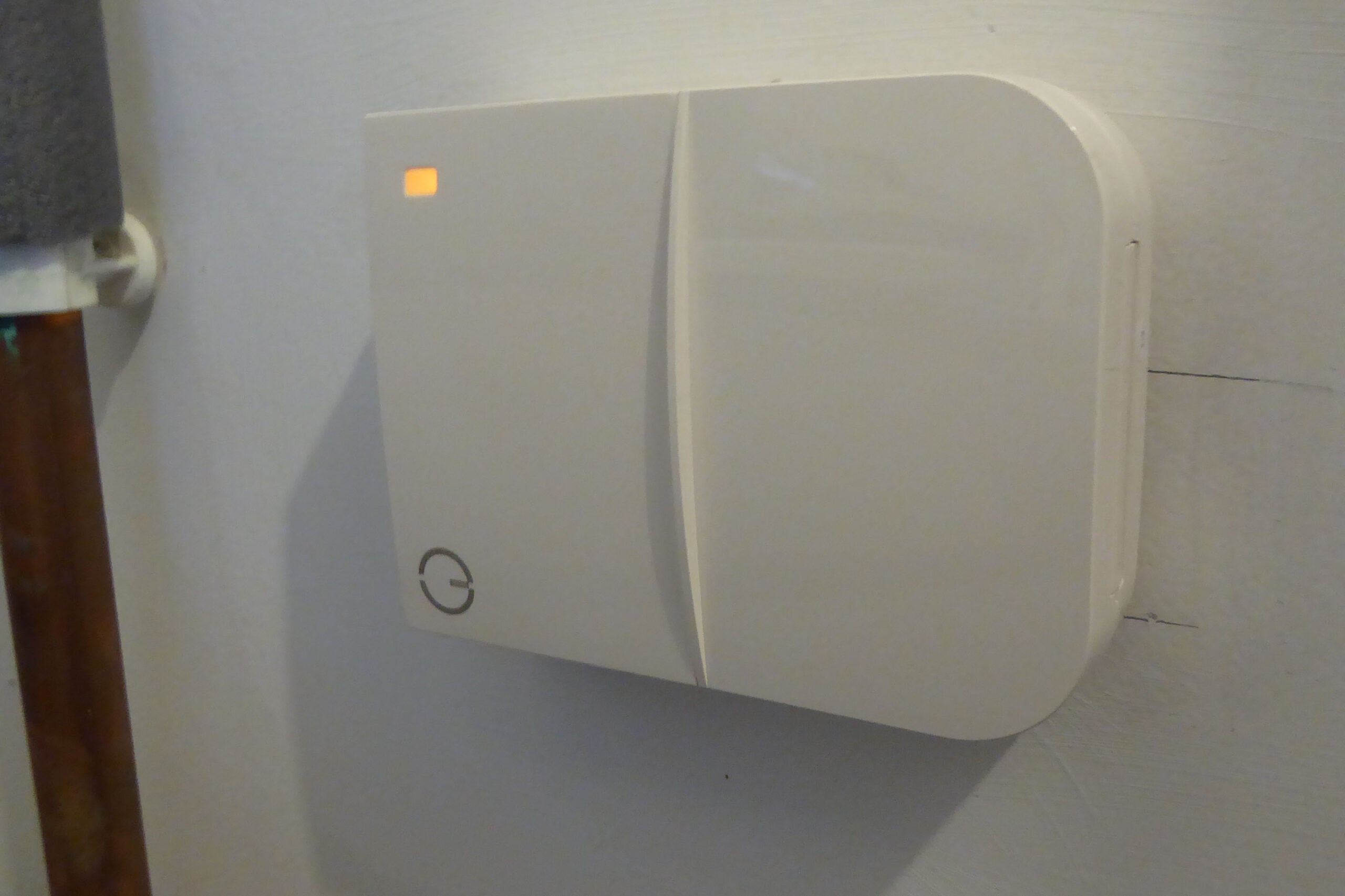
The starter kit includes a Genius Hub, a room thermostat and a boiler switch for £269.97, which compares favourably with a starter Evohome system.
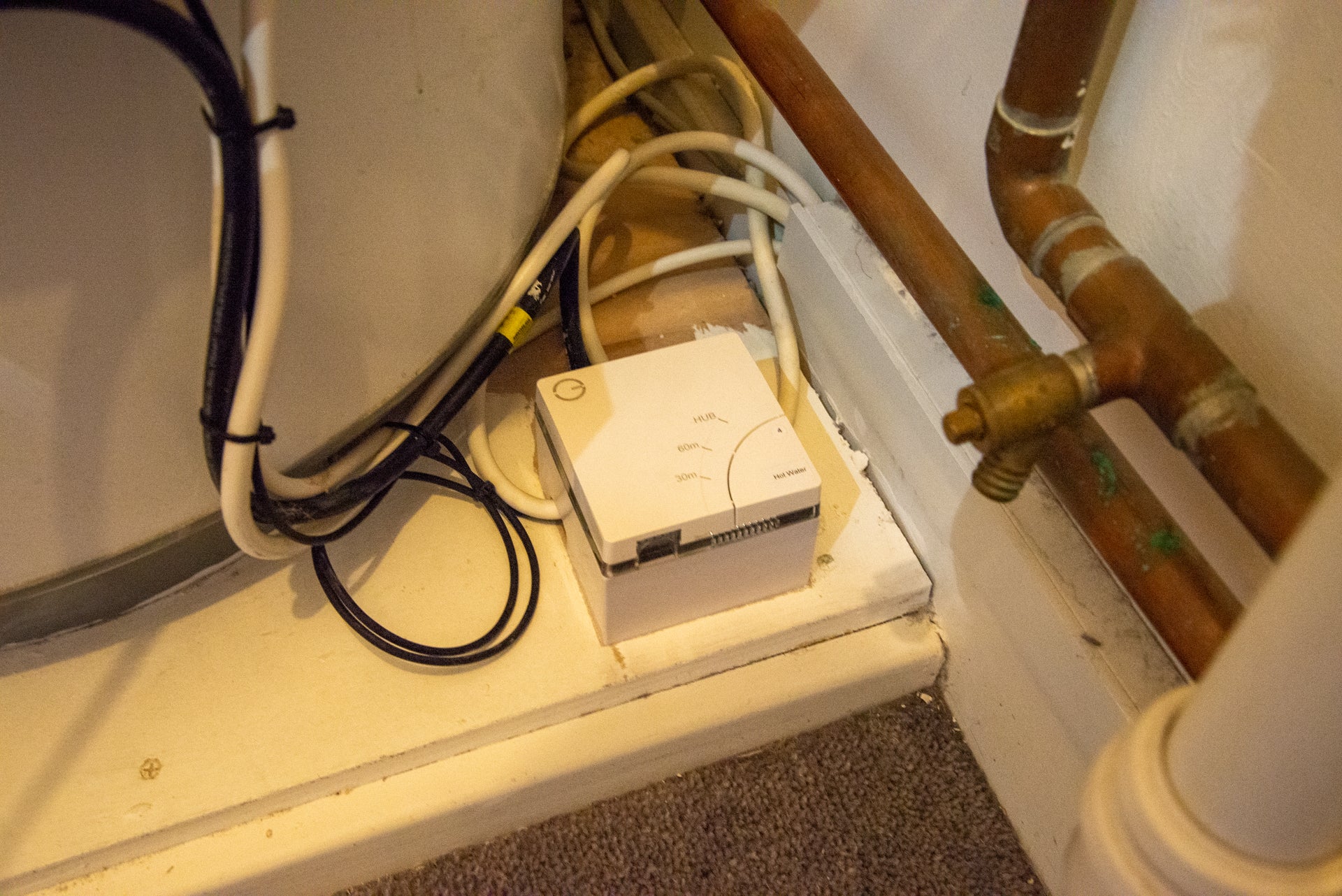
If you need hot water control, there’s a kit for that, complete with temperature sensors to measure the actual water temperature of stored water. Cleverly, the system can be used to control hot water pumped from the tank and an electric immersion heater for complete control.
Then, you need the heating components, which for most rooms will consist of Genius Radiator Valves.
Previously, the system had relied on £59.99 valves that communicated with the Hub over the Z-Wave protocol, but as of 2022 these have been discontinued and replaced by updated valves, which start at £69.99 each and instead communicate over the Zigbee protocol.

However, because the Genius Hub only has Z-Wave capabilities built into it, in order to enable communications with the new radiator valves you need the £30 Communications Adapter, a USB stick that plugs into the Genius Hub and bestows it with Zigbee capabilities.
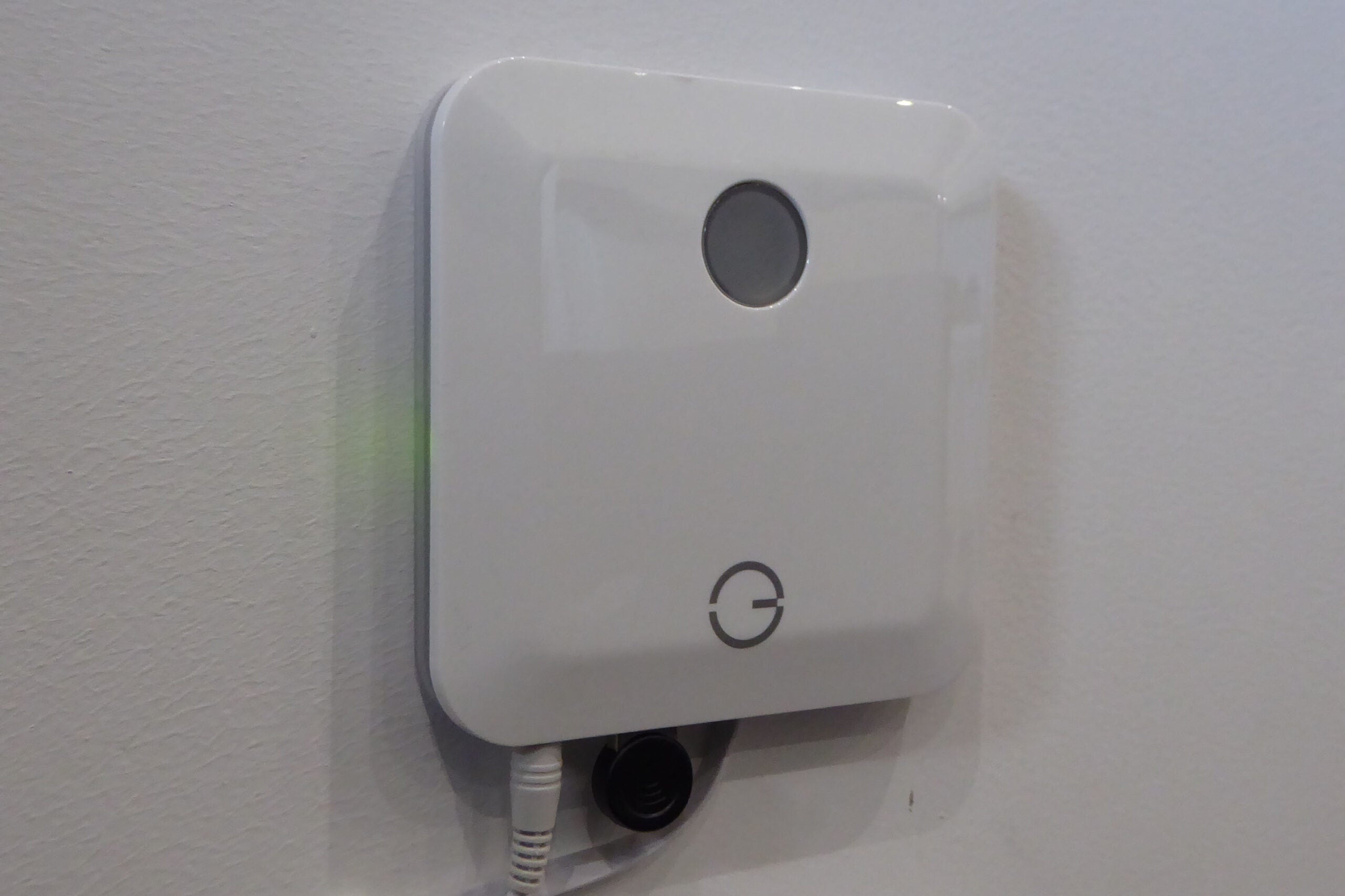
The effect of this is twofold. Firstly, the new valves are more responsive than their predecessors, reacting to commands from the app and other linked devices within seconds rather than minutes.
Secondly, Genius Hub’s move to embrace Zigbee lays a path towards the embryonic multiverse of Matter, the long-awaited standard that promises to unite the multitude of disparate smart home devices and ecosystems under a single shared language, and to which it appears that Zigbee devices have a front-row ticket.
The new valve has a side-mounted screen that lights up with the push of a button, and the temperature can be set with an easy twist.
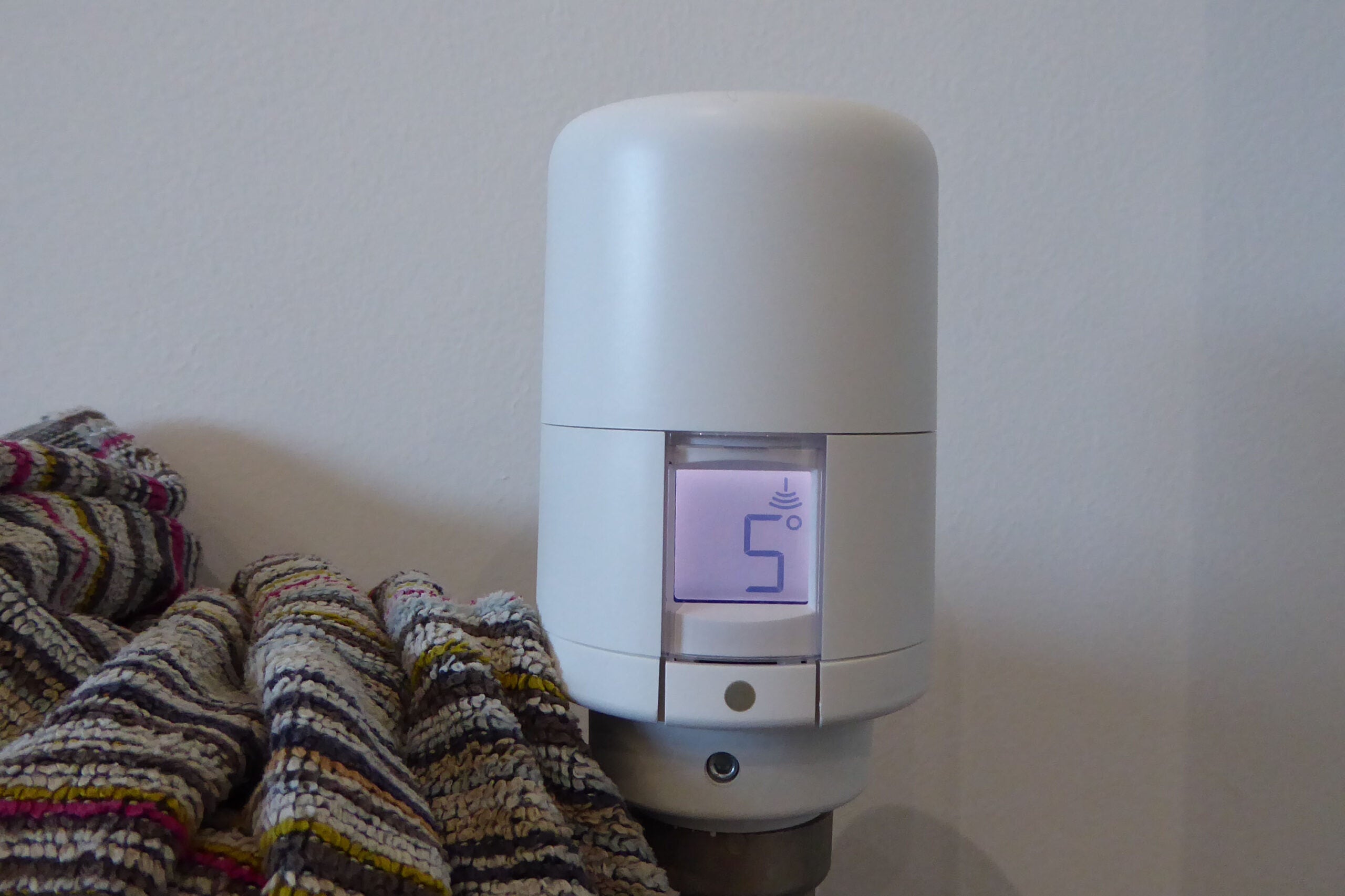
It’s an improvement on the design of the old valve, which will continue to be supported by the Genius Hub. My only complaint is that its screen lies flat on the lid, making it difficult to read on certain radiator orientations. For instance, I have one towel radiator where the valve is low to the floor and pointing down.
Radiator valves are available in white as standard, although for £30 extra you can have them spray-painted to match any fancy radiators that you might have in your home.
Genius Hub also supports wet underfloor heating and electric radiators, making it one of the best-supported heating systems available.
As well as heating devices, Genius Hub also works with motion sensors (£44.99) that can be used to detect occupancy in a room and then do some really clever things. Typically, motion sensors work best in rooms that are in regular use, such as living rooms, dining rooms, kitchens and bedrooms.
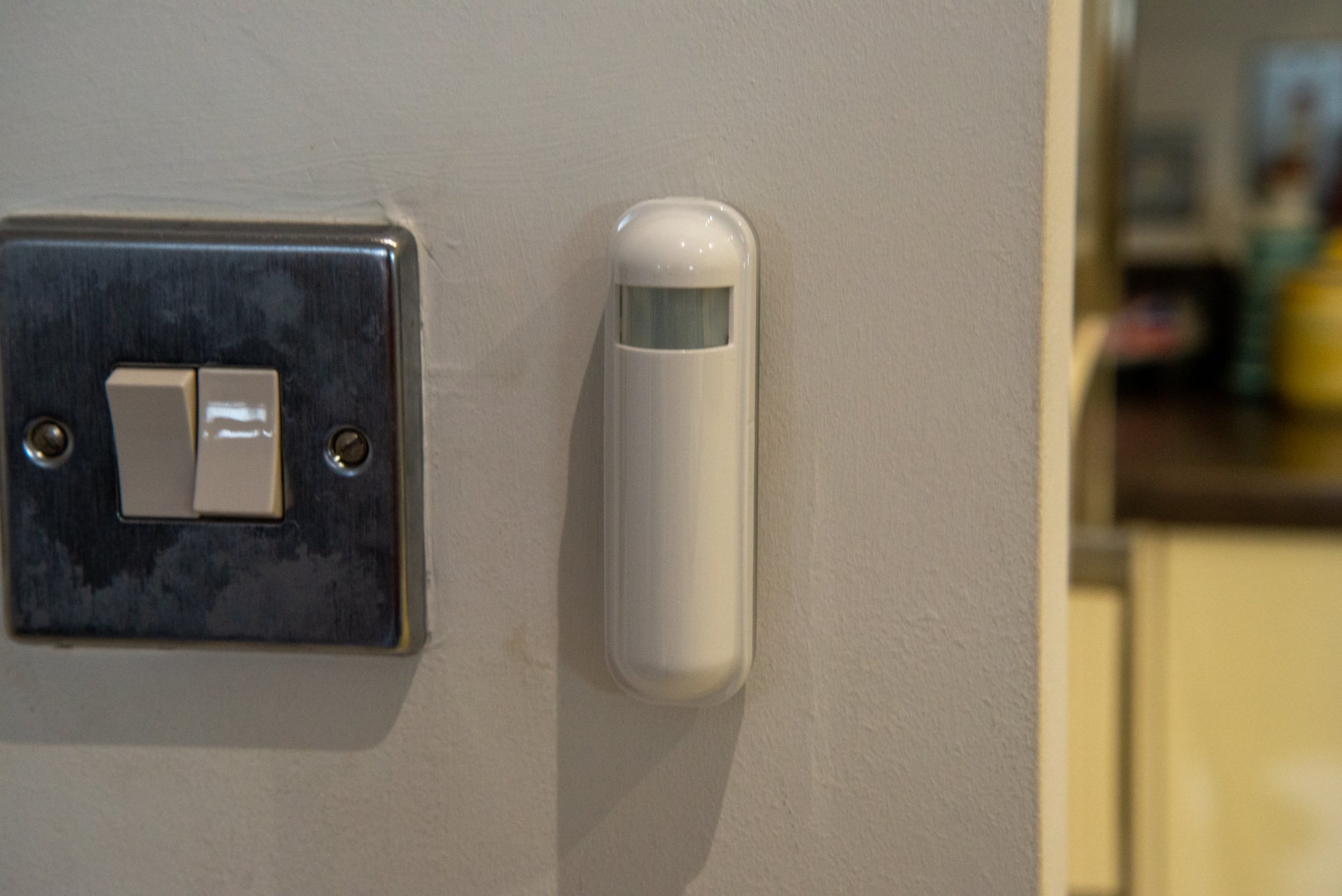
You can also opt for an external thermostat in each room to give you more accurate temperature sensor readings. For example, if you use the radiator valves behind furniture they may give out incorrect readings and shut your heating down too early.
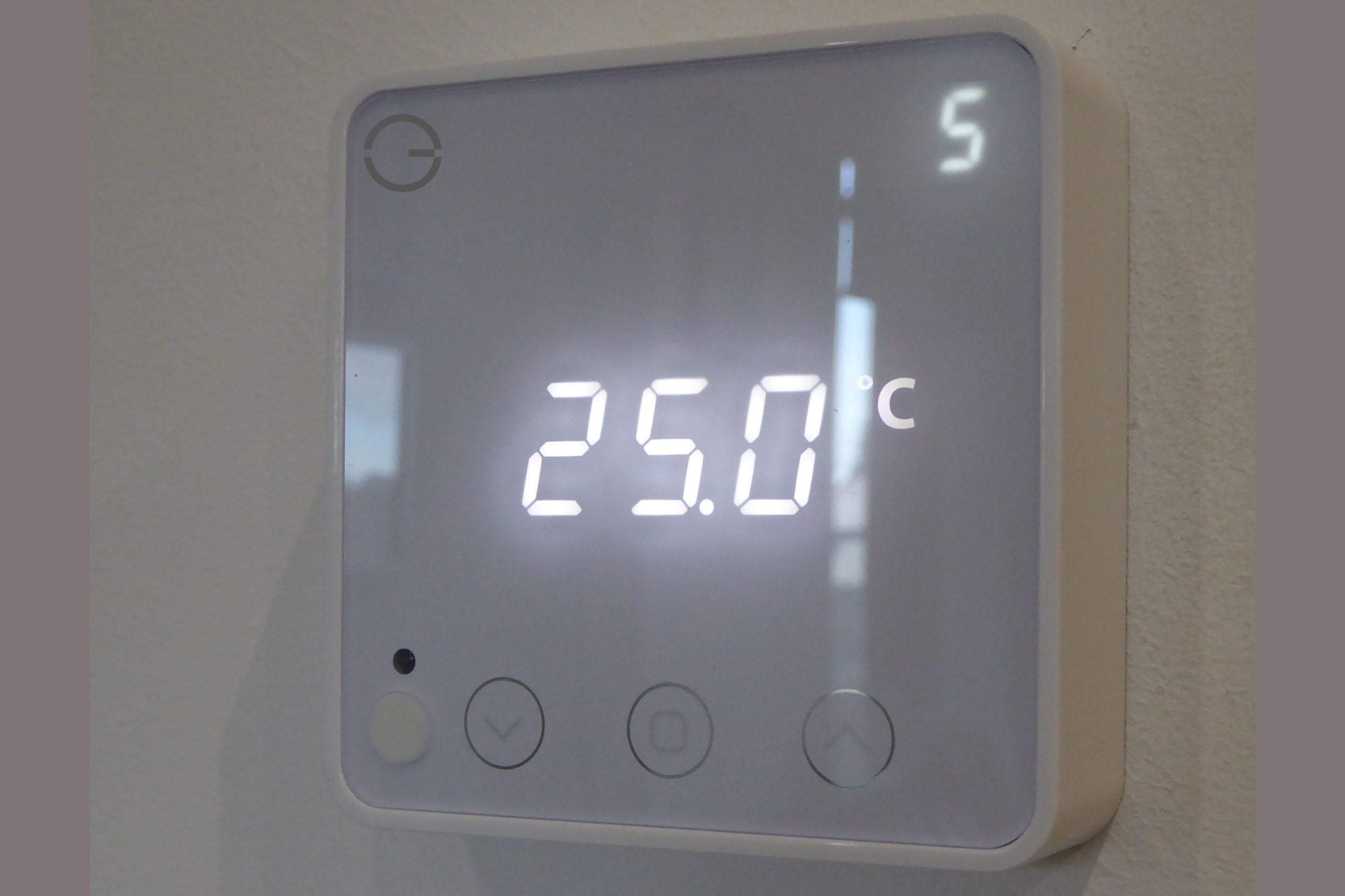
Finally, Genius Hub sells smart plugs (from £39.99) too, which can also act as range extenders for its Z-Wave sensors and Zigbee radiator valves. If you just need the range-extending features, you can simply leave the smart plug on and use it as a normal plug socket.
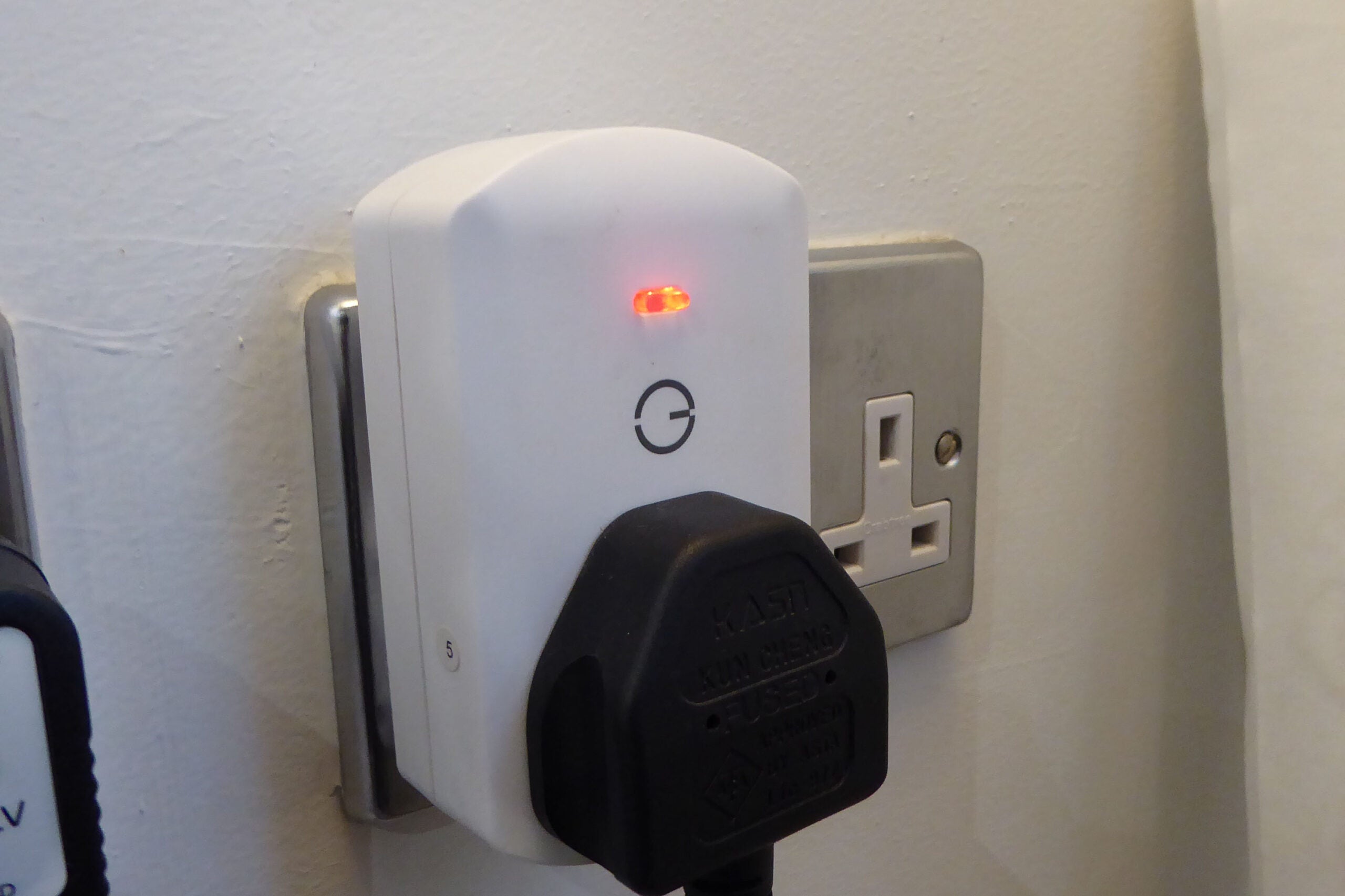
Once your system has been designed and the components ordered, they all come pre-paired and labelled, so there’s less of a job for a professional installer to deal with. Genius Hub can take care of the professional installation for you, although you can get your own plumber if you prefer.
No matter the complexity of the system, Genius Hub can handle it. My system is an S Plan, with an external boiler in the apartment block handling heat generation for the heating and hot water tank, the latter of which also has an immersion heater. Genius Hub had all of the necessary components to make everything work together.
Features
- Exceptionally powerful scheduling
- You can control a zone via motion detection
Once your system’s installed, you can start to manage how it works, which means devoting some time to get everything right. It’s fair to say that it’ll take a matter of weeks rather than days to get everything the way you want it, which is pretty standard for any system that’s more complicated than a single-zone thermostat.
At its most basic, Genius Hub can work on a simple schedule, with one schedule per zone. Each zone can be thought of as a room and can contain multiple heating devices, which can be controlled independently of each other. Your schedule simply lets you set the target temperature and how long it should last for, for instance turning the heating up in your bedroom for when you wake up, turning it down during the day, then back up again for the evening.
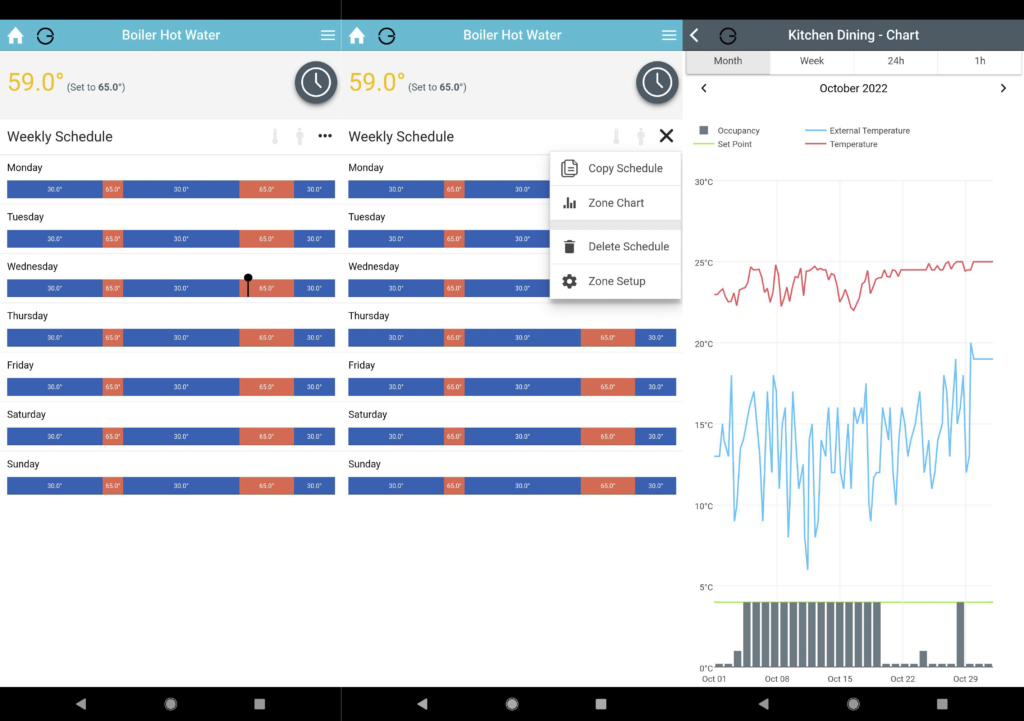
If you opt for motion sensors, there are a few neat tricks that take Genius Hub to the next level. The first is Footprint mode, which uses the sensors to detect occupancy, generating a schedule automatically based on two weeks of data. It’s a moving two weeks of data, so as your pattern changes, the schedule does too, much in the same way that the Nest Learning Thermostat adjusts to usage.
There are also quick actions that let you make manual adjustments to your occupancy-based Footprint mode schedule. Applying comfort mode to it will bridge any small gaps that may exist in the schedule, while super-eco mode will require two minutes of occupancy to be detected before heating can begin.
It’s clever, but Sense mode is arguably even better. You first need to set your own schedule, but for each time period you can set whether the system should react to occupancy (motion). During these periods, if motion is detected the heating is turned on; if there’s no motion detected, then Genius Hub will only turn on the heating if the temperature drops below the minimum you’ve set. You can also set time periods where the temperature is fixed regardless of occupancy.
It’s the best of both worlds. For example, in a bedroom, you can force a temperature overnight, when a motion sensor may not pick up your movement as you sleep. During the day, you can set your bedroom to pick up movement, so that you only get heat in that room when you’re in there. This deals with unpredictable patterns well, as rooms are set to come on only when needed.
Cleverly, Sense also lets you choose how long motion has to be present for before the heating is turned on, such as five minutes. That lets you move into a room and pick something up without turning the heating on instantly – particularly handy for working from home.
Likewise, you can set how long it takes for the heating to turn off when there’s no motion detected. This means you can leave a room temporarily, or sit still watching TV without getting cold.
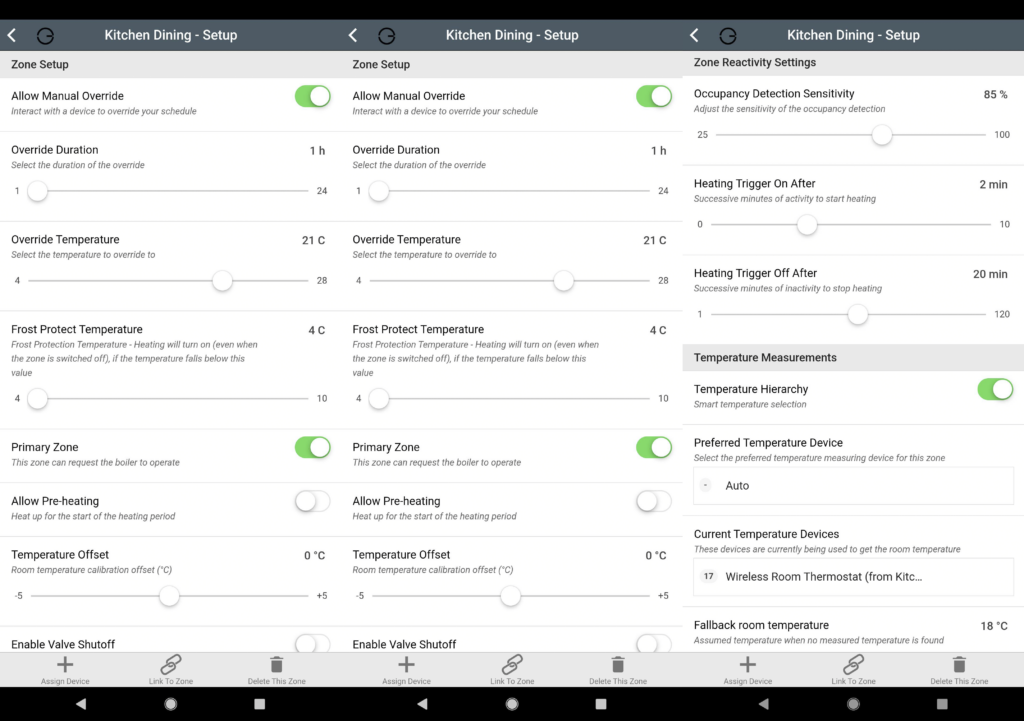
Sense mode is currently free in beta, but it may eventually move into a paid-for subscription service. There are currently two paid-for tiers of support available to customers, after the initial three-month period of free assistance is over. Email support costs £1.99 per month and phone support costs £4.99 per month. As with Tado, the subscription charge is there to support the product and to keep the price down for new customers.
As there are no contracts involved with either service, you could simply choose to pay for one or the other as and when you need assistance during the winter months, when you’re most likely to be using Genius Hub. When the weather warms up and you turn your radiators off, you can simply cancel the support through the app.
If you use Genius Hub to control your hot water, you’ll want to keep it plugged in during the summer months, but you can turn the zones off in the app, and when the weather gets colder, the Restore function will return them to their previous state.
For those that don’t want to pay for support, Genius Hub provides an in-app Doctor feature that can troubleshoot any issues you may run into. The app also includes manuals, temperature and occupancy charts, and remote control of your heating and the existing modes, including Footprint, as standard. Charts are a paid feature for Hive users.
Temperatures can also be overridden manually, either through the app or via one of the physical devices, such as a radiator valve or thermostat. The default override duration is an hour, but you can change this in the app, either on a zone-by-zone basis or en masse.
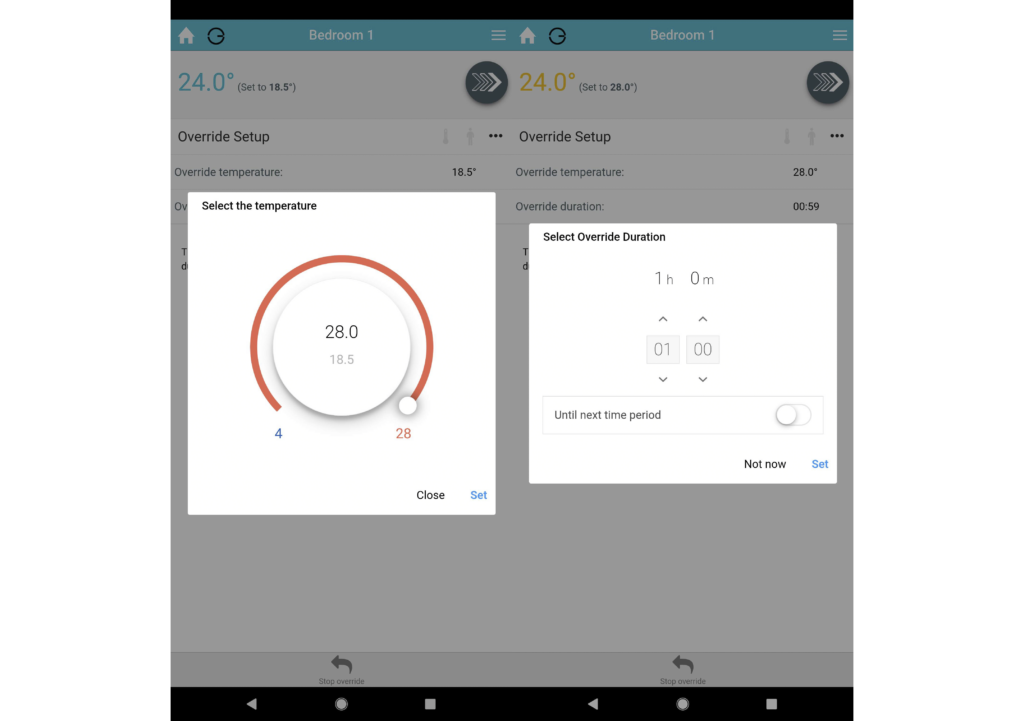
Overriding your schedule via the app is more involved, and while the Zigbee-enabled radiator valves and thermostat respond to commands from the app almost instantly, the older Z-Wave radiator valves can take up to two minutes to react.
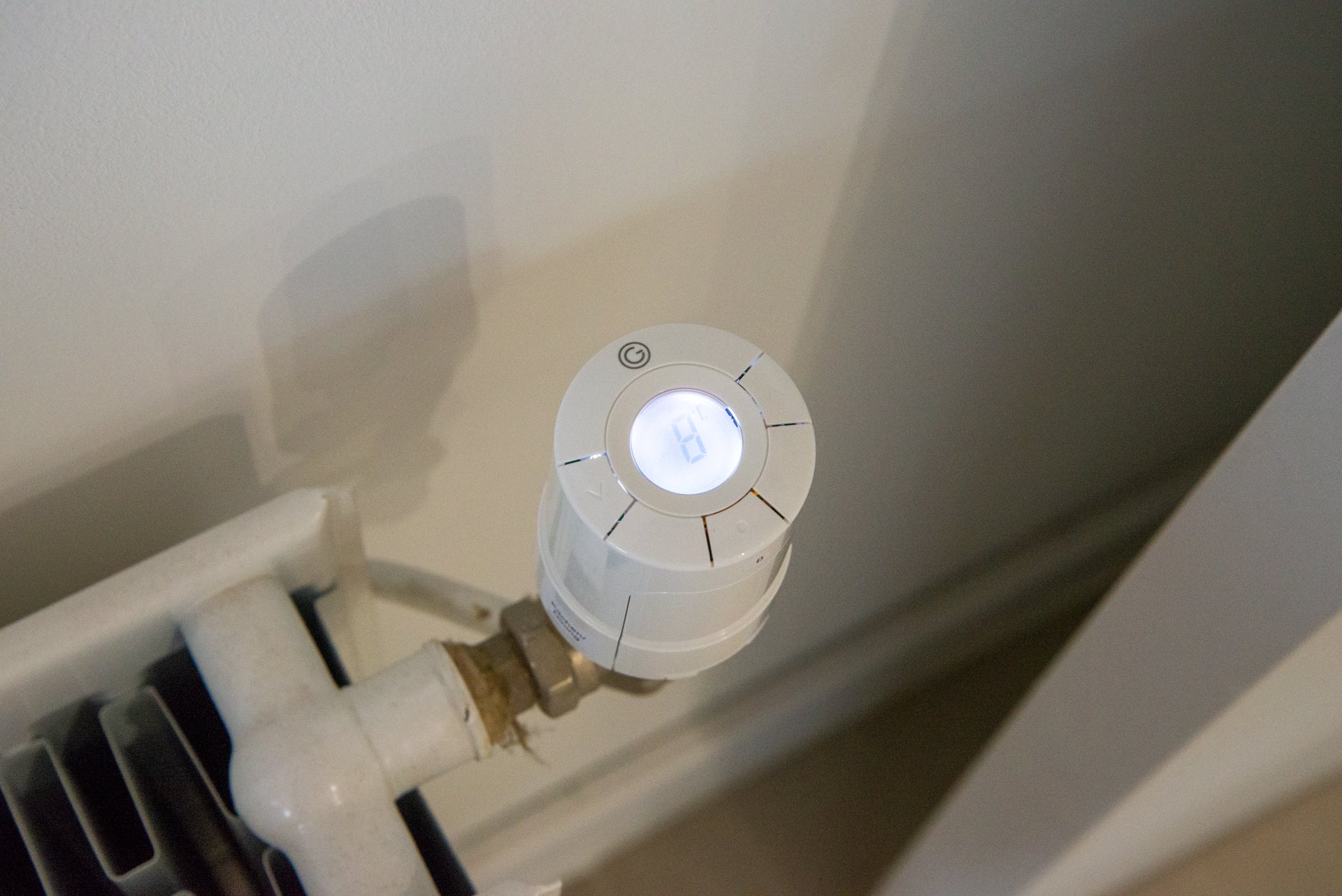
To avoid any potential uncertainty resulting from a delay, it’s generally easiest to execute override commands directly on the devices themselves. It’s simple because they have screens, but from my experience regardless of whether they communicate over Zigbee or Z-Wave, they relay the information to the app within 20 seconds.
Each zone has some clever tricks, too. There’s an algorithmic Window Open tool that detects when there’s a rapid temperature drop in a zone due to an open window and shuts down the radiator valve, to not waste power.
You can also turn on the Pre-heating setting in each Zone’s configuration page, which lets the heating start early so that a room reaches the target temperature at the time you’ve set, rather than the default, which is for the heating to start at the time you set, which means a room can take a while to reach temperature. Genius Hub uses an external weather feed to work out how long before time the heating needs to be turned on. As always, these features work to a degree, but on a cold day that’s very sunny in a south-facing room, a room may heat up quicker than expected.
If you’ve got multiple devices in a room, you can set the order of priority for which one should be the master for temperature readings. By default, a room thermostat is the main temperature sensor (if you have one) but you can change this if you wish to.
In most regards, then, Genius Hub is more powerful than the rival Honeywell Evohome system in all but one regard: I still like Evohome’s Quick Actions, which let you quickly change settings, such as turning your heating to eco mode (turning all zones down by three degrees) or custom mode (where you can run a custom schedule, such as when guests come to stay).
Genius Hub doesn’t have a geolocation feature, although you can manually turn off your heating from the app or implement a similar feature using IFTTT, which there is support for. I have to say, though, the detection-based Sense mode makes more sense than geolocation anyway, as you’re likely to only be heating the rooms that you’re using.
Motion sensors can also be used to control any smart plugs you’ve got, turning them on and off automatically, such as to switch on a lamp as you walk into a room. You can set the periods when you want this to happen, although it would be nice if you could use softer boundaries, such as sunset and sunrise, rather than set times. As such, the smart plugs are a neat feature, but you might be better off, provided you don’t need range extension, with an alternative such as the Philips Hue Smart Plug.
Finally, if you have hot water, you can set the schedule you want. Genius Hub operates as more than just a simple timer control, using its integrated temperature sensors to let you set and measure your hot water tank. You can override the setting on the boiler and turn on an immersion heater for a set period, too.
Performance
- Amazon Alexa Skill gives you full voice control
- Google Assistant is supported via IFTTT
- Combination of schedules and motion sensors helps save money and maintain comfort
I’ve lived with Genius Hub for three years, and I’m still surprised at how powerful and feature-packed it is.
I initially ran in Sense mode and found that it largely worked well, turning on the heating automatically when the system picked up motion, and maintaining temperatures at other times. The only issue that I had was that there were occasions when my living room motion sensor wasn’t able to detect movement from the sofa, turning the heat off as a result.
To be fair, during installation I was told that the original position of the motion sensor may not be ideal. Moving it solved the issue, and you may need to do the same if you run into the same problem, or else add another motion sensor to the mix.
I found both the old and new radiator valves to be extremely quiet – quieter than the equivalent Honeywell Evohome ones. The system takes a few weeks to settle down, as the valves first need to learn the maximum and minimum pin positions of each valve, but once that’s done, they’re super quiet. In a very quiet room, you can hear the whir of the motor, but it’s something that you’ll barely notice over time.
There’s a dedicated Amazon Alexa Skill, and Google Assistant control is available via IFTTT. The latter needs a bit more configuration to make it work properly, so this is a system better suited to those with Alexa.
The app is intuitive and easy to use for the most part, but the sheer scale of possibilities can be overwhelming. The automatically-generated motion-based features are doubly useful as a result. However, it’s well worth putting the effort in to make the most of the system.
For instance, the charts are a secondary feature that have barely been mentioned in this review, yet they’re an endless source of fascination on their own. The app maintains a chart for every zone, mapping the intricacies of the internal, outdoor and target temperatures, as well as room occupancy, over the previous hour, 24 hours, seven days and month.
It’s a comprehensive well of data that you can build your entire heating schedule around, prioritising the cooler areas of your home at certain times of day, for instance, or shortening the duration of a heating period if a zone reaches its target temperature more quickly than you’d envisaged, but again it’s most useful when you put the effort in to understand it.
Latest deals
Should you buy it?
If you’ve got a larger home and want full room-by-room control with the best energy savings, this is the system for you.
If you’ve got an average-sized home, a simpler system with fewer components may well suit you better.
Final Thoughts
If you want powerful multi-room heating, then Genius Hub is the most comprehensive system that we’ve tested. As well as working with a myriad of heating system types, the system can also integrate motion sensors, helping you save cash when you’re not in a room. The results can be a little overwhelming, but get the settings right and you’ll have your house warm when you need it. This system is best for larger homes, and if you’ve got a smaller house, check out our guide to the best smart thermostats for alternatives.
How we test
Unlike other sites, we test every smart thermostat we review thoroughly over an extended period of time. We use standard tests to compare features properly. We’ll always tell you what we find. We never, ever, accept money to review a product.
Find out more about how we test in our ethics policy.
Used as our main smart thermostat for the review period
We monitor the temperature of our test lab to see how well the thermostat maintains temperature.
Smart thermostats are installed into our custom test set-up; smart radiator valves are installed on multiple radiators throughout our test lab.
FAQs
The new models run on Zigbee and respond faster to commands; the older ones used Z-Wave.
You can have up to 40 devices per hub, so very large homes are easily catered for.
Sustainability
TrustedReviews’ holds the fact that global warming is not a myth as a core value and will continuously endeavor to help protect our planet from harm in its business practices.
As part of this mission, whenever we review a product we send the company a series of questions to help us gauge and make transparent the impact the device has on the environment.
We currently haven’t received answers to the questions on this product, but will update this page the moment we do. You can see a detailed breakdown of the questions we ask and why in our sustainability info page.

Verdict
Genius Hub is packed full of clever features that give you both the data and the means to save energy by heating your home more intelligently. A clever app gives you complete control of not just every room but every individual heating element, while motion sensing charts your habits and moulds the entire system around them. In other words, you’ll cut out inefficiencies simply by using it. Built from scratch in the UK, Genius Hub is currently the best true multi-room heating system available, though it’s better suited to larger homes and properties.
Pros
- Extremely flexible and can handle multiple heating types
- Very quiet radiator valves
- Motion sensors help control costs
- Learns your habits
- Amazon Alexa and Google Assistant support (via IFTTT)
Cons
- Better for larger homes
- Slightly fiddly app control for overriding temperatures
Introduction
There are plenty of heating systems that let you add individual radiator controls on top of a central thermostat, but few systems are designed for multi-room heating from the ground up.
The first that comes to mind is the Honeywell Evohome, although the system hasn’t been updated in a long time. That’s where Genius Hub comes in, freshly updated in 2022 with a range of performance-enhancing and futureproofing additions.
Built-in the UK, Genius Hub is a multi-room system that gives you control over individual radiators and uses smart motion sensors to more accurately control when rooms should be heated, and when it would be best to conserve energy instead. As such, it’s the most powerful heating system that I’ve reviewed.
Design
- Supports a huge number of devices and rooms
- Supports practically every type of heating system
- Radiator valves and motion sensors add flexibility
Genius Hub heating systems start life as a design on the website, where you spec out all of the components that you need.
The Genius Hub itself is the brains of the operation. It can control up to 40 devices, and a single system can contain multiple Hubs.
It probably won’t surprise you to learn that Genius Hub is best suited to commercial properties and large homes with four bedrooms or more, a big step up from Evohome, which supports a maximum of 12 zones.
As with EvoHome, Genius Hub is also capable of controlling underfloor heating and running multiple radiators in the same room.
The Dual Channel Receiver controls the boiler or another type of heating source. There’s no OpenTherm controller to modulate your boiler’s temperature, although this isn’t such a problem with multi-room heating systems, as the energy savings are greater than with single thermostats.
The starter kit includes a Genius Hub, a room thermostat and a boiler switch for £269.97, which compares favourably with a starter Evohome system.
If you need hot water control, there’s a kit for that, complete with temperature sensors to measure the actual water temperature of stored water. Cleverly, the system can be used to control hot water pumped from the tank and an electric immersion heater for complete control.
Then, you need the heating components, which for most rooms will consist of Genius Radiator Valves.
Previously, the system had relied on £59.99 valves that communicated with the Hub over the Z-Wave protocol, but as of 2022 these have been discontinued and replaced by updated valves, which start at £69.99 each and instead communicate over the Zigbee protocol.
However, because the Genius Hub only has Z-Wave capabilities built into it, in order to enable communications with the new radiator valves you need the £30 Communications Adapter, a USB stick that plugs into the Genius Hub and bestows it with Zigbee capabilities.
The effect of this is twofold. Firstly, the new valves are more responsive than their predecessors, reacting to commands from the app and other linked devices within seconds rather than minutes.
Secondly, Genius Hub’s move to embrace Zigbee lays a path towards the embryonic multiverse of Matter, the long-awaited standard that promises to unite the multitude of disparate smart home devices and ecosystems under a single shared language, and to which it appears that Zigbee devices have a front-row ticket.
The new valve has a side-mounted screen that lights up with the push of a button, and the temperature can be set with an easy twist.
It’s an improvement on the design of the old valve, which will continue to be supported by the Genius Hub. My only complaint is that its screen lies flat on the lid, making it difficult to read on certain radiator orientations. For instance, I have one towel radiator where the valve is low to the floor and pointing down.
Radiator valves are available in white as standard, although for £30 extra you can have them spray-painted to match any fancy radiators that you might have in your home.
Genius Hub also supports wet underfloor heating and electric radiators, making it one of the best-supported heating systems available.
As well as heating devices, Genius Hub also works with motion sensors (£44.99) that can be used to detect occupancy in a room and then do some really clever things. Typically, motion sensors work best in rooms that are in regular use, such as living rooms, dining rooms, kitchens and bedrooms.
You can also opt for an external thermostat in each room to give you more accurate temperature sensor readings. For example, if you use the radiator valves behind furniture they may give out incorrect readings and shut your heating down too early.
Finally, Genius Hub sells smart plugs (from £39.99) too, which can also act as range extenders for its Z-Wave sensors and Zigbee radiator valves. If you just need the range-extending features, you can simply leave the smart plug on and use it as a normal plug socket.
Once your system has been designed and the components ordered, they all come pre-paired and labelled, so there’s less of a job for a professional installer to deal with. Genius Hub can take care of the professional installation for you, although you can get your own plumber if you prefer.
No matter the complexity of the system, Genius Hub can handle it. My system is an S Plan, with an external boiler in the apartment block handling heat generation for the heating and hot water tank, the latter of which also has an immersion heater. Genius Hub had all of the necessary components to make everything work together.
Features
- Exceptionally powerful scheduling
- You can control a zone via motion detection
Once your system’s installed, you can start to manage how it works, which means devoting some time to get everything right. It’s fair to say that it’ll take a matter of weeks rather than days to get everything the way you want it, which is pretty standard for any system that’s more complicated than a single-zone thermostat.
At its most basic, Genius Hub can work on a simple schedule, with one schedule per zone. Each zone can be thought of as a room and can contain multiple heating devices, which can be controlled independently of each other. Your schedule simply lets you set the target temperature and how long it should last for, for instance turning the heating up in your bedroom for when you wake up, turning it down during the day, then back up again for the evening.
If you opt for motion sensors, there are a few neat tricks that take Genius Hub to the next level. The first is Footprint mode, which uses the sensors to detect occupancy, generating a schedule automatically based on two weeks of data. It’s a moving two weeks of data, so as your pattern changes, the schedule does too, much in the same way that the Nest Learning Thermostat adjusts to usage.
There are also quick actions that let you make manual adjustments to your occupancy-based Footprint mode schedule. Applying comfort mode to it will bridge any small gaps that may exist in the schedule, while super-eco mode will require two minutes of occupancy to be detected before heating can begin.
It’s clever, but Sense mode is arguably even better. You first need to set your own schedule, but for each time period you can set whether the system should react to occupancy (motion). During these periods, if motion is detected the heating is turned on; if there’s no motion detected, then Genius Hub will only turn on the heating if the temperature drops below the minimum you’ve set. You can also set time periods where the temperature is fixed regardless of occupancy.
It’s the best of both worlds. For example, in a bedroom, you can force a temperature overnight, when a motion sensor may not pick up your movement as you sleep. During the day, you can set your bedroom to pick up movement, so that you only get heat in that room when you’re in there. This deals with unpredictable patterns well, as rooms are set to come on only when needed.
Cleverly, Sense also lets you choose how long motion has to be present for before the heating is turned on, such as five minutes. That lets you move into a room and pick something up without turning the heating on instantly – particularly handy for working from home.
Likewise, you can set how long it takes for the heating to turn off when there’s no motion detected. This means you can leave a room temporarily, or sit still watching TV without getting cold.
Sense mode is currently free in beta, but it may eventually move into a paid-for subscription service. There are currently two paid-for tiers of support available to customers, after the initial three-month period of free assistance is over. Email support costs £1.99 per month and phone support costs £4.99 per month. As with Tado, the subscription charge is there to support the product and to keep the price down for new customers.
As there are no contracts involved with either service, you could simply choose to pay for one or the other as and when you need assistance during the winter months, when you’re most likely to be using Genius Hub. When the weather warms up and you turn your radiators off, you can simply cancel the support through the app.
If you use Genius Hub to control your hot water, you’ll want to keep it plugged in during the summer months, but you can turn the zones off in the app, and when the weather gets colder, the Restore function will return them to their previous state.
For those that don’t want to pay for support, Genius Hub provides an in-app Doctor feature that can troubleshoot any issues you may run into. The app also includes manuals, temperature and occupancy charts, and remote control of your heating and the existing modes, including Footprint, as standard. Charts are a paid feature for Hive users.
Temperatures can also be overridden manually, either through the app or via one of the physical devices, such as a radiator valve or thermostat. The default override duration is an hour, but you can change this in the app, either on a zone-by-zone basis or en masse.
Overriding your schedule via the app is more involved, and while the Zigbee-enabled radiator valves and thermostat respond to commands from the app almost instantly, the older Z-Wave radiator valves can take up to two minutes to react.
To avoid any potential uncertainty resulting from a delay, it’s generally easiest to execute override commands directly on the devices themselves. It’s simple because they have screens, but from my experience regardless of whether they communicate over Zigbee or Z-Wave, they relay the information to the app within 20 seconds.
Each zone has some clever tricks, too. There’s an algorithmic Window Open tool that detects when there’s a rapid temperature drop in a zone due to an open window and shuts down the radiator valve, to not waste power.
You can also turn on the Pre-heating setting in each Zone’s configuration page, which lets the heating start early so that a room reaches the target temperature at the time you’ve set, rather than the default, which is for the heating to start at the time you set, which means a room can take a while to reach temperature. Genius Hub uses an external weather feed to work out how long before time the heating needs to be turned on. As always, these features work to a degree, but on a cold day that’s very sunny in a south-facing room, a room may heat up quicker than expected.
If you’ve got multiple devices in a room, you can set the order of priority for which one should be the master for temperature readings. By default, a room thermostat is the main temperature sensor (if you have one) but you can change this if you wish to.
In most regards, then, Genius Hub is more powerful than the rival Honeywell Evohome system in all but one regard: I still like Evohome’s Quick Actions, which let you quickly change settings, such as turning your heating to eco mode (turning all zones down by three degrees) or custom mode (where you can run a custom schedule, such as when guests come to stay).
Genius Hub doesn’t have a geolocation feature, although you can manually turn off your heating from the app or implement a similar feature using IFTTT, which there is support for. I have to say, though, the detection-based Sense mode makes more sense than geolocation anyway, as you’re likely to only be heating the rooms that you’re using.
Motion sensors can also be used to control any smart plugs you’ve got, turning them on and off automatically, such as to switch on a lamp as you walk into a room. You can set the periods when you want this to happen, although it would be nice if you could use softer boundaries, such as sunset and sunrise, rather than set times. As such, the smart plugs are a neat feature, but you might be better off, provided you don’t need range extension, with an alternative such as the Philips Hue Smart Plug.
Finally, if you have hot water, you can set the schedule you want. Genius Hub operates as more than just a simple timer control, using its integrated temperature sensors to let you set and measure your hot water tank. You can override the setting on the boiler and turn on an immersion heater for a set period, too.
Performance
- Amazon Alexa Skill gives you full voice control
- Google Assistant is supported via IFTTT
- Combination of schedules and motion sensors helps save money and maintain comfort
I’ve lived with Genius Hub for three years, and I’m still surprised at how powerful and feature-packed it is.
I initially ran in Sense mode and found that it largely worked well, turning on the heating automatically when the system picked up motion, and maintaining temperatures at other times. The only issue that I had was that there were occasions when my living room motion sensor wasn’t able to detect movement from the sofa, turning the heat off as a result.
To be fair, during installation I was told that the original position of the motion sensor may not be ideal. Moving it solved the issue, and you may need to do the same if you run into the same problem, or else add another motion sensor to the mix.
I found both the old and new radiator valves to be extremely quiet – quieter than the equivalent Honeywell Evohome ones. The system takes a few weeks to settle down, as the valves first need to learn the maximum and minimum pin positions of each valve, but once that’s done, they’re super quiet. In a very quiet room, you can hear the whir of the motor, but it’s something that you’ll barely notice over time.
There’s a dedicated Amazon Alexa Skill, and Google Assistant control is available via IFTTT. The latter needs a bit more configuration to make it work properly, so this is a system better suited to those with Alexa.
The app is intuitive and easy to use for the most part, but the sheer scale of possibilities can be overwhelming. The automatically-generated motion-based features are doubly useful as a result. However, it’s well worth putting the effort in to make the most of the system.
For instance, the charts are a secondary feature that have barely been mentioned in this review, yet they’re an endless source of fascination on their own. The app maintains a chart for every zone, mapping the intricacies of the internal, outdoor and target temperatures, as well as room occupancy, over the previous hour, 24 hours, seven days and month.
It’s a comprehensive well of data that you can build your entire heating schedule around, prioritising the cooler areas of your home at certain times of day, for instance, or shortening the duration of a heating period if a zone reaches its target temperature more quickly than you’d envisaged, but again it’s most useful when you put the effort in to understand it.
Latest deals
Should you buy it?
If you’ve got a larger home and want full room-by-room control with the best energy savings, this is the system for you.
If you’ve got an average-sized home, a simpler system with fewer components may well suit you better.
Final Thoughts
If you want powerful multi-room heating, then Genius Hub is the most comprehensive system that we’ve tested. As well as working with a myriad of heating system types, the system can also integrate motion sensors, helping you save cash when you’re not in a room. The results can be a little overwhelming, but get the settings right and you’ll have your house warm when you need it. This system is best for larger homes, and if you’ve got a smaller house, check out our guide to the best smart thermostats for alternatives.
How we test
Unlike other sites, we test every smart thermostat we review thoroughly over an extended period of time. We use standard tests to compare features properly. We’ll always tell you what we find. We never, ever, accept money to review a product.
Find out more about how we test in our ethics policy.
Used as our main smart thermostat for the review period
We monitor the temperature of our test lab to see how well the thermostat maintains temperature.
Smart thermostats are installed into our custom test set-up; smart radiator valves are installed on multiple radiators throughout our test lab.
FAQs
The new models run on Zigbee and respond faster to commands; the older ones used Z-Wave.
You can have up to 40 devices per hub, so very large homes are easily catered for.
Sustainability
TrustedReviews’ holds the fact that global warming is not a myth as a core value and will continuously endeavor to help protect our planet from harm in its business practices.
As part of this mission, whenever we review a product we send the company a series of questions to help us gauge and make transparent the impact the device has on the environment.
We currently haven’t received answers to the questions on this product, but will update this page the moment we do. You can see a detailed breakdown of the questions we ask and why in our sustainability info page.



