
• Washington DC |
  • New York |
  • Toronto |
  • Distribution: (800) 510 9863
Saturday, April 18, 2026
  • Login
No Result
View All Result
NEWSLETTER
New Edge Times
  • World
  • U.S.
  • Politics
  • Business
  • Science
  • Tech
  • Youth
  • Entertainment
    • All
    • Arts
    • Gaming
    • Movie
    • Music
    Video: Movie Review: You, Me & Tuscany

    Video: Movie Review: You, Me & Tuscany

    Josefina Aguilar, Who Depicted Mexican Life in Clay, Dies at 80

    Josefina Aguilar, Who Depicted Mexican Life in Clay, Dies at 80

    At ‘Baywatch’ Tryouts, Hoping to Be the Next Pam Anderson or Jason Momoa

    At ‘Baywatch’ Tryouts, Hoping to Be the Next Pam Anderson or Jason Momoa

    Video: Why Are We Obsessed With Antigone?

    Video: Why Are We Obsessed With Antigone?

    Video: Our Spring Book Recommendations

    Video: Our Spring Book Recommendations

    John Lithgow’s Career Spans 200 Roles — From ‘3rd Rock’ to Roald Dahl

    John Lithgow’s Career Spans 200 Roles — From ‘3rd Rock’ to Roald Dahl

    Video: Michael B. Jordan Wins Best Actor

    Video: Michael B. Jordan Wins Best Actor

    Hope Breaker: The First African American Bronx Hero in the Heartline Universe

    Hope Breaker: The First African American Bronx Hero in the Heartline Universe

    • Gaming
    • Movie
    • Music
    • Arts
  • Sports
  • Lifestyle
    • All
    • Fashion
    • Food
    • Health
    • Travel
    Video: Designer Fashion Hits the 2026 WNBA Draft

    Video: Designer Fashion Hits the 2026 WNBA Draft

    Video: The New Aesthetic of ‘Euphoria’

    Video: The New Aesthetic of ‘Euphoria’

    Is There a Perfect Way to Cook Eggs?

    Is There a Perfect Way to Cook Eggs?

    Bran Muffins Can Be Tender and Moist. Here’s How.

    Bran Muffins Can Be Tender and Moist. Here’s How.

    A Salmon and Potato Recipe That Only Feels Fancy

    A Salmon and Potato Recipe That Only Feels Fancy

    This Old-Fashioned Dish Deserves a Place on Your Easter Table

    This Old-Fashioned Dish Deserves a Place on Your Easter Table

    55 Silver Nathan Young – Turning Life Lessons Into Healthcare Leadership

    55 Silver Nathan Young – Turning Life Lessons Into Healthcare Leadership

    This Stunning Chocolate Dessert Is Simpler Than It Looks

    This Stunning Chocolate Dessert Is Simpler Than It Looks

    • Fashion
    • Food
    • Health
    • Travel
  • Reviews
  • Trending
  • World
  • U.S.
  • Politics
  • Business
  • Science
  • Tech
  • Youth
  • Entertainment
    • All
    • Arts
    • Gaming
    • Movie
    • Music
    Video: Movie Review: You, Me & Tuscany

    Video: Movie Review: You, Me & Tuscany

    Josefina Aguilar, Who Depicted Mexican Life in Clay, Dies at 80

    Josefina Aguilar, Who Depicted Mexican Life in Clay, Dies at 80

    At ‘Baywatch’ Tryouts, Hoping to Be the Next Pam Anderson or Jason Momoa

    At ‘Baywatch’ Tryouts, Hoping to Be the Next Pam Anderson or Jason Momoa

    Video: Why Are We Obsessed With Antigone?

    Video: Why Are We Obsessed With Antigone?

    Video: Our Spring Book Recommendations

    Video: Our Spring Book Recommendations

    John Lithgow’s Career Spans 200 Roles — From ‘3rd Rock’ to Roald Dahl

    John Lithgow’s Career Spans 200 Roles — From ‘3rd Rock’ to Roald Dahl

    Video: Michael B. Jordan Wins Best Actor

    Video: Michael B. Jordan Wins Best Actor

    Hope Breaker: The First African American Bronx Hero in the Heartline Universe

    Hope Breaker: The First African American Bronx Hero in the Heartline Universe

    • Gaming
    • Movie
    • Music
    • Arts
  • Sports
  • Lifestyle
    • All
    • Fashion
    • Food
    • Health
    • Travel
    Video: Designer Fashion Hits the 2026 WNBA Draft

    Video: Designer Fashion Hits the 2026 WNBA Draft

    Video: The New Aesthetic of ‘Euphoria’

    Video: The New Aesthetic of ‘Euphoria’

    Is There a Perfect Way to Cook Eggs?

    Is There a Perfect Way to Cook Eggs?

    Bran Muffins Can Be Tender and Moist. Here’s How.

    Bran Muffins Can Be Tender and Moist. Here’s How.

    A Salmon and Potato Recipe That Only Feels Fancy

    A Salmon and Potato Recipe That Only Feels Fancy

    This Old-Fashioned Dish Deserves a Place on Your Easter Table

    This Old-Fashioned Dish Deserves a Place on Your Easter Table

    55 Silver Nathan Young – Turning Life Lessons Into Healthcare Leadership

    55 Silver Nathan Young – Turning Life Lessons Into Healthcare Leadership

    This Stunning Chocolate Dessert Is Simpler Than It Looks

    This Stunning Chocolate Dessert Is Simpler Than It Looks

    • Fashion
    • Food
    • Health
    • Travel
  • Reviews
  • Trending
No Result
View All Result
New Edge Times
No Result
View All Result
Home Reviews

Razer DeathAdder V3 Pro

by New Edge Times Report
September 9, 2022
in Reviews
Razer DeathAdder V3 Pro
Share on FacebookShare on Twitter

Verdict

The Razer DeathAdder V3 Pro is one of the most responsive and fun gaming mice I’ve ever used, and also remains one of the most comfortable thanks to minor changes to the mouse’s signature shape. It’s just a shame that for all the above, Razer has upped the price significantly and sacrificed both Bluetooth connectivity and RGB lighting.

Pros

  • Super responsive
  • Sleek looks
  • Marvellous battery life
  • Convenient software

Cons

  • Expensive
  • No Bluetooth connectivity on this new model
  • No RGB may not please some

Availability

  • UKRRP: £149.99
  • USARRP: $149.99

  • 30,000 DPI Focus Pro Sensor:Comes with a responsive 30,000 DPI sensor, making it ideal for pro gamers.

  • HyperSpeed wireless connectivity:The DeathAdder V3 Pro also connects via Razer’s HyperSpeed wireless dongle (although Bluetooth has been axed)

  • Compatible with Synapse 3 software:Even though there isn’t any RGB, Razer’s new rodent works with the brand’s clever Synapse 3 software for additional configuration.

Introduction

Razer’s all-new DeathAdder V3 Pro packs the powers of a 30,000 DPI sensor as well as the largest redesign in recent memory, plus an especially speedy wireless connection.

However, it comes at quite the cost; this all-new DeathAdder is the brand’s most expensive iteration yet, costing £149/$149. Is it worth your time, and can it remain as one of the best gaming mice money can buy? Here are my thoughts,

Design

  • Clean, white frame
  • Super lightweight
  • Odd placement of DPI switch

The Razer DeathAdder V3 Pro has received the largest redesign in recent memory. Pull up a picture of a DeathAdder of old, and you’ll notice its iconic flares on the mouse buttons and a slight contour to its shape that made it one of the most comfortable mice to use, for gaming or otherwise.

This new version ditches those flares for a flatter and generally more rounded shape that looks more like Logitech’s G Pro X Superlight, especially in the white colourway of my review sample. In addition, Razer has also added a small ledge on the right upon which to rest your ring finger, while also raising the height of the scroll wheel and left-hand mouse buttons to optimise hand position.
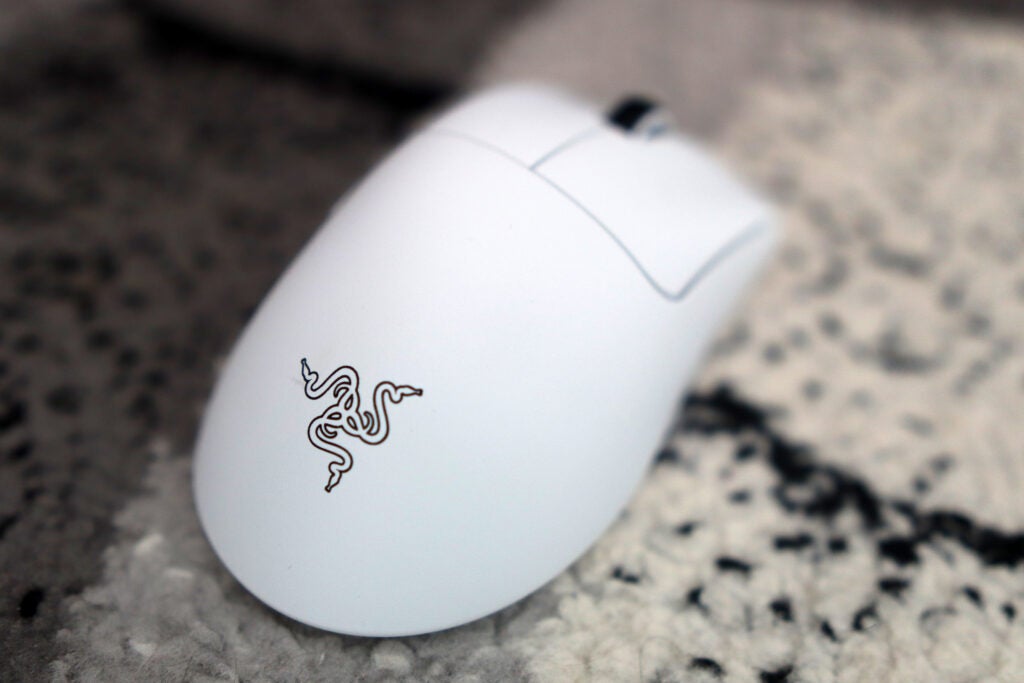
The Razer logo on the mouse
Image Credit (Trusted Reviews)

All of these changes smooth out the DeathAdder’s signature curves and, arguably, appear a little jarring if you’re moving from the previous models to this new one. Nevertheless, the fact remains that the DeathAdder V3 Pro is supremely comfortable, especially with that re-engineering also bringing with it a large reduction to the overall weight. At just 63g, the DeathAdder doesn’t suffer the kind of lightweight feeling that’s associated with cheaper mice, but one that’s there to give pro players the edge.

The number of buttons on the new DeathAdder has dropped from eight to six, which streamlines the offering. The buttons themselves feel responsive and tactile, and take advantage of Razer’s latest generation of optical mouse switches for the absolute speediest of inputs.

Speaking of buttons, this redesigned DeathAdder sees the DPI switch button move to the underside of the rodent, which seems to be a backward, rather than forward, step in my book. It means making on-the-fly changes is a thing of the past. That button is also responsible for actually turning the mouse on and off, which seems like a needless cramming of two separate functions into one button for the name of convenience.

Performance

  • 30,000 DPI sensor is incredibly responsive
  • Bluetooth connectivity is a sore miss
  • Gains in battery life are welcome

It’s all well and good introducing a host of cosmetic changes to the new Razer DeathAdder V3 Pro, but those have been done in the name of optimising performance. As such, it’s integral to note how this new DeathAdder feels in hand.

It packs a 30,000 DPI Focus Pro sensor, which is the same inside the Razer Basilisk V3 Pro, offering one of the most responsive gaming experiences I’ve ever had in a mouse, not least one this light. This combo of high power and low weight is a marker of how powerful the DeathAdder V3 Pro is, in a similar vein to how high-performance supercars are judged for their power-to-weight ratio.

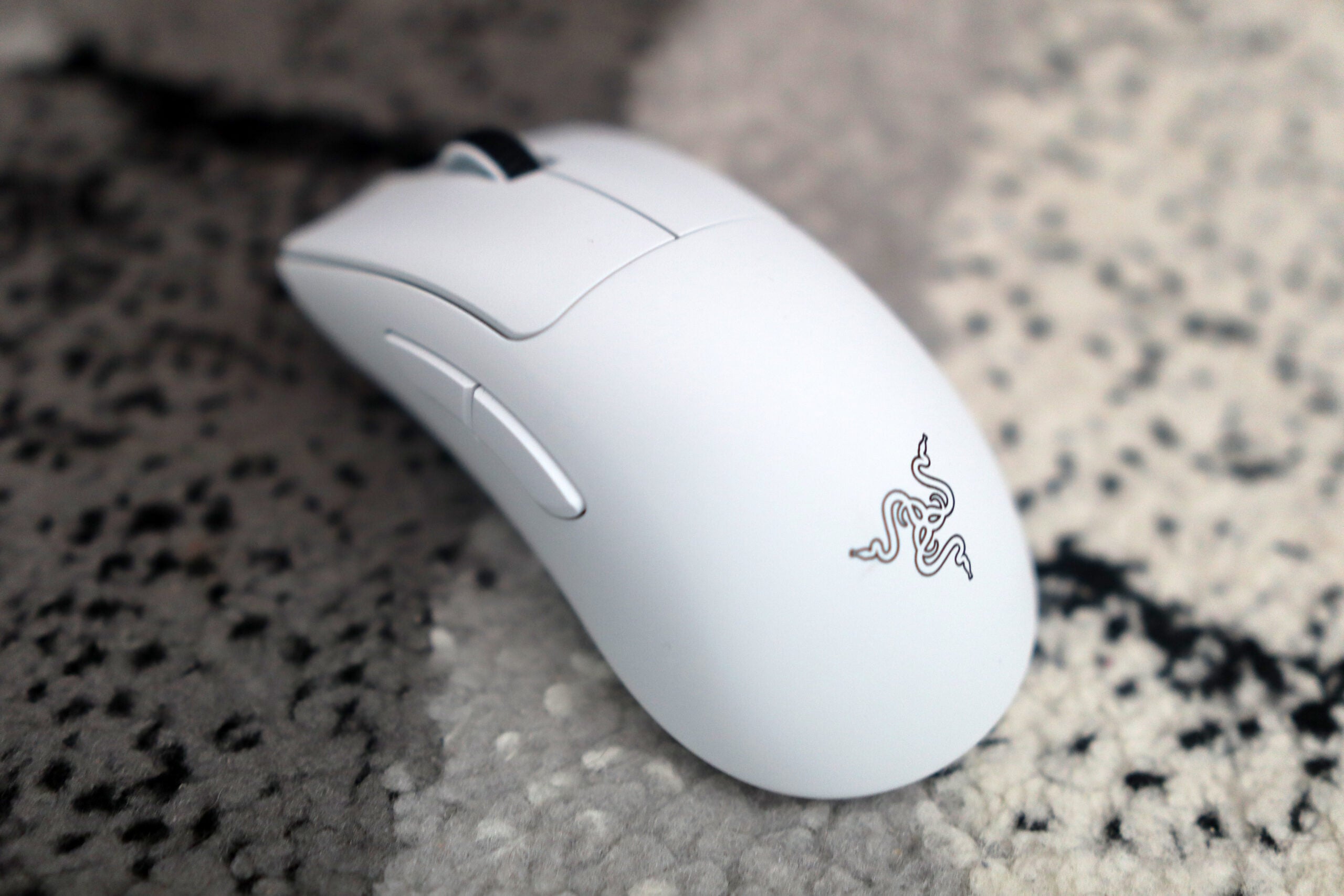
The Razer DeathAdder V3 Pro viewed from above
Image Credit (Trusted Reviews)

In testing a variety of different FPS games such as CS:GO and Apex Legends, the DeathAdder V3 Pro performed admirably, feeling at home even in my usually incapable hands. Outside of games, however, that 30,000 DPI did feel especially skittish, and it wasn’t long before I changed back to my usual Logitech MX Master 3S for a more comfortable day-to-day working experience.

In the name of offering a streamlined but overall better experience, the DeathAdder V3 Pro does away with Bluetooth connectivity for going all-in on 2.4GHz wireless connectivity via a USB-A receiver. The HyperSpeed wireless connection is one of the best out there, helping the mouse to feel rather responsive and with no latency whatsoever. 
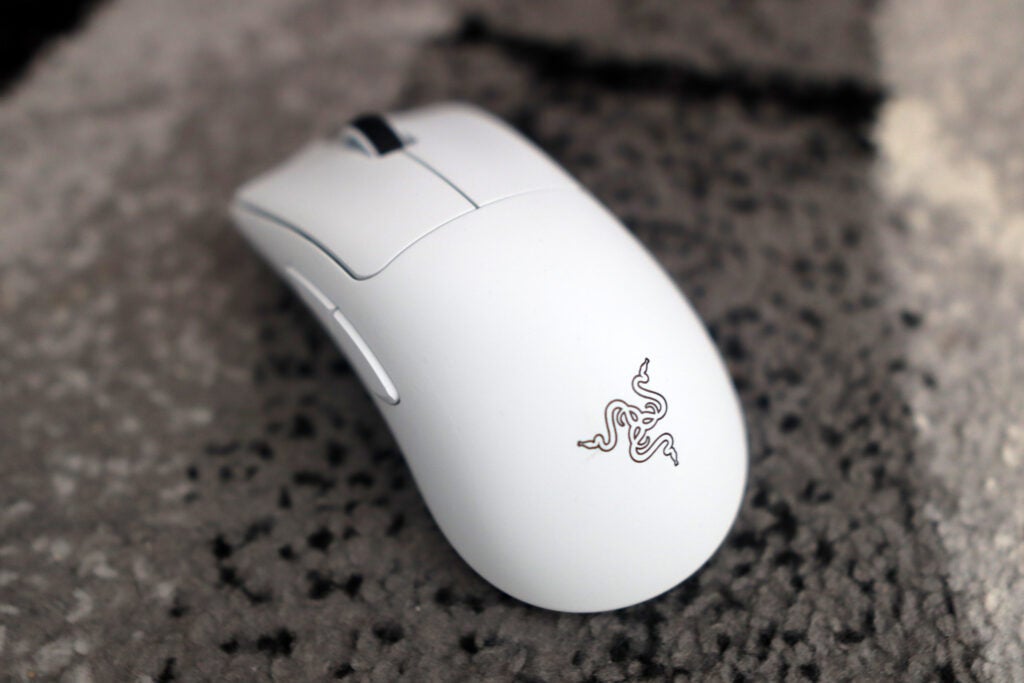
Another look at the Razer DeathAdder V3 Pro from an angle
Image Credit (Trusted Reviews)

It’s possible to make this connection even faster with the HyperPolling wireless dongle, which offers a 4000Hz polling rate. This isn’t something I’ve tested personally, but going by what Razer has said about it, it would take the DeathAdder V3 Pro to another level entirely.

The battery life on offer is also an improvement over the previous model, with Razer claiming 90 hours of run-time with the DeathAdder V3 Pro compared to the V2 Pro of old. This is a welcome addition, although it has led to the sacrifice of RGB lighting.

Software and Lighting

  • No RGB lighting in the name of performance
  • Synapse 3 is as responsive as usual

Usually in these Razer reviews, you’ll hear me laud the brand for offering the best combo of software and lighting in the business. However, with this particular option, that’s only true for half the story.

You won’t find any RGB lighting with this specific model of DeathAdder, which has been done in the name of offering better battery life – and, truth be told, it isn’t as much of a sore miss as you might expect. The DeathAdder V3 Pro still looks especially clean without it, and let’s face it, your hand will likely be covering the lighting in use anyway.

On the software front, it’s much the same story, The DeathAdder V3 Pro utilises Razer’s Synapse 3 suite, which is as handy as ever, delivering options to change DPI and remap buttons, as well as calibrating the mouse to use on different mouse mats for the most accurate tracking possible. There’s a lot you can do through Synapse 3 – apart from changing lighting, because it isn’t here.

Latest deals

Should you buy it?

You want the most responsive DeathAdder yet

The combo of a 30K DPI sensor and 63g weight makes this one of the most powerful mice out there today, as well as arguably the best DeathAdder for competitive play that Razer has ever made.

You want that sweet RGB lighting

If you’re wanting a DeathAdder that comes with RGB, the V3 Pro isn’t it. You’ll want to look back at last year’s model if that’s a priority.

Final Thoughts

The new Razer DeathAdder V3 Pro is arguably the biggest leap forward for one of the world’s best gaming mice to date. This new version brings an updated design, a boost in power of the sensor, while omitting the RGB that gamers are said to love. 

It’s mostly a success, with this new iteration feeling excellent in the hand, especially thanks to its super-light weight of just 63g. The white colourway looks sleek and clean, and the lack of RGB isn’t too much of a sore miss. The omission of Bluetooth connectivity is a shame, as is its high price; otherwise, Razer would be sitting on a top score.

How we test

Every mouse we test is used for at least a week. During that time, we’ll check for ease of use and put it through its paces by playing a range of genres, including FPS, MOBAs and strategy.

Used as a main mouse for at least a week.

Games tested: Apex Legends and CS:GO

FAQs

What’s the difference between Razer DeathAdder V2 Pro and Razer DeathAdder V3 Pro?

The main differences here concern that the V3 Pro is lighter by 20g or so, has a more powerful sensor, but doesn’t have either RGB or Bluetooth connectivity.

Is the Razer DeathAdder V3 Pro good for FPS?

Yes! The DeathAdder V3 Pro is brilliant for FPS titles, especially thanks to its high sensitivity and low weight making it rather responsive indeed.l

‹

UK RRP

USA RRP

Manufacturer

Size (Dimensions)

Weight

Release Date

First Reviewed Date

Connectivity

Cable Length

Battery Length

DPI range

Number of Buttons

Razer DeathAdder V3 Pro

£149.99

$149.99

Razer

68 x 128 x 44 MM

63 G

2022

01/09/2022

Razer HyperSpeed Wireless

1.8 Meter

90 hrs

200 30000

6

›

Sustainability

TrustedReviews’ holds the fact that global warming is not a myth as a core value and will continuously endeavor to help protect our planet from harm in its business practices.

As part of this mission, whenever we review a product we send the company a series of questions to help us gauge and make transparent the impact the device has on the environment.

We currently haven’t received answers to the questions on this product, but will update this page the moment we do. You can see a detailed breakdown of the questions we ask and why in our sustainability info page.

Jargon buster

DPI

DPI stands for “Dots Per Inch” and measures the sensitivity of a mouse. A higher DPI figure will see the mouse cursor travel a greater distance from the same wrist movement, making it very useful for competitive gaming.

RGB

RGB stands for Red Green Blue, and essentially means a device is capable of producing colourful lighting, rather than just a white light. It’s often found on gaming peripherals such as mice and keyboards.

Verdict

The Razer DeathAdder V3 Pro is one of the most responsive and fun gaming mice I’ve ever used, and also remains one of the most comfortable thanks to minor changes to the mouse’s signature shape. It’s just a shame that for all the above, Razer has upped the price significantly and sacrificed both Bluetooth connectivity and RGB lighting.

Pros

  • Super responsive
  • Sleek looks
  • Marvellous battery life
  • Convenient software

Cons

  • Expensive
  • No Bluetooth connectivity on this new model
  • No RGB may not please some

Availability

  • UKRRP: £149.99
  • USARRP: $149.99

  • 30,000 DPI Focus Pro Sensor:Comes with a responsive 30,000 DPI sensor, making it ideal for pro gamers.

  • HyperSpeed wireless connectivity:The DeathAdder V3 Pro also connects via Razer’s HyperSpeed wireless dongle (although Bluetooth has been axed)

  • Compatible with Synapse 3 software:Even though there isn’t any RGB, Razer’s new rodent works with the brand’s clever Synapse 3 software for additional configuration.

Introduction

Razer’s all-new DeathAdder V3 Pro packs the powers of a 30,000 DPI sensor as well as the largest redesign in recent memory, plus an especially speedy wireless connection.

However, it comes at quite the cost; this all-new DeathAdder is the brand’s most expensive iteration yet, costing £149/$149. Is it worth your time, and can it remain as one of the best gaming mice money can buy? Here are my thoughts,

Design

  • Clean, white frame
  • Super lightweight
  • Odd placement of DPI switch

The Razer DeathAdder V3 Pro has received the largest redesign in recent memory. Pull up a picture of a DeathAdder of old, and you’ll notice its iconic flares on the mouse buttons and a slight contour to its shape that made it one of the most comfortable mice to use, for gaming or otherwise.

This new version ditches those flares for a flatter and generally more rounded shape that looks more like Logitech’s G Pro X Superlight, especially in the white colourway of my review sample. In addition, Razer has also added a small ledge on the right upon which to rest your ring finger, while also raising the height of the scroll wheel and left-hand mouse buttons to optimise hand position.

The Razer logo on the mouse
Image Credit (Trusted Reviews)

All of these changes smooth out the DeathAdder’s signature curves and, arguably, appear a little jarring if you’re moving from the previous models to this new one. Nevertheless, the fact remains that the DeathAdder V3 Pro is supremely comfortable, especially with that re-engineering also bringing with it a large reduction to the overall weight. At just 63g, the DeathAdder doesn’t suffer the kind of lightweight feeling that’s associated with cheaper mice, but one that’s there to give pro players the edge.

The number of buttons on the new DeathAdder has dropped from eight to six, which streamlines the offering. The buttons themselves feel responsive and tactile, and take advantage of Razer’s latest generation of optical mouse switches for the absolute speediest of inputs.

Speaking of buttons, this redesigned DeathAdder sees the DPI switch button move to the underside of the rodent, which seems to be a backward, rather than forward, step in my book. It means making on-the-fly changes is a thing of the past. That button is also responsible for actually turning the mouse on and off, which seems like a needless cramming of two separate functions into one button for the name of convenience.

Performance

  • 30,000 DPI sensor is incredibly responsive
  • Bluetooth connectivity is a sore miss
  • Gains in battery life are welcome

It’s all well and good introducing a host of cosmetic changes to the new Razer DeathAdder V3 Pro, but those have been done in the name of optimising performance. As such, it’s integral to note how this new DeathAdder feels in hand.

It packs a 30,000 DPI Focus Pro sensor, which is the same inside the Razer Basilisk V3 Pro, offering one of the most responsive gaming experiences I’ve ever had in a mouse, not least one this light. This combo of high power and low weight is a marker of how powerful the DeathAdder V3 Pro is, in a similar vein to how high-performance supercars are judged for their power-to-weight ratio.

The Razer DeathAdder V3 Pro viewed from above
Image Credit (Trusted Reviews)

In testing a variety of different FPS games such as CS:GO and Apex Legends, the DeathAdder V3 Pro performed admirably, feeling at home even in my usually incapable hands. Outside of games, however, that 30,000 DPI did feel especially skittish, and it wasn’t long before I changed back to my usual Logitech MX Master 3S for a more comfortable day-to-day working experience.

In the name of offering a streamlined but overall better experience, the DeathAdder V3 Pro does away with Bluetooth connectivity for going all-in on 2.4GHz wireless connectivity via a USB-A receiver. The HyperSpeed wireless connection is one of the best out there, helping the mouse to feel rather responsive and with no latency whatsoever. 

Another look at the Razer DeathAdder V3 Pro from an angle
Image Credit (Trusted Reviews)

It’s possible to make this connection even faster with the HyperPolling wireless dongle, which offers a 4000Hz polling rate. This isn’t something I’ve tested personally, but going by what Razer has said about it, it would take the DeathAdder V3 Pro to another level entirely.

The battery life on offer is also an improvement over the previous model, with Razer claiming 90 hours of run-time with the DeathAdder V3 Pro compared to the V2 Pro of old. This is a welcome addition, although it has led to the sacrifice of RGB lighting.

Software and Lighting

  • No RGB lighting in the name of performance
  • Synapse 3 is as responsive as usual

Usually in these Razer reviews, you’ll hear me laud the brand for offering the best combo of software and lighting in the business. However, with this particular option, that’s only true for half the story.

You won’t find any RGB lighting with this specific model of DeathAdder, which has been done in the name of offering better battery life – and, truth be told, it isn’t as much of a sore miss as you might expect. The DeathAdder V3 Pro still looks especially clean without it, and let’s face it, your hand will likely be covering the lighting in use anyway.

On the software front, it’s much the same story, The DeathAdder V3 Pro utilises Razer’s Synapse 3 suite, which is as handy as ever, delivering options to change DPI and remap buttons, as well as calibrating the mouse to use on different mouse mats for the most accurate tracking possible. There’s a lot you can do through Synapse 3 – apart from changing lighting, because it isn’t here.

Latest deals

Should you buy it?

You want the most responsive DeathAdder yet

The combo of a 30K DPI sensor and 63g weight makes this one of the most powerful mice out there today, as well as arguably the best DeathAdder for competitive play that Razer has ever made.

You want that sweet RGB lighting

If you’re wanting a DeathAdder that comes with RGB, the V3 Pro isn’t it. You’ll want to look back at last year’s model if that’s a priority.

Final Thoughts

The new Razer DeathAdder V3 Pro is arguably the biggest leap forward for one of the world’s best gaming mice to date. This new version brings an updated design, a boost in power of the sensor, while omitting the RGB that gamers are said to love. 

It’s mostly a success, with this new iteration feeling excellent in the hand, especially thanks to its super-light weight of just 63g. The white colourway looks sleek and clean, and the lack of RGB isn’t too much of a sore miss. The omission of Bluetooth connectivity is a shame, as is its high price; otherwise, Razer would be sitting on a top score.

How we test

Every mouse we test is used for at least a week. During that time, we’ll check for ease of use and put it through its paces by playing a range of genres, including FPS, MOBAs and strategy.

Used as a main mouse for at least a week.

Games tested: Apex Legends and CS:GO

FAQs

What’s the difference between Razer DeathAdder V2 Pro and Razer DeathAdder V3 Pro?

The main differences here concern that the V3 Pro is lighter by 20g or so, has a more powerful sensor, but doesn’t have either RGB or Bluetooth connectivity.

Is the Razer DeathAdder V3 Pro good for FPS?

Yes! The DeathAdder V3 Pro is brilliant for FPS titles, especially thanks to its high sensitivity and low weight making it rather responsive indeed.l

‹

UK RRP

USA RRP

Manufacturer

Size (Dimensions)

Weight

Release Date

First Reviewed Date

Connectivity

Cable Length

Battery Length

DPI range

Number of Buttons

Razer DeathAdder V3 Pro

£149.99

$149.99

Razer

68 x 128 x 44 MM

63 G

2022

01/09/2022

Razer HyperSpeed Wireless

1.8 Meter

90 hrs

200 30000

6

›

Sustainability

TrustedReviews’ holds the fact that global warming is not a myth as a core value and will continuously endeavor to help protect our planet from harm in its business practices.

As part of this mission, whenever we review a product we send the company a series of questions to help us gauge and make transparent the impact the device has on the environment.

We currently haven’t received answers to the questions on this product, but will update this page the moment we do. You can see a detailed breakdown of the questions we ask and why in our sustainability info page.

Jargon buster

DPI

DPI stands for “Dots Per Inch” and measures the sensitivity of a mouse. A higher DPI figure will see the mouse cursor travel a greater distance from the same wrist movement, making it very useful for competitive gaming.

RGB

RGB stands for Red Green Blue, and essentially means a device is capable of producing colourful lighting, rather than just a white light. It’s often found on gaming peripherals such as mice and keyboards.

Previous Post

How Readers Are Reducing Their Carbon Footprint

Next Post

Tropical Storm Kay Veers Close to Baja California’s Western Coast

Related Posts

Gozney Arc Lite Review
Reviews

Gozney Arc Lite Review

by New Edge Times Report
April 17, 2026
Milky Plant Plus Review
Reviews

Milky Plant Plus Review

by New Edge Times Report
April 17, 2026
Bowers & Wilkins Px8 S2 Review
Reviews

Bowers & Wilkins Px8 S2 Review

by New Edge Times Report
April 17, 2026
Leave Comment
New Edge Times

© 2025 New Edge Times or its affiliated companies. All rights reserved.

Navigate Site

  • About
  • Advertise
  • Terms & Conditions
  • Privacy Policy
  • Disclaimer
  • Contact

Follow Us

No Result
View All Result
  • World
  • U.S.
  • Politics
  • Business
  • Science
  • Tech
  • Youth
  • Entertainment
    • Gaming
    • Movie
    • Music
    • Arts
  • Sports
  • Lifestyle
    • Fashion
    • Food
    • Health
    • Travel
  • Reviews
  • Trending

© 2025 New Edge Times or its affiliated companies. All rights reserved.

Welcome Back!

Login to your account below

Forgotten Password?

Retrieve your password

Please enter your username or email address to reset your password.

Log In
